
| ผู้พัฒนา: | Rift Valley Software, Inc. (4) | ||
| ราคา: | ฟรี | ||
| การจัดอันดับ: | 0 | ||
| ความเห็น: | 0 เขียนความเห็น | ||
| รายการ: | 0 + 1 | ||
| แต้มแล: | 1 + 0 ¡ | ||
| Mac App Store | |||
คำอธิบาย

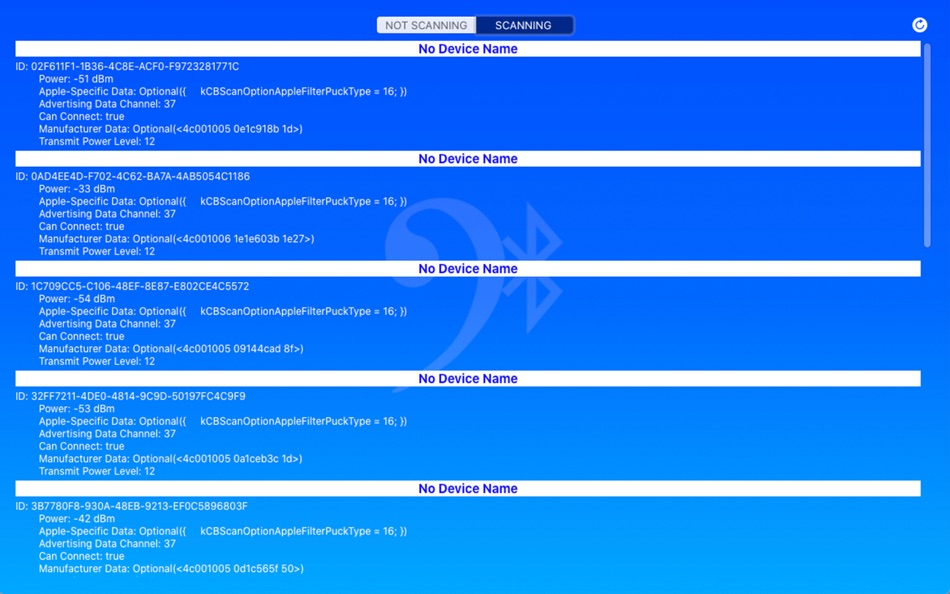
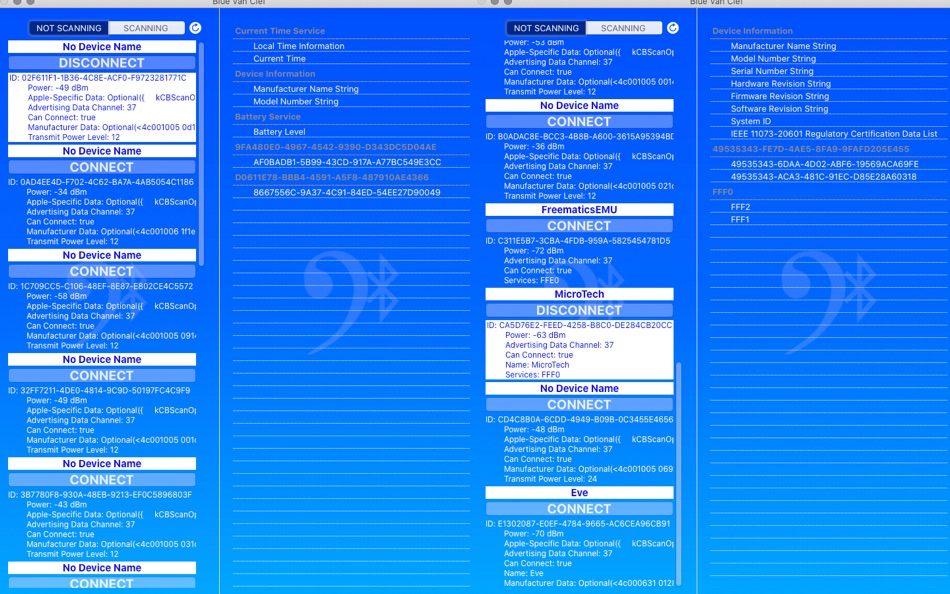
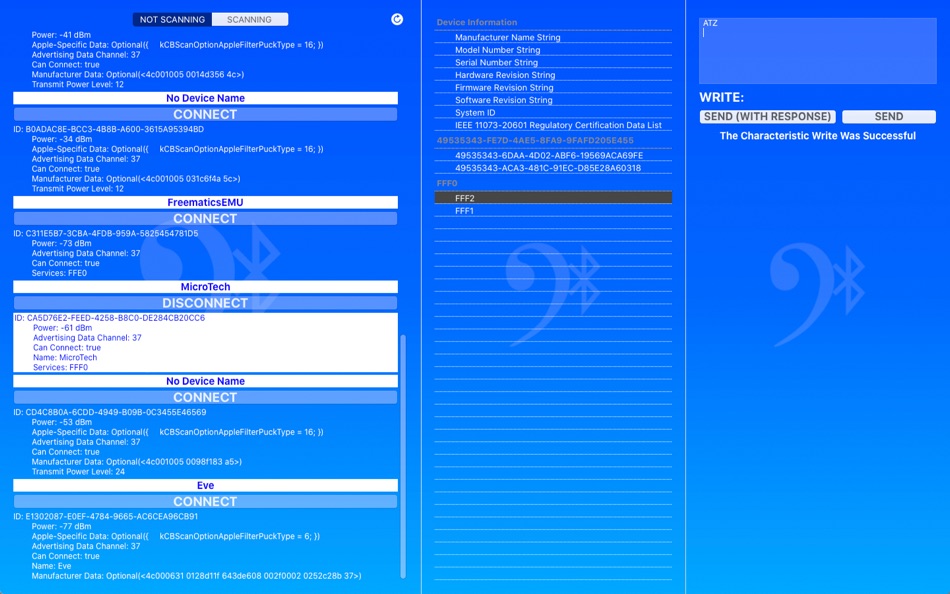
The app is designed to respect Accessibility (VoiceOver and Increased Contrast), as well as Dark Mode.
This is a 100% open-source app, with the code licensed as MIT.
It uses the BlueThoth Framework (A Bluetooth SDK), which is also 100% open-source.
The source repo for the app is: https://github.com/RiftValleySoftware/BlueVanClef
The source repo for the BlueThoth Framework is: https://github.com/RiftValleySoftware/RVS_BlueThoth
This is a page with some basic instructions for the app: https://riftvalleysoftware.com/bluevanclef/
Ad
ภาพหน้าจอ



มีอะไรใหม่
- เวอร์ชัน: 1.5.4
- อัปเดต:
- No visible changes. Just updated all of the internal libraries and SDKs to the current versions.
ราคา
- วันนี้: ฟรี
- ต่ำสุด: ฟรี
- มากที่สุด: ฟรี
ติดตามราคา
ผู้พัฒนา
- Rift Valley Software, Inc.
- แพลตฟอร์ม: iOS แอป (3) macOS แอป (1)
- รายการ: 0 + 1
- แต้มแล: 1 + 9 ¡
- การจัดอันดับ: 0
- ความเห็น: 0
- ลดราคา: 0
- วิดีโอ: 0
- RSS: ติดตาม
Ad
แต้มแล
-

- 11,010 Simon Chan
- +1

การจัดอันดับ
0 ☹️
รายการ
0 ☹️
- Blue Van Clef
ความเห็น
แสดงรีวิวเป็นคนแรกเลย 🌟
ข้อมูลเพิ่มเติม
- เวอร์ชัน: 1.5.4
- หมวดหมู่:
macOS แอป›เครื่องมือ - ระบบปฏิบัติการ:
macOS,macOS 10.15 และสูงกว่า - ขนาด:
841 Kb - ภาษาที่สนับสนุน:
English - การจัดประเภทเนื้อหา:
4+ - Mac App Store คะแนนโดย:
0 - อัปเดต:
- วันที่วางจำหน่าย:
รายชื่อติดต่อ
- เว็บไซท์:
 https://riftvalleysoftware.com
Blue Van Clef URL แบบสั้น: คัดลอกแล้ว!- 🌟 แชร์
- Mac App Store
คุณอาจชอบ
-
- Petrify
- macOS แอป: เครื่องมือ โดย: Boy van Amstel
- * ฟรี
- รายการ: 0 + 1 การจัดอันดับ: 0 ความเห็น: 0
- แต้มแล: 8 + 0 เวอร์ชัน: 2024.1 Petrify is the easiest way to convert source code into images on Mac. Get your source code into Petrify, customize the image, and export it anywhere. Petrify features: - Easily drag ... ⥯
-
- ASO Keyword Tool - Orbit
- macOS แอป: เครื่องมือ โดย: Patrick van der Ploeg
- * ฟรี
- รายการ: 1 + 0 การจัดอันดับ: 0 ความเห็น: 0
- แต้มแล: 1 + 0 เวอร์ชัน: 1.0.3 Orbit: Advanced App Store Optimization Tool Elevate your App Store presence with Orbit, the comprehensive keyword optimization tool designed for developers and marketers who want their ⥯
-
- CrabAlert
- macOS แอป: เครื่องมือ โดย: Yellow Red Blue AB
- ฟรี
- รายการ: 0 + 0 การจัดอันดับ: 0 ความเห็น: 0
- แต้มแล: 0 + 0 เวอร์ชัน: 1.1 CrabAlert is a lightweight menu bar app for software developers using MailCrab, it connects to the websocket and listens to incoming mail. When mail arrives in MailCrab it will then be ⥯
-
- Craftify Recipe Manager
- macOS แอป: เครื่องมือ โดย: Dave Van Cauwenberghe
- ฟรี
- รายการ: 0 + 0 การจัดอันดับ: 0 ความเห็น: 0
- แต้มแล: 0 + 0 เวอร์ชัน: 1.0.4 Craftify Recipe Manager is a utility designed for administrators to manage recipes and track associated reports within a CloudKit-backed database. This app provides a streamlined ... ⥯
-
- Content Hub Tools
- macOS แอป: เครื่องมือ โดย: dotOrange
- ฟรี
- รายการ: 0 + 1 การจัดอันดับ: 0 ความเห็น: 0
- แต้มแล: 5 + 0 เวอร์ชัน: 1.0 Unleash the magic of Sitecore Content Hub with Roel van Roozendaal's swift shortcuts! Dive into the content cosmos, but remember: this starry extension is a solo act, not officially ... ⥯
-
- Oh My Gradient 2
- macOS แอป: เครื่องมือ โดย: Tomoyuki Okawa
- ฟรี
- รายการ: 1 + 0 การจัดอันดับ: 0 ความเห็น: 0
- แต้มแล: 1 + 0 เวอร์ชัน: 2.0.4 * Design Color Gradient Patterns in 1-2-3 * Oh My Gradient 2 is a desktop application for software developers who wish to design color gradient patterns with ease and then ... ⥯
-
- HexColor for Mac OS X
- macOS แอป: เครื่องมือ โดย: Deep IT Pro
- ฟรี
- รายการ: 1 + 1 การจัดอันดับ: 0 ความเห็น: 0
- แต้มแล: 1 + 0 เวอร์ชัน: 2.0 HexColor is a helper tool for CSS/HTML/Cocoa color designers. It uses clipboard monitoring to fast adjust and replace colors. Select color in a CSS file, inside HTML or in Objective-C ... ⥯
-
- MyUtils for Xcode
- macOS แอป: เครื่องมือ โดย: 文涛 隋
- ฟรี
- รายการ: 0 + 1 การจัดอันดับ: 0 ความเห็น: 0
- แต้มแล: 1 + 0 เวอร์ชัน: 1.5 该项目为项目 Xcode Source Editor Extension 项目 该项目是一个开源项目 https://github.com/wintelsui/MyUtilsForXcode MyUtils For Xcode Xcode's Best Assistant 我的 Xcode 工具集 开发好帮手 #FFFFFF -> [UIColor ... ⥯
-
- Color Picker Tool
- macOS แอป: เครื่องมือ โดย: 冬洋 梁
- $4.99
- รายการ: 0 + 0 การจัดอันดับ: 0 ความเห็น: 0
- แต้มแล: 0 + 0 เวอร์ชัน: 2.1.1 Easy and convenient color picker tool!! Features: - Hotkey to open - Menubar show - Auto copy - Supports multiple color code format Support: - Mac os [NSColor ... ⥯
-
- Channel Mapper for Mac OS X
- macOS แอป: เครื่องมือ โดย: Simon Fortelny
- ฟรี
- รายการ: 0 + 0 การจัดอันดับ: 0 ความเห็น: 0
- แต้มแล: 0 + 0 เวอร์ชัน: 1.1 Use Channel Mapper to create a new image from the red, green, blue, alpha, grayscale channels of a source image. When creating the new image you can choose which source channel is ... ⥯
-
- UnicodePicker for Swift
- macOS แอป: เครื่องมือ โดย: Datadromeda
- ฟรี
- รายการ: 0 + 0 การจัดอันดับ: 0 ความเห็น: 0
- แต้มแล: 0 + 0 เวอร์ชัน: 1.1.2 UnicodePicker for Swift is a MacOS app to simplify choosing exotic operator and identifier names in Swift. If the program is running in the background, it can be activated with the hot ⥯
-
- Mobirise Pro: Website Builder
- macOS แอป: เครื่องมือ โดย: Mobirise Ltd
- $149.99
- รายการ: 0 + 0 การจัดอันดับ: 0 ความเห็น: 0
- แต้มแล: 0 + 0 เวอร์ชัน: 6.1.11 Create mobile-friendly websites without coding! Mobirise Website Builder will help you create a top-notch website for your personal or business needs on-the-go! Who is Mobirise for? ... ⥯
-
- RepoNest
- macOS แอป: เครื่องมือ โดย: Daniel Bengtsson
- $1.99
- รายการ: 0 + 0 การจัดอันดับ: 0 ความเห็น: 0
- แต้มแล: 0 + 0 เวอร์ชัน: 1.2 RepoNest puts all your Git repos in the menu bar. See what's changed, what's unpushed, and what's synced across all your Macs. One click to open in your editor, terminal, or Finder. ... ⥯
- ใหม่
- GitSync Lite
- macOS แอป: เครื่องมือ โดย: ssntpl.com
- ฟรี
- รายการ: 0 + 0 การจัดอันดับ: 0 ความเห็น: 0
- แต้มแล: 0 + 0 เวอร์ชัน: 1.2.1 GitSync lives in your menu bar and keeps an eye on all your git repositories. It scans your developer directories, shows which repos have uncommitted changes or unpushed commits, and ... ⥯