
| Sviluppatore: | David Wingate (2) | ||
| Prezzo: | $9.99 | ||
| Classificazioni: | 0 | ||
| Recensioni: | 0 Scrivi una recensione | ||
| Commenti: | 0 Pubblica commento | ||
| Listes: | 0 + 1 | ||
| Punti: | 0 + 0 ¡ | ||
| Mac App Store | |||
Descrizione
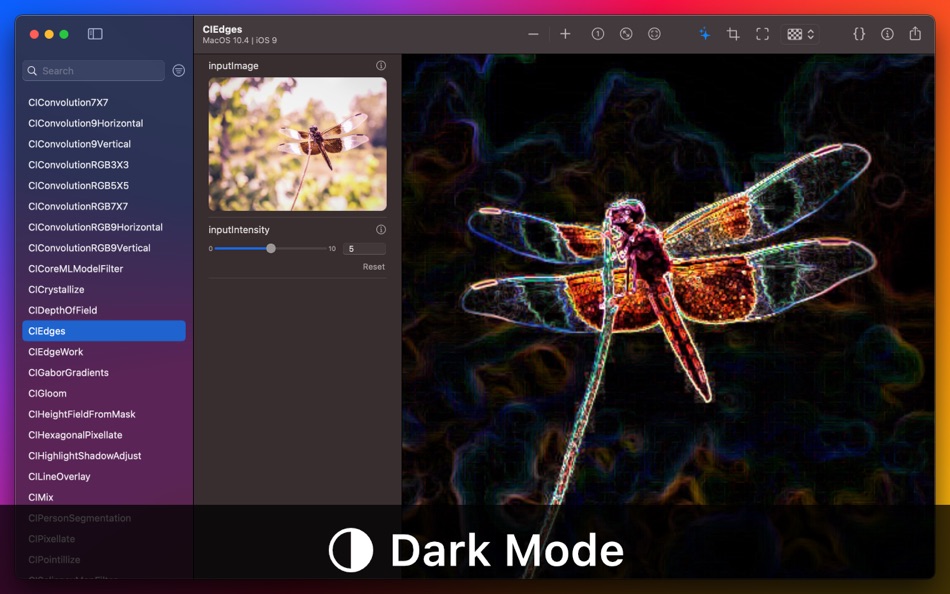
• Choose from any of the built-in CIFilters (237 at the last count)
• Easily change the filter settings using simple controls
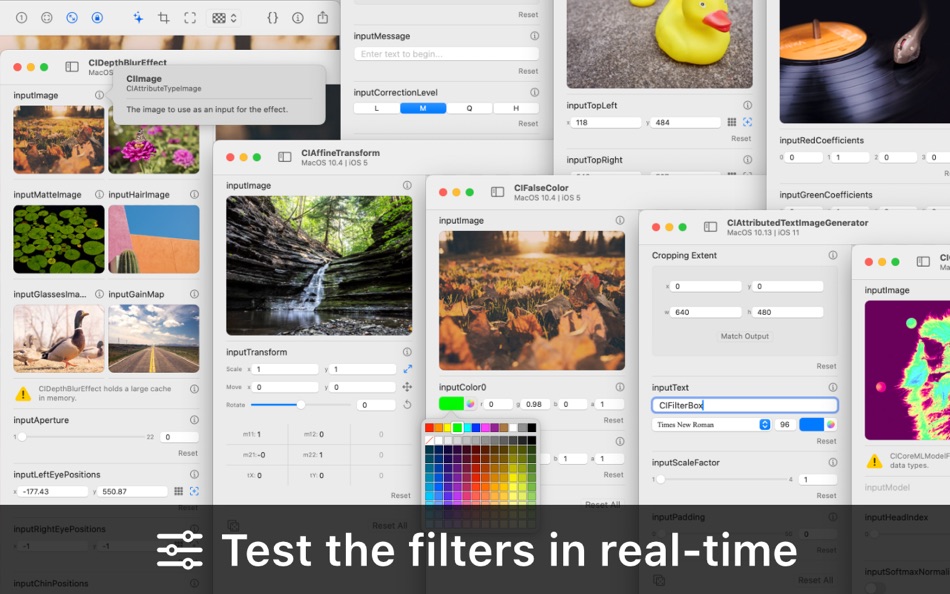
• See the output image updated in real-time
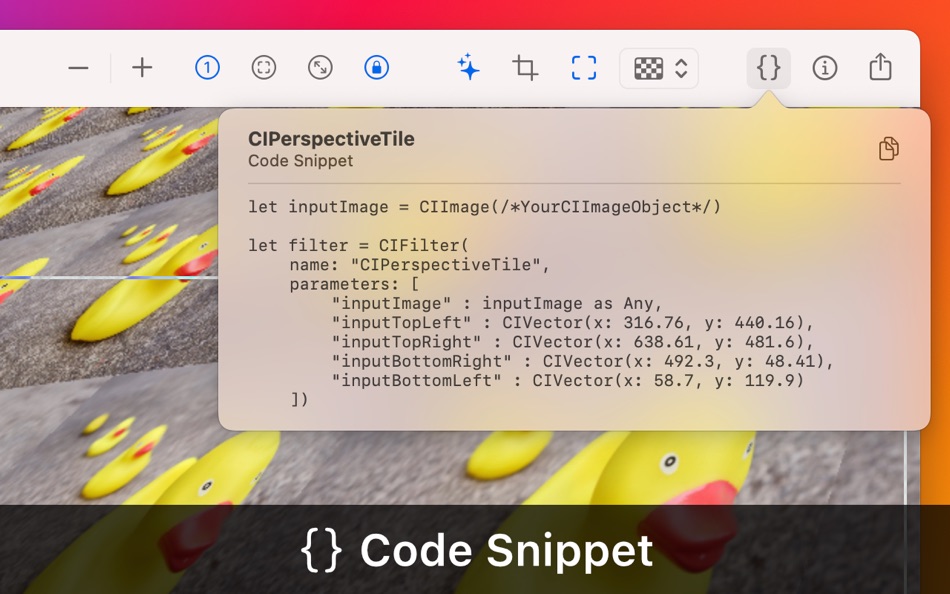
• Get a code snippet of the current filter and settings
• New filters from macOS and iOS updates are added automatically
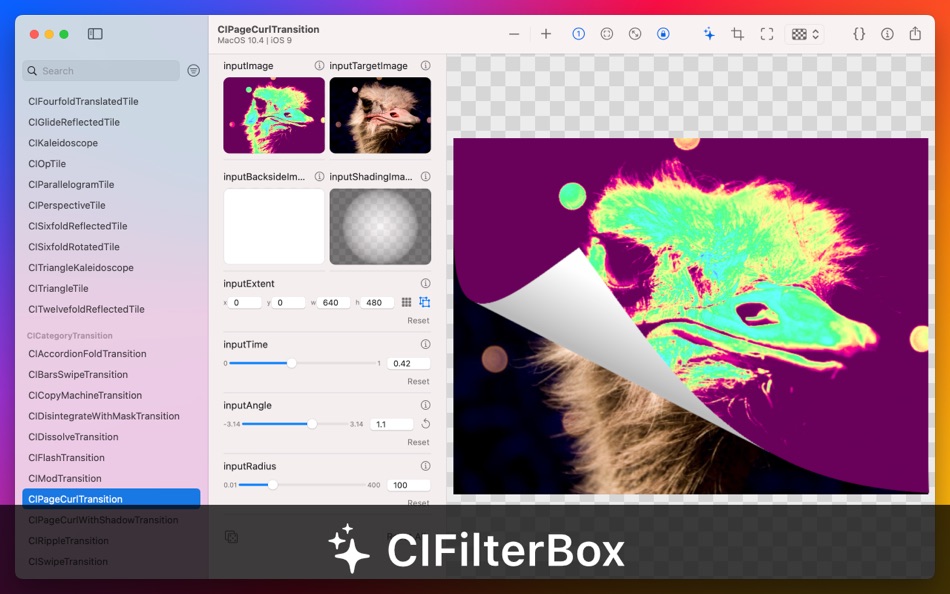
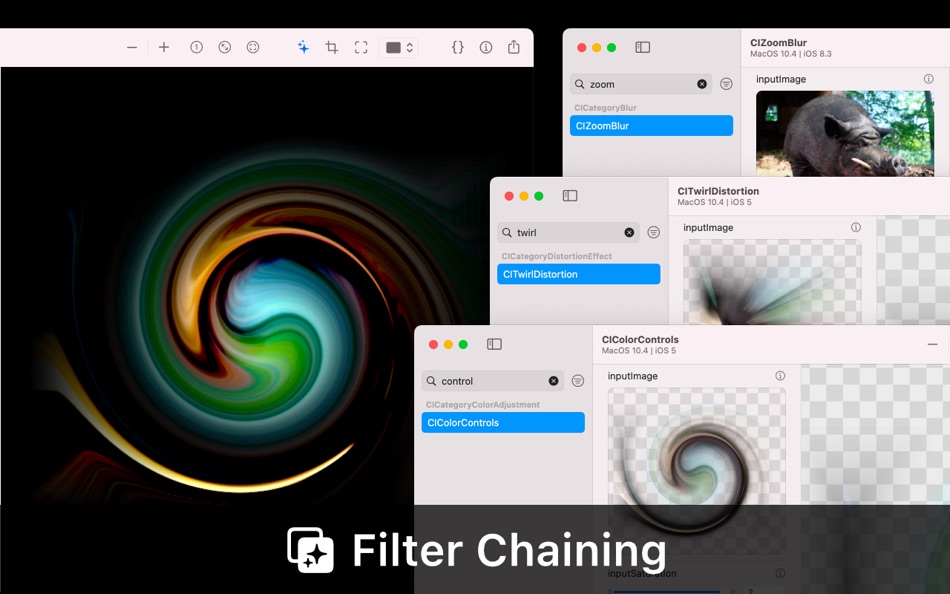
CIFilterBox has a simple and intuitive interface. Quickly find your filter and start playing with the settings. The output image will update in real-time, showing what the filter does and how the settings work. You can use your own input images or choose from the built-in stock photos. You can even use the output image as an input to simulate filter chaining.
• Use simple controls for the major input key classes, including: NSNumber, CIColor, CIVector, NSAffineTransform, and NSString
• Point, click, and drag directly on the image for inputs that use position, angle, rectangle, or transform
• Use your own input images or choose from the built-in stock photos (curtesy of Gratisography.com)
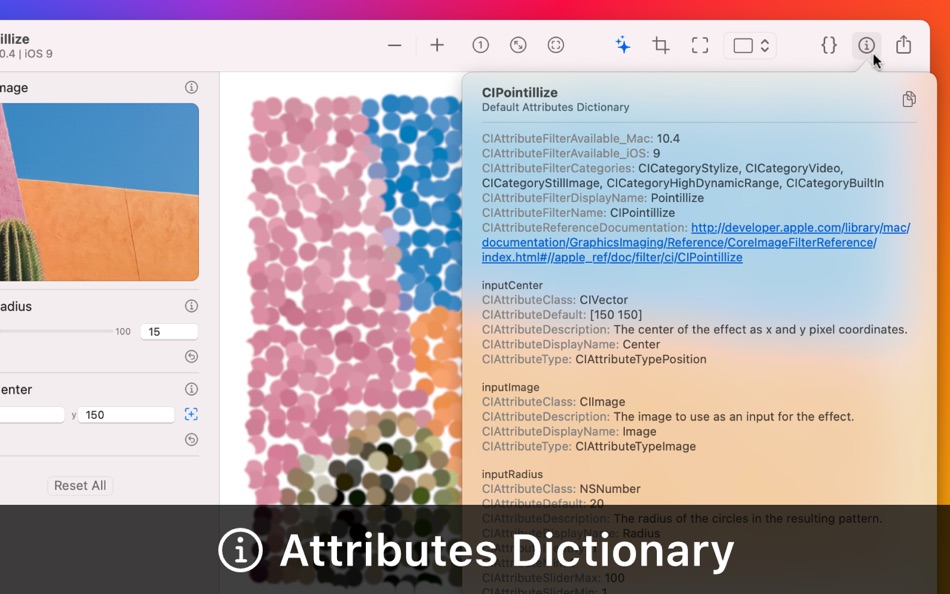
• View information on each input key including Class, Type, and Description
• Receive warnings and hints for common filter problems such as 'image of infinite extent'
• Crop the image extent, or view the full un-cropped output
• Set a custom cropping extent for filters with no input image
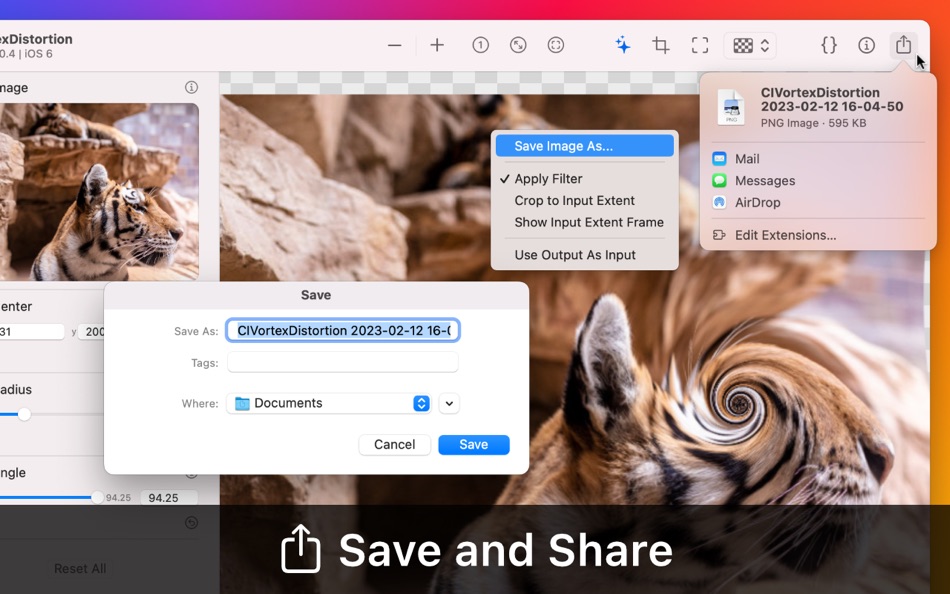
Once you have the output you need you can copy a code snippet to the clipboard to use in your own code. The output image can be saved to file, or you can share directly from the app using the standard macOS sharing service.
• Toggle the filter on and off to compare the filtered image with the original
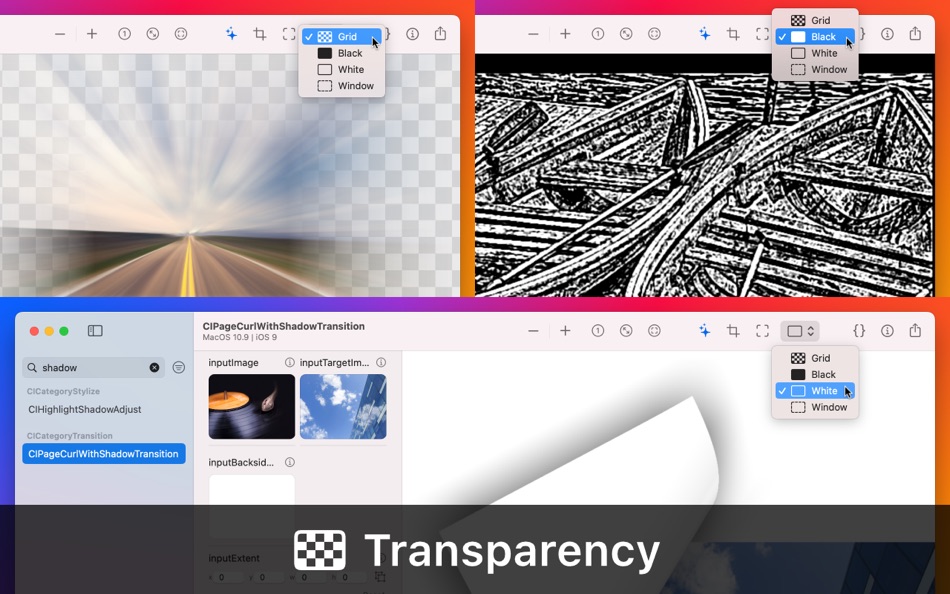
• Select a background style to best display the transparent areas of different outputs
• Use the output image as the input to simulate filter chaining
• Share the output image via the macOS sharing service (email, Airdrop etc.)
• Save the output image as a PNG file
Known issues are listed below, but if you spot anything that is missing, broken, or just wrong, I would be grateful if you could let me know (I will do my best to fix it). I made CIFilterBox for myself after spending too many hours learning what the filters do and how to work them. I hope this app can save you from losing that precious time!
Known Issues:
• Core Image stores a cache for each filter, which can sometimes result in a large memory footprint. This is most noticeable with CIPersonSegmentation and CISaliencyMapFilter. Use judiciously.
• The grayscale slider in the colour panel always switches back to RGB on edit, because the interface only uses RGBA values for simplicity
• Some filters are too complex for the current interface, but are still included for information (CICameraCalibrationLensCorrection, CIBarcodeGenerator, CIMeshGenerator, CICoreMLModelFilter)
• Some filters are non-functional and undocumented, but are still included for information (such as CIKMeans, CIPaletteCentroid, CIPalettize)
Ad
Screenshot

Novità
- Versione: 2.2
- Aggiornata:
- A lot of work has gone on under the bonnet of the latest version, mostly to enable a full undo/redo stack. You can now twiddle the controls with reckless abandon, safe in the knowledge that you can retrace your steps to recreate your marvellous medicine! The full list of changes includes:
Version 2.2
• Undo and redo for all filter parameters
• New 'Randomise Parameters' button for quick exploration of the filters
• New 'Use Integral Values' button to force pixel alignment for position and rectangle
• New 'Auto-zoom' mode to stay locked to actual size, input extent, or output image
• New input controls for font name, attributed string, and input message data
• New filters from the latest versions of macOS and iOS added automatically
• Improved image saving to retain image size when 'Crop to Input Extent' is activated
• Small UI improvements
• Small bug fixes (if you find any more, please let me know!)
Version 2.1
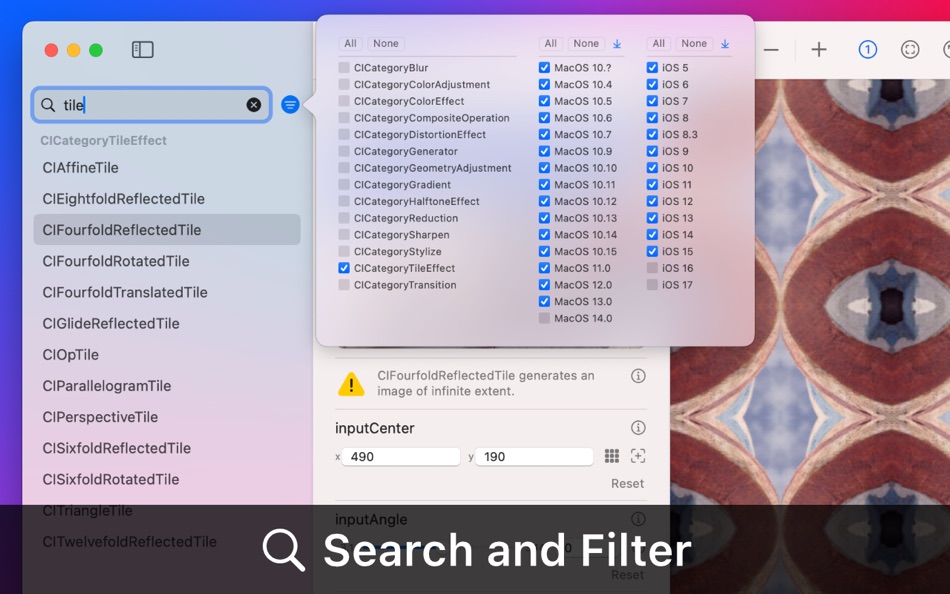
• Added the ability to filter the filters by category and OS version
• Added direct input (click and drag on the image) for kCIAttributeTypeAngle
• Added direct input (click and drag on the image) for kCIAttributeTypeRectangle
• Added a button to match the custom cropping extent to the current output image extent
• Added a defaults key "CustomCategories" to add custom filter categories via terminal (experimental!)
• Added the ability to tab through all fields in the input controls stack
• Added links to report issues
• Some small UI tweaks to make life easier
• Some small bug fixes (if you find any more, please let me know!)
Version 2.0
• Completely re-written from the ground up (using AppKit instead of SwiftUI)
• Fully stable (let me know if you can make it crash!)
• Dramatically improved performance, image updates are smooth as butter!
• Brand new output view with optional cropping frame and improved zooming
• Some non-essential features removed (no more customisable image grid, sorry)
• If you find any issues, let me know on GitHub...
Prezzo
- Oggi: $9.99
- Minimo: $0.99
- Massimo: $9.99
Monitora prezzi
Ad
Sviluppatore
- David Wingate
- Piattaforme: macOS App (2)
- Listes: 0 + 1
- Punti: 2 + 0 ¡
- Classificazioni: 0
- Recensioni: 0
- Sconti: 0
- Video: 0
- RSS: Sottoscrivi
Punti (0)
0 ☹️
Classificazioni (0)
0 ☹️
Listes (0)
0 ☹️
- CIFilterBox
Recensioni (0)
Scrivi tu la prima recensione 🌟
Commenti (0)
Partecipa alla discussione
Sii il primo a commentare.
Informazioni aggiuntive
- Versione: 2.2
- Categoria:
macOS App›Sviluppatori - Sistemi operativi:
macOS,macOS 13.0 e versioni successive - Dimensioni:
3 Mb - Lingue supportate:
English - Classificazione contenuti:
4+ - Mac App Store Voto:
0 - Aggiornata:
- Data di uscita:
CIFilterBox URL breve: Copiato!- 🌟 Condividi
- Mac App Store
Ti potrebbero piacere anche
-
- Sitemap Plus
- macOS App: Sviluppatori di: OurBigAdventure, LLC
- Gratis
- Listes: 1 + 1 Classificazioni: 0 Recensioni: 0
- Punti: 26 + 0 Commenti: 0 Versione: 2.3 Sitemap Plus is designed for web developers, to build a list of pages on websites that they own, the server status at the time of the crawl and the download time for each page. Sitemap ⥯
-
- DevTools - Smarter coding
- macOS App: Sviluppatori di: Anh Nguyen
- * Gratis
- Listes: 2 + 3 Classificazioni: 0 Recensioni: 0
- Punti: 22 + 0 Commenti: 0 Versione: 1.2.3 DevTools is an all-in-one offline application that provides developers with essential tools for daily tasks and ensures data security. The app has been trusted by over 15,000 ... ⥯
-
- Klipped
- macOS App: Sviluppatori di: Andrew Drake
- Gratis
- Listes: 0 + 2 Classificazioni: 0 Recensioni: 0
- Punti: 19 + 0 Commenti: 0 Versione: 3.0.2 Beauty in simplicity. Klipped is a minimalist scratch pad that is a buddy for all your other apps. Write ideas down. Paste text and use as a clipboard; delete when you re done. No ... ⥯
-
- 18 Strings
- macOS App: Sviluppatori di: Remote Sunrise LTD
- Gratis
- Listes: 0 + 1 Classificazioni: 0 Recensioni: 0
- Punti: 17 + 0 Commenti: 0 Versione: 2022.6 Hate doing localization for your project? Now you can hate it a little less: Save tons of money by doing automatic translation using strings from your other projects you have already ... ⥯
- -100%
- Base64 Coder
- macOS App: Sviluppatori di: Pavel Kosykh
- ▼ Gratis
$1.79-100% - Listes: 0 + 2 Classificazioni: 0 Recensioni: 0
- Punti: 14 + 0 Commenti: 0 Versione: 2.1.0 Base64 Coder is a fast and easy converter files to a Base64 format. Features: Fast work; Automatically string copy; Drag & Drop; MIME prefix support; Save result to file; Result ... ⥯
-
- SnippetsLab
- macOS App: Sviluppatori di: Renfei Song
- Gratis
- Listes: 6 + 8 Classificazioni: 5 (1) Recensioni: 0
- Punti: 13 + 0 Commenti: 0 Versione: 2.6.4 Mac App Store Best of 2015 Featured in App Store editorial All Your Code, Brilliantly Organized , Keep Your Code at Your Fingertips and Welcome to the Mac App Store! Featured app in ... ⥯
-
- Xcode
- macOS App: Sviluppatori di: Apple
- Gratis
- Listes: 22 + 8 Classificazioni: 5 (1) Recensioni: 0
- Punti: 11 + 0 Commenti: 0 Versione: 26.3 Xcode offers the tools you need to develop, test, and distribute apps for Apple platforms, including predictive code completion, generative intelligence powered by the best coding ... ⥯
-
- Network Debugger
- macOS App: Sviluppatori di: 志健 袁
- * Gratis
- Listes: 0 + 1 Classificazioni: 0 Recensioni: 0
- Punti: 10 + 0 Commenti: 0 Versione: 1.2.0 Professional network debugging tool for macOS Network Debugger helps developers and testers quickly build TCP and UDP connections, send and inspect messages, and automate repetitive ... ⥯
-
- Anycode: Code Snippet to Image
- macOS App: Sviluppatori di: 宏旭 朱
- Gratis
- Listes: 0 + 2 Classificazioni: 0 Recensioni: 0
- Punti: 10 + 0 Commenti: 0 Versione: 0.7.0 Anycode is a document-based app that helps you manage your code snippets. - Supports syntax highlighting for Bash, C, C++, C#, Clojure, Dart, Go, Java, JavaScript, JSON, Kotlin, ... ⥯
-
- Eplist - convert data to plist
- macOS App: Sviluppatori di: HuMinghua
- * Gratis
- Listes: 1 + 2 Classificazioni: 0 Recensioni: 0
- Punti: 10 + 0 Commenti: 0 Versione: 2.0.1 Eplist for Excel is a lightweight conversion tool to help developers to improve development efficiency. You can convert your datas or configuration from excel(.xls and .xlsx) document ... ⥯
-
- KeyPad - Keyboard and Remote
- macOS App: Sviluppatori di: Toolbunch LLC
- * Gratis
- Listes: 0 + 0 Classificazioni: 0 Recensioni: 0
- Punti: 9 + 0 Commenti: 0 Versione: 1.99.15 Use your Mac keyboard to control all your devices. From smartphones and tablets to TVs and even the raspberry pi, KeyPad turns your Mac into a powerful universal Bluetooth keyboard, ... ⥯
-
- Application Localizer
- macOS App: Sviluppatori di: Serhii Tal
- Gratis
- Listes: 0 + 1 Classificazioni: 0 Recensioni: 0
- Punti: 9 + 0 Commenti: 0 Versione: 2.0.1 What this app does? It's a powerful tool for macOS designed to help developers easily localize their apps. So you can translate your SwiftUI app's text strings into any language using ... ⥯
-
- RocketSim for Xcode Simulator
- macOS App: Sviluppatori di: SwiftLee
- * Gratis
- Listes: 1 + 3 Classificazioni: 0 Recensioni: 0
- Punti: 9 + 0 Commenti: 0 Versione: 14.5.0 Join thousands of iOS developers who build, test, and debug apps up to 2x faster with RocketSim. Supercharge your Xcode Simulator with 30+ powerful tools designed to boost ... ⥯
-
- FrameBuddy - Screenshot Frames
- macOS App: Sviluppatori di: Florian Schweizer
- Gratis
- Listes: 0 + 4 Classificazioni: 0 Recensioni: 0
- Punti: 9 + 0 Commenti: 0 Versione: 1.3 Quickly add a device frame to your screenshots. FrameBuddy is a super simple utility that automatically adds iPhone frames to your (Simulator) screenshots. Iphone icon created by ... ⥯