
Gemte
Vælg det navn, der skal vises i menuen Gemte.
Færdig!
| Udvikler: | 腾 崔 (4) | ||
| Pris: | $3.99 | ||
| Rangeringer: | 0 | ||
| Kommentarer: | 0 Skriv kommentar | ||
| Lister: | 0 + 0 | ||
| Point: | 0 + 0 ¡ | ||
| Mac App Store | |||
Beskrivelse
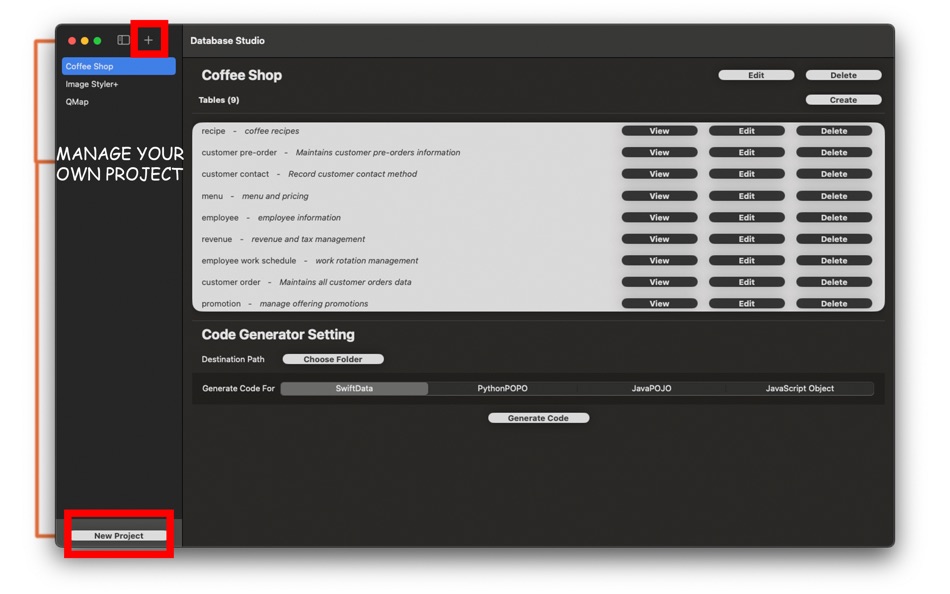
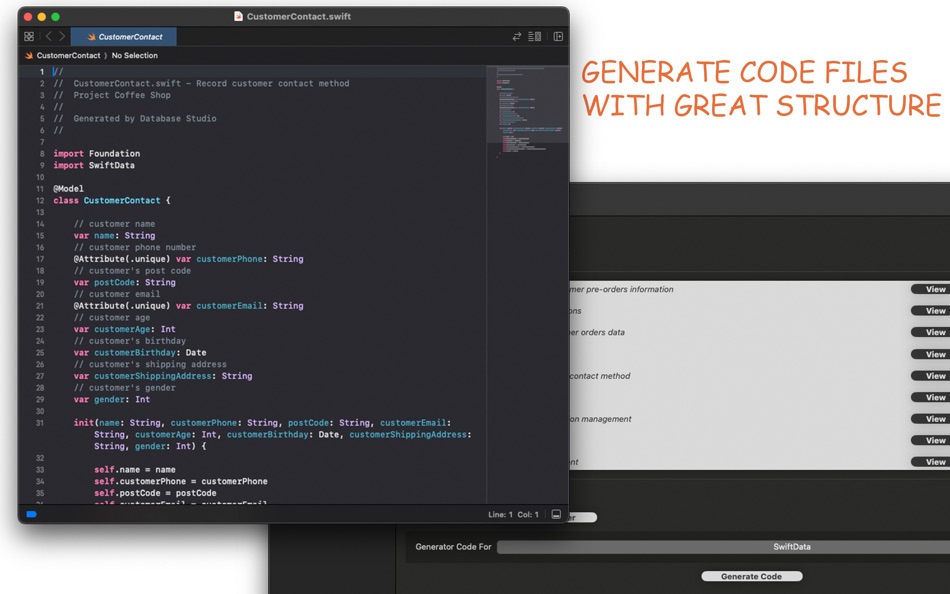
In the latest release, we are supporting following programming languages / SDKs
* SwiftData - with persistence annotations so that you can use directly to persist your data model
* Python - we generate plain Python objects in the latest release
* Java - we generate plain Java objects in the latest release
* JavaScript - we generate JavaScript objects in the latest release
For popular programming languages like Python or Java, there are various type of ORM solutions available and capabilities are constrained by language / package versions. We will build ORM solution specific code generation in future release, stay tuned.
Ad
Skærmbilleder


Prishistorie
- Nuværende pris: $3.99
- Minimum: $3.99
- Maksimalt: $3.99
Overvåg priser
Yderligere oplysninger
Nyheder
- Version: 1.5.0
- Opdateret:
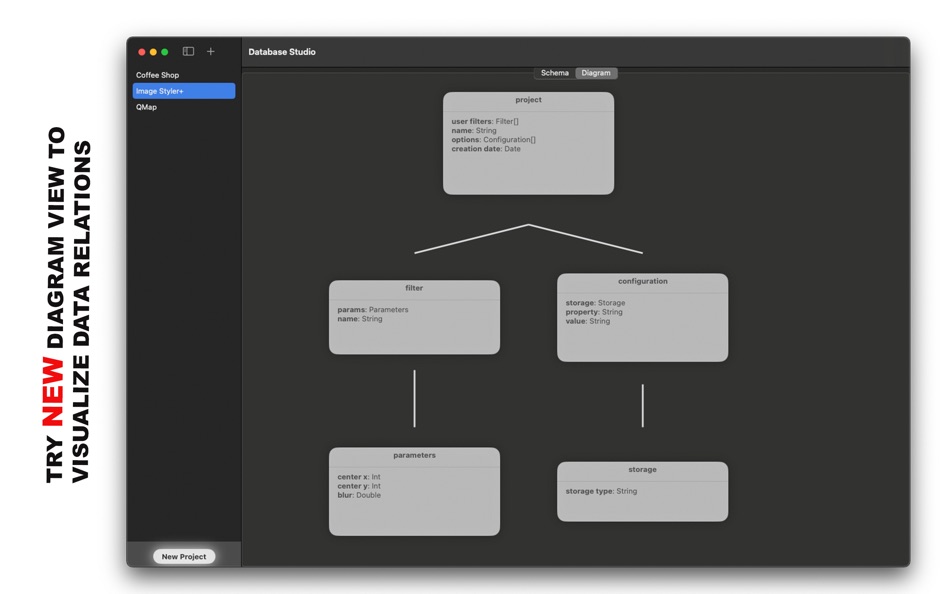
- Try new diagram view in this new version - visualize your data model relations.
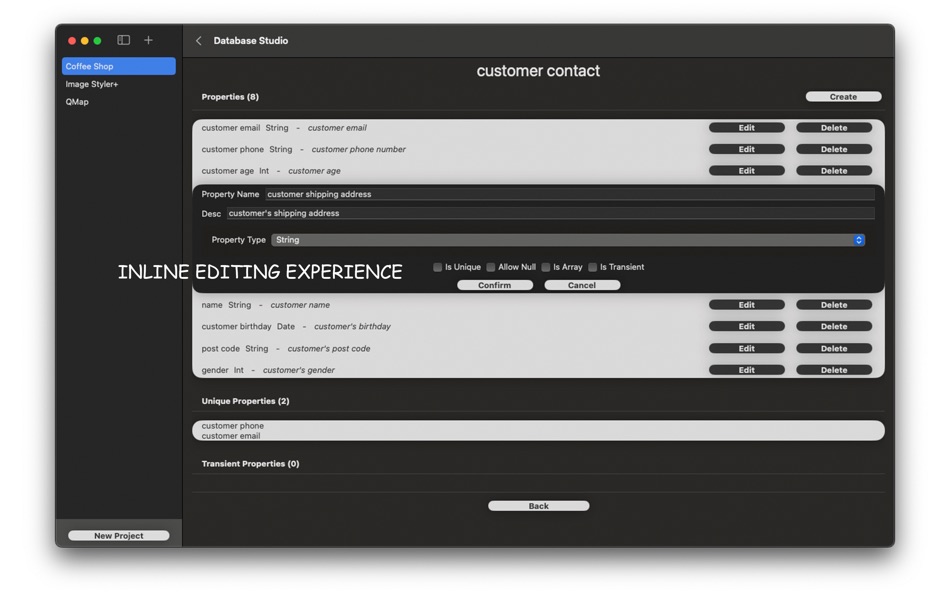
Major user experience improvements.
Udvikler
- 腾 崔
- Platforme: iOS Apps (2) macOS Apps (2)
- Lister: 0 + 0
- Point: 0 + 0 ¡
- Rangeringer: 0
- Kommentarer: 0
- Rabatter: 0
- Videoer: 0
- RSS: Abonner
Lister (0)
0 ☹️
- Database Studio
Point (0)
0 ☹️
Rangeringer (0)
0 ☹️
Kommentarer (0)
Vær den første til at kommentere 🌟
«Database Studio». Platform: macOS. Kategori: Værktøjer. Udvikler: «腾 崔». Første udgivelse: . Sidste opdatering: . Nuværende pris: $3.99. Laveste registrerede pris: $3.99. Højeste registrerede pris: $3.99. Denne titel har endnu ikke modtaget vurderinger eller anmeldelser på AppAgg. Tilgængelige sprog: Chinese, English, Japanese, Korean, Russian, Thai. AppAgg sporer prishistorik, vurderinger og brugerfeedback for «Database Studio». Følg fremtidige rabatter og opdateringer via RSS. AppAgg hoster ikke applikationer eller distribuerer software. Alle varemærker, logoer og skærmbilleder tilhører deres respektive ejere.
Database Studio Kort webadresse: Kopieret!- 🌟 Del
- Mac App Store
Lignende
-
- Database Pro
- macOS Apps: Værktøjer Ved: 强 李
- * $2.99
- Lister: 0 0 0
- Point: 2 Version: 7.2.9 You can view and edit Access Database and SQLite database on Mac with this App. Support Access database 2000~2016. This App has in-app purchase products features to enable connect to ... ⥯
-
- CoreData Studio: SQLite Editor
- macOS Apps: Værktøjer Ved: Momentarium LLC
- $4.99
- Lister: 0 0 0
- Point: 0 Version: 2.0 The Ultimate Developer Tool for CoreData and SwiftData. CoreData Studio is a professional SQLite viewer, editor, and database inspector built specifically for Apple developers. Stop ... ⥯
-
- SQL Studio
- macOS Apps: Værktøjer Ved: codeBuilder
- $24.99
- Lister: 0 0 0
- Point: 0 Version: 2.1.3 A modern, native Microsoft SQL Server client for macOS built for focused, professional database work. SQL Studio is a fast, thoughtfully designed database client created specifically ... ⥯
-
- String Studio
- macOS Apps: Værktøjer Ved: 阿卜杜热伊木 阿卜杜力木
- Gratis
- Lister: 0 0 0
- Point: 0 Version: 1.0.0 String Studio is a modern internationalization string management tool designed specifically for macOS, helping Apple developers efficiently manage multilingual localization files for ... ⥯
-
- SQLPro Studio
- macOS Apps: Værktøjer Ved: Hankinsoft Development Inc
- * Gratis
- Lister: 2 + 2 0 0
- Point: 6 Version: 2026.50 SQLPro Studio is the premium database management tool for Postgres, MySQL, Microsoft SQL Server and Oracle databases. Some of the great features include: + Intellisense/SQL ... ⥯
-
- Valentina Studio
- macOS Apps: Værktøjer Ved: Paradigma Software
- * Gratis
- Lister: 0 + 1 0 0
- Point: 2 Version: 17.2 100% Free - The Best Database Management GUI for DuckDB, SQLite, MS SQL Server, MariaDB, MongoDB, MySQL, PostgreSQL and Valentina databases Valentina Studio brings you powerful, visual ⥯
- Ny
- CSV Studio
- macOS Apps: Værktøjer Ved: Patrick Lindborg
- $4.99
- Lister: 0 0 0
- Point: 0 Version: 1.0 CSV Studio is a powerful yet focused data editor built exclusively for macOS. Whether you're cleaning up exported reports, preparing data for a database, or sharing tables with ... ⥯
-
- Stash - Database Manager
- macOS Apps: Værktøjer Ved: Stash Software
- * Gratis
- Lister: 1 0 0
- Point: 2 Version: 1.0.17 One Tool for Multiple Databases: Stash enables you to meet all your database management needs by connecting to multiple database servers through a single interface. You can manage ... ⥯
-
- Master Coder - Terminal Studio
- macOS Apps: Værktøjer Ved: SECKIN SEFA DURASI
- $1.99
- Lister: 0 0 0
- Point: 0 Version: 4.0 Master Coder - Terminal Studio is the most powerful and customizable terminal application for macOS. Built for developers and designers who demand the best. KEY FEATURES: - Multi-Tab ... ⥯
-
- Localizer Studio
- macOS Apps: Værktøjer Ved: Mohamed Amine souiden
- * $1.99
- Lister: 0 + 1 0 0
- Point: 3 Version: 1.2 Localizer Studio is your powerful, developer-first tool for extracting, managing, and translating localization keys in Swift and SwiftUI projects. Designed to streamline the ... ⥯
-
- ER Modeling Studio
- macOS Apps: Værktøjer Ved: hirokazu murabe
- $39.99
- Lister: 0 0 0
- Point: 0 Version: 1.0 ER Modeling Studio: Conceptual Data Modeler 【Description】 The longevity of any system hinges on the quality of its data modeling. The foundation of a system that will support your ... ⥯
-
- TableAI - AI Database Client
- macOS Apps: Værktøjer Ved: Andrei Yakushau
- * Gratis
- Lister: 0 0 0
- Point: 0 Version: 1.0.4 TableAI is a modern AI-powered database client for macOS that makes working with MySQL and PostgreSQL fast, simple, and private. Ask questions in natural language, explore results in a ⥯
-
- Particle Creator Studio
- macOS Apps: Værktøjer Ved: Fifth Battery, LLC
- * Gratis
- Lister: 0 + 1 0 0
- Point: 2 Version: 1.5 Transform your visual effects from ordinary to extraordinary with Particle Creator Studio. Built specifically for Cocos2d and Axmol developers but flexible enough to power any creative ⥯
-
- Backdoor Database Tool
- macOS Apps: Værktøjer Ved: Tanin Na Nakorn
- Gratis
- Lister: 0 0 0
- Point: 1 Version: 1.2 Backdoor is an open-source database tool, an alternative to pgadmin and dbeaver with a modern, simple, and beautiful UI. Scrolling through millions of rows is a breeze. Filtering and ... ⥯