
Saved
Choose the name that will be shown in your Saved menu.
Done!
| Developer: | Stian Larsen (1) | ||
| Price: | $4.99 | ||
| Score: | 1,300 Gold | ||
| Rankings: | 0 | ||
| Comments: | 0 Add a comment | ||
| Lists: | 0 + 0 | ||
| Points: | 0 + 0 ¡ | ||
| +1 Points | |||
Description

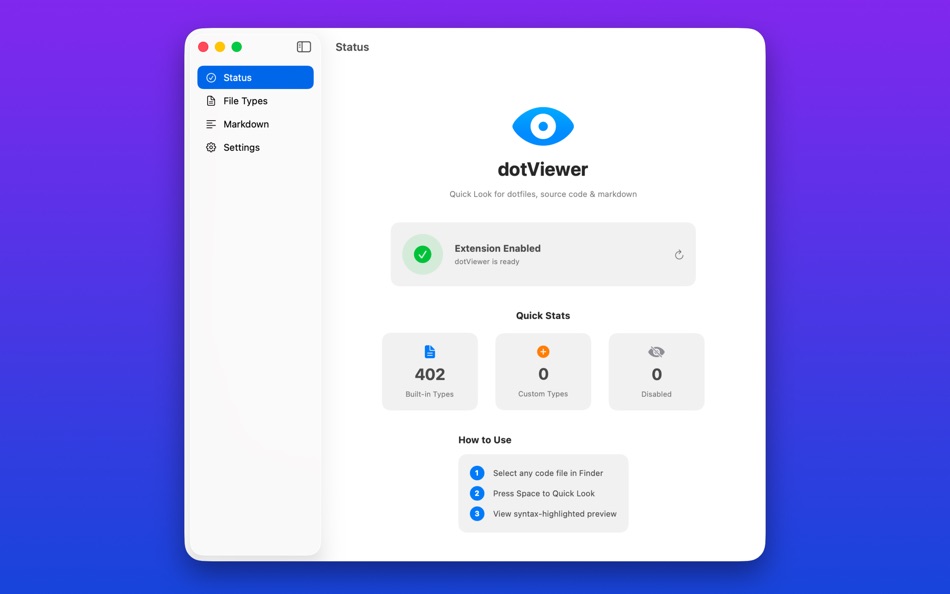
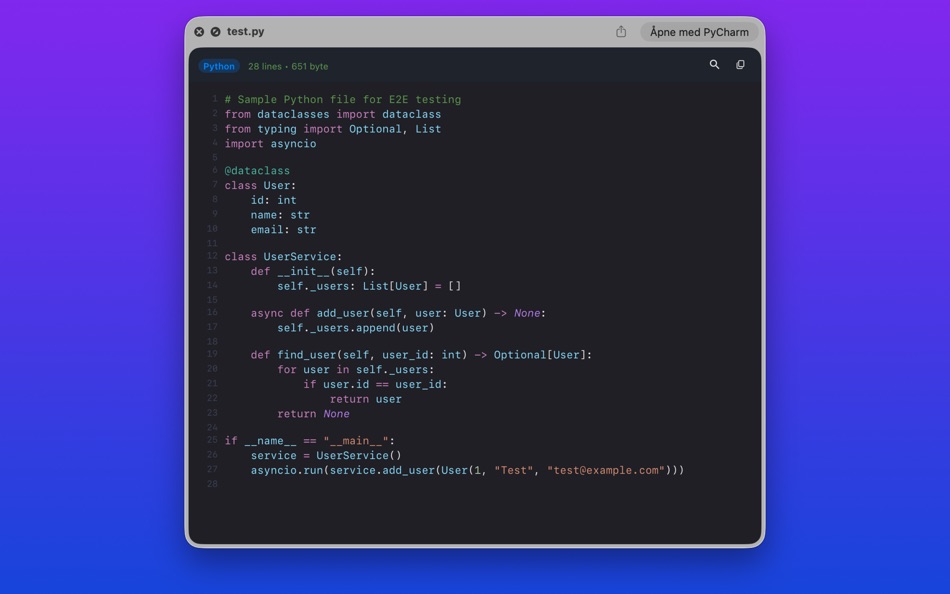
Simply press Space on any source file to instantly preview it with beautiful syntax highlighting.
no app switching needed.
INSTANT CODE PREVIEW
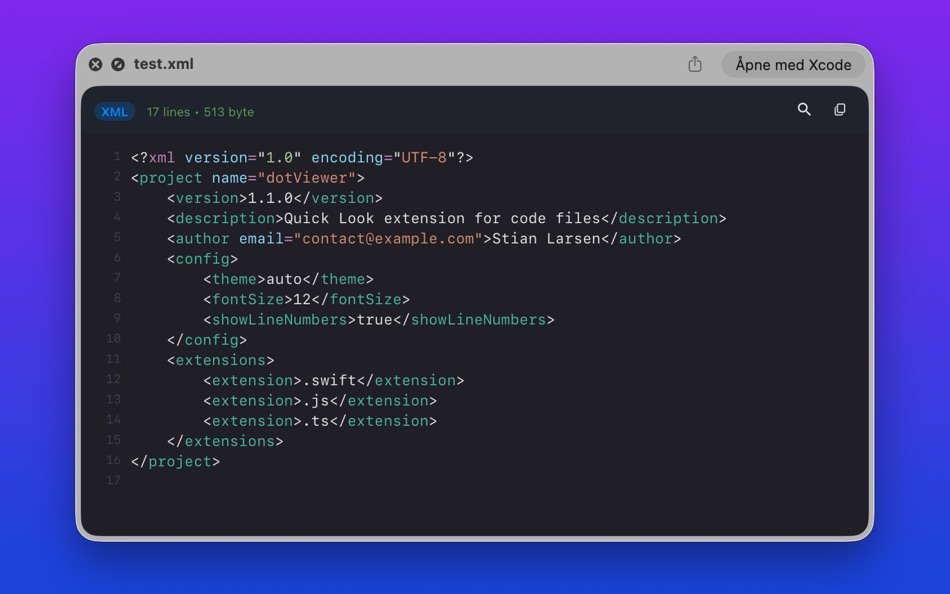
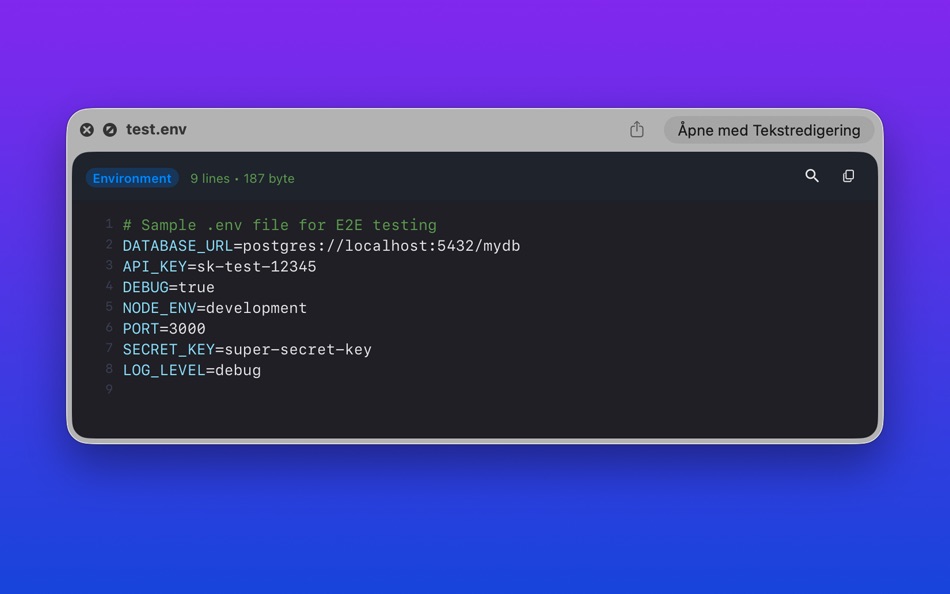
Select any code file in Finder and press Space. dotViewer renders your code with syntax highlighting, line numbers, and your choice of theme. It's the fastest way to peek inside source files.
50+ LANGUAGES SUPPORTED
• Web: TypeScript, JavaScript, JSX, TSX, Vue, Svelte, Astro, HTML, CSS, SCSS, Less
• Systems: Swift, C, C++, Objective-C, Rust, Go, Java, Kotlin, Scala, Zig
• Scripting: Python, Ruby, PHP, Perl, Lua, R, Julia, Elixir
• Data: JSON, YAML, TOML, XML, SQL, GraphQL, Prisma
• Shell: Bash, Zsh, Fish, PowerShell, Dockerfile, Makefile
• Docs: Markdown (with rendered preview), MDX, LaTeX
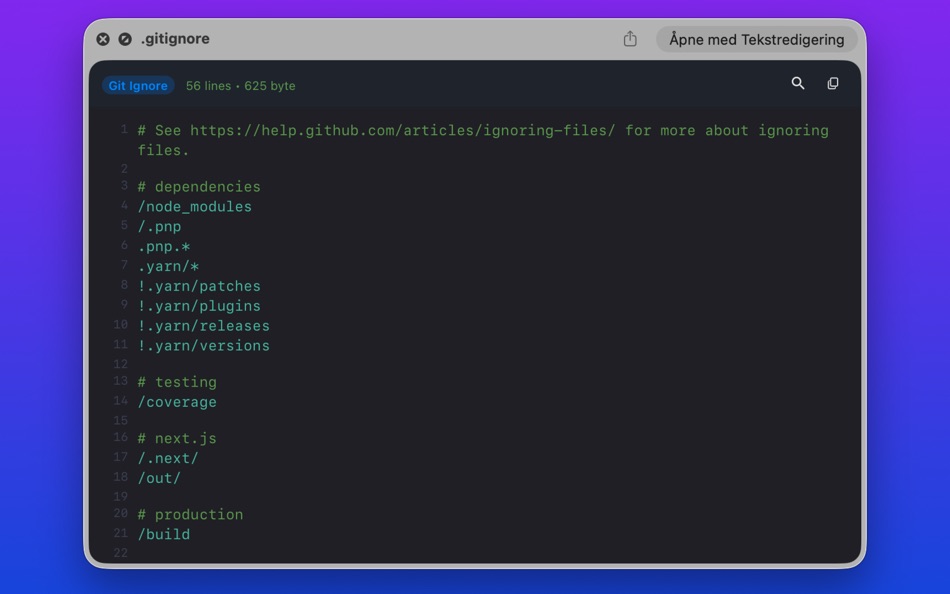
DOTFILE SUPPORT
Finally preview .gitignore, .env, .zshrc, .editorconfig, .npmrc, and other hidden configuration files directly in Finder.
10 BEAUTIFUL THEMES
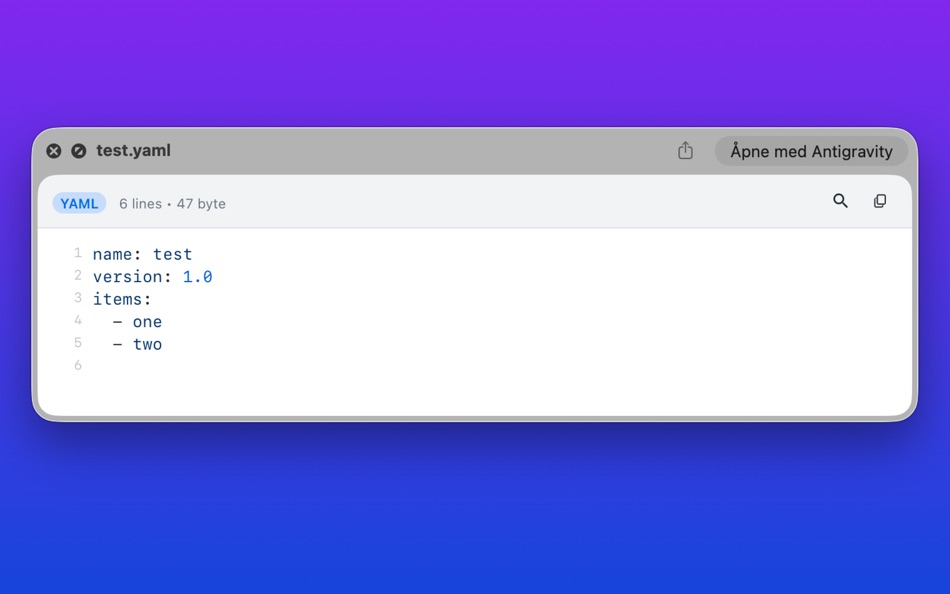
Choose your favorite: Atom One, GitHub Light, GitHub Dark, Xcode, Solarized Light, Solarized Dark, Tokyo Night, Blackout, and more.
CUSTOMIZABLE
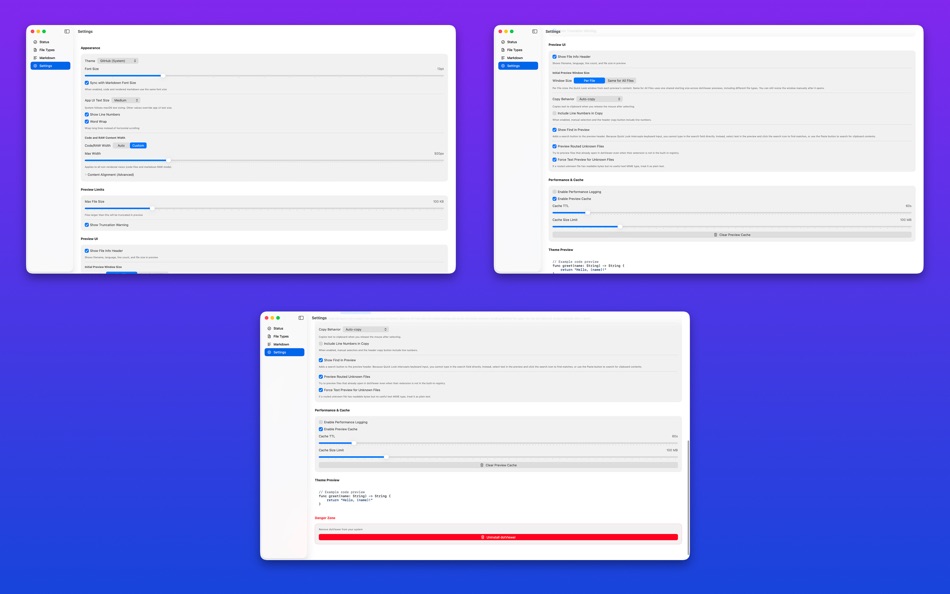
• Toggle line numbers on/off
• Adjust font size (8-72pt)
• Set maximum file size limits
• Configure your preferred code editor
• Add custom file extension mappings
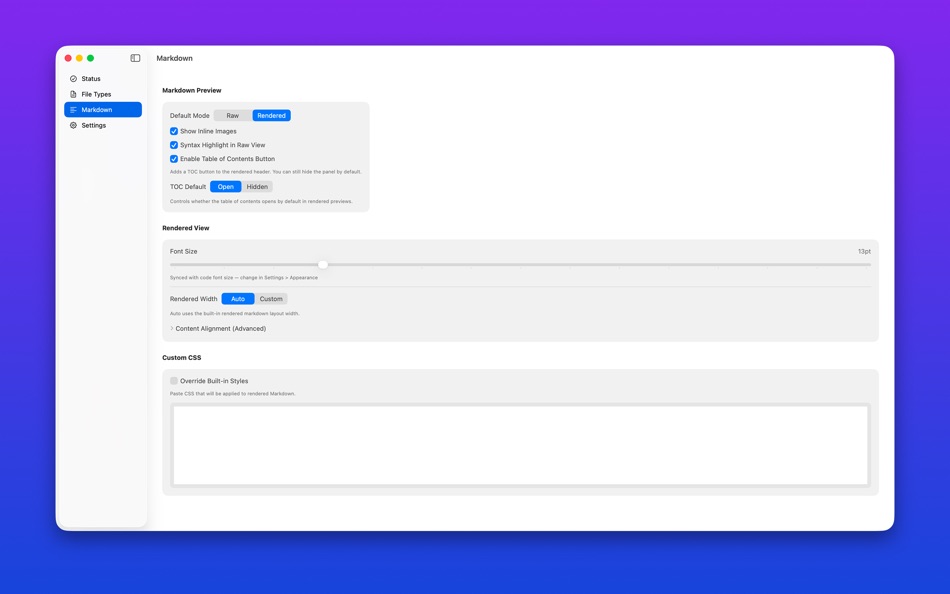
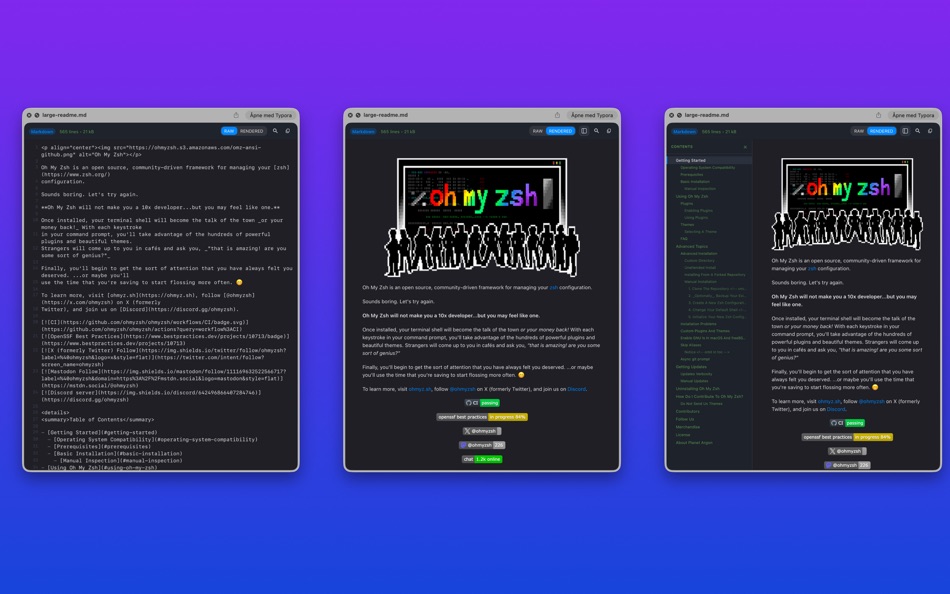
MARKDOWN PREVIEW
Toggle between raw markdown and beautifully rendered preview with a single click.
OPEN IN EDITOR
Quickly open files in VS Code, Xcode, Sublime Text, or your preferred editor directly from the preview.
PRIVACY FOCUSED
All processing happens locally on your Mac. No data is collected or transmitted.
REQUIREMENTS
• macOS 13.0 Ventura or later
• Enable Quick Look extension in System Settings after first launch:
System Settings –> General –> Extensions –> dotViewer ≈ Toggle ON
Screenshots

Ad
Price History
- Current price: $4.99
- Minimum: $4.99
- Maximum: $9.99
Track prices
AppAgg Score
1,300
Estimated AppAgg Score for
dotViewer
1,300 Gold
Higher scores usually mean stronger signals on AppAgg.
Based on: popularity · ratings · freshness · deals · store data · community signals
Recalculated daily using fresh AppAgg data.
Short URL: Copied!
What's new
- Version: 1.3.0
- Last Updated:
- What's New (Release Notes):
• New Window Size settings with five modes: Fixed, Auto, Aspect Ratio, Fit Content, and Remember — so every Quick Look
preview opens at the size you want
• Built-in extension conflict scanner: automatically detects when other Quick Look extensions override dotViewer, with
one-click resolution
• Auto mode now opens at a minimum 700×420 so small files no longer appear in tiny frames
• Save as Fixed lets you browse files in Remember mode until you find a size you like, then lock it in
Additional Information
- Release Date:
- Category:
macOS Apps›Developer Tools - OS:
macOS,macOS 15.0 and up - Size:
38 Mb - Supported Languages:
English - Content Rating:
4+ - Mac App Store Rating:
0 - Website:
 https://dotViewer.app
Developer
- Stian Larsen
- Platforms: macOS Apps (1)
- Lists: 0 + 0
- Points: 0 + 0 ¡
- Rankings: 0
- Comments: 0
- Deals: 0
- Videos: 0
- RSS: Subscribe
Lists (0)
0
- dotViewer
Points (0)
0
Rankings (0)
0
Comments (0)
Be the first to comment
Summary
dotViewer Short URL: Copied!- Share
- Mac App Store
«dotViewer» is a Developer Tools app for macOS, developed by «Stian Larsen». It was first released on and last updated on . The lowest historical price was $4.99 on , and the highest was $9.99 on . This app has not yet received any ratings on AppAgg. Available languages: English. AppAgg continuously tracks the price history, ratings, and user feedback for «dotViewer». AppAgg does not host applications or distribute software. All trademarks, logos and screenshots belong to their respective owners. Subscribe to this app or follow its RSS feed to get notified about future deals or updates.
Similar
-
- Viewer Toolbox
- macOS Apps: Developer Tools By: Ryan L'Italien
- $9.99
- Lists: 0 0 0
- Points: 0 + 0 580 · Bronze Version: 1.8.0 I built Viewer Toolbox because I kept losing track of my own apps. I make a suite of lightweight macOS viewers, one for each file type, and I needed a simple way to manage them all. So
-
- JSON Viewer+
- macOS Apps: Developer Tools By: KAI WANG
- $4.99
- Lists: 0 0 0
- Points: 0 + 0 570 · Bronze Version: 0.19.7 JSON Viewer highlights JSON and JSONP content directly in your browser. When you open a URL that returns JSON, the extension automatically formats and syntax-highlights it. This is a ...
-
- Raw Dog XML Viewer
- macOS Apps: Developer Tools By: App Tyrant Corp
- $1.99
- Lists: 0 0 0
- Points: 0 + 0 870 · Silver Version: 1.9 Viewing XML in a text editor is a painfully slow process, especially if the XML file isn't formatted. Stop wasting precious time! View XML files quickly and efficiently with Raw Dog ...
-
- MDB ACCDB Viewer
- macOS Apps: Developer Tools By: Jakob Egger
- $18.99
- Lists: 0 + 1 0 0
- Points: 0 + 0 600 · Silver Version: 2.3.3 Open Microsoft Access databases on your Mac regardless if they are in the older MDB or the newer ACCDB format. view, search and export your data the only universal Access database ...
-
- Profiling Viewer
- macOS Apps: Developer Tools By: Attila Soki
- $24.99
- Lists: 0 0 0
- Points: 0 + 0 790 · Silver Version: 1.15 Profiling Viewer opens and visualizes callgrind files. You can use Flamegraph, Treemap, Callgraph, flat or hierarchic lists to identify functions where your application spends more ...
-
- pylon Viewer
- macOS Apps: Developer Tools By: Basler AG
- Free
- Lists: 0 0 0
- Points: 0 + 0 600 · Silver Version: 13.1.0 pylon Viewer Machine Vision Software for Image Acquisition The pylon Viewer is the perfect developer tool for configuring, evaluating, and optimizing your Basler cameras and other ...
- New
- LogViewer - System Log Viewer
- macOS Apps: Developer Tools By: 洪业 李
- $0.99
- Lists: 0 0 0
- Points: 0 + 0 560 · Bronze Version: 1.0.0 A focused log viewer for macOS developers. LogViewer lets you open local .log and .txt files, filter by level, search text, and inspect app logs in a clean native interface. Key ...
-
- CB Interaction Viewer
- macOS Apps: Developer Tools By: Toshinori Matsui
- * Free
- Lists: 0 0 0
- Points: 0 + 0 1K · Gold Version: 1.3.0 【 Overview 】 CB Interaction Viewer is a macOS developer tool designed to support the development of BLE (Bluetooth Low Energy) mobile applications and BLE devices. Have you ever ...
-
- Log-Viewer
- macOS Apps: Developer Tools By: Michael Roennau
- * Free
- Lists: 3 + 1 0 0
- Points: 2 + 0 6K · Platinum Version: 2.4 Log-Viewer displays log files and follows as they expand like the tail -f command line tool. Text patterns can be automatically color marked through separate preferences by file. This ...
-
- Telescopo: Markdown Viewer
- macOS Apps: Developer Tools By: Bad Command AI
- * Free
- Lists: 0 + 1 0 0
- Points: 6 + 0 5K · Gold Version: 6.1.0 Telescopo: Markdown Viewer is a lightning-fast, native Markdown viewer for macOS featuring an integrated AI Assistant, builtin Mermaid diagrams, LaTeX math, and pro-grade PDF exports. ...
-
- SVG Viewer
- macOS Apps: Developer Tools By: Kar Fai Choong
- Free
- Lists: 0 0 0
- Points: 0 + 0 550 · Bronze Version: 1.0.5 Designed for developers and designers who need precision without the bloat, SVG Viewer offers a native macOS experience with powerful tools: - Drag & Drop Simplicity: Instantly ...
-
- DotChart for DOT and Graphviz
- macOS Apps: Developer Tools By: Alexandre Colucci
- * Free
- Lists: 0 0 0
- Points: 1 + 0 1K · Silver Version: 4.0 DotChart is designed exclusively for previewing and editing DOT and Graphviz graphs. Start with a built-in template to instantly create finite automaton, entity relation, trees, and ...
-
- Parsee JSON Viewer
- macOS Apps: Developer Tools By: Nimrod Bar
- * Free
- Lists: 0 + 1 0 0
- Points: 4 + 0 6K · Platinum Version: 2.1 Parsee is a modern JSON viewer for macOS that helps you read, search, and understand JSON quickly whether you re inspecting an API response, troubleshooting a payload, or exploring a ...
-
- JSONata Viewer
- macOS Apps: Developer Tools By: Mew Sang Lim
- Free
- Lists: 0 0 0
- Points: 0 + 0 570 · Bronze Version: 1.0 JSONata is a lightweight, high-performance query and transformation language designed specifically to query, filter, and restructure JSON data. It allows developers to manipulate ...