
Saved
Choose the name that will be shown in your Saved menu.
Done!
| Developer: | TraLand.com (14) | ||
| Price: | $0.99 | ||
| Score: | 580 Bronze | ||
| Rankings: | 0 | ||
| Comments: | 0 Add a comment | ||
| Lists: | 0 + 0 | ||
| Points: | 0 + 0 ¡ | ||
| +1 Points | |||
Description

New FlowProxy is a native macOS debugging proxy for developers who need to see exactly what their apps and browsers are sending over the network.
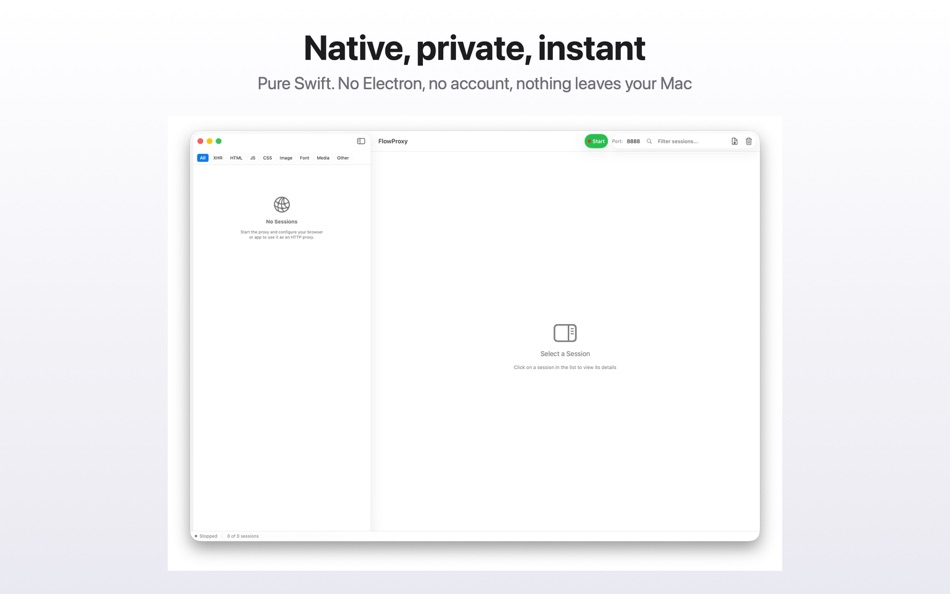
Route traffic through FlowProxy and every request appears instantly — method, host, path, status, duration and size. Select one to read its full request and response: headers, cookies, bodies and a timing breakdown. HTTPS is decrypted locally using a certificate authority generated on your Mac, so encrypted traffic is as readable as plain HTTP.
Built in Swift with no Electron and no cloud service. It launches immediately, stays out of the way, and behaves like a Mac app.
INSPECT
• Live capture of HTTP and HTTPS requests as they happen
• Full request and response headers, cookies and bodies
• Formatted viewers for JSON, XML, form data and plain text
• Binary and image responses shown with type and size
• Timing breakdown per request
• Filter by content type: XHR, HTML, JS, CSS, images, fonts, media
• Arrange the list by time, by host, or as a domain, host and path tree
• Search and filter by host, method or status code
• Export captured sessions to JSON and import them again later
REPLAY
Re-send any captured request without leaving the app or rebuilding anything. Override the method, add or change headers, or edit the body — useful for retrying a call with a fresh token, or reproducing a failure with one field changed. The result is captured as a new session alongside the original.
REVERSE PROXY
Forward a local port to an upstream server and inspect everything that crosses it. Point a client at 127.0.0.1 instead of the real host and each request appears in the list like any other, with full headers, bodies and timing.
This is the way in when you cannot change a client's proxy settings or install a certificate on it. Rules can add or remove request headers, add response headers, and rewrite path prefixes on the way through.
AI AGENT ACCESS
FlowProxy can expose captured traffic to AI coding agents over the Model Context Protocol. Turn on the local API in Settings and connect Claude, Codex, Cursor, VS Code or any MCP client with a single line — the app generates the setup command for you.
Your agent can then list captured requests, read full bodies, replay a request with changes, and check proxy status, so you can ask it why an API call is failing instead of pasting logs by hand.
It is off by default. Every call requires a bearer token that the app generates, and one switch revokes access at any time.
PRIVATE BY DESIGN
FlowProxy makes no external calls. Captured traffic, headers, cookies and credentials stay on your Mac. Nothing is uploaded, no account is required, and there is no telemetry. Sessions live in memory and on a scratch file inside the app's own container, and are cleared when you quit.
Because the source is published for inspection, this is something you can verify rather than take on trust.
BEFORE YOU START
HTTPS inspection needs two setup steps, both done once:
1. Point your browser or app at FlowProxy as an HTTP proxy (127.0.0.1 and the port shown in the app, 8888 by default).
2. Export the FlowProxy certificate authority from the Proxy menu and trust it. On macOS, open the exported file in Keychain Access, find "FlowProxy CA", and set it to Always Trust. Firefox keeps its own certificate store — import the same file under Settings > Privacy & Security > Certificates and tick "Trust this CA to identify websites".
Until the certificate is trusted, HTTPS sites will refuse to connect through the proxy. Plain HTTP works immediately.
Sites that pin their certificates will reject any debugging proxy by design and cannot be inspected. This is the pinning working correctly.
REQUIREMENTS
macOS 13 or later. FlowProxy listens on your Mac only unless you explicitly allow connections from other devices, which is useful for capturing traffic from a phone or a virtual machine on the same network.
Advertisement
Screenshots


Price History
- Current price: $0.99
- Minimum: $0.99
- Maximum: $0.99
Track prices Add to a list to get discount alerts by email or push
AppAgg Score
580
Estimated AppAgg Score for
FlowProxy
Developer: TraLand.com
580 Bronze
Higher scores usually reflect better results across AppAgg’s indicators.
Based on: popularity · ratings · freshness · deals · store data · community signals
Recalculated daily using fresh AppAgg data.
Badge for your website:  Copied!
What's new
- Version: 1.2
- Last Updated:
- GROUPING
The session list no longer has to be one long run of requests in the order they arrived. A control above the list switches between three arrangements:
• Time — every request in capture order, as before
• Host — one collapsible group per host
• Domain — a tree of domain, then host, then path folders, then the requests themselves
Nothing is reordered: a group is still that host's traffic in the order it happened. Collapse state is kept when you switch. Subdomains fold under their registrable domain, so api.example.com and cdn.example.com sit together under example.com.
REVERSE PROXY
Reverse proxy rules now capture. Forward a local port to an upstream server and every request across it appears in the session list like any other, with full headers, bodies and timing. Rules can add or remove request headers, add response headers, and rewrite path prefixes.
This is the way in when you cannot change a client's proxy settings or install a certificate on it: point the client at 127.0.0.1 instead.
FIXES
• The response body pane could show the previously selected request's body under the newly selected request's URL. It shows the right one.
• Exported sessions now come back exactly as they went out. Images and other binary bodies survive instead of being dropped, JSON is no longer silently reformatted, and timings, TLS details and session identity are all carried. Reopening a file you already have no longer duplicates it.
• A failed export said nothing and looked like it had worked. It reports.
• A TLS handshake the client abandoned was always reported as "the client does not trust the FlowProxy CA", even when the CA was installed and working. Handshake failures now say what actually happened; a browser blocking a tracker is no longer described as a certificate problem.
• Long captures stay within their memory budget. A sustained capture could grow well past it and push the machine into swap.
• A rule whose port was already in use reported success and then quietly did nothing.
Additional Information
- Release Date:
- Category:
macOS Apps›Developer Tools - OS:
macOS,macOS 13.0 and up - Size:
851 Kb - Content Rating:
4+ - Mac App Store Rating: ¡
0 - Website:
 https://flowstations.net/flowproxy
Developer
- TraLand.com
- Followers: 0
- Platforms: iOS Apps (5) macOS Apps (9)
- Deals: 0
- Lists: 1 + 1
- Points: 10 + 0 ¡
- Rankings: 0
- Comments: 0
- Videos: 0
- RSS: Subscribe
Lists (0)
0
- FlowProxy
Points (0)
0
Rankings (0)
0
Comments (0)
Be the first to comment
Summary
FlowProxy Short URL: Copied!- Mac App Store
On AppAgg, you can track the macOS app “FlowProxy” by TraLand.com, listed under Developer Tools. AppAgg Score: 580 (Bronze). AppAgg Points for the app — confirmed: 0; indirect: 0. Public lists containing the app: 0. Users who have saved it in private lists: 0. AppAgg users have not rated the app yet. Confirmed Points record visits to a store by signed-in AppAgg users; indirect Points are based on store data. AppAgg counts public lists containing an app or game and users who have saved it in private lists. The app was first released on . The app was last updated on . The app currently costs $0.99. Explore the price history, add the app to a list, or follow its developer. Follow future deals and updates for the app via its RSS feed. AppAgg does not host or distribute the app. All trademarks, logos, and screenshots related to the app belong to their respective owners.

