
| Entwickler: | Giorgio Maria Giannotta (7) | ||
| Preis: | $0.99 | ||
| Klassifizierungen: | 0 | ||
| Rezensionen: | 0 Rezension schreiben | ||
| Kommentare: | 0 Kommentar posten | ||
| Listen: | 0 + 0 | ||
| Punkte: | 1 + 0 ¡ | ||
| Mac App Store | |||
Beschreibung

Features:
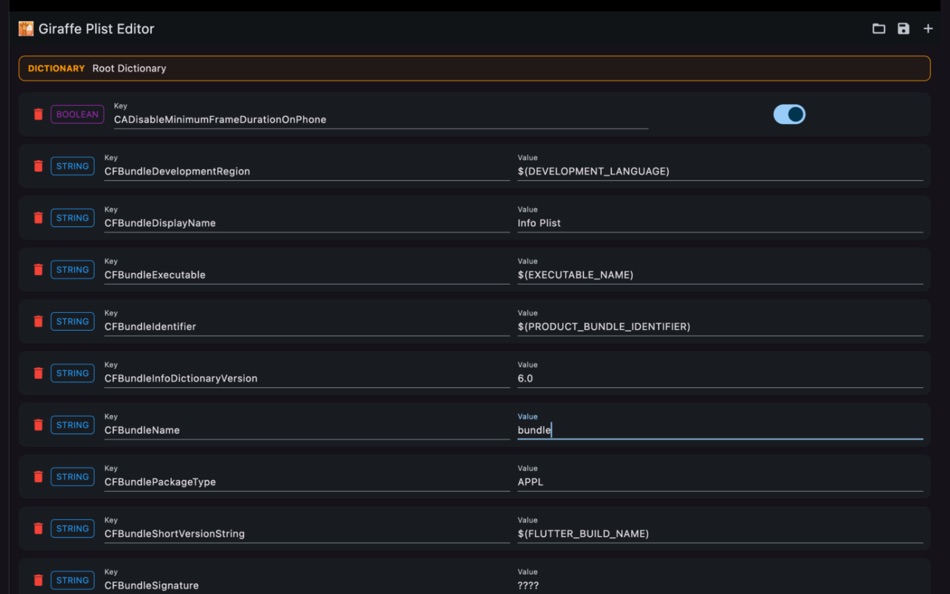
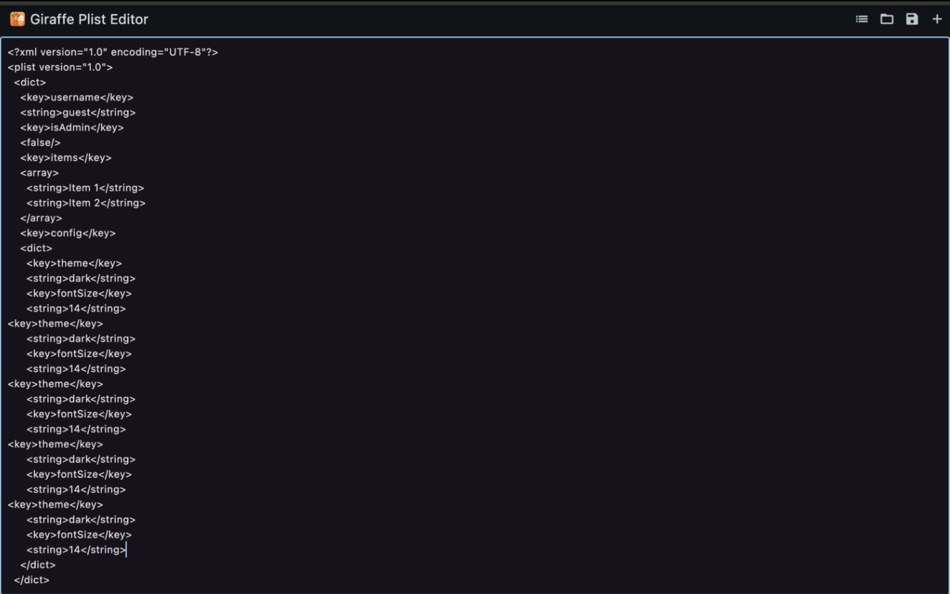
• Open and edit .plist files from macOS and iOS projects
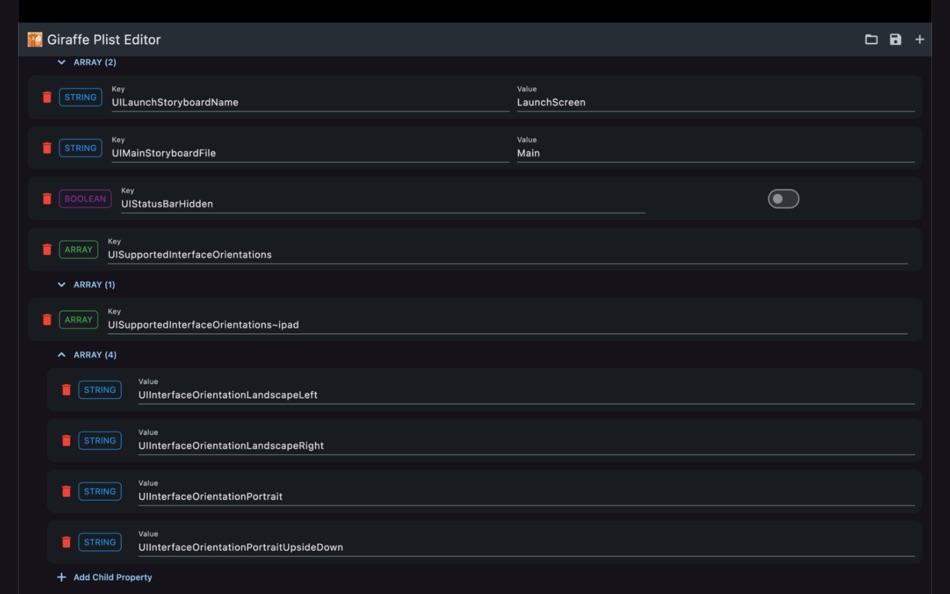
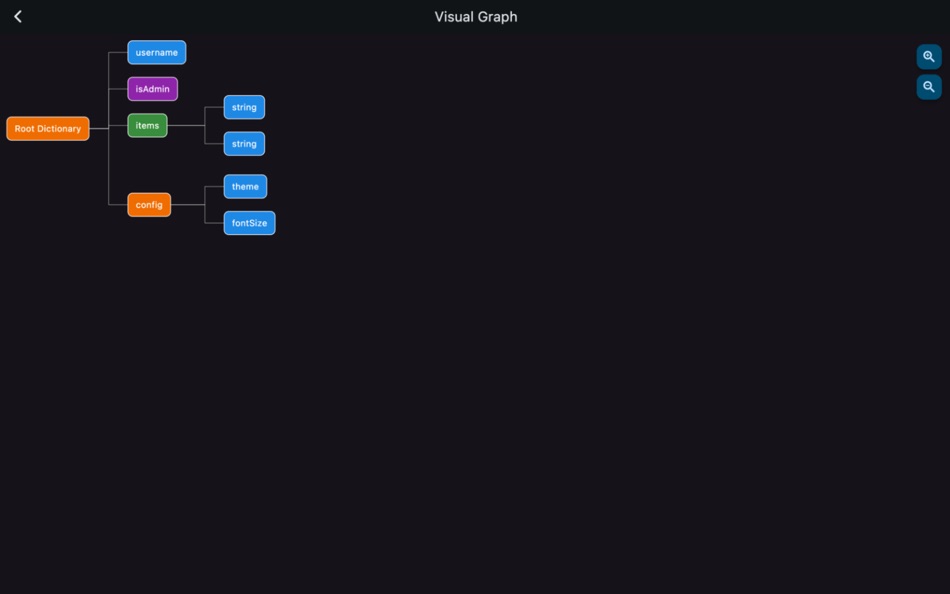
• Tree-based interface with expandable arrays and dictionaries
• Edit keys and values inline with support for string, boolean, array, and dictionary types
• Add or remove nested items at any level of the structure
• Smart type detection with color-coded types
• Safe file saving to avoid corrupting source data
Whether you're building iOS/macOS apps, customizing configuration files, or just need a better .plist editor, Giraffe gives you the power and flexibility to work smarter.
Ad
Screenshots

Neue Funktionen
- Version: 1.3
- Aktualisiert:
- What's New in This Version
• Dual Panel Mode: You can now open and compare two .plist files side by side, perfect for quick edits and comparisons.
• Bug Fixes and Improvements: General stability improvements and UI refinements for a smoother experience.
Preisentwicklung
- Heute: $0.99
- Mindestens: Kostenlos
- Maximale: $0.99
Preise beobachten
Entwickler
- Giorgio Maria Giannotta
- Plattformen: iOS Apps (4) iOS Spiele (1) macOS Apps (2)
- Listen: 0 + 0
- Punkte: 2 + 0 ¡
- Klassifizierungen: 0
- Rezensionen: 0
- Kommentare: 0
- Rabatte: 0
- Videos: 0
- RSS: Abonnieren
Ad
Punkte (1)
-

- 40 Mick1234
- +1

Klassifizierungen (0)
0 ☹️
Listen (0)
0 ☹️
- Giraffe Plist Editor
Rezensionen (0)
Schreiben Sie die erste Bewertung 🌟
Weitere informationen
- Version: 1.3
- Kategorie:
macOS Apps›Entwickler-Tools - Betriebssysteme:
macOS,macOS 10.14 oder höher - Größe:
22 Mb - Unterstützte Sprachen:
English - Altersfreigabe:
4+ - Mac App Store Bewertung:
0 - Aktualisiert:
- Veröffentlichungsdatum:
Kommentare (0)
Seien Sie der Erste, der einen Kommentar abgibt 🌟
«Giraffe Plist Editor». Plattform: macOS. Kategorie: Entwickler-Tools. Entwickler: «Giorgio Maria Giannotta». Erste Veröffentlichung: . Letzte Aktualisierung: . Aktueller Preis: $0.99. Niedrigster aufgezeichneter Preis: $0.00 (). Höchster aufgezeichneter Preis: $0.99 (). Dieser Titel hat noch keine Bewertungen oder Rezensionen auf AppAgg erhalten. Verfolgte Punkte: bestätigte 1, indirekte 0. Verfügbare Sprachen: English. AppAgg verfolgt den Preisverlauf, Bewertungen und Benutzerfeedback für «Giraffe Plist Editor». Verfolgen Sie zukünftige Rabatte und Updates über RSS. AppAgg hostet keine Anwendungen und vertreibt keine Software. Alle Marken, Logos und Screenshots gehören ihren jeweiligen Eigentümern.
Giraffe Plist Editor Kurz-URL: Kopiert!- 🌟 Teilen
- Mac App Store
Das könnte Ihnen auch gefallen
-
- PLIST Editor
- macOS Apps: Entwickler-Tools Von: VDT LABS S.R.L.
- * $7.99
- Listen: 1 + 0 Klassifizierungen: 0 Rezensionen: 0
- Punkte: 3 + 0 Kommentare: 0 Version: 1.63 PLIST Editor is a side-by-side tree & text editor for property list (plist) data. In a clean and easy to use interface, it allows you to quickly create, inspect, modify and save your ... ⥯
-
- Power Plist Editor
- macOS Apps: Entwickler-Tools Von: 基伟 徐
- $3.99
- Listen: 0 + 0 Klassifizierungen: 0 Rezensionen: 0
- Punkte: 0 + 0 Kommentare: 0 Version: 1.6.0 Power Plist Editor is a powerful Plist editor supports both Binary and XML plist formats for developers. By Power Plist Editor, developers can easily view, explore and edit plist files ⥯
-
- Penguin - Plist Editor
- macOS Apps: Entwickler-Tools Von: Triplane
- * Kostenlos
- Listen: 1 + 2 Klassifizierungen: 0 Rezensionen: 0
- Punkte: 6 + 0 Kommentare: 0 Version: 2.2 Looking for an easier way to edit plist files? Penguin lets you edit any plist file in a beautiful and easy to understand tree view. Drag, drop, expand, reorder and modify your plist ... ⥯
-
- Smart PList Editor for Mac OS X
- macOS Apps: Entwickler-Tools Von: iMakezAppz
- $2.99
- Listen: 0 + 0 Klassifizierungen: 0 Rezensionen: 0
- Punkte: 1 + 0 Kommentare: 0 Version: 1.0.1 Smart PList Editor is an easy to use, lightweight and fast editor for property lists. Instead of manually editing plists in a text editor, or waiting for Xcode to boot up, simply use ... ⥯
-
- Plist Converter
- macOS Apps: Entwickler-Tools Von: App Tyrant Corp
- $0.99
- Listen: 0 + 1 Klassifizierungen: 0 Rezensionen: 0
- Punkte: 0 + 0 Kommentare: 0 Version: 2.0.1 Plist Converter is the fastest and easiest way to convert plist files on the Mac. Convert a plist to and from the XML, JSON, and Binary plist formats with this GUI app. You can also ... ⥯
- Neuer
- Plist Array Merger: Pro Tool
- macOS Apps: Entwickler-Tools Von: 栋 王
- $2.99
- Listen: 0 + 0 Klassifizierungen: 0 Rezensionen: 0
- Punkte: 0 + 0 Kommentare: 0 Version: 1.0 Stop fighting with massive SKAdNetwork lists. Integrating ad monetization into your iOS apps usually means managing dozens sometimes hundreds of SKAdNetworkIdentifiers. Manually ... ⥯
-
- Plist Extractor
- macOS Apps: Entwickler-Tools Von: hong chen
- Kostenlos
- Listen: 0 + 1 Klassifizierungen: 0 Rezensionen: 0
- Punkte: 1 + 0 Kommentare: 0 Version: 1.2 This tool can extract png image files from sprite sheet(.pvr.ccz or .pvr or .png and plist). Make sure you have both the image and plist files in the same directory and open both the ... ⥯
-
- Editor Usage for Cursor AI
- macOS Apps: Entwickler-Tools Von: Inside Internet
- $3.99
- Listen: 0 + 0 Klassifizierungen: 0 Rezensionen: 0
- Punkte: 0 + 0 Kommentare: 0 Version: 1.3.2 Effortlessly track your Cursor AI editor usage with our powerful menubar app, designed to keep you informed and in control of your requests. Whether you re a heavy user or just want to ⥯
-
- WYSIWYG HTML Editor
- macOS Apps: Entwickler-Tools Von: Wicher B Donga
- $22.99
- Listen: 0 + 0 Klassifizierungen: 5 (1) Rezensionen: 0
- Punkte: 0 + 0 Kommentare: 0 Version: 26.1 WYSIWYG HTML Editor just got a major upgrade. You can now work seamlessly with: - HTML and CSS - JavaScript - React and JSX - Vue - Alpine - Markdown or any combination of these in a ... ⥯
-
- Py Editor for Python
- macOS Apps: Entwickler-Tools Von: Andromeda Corp LTD
- * Kostenlos
- Listen: 1 + 0 Klassifizierungen: 0 Rezensionen: 0
- Punkte: 2 + 0 Kommentare: 0 Version: 26.0.1 Python Editor is a native macOS application that lets you write and run Python code instantly, with no installation or configuration required. Python 3.11 is embedded directly in the ... ⥯
-
- Xliff Editor
- macOS Apps: Entwickler-Tools Von: SweetP Productions, Inc.
- $19.99
- Listen: 0 + 2 Klassifizierungen: 0 Rezensionen: 0
- Punkte: 0 + 0 Kommentare: 0 Version: 3.3.2 Xliff Editor - its fast to load, easy to use, and has a low memory footprint. Did we forget to mention Inline tag protection, Search & Replace, Regex search, Fuzzy search, intuitive ... ⥯
-
- Mermaid Live Editor
- macOS Apps: Entwickler-Tools Von: Omer UCEL
- $4.99
- Listen: 0 + 0 Klassifizierungen: 0 Rezensionen: 0
- Punkte: 2 + 0 Kommentare: 0 Version: 4.1 Transform text into beautiful diagrams with AI-powered assistance. This professional diagram editor supports Mermaid syntax to create flowcharts, timelines, user journey maps, charts, ... ⥯
-
- Brackets JSON Editor
- macOS Apps: Entwickler-Tools Von: junichi nakamura
- $2.99
- Listen: 0 + 0 Klassifizierungen: 0 Rezensionen: 0
- Punkte: 0 + 0 Kommentare: 0 Version: 1.4 Brackets JSON Editor is simple and easy-to-use JSON editor. You can edit the JSON data displayed in the outline. ⥯
-
- JSON Editor for SSEM DEV
- macOS Apps: Entwickler-Tools Von: DongSeop Kim
- Kostenlos
- Listen: 0 + 0 Klassifizierungen: 0 Rezensionen: 0
- Punkte: 0 + 0 Kommentare: 0 Version: 1.0 JSON Editor is a web-based tool to view, edit, format, and validate JSON data. Features: Tree view and code view modes Syntax highlighting with Ace Editor JSON validation and ... ⥯