
已保存
选择将在你的已保存菜单中显示的名称。
完成!
| 开发人员: | Andrew Hoffart (6) | ||
| 价格: | * 免费 | ||
| 评价: | 1,020 白银 | ||
| 排名: | 0 | ||
| 评论: | 0 发表评论 | ||
| 列表: | 0 + 0 | ||
| 积分: | 0 + 0 ¡ | ||
| +1 积分 | |||
说明

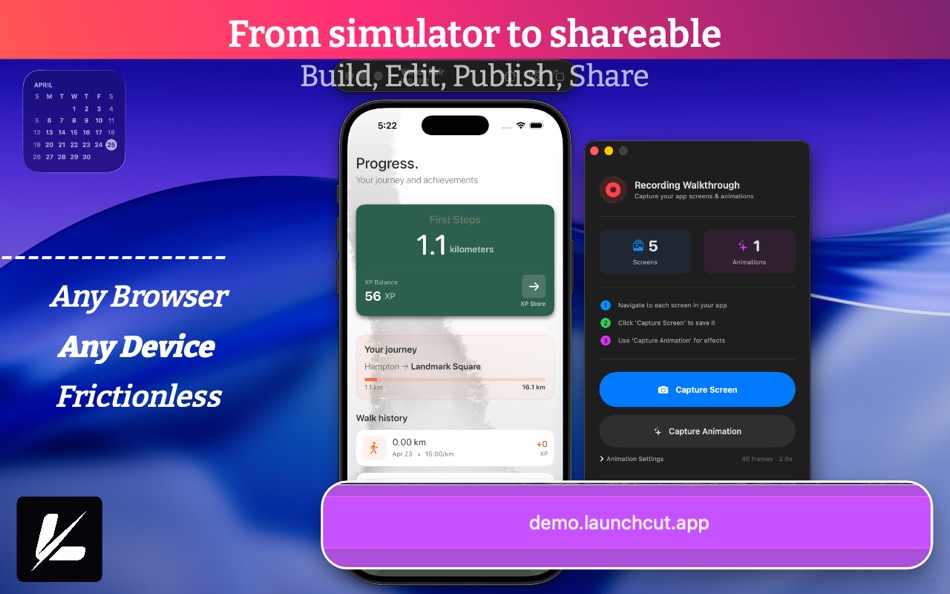
LaunchCut transforms how you share iOS app ideas. Record interactive demos directly from the iOS Simulator and export a shareable experience that anyone can click through in their browser.
Perfect for stakeholders, feedback, and showcasing work-in-progress apps. No TestFlight required.
How It Works
1. Launch your app in the iOS Simulator
2. Start recording in LaunchCut
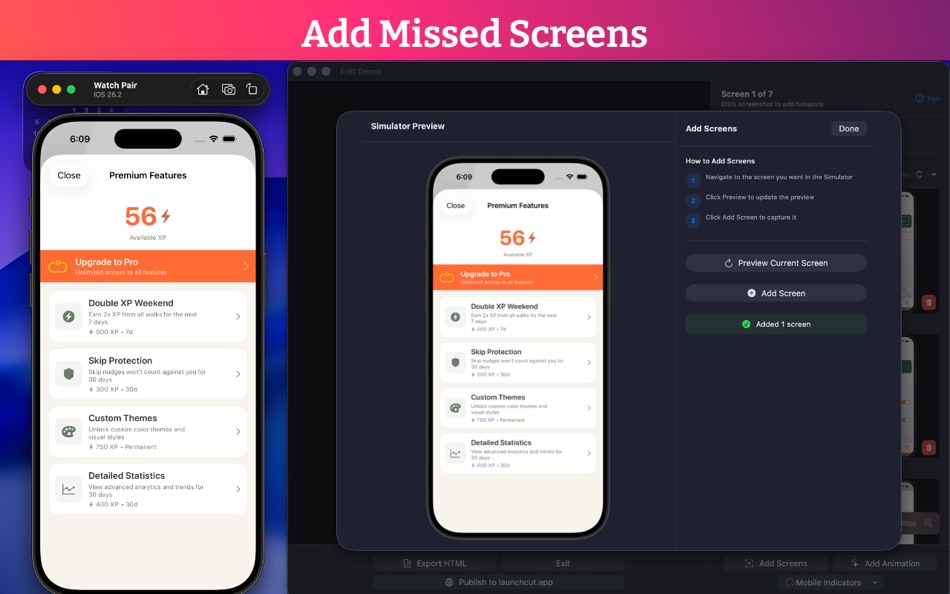
3. Click through your app flow naturally while clicking capture screen or capture animation
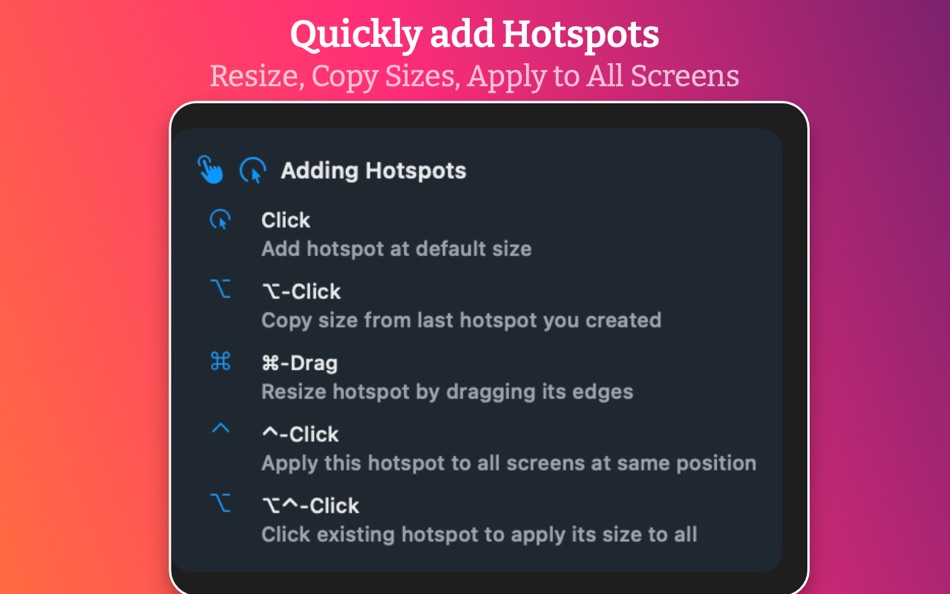
4. Map screens and interactive hotspots
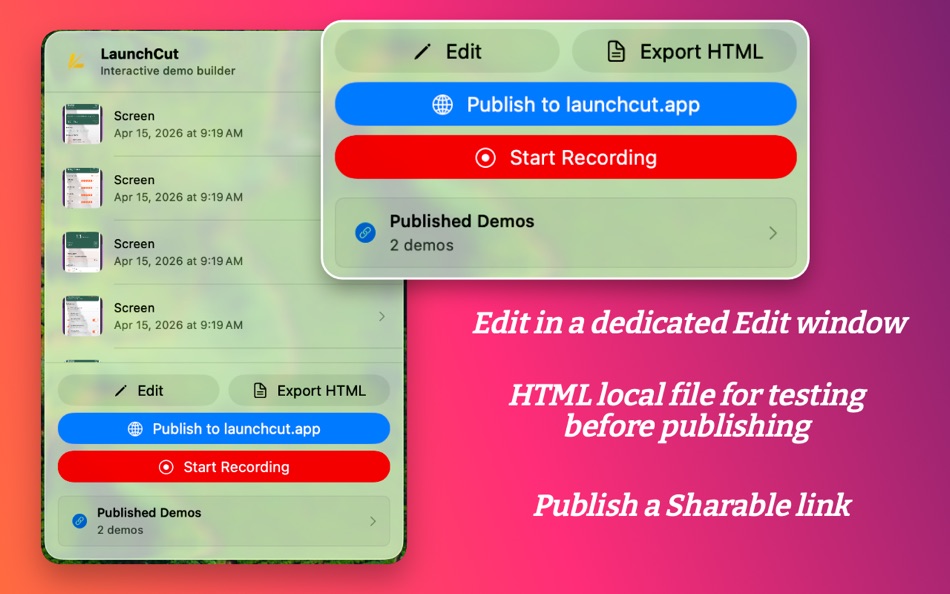
5. Export as a self-contained HTML file
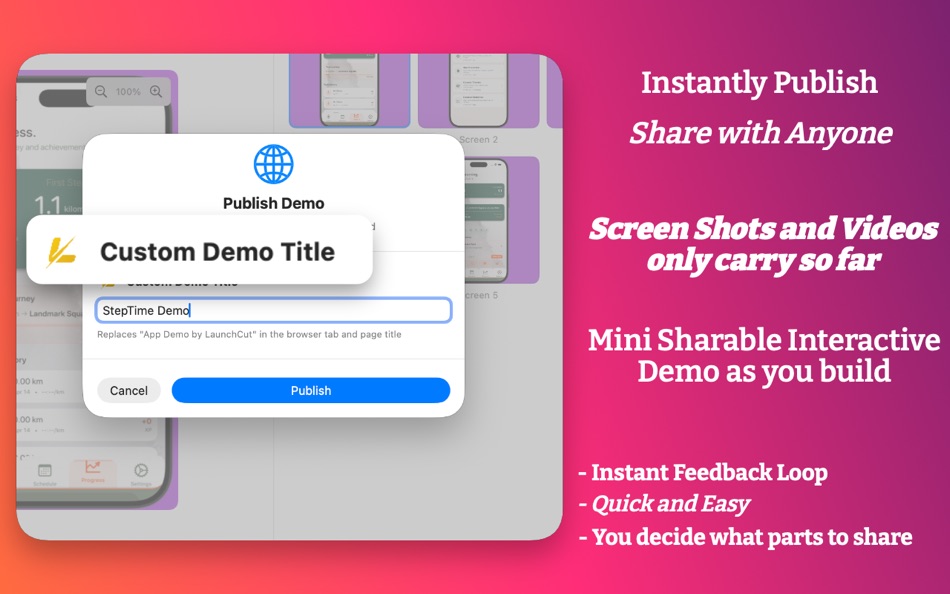
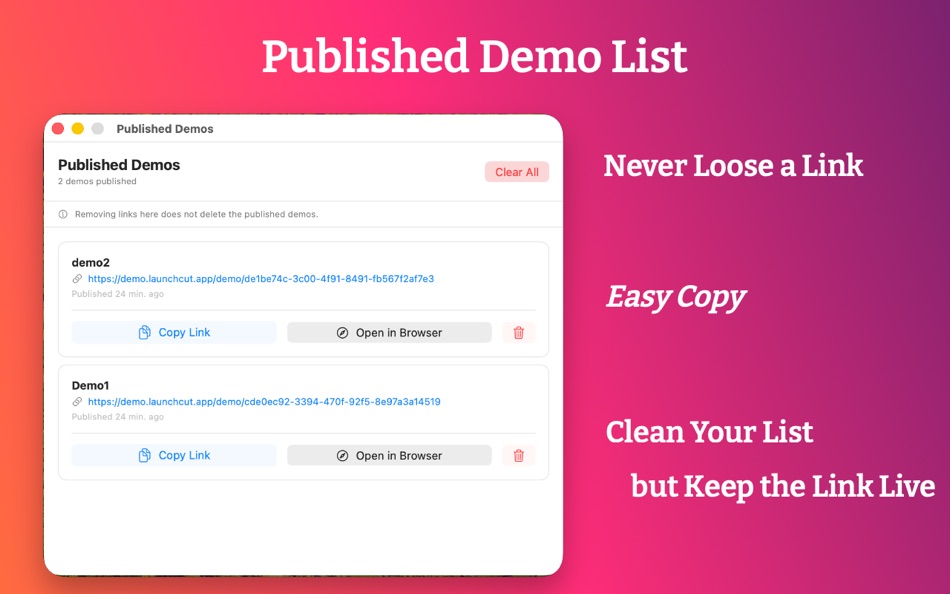
6. (Pro) Publish and get a shareable demo.launchcut.app link
7. Share anywhere instantly
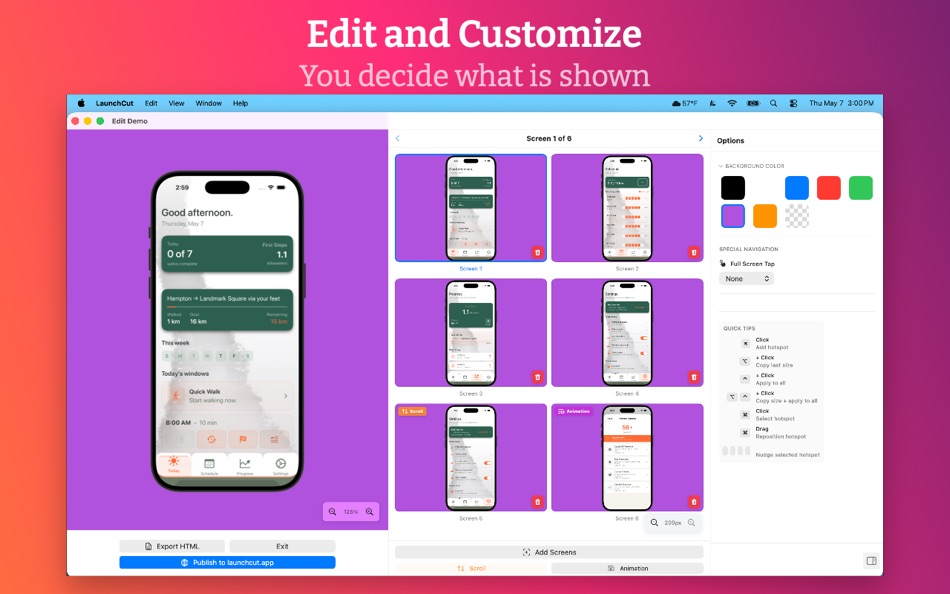
LaunchCut allows you to control which screens are capture and gives you the chance to capture your confetti animations. It then allows you to build a navigable flow between screens and tap points. The result is an interactive demo that feels like the real app in the browser.
Key Features
• Zero Setup Recording. Start instantly with your Simulator
• Manual Capture. Only capture the screens you want
• Interactive Flow Builder. Map screens and tap targets into guided experiences
• Self-Contained Export. Fully offline HTML file with no dependencies (Free)
• Publishing & Hosted Links. Generate a shareable demo.launchcut.app link (Pro)
• Transparent Backgrounds. Embed demos seamlessly on any website (Pro)
• Zero Friction Sharing. No installs or TestFlight required
• Custom Backgrounds. Match your brand or presentation style
Embed Anywhere with Transparent Backgrounds (Pro)
LaunchCut Pro includes transparent background export, perfect for embedding demos directly into marketing pages, documentation, and portfolios. Your simulator blends seamlessly with gradient backgrounds, brand colors, and complex designs without color matching or awkward frames.
Export transparent demos that adapt to any background: hero sections, landing pages, case studies, and more. No chroma keying, no workarounds, just clean, professional embeds that look native to your site.
Free vs Pro
LaunchCut is free to use with full recording and HTML export capabilities.
Upgrade to LaunchCut Pro to unlock:
• Hosted publishing with shareable links
• Transparent backgrounds for clean embeds
• Easy link-based sharing (no file handling)
• Future Pro-only enhancements
Perfect For
• Designers presenting UI flows
• Product managers collecting feedback
• Developers sharing progress
• Indie hackers building public demos
• Teams replacing TestFlight for early previews
• Portfolio and case study presentations
• Marketing pages and landing pages
Share Anywhere
Export your demo as a standalone HTML file for offline sharing, or publish with Pro to generate a public link that works instantly in any browser. Embed transparent demos in iframes, share on social media, in messages, emails, or portfolios—anywhere a link works.
All processing happens locally on your Mac. No accounts required for free export. No tracking.
Requirements
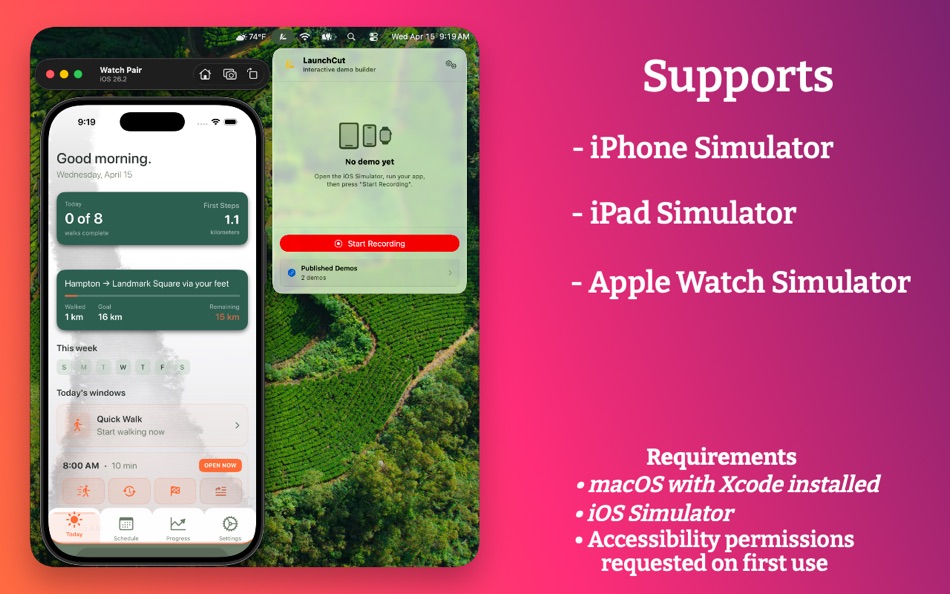
• macOS with Xcode installed
• iOS Simulator
• Accessibility permissions requested on first use
Learn more at https://launchcut.app
This app uses Apple's standard Terms of Use (EULA):
https://www.apple.com/legal/internet-services/itunes/dev/stdeula/
Privacy Policy: https://launchcut.app/privacy/
屏幕截图
Ad
价格历史
-
* 提供应用内购商品 - 目前价格: 免费
- 最小值: 免费
- 最大值: 免费
可选
AppAgg 评价
1,020
AppAgg 预估评价:
LaunchCut
1,020 白银
评价越高,通常表示在 AppAgg 上的信号越强。
基于: 热度 · 用户评分 · 新鲜度 · 优惠 · 商店数据 · 社区活跃度
根据最新 AppAgg 数据每日重新计算。
短网址: 已复制!
新版变化
- 版本: 1.2
- 最后更新:
- This update includes:
- Scroll capturing
- Updated UI in the editor
- Minor bug fixes
其他信息
 https://launchcut.app
开发人员
列表 (0)
0
- LaunchCut
积分 (0)
0
排名 (0)
0
评论 (0)
成为第一个发表评论的人
简要
LaunchCut 短网址: 已复制!- 分享
- Mac App Store
«LaunchCut». 平台: macOS. 类别: 软件开发工具. 开发商: «Andrew Hoffart». 首次发布: . 最后更新: . 目前价格: 免费. 该条目尚未在 AppAgg 上获得评分或评论。 可用语言: English. AppAgg 会跟踪 «LaunchCut»的价格历史、评分和用户反馈。 AppAgg 不托管应用程序或分发软件。 所有商标、徽标和屏幕截图均属于其各自所有者。 关注未来折扣和更新: RSS
类似
-
- Launch - App Screenshot Creator
- macOS 应用: 软件开发工具 来自: FBeasleySoftware
- 免费
- 列表: 0 0 0
- 积分: 1 + 0 680 版本: 2.1 Launch App is the easiest and fastest app screenshot deployment tool for making your iOS app screenshots look and say what you want them to. Designed to make your apps on the Appstore ... ⥯
-
- Launch Kit Pro
- macOS 应用: 软件开发工具 来自: Omer UCEL
- $0.99
- 列表: 0 0 0
- 积分: 0 + 0 720 版本: 1.0 Launch Kit is the complete toolkit for app developers preparing their App Store submissions. Powered by advanced AI models including OpenAI, Claude, and Gemini, Launch Kit streamlines ... ⥯
-
- Forvibe: App Launch Platform
- macOS 应用: 软件开发工具 来自: MUSTAFA BERAT KURT
- * 免费
- 列表: 0 0 0
- 积分: 0 + 0 1K 版本: 1.0.5 Forvibe is the all-in-one app launch platform designed for indie developers who want to spend less time on publishing and more time building great apps. Stop juggling between App Store ⥯
-
- ShipHappens: Launch Faster
- macOS 应用: 软件开发工具 来自: Haplo, LLC
- $14.99
- 列表: 0 0 0
- 积分: 0 + 0 600 版本: 1.7 Design, localize, and upload your App Store listings faster than ever. ShipHappens is the all-in-one tool for indie developers, small teams, and agencies managing apps on the App ... ⥯
-
- DevPad - Workspaces for Devs
- macOS 应用: 软件开发工具 来自: JUSTIN WEI SUN
- $9.99
- 列表: 0 0 0
- 积分: 0 + 0 580 版本: 1.0 Launch your entire dev setup in one click. DevPad is a workspace launcher for macOS that lets you bundle your apps, folders, browser tabs, and terminal commands into beautiful, ... ⥯
-
- QuickCMD
- macOS 应用: 软件开发工具 来自: Marcel Frank
- $2.99
- 列表: 0 0 0
- 积分: 1 + 0 820 版本: 0.1.8 Launch Your Productivity into Overdrive with QuickCMD! Tired of endless clicks and searching through menus? Meet QuickCMD your lightning-fast command launcher for macOS. - Run scripts, ⥯
-
- Frame Array: Video to AI
- macOS 应用: 软件开发工具 来自: Jose Manuel Jacas Saez-Merino
- $9.99
- 列表: 0 0 0
- 积分: 0 + 0 580 版本: 1.0 Launch Special 50% OFF for a limited time! Frame Array helps you turn any video into a structured, easy-to-read contact sheet. Perfect for giving visual context to tools that can t ... ⥯
-
- Odoo debug mode
- macOS 应用: 软件开发工具 来自: Alvaro Brena Robles
- $0.99
- 列表: 0 0 0
- 积分: 0 + 0 570 版本: 1.1 Launch Odoo in debug mode with a single click from your Safari browser. Just click the icon and it will activate debug=1 by default. Click it again to turn it off. ⥯
-
- Transmit 5
- macOS 应用: 软件开发工具 来自: Panic, Inc.
- * 免费
- 列表: 6 + 2 0 0
- 积分: 6 + 0 12K 版本: 5.11.6 The gold standard of macOS file transfer apps just drove into the future. Transmit 5 is here. Upload, download, and manage files on tons of servers with an easy, familiar, and powerful ⥯
-
- Dush ( coding utilities )
- macOS 应用: 软件开发工具 来自: 伟胜 林
- $0.99
- 列表: 0 + 2 0 0
- 积分: 11 + 0 4K 版本: 3.2 Dush provide Instant search and offline access tool for custom help file , provide toolset in Xcode editor. Features : 1.Quick search from Xcode editor and do not need to select text ... ⥯
-
- Peek — A Quick Look Extension
- macOS 应用: 软件开发工具 来自: Big Z Labs LLC
- $7.99
- 列表: 4 + 3 0 0
- 积分: 4 + 0 5K 版本: 2.6.4 Accelerate your workflow with the Quick Look conveniences that only Peek can deliver: searching, jumping, scroll restoring, syntax highlighting, & more. -- Due to system limitations, ... ⥯
-
- System Color Picker
- macOS 应用: 软件开发工具 来自: Sindre Sorhus
- 免费
- 列表: 1 + 3 0 0
- 积分: 6 + 0 1K 版本: 2.2.2 Pick colors from anywhere using the built-in color picker. Note: On macOS 26, a system bug causes the color sampler to sometimes pick the wrong color. The app relies on macOS's color ... ⥯
-
- AI Vibe Coding for Xcode
- macOS 应用: 软件开发工具 来自: Dmitry Suvorov
- * 免费
- 列表: 0 + 1 0 0
- 积分: 8 + 0 6K 版本: 2.0.2 Boost your Swift development with an AI-powered assistant inside Xcode. AI Vibe Coding Assistant for Xcode brings advanced LLM capabilities into your workflow with a seamless sidebar ... ⥯
-
- Shellcut - Open in Terminal
- macOS 应用: 软件开发工具 来自: Leon Boettger
- 免费
- 列表: 0 + 1 0 0
- 积分: 8 + 0 1K 版本: 1.5 Shellcut lets you open a new Terminal window directly from Finder, with the working directory set to the folder currently displayed in the Finder window. Shellcut supports Apple's ... ⥯