
저장됨
저장됨 메뉴에 표시할 이름을 선택하세요.
완료!
| 개발자: | Layerz Corp. (5) | ||
| 가격: | 무료 | ||
| 평가: | 590 실버 | ||
| 순위: | 0 | ||
| 댓글: | 0 댓글 게시 | ||
| 목록: | 0 + 0 | ||
| 포인트: | 0 + 0 ¡ | ||
| +1 포인트 | |||
기술

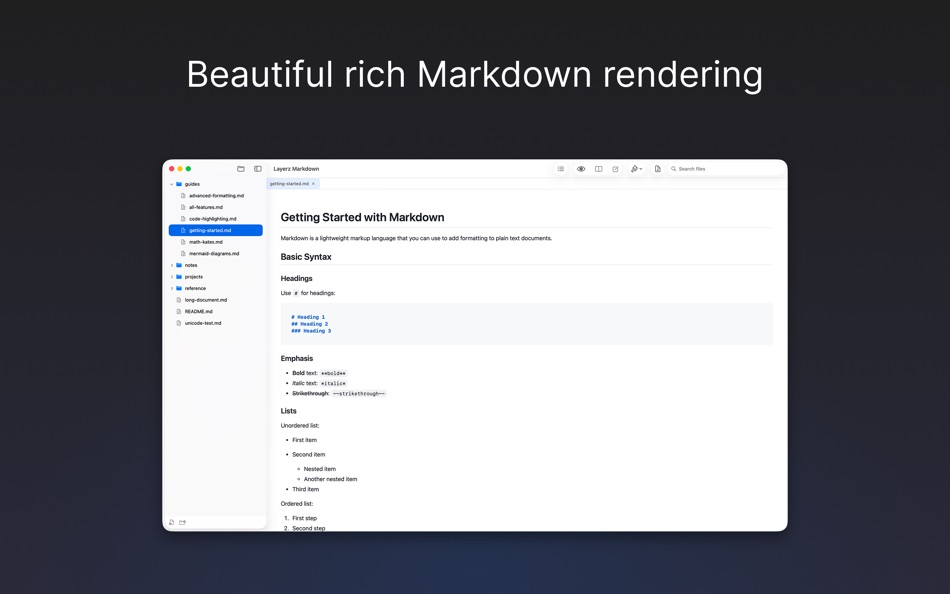
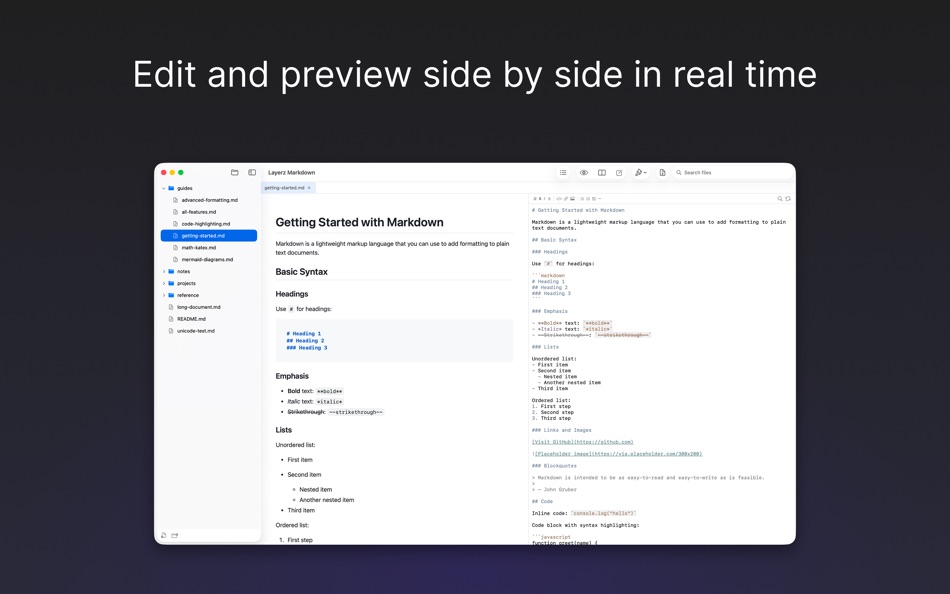
Open a folder to see all your documents in a sidebar. Click any file to view it with rich formatting — tables, code blocks, checklists, and more. Switch to the editor to write with a live preview right beside it.
Read beautifully
- Polished rendering with 5 built-in themes
- Code blocks displayed in color, just like in your favorite code editor
- Math formulas and equations rendered inline or as blocks
- Flowcharts, sequence diagrams, and more — drawn from simple text
- Light and dark mode
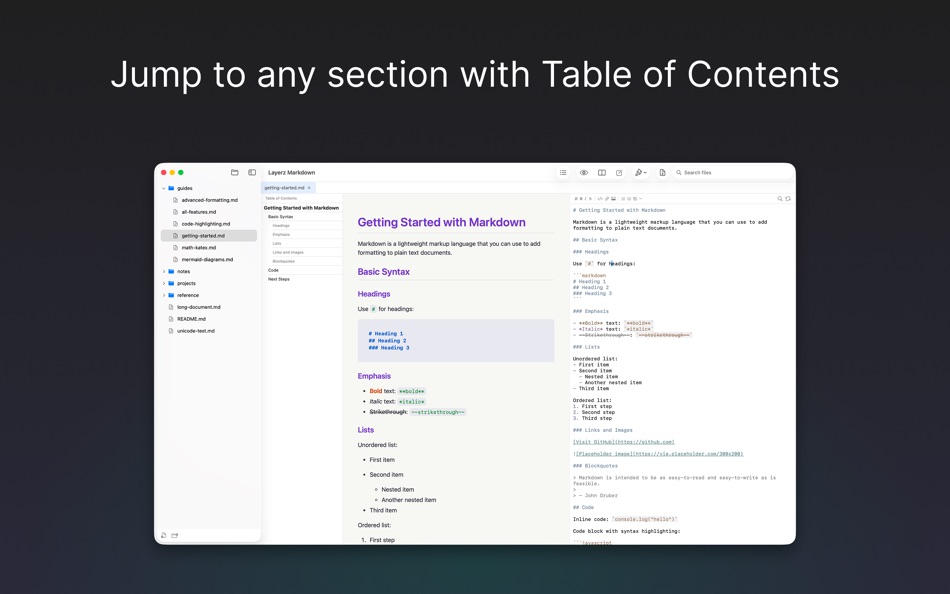
- Table of Contents — click any heading to jump there
Write comfortably
- Live preview next to your editor
- Formatting toolbar for quick editing
- Syntax coloring that’s easy on the eyes
- Find & Replace
Stay organized
- Browse folders in a sidebar tree
- Open multiple files in tabs
- Drag tabs to reorder, drag files to move between folders
- Search files by name
- Create, rename, delete files and folders
- Changes saved outside the app appear instantly
Go further
- Export any document to PDF
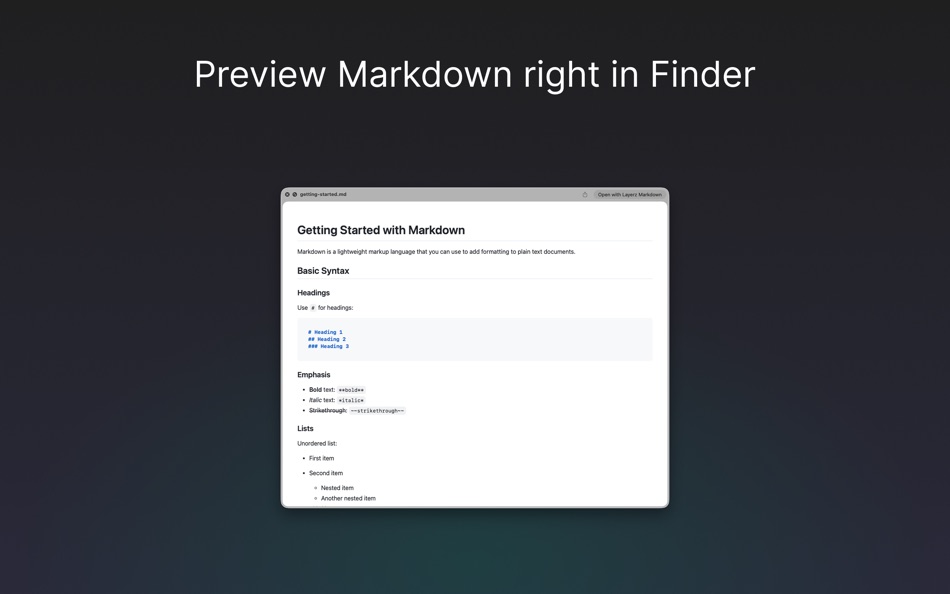
- Preview .md files with QuickLook — press Space in Finder
- Multiple windows for different projects
- Full keyboard shortcut support
스크린샷

Ad
가격 내역
- 현재 가격: 무료
- 최소: 무료
- 최대: 무료
가격 추적
AppAgg 평가
590
AppAgg 예상 평가:
Layerz Markdown
590 실버
평가가 높을수록 보통 AppAgg에서 더 강한 신호를 의미합니다.
기준: 인기 · 사용자 평점 · 최신성 · 딜 · 스토어 데이터 · 커뮤니티 활동
최신 AppAgg 데이터를 바탕으로 매일 다시 계산됩니다.
단축 URL: 복사됨!
추가 정보
 https://www.layerz.app/markdown
개발자
- Layerz Corp.
- 플랫폼: iOS 앱 (4) macOS 앱 (1)
- 목록: 0 + 1
- 포인트: 21 + 6 ¡
- 순위: 0
- 댓글: 0
- 할인: 0
- 동영상: 0
- RSS: 구독
목록 (0)
0
- Layerz Markdown
포인트 (0)
0
순위 (0)
0
댓글 (0)
가장 먼저 댓글을 남겨주세요
요약
Layerz Markdown 단축 URL: 복사됨!- 공유하기
- Mac App Store
«Layerz Markdown». 플랫폼: macOS. 카테고리: 개발자 도구. 개발자: «Layerz Corp.». 첫 번째 릴리스: . 마지막 업데이트: . 현재 가격: 무료. 이 타이틀은 아직 AppAgg에서 평가나 리뷰를 받지 못했습니다. 사용 가능한 언어: English, Japanese, Korean. AppAgg는 «Layerz Markdown»의 가격 기록, 평점 및 사용자 피드백을 추적합니다. AppAgg는 애플리케이션을 호스팅하거나 소프트웨어를 배포하지 않습니다. 모든 상표, 로고 및 스크린샷은 해당 소유자의 자산입니다. 향후 할인 및 업데이트 받기: RSS에서 확인할 수 있습니다
유사 항목
-
- Markdown Browser
- macOS 앱: 개발자 도구 게시자: Shaun Hirst
- $1.99
- 목록: 0 0 0
- 포인트: 0 + 0 750 버전: 1.0.0 Markdown Browser is a powerful yet elegant native Mac application designed for reading, browsing, and navigating Markdown documents with ease. Whether you're reviewing documentation, ... ⥯
-
- Markdown Workbench
- macOS 앱: 개발자 도구 게시자: David Page
- $2.99
- 목록: 0 + 1 0 0
- 포인트: 4 + 0 1K 버전: 1.0.4 Markdown Workbench is a fast, focused document viewer and editor built for people who work with Markdown and code files every day. Open any Markdown file and see it beautifully ... ⥯
-
- Markdown Buddy
- macOS 앱: 개발자 도구 게시자: Jan Tumpach
- $0.99
- 목록: 0 0 0
- 포인트: 0 + 0 570 버전: 1.1 Markdown Buddy is a native macOS app that lets you preview Markdown files beautifully, right from your code editor or Finder. Source Editor Extension Integrates directly into your ... ⥯
-
- Markdown EditPad
- macOS 앱: 개발자 도구 게시자: Damian Pieszczynski
- $4.99
- 목록: 0 0 0
- 포인트: 0 + 0 570 버전: 1.0 Markdown editor with support for GitHub flavor. Features: - live preview - outline - bookmarks - markdown docs and interface to add markdown tags - export to HTML and RTF ⥯
-
- Markdown Export
- macOS 앱: 개발자 도구 게시자: Tanvir N Hasan
- * 무료
- 목록: 0 0 0
- 포인트: 0 + 0 600 버전: 1.3 A Professional Markdown-to-Document Converter Transform your markdown into beautifully formatted PDFs, Word documents, and PNG images with just a click. Markdown Export combines a ... ⥯
-
- Markdown Quick Look
- macOS 앱: 개발자 도구 게시자: Bitfield AB
- $4.99
- 목록: 0 0 0
- 포인트: 0 + 0 570 버전: 1.0 Stop opening files just to peek. Markdown Quick Look adds instant, beautifully rendered Markdown previews to Finder. Press the spacebar on any .md, .markdown, or .mdown file and see ... ⥯
-
- Ohai Markdown Viewer
- macOS 앱: 개발자 도구 게시자: Verbari LLC
- $14.99
- 목록: 0 0 0
- 포인트: 0 + 0 1K 버전: 1.0 Stop reading raw text in your terminal. Ohai is a native macOS markdown viewer built for the age of AI. It acts as a real-time canvas for tools like Claude Code, Cursor, and Copilot. ... ⥯
-
- Meva - Markdown Viewer
- macOS 앱: 개발자 도구 게시자: Shuchi Muley
- * 무료
- 목록: 0 0 0
- 포인트: 0 + 0 580 버전: 1.3.0 Markdown files deserve a better reader. Meva is a fast, native markdown viewer built specifically for consuming documentation generated by tools like Claude, ChatGPT, Cursor, and ... ⥯
-
- Telescopo: Markdown Viewer
- macOS 앱: 개발자 도구 게시자: Bad Command AI
- * 무료
- 목록: 0 + 1 0 0
- 포인트: 6 + 0 5K 버전: 6.1.0 Telescopo: Markdown Viewer is a lightning-fast, native Markdown viewer for macOS featuring an integrated AI Assistant, builtin Mermaid diagrams, LaTeX math, and pro-grade PDF exports. ... ⥯
- 새로운
- QL Markdown by XN
- macOS 앱: 개발자 도구 게시자: XNsystems Co., Ltd
- $1.99
- 목록: 0 0 0
- 포인트: 0 + 0 1K 버전: 1.0 QL Markdown is a macOS extension that renders Markdown files in Finder's Quick Look at GitHub-grade quality. Just select a .md file and press the space bar a clean, well-formatted ... ⥯
-
- Pixley Markdown
- macOS 앱: 개발자 도구 게시자: Jose Duarte
- 무료
- 목록: 0 + 1 0 0
- 포인트: 1 + 0 1K 버전: 3.1 AI tools generate markdown. Pixley makes it interactive. Open a file or browse a folder of markdown documents in a clean sidebar. Pixley converts plain text into interactive controls ... ⥯
-
- Easy Markdown
- macOS 앱: 개발자 도구 게시자: Roberto Panetta
- $7.99
- 목록: 0 + 1 0 0
- 포인트: 0 + 0 1K 버전: 1.9.3 Easy Markdown lets you create Web pages just writing plain text with Markdown syntax. It's simply and powerful. We are sure you will love it. A text written in Markdown is a plain text ⥯
-
- BetterLocale MarkDown
- macOS 앱: 개발자 도구 게시자: Christian Drapatz
- $3.99
- 목록: 0 0 0
- 포인트: 1 + 0 1K 버전: 1.0 BetterLocale MarkDown is a powerful Markdown editor for macOS. It combines a clear writing interface with a direct HTML live preview. As you write your Markdown text on the left, you ... ⥯
-
- Markdown2PDF: Convert Markdown
- macOS 앱: 개발자 도구 게시자: Haplo, LLC
- $1.99
- 목록: 0 0 0
- 포인트: 0 + 0 570 버전: 1.2 Easily Convert Markdown to PDF with Markdown2PDF Markdown2PDF is the fastest way to turn your Markdown files into high-quality PDFs. Whether you re writing notes, documentation, or ... ⥯