
저장됨
저장됨 메뉴에 표시할 이름을 선택하세요.
완료!
기술

If you work with node_modules, .git, or large codebases, you already know the problem:
cloud sync tools are not designed for development workflows.
They slow down, get stuck, or break when handling thousands of small files.
Lsyncer solves this by keeping your work local and fast, while ensuring your files are safely copied where you need them.
WHY LSYNCER
Work locally. Sync safely.
Lsyncer is designed for developers who want full performance when working on their Mac, without giving up backup or cloud copies.
• Keep your projects local and fast
• Sync to your backup or cloud folders without performance impact
• Avoid slowdowns caused by syncing thousands of small files
No bottlenecks. No broken sync states. No surprises.
KEY FEATURES
• Optimized for development folders
Handles thousands of small files with consistent performance
• Scheduled Sync
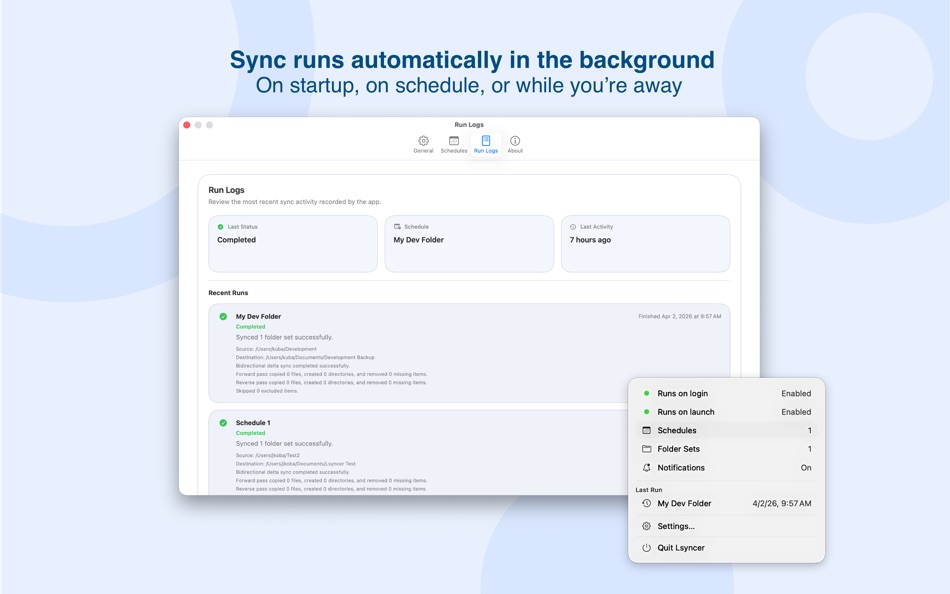
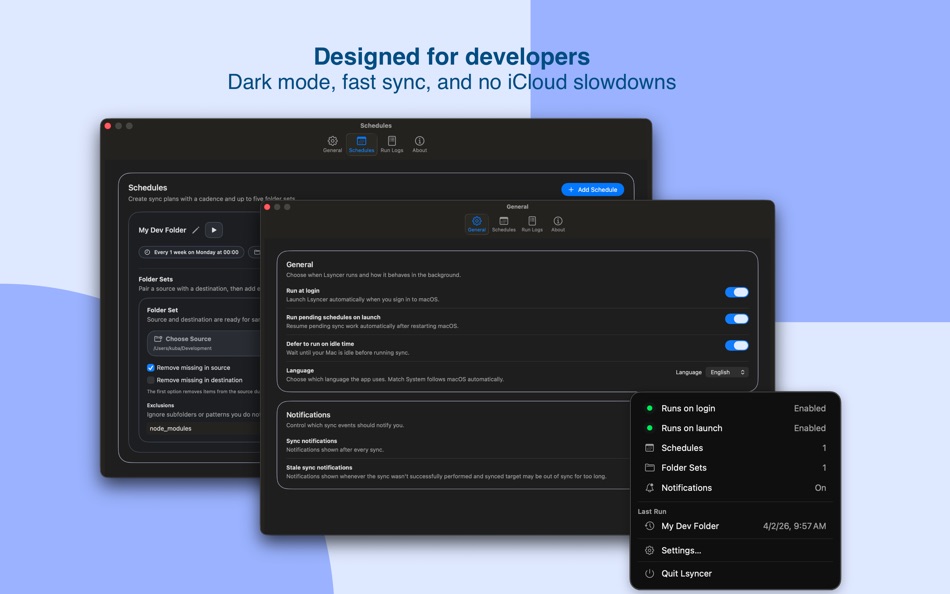
Run automatically on startup, on schedule, or while you’re away
• Smart Exclusions
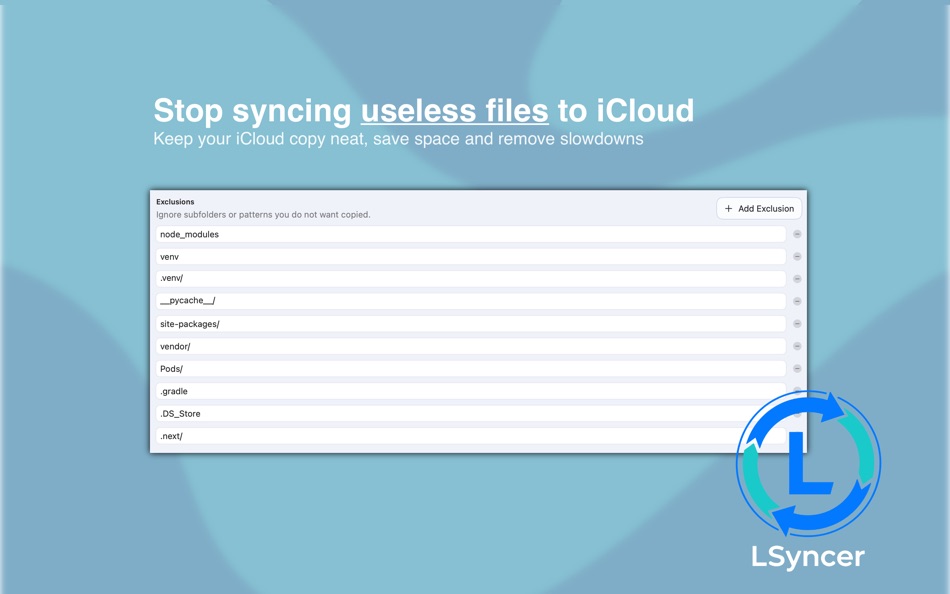
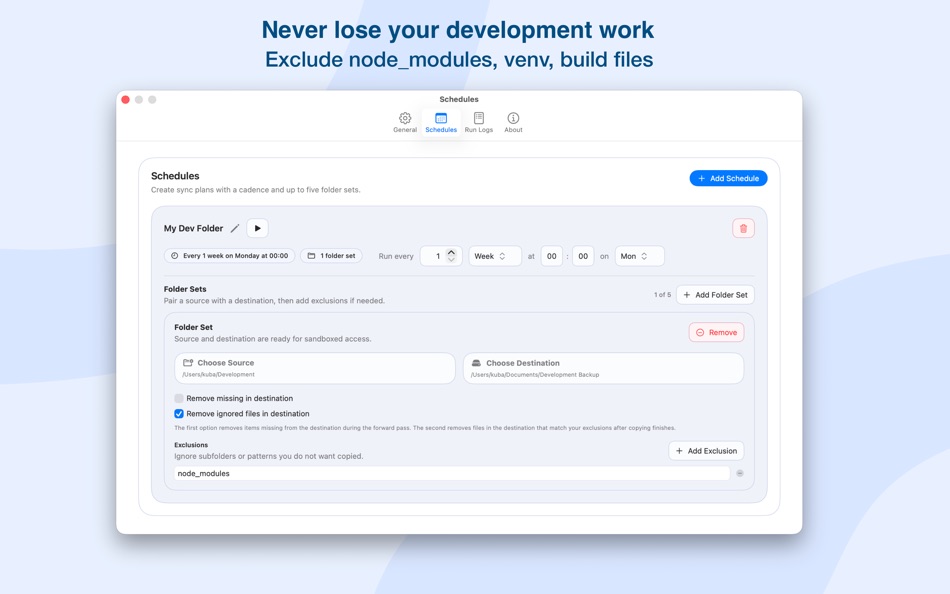
Skip node_modules, .git, venv, build files, and other unnecessary data
• Clear Sync Status & Notifications
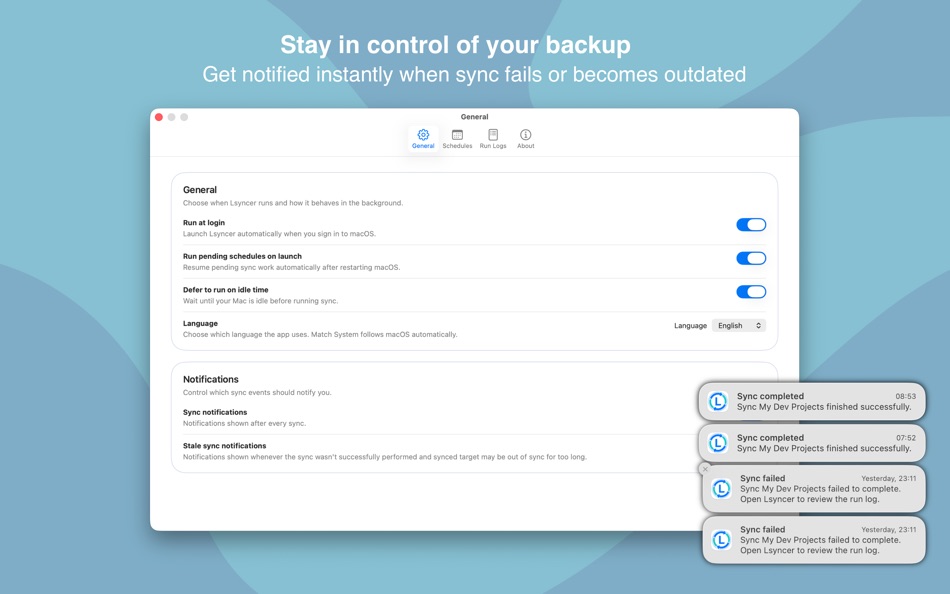
Get notified instantly when sync fails or becomes outdated
• Simple Setup
Select folders, define rules, and start syncing in seconds
STAY IN CONTROL
Lsyncer doesn’t fail silently.
• Know when a sync fails
• See how long your folders have been out of sync
• Always understand the current sync state
No guessing. No hidden issues.
REAL USE CASES
• Work on projects locally for maximum performance
• Keep a safe copy in iCloud or other storage without slowing down your workflow
• Sync between folders, disks, or environments
• Maintain fast, predictable development workflows
PRIVACY
Lsyncer works entirely on your device.
• No tracking
• No analytics
• No external servers
Your files stay yours.
DIAGNOSTICS (OPTIONAL)
If something goes wrong, you can send a diagnostic report to help improve the app.
• Reports are sent only when you choose to
• Logs are optional
• File contents are never included
IMPORTANT NOTES
• Folder access is required to perform synchronization
• Background sync is optional and disabled by default
스크린샷
Ad
가격 내역
- 현재 가격: $19.99
- 최소: $19.99
- 최대: $19.99
가격 추적
새로운 기능
- 버전: 1.0
- 마지막 업데이트:
추가 정보
- 출시일:
- 카테고리:
macOS 앱›개발자 도구 - 운영체제:
macOS,macOS 26.2 이상 - 크기:
575 Kb - 지원되는 언어:
English - 콘텐츠 등급:
4+ - Mac App Store 개의 평가:
0 - 웹사이트:
 https://www.syntanea.com
목록 (0)
0 ☹️
- Lsyncer: Dev Folder Sync
포인트 (1)
-

- 769 Erin
- +1

순위 (0)
0 ☹️
댓글 (0)
가장 먼저 댓글을 남겨주세요 🌟
«Lsyncer: Dev Folder Sync». 플랫폼: macOS. 카테고리: 개발자 도구. 개발자: «Syntanea». 첫 번째 릴리스: . 마지막 업데이트: . 현재 가격: $19.99. 최저 기록 가격: $19.99. 최고 기록 가격: $19.99. 이 타이틀은 아직 AppAgg에서 평가나 리뷰를 받지 못했습니다. 추적된 포인트: 확인됨: 1, 간접: 0. 사용 가능한 언어: English. AppAgg는 «Lsyncer: Dev Folder Sync»의 가격 기록, 평점 및 사용자 피드백을 추적합니다. 향후 할인 및 업데이트 받기: RSS에서 확인할 수 있습니다. AppAgg는 애플리케이션을 호스팅하거나 소프트웨어를 배포하지 않습니다. 모든 상표, 로고 및 스크린샷은 해당 소유자의 자산입니다.
Lsyncer: Dev Folder Sync 단축 URL: 복사됨!- 🌟 공유하기
- Mac App Store
유사 항목
-
- Dev Utils
- macOS 앱: 개발자 도구 게시자: Shaun Hirst
- $2.99
- 목록: 0 0 0
- 포인트: 1 + 0 버전: 1.3.7 Dev Utils is your Swiss Army knife for macOS development. Whether you're debugging, formatting, encoding, or inspecting data, Dev Utils offers a curated set of powerful, offline-first ... ⥯
-
- Dev Cleanup Utility
- macOS 앱: 개발자 도구 게시자: Sergii Koval
- * 무료
- 목록: 0 0 0
- 포인트: 0 + 0 버전: 1.0 Keep Xcode fast. Keep your Mac clean. Dev Cleanup Utility helps Apple developers quickly find and remove stale Xcode data without guesswork. Scan, review, and clean the biggest storage ⥯
-
- Dev Assisant-Collection tools
- macOS 앱: 개발자 도구 게시자: 万象 包
- $6.99
- 목록: 0 + 1 0 0
- 포인트: 4 + 0 버전: 1.4.0 Dev Assistant is a collection of little utilities (4 major features and growing) and converter (3 and growing) that are useful during development. AppIcons It supports every type of ... ⥯
-
- Folder Compare
- macOS 앱: 개발자 도구 게시자: 勇 陈
- $4.99
- 목록: 0 0 0
- 포인트: 0 + 0 버전: 3.0 Folder Compare is a tool which helps you to compare the difference between two folders or files with a very friendly and clean UI. It can also help you to merge your files. With it you ⥯
-
- Dev Disk Scanner
- macOS 앱: 개발자 도구 게시자: Yuriy Zhuravel
- * 무료
- 목록: 0 0 0
- 포인트: 1 + 0 버전: 3.15 Dev Disk Scanner is a lightweight macOS utility designed specifically for iOS and macOS developers who use Xcode. If Xcode takes dozens of gigabytes on your disk and the Other storage ... ⥯
-
- Dev Connector
- macOS 앱: 개발자 도구 게시자: Alexander Romanov
- * 무료
- 목록: 0 0 0
- 포인트: 0 + 0 버전: 1.0.0 AppConnector is a powerful tool for developers and teams managing apps on the App Store. It streamlines everyday tasks like app submissions, versioning, review responses, and metadata ... ⥯
-
- Dev Kit
- macOS 앱: 개발자 도구 게시자: Long Trieu
- $2.99
- 목록: 0 0 0
- 포인트: 1 + 0 버전: 1.1 Introducing the powerful Dev Kit: a comprehensive collection of tools designed to assist developers in their day-to-day tasks. This versatile toolkit includes a range of handy ... ⥯
-
- Dev Hub Swiss-Knife
- macOS 앱: 개발자 도구 게시자: Shimon Benichou
- 무료
- 목록: 0 + 1 0 0
- 포인트: 1 + 0 버전: 1.34 DevHub Swiss-Knife is a versatile application that provides a collection of tools to assist developers and users alike, In their daily tasks. With various features and functionalities, ⥯
-
- Dev Tunnel Share
- macOS 앱: 개발자 도구 게시자: Oluwatobiloba Aremu
- 무료
- 목록: 0 0 0
- 포인트: 1 + 0 버전: 1.0 DevShare (Local Mesh) transforms how development teams collaborate by creating a secure local network mesh for sharing development services. No more port conflicts, complex ... ⥯
-
- Smart Dev Tools
- macOS 앱: 개발자 도구 게시자: Fabian Reyes
- * 무료
- 목록: 0 0 0
- 포인트: 1 + 0 버전: 2.0.0 Smart Dev Tools is the ultimate productivity suite for developers, offering 20 essential utilities in one beautifully designed macOS application. Whether you're debugging APIs, ... ⥯
-
- Hotwire Dev Tools
- macOS 앱: 개발자 도구 게시자: Leon Vogt
- 무료
- 목록: 0 0 0
- 포인트: 1 + 0 버전: 0.3.3 This extension has the goal of helping developers inspect their Turbo and Stimulus applications. Turbo features: - Highlight Turbo Frames - Monitor incoming Turbo Streams - Display ... ⥯
-
- Metavia Sync: Metadata Editor
- macOS 앱: 개발자 도구 게시자: Andrei Toporov
- 무료
- 목록: 0 0 0
- 포인트: 0 + 0 버전: 1.0.1 Streamline your multi-platform metadata workflow with AI-powered translations. Metavia Sync helps iOS, macOS, and Android developers manage multilingual app metadata efficiently. ... ⥯
- 새로운
- Janitor - dev cleaner
- macOS 앱: 개발자 도구 게시자: Pincode
- * 무료
- 목록: 0 0 0
- 포인트: 0 + 0 버전: 1.0 Janitor is a lightweight cleanup tool for developers who want to keep their Mac tidy without digging through hidden folders. It helps you quickly find and remove unnecessary ... ⥯
-
- IconSync: Icon Resizer & Sync
- macOS 앱: 개발자 도구 게시자: HAKAN OZGER
- $4.99
- 목록: 0 + 1 0 0
- 포인트: 5 + 0 버전: 1.0 Stop wasting time with web converters and manual file management. IconSync is the native macOS utility designed to resize and synchronize app icons for professional developers. Simply ... ⥯
당신은 또한 같은 수 있습니다
최근 본 항목
마지막 업데이트:
AppAgg에서 사용할 수 있는 검색 연산자