
| Developer: | Tim Gavin (2) | ||
| Price: | $3.99 | ||
| Rankings: | 0 | ||
| Reviews: | 0 Write a Review | ||
| Lists: | 0 + 0 | ||
| Points: | 0 + 0 ¡ | ||
| Mac App Store | |||
Description

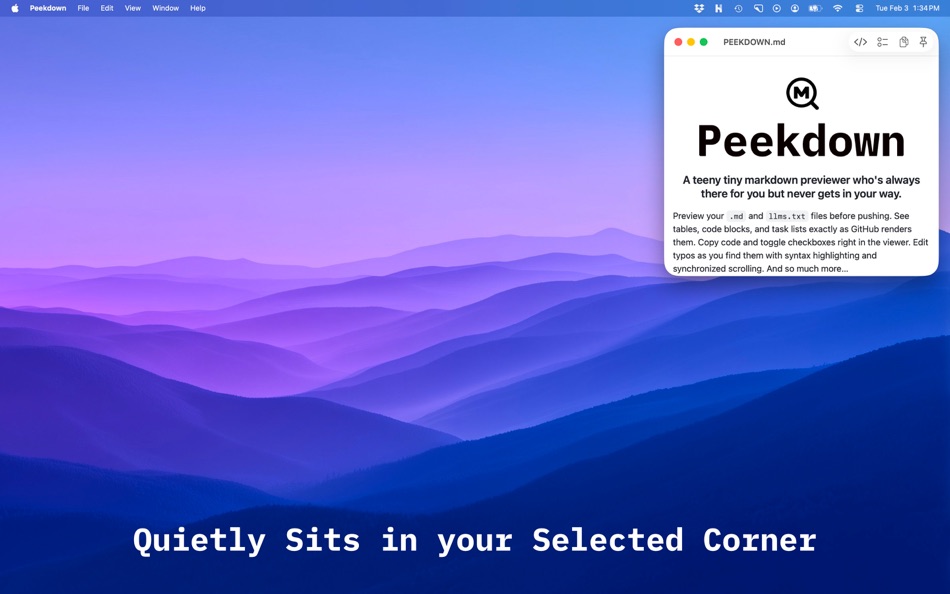
Quick Look your Markdown
Press Space on any .md file in the Finder: tables, code blocks, task lists, strikethrough; it all renders just like GitHub. Plus, you can copy the code!
Spot a Typo?
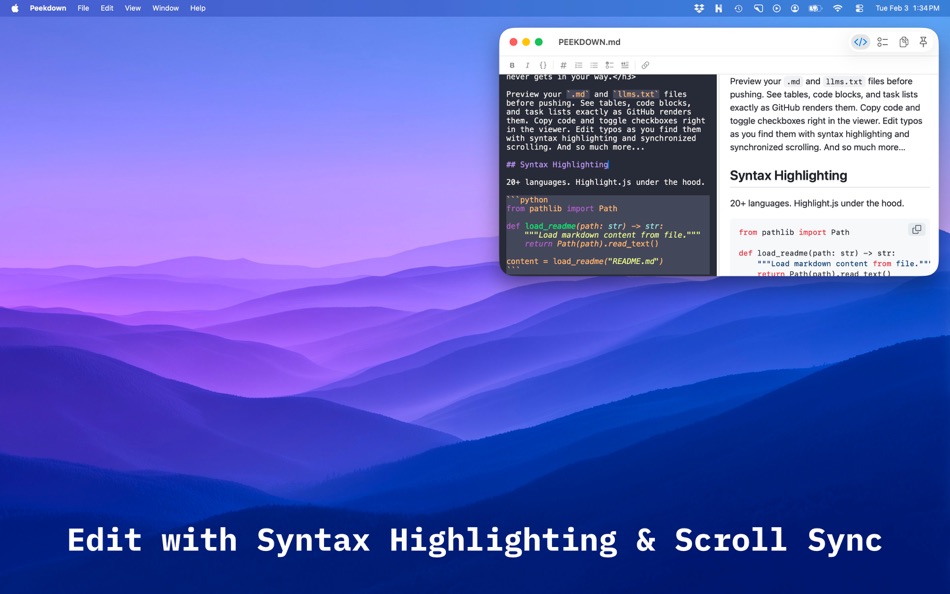
Cmd+Shift+E drops you right into a side-by-side editor with live preview, synced scrolling, and syntax highlighting for 20+ languages.
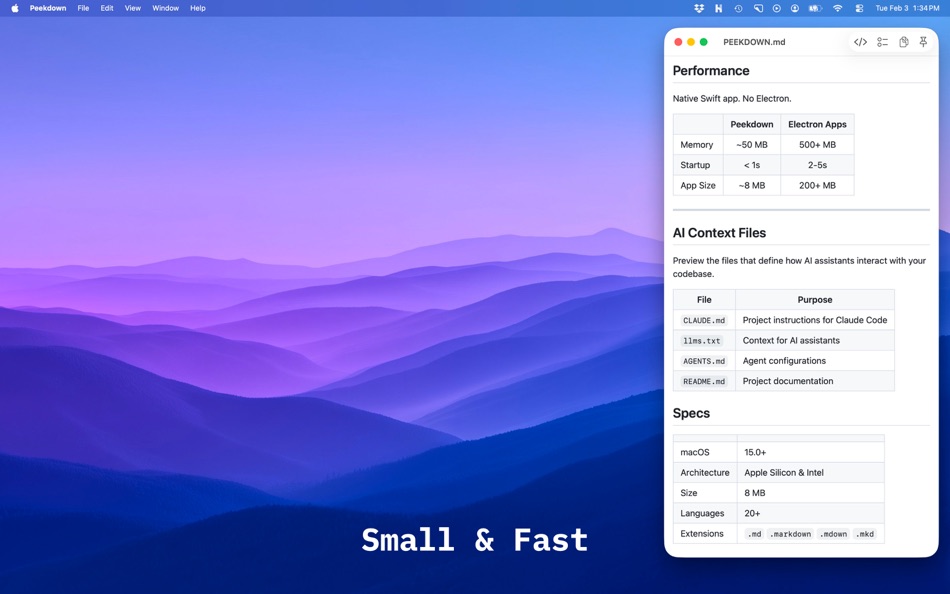
When you're working with AI, it's handy for peeking at CLAUDE.md, llms.txt, .cursorrules... whatever your tools are generating. Your doc can also auto-reload when a bot externally changes the file.
- Quick Look your markdown with GitHub formatting
- Interactive checkboxes that save your file with every tick
- Copy any code block, or the whole .md
- Formatting toolbar in the editor
- Pin on top to keep docs visible while you code
- Syntax highlighting for 20+ languages
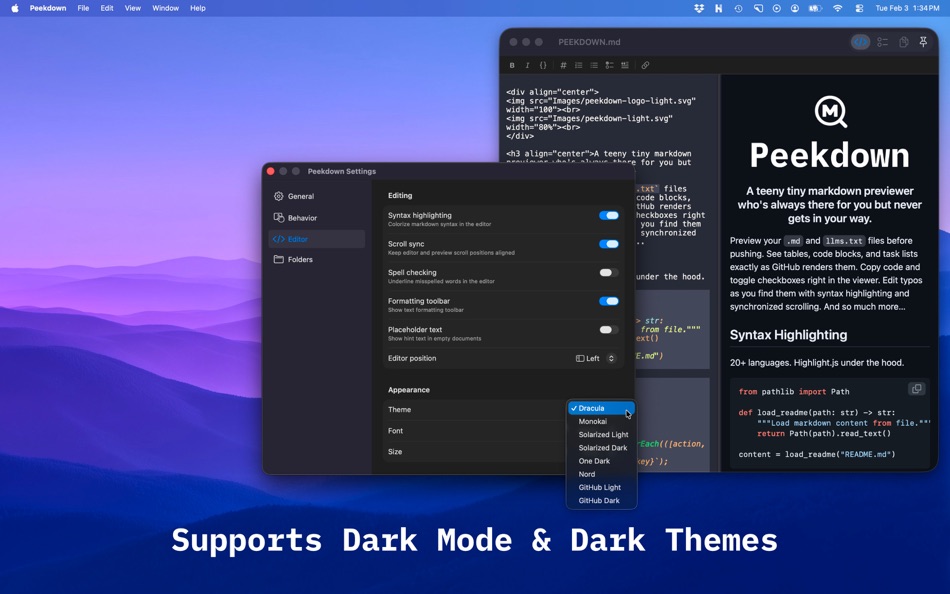
- 8 editor themes including Dracula, Monokai, One Dark, and Nord
- Light and dark modes that follow your system
- Emoji shortcodes
- Window tabs, file monitoring, find & replace, and more!
Ad
Screenshots

What's new
- Version: 1.5.1
- Updated:
- Spanish Language Support
Peekdown now supports Spanish! All menus, settings, alerts, and the Quick Look extension are fully translated. The app automatically uses Spanish when your Mac is set to Spanish in System Settings.
Formatting Toolbar & Format Menu
A new formatting toolbar and Format menu make it easy to style your markdown without memorizing syntax. Bold, italic, strikethrough, inline code, headings, lists, blockquotes, and links are all one click or shortcut away. The toolbar toggles with Cmd+Shift+B and remembers your preference.
Print Support
Print your markdown documents with Cmd+P or File > Print. The print output is optimized for paper — clean black-on-white rendering, proper page breaks around code blocks and images, and no UI clutter.
Preview Zoom
Zoom now works in view mode! Use Cmd+/- to scale the preview, and Cmd+Shift+0 to reset zoom. In edit mode, both the editor and preview zoom together.
Keyboard Shortcut Updates
Formatting shortcuts now use familiar conventions: Cmd+B for bold, Cmd+I for italic, Cmd+K for link. Toggle Edit Mode has moved to Cmd+Shift+E, and Toggle Preview is now Cmd+Shift+P.
Table Column Alignment
Tables now respect alignment syntax. Use :--- for left, :---: for center, and ---: for right — just like GitHub.
Emoji Shortcodes
Type :rocket:, :heart:, :+1:, and ~200 other GitHub-style shortcodes to render emoji in your preview. Shortcodes inside code blocks and inline code are left as-is.
Settings Improvements
The "External changes" setting has been renamed to "Live reload" with clearer option labels — Never, Always, and Ask — so it's immediately obvious what each choice does.
Bug Fixes
- Fixed an issue where images with relative paths containing .. wouldn't display.
- Fixed an issue where Find bar search highlights could persist after dismissing the Find bar.
- Fixed an issue where apostrophes in image placeholder text were displayed as HTML entities.
Price History
- Today: $3.99
- Minimum: $0.99
- Maximum: $3.99
Track prices
Ad
Developer
- Tim Gavin
- Platforms: iOS Apps (1) macOS Apps (1)
- Lists: 0 + 0
- Points: 0 + 204 ¡
- Rankings: 0
- Reviews: 0
- Discounts: 0
- Videos: 0
- RSS: Subscribe
Points
0 ☹️
Rankings
0 ☹️
Lists
0 ☹️
- Peekdown
Reviews
Be the first to review 🌟
Additional Information
- Version: 1.5.1
- Category:
macOS Apps›Developer Tools - OS:
macOS,macOS 15.0 and up - Size:
2 Mb - Supported Languages:
English,Spanish - Content Rating:
4+ - Mac App Store Rating:
0 - Updated:
- Release Date:
Contacts
- Website:
 https://peekdown.app
«Peekdown» is a Developer Tools app for macOS, developed by «Tim Gavin». It was first released on and last updated on . The lowest historical price was $0.99 on , and the highest was $3.99 on . This app has not yet received any ratings or reviews on AppAgg. Available languages: English, Spanish. AppAgg continuously tracks the price history, ratings, and user feedback for «Peekdown». Subscribe to this app or follow its RSS feed to get notified about future discounts or updates. AppAgg does not host applications or distribute software. All trademarks, logos and screenshots belong to their respective owners.
Peekdown Short URL: Copied!- 🌟 Share
- Mac App Store
You may also like
-
- Sitemap Plus
- macOS Apps: Developer Tools By: OurBigAdventure, LLC
- Free
- Lists: 1 + 1 Rankings: 0 Reviews: 0
- Points: 26 + 0 Version: 2.3 Sitemap Plus is designed for web developers, to build a list of pages on websites that they own, the server status at the time of the crawl and the download time for each page. Sitemap ⥯
-
- DevTools - Smarter coding
- macOS Apps: Developer Tools By: Anh Nguyen
- * Free
- Lists: 2 + 3 Rankings: 0 Reviews: 0
- Points: 22 + 0 Version: 1.2.3 DevTools is an all-in-one offline application that provides developers with essential tools for daily tasks and ensures data security. The app has been trusted by over 15,000 ... ⥯
-
- Klipped
- macOS Apps: Developer Tools By: Andrew Drake
- Free
- Lists: 0 + 2 Rankings: 0 Reviews: 0
- Points: 19 + 0 Version: 3.0.2 Beauty in simplicity. Klipped is a minimalist scratch pad that is a buddy for all your other apps. Write ideas down. Paste text and use as a clipboard; delete when you re done. No ... ⥯
-
- 18 Strings
- macOS Apps: Developer Tools By: Remote Sunrise LTD
- Free
- Lists: 0 + 1 Rankings: 0 Reviews: 0
- Points: 17 + 0 Version: 2022.6 Hate doing localization for your project? Now you can hate it a little less: Save tons of money by doing automatic translation using strings from your other projects you have already ... ⥯
- -100%
- Base64 Coder
- macOS Apps: Developer Tools By: Pavel Kosykh
- ▼ Free
$1.79-100% - Lists: 0 + 2 Rankings: 0 Reviews: 0
- Points: 14 + 0 Version: 2.1.0 Base64 Coder is a fast and easy converter files to a Base64 format. Features: Fast work; Automatically string copy; Drag & Drop; MIME prefix support; Save result to file; Result ... ⥯
-
- SnippetsLab
- macOS Apps: Developer Tools By: Renfei Song
- Free
- Lists: 6 + 8 Rankings: 5 (1) Reviews: 0
- Points: 13 + 0 Version: 2.6.4 Mac App Store Best of 2015 Featured in App Store editorial All Your Code, Brilliantly Organized , Keep Your Code at Your Fingertips and Welcome to the Mac App Store! Featured app in ... ⥯
-
- Xcode
- macOS Apps: Developer Tools By: Apple
- Free
- Lists: 22 + 8 Rankings: 5 (1) Reviews: 0
- Points: 11 + 0 Version: 26.3 Xcode offers the tools you need to develop, test, and distribute apps for Apple platforms, including predictive code completion, generative intelligence powered by the best coding ... ⥯
-
- Network Debugger
- macOS Apps: Developer Tools By: 志健 袁
- * Free
- Lists: 0 + 1 Rankings: 0 Reviews: 0
- Points: 10 + 0 Version: 1.2.0 Professional network debugging tool for macOS Network Debugger helps developers and testers quickly build TCP and UDP connections, send and inspect messages, and automate repetitive ... ⥯
-
- Anycode: Code Snippet to Image
- macOS Apps: Developer Tools By: 宏旭 朱
- Free
- Lists: 0 + 2 Rankings: 0 Reviews: 0
- Points: 10 + 0 Version: 0.7.0 Anycode is a document-based app that helps you manage your code snippets. - Supports syntax highlighting for Bash, C, C++, C#, Clojure, Dart, Go, Java, JavaScript, JSON, Kotlin, ... ⥯
-
- Eplist - convert data to plist
- macOS Apps: Developer Tools By: HuMinghua
- * Free
- Lists: 1 + 2 Rankings: 0 Reviews: 0
- Points: 10 + 0 Version: 2.0.1 Eplist for Excel is a lightweight conversion tool to help developers to improve development efficiency. You can convert your datas or configuration from excel(.xls and .xlsx) document ... ⥯
-
- KeyPad - Keyboard and Remote
- macOS Apps: Developer Tools By: Toolbunch LLC
- * Free
- Lists: 0 + 0 Rankings: 0 Reviews: 0
- Points: 9 + 0 Version: 1.99.15 Use your Mac keyboard to control all your devices. From smartphones and tablets to TVs and even the raspberry pi, KeyPad turns your Mac into a powerful universal Bluetooth keyboard, ... ⥯
-
- Application Localizer
- macOS Apps: Developer Tools By: Serhii Tal
- Free
- Lists: 0 + 1 Rankings: 0 Reviews: 0
- Points: 9 + 0 Version: 2.0.1 What this app does? It's a powerful tool for macOS designed to help developers easily localize their apps. So you can translate your SwiftUI app's text strings into any language using ... ⥯
-
- RocketSim for Xcode Simulator
- macOS Apps: Developer Tools By: SwiftLee
- * Free
- Lists: 1 + 3 Rankings: 0 Reviews: 0
- Points: 9 + 0 Version: 14.5.0 Join thousands of iOS developers who build, test, and debug apps up to 2x faster with RocketSim. Supercharge your Xcode Simulator with 30+ powerful tools designed to boost ... ⥯
-
- FrameBuddy - Screenshot Frames
- macOS Apps: Developer Tools By: Florian Schweizer
- Free
- Lists: 0 + 4 Rankings: 0 Reviews: 0
- Points: 9 + 0 Version: 1.3 Quickly add a device frame to your screenshots. FrameBuddy is a super simple utility that automatically adds iPhone frames to your (Simulator) screenshots. Iphone icon created by ... ⥯