
| 개발자: | BRIDGETECH SOLUTIONS LIMITED (34) | ||
| 가격: | * 무료 | ||
| 순위: | 0 | ||
| 리뷰: | 0 리뷰 작성 | ||
| 댓글: | 0 댓글 게시 | ||
| 목록: | 0 + 0 | ||
| 포인트: | 3 + 0 ¡ | ||
| Mac App Store | |||
기술

Screenshot Creator makes it easy for you to design your own professional-looking screenshots that will impress and inform your users; no design skills required!
It’s never been more important to make the images on your app listing as enticing as possible. It’s at the forefront of your listing and it can make all the difference between a user deciding to download your app or to keep scrolling.
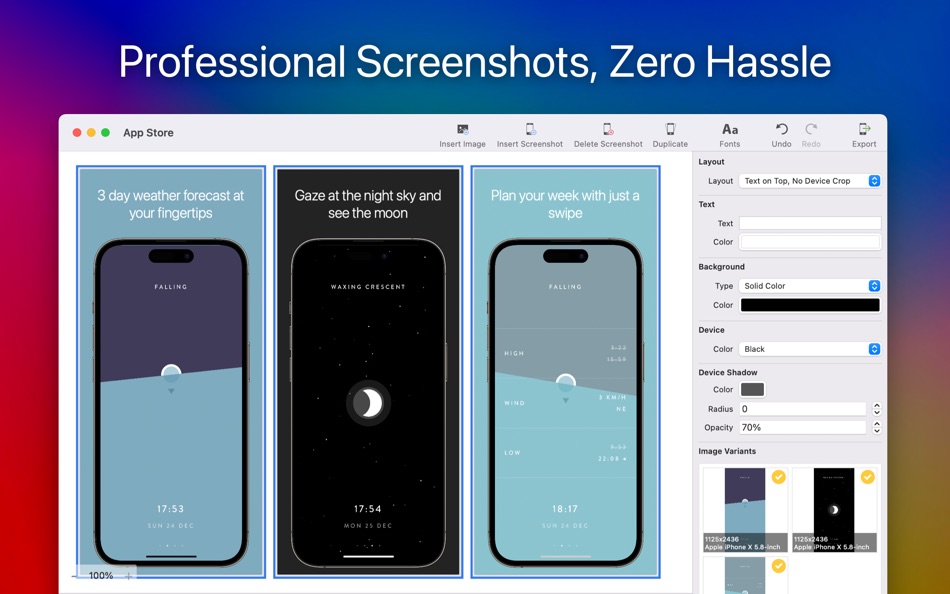
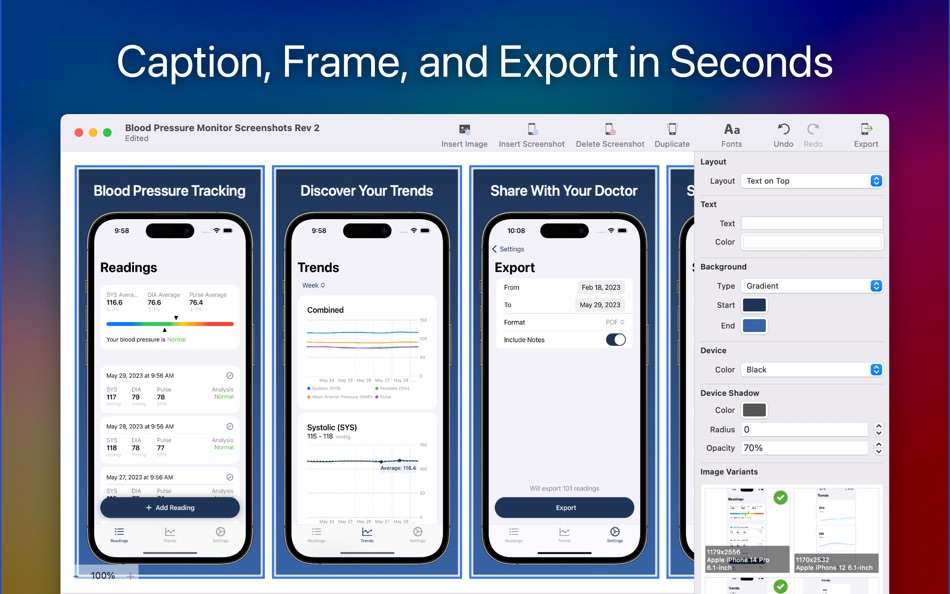
Screenshot Creator’s aim is to make producing screenshot designs as simple as possible. All you need to do is drag in the screenshots you've taken on your device and Screenshot Creator will resize and frame them into a myriad of mobile phones and tablets; you just need to add captions and you’re done. Smart algorithms match the imported screenshot with the frame for the device it was taken on. You’re free to rearrange the layout, adjust the backgrounds, change the fonts and more; the results are instantly visible. Screenshots support alternative images so you can add the iPad equivalent image on top of the iPhone one allowing you to reuse the same design for both.
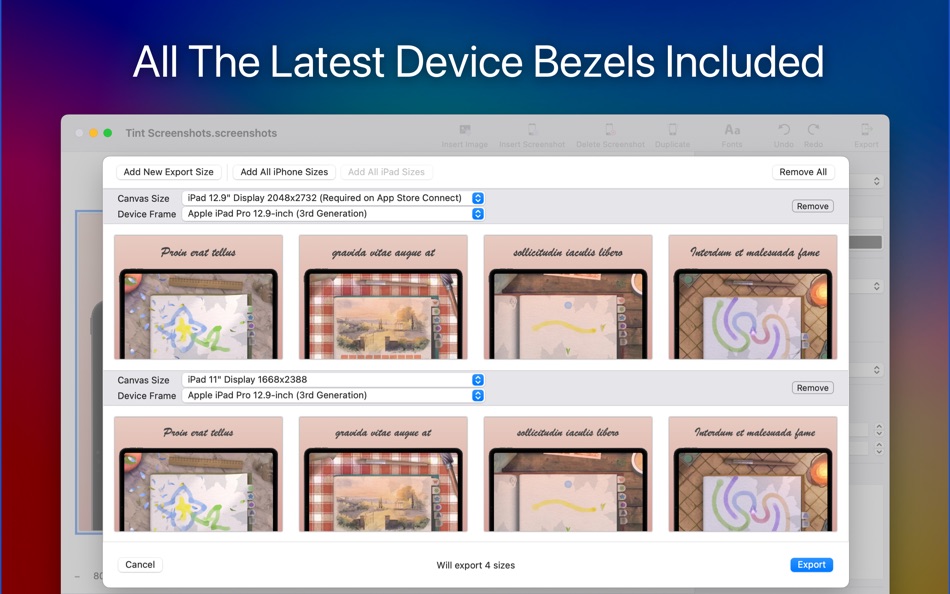
Once you’re ready, Screenshot Creator will batch-export all of your images into the formats and sizes needed for any app store. You can make all the image sizes required for an app submission from just a single set of originals as Screenshot Creator knows the sizes required and automatically lays out your design for every size needed without any cropping or distortion.
Features
Customisable Backgrounds
Choose your own colors, create your own gradients or use an image
Layout Options
Select from a variety of text and image placements.
Full Font Support
There's no limit to what you can pick. You can choose anything installed on your Mac.
Fully Native Mac App
This app is built with AppKit and makes full use of the OS, including things like undo/redo, multiple windows and document management.
Currently Available Device Bezels
Apple iPhone SE
Apple iPhone 8
Apple iPhone 8 Plus
Apple iPhone Xs
Apple iPhone X Without Notch
Apple iPhone XR
Apple iPhone Xs Max
Apple iPhone 12 Mini
Apple iPhone 12 Pro
Apple iPhone 12 Pro Max
Apple iPhone 13
Apple iPhone 13 Mini
Apple iPhone 13 Pro
Apple iPhone 13 Pro Max
Apple iPhone 14
Apple iPhone 14 Plus
Apple iPhone 14 Pro
Apple iPhone 14 Pro Max
Apple iPhone 15
Apple iPhone 15 Plus
Apple iPhone 15 Pro
Apple iPhone 15 Pro Max
Apple iPhone 16
Apple iPhone 16 Plus
Apple iPhone 16 Pro
Apple iPhone 16 Pro Max
Apple iPhone 17
Apple iPhone 17 Pro
Apple iPhone 17 Pro Max
Apple iPhone Air
Apple iPad Air
Apple iPad Pro
Google Pixel 2
Google Pixel 2 XL
Google Pixel 4 XL
Google Pixel 5
Google Nexus 9
Microsoft Surface Pro 4
Samsung Galaxy S8
Samsung Galaxy Note 10
Samsung Galaxy S20+
Samsung Galaxy S20 Ultra
All available in multiple colors
For the latest news, updates and promotions follow me on Twitter @MarkBridgesApps
Terms of Use
http://bit.ly/2KylV0Y
Privacy Policy
https://bit.ly/30C7lPG
Ad
스크린샷
새로운 기능
- 버전: 1.86
- 업데이트:
- Added bezels for iPhone 17 devices and iPhone Air
Option to zoom previews to 140%
Removed “ from exported file names
가격 내역
-
* 인앱 구매 - 오늘: 무료
- 최소: 무료
- 최대: 무료
가격 추적
개발자
포인트 (3)
-

- 1,101 眰恦(眰恦)
- +1
-
- 3,028 바람처어럼
- +1
-
- 11,058 Simon Chan
- +1



순위 (0)
0 ☹️
목록 (0)
0 ☹️
- Screenshot Creator
리뷰 (0)
첫 번째 리뷰를 남겨보세요 🌟
추가 정보
 https://www.bridgetech.io/ScreenshotCreator.html
 «Screenshot Creator». 플랫폼: macOS. 카테고리: 개발자 도구. 개발자: «BRIDGETECH SOLUTIONS LIMITED». 첫 번째 릴리스: . 마지막 업데이트: . 현재 가격: 무료. 이 타이틀은 아직 AppAgg에서 평가나 리뷰를 받지 못했습니다. 추적된 포인트: 확인됨: 3, 간접: 0. 사용 가능한 언어: English. AppAgg는 «Screenshot Creator»의 가격 기록, 평점 및 사용자 피드백을 추적합니다. 향후 할인 및 업데이트 받기: RSS에서 확인할 수 있습니다. AppAgg는 애플리케이션을 호스팅하거나 소프트웨어를 배포하지 않습니다. 모든 상표, 로고 및 스크린샷은 해당 소유자의 자산입니다.
댓글 (0)
가장 먼저 댓글을 남겨주세요 🌟
Screenshot Creator 단축 URL: 복사됨!- 🌟 공유하기
- Mac App Store
Ad
당신은 또한 같은 수 있습니다
-
- Screenshot Creator Pro
- macOS 앱: 개발자 도구 게시자: BRIDGETECH SOLUTIONS LIMITED
- $34.99
- 목록: 0 + 1 순위: 0 리뷰: 0
- 포인트: 0 + 0 댓글: 0 버전: 1.86 Create beautiful, engaging, screenshots for your apps and maximise your downloads. Screenshot Creator makes it easy for you to design your own professional-looking screenshots that ... ⥯
-
- Simple Screenshot Creator
- macOS 앱: 개발자 도구 게시자: admaDIC Rainer Schwarze & Annett Schwarze GbR
- $1.99
- 목록: 0 + 0 순위: 0 리뷰: 0
- 포인트: 0 + 0 댓글: 0 버전: 1.0 Create Stunning App Store Screenshots with Ease Simple Screenshot Creator makes it easy to design professional, eye-catching screenshots for your iOS app listings. Features: - Add ... ⥯
-
- Launch - App Screenshot Creator
- macOS 앱: 개발자 도구 게시자: FBeasleySoftware
- 무료
- 목록: 0 + 0 순위: 0 리뷰: 0
- 포인트: 1 + 0 댓글: 0 버전: 2.1 Launch App is the easiest and fastest app screenshot deployment tool for making your iOS app screenshots look and say what you want them to. Designed to make your apps on the Appstore ... ⥯
-
- Screenshot Connect
- macOS 앱: 개발자 도구 게시자: Eliott Morgensztern
- 무료
- 목록: 0 + 2 순위: 0 리뷰: 0
- 포인트: 1 + 0 댓글: 0 버전: 1.1 Screenshot Connect is the best app to create app screenshots ready for the App Store. Drag and drop images, rotate and move the device, add text, export and it is done. For each ... ⥯
-
- Screenshot Master for Apps
- macOS 앱: 개발자 도구 게시자: NBApps
- * 무료
- 목록: 0 + 1 순위: 0 리뷰: 0
- 포인트: 1 + 0 댓글: 0 버전: 2.1.2 Focus on building great apps, not designing screenshots. With Screenshot Master, you can finally create your app screenshots for the App Store easily and quickly. Drag and drop your ... ⥯
- 새로운
- Screenshot Lab: AI App Mockup
- macOS 앱: 개발자 도구 게시자: Onat Cipli
- * 무료
- 목록: 0 + 0 순위: 0 리뷰: 0
- 포인트: 0 + 0 댓글: 0 버전: 1.0 Stop wasting hours making screenshots in Figma. Screenshot Lab is the AI-powered macOS app that creates professional store listing screenshots automatically. WHAT MAKES IT DIFFERENT ... ⥯
-
- Screenshot Prep
- macOS 앱: 개발자 도구 게시자: Md Yousuf Ali
- 무료
- 목록: 0 + 0 순위: 0 리뷰: 0
- 포인트: 0 + 0 댓글: 0 버전: 1.0 Why Screenshot Prep? Compelling screenshots are critical for app conversion. Screenshot Prep gives you the tools to frame your app in the latest devices, add catchy marketing text, and ⥯
-
- Screenshot Editor Lite
- macOS 앱: 개발자 도구 게시자: Alessandro Gimenes Ferri
- $0.99
- 목록: 1 + 1 순위: 0 리뷰: 0
- 포인트: 5 + 0 댓글: 0 버전: 4.52 Turn Simple Screenshots into Stunning, Sales-Boosting Snapshots! Make your products stand out with our Smart Snapshot Enhancer the ultimate tool for transforming basic product ... ⥯
-
- Screenshot Mockup for Appstore
- macOS 앱: 개발자 도구 게시자: Collins Cheruiyot
- 무료
- 목록: 0 + 0 순위: 0 리뷰: 0
- 포인트: 2 + 0 댓글: 0 버전: 2.3 Appstore Screenshots Generator is a powerful and user-friendly app that empowers app developers and designers to create captivating and eye-catching screenshots for their mobile ... ⥯
-
- Particle Creator Studio
- macOS 앱: 개발자 도구 게시자: Fifth Battery, LLC
- * 무료
- 목록: 0 + 1 순위: 0 리뷰: 0
- 포인트: 2 + 0 댓글: 0 버전: 1.5 Transform your visual effects from ordinary to extraordinary with Particle Creator Studio. Built specifically for Cocos2d and Axmol developers but flexible enough to power any creative ⥯
-
- AppStore Image Creator
- macOS 앱: 개발자 도구 게시자: Masaharu Tsukamoto
- $0.99
- 목록: 0 + 0 순위: 0 리뷰: 0
- 포인트: 0 + 0 댓글: 0 버전: 1.0 AppStore Image Creator is an application that simply generates images for the AppStore. It crops the selected image by the size of the red frame and generates a resized image for ... ⥯
-
- App Icon Set Creator
- macOS 앱: 개발자 도구 게시자: Erik Wegener
- 무료
- 목록: 1 + 1 순위: 0 리뷰: 0
- 포인트: 7 + 0 댓글: 0 버전: 1.6 App Icon Set Creator makes it easier than ever before to generate your app icons. Simply drag and drop your large icon, select your platform and let us do the magic. We'll resize your ... ⥯
-
- ScreenShop - Screenshot Maker
- macOS 앱: 개발자 도구 게시자: Eilon Krauthammer
- 무료
- 목록: 0 + 1 순위: 0 리뷰: 0
- 포인트: 2 + 0 댓글: 0 버전: 1.03 ScreenShop is the easiest way to create professional-grade, high quality screenshots for your app in the App Store. Never worry about App Store screenshot sizes anymore. Create your ... ⥯
-
- Framous: Screenshot Frames
- macOS 앱: 개발자 도구 게시자: Dark Noise LLC
- * 무료
- 목록: 0 + 0 순위: 0 리뷰: 0
- 포인트: 1 + 0 댓글: 0 버전: 1.3.3 Framous is the easiest way to quickly add device frames around your screenshots! Drag and drop or copy and paste to throw your screenshots in and yank them back out perfectly set into ... ⥯