
Saved
Choose the name that will be shown in your Saved menu.
Done!
| Developer: | 波 古 (5) | ||
| Price: | $0.99 | ||
| Score: | 750 Silver | ||
| Rankings: | 0 | ||
| Comments: | 0 Add a comment | ||
| Lists: | 0 + 0 | ||
| Points: | 0 + 0 ¡ | ||
| +1 Points | |||
Description

Safe, traceable backups for source files and project folders.
Source Code Warden is a focused macOS backup utility designed for developers who want a clear and reliable way to protect important source files, scripts, documents, and project folders before making changes.
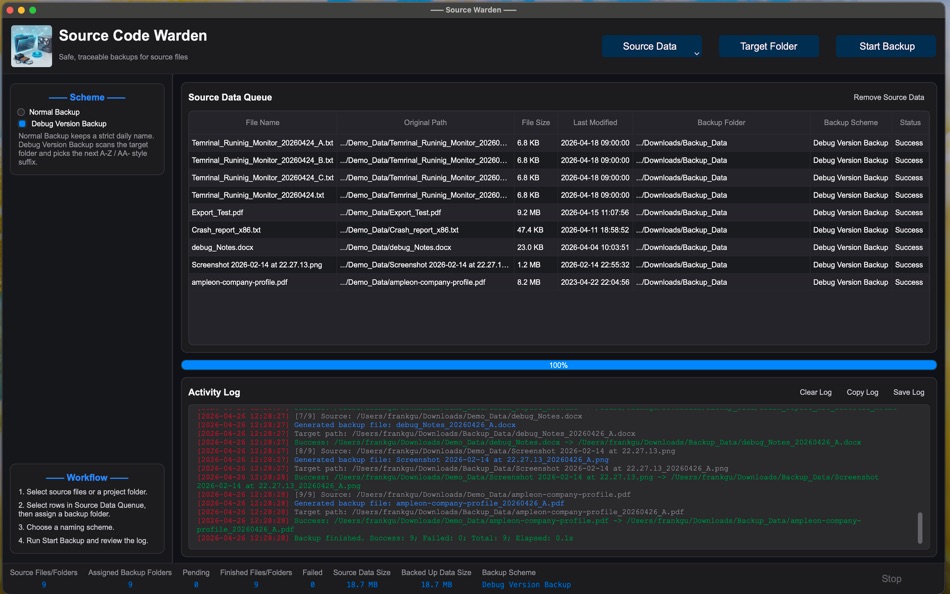
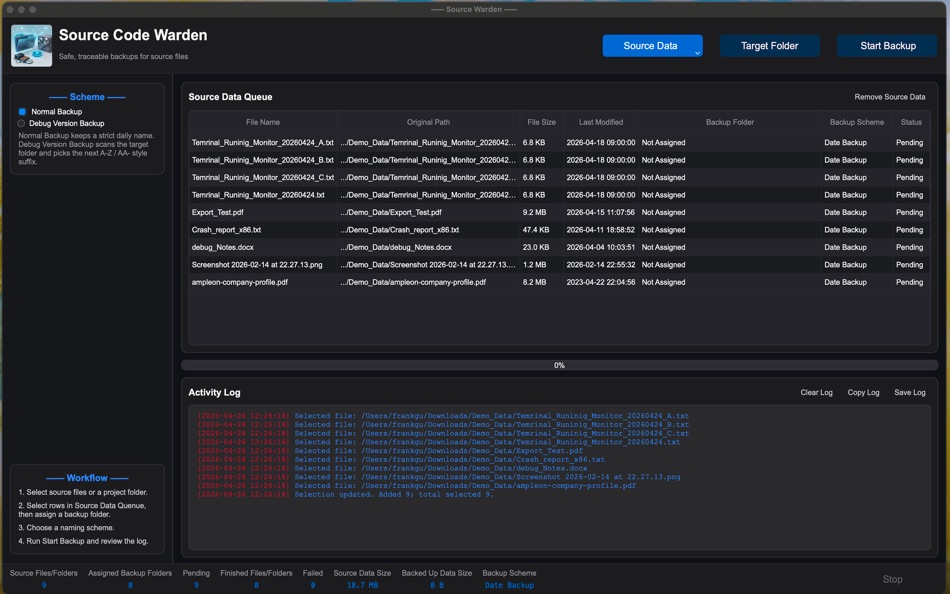
The app helps you build a backup queue, assign a different target backup folder for each selected item, choose a naming scheme, and create organized backup copies with a detailed activity log.
Key Features
Flexible Source Selection
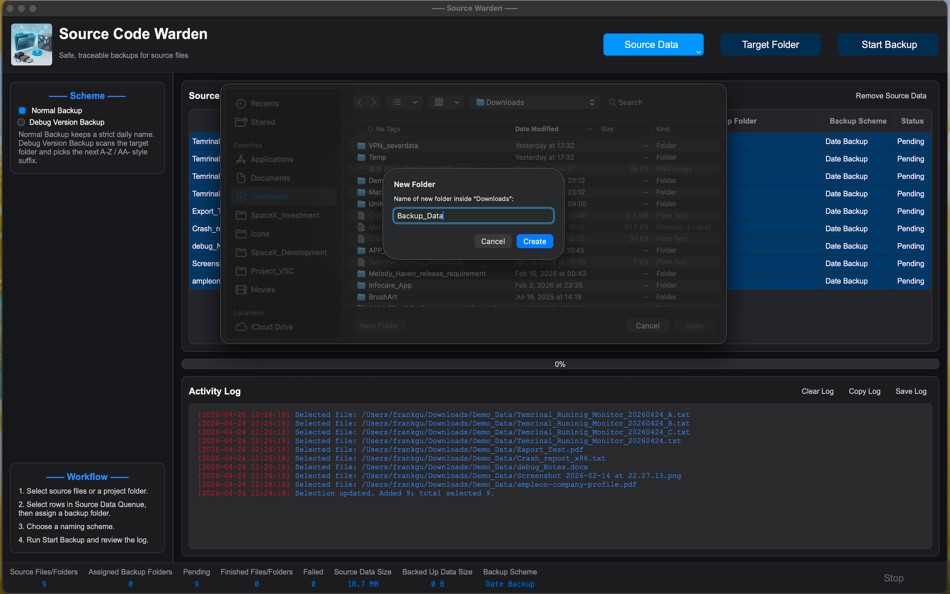
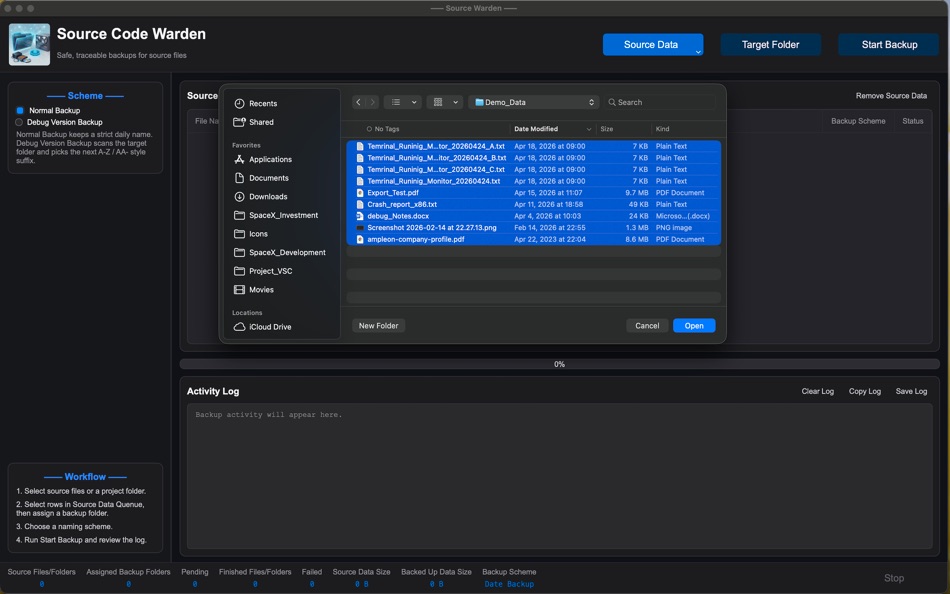
Select individual files or entire project folders. New selections are added to the current backup queue, so you can prepare multiple backup tasks at once.
Per-Item Backup Folder Assignment
Assign backup destinations individually. Multiple files can share the same backup folder, or each file and project folder can use its own target location.
Clear Backup Naming Schemes
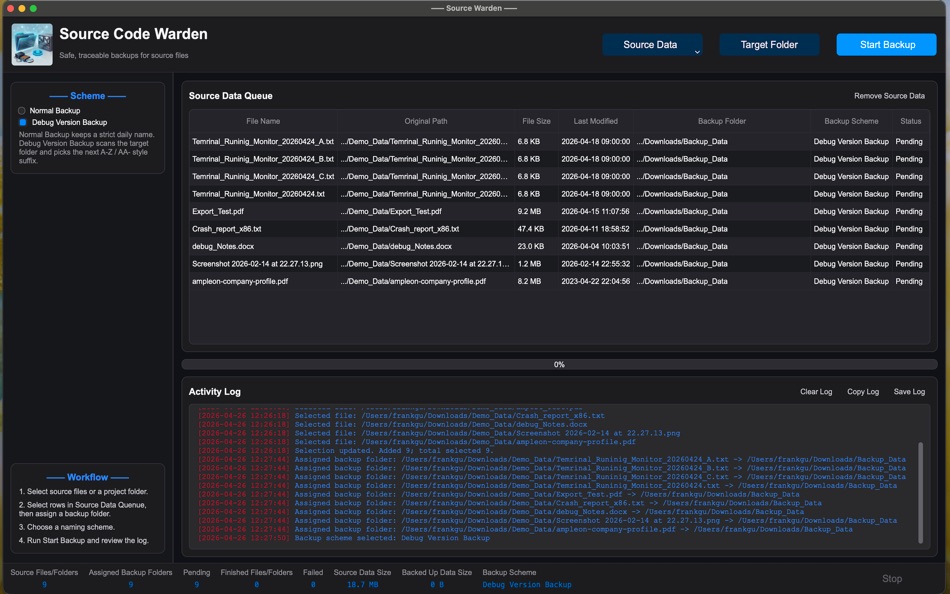
Use Normal Backup for date-based backup names, or Debug Version Backup to automatically generate version suffixes such as A, B, C, and AA when same-day debug backups already exist.
Folder Backup Support
Back up complete project directories while preserving folder structure, making it useful for source code projects, release folders, design resources, and other development assets.
Backup Queue Management
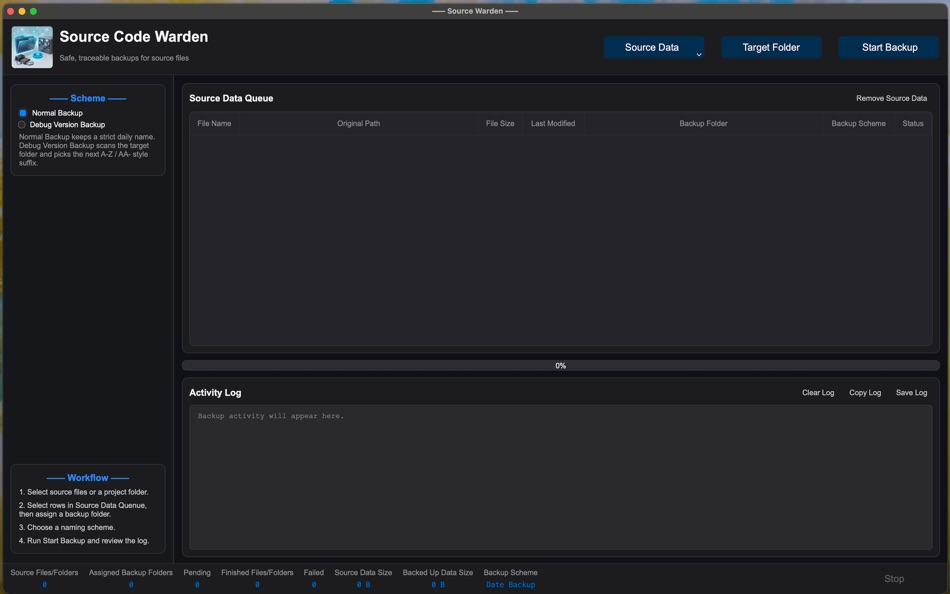
Review file name, original path, size, last modified time, assigned backup folder, backup scheme, and current status before running a backup.
Activity Log
Track selected files, assigned folders, generated backup names, target paths, success messages, failure reasons, and final backup statistics.
Progress and Status Tracking
View backup progress, selected file counts, assigned folders, pending items, successful backups, failed items, selected source data size, and completed backup size.
Built for Developer Workflows
Source Code Warden is designed for careful, manual backup preparation before refactoring, debugging, packaging, release work, or major project changes.
Source Code Warden keeps backup creation simple, visible, and controlled, helping you protect important development work with confidence.
Screenshots
Ad
Price History
- Current price: $0.99
- Minimum: $0.99
- Maximum: $0.99
Track prices
AppAgg Score
750
Estimated AppAgg Score for
SourceCode Warden
750 Silver
Higher scores usually mean stronger signals on AppAgg.
Based on: popularity · ratings · freshness · deals · store data · community signals
Recalculated daily using fresh AppAgg data.
Short URL: Copied!
What's new
- Version: 7.1.4
- Last Updated:
Additional Information
- Release Date:
- Category:
macOS Apps›Developer Tools - OS:
macOS,macOS 12.0 and up - Size:
36 Mb - Content Rating:
4+ - Mac App Store Rating:
0
 https://discoverypython.github.io/sourcecode-warden-privacy/
Developer
- 波 古
- Platforms: macOS Apps (5)
- Lists: 0 + 0
- Points: 0 + 0 ¡
- Rankings: 0
- Comments: 0
- Deals: 0
- Videos: 0
- RSS: Subscribe
Lists (0)
0
- SourceCode Warden
Points (0)
0
Rankings (0)
0
Comments (0)
Be the first to comment
Summary
SourceCode Warden Short URL: Copied!- Share
- Mac App Store
«SourceCode Warden» is a Developer Tools app for macOS, developed by «波 古». It was first released on and last updated on . The lowest historical price was $0.99, and the highest was $0.99. This app has not yet received any ratings on AppAgg. AppAgg continuously tracks the price history, ratings, and user feedback for «SourceCode Warden». AppAgg does not host applications or distribute software. All trademarks, logos and screenshots belong to their respective owners. Subscribe to this app or follow its RSS feed to get notified about future deals or updates.
Similar
-
- Source Code Preview
- macOS Apps: Developer Tools By: Anybox LTD
- $5.99
- Lists: 0 0 0
- Points: 0 + 0 570 Version: 1.3 Source Code Preview is a Quick Look extension for source code files. It supports over 50 languages with beautiful syntax highlight. These languages are CSS, JavaScript, Swift, JSON, ... ⥯
-
- Source Code Counter
- macOS Apps: Developer Tools By: 兰桂 吴
- $1.99
- Lists: 0 0 0
- Points: 0 + 0 550 Version: 1.2 Source Code Counter counts blank lines, comment lines, and physical lines of source code in many programming languages. * Features Supports over 100 kinds of popular languages, ... ⥯
-
- Objective-C to Java - O2J automatic source code translator
- macOS Apps: Developer Tools By: StockSpy Apps Inc.
- Free
- Lists: 0 0 0
- Points: 0 + 0 1K Version: 1.3 O2J automates one way conversion of Objective-C source code to Java. It greatly reduces development time when porting Objective-C to Java. We estimate 80% time savings for most ... ⥯
-
- Code for SQLite3
- macOS Apps: Developer Tools By: ZeeZide GmbH
- $13.99
- Lists: 0 0 0
- Points: 1 + 0 720 Version: 1.0.4 Code for SQLite3 is a little macOS application that accepts either SQLite3 database files or SQL source code, and generates Swift source code for them. This is done for two main use ... ⥯
-
- Code Runner for Python
- macOS Apps: Developer Tools By: Omer UCEL
- $0.99
- Lists: 0 + 1 0 0
- Points: 3 + 0 1K Version: 4.0 Code Runner for Python is your personal Python sandbox, perfect for learning, experimenting, and quickly testing code snippets wherever you are. Ditch the complex server setup for ... ⥯
-
- Code Meter: Claude Codex Usage
- macOS Apps: Developer Tools By: StreetCoding Ltd
- * Free
- Lists: 0 0 0
- Points: 0 + 0 890 Version: 1.4 You're deep in a session, things are flowing, then your requests start failing: quota refreshes in a few hours. Again. Code Meter lives in your menu bar and tracks your AI coding quota ⥯
-
- Code Cleaner
- macOS Apps: Developer Tools By: Andre Yonadam
- $1.99
- Lists: 0 0 0
- Points: 0 + 0 580 Version: 1.0 Clean your HTML, CSS and Javascript files with Code Cleaner! Also great for making minified HTML, CSS and Javascript files easier to read again! Clean your code at your command within ... ⥯
-
- Code Replay
- macOS Apps: Developer Tools By: Aryaman Sharda
- Free
- Lists: 0 + 2 0 0
- Points: 3 + 0 910 Version: 1.0 Code Replay is an innovative and powerful tool designed specifically for developers, presenters, and teachers. It enables you to record your coding session in Xcode for playback later. ⥯
-
- Code Peek+
- macOS Apps: Developer Tools By: Onder Kadagan
- * Free
- Lists: 0 0 0
- Points: 0 + 0 580 Version: 1.0.3 Code Peek+ adds syntax-aware Quick Look previews for developer files on macOS. Preview source files, Markdown, Jupyter notebooks, and tabular text directly in Finder without opening an ⥯
-
- Code Signing
- macOS Apps: Developer Tools By: Sergii Kryvoblotskyi
- $1.99
- Lists: 0 0 0
- Points: 1 + 0 1K Version: 1.0.7 Code Signing is a developer tool that reads files' signing information and validates the signature. There is no more need to use command-line tools, parse the results, or read the ... ⥯
-
- Code Architect
- macOS Apps: Developer Tools By: KeoGlobal
- Free
- Lists: 0 0 0
- Points: 0 + 0 550 Version: 1.1 Code Architect is a Swift code navigation tool that helps developers understand and modify their codebase by providing a structured view of Swift files. It parses and displays the ... ⥯
-
- Code Merger AI Assistant
- macOS Apps: Developer Tools By: TidalAurum, LLC
- Free
- Lists: 0 0 0
- Points: 0 + 0 570 Version: 1.03 Swift File Merger - Streamline Your Code Organization Effortlessly combine multiple Swift files into a single, organized document for enhanced code review, sharing, and analysis. Key ... ⥯
-
- Decode - Turn UI back to Code
- macOS Apps: Developer Tools By: Volodymyr Gorlov
- $8.99
- Lists: 1 + 2 0 0
- Points: 2 + 0 5K Version: 1.1.48 Conversion - Converts UI files (files with extensions xib and storyboard) to Swift source code. - While converting generates view hierarchy, layout constraints, trait collection ... ⥯
-
- Glance - Quick Look Code Files
- macOS Apps: Developer Tools By: 尧 吴
- * Free
- Lists: 0 + 1 0 0
- Points: 1 + 0 1K Version: 3.0 Glance increases your productivity by providing a quick preview of many files. Glance supports Source Code Highlighting, Markdown & Jupyter rendering preview. Features: Quickly preview ⥯