ブックマーク
このブックマークのタイトルを入力してください。
ブックマークを保存しました
スクリーンショット


広告
説明

SQLiteFlow is an SQLite editor for Mac & iOS which is intuitive, stable and reliable to use.
It includes the following features:
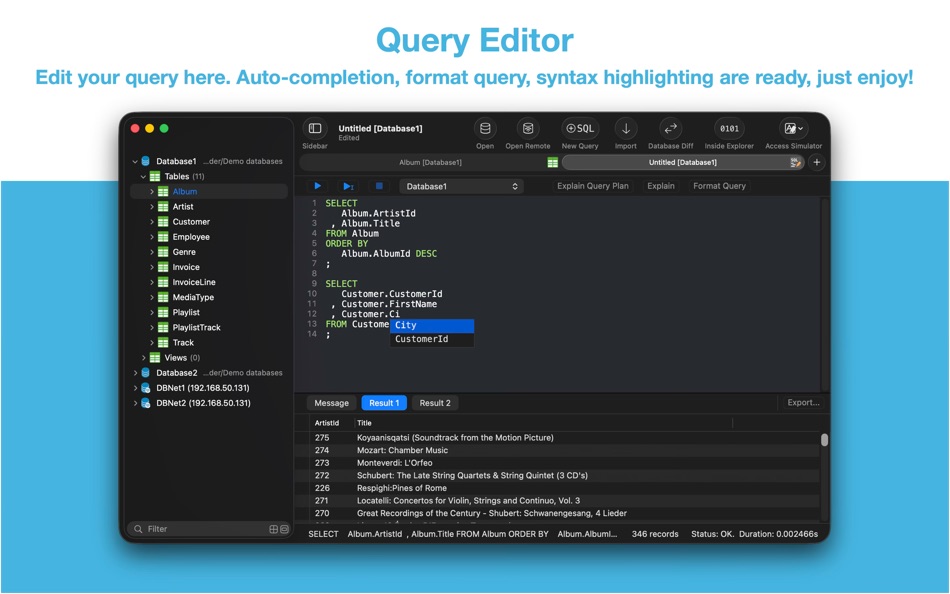
Query Editor
• Multi-query execution.
• Customize syntax highlighting.
• SQL auto-completion.
• Format query.
• Copy query as code.
• Paste recent query sessions.
• Explain query.
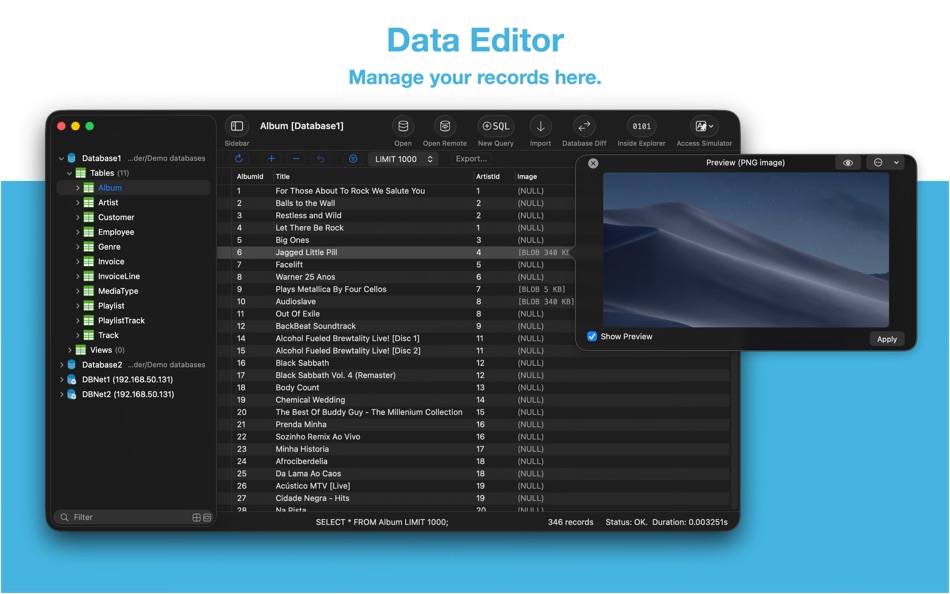
Data Editor
• View, edit, add or remove records.
• View table data with a convenient data filter.
• Edit blob data as hex or show it as preview if possible.
• Edit JSONB as JSON.
• Copy data to CSV,JSON, Markdown, and to Insert Statement or Update Statement if possible.
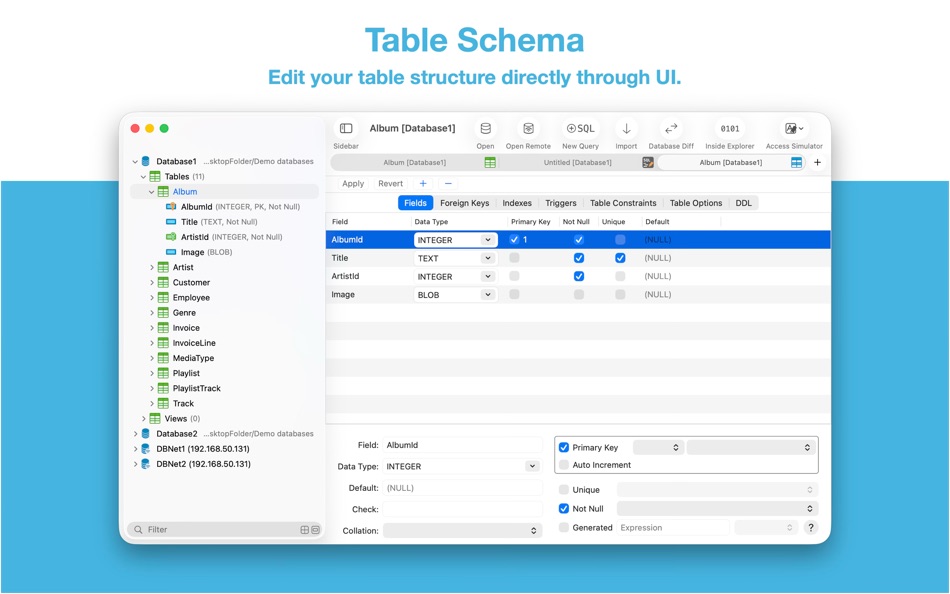
Table Schema
• View, edit or add table fields, indexes, foreign keys, checks.
• View triggers.
• View DDL.
• Preview the query that for altering table.
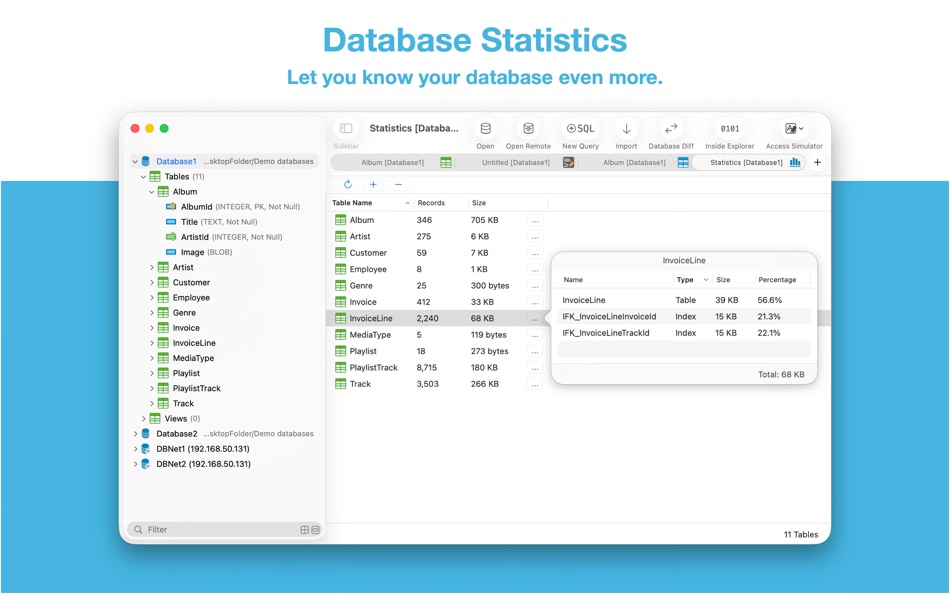
Database Statistics
• Display tables count and each table's records count.
• Display total size of each table, size of each table's content and size of each table's indexes.
ER Diagram
• Supports display ER diagram.
• Supports toggle field type hide or show.
• Supports Relationship Guessing.
• Supports copy as Mermaid markdown.
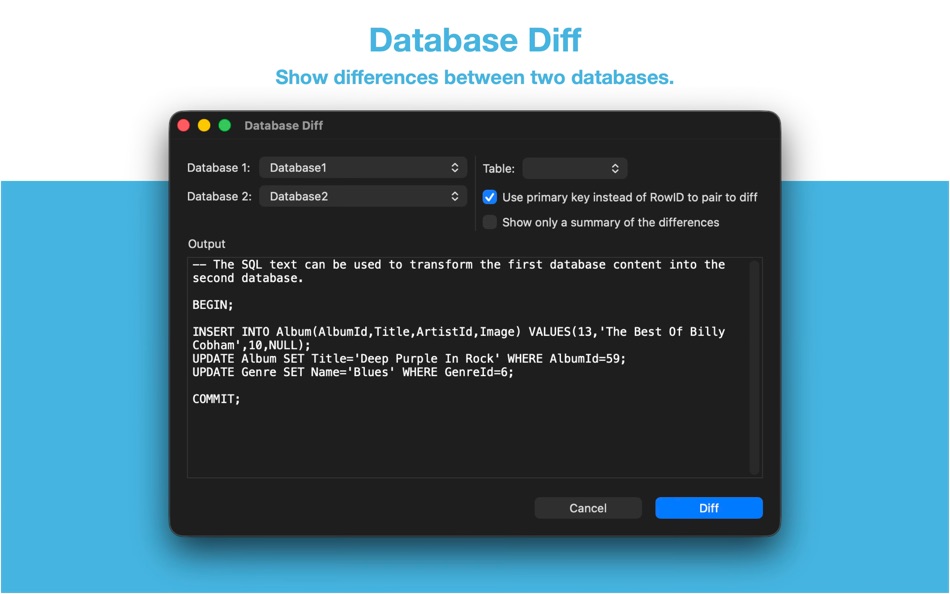
Database Diff
• Supports generate SQL text that can let you transform a database into another.
• Supports show a summary of the differences between two databases.
Import
• Supports import CSV data to a table.
• Supports import JSON data to a table.
• Supports import data by SQL file.
Export
• In Data Editor or Query Results, supports export data to CSV, JSON, Markdown or List.
• In Data Editor, supports export data to Insert Statement or Update Statement if possible.
Database Encryption
• Supports access encrypted SQLite database which is encrypted by SQLCipher library.
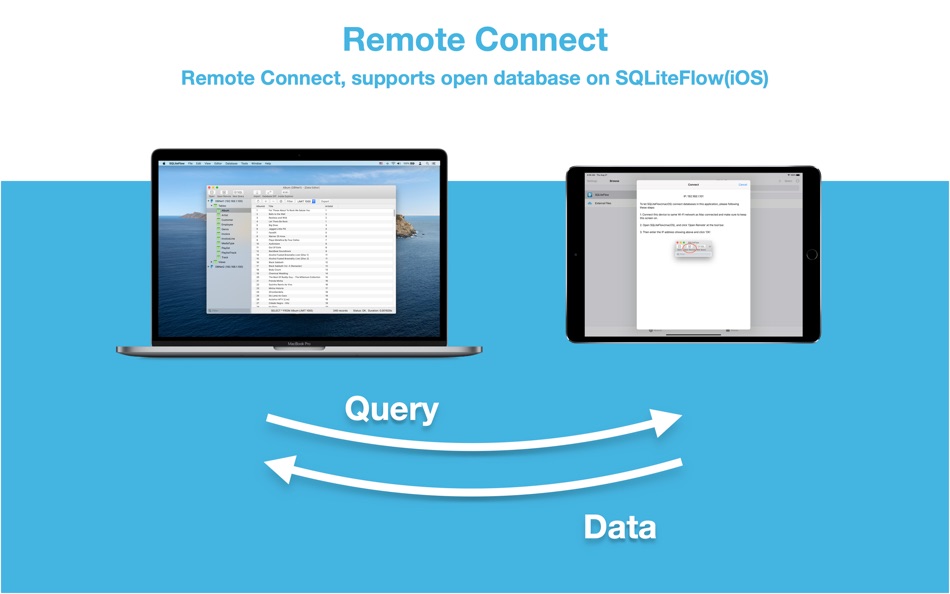
Remote Connect
• Supports open remote SQLite databases on SQLiteFlow(iOS). One use case is that you can debug query performance issue on your iPhone or iPad directly through your Mac.
Dark Mode
• Supports Dark Mode for macOS Mojave or later.
Drag and Drop
• Open databases and SQL scripts.
• Create multiple windows.
Access Apple simulator
• Supports access Apple simulator. So you can open your app's Documents directory more easily than before when developing your apps.
Handle Database File Name or Directory Changes
• One of a cool thing that benefit from this feature is, this makes SQLiteFlow can work friendly with your SQLite databases in iOS simulator.
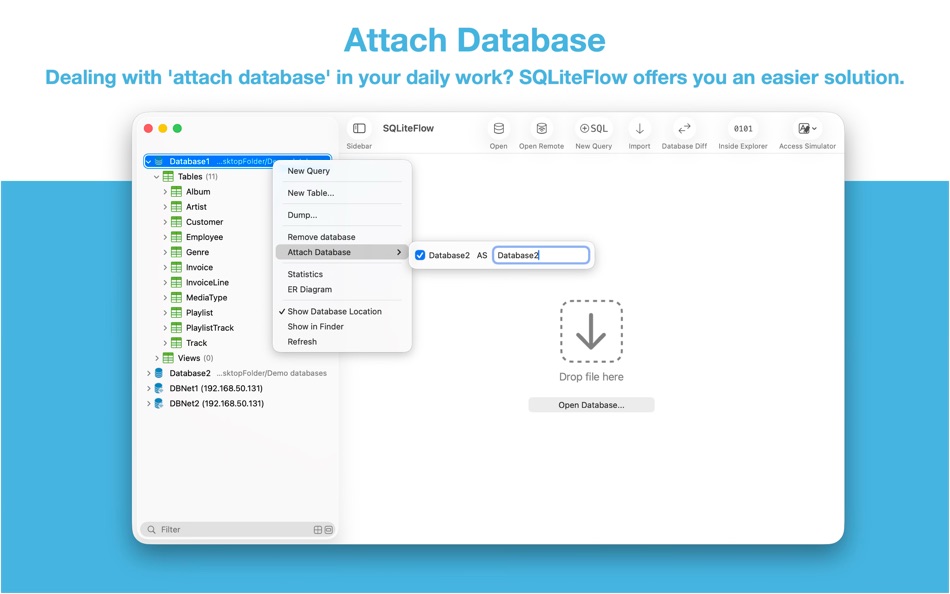
Attach Database
• Attach opened databases without any code. This is a very handy way to do attach database thing, and could save a lot of your time from writing ATTACH DATABASE commands if your business mode relies on it.
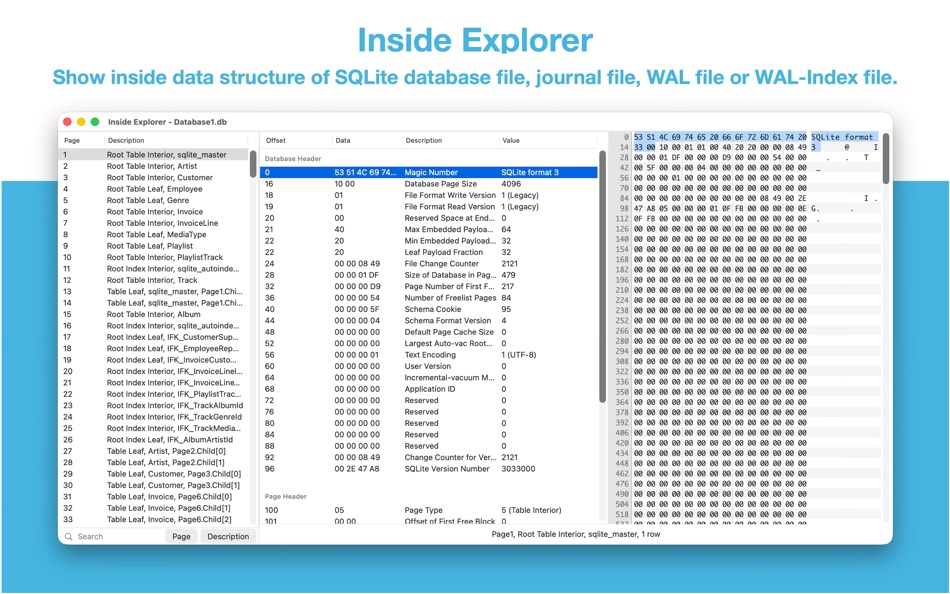
Inside Explorer
• Show binary data structure of SQLite database file, journal file, WAL file or WAL-Index file.
Shortcuts
• Supports "Run Query" action.
• Supports "Import CSV" action.
• Supports "Import JSON" action. (Requires macOS 14.0 or later.)
Create Function
• Supports create scalar function using a simple JavaScript routine.
Load Extension
• Supports SQLite load extension.
LLDB Co-worker
• Supports sfopen command. Let you open a copy of a temporary local database that originally in debugged device.
• Supports sfsave command. Let you copy the temporary local database (that originally created by sfopen command) to debugged device.
Terms of Use: https://www.apple.com/legal/internet-services/itunes/dev/stdeula/
他のプラットフォーム

価格履歴
- 現在の価格: 無料
- 最小値: 無料
- 最大値: $9.99

ポイント 6
-

- 244 expat4i
- +1
-
- 38 Mick1234
- +1
-
- 1,026 眰恦(眰恦)
- +1
-
- 2,791 바람처어럼
- +1
-
- 14,045 Simon Chan
- +1
-
- 15 HoMeCracKeR
- +1





ランキング 0
-
- あなたの評価

コメント 0 ¡
最初にコメントしてください
開発者
新機能
- バージョン: 6.8.8
- 最終更新:
- • Hex Editor. Supports edit with external editor.
• Dump Database. Views structure now will be exported.
• Update SQLCipher to 4.19.0.
• Additional bug fixes and stability improvements.
情報
- リリース日:
- カテゴリ:
macOS向けアプリ›開発ツール - オペレーティング システム:
macOS,macOS 14.0 以上 - サイズ:
7 Mb - サポートされる言語:
Chinese,English,Japanese - コンテンツのレーティング:
4+ - Mac App Store 評価: ¡
0 - ウェブサイト:
 https://www.sqliteflow.com/
AppAggスコア
7,060
AppAgg推定スコア:
SQLiteFlow - SQLite Editor
開発者: 晨亮 贾
7,060 プラチナ
スコアが高いほど、AppAgg上の各指標が良好な傾向にあります。
基準: 人気 · ユーザー評価 · 新しさ · セール · ストアデータ · コミュニティ活動
最新のAppAggデータに基づいて毎日再計算されます。
Webサイト用バッジ:  コピーしました!
概要
SQLiteFlow - SQLite Editor 短縮 URL: コピーしました!- Mac App Store
AppAggでは、晨亮 贾が開発したアプリ「SQLiteFlow - SQLite Editor」の情報を確認できます。対応プラットフォーム:macOS。カテゴリ:開発ツール。 AppAggスコア:7,060(プラチナ)。 このアプリのAppAggポイント:確認済み 6、間接 0。 このアプリを含む公開リスト:1件。非公開リストに保存しているユーザー:0人。 このアプリには、AppAggユーザーからの評価はまだありません。 確認済みポイントは、ログインしたAppAggユーザーのストアへのアクセスを記録します。間接ポイントはストアのデータに基づきます。 2つの数字は、公開リストの数と、非公開リストに保存したユーザー数を表します。 このアプリの初回リリースはです。 このアプリの最終更新はです。 このアプリは現在無料です。 このアプリの記録上の最低価格は$0.00 ()、最高価格は$9.99 ()です。 このアプリは次の言語に対応しています:Chinese, English, Japanese。 価格履歴を確認したり、アプリをリストに追加したり、開発者をフォローしたりできます。 このアプリの今後のセールや更新はRSS フィードで確認できます。 AppAggはこのアプリをホストまたは配布していません。 このアプリに関連する商標、ロゴ、スクリーンショットはすべて各権利者に帰属します。