
| ผู้พัฒนา: | 波 宋 (9) | ||
| ราคา: | $4.99 | ||
| การจัดอันดับ: | 0 | ||
| ความเห็น: | 0 เขียนความเห็น | ||
| รายการ: | 0 + 0 | ||
| แต้มแล: | 0 + 0 ¡ | ||
| Mac App Store | |||
คำอธิบาย

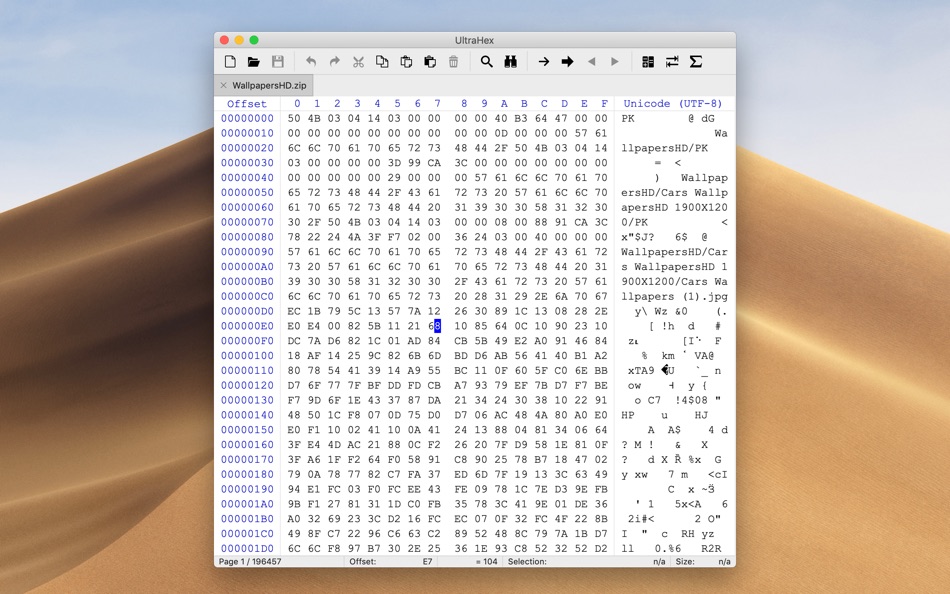
Key Features:
▶ File
- Create a file
- Open a file via menu or Drag and Drop a file from Finder
- Open recently edited files
- Clear history
- Disable/Enable history
- Close current file
- Close all files
- Save current file
- Save current file under a different name
- Save all files
- Revert current file
▶ Edit
- Undo
- Redo
- Copy all or selection
- Normally
- Into New File
- Hex Values
- GREP Hex
- C Source
- Pascal Source
- Paste
- Insert
- Overwrite
- Empty pasteboard
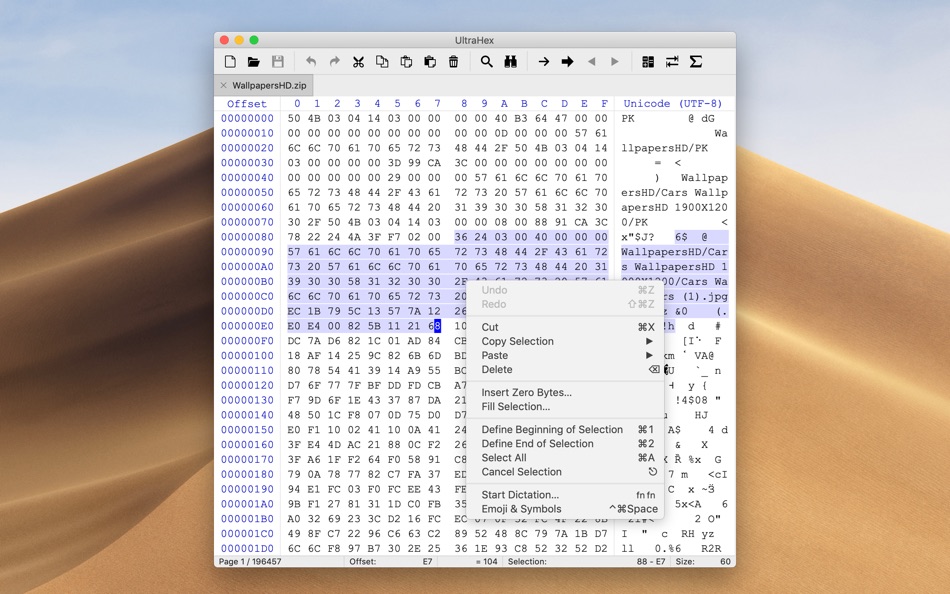
- Delete selection
- Insert zero bytes
- Fill all or selection with input value, zero bytes or pasteboard data
- Define beginning of selection
- Define end of selection
- Select all
- Cancel selection
▶ Find
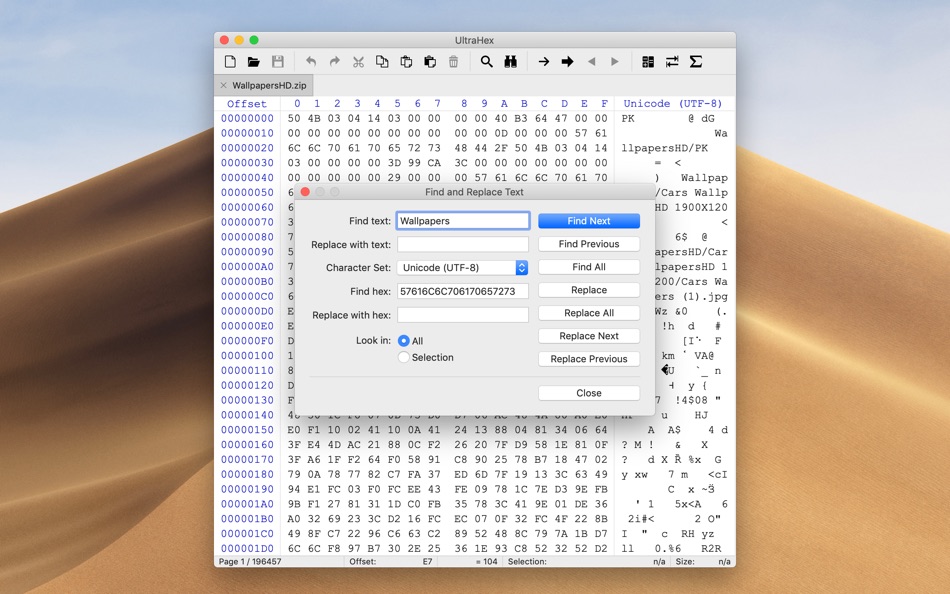
- Find and Replace Text
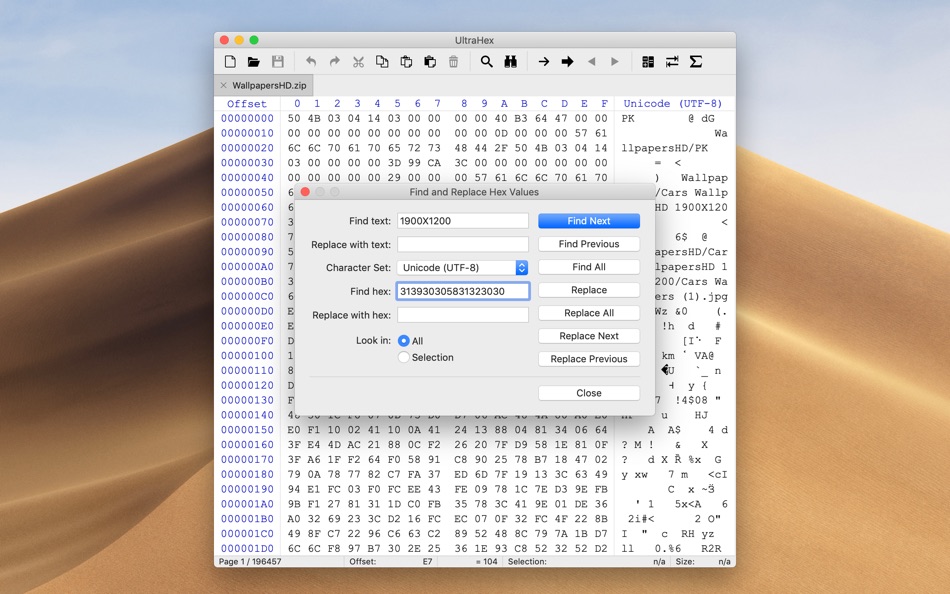
- Find and Replace Hex Values
- Find Next
- Find Previous
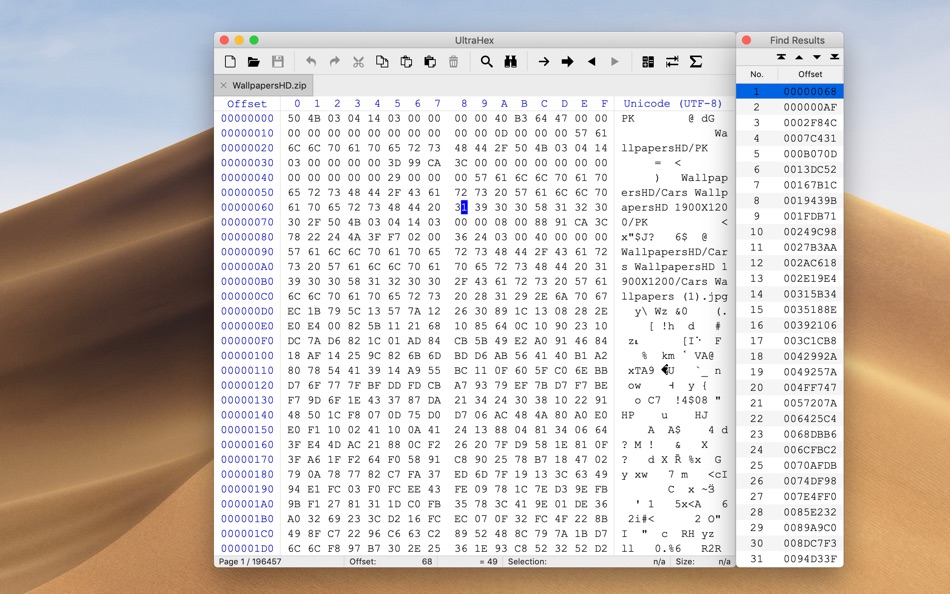
- Find All
- Replace
- Replace All
- Replace and Find Next
- Replace and Find Previous
- Find Results
▶ Navigate
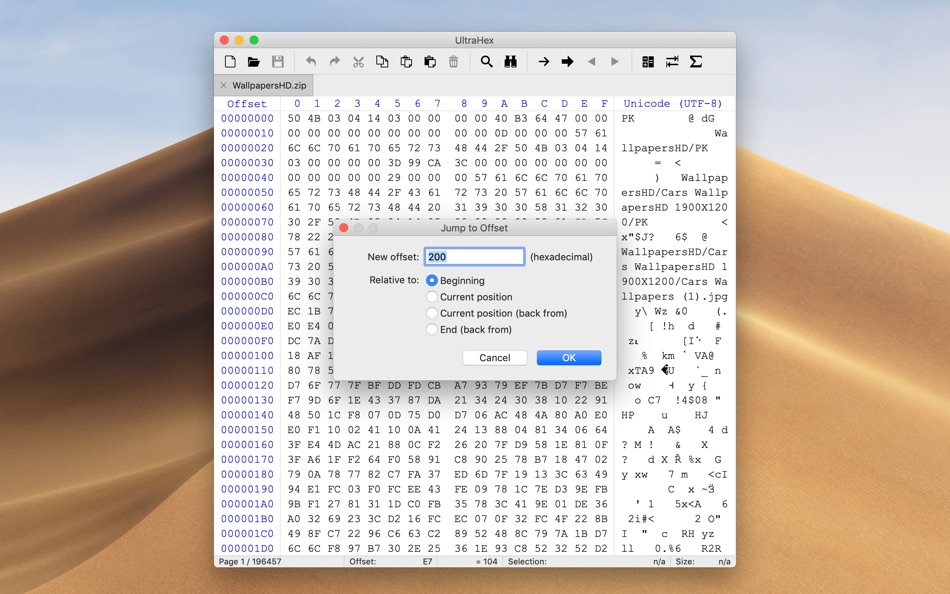
- Jump to offset
- Jump to page
- Jump to
- Beginning of file
- End of file
- Beginning of selection
- End of selection
- Beginning of page
- End of page
- Next page
- Previous page
- Beginning of line
- End of line
- Go forward
- Go back
- Move selection
▶ View
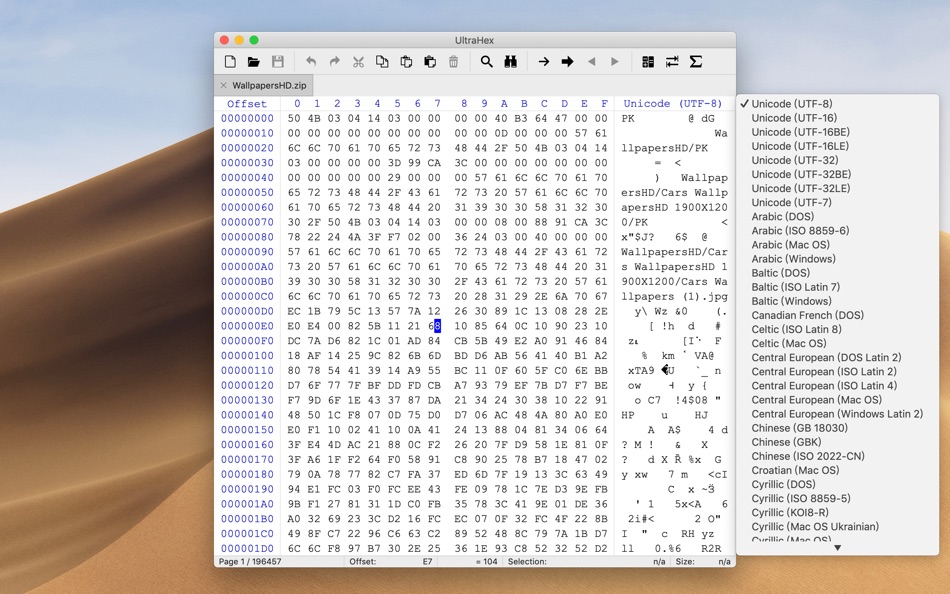
- Character set
- Number of bytes per line
- 16
- 32
- 64
▶ Tools
- Calculator
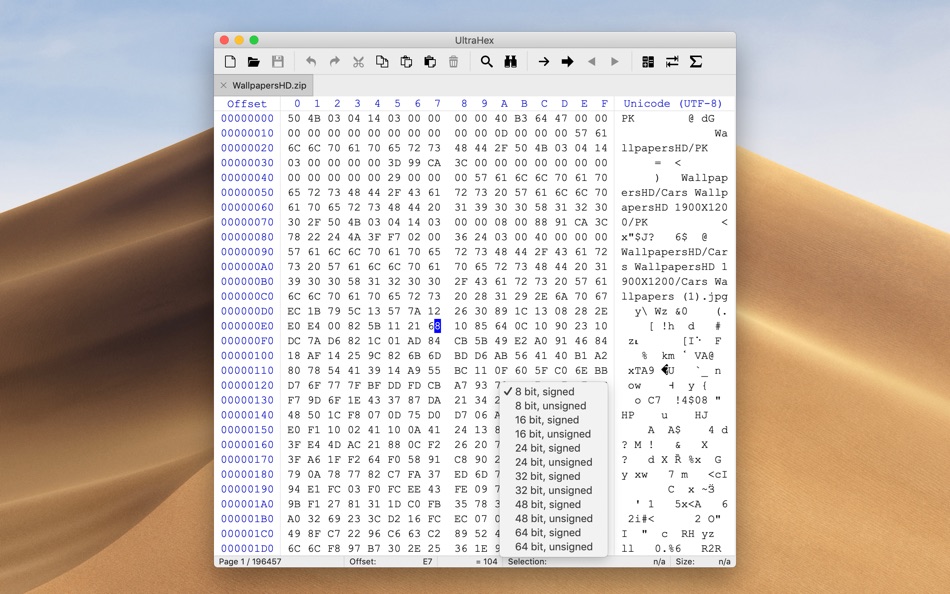
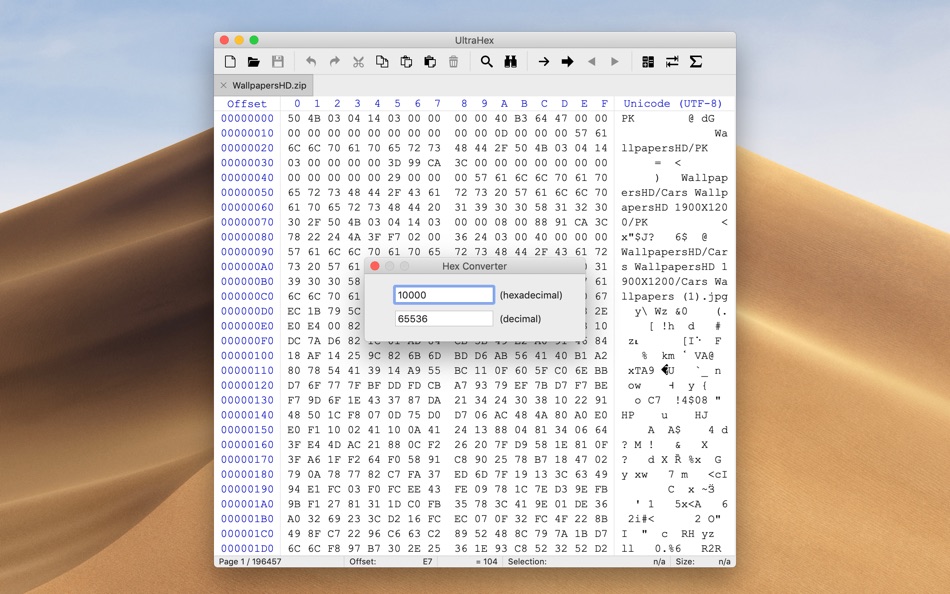
- Convert values between hexadecimal and decimal
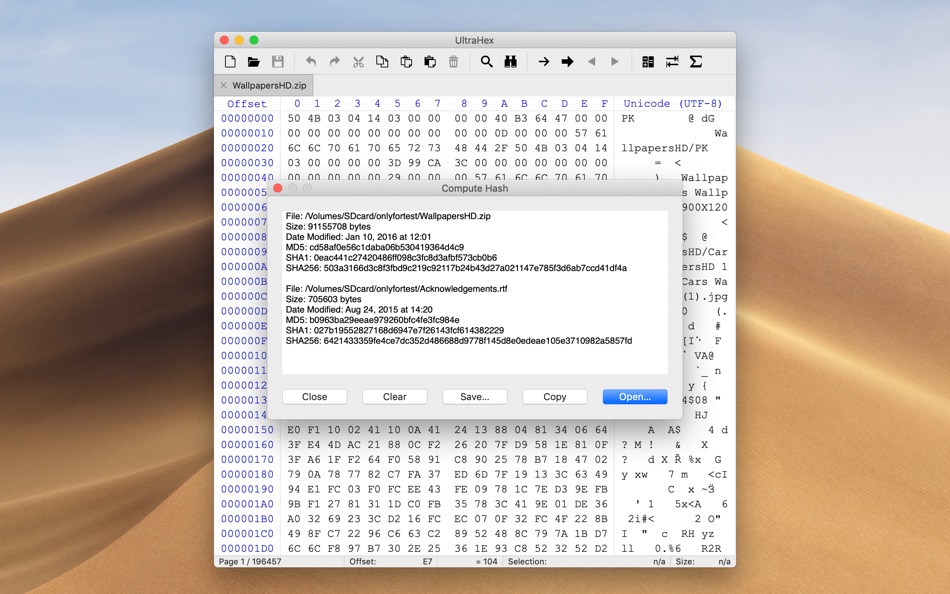
- Computes MD5, SHA1 and SHA256 checksums for files
If you have any questions or suggestions, please contact us at:
SimpleAppleDev@outlook.com
ภาพหน้าจอ
ราคา
- วันนี้: $4.99
- ต่ำสุด: $2.99
- มากที่สุด: $4.99
ติดตามราคา
ผู้พัฒนา
แต้มแล
0 ☹️
การจัดอันดับ
0 ☹️
รายการ
0 ☹️
ความเห็น
แสดงรีวิวเป็นคนแรกเลย 🌟
ข้อมูลเพิ่มเติม
- เวอร์ชัน: 4.5
- หมวดหมู่:
macOS แอป›เครื่องมือ - ระบบปฏิบัติการ:
macOS,macOS 15.0 และสูงกว่า - ขนาด:
2 Mb - ภาษาที่สนับสนุน:
Chinese,English - การจัดประเภทเนื้อหา:
4+ - Mac App Store คะแนนโดย:
0 - อัปเดต:
- วันที่วางจำหน่าย:
UltraHex URL แบบสั้น: คัดลอกแล้ว!- 🌟 แชร์
- Mac App Store
คุณอาจชอบ
-
- Hex Fiend
- macOS แอป: เครื่องมือ โดย: Peter Ammon
- ฟรี
- รายการ: 1 + 0 การจัดอันดับ: 0 ความเห็น: 0
- แต้มแล: 0 + 0 เวอร์ชัน: 2.15 Hex Fiend is a fast, lean, and powerful hex editor built just for the Mac. - Insert, delete, rearrange. Hex Fiend does not limit you to in-place changes like some hex editors. - Work ... ⥯
-
- Hex Converter
- macOS แอป: เครื่องมือ โดย: App Tyrant Corp
- $1.99
- รายการ: 0 + 0 การจัดอันดับ: 0 ความเห็น: 0
- แต้มแล: 0 + 0 เวอร์ชัน: 1.2 Hex Converter is the ultimate tool for effortlessly converting between hexadecimal and decimal number systems on your Mac. Whether you re a developer, a student, or anyone dealing with ⥯
-
- Hex Edit Pro for Mac OS X
- macOS แอป: เครื่องมือ โดย: xin jin
- $1.99
- รายการ: 0 + 0 การจัดอันดับ: 0 ความเห็น: 0
- แต้มแล: 0 + 0 เวอร์ชัน: 1.0 Hex Edit Pro is a fast and clever hex editor. Features Insert, delete, rearrange. Hex Fiend does not limit you to in-place changes like some hex editors. Work with huge files. Hex ... ⥯
-
- Hex To Color
- macOS แอป: เครื่องมือ โดย: Berkan Gunduz
- ฟรี
- รายการ: 0 + 0 การจัดอันดับ: 0 ความเห็น: 0
- แต้มแล: 1 + 0 เวอร์ชัน: 1.1 Great news for app creators, developers, coders, designers and webmasters! With using our app on your Mac, turning your hexadecimal (HEX) code to a color is just one click away! From ... ⥯
-
- Digital Hex Converter
- macOS แอป: เครื่องมือ โดย: Gopi Gadhiya
- ฟรี
- รายการ: 0 + 0 การจัดอันดับ: 0 ความเห็น: 0
- แต้มแล: 0 + 0 เวอร์ชัน: 1.0 Digital HEX Converter app is designed for EASY, QUICK and SIMPLE conversions between ASCII, Hexadecimal, Binary into ints and floats of different bit significance. ⥯
-
- Color Convert: Hex to UIColor
- macOS แอป: เครื่องมือ โดย: Wyatt Harrell
- ฟรี
- รายการ: 1 + 1 การจัดอันดับ: 0 ความเห็น: 0
- แต้มแล: 2 + 11 (4.6) เวอร์ชัน: 2.0.2 Color Convert lets you easily convert hex color values to UIColor. Copy code snippets in Swift, Objective-C, SwiftUI, and Xamarin. Color Convert supports Handoff for copying and ... ⥯
-
- DevUtils.app
- macOS แอป: เครื่องมือ โดย: Dinh Quang Trung
- ฟรี
- รายการ: 2 + 3 การจัดอันดับ: 0 ความเห็น: 0
- แต้มแล: 8 + 0 เวอร์ชัน: 1.17.0 The free version includes 3 tools: - Unix Time Converter (+ Timezone support) - JSON Format/Validate - Base64 String Encode/Decode List of all current tools: - Unix Time Converter - ... ⥯
-
- System Color Picker
- macOS แอป: เครื่องมือ โดย: Sindre Sorhus
- ฟรี
- รายการ: 1 + 3 การจัดอันดับ: 0 ความเห็น: 0
- แต้มแล: 6 + 0 เวอร์ชัน: 2.2.0 Pick colors from anywhere using the built-in color picker. Note: On macOS 26, a system bug causes the color sampler to sometimes pick the wrong color. The app relies on macOS's color ... ⥯
-
- More Info - File Checksums
- macOS แอป: เครื่องมือ โดย: Solaz Dazen srl
- $1.99
- รายการ: 2 + 2 การจัดอันดับ: 0 ความเห็น: 0
- แต้มแล: 9 + 0 เวอร์ชัน: 1.5 More Info shows you additional information about your files. "To sum up, More Info complements the OS X File Info panel with data about the item's checksum and HEX dump. The utility is ⥯
-
- Developer Colour Palette
- macOS แอป: เครื่องมือ โดย: Thomas Coomer
- * $0.49
- รายการ: 1 + 2 การจัดอันดับ: 0 ความเห็น: 0
- แต้มแล: 13 + 1 (1.0) เวอร์ชัน: 1.0.3 Developer Colour Palette helps you to choose, convert, organise and share the colours that you use for the projects that you are working on. Choose a colour using the built in colour ... ⥯
-
- Compare
- macOS แอป: เครื่องมือ โดย: Amsterdamsoft LLC
- * ฟรี
- รายการ: 0 + 1 การจัดอันดับ: 0 ความเห็น: 0
- แต้มแล: 7 + 0 เวอร์ชัน: 2.22 A tool needed by all developers, AmSo Compare lets you perform side-by-side comparison and merge of your directories, files, and their content. It lets you see changes down to the ... ⥯
-
- Pastel
- macOS แอป: เครื่องมือ โดย: Steven Troughton-Smith
- ฟรี
- รายการ: 3 + 1 การจัดอันดับ: 0 ความเห็น: 0
- แต้มแล: 2 + 1,370 (4.7) เวอร์ชัน: 2.4.1 Capture and collect color palettes with Pastel! Pastel is an app for amateur developers & artists (like us!) that lets you build up a library of color palettes to use in your projects. ⥯
-
- xScope 4
- macOS แอป: เครื่องมือ โดย: The Iconfactory
- $49.99
- รายการ: 3 + 3 การจัดอันดับ: 0 ความเห็น: 0
- แต้มแล: 0 + 0 เวอร์ชัน: 4.7.2 Created specifically for designers & developers, xScope is a powerful set of tools that are ideal for measuring, inspecting & testing on-screen graphics and layouts. xScope s tools ... ⥯
-
- Color Picker - Pikka
- macOS แอป: เครื่องมือ โดย: Ruslan Sayfutdinov
- * ฟรี
- รายการ: 2 + 1 การจัดอันดับ: 0 ความเห็น: 0
- แต้มแล: 6 + 0 เวอร์ชัน: 4.0.4 ** Apple's pick for Apps And Games We Love Right Now ** Pikka - Color Picker is an easy-to-use color picker and palette generator for developers and designers that works well with ... ⥯