
| Vývojář: | Tomoyuki Okawa (64) | ||
| Cena: | * Zdarma | ||
| Hodnocení: | 0 | ||
| Recenze: | 0 Napsat recenzi | ||
| Seznamy: | 0 + 0 | ||
| Body: | 0 + 0 ¡ | ||
| Mac App Store | |||
Popis

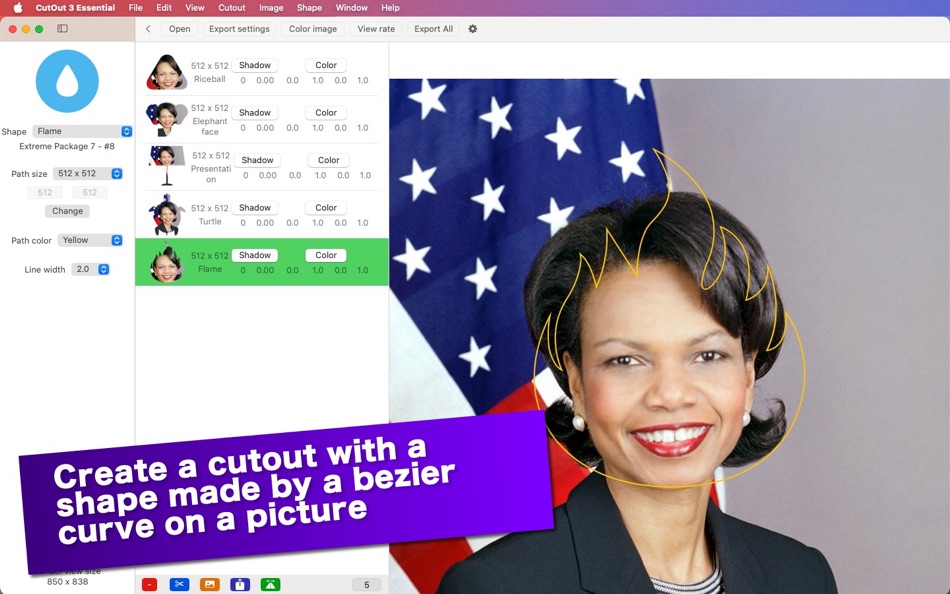
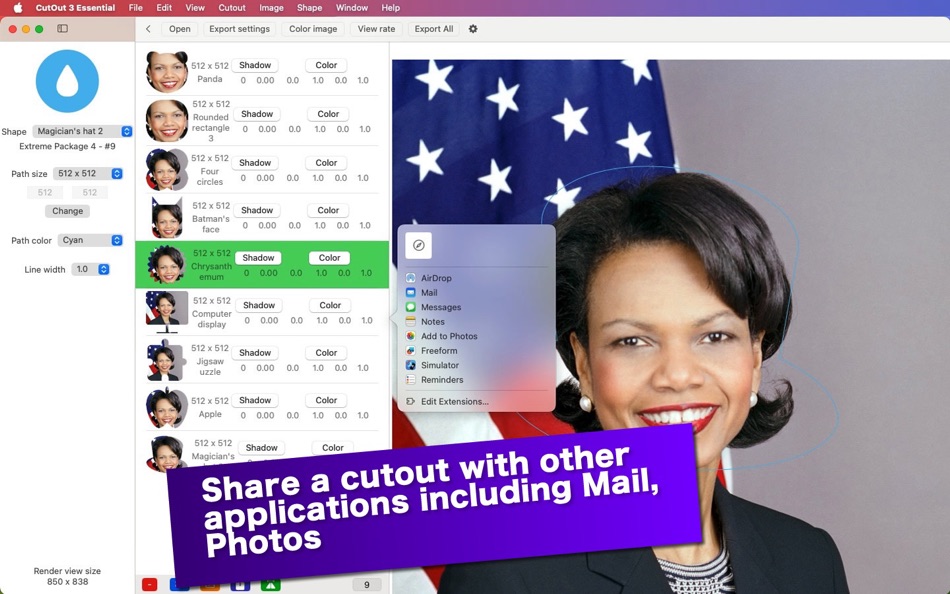
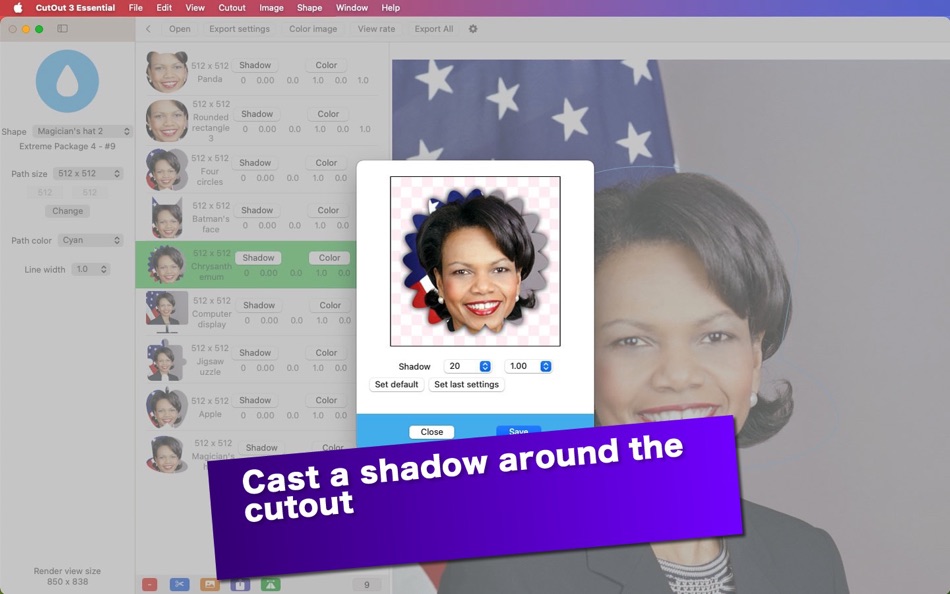
CutOut 3 Essential comes with more than 140 bezier curve shapes, many of which are available as in-app purchases in order for you to make cutouts. Select a shape path, set its size, move the image here and there. Then click on the cutout button to make a cutout. Cast a shadow around a cutout you select in the list. Also, alter color levels (hue, saturation, brightness, contrast) of a cutout.
- What’s new? -
1. The application is rewritten from scratch with the SwiftUI framework.
1. The user can now alter color levels (hue, saturation, brightness, contrast) of a cutout.
1. Additional export formats (HEIC, JPEG-2000) are supported.
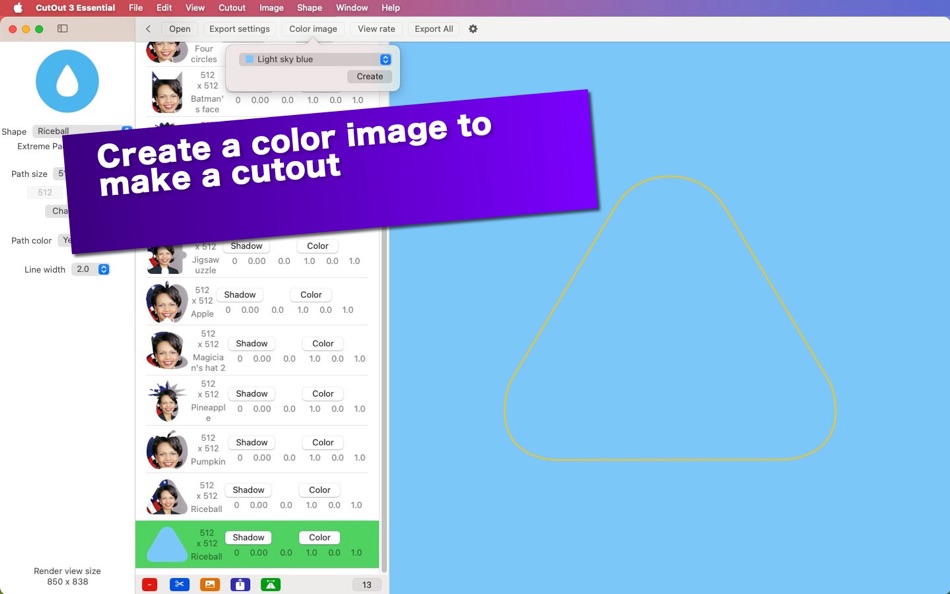
1. The user can create an image with a color they select. Choose one from more than 130 colors from a drop-down menu.
- Features -
1. Select a bezier curve shape to make a cutout on a picture you select and open.
2. Cast a shadow around a cutout you select in the list
3. Alter color levels (hue, saturation, brightness, contrast) of a cutout you select in the list.
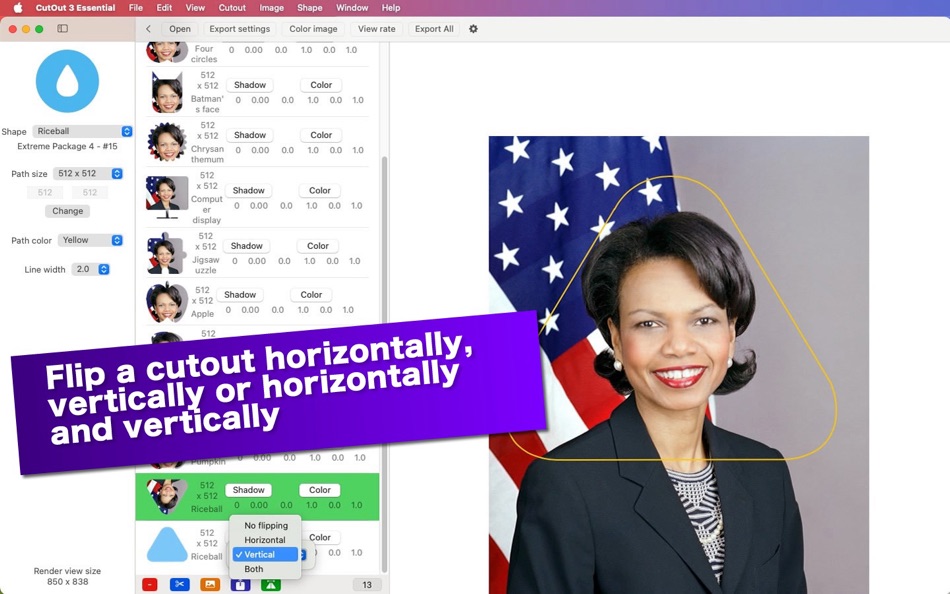
4. Flip a cutout you select in the list horizontally, vertically or horizontally and vertically.
5. Change the view rate of an image you select between 5% and 400%.
6. Select the path color of a bezier curve shape.
7. Select the path size of a bezier curve shape. Or set a custom size.
8. Share a cutout you select in the list with other applications.
9. Save all cutouts in the list to disk with a click of a button.
10.The application supports the retina display. With a retina display, an exported cutout image will have 144 DPIs.
11.The application supports the dark mode.
12.The fullScreen mode is not supported.
13.Languages: English only.
14.Application file size: 4.0 MB.
15.The application comes with a built-in 12-page user's guide. Click on the Quick guide button over the startup screen.
- System requirements -
1. macOS 14.0 (Universal) or higher with an Intel chip or an Apple chip (M1, M2, M3)
- Limitations -
1. A user without an in-app purchase can make as many as two cutouts at a time.
2. The application comes with three shapes including Rectangle (Square), Ellipse (Circle), Triangle. Additional shapes are available as in-app purchases. Choose Show Shape List under Shape for all avaiable shapes.
Snímky obrazovky




Novinky
- Verze: 3.0.0
- Aktualizováno:
Cena
-
* Nákupy v aplikaci - Dnes: Zdarma
- Minimální: Zdarma
- Maximální: Zdarma
Sledovat ceny
Vývojář
- Tomoyuki Okawa
- Platformy: iOS Aplikace (21) macOS Aplikace (41) macOS Hry (2)
- Seznamy: 1 + 1
- Body: 6 + 11 ¡
- Hodnocení: 0
- Recenze: 0
- Slevy: 0
- Videa: 0
- RSS: Odebírat
Body
0 ☹️
Hodnocení
0 ☹️
Seznamy
0 ☹️
Recenze
Buďte první, kdo bude hodnotit 🌟
Další informace
- Verze: 3.0.0
- Kategorie:
macOS Aplikace›Grafika a design - OS:
macOS,macOS 14.0 a vyšší - Velikost:
6 Mb - Podporovaný jazyk:
English - Hodnocení obsahu:
4+ - Mac App Store Hodnocení:
0 - Aktualizováno:
- Datum vydání:
CutOut 3 Essential Krátká adresa URL: Zkopírováno!- 🌟 Sdílet
- Mac App Store
Mohlo by se Vám také líbit
-
- Cut-Out
- macOS Aplikace: Grafika a design Podle: Boudewijn Krijger
- $7.99
- Seznamy: 0 + 0 Hodnocení: 0 Recenze: 0
- Body: 0 + 0 Verze: 2.0.0 Cut-Out makes creating cut-outs available for everyone, even if you don't have Photoshop. Load a picture with a color or grey/white backdrop, and Cut-Out will automatically create a ... ⥯
-
- iCutout - Cut Out Images
- macOS Aplikace: Grafika a design Podle: 永康 李
- * Zdarma
- Seznamy: 0 + 0 Hodnocení: 0 Recenze: 0
- Body: 1 + 0 Verze: 9.5.6 Cutting out images becomes easier. 1. About Eraser Tool The eraser tool operates in roughly the same way as the brush tool, but instead of changing the pixels in the stroke to the ... ⥯
-
- Essential Training for Photoshop CC 2017
- macOS Aplikace: Grafika a design Podle: 君 许
- $6.99
- Seznamy: 0 + 0 Hodnocení: 0 Recenze: 0
- Body: 0 + 0 Verze: 1.0 Learning how to use Photoshop efficiently and effectively is the best investment you can make to get the most out of your pixels. Photoshop CC Essential Training: The Basics filters ... ⥯
-
- Black Out
- macOS Aplikace: Grafika a design Podle: Sindre Sorhus
- $4.00
- Seznamy: 2 + 3 Hodnocení: 0 Recenze: 0
- Body: 4 + 0 Verze: 2.6.0 Black Out lets you quickly hide sensitive parts of an image. This can be useful when you want to post a screenshot or photo on the web that contains some information you don't want to ... ⥯
-
- Bluetail - Cut Designer
- macOS Aplikace: Grafika a design Podle: Abdusodiq Saidov
- * Zdarma
- Seznamy: 1 + 1 Hodnocení: 0 Recenze: 0
- Body: 15 + 0 Verze: 1.0.2 Create posts and prints using Bluetail - Cut Designer, Precisely crafted samples and shape library collections. One-time purchase gives you opportunity to use thousands of templates ... ⥯
-
- Designs Maker For Cut Machine
- macOS Aplikace: Grafika a design Podle: Zurain Yousaf
- * Zdarma
- Seznamy: 0 + 0 Hodnocení: 0 Recenze: 0
- Body: 2 + 0 Verze: 1.4 Design For Cut Machine Studio gives you complete creative ability for your next DIY project. Browse the Image Library for thousands of pictures, DIY projects, and unique fonts. Use the ⥯
-
- Data Recovery Essential
- macOS Aplikace: Grafika a design Podle: Justin Johnson
- Zdarma
- Seznamy: 0 + 0 Hodnocení: 0 Recenze: 0
- Body: 0 + 0 Verze: 3.8 Data Recovery Essential is a fresh, constantly updated, data recovery and undelete app. It also comes with the free daily recovery of up to 100MB, that is perfect if you lost a ... ⥯
-
- Craftlyft Studio: Design & Cut
- macOS Aplikace: Grafika a design Podle: Komal Mobeen
- * Zdarma
- Seznamy: 0 + 0 Hodnocení: 0 Recenze: 0
- Body: 0 + 0 Verze: 1.1 Craftlyft Studio the ultimate app for creating and editing custom designs, stickers, monograms, and more! Whether you're a professional designer or a DIY enthusiast, this all-in-one ... ⥯
-
- Design Studio for Cut Machine
- macOS Aplikace: Grafika a design Podle: Khadim Hussain
- * Zdarma
- Seznamy: 0 + 0 Hodnocení: 0 Recenze: 0
- Body: 0 + 0 Verze: 1.6 Unleash your creativity with Designs for DIY Studio, the ultimate design app for crafting enthusiasts! Whether you're a beginner or a seasoned DIY artist, this powerful tool empowers ... ⥯
- Novinka
- DIY Design For Cricut Shop Cut
- macOS Aplikace: Grafika a design Podle: Ahmad Khan
- * Zdarma
- Seznamy: 0 + 0 Hodnocení: 0 Recenze: 0
- Body: 0 + 0 Verze: 1.1 Create, Cut & Craft with Ease! Welcome to DIY Design For Cricut Shop Cut, your all-in-one creative companion for digital crafting and DIY design. Whether you re a beginner or a ... ⥯
-
- Picture to Puzzle - Jigsaw Cut
- macOS Aplikace: Grafika a design Podle: Apso MB
- $4.99
- Seznamy: 0 + 0 Hodnocení: 0 Recenze: 0
- Body: 0 + 0 Verze: 1.0 Jigsaw puzzles of any size from any image. - Make your own puzzle from any image. - Slice images into puzzle pieces. Rectangular, triangular, diamond, brick-layout shapes can be made ... ⥯
-
- Image Slice - textures split cut automatic slicer
- macOS Aplikace: Grafika a design Podle: hui yao
- Zdarma
- Seznamy: 0 + 0 Hodnocení: 0 Recenze: 0
- Body: 0 + 0 Verze: 1.1 Image Slice is able to split a textures image file into image files automation. Image Slice need to import an image file only without any plist files. Image Slice needn t set any ... ⥯
-
- AI Cut Machine Design - Studio
- macOS Aplikace: Grafika a design Podle: Usama Daood
- * Zdarma
- Seznamy: 0 + 0 Hodnocení: 0 Recenze: 0
- Body: 0 + 0 Verze: 1.0 AI Cricut Design Studio is the ultimate macOS app for crafting enthusiasts, transforming your creative ideas into professionally designed graphics tailored for Cricut machines. With ... ⥯
-
- Object Removal AI Retouch
- macOS Aplikace: Grafika a design Podle: 煦慧 蒙
- Zdarma
- Seznamy: 1 + 0 Hodnocení: 0 Recenze: 0
- Body: 6 + 70,613 (4.6) Verze: 5.1.0 Object Removal lets you easily remove unwanted content from your photos like backgrounds, objects, people, buildings, pimples, & more! Our AI guided photo editing tools can help you: ... ⥯