
| Developer: | Marek Hrušovský (12) | ||
| Price: | * Free | ||
| Rankings: | 0 | ||
| Reviews: | 0 Write a Review | ||
| Lists: | 0 + 0 | ||
| Points: | 0 + 0 ¡ | ||
| Mac App Store | |||
Description

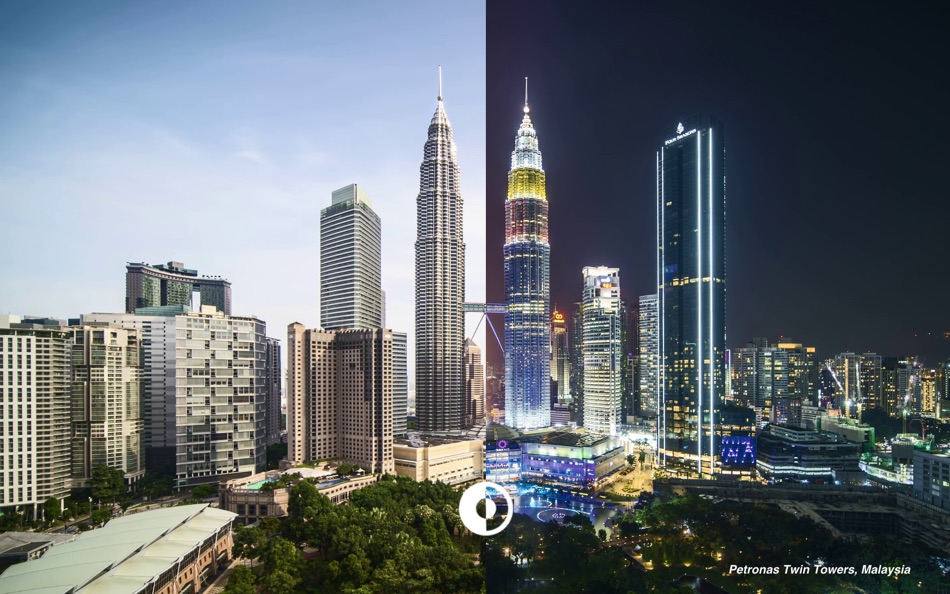
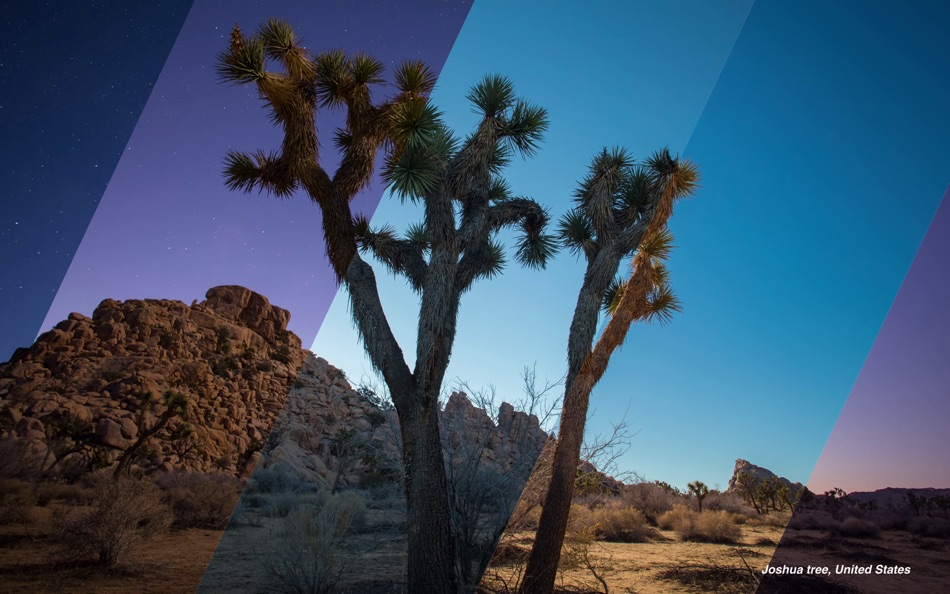
Dynaper makes it easy to create a native time/solar-shifting/light&dark HEIC wallpaper that changes throughout the day. Wallpapers made by Dynaper are supported by macOS Mojave & Catalina & Big Sur and can be set as wallpaper in System Preferences.
Simply drag & drop your images and change the display time for each image. Dynaper will change time automatically if the image contains EXIF metadata or contains a time suffix in the filename. For a quick time change using the autosuggest feature. For solar-shifting wallpaper run Solar Wizard where you can export it.
Dragging an image out of Dynaper will create a time-shifting text that contains normalized time and parameters that one can use for manual HEIC creation.
Helper tools:
- time helper (convert time to normalized time)
- solar helper (convert location to solar data: altitude and azimuth)
- solar wizard (convert many locations to solar data: altitude and azimuth)
- HEIC metadata (view HEIC metadata used for wallpaper display)
- Create Light and Dark Wallpaper (wallpaper that automatically adapts to appearance change)
- strip still images helper (removes Dark/Light appearance metadata from dynamic wallpaper image)
Solar Wizard is accessible from the top menu (Utilities-> Solar Wizard).
Automatic Time Detector:
To save your time Dynaper automatically recognizes timestamps in your filename or metadata. If your filename doesn't have a valid time Dynaper will look at EXIF metadata (date of creation) to find a valid time. Just append your filename with suffix HH_mm, where "H" represents the hour and "m" represents the minute. The 24-hour format is being used for detection and the last 5 characters of the filename are being checked.
Example of valid filenames:
image001_16_45.jpg
image001_16_45
screenshot_16.45.05.jpg
screenshot_16.45.05
Wide-gamut colors:
Wide-gamut color devices display more vivid and lifelike hues. This is important as all of the recent Apple devices can display these colors so it's best if you provide pictures that have been captured with wide-gamut colors. Whether you provide images with an sRGB color profile or P3 display color profile, Dynaper will automatically choose the best color profile for you. Mind that dynamic wallpapers created on the web don't support wide-gamut colors.
Still images:
Dynaper has the ability to export the dynamic wallpaper with a still dark image and a still light image. One option is to right-click in the table view to select the light or dark image. Another option is to select the still images during export. Since macOS Catalina, the system will prefer the dark still image on dark appearance. This feature must be enabled in preferences (add still images).
Light/Dark wallpaper:
One of the tools the can create appearance wallpaper. This wallpaper automatically adapts to the current macOS appearance mode. macOS will automatically select the light wallpaper after sunrise and changes it to dark after sunset. (Requires location services enabled, otherwise, the sunrise/sunset time is determined by timezone)
Please note that exported HEIC images include a watermark. Removing the watermark is possible with an in-app purchase.
Example of image display time:
1. 00:05AM-01:00AM (for time 00:05)
2. 01:00AM-03:00AM (for time 01:00)
3. 03:00AM-04:00AM (for time 03:00)
4. 04:00AM-00:05AM (for time 04:00)
Screenshots


What's new
- Version: 1.5.12
- Updated:
- • FIXED:
- saving & setting as default wallpaper caused a crash (saving to a read-only destination on a multi-monitor setup)
Price History
-
* In-App Purchases - Today: Free
- Minimum: Free
- Maximum: Free
Track prices
Developer
- Marek Hrušovský
- Platforms: iOS Apps (2) macOS Apps (10)
- Lists: 0 + 2
- Points: 5 + 169 ¡
- Rankings: 0
- Reviews: 0
- Discounts: 0
- Videos: 0
- RSS: Subscribe
Points
0 ☹️
Rankings
0 ☹️
Lists
0 ☹️
Reviews
Be the first to review 🌟
Additional Information
- Version: 1.5.12
- Category:
macOS Apps›Graphics & Design - OS:
macOS,macOS 12.0 and up - Size:
25 Mb - Supported Languages:
Chinese,English - Content Rating:
4+ - Mac App Store Rating:
0 - Updated:
- Release Date:
«Dynaper - Dynamic Wallpapers» is a Graphics & Design app for macOS, developed by «Marek Hrušovský». It was first released on and last updated on . This app is currently free. This app has not yet received any ratings or reviews on AppAgg. Available languages: Chinese, English. AppAgg continuously tracks the price history, ratings, and user feedback for «Dynaper - Dynamic Wallpapers». Subscribe to this app or follow its RSS feed to get notified about future discounts or updates.
Dynaper - Dynamic Wallpapers Short URL: Copied!- 🌟 Share
- Mac App Store
You may also like
-
- Dynamic Wallpaper Designer
- macOS Apps: Graphics & Design By: John Susek
- Free
- Lists: 0 + 0 Rankings: 0 Reviews: 0
- Points: 0 + 0 Version: 1.0 Transform your Mac into a living canvas! Gorgeous minimal wallpapers that evolve throughout the day. Create insanely vidid, high color-depth, high-resolution gradient wallpapers that ... ⥯
-
- Animal Animated Wallpapers
- macOS Apps: Graphics & Design By: Emanuele Floris
- $0.99
- Lists: 0 + 1 Rankings: 0 Reviews: 0
- Points: 1 + 0 Version: 1.3 Animate your desktop with these fantastic animated wallpapers in HD! See cute little animals on your desktop. You can also use the Screensaver option to use these animations as your ... ⥯
-
- DayPaper - Daily Wallpapers
- macOS Apps: Graphics & Design By: 阿卜杜热伊木 阿卜杜力木
- * Free
- Lists: 0 + 0 Rankings: 0 Reviews: 0
- Points: 0 + 0 Version: 1.2.1 MacPaper is an elegant macOS wallpaper app dedicated to bringing you daily featured wallpapers. - Key Features: Daily automatic curated wallpapers Scheduled auto-changing for a fresh ... ⥯
-
- Gradient Wallpapers: Meshing
- macOS Apps: Graphics & Design By: Rudrank Riyam
- * Free
- Lists: 0 + 0 Rankings: 0 Reviews: 0
- Points: 1 + 3 (4.3) Version: 2.2.0 Meshing lets you quickly and easily transform your ideas into beautiful colour gradients. Perfect for creating wallpapers, designing websites and app backgrounds, or just playing with ... ⥯
-
- Sparks - Unsplash Wallpapers
- macOS Apps: Graphics & Design By: 袁杰 张
- Free
- Lists: 1 + 0 Rankings: 0 Reviews: 0
- Points: 3 + 3 (5.0) Version: 1.1.1 All images are free for personal and commercial use. More than 2.9M free images, and photographers from 253k. Beautiful, free images With Unsplash Lover, you ve got access to over a ... ⥯
- -100% New
- Wallpyria
- macOS Apps: Graphics & Design By: Micha Kolik
- ▼ * Free
$99.99-100% - Lists: 0 + 1 Rankings: 0 Reviews: 0
- Points: 7 + 0 Version: 1.0.7 WALLPYRIA - Professional Wallpaper Manager Transform your desktop with Wallpyria, the ultimate wallpaper management solution designed for multi-monitor setups and dynamic ... ⥯
-
- Gradient"o - Wallpaper
- macOS Apps: Graphics & Design By: Utku Yegen
- * Free
- Lists: 0 + 0 Rankings: 0 Reviews: 0
- Points: 0 + 0 Version: 1.2 Looking for a unique wallpaper that perfectly matches your style? Meet your new favorite app for creating stunning mesh gradient backgrounds! Our app makes it incredibly simple to ... ⥯
-
- ScreenKit - App Icons & Widget
- macOS Apps: Graphics & Design By: Twinstar Creatives
- Free
- Lists: 1 + 1 Rankings: 0 Reviews: 0
- Points: 2 + 55,065 (3.9) Version: 8.6 Loved by 10 Million happy users, ScreenKit app is the #1 choice to customize your iPhone & iPad homescreen & lockscreen with aesthetic themes, app icons & widgets! It s a must-download ⥯
-
- Clay – Story Templates Frames
- macOS Apps: Graphics & Design By: Plexagon s.r.l.
- Free
- Lists: 0 + 0 Rankings: 0 Reviews: 0
- Points: 0 + 15,237 (4.7) Version: 11.11.1 Clay lets anyone design engaging social media content in seconds. It is the perfect companion for business owners and influencers who do not have hours to spend in front of editing ... ⥯
-
- Super-AI Photo Enlarger
- macOS Apps: Graphics & Design By: 秀英 朱
- $9.99
- Lists: 0 + 1 Rankings: 0 Reviews: 0
- Points: 23 + 0 Version: 2.0.1 Super-AI Photo Enlarger intelligently enlarges and upscales images quality by up to 800% using smart AI image enhancement technology to fix pixelated, blurry, and low-quality photos ... ⥯
-
- Acrylic – Wallpaper Engine
- macOS Apps: Graphics & Design By: Ethan Lipnik
- $0.69
- Lists: 0 + 1 Rankings: 0 Reviews: 0
- Points: 10 + 18 (3.7) Version: 2.0.1 Introducing Acrylic - The Ultimate Mesh Gradient Wallpaper Creator for iOS! Unleash your creativity and transform your device's home screen with mesmerizing mesh gradient wallpapers, ... ⥯
- -50%
- Couverture
- macOS Apps: Graphics & Design By: App ahead GmbH
- $4.99
$9.99-50% - Lists: 1 + 3 Rankings: 0 Reviews: 0
- Points: 11 + 0 Version: 1.6 Couverture lets you manage, edit and preview easing and spring curves to level up your animation game in apps, websites, and prototypes. It s great to experiment with thanks to the ... ⥯
-
- Art Text 4 - AI Graphic Design
- macOS Apps: Graphics & Design By: Belight Software, ltd
- * Free
- Lists: 3 + 3 Rankings: 0 Reviews: 0
- Points: 8 + 0 Version: 4.5.7 Design eye-catching text based graphics, logos, postcards and greetings with Art Text - a graphic design app that powers up typography and lettering in your desktop publishing, social ... ⥯
-
- PhotoStage Professional
- macOS Apps: Graphics & Design By: NCH Software
- * Free
- Lists: 0 + 1 Rankings: 0 Reviews: 0
- Points: 13 + 0 Version: 12.11 PhotoStage Professional Whether a home project or a business presentation, PhotoStage Professional allows you to create a dynamic slideshow from your photos and video clips in a quick ... ⥯