
| Developer: | Lost Minds (7) | ||
| Price: | $44.99 | ||
| Rankings: | 0 | ||
| Reviews: | 0 Write a review | ||
| Comments: | 0 Add a comment | ||
| Lists: | 0 + 0 | ||
| Points: | 0 + 0 ¡ | ||
| Mac App Store | |||
Description

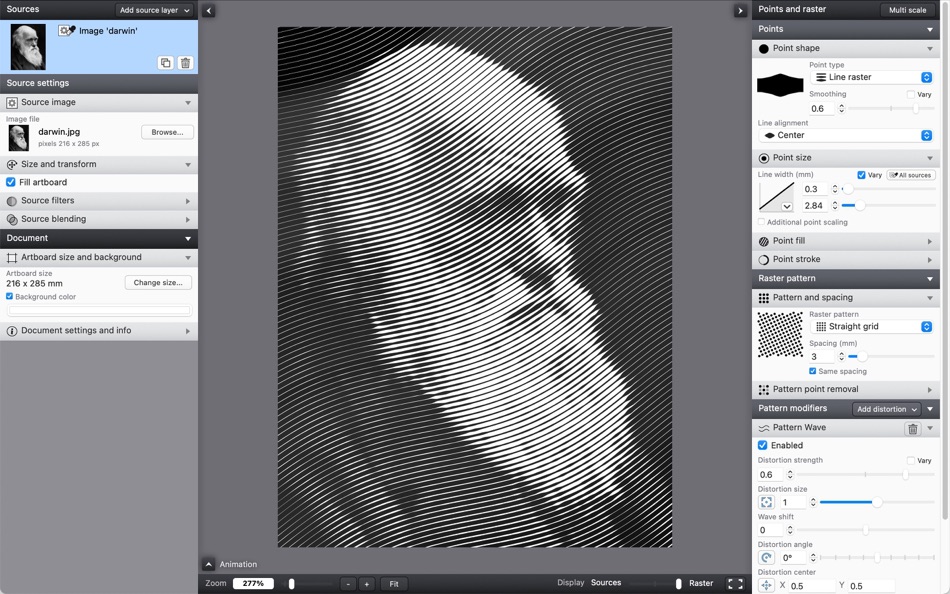
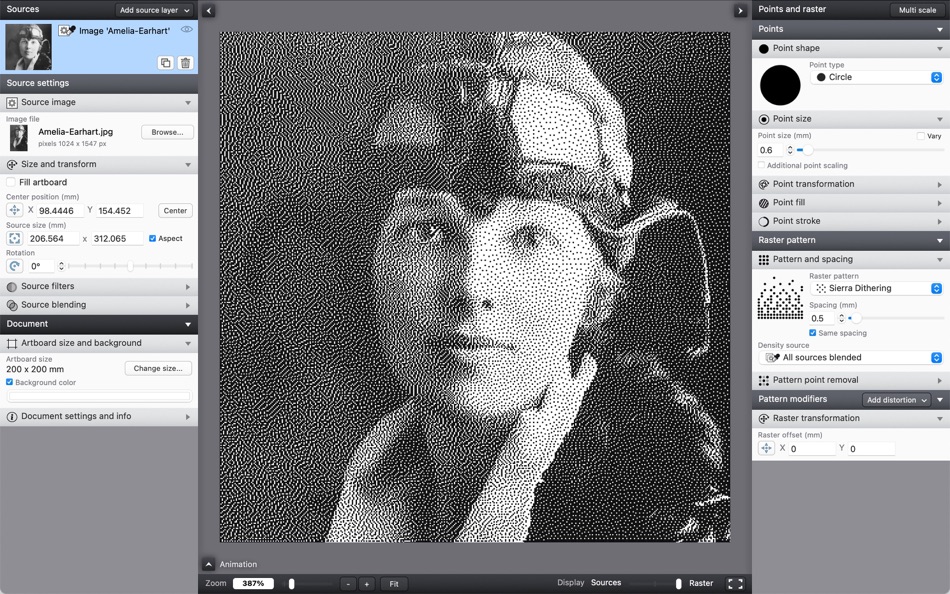
The halftone patterns and point shapes can be changed and varied across the pattern to produce many different styles. The resulting effect is always shown, with the preview updating in real time as you change parameters. The result can then easily be exported as vectors to SVG or PDF files, as images to JPEG, PNG or TIFF, or simply copied and pasted into most graphics software.
With Vectoraster 8 you can now also animate all these effects to create transitions, video backgrounds or other effects to use in your motion design projects. The result can be exported either as GIF, MOV or MPEG4 video files or a sequence of frame pdf or image files.
Points
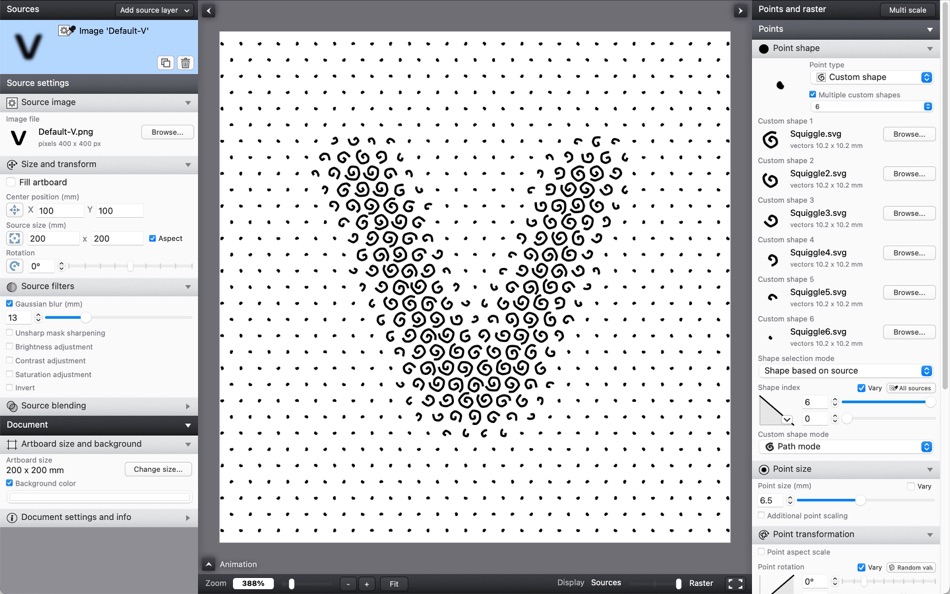
- Many different point shape types, including circles, polygons, font characters, lines and imported custom vector shapes or images.
- Detailed control of how you want point shape, transformation and color to vary over the raster.
- Base how the raster points vary on source images, gradients, text or noise fields you define live in Vectoraster.
- Advanced line raster mode with lines of varying width instead of points.
Patterns
- Many different halftone raster patterns with detailed control of how the points are placed.
- Easily rotate and offset the halftone pattern, and add multiple distortions like randomization, waves and twists.
- Vary the strength of pattern distortions using sources for dynamic effects.
Animation
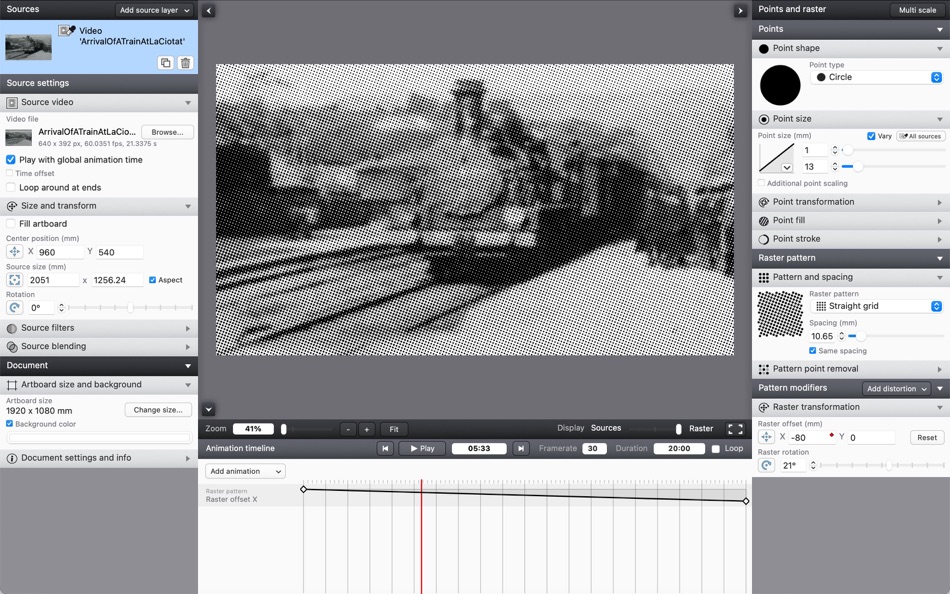
- Import video files to use as animated source layers to base your halftones on, creating complex video filter effect.
- Animate raster point, pattern or source properties using a keyframe-based timeline interface.
Output
- Copy raster output and paste it straight into most graphics software.
- File export to PDF or SVG for vector output, or JPEG, PNG or TIFF for pixel output.
- Export point data (location, size, angle and color) to a CSV file for further CAD or other processing.
- Animation export to Quicktime MOV, MPEG4 or a sequence of image frame files.
More information, videos and screenshots can be found at lostminds.com/vectoraster8
Ad
Screenshots



What's new
- Version: 8.6.3
- Updated:
- - Fixed issue where overwriting existing files when exporting could result in broken files in some situations.
- Fixed SVG exports using a background color with transparency being exported as a solid color instead.
- Fixed some minor UI panel layout issues.
Price History
- Today: $44.99
- Minimum: $44.99
- Maximum: $44.99
Track prices
Developer
- Lost Minds
- Platforms: iOS Apps (2) iOS Games (1) macOS Apps (2) macOS Games (1) Steam Games (1)
- Lists: 1 + 0
- Points: 12 + 175 ¡
- Rankings: 0
- Reviews: 0
- Comments: 0
- Discounts: 0
- Videos: 1
- RSS: Subscribe
Points (0)
0 ☹️
Rankings (0)
0 ☹️
Lists (0)
0 ☹️
- Vectoraster
Reviews (0)
Be the first to review 🌟
Additional Information
- Version: 8.6.3
- Category:
macOS Apps›Graphics & Design - OS:
macOS,macOS 10.15 and up - Size:
24 Mb - Supported Languages:
English - Content Rating:
4+ - Mac App Store Rating:
0 - Updated:
- Release Date:
Contacts
 https://www.lostminds.com/vectoraster8
 «Vectoraster» is a Graphics & Design app for macOS, developed by «Lost Minds». It was first released on and last updated on . The lowest historical price was $44.99, and the highest was $44.99. This app has not yet received any ratings or reviews on AppAgg. Available languages: English. AppAgg continuously tracks the price history, ratings, and user feedback for «Vectoraster». Subscribe to this app or follow its RSS feed to get notified about future discounts or updates. AppAgg does not host applications or distribute software. All trademarks, logos and screenshots belong to their respective owners.
Comments (0)
Be the first to comment 🌟
Vectoraster Short URL: Copied!- 🌟 Share
- Mac App Store
Ad
You may also like
-
- Creative Convert
- macOS Apps: Graphics & Design By: Splash Colors
- Free
- Lists: 0 + 1 Rankings: 0 Reviews: 0
- Points: 34 + 0 Comments: 0 Version: 1.4.3 Creative Convert is a simple, beautiful app for converting JPG, JPEG, BMP, TIFF, PNG, PDF, Ai, SVG, PSD and/or EPS, PS (PostScript) files into separate Graphic file formats. Creative ... ⥯
- -100%
- Initiater
- macOS Apps: Graphics & Design By: Abdusodiq Saidov
- ▼ * Free
$0.99-100% - Lists: 1 + 3 Rankings: 0 Reviews: 0
- Points: 30 + 0 Comments: 0 Version: 1.1.4 Capture Text and Graphics! Upgrade your productivity to the next level! Create text and graphic notes from captured parts! Initiater is an easy to use small macOS OCR (Optical ... ⥯
- -100%
- QR Creator Mini
- macOS Apps: Graphics & Design By: Pavel Kosykh
- ▼ Free
$1.99-100% - Lists: 0 + 1 Rankings: 0 Reviews: 0
- Points: 26 + 0 Comments: 0 Version: 3.1.0 QR Creator Mini is a quick and effective solution to create QR-Codes. Features: Live creation QR-Codes; Save to image file; Resolution setting. ⥯
-
- PixelStyle Photo Editor
- macOS Apps: Graphics & Design By: 秀英 朱
- Free
- Lists: 0 + 2 Rankings: 0 Reviews: 0
- Points: 19 + 0 Comments: 0 Version: 4.4.0 PixelStyle Photo Editor is a useful and easy-to-use image editing tool which easily creates original unique artworks. It brings dozens of high-quality filters and comes with useful ... ⥯
-
- Pixen
- macOS Apps: Graphics & Design By: Furnace Creek Software LLC
- * Free
- Lists: 1 + 2 Rankings: 0 Reviews: 0
- Points: 16 + 0 Comments: 0 Version: 6.1 Pixen is a native pixel art editor designed for working with low-resolution raster art, such as those 8-bit sprites found in old-school video games. Pixen packs all the tools pixel ... ⥯
-
- PhotoStage Professional
- macOS Apps: Graphics & Design By: NCH Software
- * Free
- Lists: 0 + 1 Rankings: 0 Reviews: 0
- Points: 13 + 0 Comments: 0 Version: 12.11 PhotoStage Professional Whether a home project or a business presentation, PhotoStage Professional allows you to create a dynamic slideshow from your photos and video clips in a quick ... ⥯