
Saved
Choose the name that will be shown in your Saved menu.
Done!
| Developer: | Rocketware Limited (7) | ||
| Price: | Free | ||
| Score: | 500 Silver | ||
| Rankings: | 0 | ||
| Comments: | 0 Add a comment | ||
| Lists: | 0 + 0 | ||
| Points: | 0 + 0 ¡ | ||
| +1 Points | |||
Description

---
**Highlights & Features**
## Your Notes, Your Data
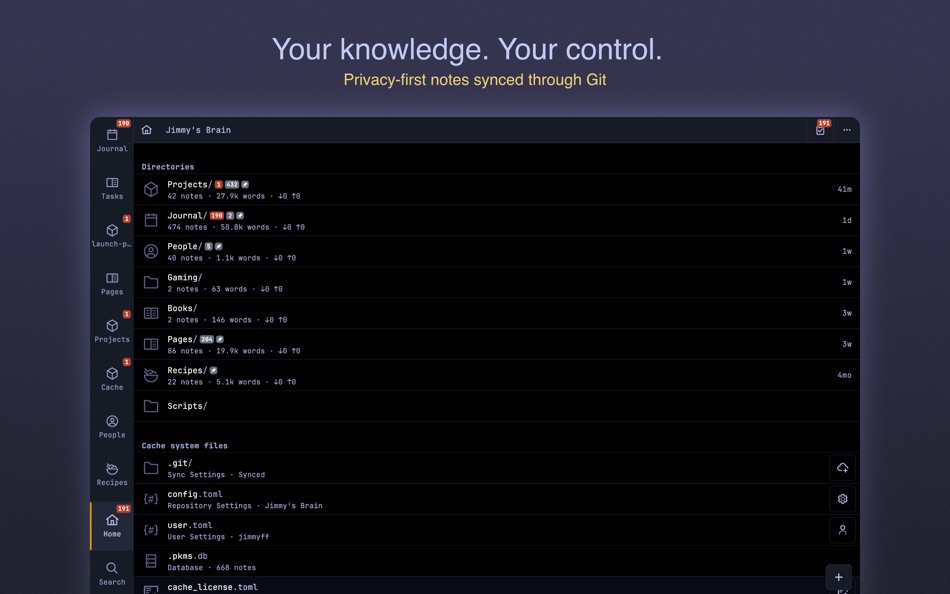
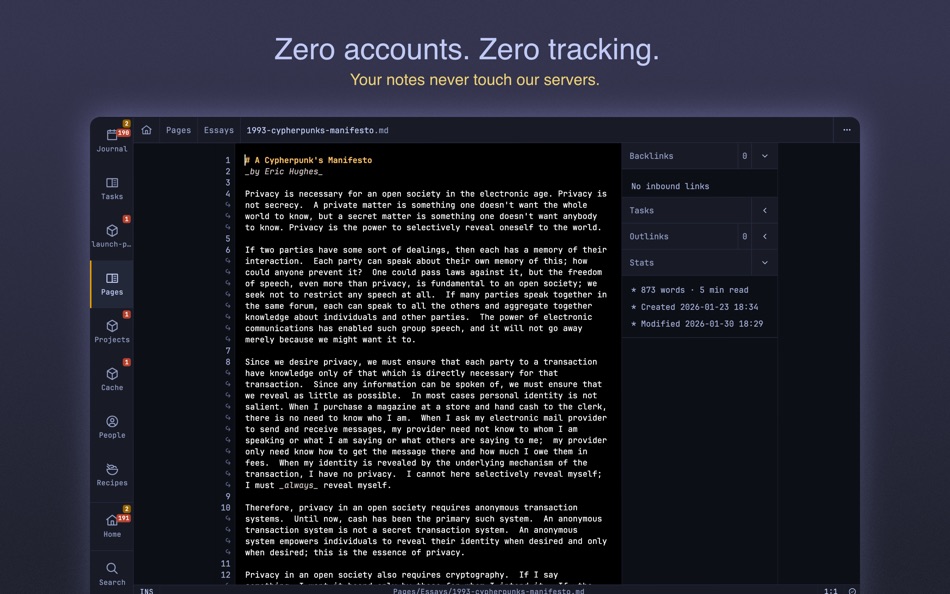
You are in total control of your notes and privacy. Your notes never touch our servers - everything stays on your devices, synced through your own git server. Complete privacy. No tracking. No exceptions.
## Beautiful Markdown
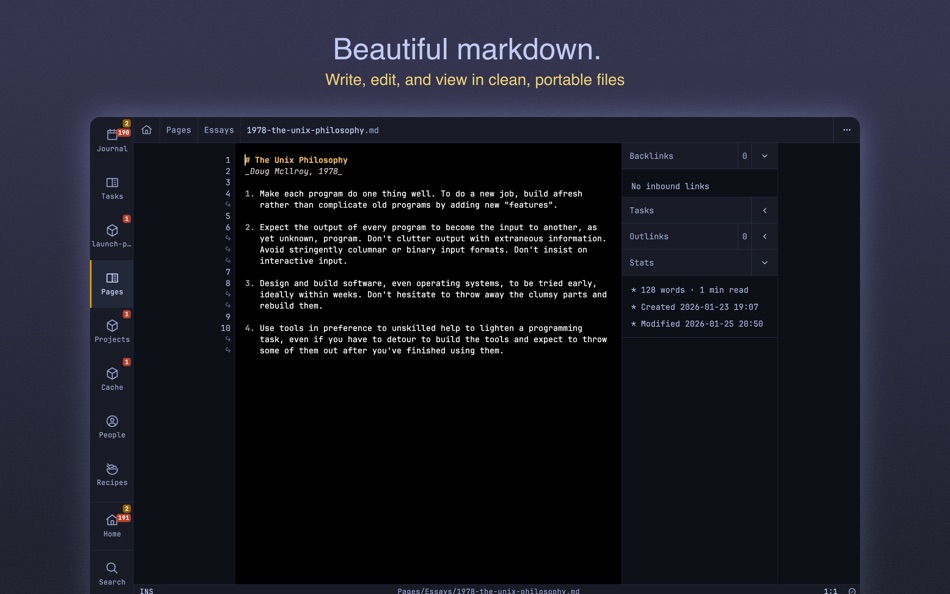
Your notes are stored, viewed and edited as clean portable markdown. No proprietary formats, no lock-in. Your knowledge remains accessible forever in files you own, readable in any text editor.
## Git Sync
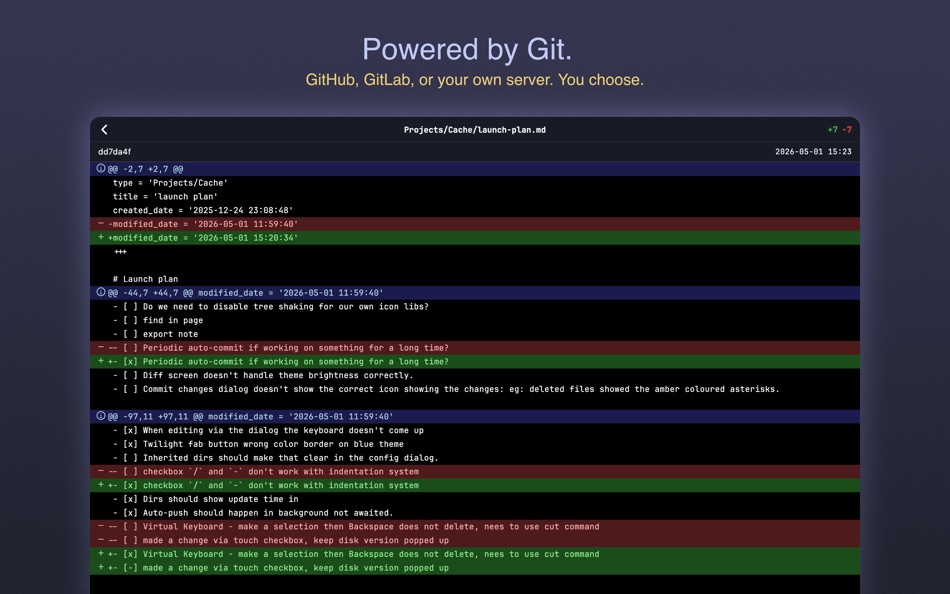
Cache is a Git client - use GitHub, GitLab, Gitea, your own server, or any Git service. Version control built-in means you never lose your work and you control who has access.
## Every Task, Tracked
Every checkbox across every note, individually tracked with due dates and priorities. Cache surfaces what's overdue, due today, or coming soon — so nothing slips through the cracks.
## Lightning Fast
Built around speed to get ideas out of your head quickly. Fluid touch gestures or comprehensive keyboard shortcuts, minimal interface, instant search - nothing slows you down on any device.
## Instant Search
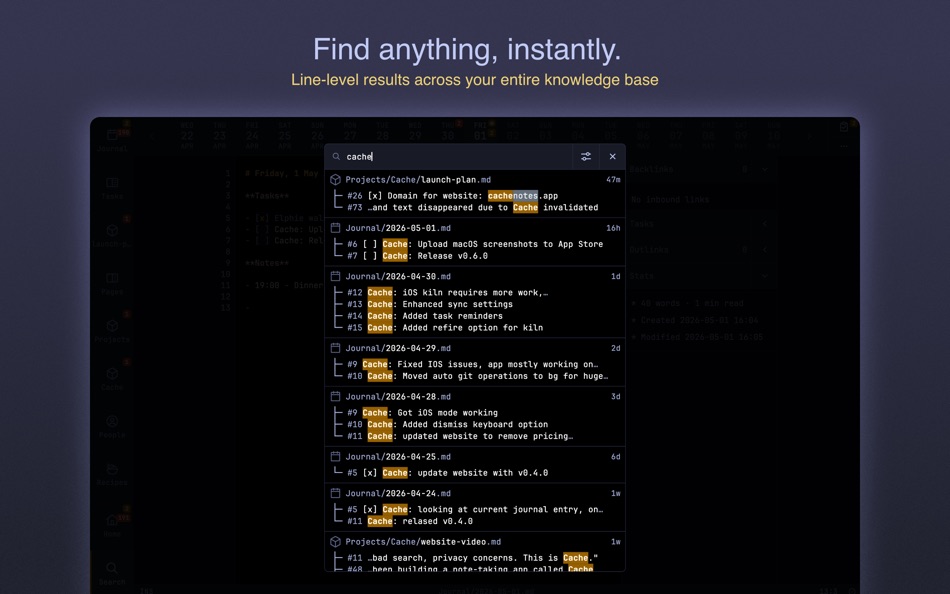
Find anything instantly across your entire knowledge base. Line-level results show context immediately and feel magical. No waiting, no indexing delays, no network requests, just results.
## First-Class Journaling
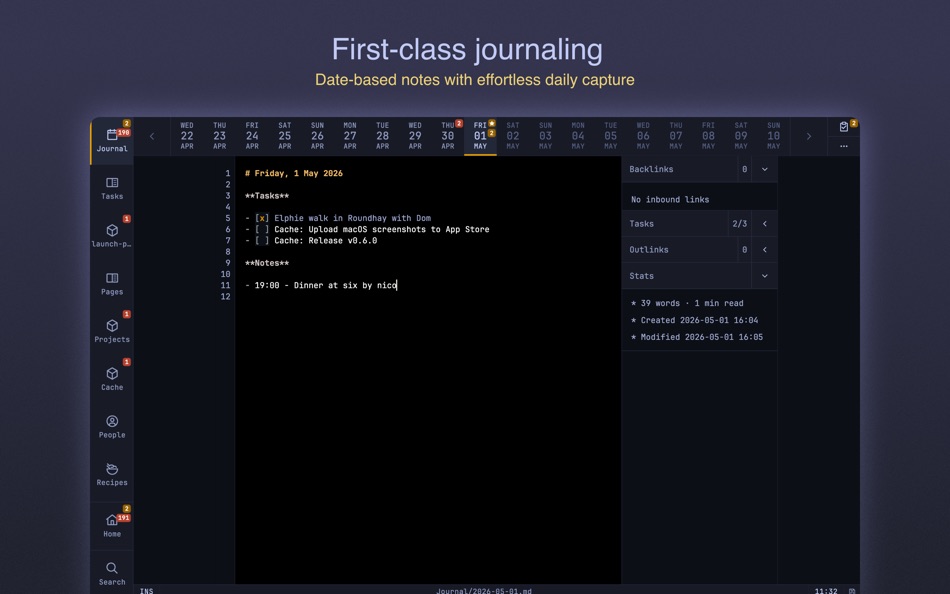
Date-based notes with first-class support for effortless journaling. Browse, search, and edit your daily entries seamlessly. Journals and reference notes coexist with fully configurable categories.
## Modal Editing (Alpha)
Optionally use powerful modal editing with Vim and Helix motions. For power users who want maximum efficiency, or stick with simple mode for traditional editing.
## Offline First
Carry your notes with you. Your devices always have your full notes repository. Work anywhere, anytime, without depending on internet connectivity.
## Seamless on Mac
Optimized for macOS with native keyboard shortcuts, window management, and a minimal interface that feels right at home. Your notes sync across all your Apple devices through Git.
## Opinionated Minimalism
Every feature serves one purpose: managing your markdown notes faster and better. No plugins means no bloat, no distractions, no performance compromises. Just powerful note-taking, nothing more.
---
Terms of service:
https://www.cachenotes.app/docs/terms-of-service/
Privacy policy:
https://www.cachenotes.app/docs/privacy-policy/
Screenshots

Ad
Price History
- Current price: Free
- Minimum: Free
- Maximum: Free
Track prices
AppAgg Score
500
Estimated AppAgg Score for
Cache - Markdown Notes
500 Silver
Higher scores usually mean stronger signals on AppAgg.
Based on: popularity · ratings · freshness · deals · store data · community signals
Recalculated daily using fresh AppAgg data.
Short URL: Copied!
What's new
- Version: 0.7.1
- Last Updated:
Additional Information
- Release Date:
- Category:
macOS Apps›Productivity - OS:
macOS,macOS 14.0 and up - Size:
26 Mb - Supported Languages:
English - Content Rating:
4+ - Mac App Store Rating:
0 - Website:
 https://www.cachenotes.app/
Developer
- Rocketware Limited
- Platforms: iOS Apps (6) macOS Apps (1)
- Lists: 0 + 0
- Points: 3 + 116 ¡
- Rankings: 0
- Comments: 0
- Deals: 0
- Videos: 0
- RSS: Subscribe
Lists (0)
0
- Cache - Markdown Notes
Points (0)
0
Rankings (0)
0
Comments (0)
Be the first to comment
Summary
Cache - Markdown Notes Short URL: Copied!- Share
- Mac App Store
«Cache - Markdown Notes» is a Productivity app for macOS, developed by «Rocketware Limited». It was first released on and last updated on . This app is currently free. This app has not yet received any ratings on AppAgg. Available languages: English. AppAgg continuously tracks the price history, ratings, and user feedback for «Cache - Markdown Notes». AppAgg does not host applications or distribute software. All trademarks, logos and screenshots belong to their respective owners. Subscribe to this app or follow its RSS feed to get notified about future deals or updates.
Similar
-
- Bear: Markdown Notes
- macOS Apps: Productivity By: Shiny Frog Ltd.
- * Free
- Lists: 0 + 2 0 0
- Points: 2 + 0 820 Version: 2.8.1 Bear is a beautiful, powerfully simple Markdown app to capture, write, and organize your life. Take notes, plan your day, journal thoughts, organize tables, create lists and tasks, ... ⥯
-
- Quick Capture - Markdown notes
- macOS Apps: Productivity By: Pradeep Burugu
- * Free
- Lists: 0 0 0
- Points: 0 + 0 500 Version: 1.6 Quick Capture - Markdown Notes It's an app designed for taking notes throughout your day in markdown files, allowing you to capture notes instantly from anywhere on macOS. You don't ... ⥯
-
- Markdown Inbox
- macOS Apps: Productivity By: Solutions Cay LLC
- $14.99
- Lists: 0 0 0
- Points: 0 + 0 500 Version: 1.2 Markdown Inbox is a clean, focused markdown reader designed for people who work with lots of markdown files. Whether you re managing AI-generated documentation, personal notes, or ... ⥯
-
- Markdown Pro
- macOS Apps: Productivity By: RADSense Software
- $5.99
- Lists: 1 0 0
- Points: 0 + 0 540 Version: 1.0.9 Best Markdown Syntax Editor With Markdown PRO you can write beautiful documentation, notes, essays, term papers all by using plain text to tag your formatting such as bold, italic, ... ⥯
-
- Markdown - Enjoy writing
- macOS Apps: Productivity By: 潇 罗
- $7.99
- Lists: 1 0 0
- Points: 0 + 0 790 Version: 1.3.3 I'm Markdown, the Markdown editor for OS X. This is a powerful Markdown editor, very design, UI simple and user-friendly interactive experience, let us focus more on writing. Markdown ... ⥯
-
- Markdown Peek
- macOS Apps: Productivity By: Michael Thingmand
- Free
- Lists: 0 0 0
- Points: 1 + 0 520 Version: 1.0 Description: Markdown Peek is a simple, elegant markdown viewer for macOS. Set it as your default app for .md files and enjoy instant, beautiful rendering. Features: Instant Preview ... ⥯
- New
- Markdown to PDF - Pro Editor
- macOS Apps: Productivity By: Zain Aaban
- $9.99
- Lists: 0 0 0
- Points: 0 + 0 500 Version: 2.3 Turn your Markdown files into polished, print-ready PDFs, all without your files leaving your desktop. This is app provides a powerful markdown editor with live-rendered preview, and ... ⥯
-
- Markdown Web Writer
- macOS Apps: Productivity By: Eric Kampman
- Free
- Lists: 0 + 1 0 0
- Points: 9 + 0 1K Version: 1.1.0 Markdown Web Writer is a macOS application for converting Markdown into clean HTML and PDF output. It s designed as a single-purpose tool, without plugins, build steps, or ... ⥯
- New
- Markdown Viewer Lite
- macOS Apps: Productivity By: Kodama
- $2.99
- Lists: 0 0 0
- Points: 0 + 0 500 Version: 1.0.4 Markdown Viewer Lite is a lightweight, read-only Markdown viewer for macOS. Double-click any .md file to instantly see a GitHub-flavored preview no editor to launch, no clutter, no ... ⥯
-
- Notes Hub & Tasks
- macOS Apps: Productivity By: ALEKSANDR KOFMAN
- $1.99
- Lists: 0 0 0
- Points: 0 + 0 500 Version: 1.0 Notes Hub is a beautifully designed, clutter-free productivity app that combines note-taking and task management in one seamless experience. Perfect for professionals, students, and ... ⥯
-
- Markdown Book Compiler
- macOS Apps: Productivity By: Lotus Core
- $34.99
- Lists: 0 0 0
- Points: 0 + 0 500 Version: 1.1.2 Markdown Book Compiler makes it easy for self-publishers, authors, bloggers, and educators to turn plain-text .md files into fully formatted, beautifully styled eBooks without using ... ⥯
-
- Markdown Editor
- macOS Apps: Productivity By: Satoshi Iwaki
- Free
- Lists: 0 0 0
- Points: 1 + 0 520 Version: 1.5.0 Markdown Editor is a lightweight markdown editor. MAIN FEATURES - Syntax highlighting - Display line numbers - Auto preview - Export to HTML ⥯
- New
- Markdown Master
- macOS Apps: Productivity By: Simon Kanapka
- Free
- Lists: 0 0 0
- Points: 0 + 0 500 Version: 1.0 Markdown Master opens your .md files and renders them beautifully clean typography, syntax-highlighted code, tables, task lists, and more. Press ⌘E to edit. Press it again to read. ... ⥯