
| Udvikler: | Thomas Weschke (5) | ||
| Pris: | $7.99 | ||
| Rangeringer: | 0 | ||
| Anmeldelser: | 0 Skriv en anmeldelse | ||
| Kommentarer: | 0 Skriv kommentar | ||
| Lister: | 0 + 0 | ||
| Point: | 0 + 0 ¡ | ||
| Mac App Store | |||
Beskrivelse

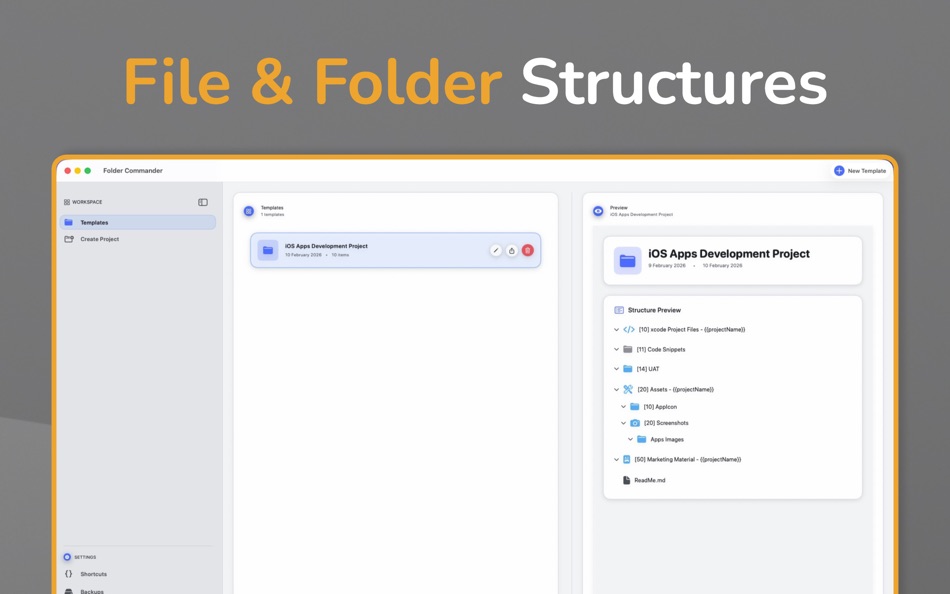
If you regularly set up the same folders for projects, clients, or workflows, Folder Commander lets you turn those structures into reusable templates — no more rebuilding from scratch.
Templates can be customised to suit your workflow, including setting folder colours and assigning icons, helping you visually organise projects exactly the way you need.
Whether you’re a developer organising codebases, a photographer managing shoots, or simply someone who likes their files structured like a filing cabinet or ring binder, Folder Commander keeps everything tidy and predictable.
Key Features
• Create reusable folder structure templates
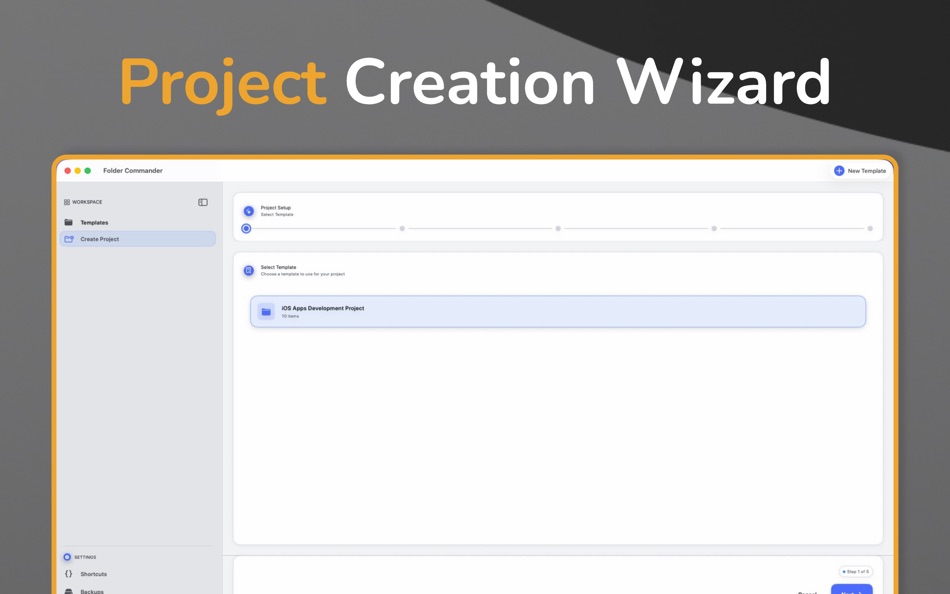
• Step-by-step guided folder creation
• Customise folders with colours and icons
• Apply templates to any location on your Mac
• Ideal for projects, clients, and recurring workflows
• Clean, lightweight macOS-native experience
Folder Commander is designed to stay out of your way and help you maintain clear, consistent folder structures every time.
Ad
Skærmbilleder

Nyheder
- Version: 1.1
- Opdateret:
- New in 1.1
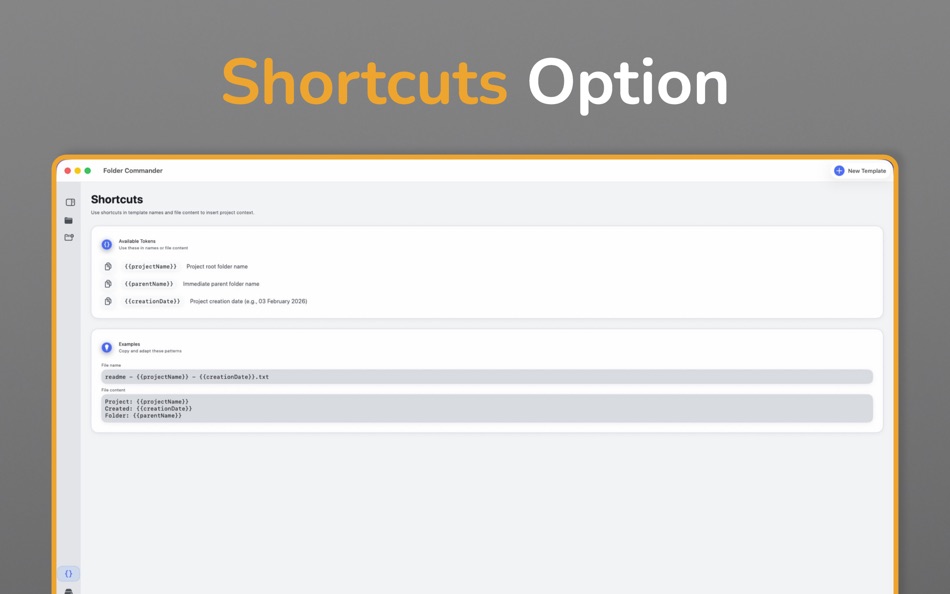
This update adds appearance control, clearer folder ordering, a new navigation layout, and a visual refresh.
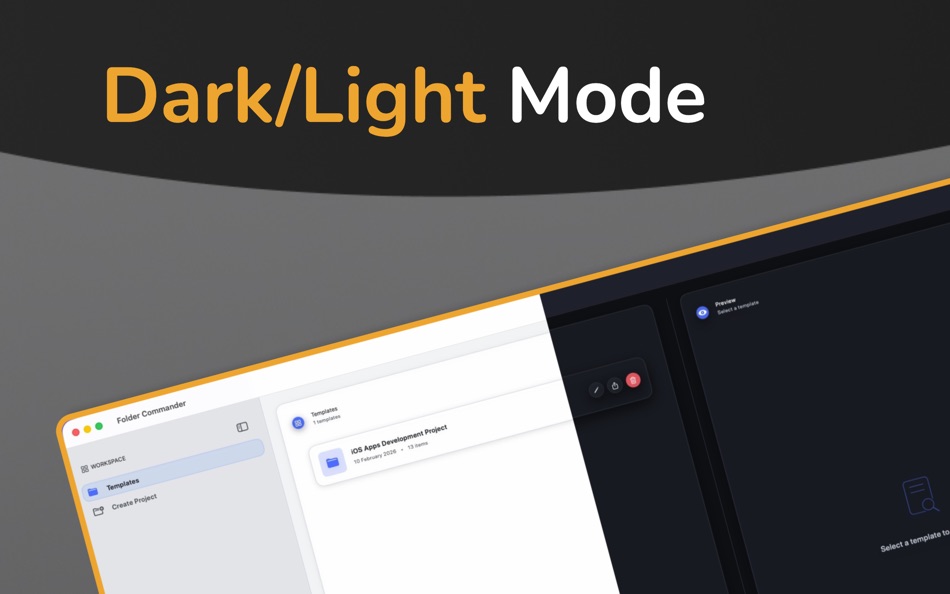
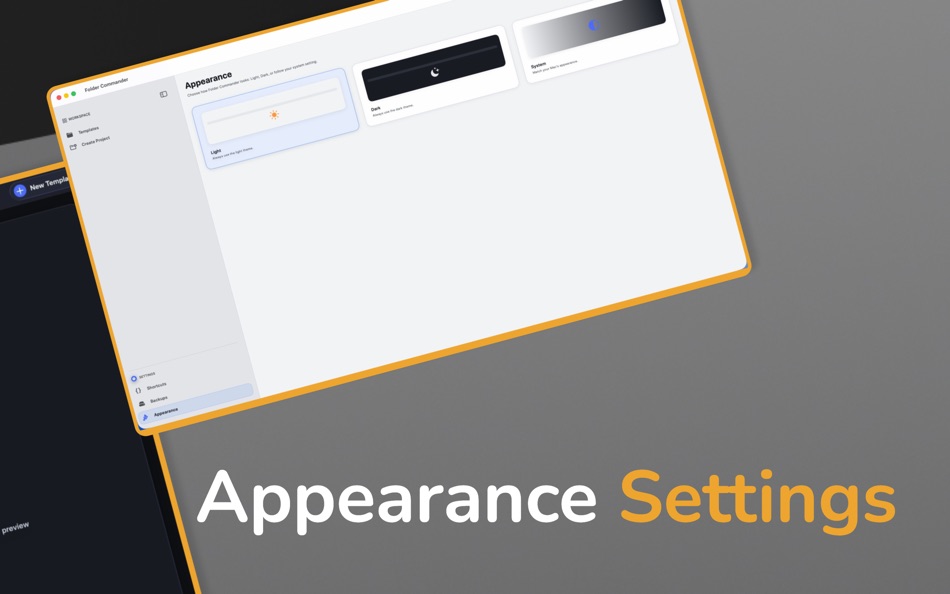
- Appearance (Light / Dark / System)
Choose how the app looks in Settings → Appearance: Light, Dark, or System (follow your Mac). A light theme uses dark text on a light background for readability and accessibility.
- Folder structure sorting:
Template folder structures are shown in alphabetical order (localised, so names like [10], [11], [20] sort correctly). In the template editor, “Sort alphabetically” sorts the entire tree at once; the order is saved with the template and used when creating projects.
- Navigation:
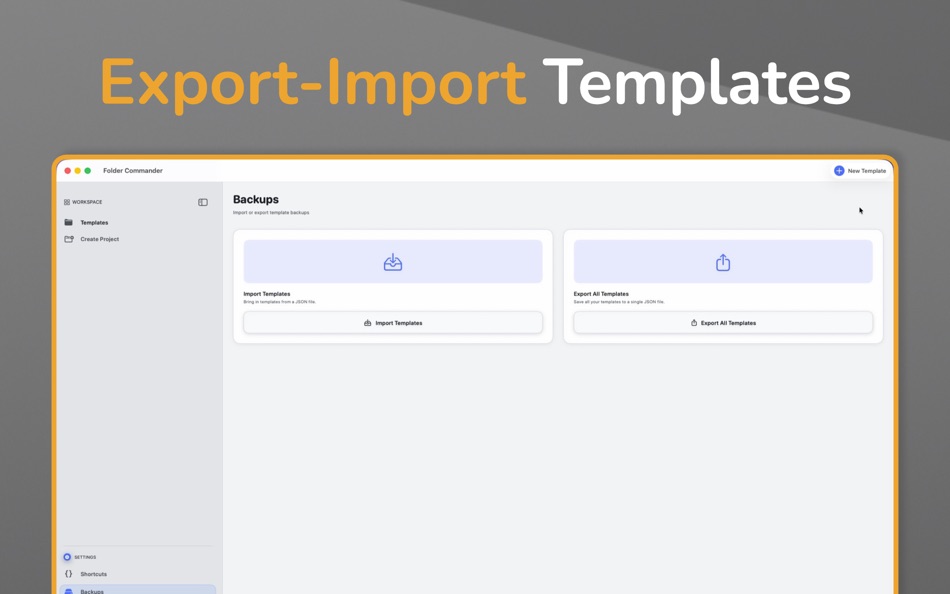
A single sidebar organises the app: Workspace (Templates, Create Project) and Settings (Shortcuts, Backups, Appearance). You can collapse the sidebar to icons only and resize it when expanded; the width and collapsed state are saved.
- UI redesign:
Refreshed interface with a consistent design system: card-based layout, unified typography and spacing, and adaptive colours and shadows for Light and Dark mode. Buttons and cards use the same visual language across the app.
Kommentarer (0)
Vær den første til at kommentere 🌟
Pris
- I dag: $7.99
- Minimum: $7.99
- Maksimalt: $7.99
Overvåg priser
Ad
Udvikler
- Thomas Weschke
- Platforme: iOS Apps (4) macOS Apps (1)
- Lister: 0 + 0
- Point: 0 + 0 ¡
- Rangeringer: 0
- Anmeldelser: 0
- Kommentarer: 0
- Rabatter: 0
- Videoer: 0
- RSS: Abonner
Point (0)
0 ☹️
Rangeringer (0)
0 ☹️
Lister (0)
0 ☹️
- Folder Commander
Anmeldelser (0)
Vær den første til at gennemgå 🌟
Yderligere oplysninger
- Version: 1.1
- Kategori:
macOS Apps›Produktivitet - Operativsystem:
macOS,macOS 14.0 eller nyere - Størrelse:
2 Mb - Understøttet sprog:
English - Indholdsklassificering:
4+ - Mac App Store Bedømmelse:
0 - Opdateret:
- Udgivelsesdato:
Folder Commander Kort webadresse: Kopieret!- 🌟 Del
- Mac App Store
Du vil måske også kunne lide
-
- Folder Slice - File Shortcuts
- macOS Apps: Produktivitet Ved: 鸿呈 吉
- * Gratis
- Lister: 1 + 0 Rangeringer: 0 Anmeldelser: 0
- Point: 5 + 0 Kommentarer: 0 Version: 1.10.1 Do you often find your workflow interrupted just to search for a file? Folder Slice brings you a brand new experience: instantly call up a floating file window anytime, anywhere. No ... ⥯
-
- Commander: App Launcher
- macOS Apps: Produktivitet Ved: Vadim Akhmerov
- $7.99
- Lister: 2 + 3 Rangeringer: 0 Anmeldelser: 0
- Point: 7 + 0 Kommentarer: 0 Version: 1.14 Meet Commander - the user-friendly, open-source alternative to the Dock that simplifies your daily tasks by providing speedy access to all your essential apps, files, and folders. With ⥯
-
- Folder Cleaner
- macOS Apps: Produktivitet Ved: 永康 李
- Gratis
- Lister: 0 + 0 Rangeringer: 0 Anmeldelser: 0
- Point: 5 + 0 Kommentarer: 0 Version: 7.5.16 Quickly scan folders, list the files in them according to categories, and you can select unnecessary files to clean up. Default scannable path 1. Home folder 2. Desktop 3. Downloads 4. ⥯
-
- Folder index
- macOS Apps: Produktivitet Ved: iLike computing limited
- $2.99
- Lister: 0 + 0 Rangeringer: 0 Anmeldelser: 0
- Point: 1 + 0 Kommentarer: 0 Version: 4.1 Need to print a list of files in a folder? Have a directory of files on the web that you want to make an index.html page for? This is what Folder index does. Choose the Folders. Create ⥯
-
- Folder Subdivide for Mac OS X
- macOS Apps: Produktivitet Ved: feb19
- Gratis
- Lister: 0 + 0 Rangeringer: 0 Anmeldelser: 0
- Point: 1 + 0 Kommentarer: 0 Version: 1.0 You'll drag/drop a folder to this, then create sub-folders below and subdivide root folder's files. ⥯
-
- Folder ZIP Widget
- macOS Apps: Produktivitet Ved: Keen Widget
- * Gratis
- Lister: 0 + 0 Rangeringer: 0 Anmeldelser: 0
- Point: 0 + 0 Kommentarer: 0 Version: 1.03 Tired of wasting time zipping folders one by one? Say goodbye to manual file compression and hello to efficiency! With Folder ZIP Widget, you can batch zip multiple folders ... ⥯
-
- Folder Hub - File browser
- macOS Apps: Produktivitet Ved: 志远 杨
- * Gratis
- Lister: 0 + 1 Rangeringer: 0 Anmeldelser: 0
- Point: 8 + 0 Kommentarer: 0 Version: 2.5.0 Folder Hub is an app hidden under the MacBook's notch, used for quick access and retrieval of files and folders within the working directory. What problems does Folder Hub solve? - In ... ⥯
-
- Folder To Text
- macOS Apps: Produktivitet Ved: metajournal, llc
- Gratis
- Lister: 0 + 0 Rangeringer: 0 Anmeldelser: 0
- Point: 1 + 0 Kommentarer: 0 Version: 1.0 Folder To Text instantly converts your folders and files into clean, organized text documents. Whether you're a developer sharing code, a researcher documenting projects, or anyone who ⥯
-
- Commander Brief
- macOS Apps: Produktivitet Ved: Muhammad FAROOQ
- Gratis
- Lister: 0 + 0 Rangeringer: 0 Anmeldelser: 0
- Point: 0 + 0 Kommentarer: 0 Version: 2.1 (22) Record meetings. Get transcripts. That's it. One-click meeting transcription for busy professionals. No setup, no complexity - just press Record and focus on your conversation. WORKS ... ⥯
-
- Folder Quick Look
- macOS Apps: Produktivitet Ved: App ahead GmbH
- $3.99
- Lister: 0 + 1 Rangeringer: 0 Anmeldelser: 0
- Point: 2 + 0 Kommentarer: 0 Version: 1.6 Preview folder and archive contents (ZIP, RAR, and more) instantly in macOS Quick Look. Just select a folder and press the Space bar. Support If you need help or want to make a feature ⥯
-
- Folder Ordering
- macOS Apps: Produktivitet Ved: 朝品 冯
- $0.99
- Lister: 0 + 0 Rangeringer: 0 Anmeldelser: 0
- Point: 0 + 0 Kommentarer: 0 Version: 1.0 ## Once you organize a folder full of various documents and files, they are easy to find and share. With File Sorting, you can quickly organize all your files by size simply by ... ⥯
-
- folder.me
- macOS Apps: Produktivitet Ved: Irakli Verdzadze
- Gratis
- Lister: 0 + 0 Rangeringer: 0 Anmeldelser: 0
- Point: 1 + 0 Kommentarer: 0 Version: 1.1.3 Notion like editor for creating web pages and personal documents. - Create pages for pretty much everything - Publish with just a few clicks - Simple form builder - Create contact, ... ⥯
-
- Folder Bar
- macOS Apps: Produktivitet Ved: 栋梁 周
- * Gratis
- Lister: 0 + 0 Rangeringer: 0 Anmeldelser: 0
- Point: 0 + 0 Kommentarer: 0 Version: 1.0.2 Show file menu on menu bar 1. You can add multiple folders to the menu bar. 2. Click on a file in the menu to open it. 3. You can drag the file in the menu to any location. 4. You can ... ⥯
-
- Multiple Folder Creator
- macOS Apps: Produktivitet Ved: Ben Churchill
- $2.99
- Lister: 0 + 0 Rangeringer: 0 Anmeldelser: 0
- Point: 0 + 0 Kommentarer: 0 Version: 1.2 Multiple Folder Creator is the fastest way to make exactly the folders you need all at once. Multiple Folder Creator saves you hours of manual clicking. Just paste in your folder names ⥯