
| Developer: | Beshr Kayali Reinholdsson (2) | ||
| Price: | $1.99 | ||
| Rankings: | 0 | ||
| Reviews: | 0 Write a Review | ||
| Lists: | 0 + 0 | ||
| Points: | 0 + 0 ¡ | ||
| Mac App Store | |||
Description

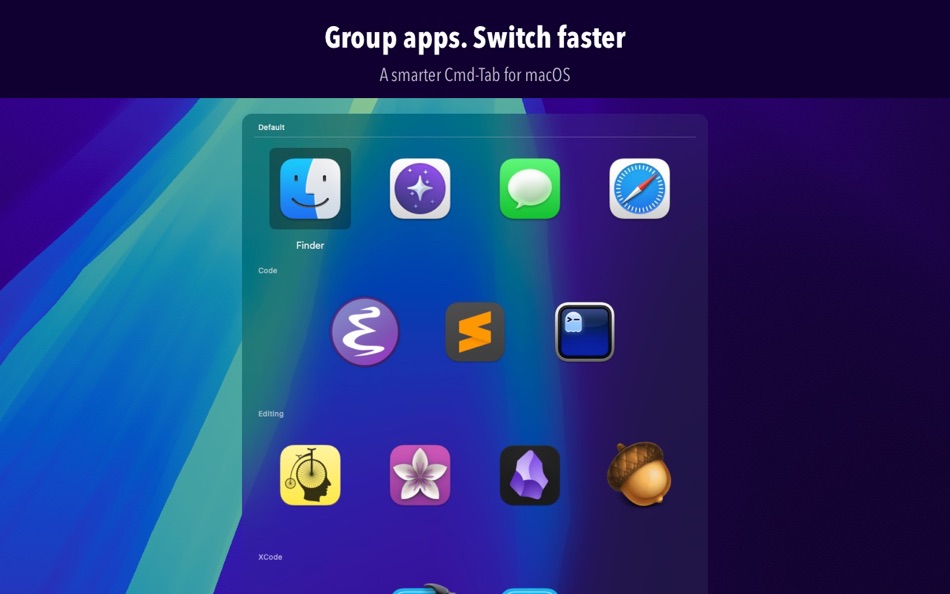
With GroupTab, you can group related apps (for example: Code, Design, Comms) and move between groups with a single key while holding Option. Multiple rows mirror how you think about tasks, with a clean, readable UI that shows larger icons and app names. It should feel familiar with MRU ordering and Shift+Tab to reverse, just like the native app switcher.
Setup is simple: drag apps between groups and assignments stick; a default group catches anything unassigned. It’s macOS‑native with a distinct hotkey (Option+Tab) and native visuals.
Why you’ll love it:
- Faster context switching: Move between related apps (e.g., Code, Design, Comms) with a single key while holding Option.
- Lower cognitive load: Multiple rows mirror how you think about tasks. Clean UI with larger icons and app names.
- Familiar UX: Behaves like the native switcher with MRU ordering, Tab/Shift+Tab cycling, and reverse cycling, just smarter.
- Simple setup: Drag-and-drop apps between groups; assignments stick. A default group catches unassigned apps.
- macOS native: Distinct hotkey (Option+Tab), lightweight, and unobtrusive.
Who it’s for:
- Power users who live on the keyboard and juggle many apps.
- Developers bouncing between IDEs, terminals, browsers, and docs.
- Designers working across design tools, asset managers, and previews.
- Writers and researchers with multiple PDFs, notes, and reference browsers.
- Anyone whose Cmd-Tab has become a cluttered carousel.
How it works:
- Hold Option and press Tab to activate GroupTab.
- Press Tab to cycle through apps; press Shift+Tab to cycle in reverse.
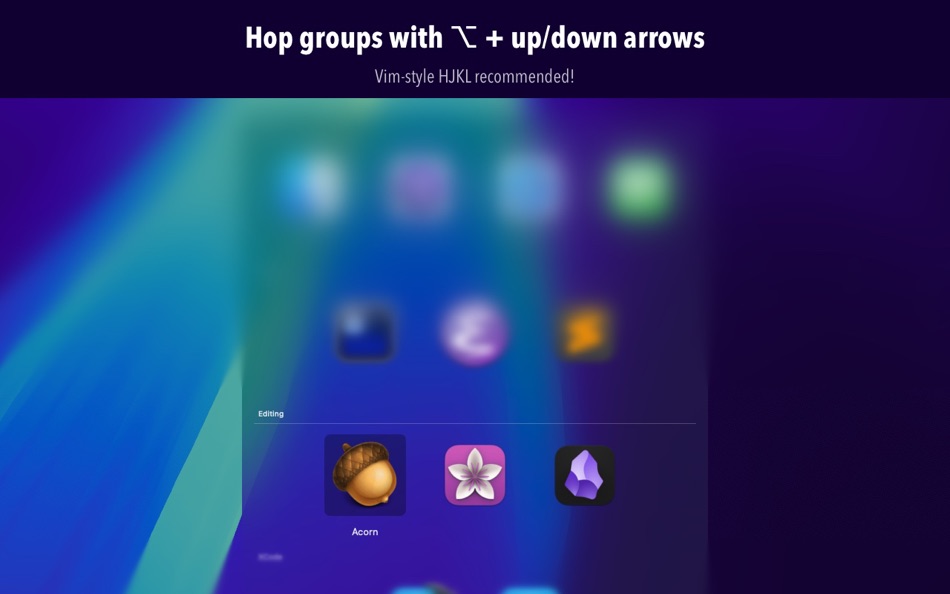
- While holding Option, press up/down arrows to move through groups; hold Shift to move apps between groups. Bonus: vim-like hjkl also work!
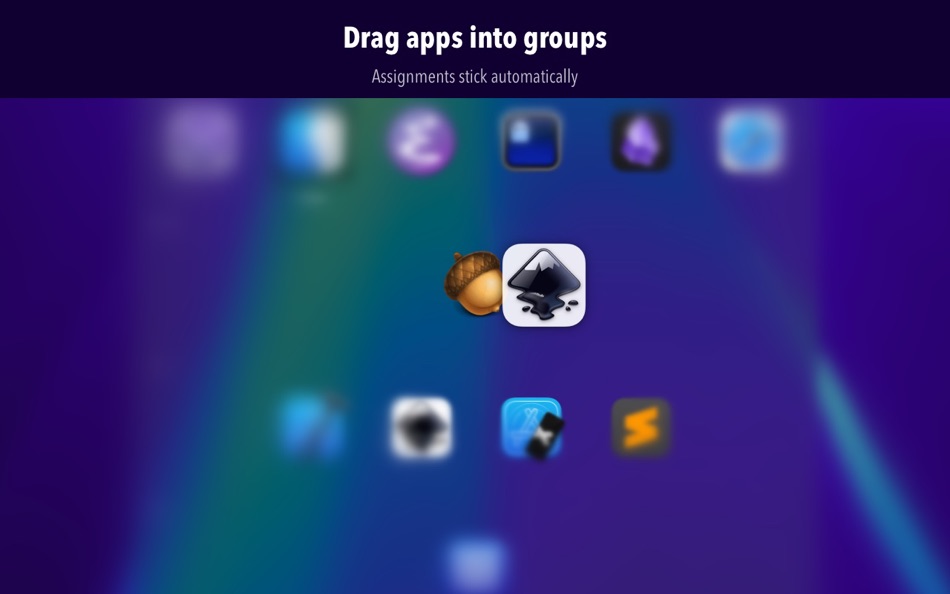
- Drag apps to move them between groups, or hold shift (while holding Option) and press up/down to move an app between groups.
- Open settings from the GroupTab menu bar item to create and rename.
- The default group automatically collects unassigned apps
GroupTab brings structure and speed to app switching by letting you organize apps into groups and switch within or between them instantly, reducing friction and keeping you in flow.
Screenshots



What's new
- Version: 1.2
- Updated:
- Customize your workflow with improved group management. Manually reorder your groups by dragging in Settings, and new groups now appear at the end of the list for easier organization. The Default group remains pinned at the top for quick access.
Navigate faster with enhanced key repeat support: hold down navigation keys to smoothly cycle through apps and groups with intelligent boundary detection. When holding keys, cycling stops at the first or last item; press normally to wrap around as before.
Additional improvements include better window management so GroupTab appears in your switcher when the Settings window is open, plus overall stability enhancements.
Price History
- Today: $1.99
- Minimum: $1.99
- Maximum: $1.99
Track prices
Developer
- Beshr Kayali Reinholdsson
- Platforms: iOS Games (1) macOS Apps (1)
- Lists: 0 + 0
- Points: 3 + 0 ¡
- Rankings: 0
- Reviews: 0
- Discounts: 0
- Videos: 0
- RSS: Subscribe
Points
0 ☹️
Rankings
0 ☹️
Lists
0 ☹️
Reviews
Be the first to review 🌟
Additional Information
- Version: 1.2
- Category:
macOS Apps›Productivity - OS:
macOS,macOS 15.5 and up - Size:
466 Kb - Supported Languages:
English - Content Rating:
4+ - Mac App Store Rating:
0 - Updated:
- Release Date:
Contacts
- Website:
 https://beshr.com/grouptab/
«GroupTab» is a Productivity app for macOS, developed by «Beshr Kayali Reinholdsson». It was first released on and last updated on . The lowest historical price was $1.99, and the highest was $1.99. This app has not yet received any ratings or reviews on AppAgg. Available languages: English. AppAgg continuously tracks the price history, ratings, and user feedback for «GroupTab». Subscribe to this app or follow its RSS feed to get notified about future discounts or updates.
GroupTab Short URL: Copied!- 🌟 Share
- Mac App Store
You may also like
-
- Tab Space
- macOS Apps: Productivity By: 渊 周
- $2.99
- Lists: 1 + 1 Rankings: 0 Reviews: 0
- Points: 0 + 0 Version: 3.12 Tab Space is a Safari extension app designed to enhance web browsing productivity. Please note that this app only works with Safari 12.1 (2018) or later versions. Now, you can export ... ⥯
-
- Tab Browser - MenuTab for Web Browsing for Mac OS X
- macOS Apps: Productivity By: Bastian Roessler
- $1.99
- Lists: 1 + 0 Rankings: 0 Reviews: 0
- Points: 0 + 0 Version: 2.0.0 Tab Browser is the quick and easy way to always have an eye on the website that matters to you the most! Sitting in your Mac's menu bar, your favorite website is never more than one ... ⥯
-
- Tab Notes
- macOS Apps: Productivity By: Catalystwo
- $24.99
- Lists: 0 + 0 Rankings: 0 Reviews: 0
- Points: 1 + 0 Version: 2.4.1 Tab Notes is a Menu Bar application which keeps your notes tidy and easy to access and your screen uncluttered. Click on your screen edge, then a note pops up! Watch the demonstration ... ⥯
-
- Tab Reloader
- macOS Apps: Productivity By: Bermet Kasykeeva
- Free
- Lists: 0 + 0 Rankings: 0 Reviews: 0
- Points: 0 + 0 Version: 0.6.4 Tab reloader provides a toolbar panel to perform infinite reloading jobs on individual tabs. You can define a custom period with a random variation for each tab. Tab reloading jobs can ⥯
-
- Tab Search
- macOS Apps: Productivity By: Tuan Nguyen
- $1.99
- Lists: 0 + 0 Rankings: 0 Reviews: 0
- Points: 0 + 0 Version: 1.0 Tab Search is a practical web extension designed to simplify tab management in your browser. This Safari extension introduces a fuzzy search function that helps you find tabs quickly, ... ⥯
-
- Tab Finder Lite for Safari
- macOS Apps: Productivity By: Oleh Kopyl
- Free
- Lists: 1 + 0 Rankings: 0 Reviews: 0
- Points: 0 + 0 Version: 1.4.4 Search, navigate, and organize your browsing history faster than ever. This lightweight Safari extension enhances productivity with quick tab switching and search. Navigate in the ... ⥯
- New
- Tab Application Switcher
- macOS Apps: Productivity By: BRONSON EDWARD MCKINLEY
- Free
- Lists: 0 + 0 Rankings: 0 Reviews: 0
- Points: 1 + 0 Version: 1.1.2 Switch between browser tabs using Alt+Tab, just like switching between apps on your computer. Features: Most Recently Used (MRU) tab ordering - your last tab is always one keystroke ... ⥯
-
- Tab Control Center
- macOS Apps: Productivity By: Robin Lieb
- Free
- Lists: 0 + 0 Rankings: 0 Reviews: 0
- Points: 2 + 0 Version: 1.0.0 Tab Control Center is a browser extension that adds the functionality to Safari to set a limit of allowed open tabs. When the limit is reached the extension closes automatically the ... ⥯
-
- Tab Saver
- macOS Apps: Productivity By: 柯铃 靖
- Free
- Lists: 1 + 0 Rankings: 0 Reviews: 0
- Points: 2 + 0 Version: 1.3.0 Tab Saver is a simple and efficient Safari extension designed to enhance your browsing experience. Whether you need to temporarily close tabs or want to permanently save important ... ⥯
-
- Tab Snooze
- macOS Apps: Productivity By: Pawan Dixit
- $0.99
- Lists: 0 + 0 Rankings: 0 Reviews: 0
- Points: 0 + 0 Version: 1.0.1 Tab Snooze lets your schedule your browser tabs to come back at a later point in time. It works just like the snooze function in your email. When you snooze an email for tomorrow your ... ⥯
-
- Tab for Trello
- macOS Apps: Productivity By: Joacim Ståhl
- * $0.99
- Lists: 0 + 0 Rankings: 0 Reviews: 0
- Points: 0 + 0 Version: 1.1 Tab for Trello that gives you fast and instant access to Trello directly from your toolbar. Manage your work via boards and tasks faster than ever. Just click the Tab for Trello icon ... ⥯
-
- Tab Control
- macOS Apps: Productivity By: Clever Armadillo LLC
- $1.99
- Lists: 0 + 0 Rankings: 0 Reviews: 0
- Points: 0 + 0 Version: 2024.1.0 Tab Control allows you to switch between the two most recently used tabs in Safari. The default keyboard shortcut for switching between tabs is CMD+SHIFT+H. You can also copy the ... ⥯
-
- Group Speed Dial Pro
- macOS Apps: Productivity By: Juraj Masiar
- $19.99
- Lists: 0 + 1 Rankings: 0 Reviews: 0
- Points: 0 + 0 Version: 22.2 Group Speed Dial Pro lets you access your favorite pages in an organized fashion - using groups (folders). Your dials can be synchronized between all your devices and using the Cloud ... ⥯
-
- Tab for a Cause
- macOS Apps: Productivity By: Gladly
- Free
- Lists: 0 + 0 Rankings: 0 Reviews: 0
- Points: 0 + 0 Version: 1.0 Raise money for charity with every tab you open in Safari! Just by surfing the web, you can build libraries, plant trees, help shelter cats, send emergency aid, give clean water, and ... ⥯