
| Udvikler: | Efe Ertugrul (1) | ||
| Pris: | $0.99 | ||
| Rangeringer: | 0 | ||
| Anmeldelser: | 0 Skriv en anmeldelse | ||
| Kommentarer: | 0 Skriv kommentar | ||
| Lister: | 0 + 0 | ||
| Point: | 1 + 0 ¡ | ||
| Mac App Store | |||
Beskrivelse

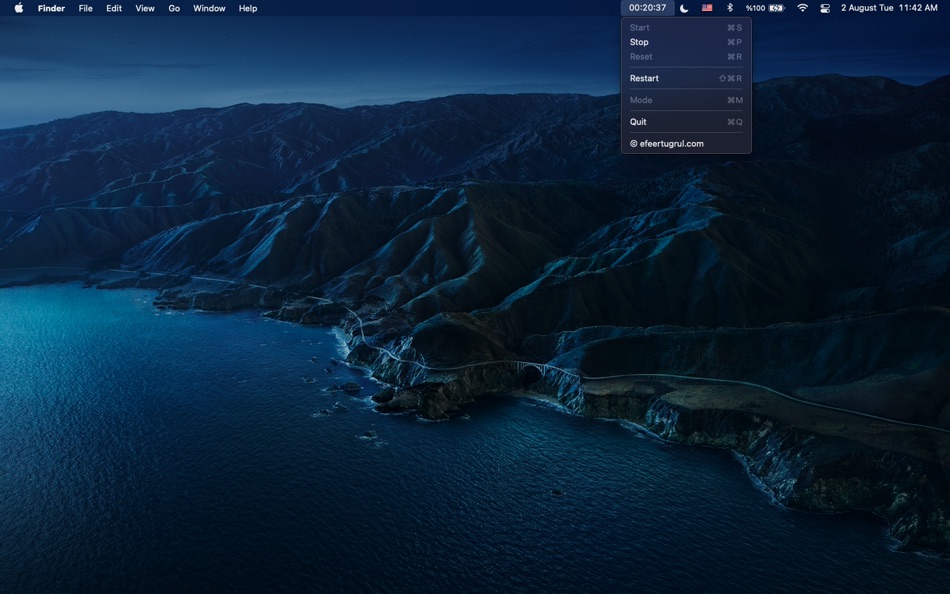
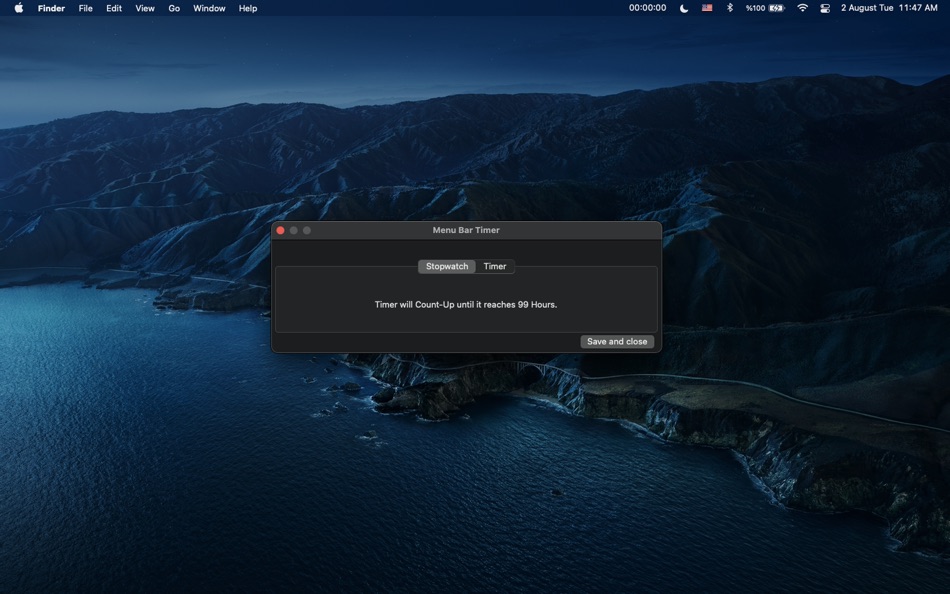
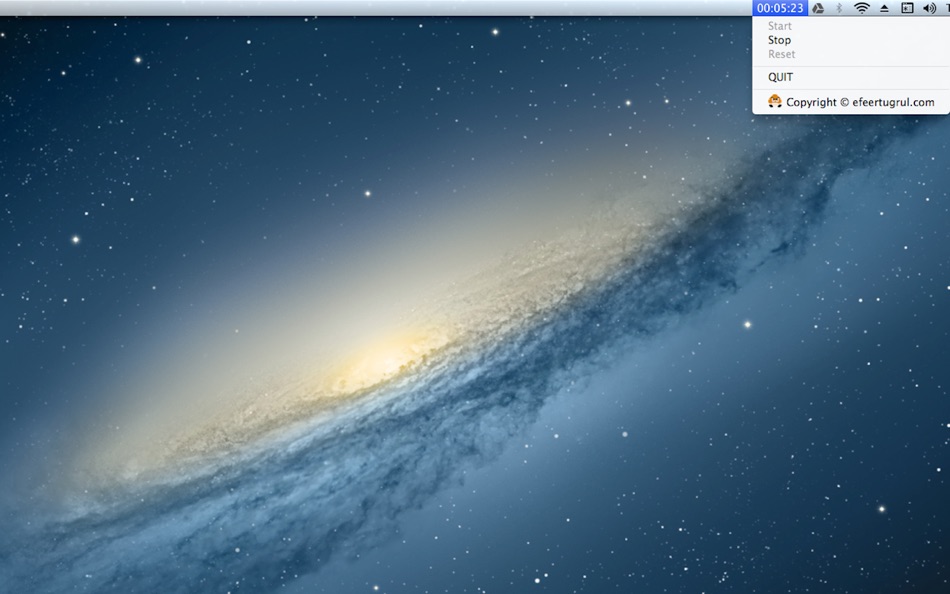
You can choose Stopwatch or Timer mode.
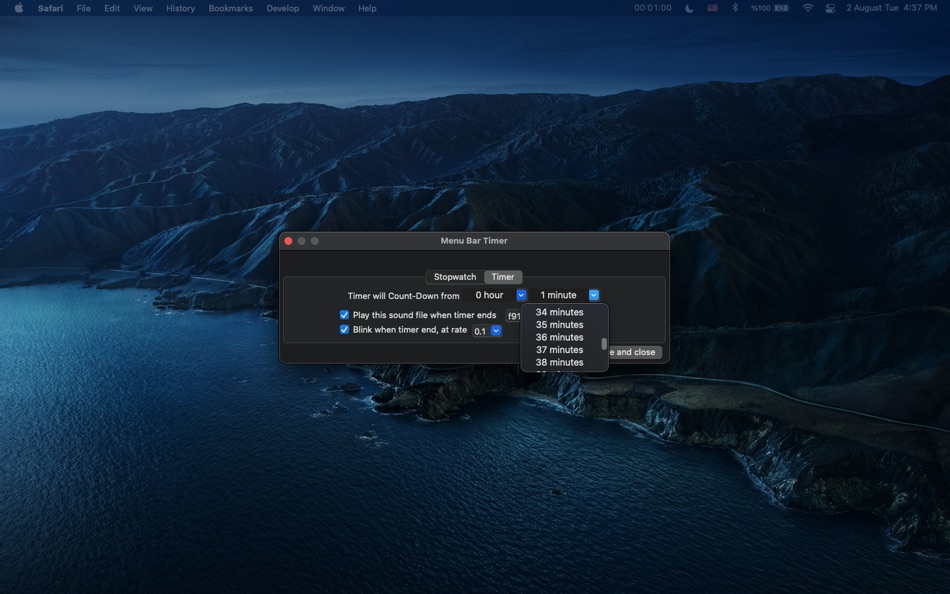
Each mode can run up to 99 hour.
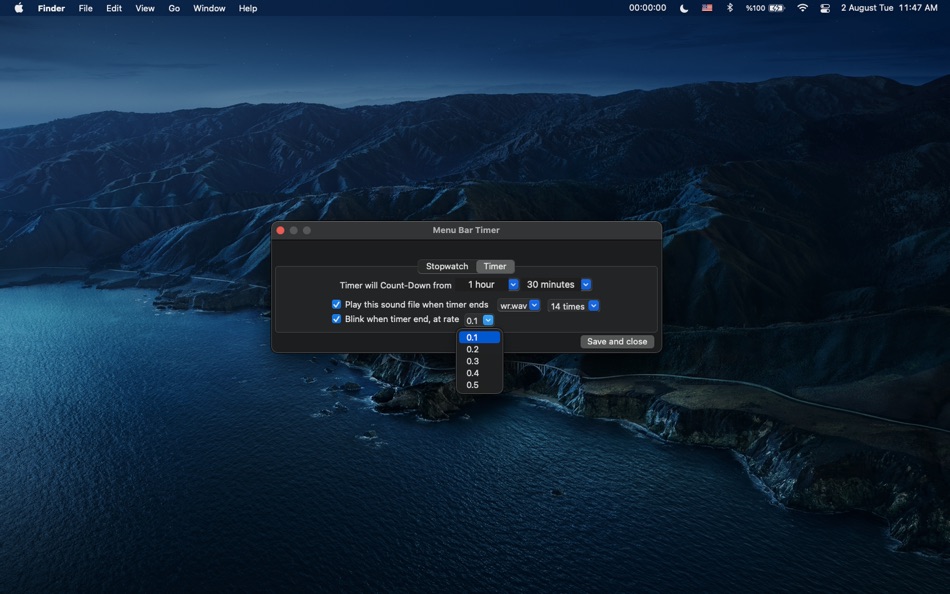
In timer mode you can choose between two alarm sounds and how many times you want to hear that sound.
Also you can select blink option with a rate from 0,1 to 0,5.
If you choose blink option the timer on your menu bar will blink when it reaches to 00:00:00.
Menu Bar Timer is for anyone who wants to track of the time while working on a Mac.
---------------------------
= Why this app is not free =
---------------------------
Because most of the apps on the market collects data or not coded with the official Apple Libraries.
This app does not collect any kind of data.
It doesn't connect to the internet.
It doesn't show you any kind of advertisement.
It doesn't have any kind of analytics code.
It doesn't have any kind of 3rd party code.
And coded only with official Apple swift libraries.
That means it will work no matter how many times you upgrade your operating system.
It still works on MacOS 10.10 and run native on both Macs with Apple CPU or Intel CPU.
For more information about this app, visit support page: https://efeertugrul.com/menubartimer-support-help
You can reach me via Twitter if you have any questions or suggestions: @efeertugrul_
Ad
Skærmbilleder


Nyheder
- Version: 2.4.5
- Opdateret:
- I've discovered some bugs. This version fixes these bugs listed below:
- Some "strong reference cycle" memory bugs fixed.
- Mode window "save and quit" button now stops blinking before exit. Blinking was interrupting update of display.
Prishistorie
- I dag: $0.99
- Minimum: $0.99
- Maksimalt: $0.99
Overvåg priser
Udvikler
- Efe Ertugrul
- Platforme: macOS Apps (1)
- Lister: 0 + 0
- Point: 1 + 0 ¡
- Rangeringer: 0
- Anmeldelser: 0
- Kommentarer: 0
- Rabatter: 0
- Videoer: 0
- RSS: Abonner
Point (1)
-

- 3,530 Dragon
- +1

Rangeringer (0)
0 ☹️
Lister (0)
0 ☹️
- Menu Bar Timer
Anmeldelser (0)
Vær den første til at gennemgå 🌟
Yderligere oplysninger
- Version: 2.4.5
- Kategori:
macOS Apps›Produktivitet - Operativsystem:
macOS,macOS 10.10 eller nyere - Størrelse:
4 Mb - Understøttet sprog:
English - Indholdsklassificering:
4+ - Mac App Store Bedømmelse:
0 - Opdateret:
- Udgivelsesdato:
Kontaktpersoner
- Websted:
 http://efeertugrul.com/index
«Menu Bar Timer». Platform: macOS. Kategori: Produktivitet. Udvikler: «Efe Ertugrul». Første udgivelse: . Sidste opdatering: . Nuværende pris: $0.99. Laveste registrerede pris: $0.99. Højeste registrerede pris: $0.99. Denne titel har endnu ikke modtaget vurderinger eller anmeldelser på AppAgg. Sporede punkter: bekræftede 1, indirekte 0. Tilgængelige sprog: English. AppAgg sporer prishistorik, vurderinger og brugerfeedback for «Menu Bar Timer». Følg fremtidige rabatter og opdateringer via RSS. AppAgg hoster ikke applikationer eller distribuerer software. Alle varemærker, logoer og skærmbilleder tilhører deres respektive ejere.
Kommentarer (0)
Vær den første til at kommentere 🌟
Menu Bar Timer Kort webadresse: Kopieret!- 🌟 Del
- Mac App Store
Ad
Du vil måske også kunne lide
-
- Fostie - Menu Bar Timer
- macOS Apps: Produktivitet Ved: Andrew Mileta
- $2.99
- Lister: 0 + 0 Rangeringer: 0 Anmeldelser: 0
- Point: 2 + 0 Kommentarer: 0 Version: 1.3.0 Focus from your menu bar. Fostie is a native macOS menu bar timer for deep work and Pomodoro sessions. Start a focus session in one click - visible when you need it, out of the way ... ⥯
-
- iTick - Minimal Menu Bar Timer
- macOS Apps: Produktivitet Ved: 小芳 龙
- $1.99
- Lister: 0 + 1 Rangeringer: 0 Anmeldelser: 0
- Point: 8 + 0 Kommentarer: 0 Version: 1.0 iTick is a minimalist menu bar countdown timer designed for macOS to help you stay focused and manage your time efficiently. It sits quietly in your menu bar, always ready without ... ⥯
-
- Timey 3: menu bar timer
- macOS Apps: Produktivitet Ved: Jędrzej Gronek
- $2.99
- Lister: 0 + 0 Rangeringer: 0 Anmeldelser: 0
- Point: 0 + 0 Kommentarer: 0 Version: 3.4.5 Timey is the simplest timer and stopwatch possible. It shows up in the menubar. Click to start or pause, right-click to reset. Click on the settings button to change time, load a ... ⥯
- Ny
- Count Down: Menu Bar Timer
- macOS Apps: Produktivitet Ved: Maria Hollweck
- $2.99
- Lister: 0 + 0 Rangeringer: 0 Anmeldelser: 0
- Point: 0 + 0 Kommentarer: 0 Version: 1.0 Count Down lives in your menu bar and shows how much time is left until the events that matter to you. Add birthdays, deadlines, trips, launches, or any date you're looking forward to. ⥯
-
- Turnip • Simple Menu Bar Timer
- macOS Apps: Produktivitet Ved: Octopus Think
- * Gratis
- Lister: 0 + 1 Rangeringer: 0 Anmeldelser: 0
- Point: 2 + 0 Kommentarer: 0 Version: 1.6.0 Reclaim your time with the time tracking app designed for freelancers and small businesses. Turnip makes it easy to track your time as you work, and automatically syncs with the ... ⥯
-
- Menu Bar Quick Calc
- macOS Apps: Produktivitet Ved: Mark Huber
- $0.99
- Lister: 0 + 0 Rangeringer: 0 Anmeldelser: 0
- Point: 0 + 0 Kommentarer: 0 Version: 1.0 Menu Bar Calculator is a lightweight, always-accessible calculator that lives in your Mac's menu bar. Perfect for quick calculations without interrupting your workflow. Features: ... ⥯
-
- Menu Bar Calendar
- macOS Apps: Produktivitet Ved: Sindre Sorhus
- Gratis
- Lister: 1 + 1 Rangeringer: 0 Anmeldelser: 0
- Point: 4 + 0 Kommentarer: 0 Version: 1.6.2 Quickly access a monthly calendar from your menu bar. You can click a date in the calendar to reveal it in the Calendar app or Google Calendar. The calendar displays dates and days in ... ⥯
-
- Menu AI: Ask AI in menu bar.
- macOS Apps: Produktivitet Ved: INII Co., Ltd.
- * Gratis
- Lister: 0 + 0 Rangeringer: 0 Anmeldelser: 0
- Point: 0 + 0 Kommentarer: 0 Version: 1.2.0 Menu AI - Ask AI in menu bar. Menu AI is a powerful AI chat assistant that lives in your menu bar, providing instant access to both GPT and Claude AI capabilities. With its sleek and ... ⥯
-
- InstaCal - Menu Bar Calendar
- macOS Apps: Produktivitet Ved: Higher Bar, LLC
- $4.99
- Lister: 1 + 2 Rangeringer: 0 Anmeldelser: 0
- Point: 2 + 0 Kommentarer: 0 Version: 1.9.8 InstaCal is the missing menu bar calendar macOS deserves. InstaCal is an affordable, yet powerful calendar app that puts all your events right at your fingertips, always available in ... ⥯
-
- Menu bar Launcher
- macOS Apps: Produktivitet Ved: Pawan Dixit
- $1.99
- Lister: 1 + 1 Rangeringer: 0 Anmeldelser: 0
- Point: 1 + 0 Kommentarer: 0 Version: 1.4 This is a simple menu bar utility to keep your frequent Files and Apps right into the menu bar so that you can quickly launch them when you want to work on them without locating then ... ⥯
-
- Menu Bar Reminder: Dojo
- macOS Apps: Produktivitet Ved: Florian Schweizer
- Gratis
- Lister: 0 + 1 Rangeringer: 0 Anmeldelser: 0
- Point: 2 + 0 Kommentarer: 0 Version: 1.1 Add a single reminder to your menu bar - always visible. You can enter any text that you'd like to have on the menu bar and it will be shown to you at all times. You can also activate ... ⥯
-
- Menu Bar Hub: work.bench
- macOS Apps: Produktivitet Ved: Dimitri Giani
- * Gratis
- Lister: 0 + 0 Rangeringer: 0 Anmeldelser: 0
- Point: 0 + 0 Kommentarer: 0 Version: 1.2 work.bench is the ultimate menu bar utility for macOS that revolutionizes your workflow. Designed exclusively for Mac with a beautiful notch-inspired interface, work.bench brings ... ⥯
-
- Progress Bar Timer
- macOS Apps: Produktivitet Ved: Ishii Yoshikazu
- $4.99
- Lister: 0 + 2 Rangeringer: 0 Anmeldelser: 0
- Point: 8 + 0 Kommentarer: 0 Version: 2.0.1 Progress Bar Timer is a timer application for work and study. It eliminates as much as possible the display of the time that comes into view while you are working, and allows you to ... ⥯
-
- MenuTimer menu bar tiny timer
- macOS Apps: Produktivitet Ved: Pranoy Chowdhury
- * Gratis
- Lister: 0 + 1 Rangeringer: 0 Anmeldelser: 0
- Point: 4 + 0 Kommentarer: 0 Version: 27 MenuTimer is a 1-Click Timer. It's minimal, yet powerful. It does one thing and does it perfectly without any confusing bells and whistles. It stays in your Mac's menu bar and shows ... ⥯