
| Developer: | giddyapp (2) | ||
| Price: | Free | ||
| Rankings: | 0 | ||
| Reviews: | 0 Write a Review | ||
| Lists: | 1 + 1 | ||
| Points: | 2 + 93 (4.7) ¡ | ||
| Mac App Store | |||
Description

Capture your thoughts instantly with this streamlined notes app for iOS. Quick Draft is the lightweight notepad designed to help you document ideas, compose messages, and organize tasks with unprecedented speed and simplicity.
## Lightning-Fast Note-Taking
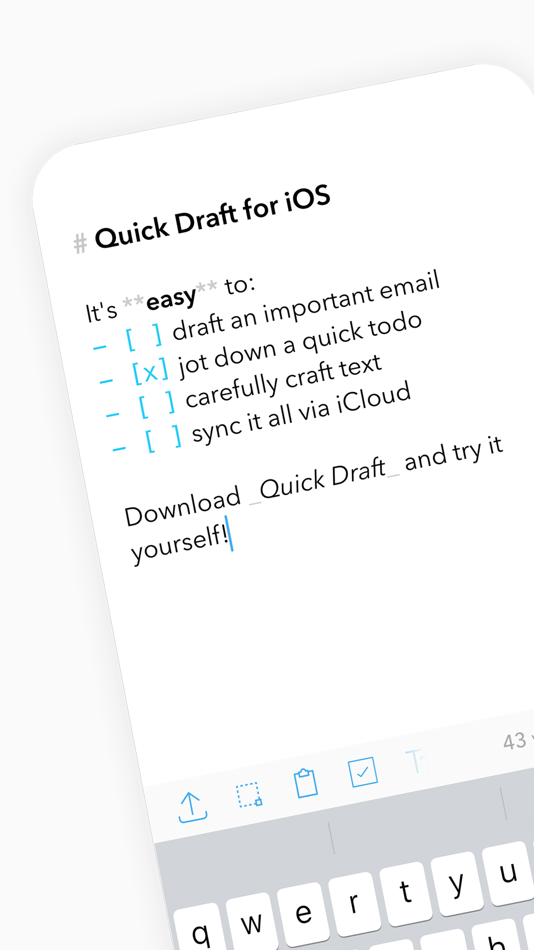
Turn fleeting thoughts into permanent records. Launch and start typing immediately with our distraction-free notepad interface. Create, edit, and manage notes on the go, then seamlessly share your content to any app with a single tap.
## Markdown-Powered Note Organization
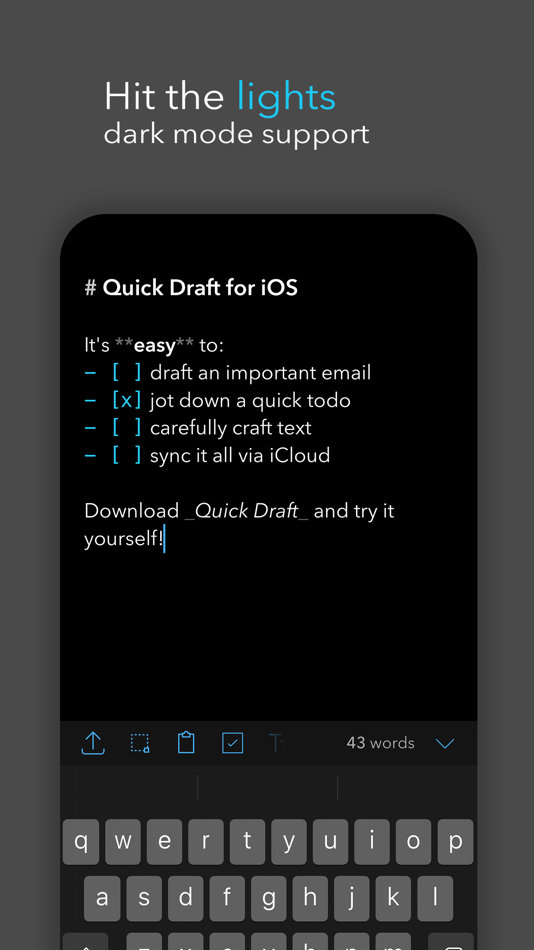
Elevate your notepad experience with intuitive markdown formatting. Quick Draft transforms simple text into beautifully structured notes, making it the perfect markdown companion for students, writers, and professionals alike.
## Intuitive Checklist Creation
Manage tasks effortlessly within your notes:
- Convert any line into an interactive checklist item
- Tap to toggle completion status
- Organize everything from shopping lists to project milestones in your notepad
## Seamless Multi-Device Sync
Your notepad travels with you. Quick Draft's iCloud integration ensures your notes are instantly available across all your devices, providing a consistent markdown experience whether you're using iPhone, iPad, or Mac.
Quick Draft: The essential markdown notepad that stays out of your way, letting you focus on capturing your thoughts.
Also available for macOS - your complete notepad ecosystem for all devices!
Screenshots


Price History
- Today: Free
- Minimum: Free
- Maximum: Free
Track prices
Developer


Rankings
0 ☹️
Lists
- Notepad Markdown: Quick Draft

Reviews
Be the first to review 🌟
Additional Information
- Version: 1.4.9
- Category:
macOS Apps›Productivity - OS:
iPad,iPhone,macOS,macOS 16.0 and up - Size:
7 Mb - Supported Languages:
Chinese,English,French,German,Spanish - Content Rating:
4+ - Mac App Store Rating:
4.7(93) - Updated:
- Release Date:
Contacts
- Website:
 https://quickdraft.app
«Notepad Markdown: Quick Draft» is a Productivity app for macOS, developed by «giddyapp». It was first released on and last updated on . This app is currently free. This app has not yet received any ratings or reviews on AppAgg. It has been added to 1 public lists and 1 private lists created by users. AppAgg has tracked 2 confirmed points plus 93 indirect points for this app. On Mac App Store, the current store rating is 4.7 based on 93 votes. Available languages: Chinese, English, French, German, Spanish. AppAgg continuously tracks the price history, ratings, and user feedback for «Notepad Markdown: Quick Draft». Subscribe to this app or follow its RSS feed to get notified about future discounts or updates.
Notepad Markdown: Quick Draft Short URL: Copied!- 🌟 Share
- Mac App Store
You may also like
-
- Markdown Notes App
- macOS Apps: Productivity By: Constellation Ltd
- Free
- Lists: 0 + 0 Rankings: 0 Reviews: 0
- Points: 2 + 3 (3.7) Version: 1.0.7 Markdown Editor Plus is the perfect app for anyone looking for a simple yet powerful tool to write and edit text in Markdown format. Designed with a clean and easy-to-use interface, ... ⥯
-
- Notepad--
- macOS Apps: Productivity By: Wuhu Manxiu Technology Co., Ltd.
- Free
- Lists: 0 + 0 Rankings: 0 Reviews: 0
- Points: 0 + 0 Version: 1.0.12 Notepad-- is a minimalist, local-first notepad designed for developers and technical users who need to capture ideas fast. CORE FEATURES Instant Capture - Press ⌘N to create a note and ⥯
-
- Quick Notes
- macOS Apps: Productivity By: loay setrak
- $0.99
- Lists: 0 + 0 Rankings: 0 Reviews: 0
- Points: 0 + 0 Version: 2.0.1 Quick Notes is a simple note taking App and Menu bar widget Features: - 15 Notes - Today View Widget - 13 Font Colours - 27 Font Sizes - Text Alignment options - iCloud Sync - App and ... ⥯
-
- Quick Join: Google Meet & Zoom
- macOS Apps: Productivity By: Erik Wegener
- Free
- Lists: 0 + 1 Rankings: 0 Reviews: 0
- Points: 4 + 0 Version: 1.7.1 Quick Join lets you join your meetings faster - no more digging around for that invite link! Quick Join retrieves the upcoming events over the next seven days from your calendar and ... ⥯
-
- Draft
- macOS Apps: Productivity By: 宇 凌
- $9.99
- Lists: 0 + 0 Rankings: 0 Reviews: 0
- Points: 0 + 0 Version: 1.0 Draft is an editor that can highlight Typst syntax and typeset a Typst document. ⥯
- New
- Draft - Team Communication
- macOS Apps: Productivity By: Mariano Malisani
- Free
- Lists: 0 + 0 Rankings: 0 Reviews: 0
- Points: 0 + 0 Version: 1.3 CONVERSATIONS THAT FLOW Send messages to teammates instantly with rich text, images, GIFs, and file attachments. Reply to specific messages, react with emoji, and keep conversations ... ⥯
-
- Notepad - Text Editor
- macOS Apps: Productivity By: 长江 吴
- * Free
- Lists: 0 + 1 Rankings: 0 Reviews: 0
- Points: 9 + 0 Version: 2.3 This is a basic text editor. No formatting, styles, graphics, or unnecessary frills. Get it now and avoid all those text formatting headaches! Also, do you need to remember something ... ⥯
-
- Notepad Menu Edition
- macOS Apps: Productivity By: Solaz Dazen srl
- $3.99
- Lists: 0 + 1 Rankings: 0 Reviews: 0
- Points: 3 + 0 Version: 2.0 Write your ideas quickly without disturbing your window setup. Notepad Menu Edition allows you to jot down text fast anywhere, any time. Focus entirely on the text you write with the ... ⥯
-
- Markdown Peek
- macOS Apps: Productivity By: Michael Thingmand
- Free
- Lists: 0 + 0 Rankings: 0 Reviews: 0
- Points: 1 + 0 Version: 1.0 Description: Markdown Peek is a simple, elegant markdown viewer for macOS. Set it as your default app for .md files and enjoy instant, beautiful rendering. Features: Instant Preview ... ⥯
-
- Quick Tab: App Switcher
- macOS Apps: Productivity By: Sergii Gerasimenko
- $1.99
- Lists: 0 + 1 Rankings: 0 Reviews: 0
- Points: 8 + 0 Version: 1.0 How many times a day do you press Command+Tab, only to endlessly click Tab until you find the application you're looking for? How much valuable time do you spend on such maneuvers? ... ⥯
-
- Markdown - Enjoy writing
- macOS Apps: Productivity By: xiao luo
- $7.99
- Lists: 1 + 0 Rankings: 0 Reviews: 0
- Points: 0 + 0 Version: 1.3.3 I'm Markdown, the Markdown editor for OS X. This is a powerful Markdown editor, very design, UI simple and user-friendly interactive experience, let us focus more on writing. Markdown ... ⥯
-
- Markdown Pro
- macOS Apps: Productivity By: RADSense Software
- $5.99
- Lists: 1 + 0 Rankings: 0 Reviews: 0
- Points: 0 + 0 Version: 1.0.9 Best Markdown Syntax Editor With Markdown PRO you can write beautiful documentation, notes, essays, term papers all by using plain text to tag your formatting such as bold, italic, ... ⥯
-
- Markdown+ Text & Code Editor
- macOS Apps: Productivity By: Zetegy LLC
- $4.99
- Lists: 0 + 0 Rankings: 0 Reviews: 0
- Points: 1 + 0 Version: 1.8.10 Introducing the native, real-time Markdown editor with superpowers. Markdown+ has been meticulously crafted for Vision Pro, iPhone, iPad, and Mac. With blazing-fast performance and ... ⥯
-
- NotePad - Simple Editor Text
- macOS Apps: Productivity By: Lucian Boiangiu
- $1.99
- Lists: 0 + 0 Rankings: 0 Reviews: 0
- Points: 1 + 0 Version: 1.0.1 Edit and write text in the menu bar window, easily and on the go, while doing other things on your Mac at the same time. Freely Resize the menu bar window by dragging the margins like ... ⥯