
Saved
Choose the name that will be shown in your Saved menu.
Done!
| Developer: | Maryam Touimi Benjelloun (1) | ||
| Price: | Free | ||
| Score: | 660 Silver | ||
| Rankings: | 0 | ||
| Comments: | 0 Add a comment | ||
| Lists: | 0 + 0 | ||
| Points: | 0 + 0 ¡ | ||
| +1 Points | |||
Description

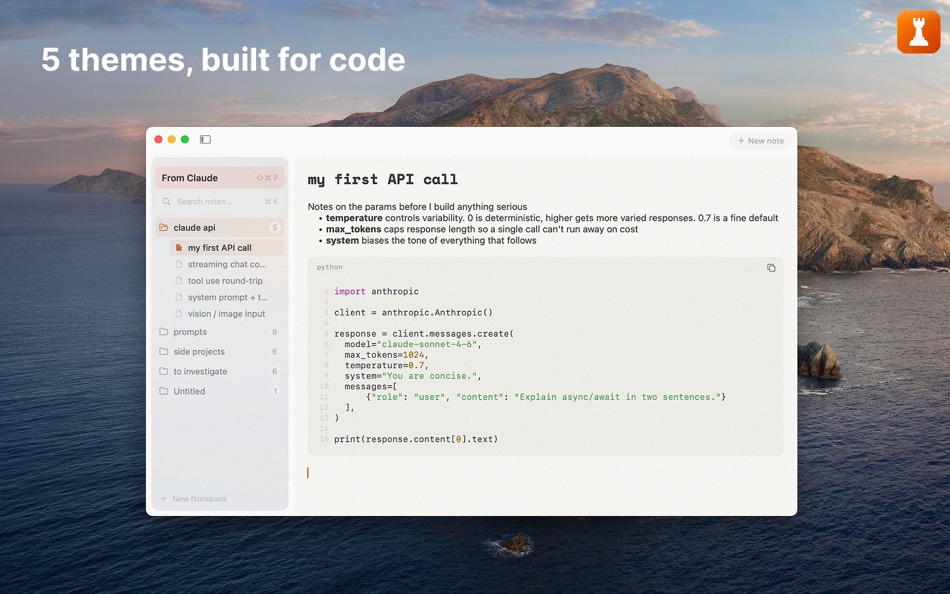
Rook is a fast, minimal notes app for the code you write, paste, and keep around. Syntax-highlighted code blocks, auto language detection, full-text search, and themes tuned for code-block density.
Made for developers, students, tinkerers, and anyone who copy-pastes code.
Getting started is one click. No signup or cloud setup needed. Notes are stored locally on your Mac.
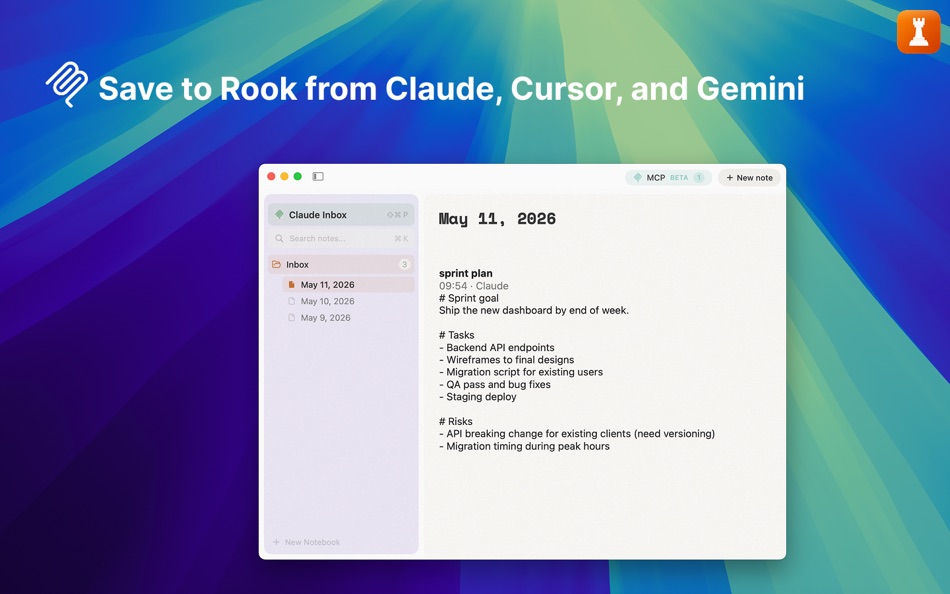
Rook 1.3.0 introduces optional support for the Model Context Protocol (MCP), the open standard for connecting AI assistants to tools. With it enabled, Claude Code, Claude Desktop, Cursor, and Gemini CLI can save notes into Rook through a local, write-only connection. Each AI gets its own inbox. The feature is disabled by default.
REAL CODE BLOCKS
- Syntax highlighting via TreeSitter for the major languages
- Auto language detection on paste from terminals or editors
- Smart paste from URL, image, RTF, terminal, and markdown sources
- Single-press undo and redo for every action. Notes auto-save as you write.
MARKDOWN WHERE IT BELONGS
- Headings, bold, italic, lists, links, blockquotes, inline code
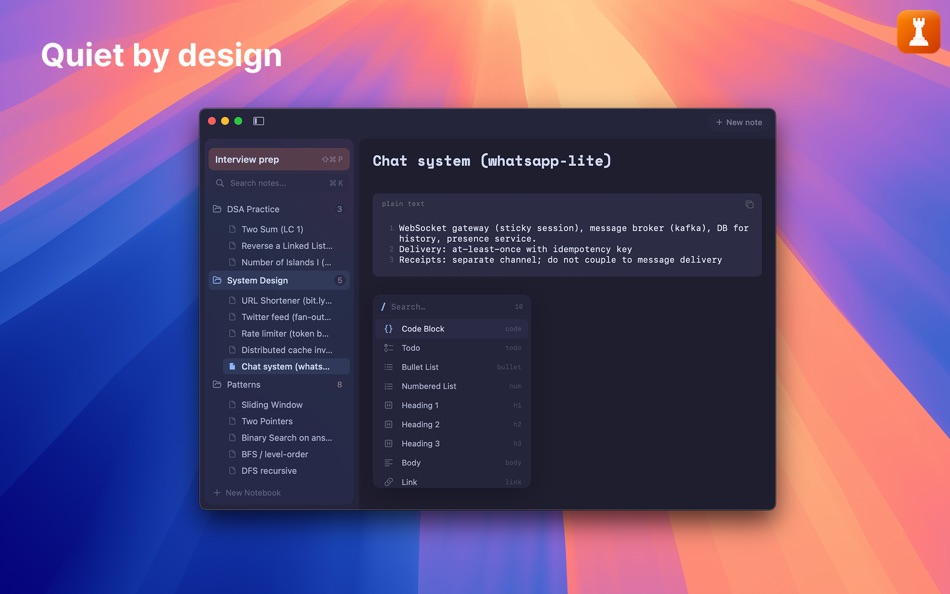
- Slash menu and selection toolbar for quick formatting
- Zoom by view-level magnification
ORGANIZE THE WAY YOU THINK
- Three levels: collections, notebooks, and notes
- Full-text search across notes, notebook names, and collection names
- Quick preview by pressing Space
- Deleted notes can be restored from Trash
FIVE THEMES, TUNED FOR CODE
- Light, dark, and editor-aware variants
- Color palettes calibrated to read well at code-block density
- One-click switching from Settings > Appearance
IMPORT FROM SNIPPETSLAB
- One-click import preserves folders, tags, and code formatting
WHAT'S NEXT
- A Pro tier with AI features is in development along with more features on the Free plan
- See the changelog at userook.app/changelog for release notes
Screenshots


Ad
Price History
- Current price: Free
- Minimum: Free
- Maximum: Free
Track prices
AppAgg Score
660
Estimated AppAgg Score for
Rook: Code Notes
660 Silver
Higher scores usually mean stronger signals on AppAgg.
Based on: popularity · ratings · freshness · deals · store data · community signals
Recalculated daily using fresh AppAgg data.
Short URL: Copied!
What's new
- Version: 1.3.0
- Last Updated:
- Rook 1.3.0 adds support for the Model Context Protocol (MCP). Claude Code, Claude Desktop, Cursor, and Gemini CLI can save notes to Rook through a local, write-only connection. Each AI gets its own inbox, grouped one note per day. Off by default. Open Settings → MCP to set up.
Also in this release:
• Import options for SnippetsLab folders (everything into one collection, or one collection per SnippetsLab folder)
• Hold Shift to select multiple notes or notebooks for moving or deleting in one pass
• Improved code-block highlighting on theme switches, smoother sidebar animation, and assorted editor fixes
Additional Information
- Release Date:
- Category:
macOS Apps›Productivity - OS:
macOS,macOS 14.0 and up - Size:
13 Mb - Supported Languages:
English - Content Rating:
4+ - Mac App Store Rating:
0 - Website:
 https://www.userook.app
Developer
- Maryam Touimi Benjelloun
- Platforms: macOS Apps (1)
- Lists: 0 + 0
- Points: 0 + 0 ¡
- Rankings: 0
- Comments: 0
- Deals: 0
- Videos: 0
- RSS: Subscribe
Lists (0)
0
- Rook: Code Notes
Points (0)
0
Rankings (0)
0
Comments (0)
Be the first to comment
Summary
Rook: Code Notes Short URL: Copied!- Share
- Mac App Store
«Rook: Code Notes» is a Productivity app for macOS, developed by «Maryam Touimi Benjelloun». It was first released on and last updated on . This app is currently free. This app has not yet received any ratings on AppAgg. Available languages: English. AppAgg continuously tracks the price history, ratings, and user feedback for «Rook: Code Notes». AppAgg does not host applications or distribute software. All trademarks, logos and screenshots belong to their respective owners. Subscribe to this app or follow its RSS feed to get notified about future deals or updates.
Similar
-
- Notes Hub & Tasks
- macOS Apps: Productivity By: ALEKSANDR KOFMAN
- $1.99
- Lists: 0 0 0
- Points: 0 + 0 580 Version: 1.0 Notes Hub is a beautifully designed, clutter-free productivity app that combines note-taking and task management in one seamless experience. Perfect for professionals, students, and ... ⥯
-
- Code Piper Lite
- macOS Apps: Productivity By: RockieStar Inc.
- * Free
- Lists: 0 + 1 0 0
- Points: 5 + 0 1K Version: 1.1.4 Unlock the full potential of your Mac with Code Piper, the smartest way to handle SMS verification codes! Tired of manually copying SMS verification codes? Worry no more! CodePiper ... ⥯
-
- Notes Web Clipper
- macOS Apps: Productivity By: Anton Podviaznikov
- Free
- Lists: 1 0 0
- Points: 1 + 0 670 Version: 1.0 Save content from the web to the Notes app. ⥯
-
- Notes Writer - for Note Taking
- macOS Apps: Productivity By: Global Executive Consultants (Shanghai) Ltd
- $4.99
- Lists: 0 0 0
- Points: 0 + 0 600 Version: 6.8 Students, teachers, and business professionals use Note Writer daily to take notes, annotate PDFs, mark-up photos, record lectures, provide audio feedback and more. It is uniquely ... ⥯
-
- Notes for Safari
- macOS Apps: Productivity By: luca calciano
- $0.99
- Lists: 0 0 0
- Points: 0 + 0 590 Version: 1.3 The quickest way to take notes on Safari! Need to take notes and save them when you are browsing on internet? This will no longer be a problem when using this app... you will always ... ⥯
-
- Floating Notes for Obsidian
- macOS Apps: Productivity By: Ilarion Ioannidis
- $4.99
- Lists: 0 0 0
- Points: 0 + 0 590 Version: 1.3.2 Never lose a thought again with Floating Notes for Obsidian! Obsidian Floating Notes is a macOS menu bar app that puts your Obsidian vault one keystroke away. Capture ideas, meeting ... ⥯
-
- Daily Notes Planner
- macOS Apps: Productivity By: Truth Honest Messaging, Inc.
- * Free
- Lists: 0 + 2 0 0
- Points: 5 + 0 5K Version: 10.15 As a much simpler calendar app than the built-in iCalendar app, Daily Notes Planner allows you to type in plain-text-notes for every date (no complicated hourly scheduling or reminders ⥯
-
- Time Code Jumper for YouTube
- macOS Apps: Productivity By: Maksym Diachenko
- Free
- Lists: 0 0 0
- Points: 1 + 0 570 Version: 1.2 Tired of navigating back to comments section when you clicked a time code? This extension let you jump back to a comment which you clicked a time code from. ⥯
-
- Quick Notes
- macOS Apps: Productivity By: loay setrak
- $0.99
- Lists: 0 0 0
- Points: 0 + 0 570 Version: 2.0.1 Quick Notes is a simple note taking App and Menu bar widget Features: - 15 Notes - Today View Widget - 13 Font Colours - 27 Font Sizes - Text Alignment options - iCloud Sync - App and ... ⥯
-
- Lucid-Notes
- macOS Apps: Productivity By: Sardorbek Rakhimov
- * Free
- Lists: 0 0 0
- Points: 2 + 0 1K Version: 1.9.9 Your Mac already has a notes app. Lucid Notes isn't here to replace it it's the companion tool that sits on top of everything else. Read your script hands-free with a built-in ... ⥯
- New
- Aether - Notes Vault
- macOS Apps: Productivity By: r:labs studio
- * Free
- Lists: 0 0 0
- Points: 0 + 0 1K Version: 1.2.2 Aether a private space for your thoughts. Write without friction. Capture ideas, plans, secrets, and code in a lean markdown editor built for focus. No bloat. No folders. Just tags, ... ⥯
-
- Quill - Notes app
- macOS Apps: Productivity By: ASHVIN SUTHAR
- $0.99
- Lists: 0 0 0
- Points: 1 + 0 1K Version: 1.0.1 Forget messy notes and scattered thoughts! Quill Notes App keep your life organized with: → Easy writing made even easier: Type & edit notes instantly with a handy toolbar that puts ... ⥯
-
- Sticky Notes - Post-it notes
- macOS Apps: Productivity By: Pawan Dixit
- $1.99
- Lists: 0 + 1 0 0
- Points: 0 + 0 650 Version: 1.0.5 Refund available within 14 days, no questions asked. To do that, click on 'Report a problem' on the app page and select 'Request a refund'. *Features at a glance* 1. Put sticky notes ... ⥯
-
- Sticky Notes for Safari
- macOS Apps: Productivity By: Pierre Stanislas
- $2.99
- Lists: 0 0 0
- Points: 2 + 0 690 Version: 1.3 Sticky Notes for Safari is a powerful yet lightweight extension for macOS and iOS that lets you create, manage, and customize sticky notes directly on the websites you visit. Whether ... ⥯