
| ผู้พัฒนา: | Upnexo Technologies Private Limited (5) | ||
| ราคา: | $2.99 | ||
| การจัดอันดับ: | 0 | ||
| ความเห็น: | 0 เขียนความเห็น | ||
| รายการ: | 0 + 0 | ||
| แต้มแล: | 3 + 0 ¡ | ||
| Mac App Store | |||
คำอธิบาย
*** Best Window Management app since 2010. ***
Super Simple Window Management.
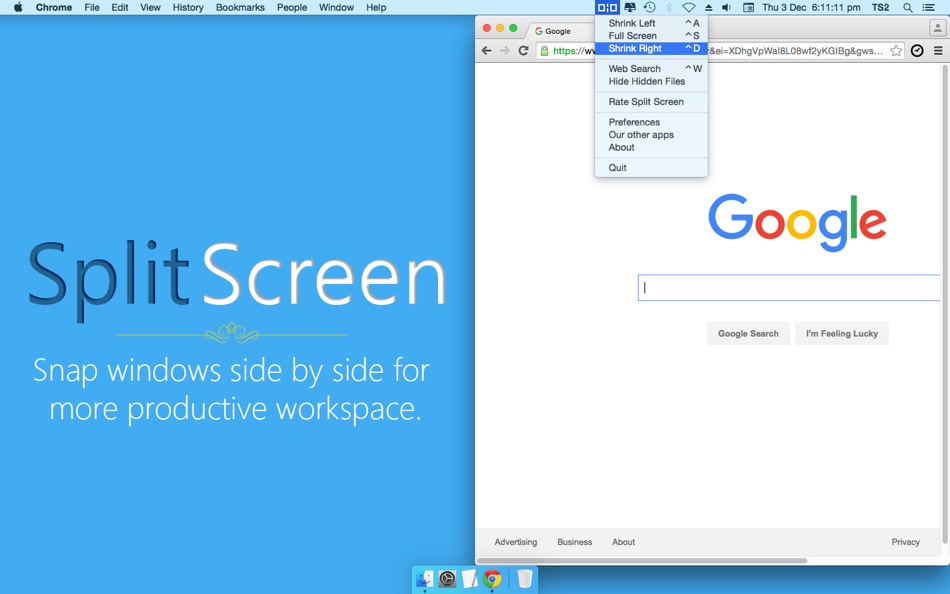
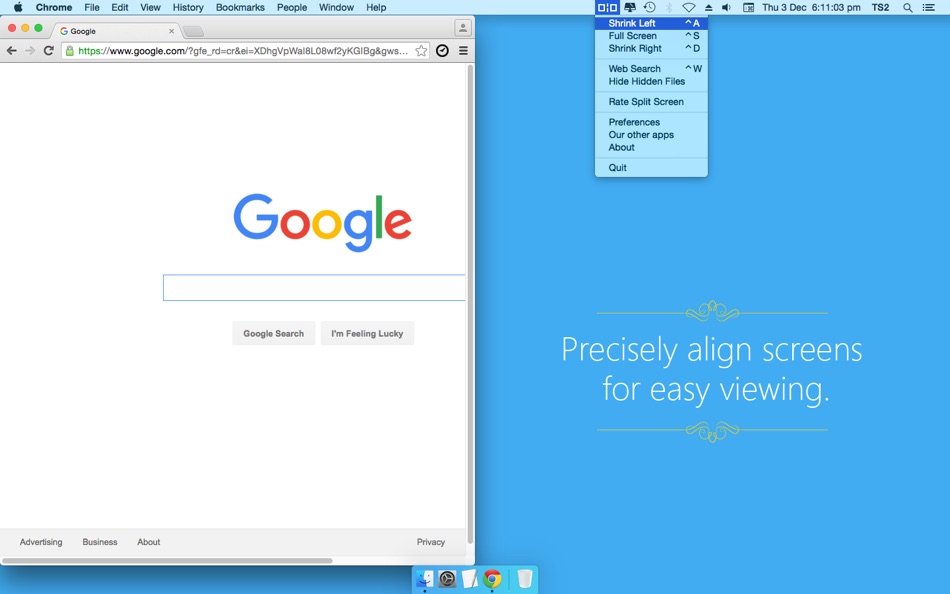
Split Screen allows you to effortlessly resize windows to exactly half your desktop at the touch of a simple keystroke. Gone are the days of trying to resize windows to fit nicely next to each other, with Split Screen it is as easy as pressing a button.
Supported Actions:
- Resize window left
- Resize window right
- Resize window to full screen
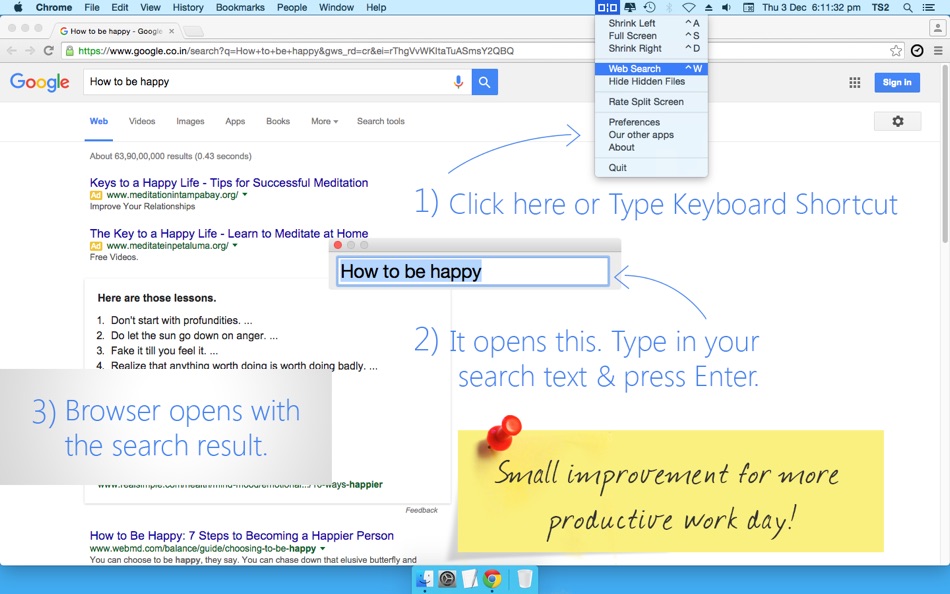
Split Screen is fully configurable, allowing you to choose which shortcut keys to use.
Split Screen supports about 90% of apps (some apps are not designed to be resized) and we are adding support to new apps all the time.
NOTE: This app does not support Dual monitors. For Dual Monitor support, please visit SplitScreenApp.com and get Split Screen Ultimate.
Ad
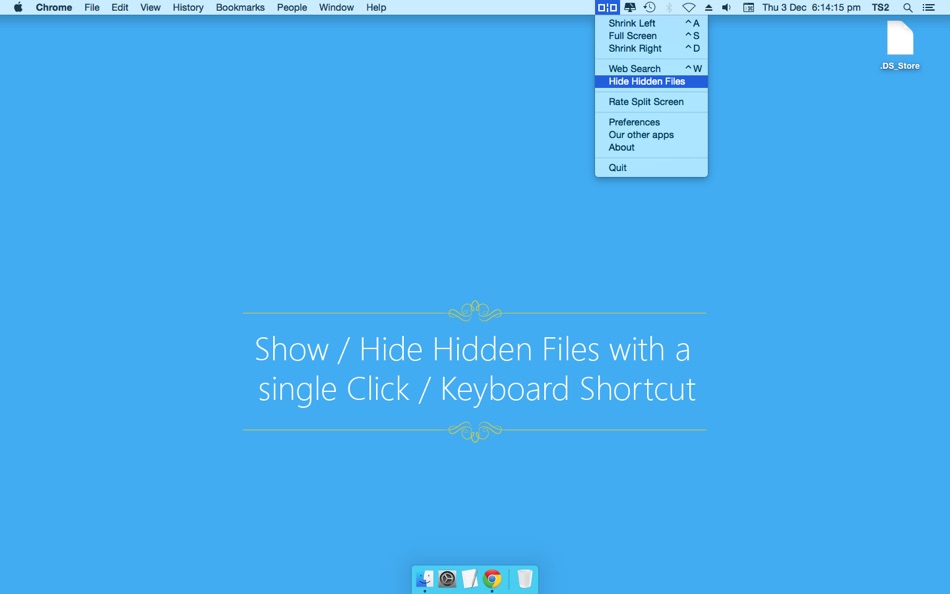
ภาพหน้าจอ
ราคา
- วันนี้: $2.99
- ต่ำสุด: $0.99
- มากที่สุด: $8.99
ติดตามราคา
Ad
ผู้พัฒนา
- Upnexo Technologies Private Limited
- แพลตฟอร์ม: macOS แอป (5)
- รายการ: 0 + 0
- แต้มแล: 7 + 0 ¡
- การจัดอันดับ: 0
- ความเห็น: 0
- ลดราคา: 0
- วิดีโอ: 0
- RSS: ติดตาม



การจัดอันดับ
0 ☹️
รายการ
0 ☹️
- Split Screen
ความเห็น
แสดงรีวิวเป็นคนแรกเลย 🌟
ข้อมูลเพิ่มเติม
รายชื่อติดต่อ
- เว็บไซท์:
 https://splitscreenapp.com/
Split Screen URL แบบสั้น: คัดลอกแล้ว!- 🌟 แชร์
- Mac App Store
คุณอาจชอบ
-
- Split Screen for Safari
- macOS แอป: ประสิทธิภาพการผลิต โดย: 缤 黄
- $0.99
- รายการ: 0 + 0 การจัดอันดับ: 0 ความเห็น: 0
- แต้มแล: 0 + 0 เวอร์ชัน: 1.1.2 Enhance your browsing experience with Split Screen for Safari, a powerful web extension that brings multitasking to a whole new level! This extension empowers you to effortlessly ... ⥯
-
- Screen Recorder by Omi
- macOS แอป: ประสิทธิภาพการผลิต โดย: JingZhi He
- * ฟรี
- รายการ: 0 + 1 การจัดอันดับ: 0 ความเห็น: 0
- แต้มแล: 10 + 0 เวอร์ชัน: 1.3.27 Screen Recorder for Mac is a powerful tool that allows you to quickly and easily capture your computer screen in high-quality video format. With just one click, you can record the full ⥯
-
- Screen Mirror: Cast Anywhere
- macOS แอป: ประสิทธิภาพการผลิต โดย: Erik Wegener
- $2.99
- รายการ: 0 + 0 การจัดอันดับ: 0 ความเห็น: 0
- แต้มแล: 0 + 0 เวอร์ชัน: 1.4 Screen Mirror makes your screen accessible on any device in your network that has a web browser. Simply start Screen Mirror and open the URL on your other device, and you will see a ... ⥯
-
- Screen Bandit for Mac OS X
- macOS แอป: ประสิทธิภาพการผลิต โดย: Milos Rankovic
- ฟรี
- รายการ: 0 + 0 การจัดอันดับ: 0 ความเห็น: 0
- แต้มแล: 0 + 0 เวอร์ชัน: 1.0 Ever wondered why floating windows do not really float? With Screen Bandit anything can be made to actually float, glide, hover, move out of your way, yet remain always visible. To see ⥯
-
- Screen Barcode Detector
- macOS แอป: ประสิทธิภาพการผลิต โดย: Masaharu Tsukamoto
- $0.99
- รายการ: 0 + 1 การจัดอันดับ: 0 ความเห็น: 0
- แต้มแล: 4 + 0 เวอร์ชัน: 1.0.1 Screen Barcode Detector is an application that scans QR and barcode displayed on the screen. How to use Launch this application and display a QR or barcode on the screen, and it will ... ⥯
-
- Screen Tint
- macOS แอป: ประสิทธิภาพการผลิต โดย: FIPLAB Ltd
- $2.99
- รายการ: 0 + 1 การจัดอันดับ: 0 ความเห็น: 0
- แต้มแล: 0 + 0 เวอร์ชัน: 1.0.6 Screen Tint is a handy utility app that is designed to reduce the brightness of your Mac s screen, proving particularly useful for users with sensitive eyes and for those that wish to ... ⥯
-
- Screen-Record
- macOS แอป: ประสิทธิภาพการผลิต โดย: 育平 姚
- $4.99
- รายการ: 0 + 0 การจัดอันดับ: 0 ความเห็น: 0
- แต้มแล: 1 + 0 เวอร์ชัน: 3.1 Screen-Record is a powerful screen record app. It can screen record and support edit the video. Select Area Auto-identify windows, menus etc Magnifying glass help you accurate select ... ⥯
-
- Screen Recorder - Pro Lite
- macOS แอป: ประสิทธิภาพการผลิต โดย: Alessandro Gimenes Ferri
- $2.99
- รายการ: 0 + 1 การจัดอันดับ: 0 ความเห็น: 0
- แต้มแล: 8 + 0 เวอร์ชัน: 4.68 Record your screen, camera, and mic together or separately perfect for tutorials, actions, and seamless PiP. Capture Screen and Camera, Together or Separately! Elevate your content ... ⥯
-
- Screen Mirror to TV & Device
- macOS แอป: ประสิทธิภาพการผลิต โดย: Raymond NG
- * ฟรี
- รายการ: 1 + 0 การจัดอันดับ: 0 ความเห็น: 0
- แต้มแล: 3 + 0 เวอร์ชัน: 2.3.4 Mirror your Mac's screen to multiple devices simultaneously with virtually zero-second delay! You can mirror your Mac's screen to multiple devices simultaneously. Any digital device ... ⥯
-
- Screen Size Tools
- macOS แอป: ประสิทธิภาพการผลิต โดย: 君 许
- * ฟรี
- รายการ: 0 + 1 การจัดอันดับ: 0 ความเห็น: 0
- แต้มแล: 1 + 0 เวอร์ชัน: 5.6 Introducing Screen Size Tools, the ultimate utility app designed to enhance your Mac experience with a suite of powerful and convenient features. Whether you're a multitasker, a ... ⥯
-
- Screen Video & Webcam Recorder
- macOS แอป: ประสิทธิภาพการผลิต โดย: Tempo Labs, LLC
- * ฟรี
- รายการ: 0 + 0 การจัดอันดับ: 0 ความเห็น: 0
- แต้มแล: 0 + 0 เวอร์ชัน: 1.1.8 A powerful screen recording tool is designed to capture anything happening on your computer screen, transforming complex information into shareable, engaging content. Whether you re ... ⥯
-
- Screen Annotator
- macOS แอป: ประสิทธิภาพการผลิต โดย: Prasanna Kumar Tumula
- ฟรี
- รายการ: 0 + 0 การจัดอันดับ: 0 ความเห็น: 0
- แต้มแล: 0 + 0 เวอร์ชัน: 1.0 Annotate Anywhere, Anytime. ScreenAnnotator is the lightweight, native macOS utility that turns your entire screen into a whiteboard(Glass board to be specific). Whether you are ... ⥯
-
- Screen Cursor
- macOS แอป: ประสิทธิภาพการผลิต โดย: 意 田
- ฟรี
- รายการ: 0 + 0 การจัดอันดับ: 0 ความเห็น: 0
- แต้มแล: 1 + 0 เวอร์ชัน: 1.2 The screen cursor is a tool to highlight the cursor position. Make cursor movement and click clear at a glance. It is suitable for use in conferences, teaching, video tutorial ... ⥯
-
- Screen text getter
- macOS แอป: ประสิทธิภาพการผลิต โดย: AKATSUKI, LIMITED LIABILITY CO.
- $4.99
- รายการ: 0 + 0 การจัดอันดับ: 0 ความเห็น: 0
- แต้มแล: 0 + 0 เวอร์ชัน: 1.0.4 Extract text by OCR from the screenshot of the screen. 1.Press Take a screenshot button 2.Select where you want to extract the text 3.Extracts text that can be copied to the clipboard ... ⥯