
| Entwickler: | Catalystwo (20) | ||
| Preis: | $24.99 | ||
| Klassifizierungen: | 0 | ||
| Rezensionen: | 0 Rezension schreiben | ||
| Listen: | 0 + 0 | ||
| Punkte: | 1 + 0 ¡ | ||
| Mac App Store | |||
Beschreibung

Watch the demonstration video here ▶ https://vimeo.com/62485482
[This app includes the functionality of Popup Window app]
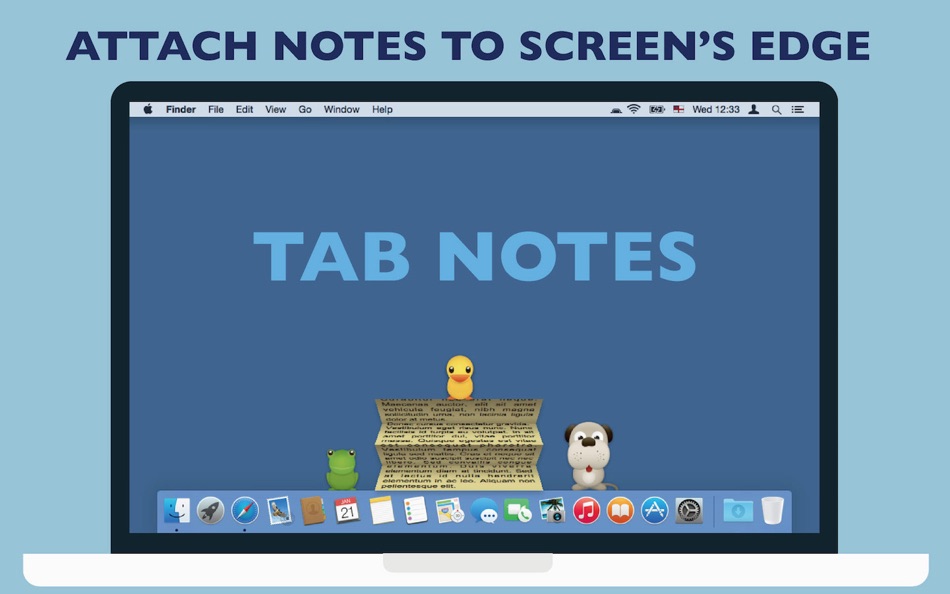
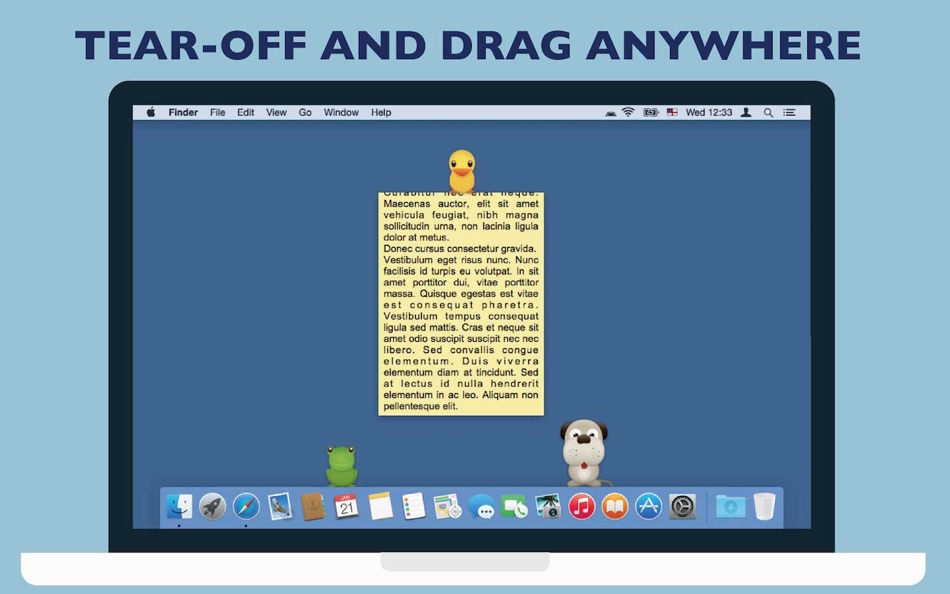
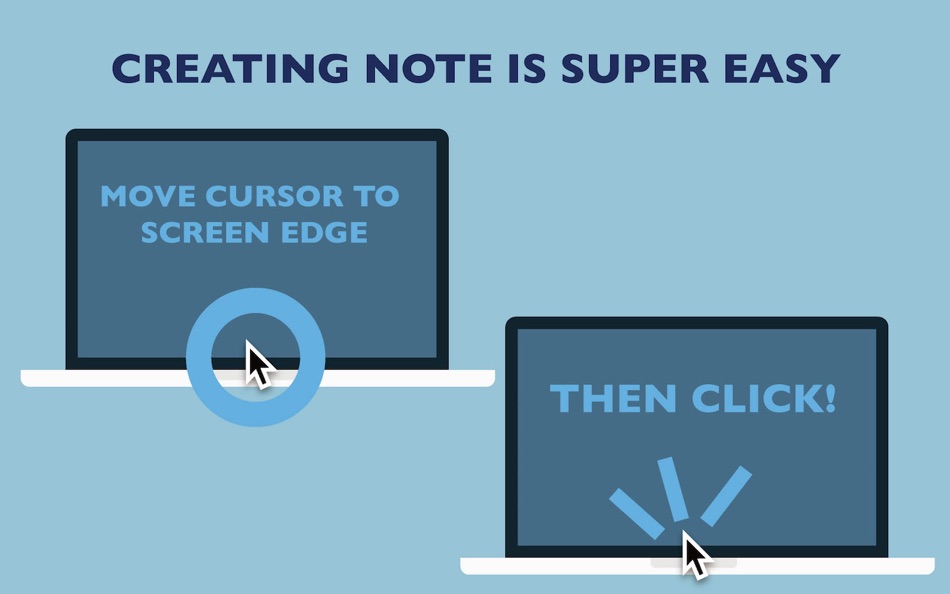
• Click on your screen's edge to take a note.
• Document file types are conventional RTF (Rich Text) and RTFD (Rich Text with images). Not proprietary format. (This application uses "Comment" property in RTF. )
• RTF documents can be synchronized with iPhone via Dropbox. This means you can view them from any device with Dropbox installed.
• Documents folder can be any folder in your home folder.
• Supports versioning. OSX keeps documents' previous versions. (This app does not contain version browser. Please use TextEdit to browse version files.)
• The app has built-in short term backup system. Changes made to notes will be kept for 3 days in the backup folder (you can open it from the preferences). For more comprehensive backup system, we recommend other application.
• Customisable with original themes created in Tab Notes Theme Editor:
https://itunes.apple.com/us/app/tab-notes-theme-editor/id665702825?ls=1&mt=12
* This application is a "menu bar app". The application icon does not appear in "Dock". Instead it appears in main menu bar. You can change preferences from the icon in the main menu bar.
■■FAQ■■
Q. The application does not open. It does't work.
A. This app is a menu bar app. App icon does not appear in Dock. It is designed to serve you discreetly without occupying Dock space. The application icon appears in the right part of the main menu bar at the top of the screen.
Q. Tab did not appear. Where can I add my notes?
A. Just click the screen edge. Please see the video https://vimeo.com/62485482
Q. It would not let me delete the app.
A. Finder does not let you delete an app that is currently running. Quit the app first. To quit the app, choose Quit from this application's menu in the main menu bar at the top of the screen. (Even though this app may be running, while in stand by, its CPU power usage is almost nothing.)
Q. Isn't there any "Preferences" for this app?
A. Yes there are. The menu icon of this app is located in the right part of the main menu bar at the top of the screen. You can choose this app's Preferences here.
Q. How do I change themes or background colour?
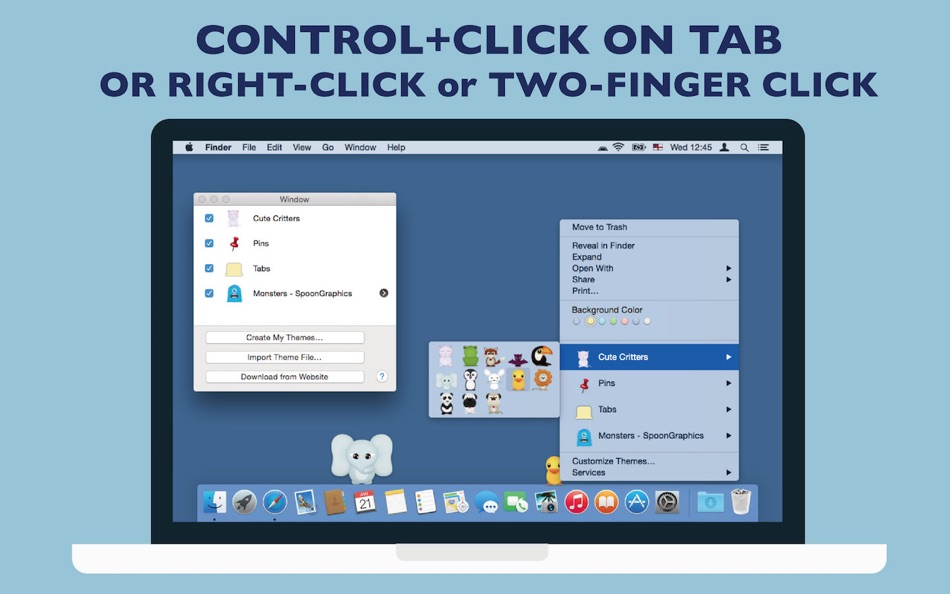
A. Press and hold Control key then click a tab. Contextual menu appears. (Depending on device configurations, right-click on mouse or two finger click on track pad may be used.)
Q. Can I try for free before purchasing?
There is a free "Lite" version on this App Store. The number of notes is limited to 3 and it does not have Popup Window functionality in Tab Notes Lite.
----
Copyright CuteCritters http://www.Tutorial9.net/
Copyright SpoonGraphics http://blog.spoongraphics.co.uk
Ad
Screenshots



Preis
- Heute: $24.99
- Mindestens: $7.99
- Maximale: $24.99
Preise beobachten
Ad
Entwickler
- Catalystwo
- Plattformen: iOS Apps (15) macOS Apps (5)
- Listen: 1 + 1
- Punkte: 6 + 863 ¡
- Klassifizierungen: 0
- Rezensionen: 0
- Rabatte: 0
- Videos: 2
- RSS: Abonnieren
Punkte
-

- 3,463 Dragon
- +1

Klassifizierungen
0 ☹️
Listen
0 ☹️
- Tab Notes
Rezensionen
Schreiben Sie die erste Bewertung 🌟
Weitere informationen
- Version: 2.4.1
- Kategorie:
macOS Apps›Produktivität - Betriebssysteme:
macOS,macOS 10.9 oder höher - Größe:
5 Mb - Unterstützte Sprachen:
English,Japanese - Altersfreigabe:
4+ - Mac App Store Bewertung:
0 - Aktualisiert:
- Veröffentlichungsdatum:
Tab Notes Kurz-URL: Kopiert!- 🌟 Teilen
- Mac App Store
Das könnte Ihnen auch gefallen
-
- Tab Notes Theme Editor
- macOS Apps: Produktivität Von: Catalystwo
- Kostenlos
- Listen: 0 + 0 Klassifizierungen: 0 Rezensionen: 0
- Punkte: 2 + 0 Version: 1.0.4 You can create your own themes for Tab Notes. * Please note: The header sizing bar in the preview popover is for preview purpose only. If you need to adjust size, please use Tab Notes ... ⥯
-
- Tab Space
- macOS Apps: Produktivität Von: 渊 周
- $2.99
- Listen: 1 + 1 Klassifizierungen: 0 Rezensionen: 0
- Punkte: 0 + 0 Version: 3.13 Tab Space is a Safari extension app designed to enhance web browsing productivity. Tab Space includes the following features: 1. Save & Restore Tabs Save your browsing tabs with just ... ⥯
-
- Tab Browser - MenuTab for Web Browsing for Mac OS X
- macOS Apps: Produktivität Von: Bastian Roessler
- $1.99
- Listen: 1 + 0 Klassifizierungen: 0 Rezensionen: 0
- Punkte: 0 + 0 Version: 2.0.0 Tab Browser is the quick and easy way to always have an eye on the website that matters to you the most! Sitting in your Mac's menu bar, your favorite website is never more than one ... ⥯
-
- Tab Reloader
- macOS Apps: Produktivität Von: Bermet Kasykeeva
- Kostenlos
- Listen: 0 + 0 Klassifizierungen: 0 Rezensionen: 0
- Punkte: 0 + 0 Version: 0.6.4 Tab reloader provides a toolbar panel to perform infinite reloading jobs on individual tabs. You can define a custom period with a random variation for each tab. Tab reloading jobs can ⥯
-
- Tab Search
- macOS Apps: Produktivität Von: Tuan Nguyen
- $1.99
- Listen: 0 + 0 Klassifizierungen: 0 Rezensionen: 0
- Punkte: 0 + 0 Version: 1.0 Tab Search is a practical web extension designed to simplify tab management in your browser. This Safari extension introduces a fuzzy search function that helps you find tabs quickly, ... ⥯
-
- Tab Finder Lite for Safari
- macOS Apps: Produktivität Von: Oleh Kopyl
- Kostenlos
- Listen: 1 + 0 Klassifizierungen: 0 Rezensionen: 0
- Punkte: 0 + 0 Version: 1.4.4 Search, navigate, and organize your browsing history faster than ever. This lightweight Safari extension enhances productivity with quick tab switching and search. Navigate in the ... ⥯
-
- Tab Application Switcher
- macOS Apps: Produktivität Von: BRONSON EDWARD MCKINLEY
- Kostenlos
- Listen: 0 + 0 Klassifizierungen: 0 Rezensionen: 0
- Punkte: 1 + 0 Version: 1.2.0 Switch between browser tabs using Alt+Tab, just like switching between apps on your computer. Features: Most Recently Used (MRU) tab ordering - your last tab is always one keystroke ... ⥯
-
- Tab Control Center
- macOS Apps: Produktivität Von: Robin Lieb
- Kostenlos
- Listen: 0 + 0 Klassifizierungen: 0 Rezensionen: 0
- Punkte: 2 + 0 Version: 1.0.0 Tab Control Center is a browser extension that adds the functionality to Safari to set a limit of allowed open tabs. When the limit is reached the extension closes automatically the ... ⥯
-
- Tab Snooze
- macOS Apps: Produktivität Von: Pawan Dixit
- $0.99
- Listen: 0 + 0 Klassifizierungen: 0 Rezensionen: 0
- Punkte: 0 + 0 Version: 1.0.1 Tab Snooze lets your schedule your browser tabs to come back at a later point in time. It works just like the snooze function in your email. When you snooze an email for tomorrow your ... ⥯
-
- Tab for Trello
- macOS Apps: Produktivität Von: Joacim Ståhl
- * $0.99
- Listen: 0 + 0 Klassifizierungen: 0 Rezensionen: 0
- Punkte: 0 + 0 Version: 1.1 Tab for Trello that gives you fast and instant access to Trello directly from your toolbar. Manage your work via boards and tasks faster than ever. Just click the Tab for Trello icon ... ⥯
-
- Tab Control
- macOS Apps: Produktivität Von: Clever Armadillo LLC
- $1.99
- Listen: 0 + 0 Klassifizierungen: 0 Rezensionen: 0
- Punkte: 0 + 0 Version: 2024.1.0 Tab Control allows you to switch between the two most recently used tabs in Safari. The default keyboard shortcut for switching between tabs is CMD+SHIFT+H. You can also copy the ... ⥯
-
- Notes Hub & Tasks
- macOS Apps: Produktivität Von: ALEKSANDR KOFMAN
- $1.99
- Listen: 0 + 0 Klassifizierungen: 0 Rezensionen: 0
- Punkte: 0 + 0 Version: 1.0 Notes Hub is a beautifully designed, clutter-free productivity app that combines note-taking and task management in one seamless experience. Perfect for professionals, students, and ... ⥯
-
- Tab for a Cause
- macOS Apps: Produktivität Von: Gladly
- Kostenlos
- Listen: 0 + 0 Klassifizierungen: 0 Rezensionen: 0
- Punkte: 0 + 0 Version: 1.0 Raise money for charity with every tab you open in Safari! Just by surfing the web, you can build libraries, plant trees, help shelter cats, send emergency aid, give clean water, and ... ⥯
-
- Notes.ai
- macOS Apps: Produktivität Von: Meisheng Zhou
- * Kostenlos
- Listen: 1 + 2 Klassifizierungen: 0 Rezensionen: 0
- Punkte: 8 + 0 Version: 3.0.2 Quickly and easily transcribe audio files into organized transcripts using local AI models. Whether you're recording a meeting, lecture, or other important audio, Notes.ai quickly and ... ⥯