
| Developer: | Taichi Ishikawa (2) | ||
| Price: | $4.99 | ||
| Rankings: | 0 | ||
| Reviews: | 0 Write a Review | ||
| Lists: | 1 + 1 | ||
| Points: | 0 + 0 ¡ | ||
| Mac App Store | |||
Description

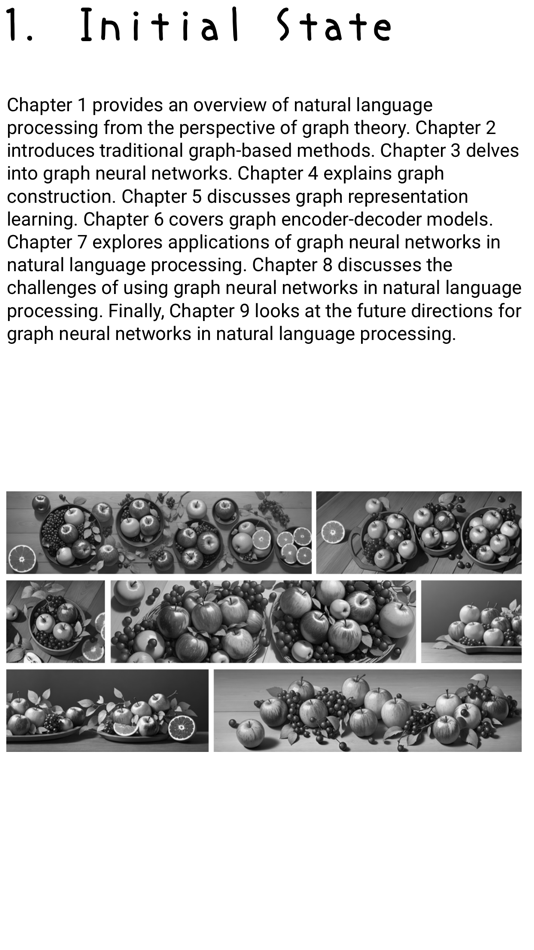
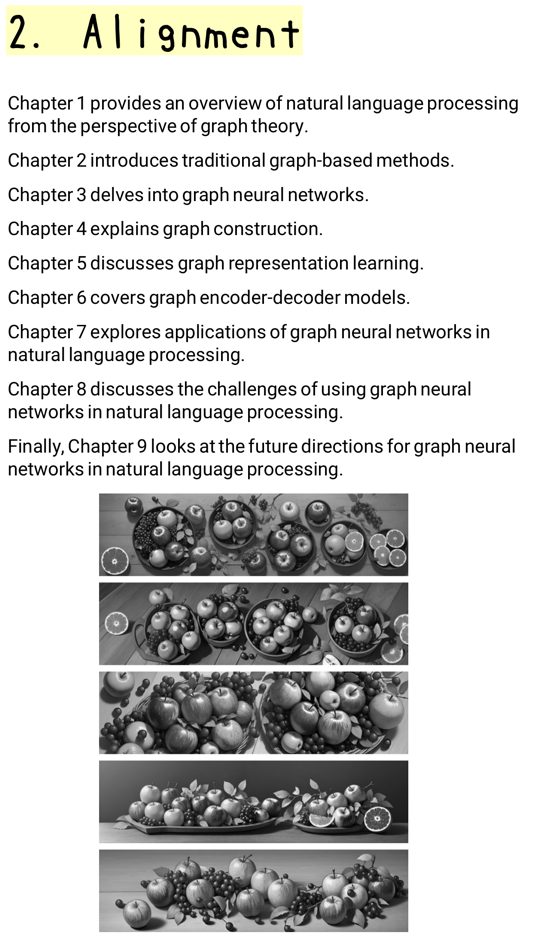
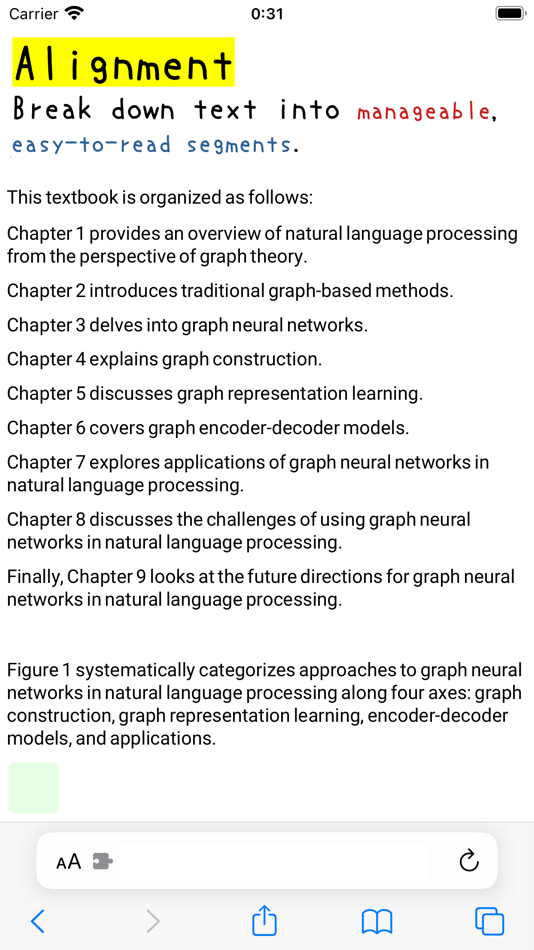
- Automatically split sentences into shorter ones and align them (left or right)
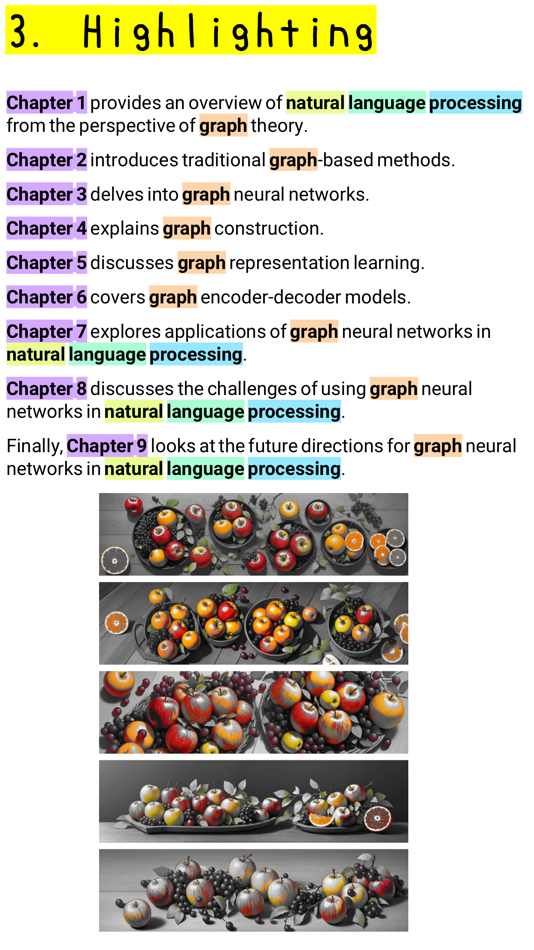
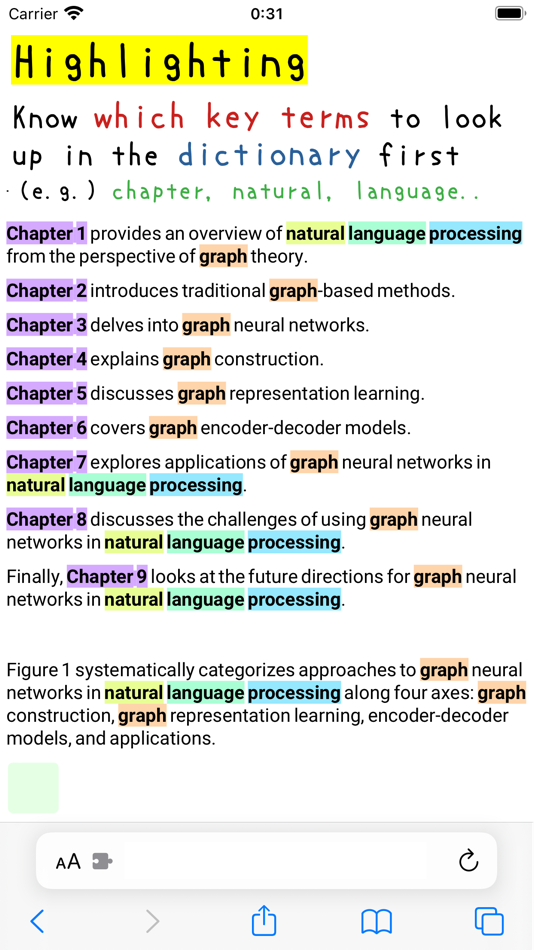
- Extract and comprehensively highlight important words in multiple colors
- One-click operation for both features
- Manual highlighting by simply tapping on a word
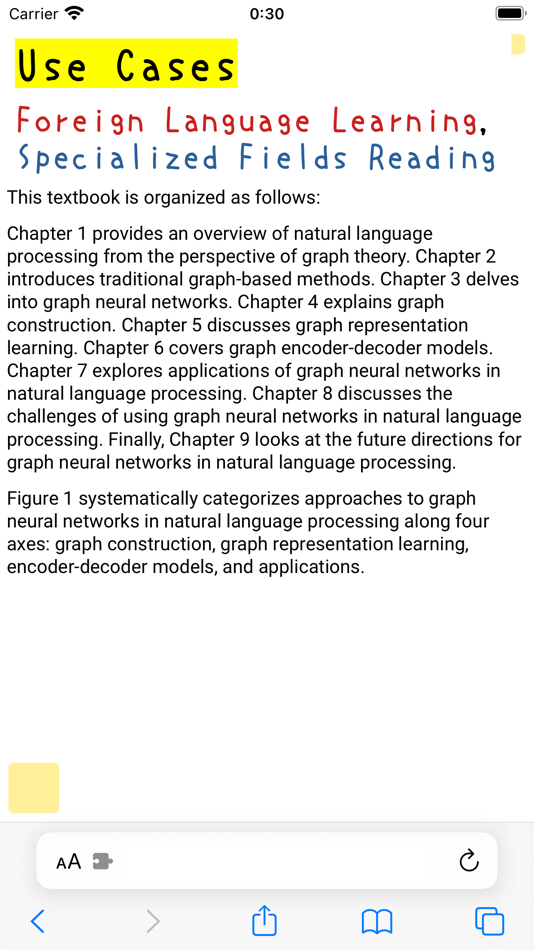
USE CASES:
1. Language Learning
1.1. Breaking down problems
- Sentences are divided into smaller parts, allowing you to tackle each piece at your own pace.
- Always starting from the beginning of a sentence makes it easier to read.
1.2. Identifying key words
- Highlighted important words help you know which words to look up first in a dictionary.
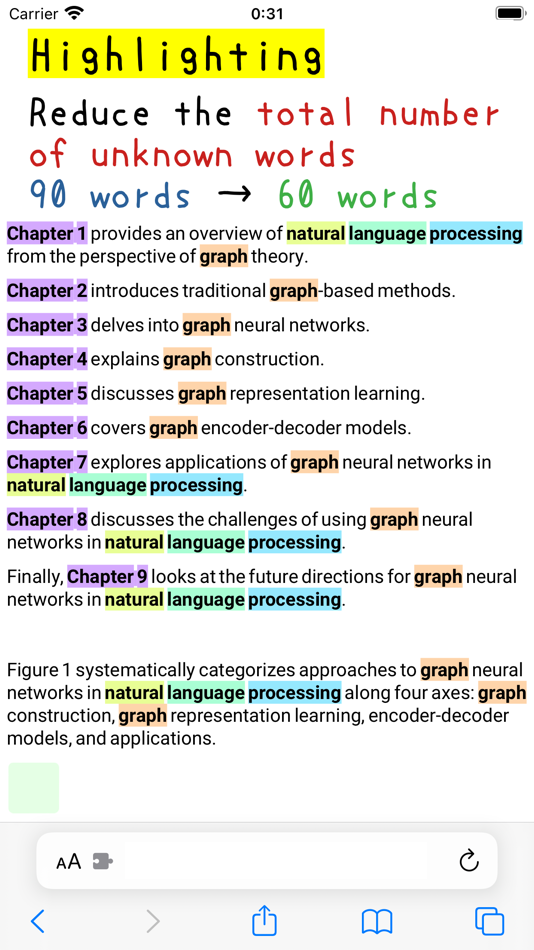
1.3 Reducing the number of unknown words (e.g., from 90 to 60)
- While it may seem like there are many unknown words, there are actually fewer due to repetitions.
- Important words often repeat.
- Highlighting key words ensures they are counted only once.
- In the example image, the number of unknown words is reduced from 90 to 60.
1.4. Contextual learning
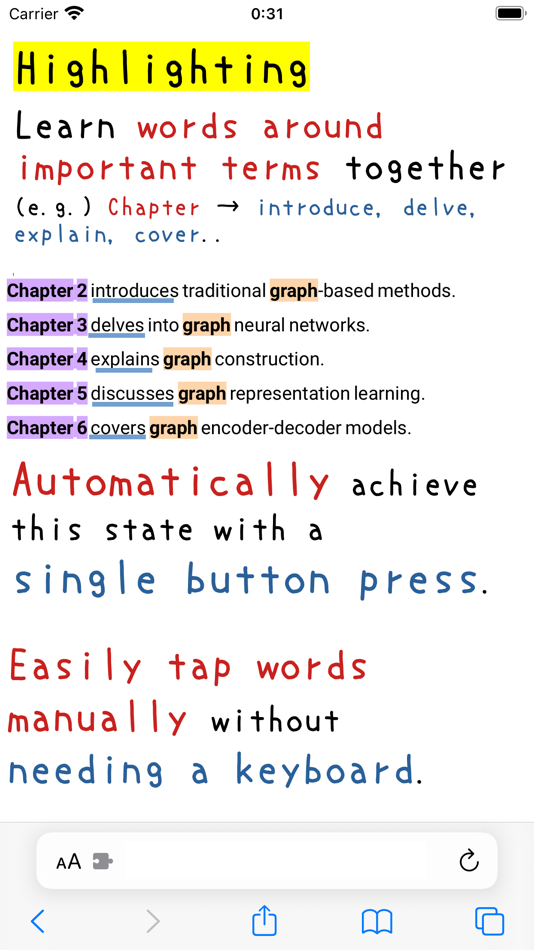
- Learn important words along with surrounding words.
- It's more efficient to learn related words together rather than in isolation.
- For instance, in the example image, verbs like "provide," "introduce," "delve," "explain," and "cover" follow the word "Chapter."
- This helps you understand subtle differences in meaning among similar words.
All these tasks are automated with just one click.
If you need more highlights, simply tap the word to add it manually.
No need for keyboard or menu operations, allowing you to stay focused on learning and reading.
2. Reading Specialized Fields
Similar to language learning, reading specialized fields in your native language can be as challenging as learning a foreign language.
KEY FEATURES:
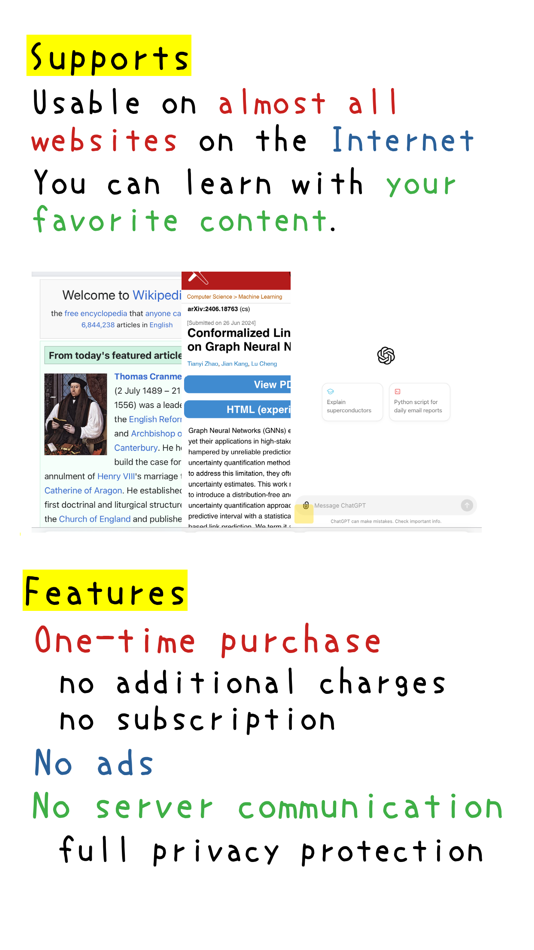
- Works on nearly all web pages.
- Study topics you're interested in using your favorite texts.
- Wikipedia articles are particularly recommended.
ADDITIONAL FEATURES:
- Safari extension
- One-time purchase, no additional charges
- Not a subscription
- No ads
- No server communication
- Complete privacy protection
- Fast processing
- iOS exclusive
- macOS support coming soon.
- These will be the only platforms supported with a one-time purchase.
- No free version on Chrome Store or other platforms planned.
- We ensure fairness for iOS and macOS users.
SAMPLES:
https://functoy.com/instTopEn.html
Screenshots
What's new
- Version: 3.0
- Updated:
- 1. Automatic alignment
2. Automatic highlighting
3. Word extraction through segmentation (Japanese, Chinese)
4. Subword tokenization (English, Katakana, etc.)
5. Expanded stop words and additional word options
6. Faster rendering
7. More highlight colors
8. Name change ("Single Tap Highlight Ext - PPL" to "Text Transformer - PPL++")
9. Support for older versions (optional)
Price History
- Today: $4.99
- Minimum: $4.99
- Maximum: $4.99
Track prices
Developer
- Taichi Ishikawa
- Platforms: macOS Apps (2)
- Lists: 1 + 1
- Points: 0 + 0 ¡
- Rankings: 0
- Reviews: 0
- Discounts: 0
- Videos: 0
- RSS: Subscribe
Points
0 ☹️
Rankings
0 ☹️
Lists

Reviews
Be the first to review 🌟
Additional Information
- Version: 3.0
- Category:
macOS Apps›Productivity - OS:
iPad,iPhone,macOS,macOS 15.0 and up - Size:
3 Mb - Supported Languages:
English - Content Rating:
4+ - Mac App Store Rating:
0 - Updated:
- Release Date:
«Text Transformer - PPL++» is a Productivity app for macOS, developed by «Taichi Ishikawa». It was first released on and last updated on . The lowest historical price was $4.99, and the highest was $4.99. This app has not yet received any ratings or reviews on AppAgg. It has been added to 1 public lists and 1 private lists created by users. Available languages: English. AppAgg continuously tracks the price history, ratings, and user feedback for «Text Transformer - PPL++». Subscribe to this app or follow its RSS feed to get notified about future discounts or updates.
Text Transformer - PPL++ Short URL: Copied!- 🌟 Share
- Mac App Store
You may also like
-
- Text Scan : Image to Text OCR
- macOS Apps: Productivity By: Govarthani Rajesh
- Free
- Lists: 0 + 0 Rankings: 0 Reviews: 0
- Points: 2 + 9,099 (4.6) Version: 2.0.2 Text Scanner (OCR) is the most accurate AI-powered image to text Scanner app for iOS. It can extract and decipher text from image, photo, screenshot and PDF with 99%+ accuracy in 92 ... ⥯
-
- Text Board: Snippet Manager
- macOS Apps: Productivity By: Oak Snow Consulting LLC
- * Free
- Lists: 0 + 0 Rankings: 0 Reviews: 0
- Points: 0 + 0 Version: 1.0.3 Text Board is a powerful snippet manager for all of your repetitive text creation tasks. Think of sound boards, but for text! Features: Spatial arrangement of snippets within boards ... ⥯
-
- Text Fairy-Batch Image to Text
- macOS Apps: Productivity By: Amina Asad
- $3.99
- Lists: 0 + 0 Rankings: 0 Reviews: 0
- Points: 0 + 0 Version: 1.1 Unlock the power of text extraction with Text Fairy: Image Extractor! Transform your photos into editable, searchable text in seconds with advanced OCR technology. Whether you need to ... ⥯
-
- Text Spacing Editor
- macOS Apps: Productivity By: Actum s.r.o.
- Free
- Lists: 0 + 0 Rankings: 0 Reviews: 0
- Points: 3 + 0 Version: 2.1.1 This extension allows you to set custom values for the following text spacing properties: Line height, letter spacing, word spacing, and paragraph spacing. You can use it also as a way ⥯
-
- Text Lens
- macOS Apps: Productivity By: Sindre Sorhus
- $6.00
- Lists: 0 + 0 Rankings: 0 Reviews: 0
- Points: 0 + 0 Version: 1.2.0 Extract text from anywhere on your screen (OCR). Perfect for capturing text from videos, PDFs, presentations, or any app where copying isn't possible. Highlights - Extract text from ... ⥯
-
- Text Scanner OCR App: OCR Scan
- macOS Apps: Productivity By: Asad Ahsan
- Free
- Lists: 0 + 0 Rankings: 0 Reviews: 0
- Points: 1 + 92 (4.4) Version: 1.0.49 Online (optical character reorganization) OCR scanners facilitate the user to get the text from the image that holds any scan and read text. The ocr text scanner app scan documents to ... ⥯
-
- Text to Speech with AI Voices.
- macOS Apps: Productivity By: Abdul Haseeb
- * Free
- Lists: 0 + 0 Rankings: 0 Reviews: 0
- Points: 0 + 0 Version: 1.2 Turn your voice into text effortlessly or listen to any text read aloud with our powerful Speech-to-Text and Text-to-Speech app. Whether you need to transcribe meetings, dictate notes, ⥯
-
- Text Expansion Pro
- macOS Apps: Productivity By: Ruchira Ramesh
- $4.99
- Lists: 0 + 0 Rankings: 0 Reviews: 0
- Points: 0 + 0 Version: 8.0 ** The application supports Auto Paste, Images and text formatting.When you search for the abbreviation, the expanded text will automatically be pasted into the application in which ... ⥯
-
- Text Replace
- macOS Apps: Productivity By: 柯铃 靖
- Free
- Lists: 0 + 0 Rankings: 0 Reviews: 0
- Points: 0 + 2 (5.0) Version: 1.0.2 Feature: 1. Replace Text Anywhere on the Website 2. 「Web Edit Mode」: Make Webpage Editable and Edit Text Directly ⥯
-
- Text Me That
- macOS Apps: Productivity By: Ethan Bonin
- Free
- Lists: 1 + 0 Rankings: 0 Reviews: 0
- Points: 2 + 1,305 (4.8) Version: 4.2.2 Text Me That was developed for one simple purpose, so you never forget again. An average person casually checks their phone 63 times a day. People, apps and advertisers are constantly ... ⥯
-
- Text Collector
- macOS Apps: Productivity By: Taliyo Ltd
- Free
- Lists: 1 + 0 Rankings: 0 Reviews: 0
- Points: 1 + 0 Version: 1.0 Text Collector lets you use your webcam, Facetime or any USB camera to collect text into a list of text snippets that you can edit and rearrange. You can copy text from any book page, ... ⥯
-
- Text to Speech X
- macOS Apps: Productivity By: 松平 洪
- $3.99
- Lists: 0 + 0 Rankings: 0 Reviews: 0
- Points: 0 + 0 Version: 2.3 Text to Speech X is a useful tool that to convert text into speech and to create spoken audio files of any text. You can convert text into spoken words with over 20 voices. Easy copy ... ⥯
-
- Text Catalyst
- macOS Apps: Productivity By: Sense LLC
- * Free
- Lists: 0 + 0 Rankings: 0 Reviews: 0
- Points: 0 + 0 Version: 1.0 Text Catalyst is a clipboard manager and text expander. It comes with a lot of features to help you manage clipboard history and frequently-used snippets. ## Features - Save clipboard ... ⥯
-
- Text reader dyslexia, Scandys
- macOS Apps: Productivity By: michael dardol
- * Free
- Lists: 1 + 0 Rankings: 0 Reviews: 0
- Points: 9 + 26 (4.0) Version: 2.4.1 Are the text of documents and books written too small or not suitable for you? If you suffer from dyslexia, AMD, reading problem or simply a vision problem, Scandys is the application ... ⥯