
| Developer: | Jim Newton (1) | ||
| Price: | Free | ||
| Rankings: | 0 | ||
| Reviews: | 0 Write a Review | ||
| Lists: | 0 + 0 | ||
| Points: | 1 + 0 ¡ | ||
| Mac App Store | |||
Description

FAST AND FOCUSED
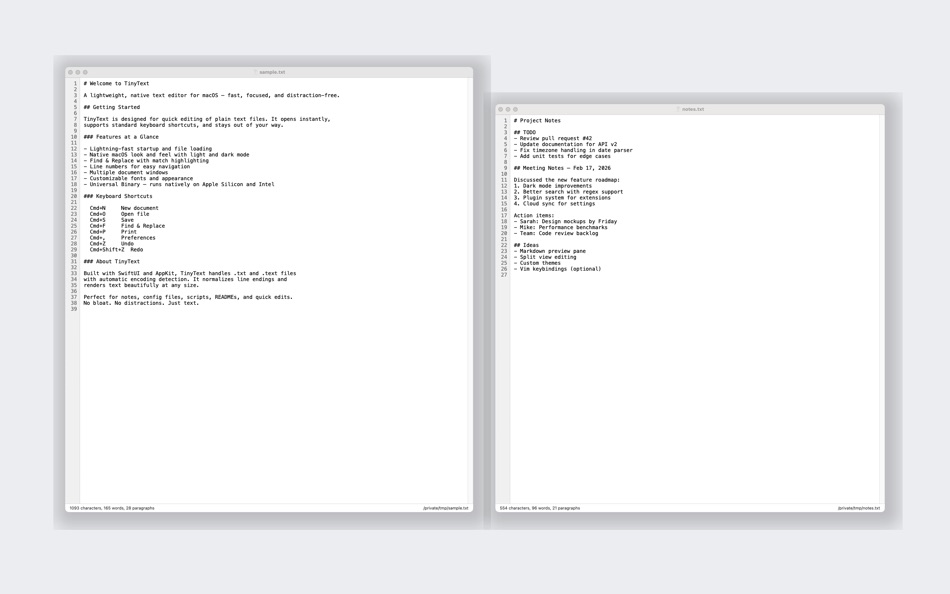
TinyText launches in under a second and uses minimal memory. It opens with a blank document ready for typing, so you can capture your thoughts the moment inspiration strikes. Every document gets its own window, keeping your workspace clean and organized.
FIND AND REPLACE
Quickly locate text with the floating Find dialog (Cmd+F). Toggle case-sensitive search, navigate between matches with Cmd+G, and replace one match or all matches at once with Find & Replace (Cmd+Option+F).
LINE NUMBERS
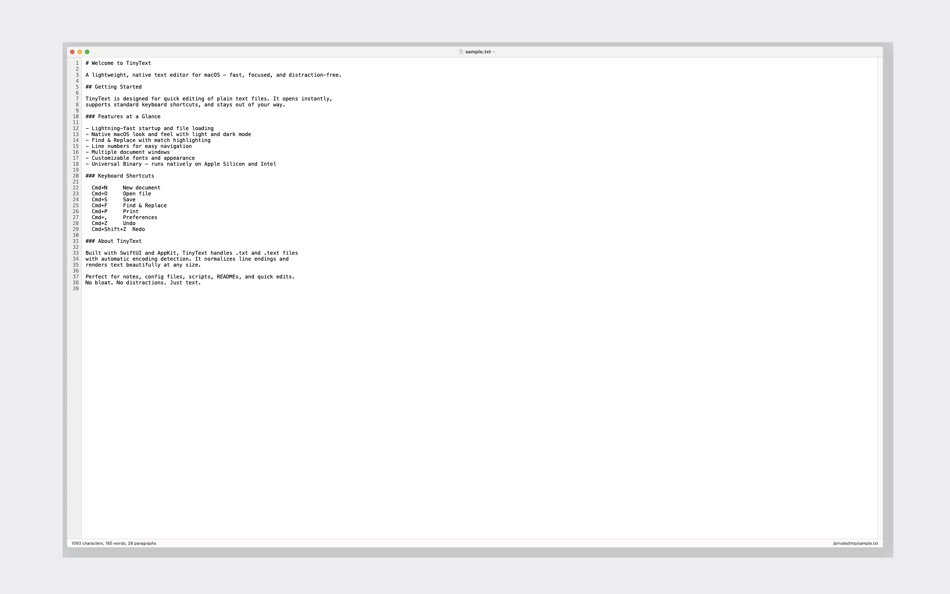
An optional line number gutter on the left side of the editor makes it easy to reference specific lines. Toggle it on or off from the View menu or Preferences.
CUSTOMIZABLE APPEARANCE
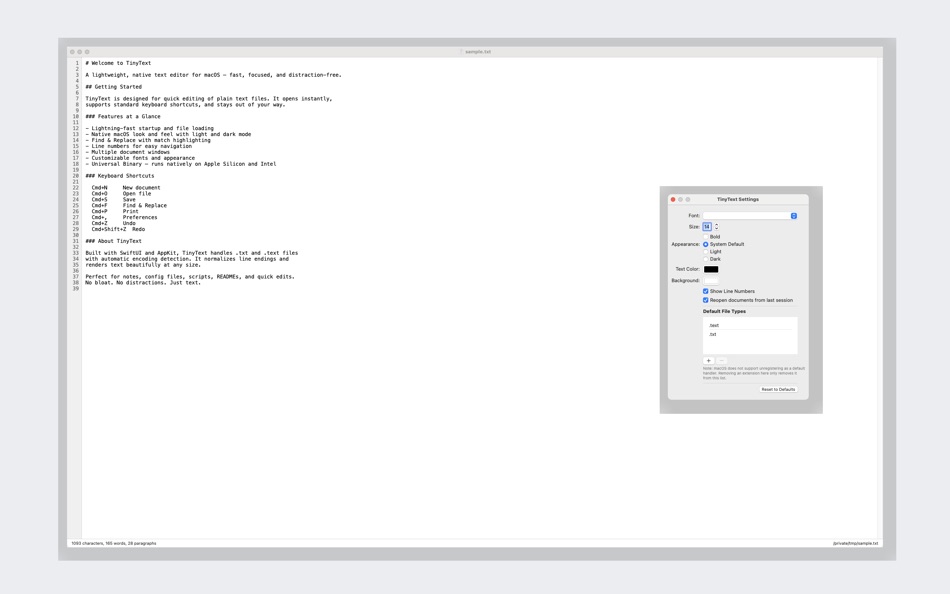
Choose your preferred font family and size from any installed system font. Switch between Light mode, Dark mode, or follow the system setting automatically. Pick custom text and background colors. All preferences apply instantly to every open document.
WORD AND CHARACTER COUNT
A status bar at the bottom of each window displays a live word count and character count -- perfect for writers working to a target.
BUILT FOR macOS
TinyText respects every macOS convention: standard keyboard shortcuts, native open and save panels, printing via the system print dialog, drag-and-drop file opening, dock menu integration, and full VoiceOver accessibility. It handles .txt files associated through Finder's "Open With" menu.
ENCODING DONE RIGHT
Files are saved in UTF-8 with Unix (LF) line endings. TinyText gracefully reads files encoded in ISO Latin 1, Windows CP1252, and macOS Roman, converting them to UTF-8 on save.
PRIVACY FIRST
TinyText collects no user data whatsoever. No analytics, no tracking, no network connections. Your documents stay on your Mac.
Universal Binary -- runs natively on both Apple Silicon and Intel Macs. Requires macOS 14 (Sonoma) or later.
Ad
Screenshots


What's new
- Version: 1.0.1
- Updated:
- Added Finder Extension for creating new text documents, searchable Help, resizable Settings window
Price History
- Today: Free
- Minimum: Free
- Maximum: Free
Track prices
Developer
- Jim Newton
- Platforms: macOS Apps (1)
- Lists: 0 + 0
- Points: 1 + 0 ¡
- Rankings: 0
- Reviews: 0
- Discounts: 0
- Videos: 0
- RSS: Subscribe
Points
-

- 3,453 Dragon
- +1

Rankings
0 ☹️
Lists
0 ☹️
- TinyText Editor
Reviews
Be the first to review 🌟
Additional Information
- Version: 1.0.1
- Category:
macOS Apps›Productivity - OS:
macOS,macOS 14.0 and up - Size:
371 Kb - Supported Languages:
English - Content Rating:
4+ - Mac App Store Rating:
0 - Updated:
- Release Date:
Contacts
- Website:
 https://tinytext.app
«TinyText Editor» is a Productivity app for macOS, developed by «Jim Newton». It was first released on and last updated on . This app is currently free. This app has not yet received any ratings or reviews on AppAgg. AppAgg has tracked 1 confirmed points plus 0 indirect points for this app. Available languages: English. AppAgg continuously tracks the price history, ratings, and user feedback for «TinyText Editor». Subscribe to this app or follow its RSS feed to get notified about future discounts or updates.
TinyText Editor Short URL: Copied!- 🌟 Share
- Mac App Store
You may also like
-
- Tiny PDF Editor - PDF Signer
- macOS Apps: Productivity By: 蒙蒙 贺
- Free
- Lists: 0 + 0 Rankings: 0 Reviews: 0
- Points: 0 + 0 Version: 1.3.7 Tiny PDF Editor - Great for filling out scanned versions of pdf forms and signing pdf agreements and contracts. What users say? "It s the best way to insert an image of a signature, ... ⥯
-
- Notepad - Text Editor
- macOS Apps: Productivity By: 长江 吴
- * Free
- Lists: 0 + 1 Rankings: 0 Reviews: 0
- Points: 9 + 0 Version: 2.3 This is a basic text editor. No formatting, styles, graphics, or unnecessary frills. Get it now and avoid all those text formatting headaches! Also, do you need to remember something ... ⥯
-
- Jot - Text Editor
- macOS Apps: Productivity By: Brian Goodwin
- Free
- Lists: 0 + 0 Rankings: 0 Reviews: 0
- Points: 0 + 0 Version: 1.0.4 Meet Jot - Text Editor, your go-to app for a no-frills writing experience. Jot lets you focus on your words, whether you're writing a Markdown blog post or jotting down plain text ... ⥯
-
- Plain Text Editor Pro
- macOS Apps: Productivity By: 远腾 李
- $4.99
- Lists: 0 + 1 Rankings: 0 Reviews: 0
- Points: 9 + 0 Version: 6.6.6 Plain Text Editor Pro is a minimalist text editor designed for speed, clarity, and distraction-free writing. Whether you re jotting down notes, editing code, or cleaning up copied ... ⥯
-
- Writed - Distraction-free text editor
- macOS Apps: Productivity By: Stahl Labs
- * Free
- Lists: 0 + 0 Rankings: 0 Reviews: 0
- Points: 0 + 0 Version: 0.9.2 Writed is a distraction free text editor that will help you type more in less time. Writed uses markdown* syntax to format your document in real time, keep both your hand on the ... ⥯
-
- Prose: Minimal Text Editor
- macOS Apps: Productivity By: Tanvir N Hasan
- Free
- Lists: 0 + 0 Rankings: 0 Reviews: 0
- Points: 0 + 0 Version: 1.2 Prose is a minimal text editor designed for writers, developers, and anyone who loves clean, focused writing. FEATURES Write With Focus A minimal interface that keeps your words front ... ⥯
-
- Smultron 14 - The text editor
- macOS Apps: Productivity By: Peter Borg Apps AB
- $9.99
- Lists: 0 + 0 Rankings: 0 Reviews: 0
- Points: 0 + 0 Version: 14.4.6 Smultron is the text editor for all of us. Smultron is powerful and confident without being complicated. Its elegance and simplicity helps everyone being creative and to write and edit ⥯
-
- Text to Speech-AI Audio Maker
- macOS Apps: Productivity By: 崴 杨
- * Free
- Lists: 0 + 0 Rankings: 0 Reviews: 0
- Points: 0 + 0 Version: 1.0.4 Text to Speech is a professional AI-powered voice synthesis app that makes converting text into natural speech simple and efficient. Core Features Voice Cloning Upload audio samples to ⥯
-
- Text Selector
- macOS Apps: Productivity By: Maksym Martyniuk
- $2.99
- Lists: 0 + 0 Rankings: 0 Reviews: 0
- Points: 1 + 0 Version: 1.0 Select any unselectable text on your display with character precision and interact with selected text as you do in regular text editor (with hotkeys or contextual menu): Copy, Look Up, ⥯
-
- Text Spacing Editor
- macOS Apps: Productivity By: Actum s.r.o.
- Free
- Lists: 0 + 0 Rankings: 0 Reviews: 0
- Points: 3 + 0 Version: 2.1.1 This extension allows you to set custom values for the following text spacing properties: Line height, letter spacing, word spacing, and paragraph spacing. You can use it also as a way ⥯
-
- Text Lens
- macOS Apps: Productivity By: Sindre Sorhus
- $6.00
- Lists: 0 + 0 Rankings: 0 Reviews: 0
- Points: 1 + 0 Version: 1.2.0 Extract text from anywhere on your screen (OCR). Perfect for capturing text from videos, PDFs, presentations, or any app where copying isn't possible. Highlights - Extract text from ... ⥯
-
- Text Expansion Pro
- macOS Apps: Productivity By: Ruchira Ramesh
- $4.99
- Lists: 0 + 0 Rankings: 0 Reviews: 0
- Points: 0 + 0 Version: 8.0 ** The application supports Auto Paste, Images and text formatting.When you search for the abbreviation, the expanded text will automatically be pasted into the application in which ... ⥯
-
- Text Collector
- macOS Apps: Productivity By: Taliyo Ltd
- Free
- Lists: 1 + 1 Rankings: 0 Reviews: 0
- Points: 2 + 0 Version: 1.0 Text Collector lets you use your webcam, Facetime or any USB camera to collect text into a list of text snippets that you can edit and rearrange. You can copy text from any book page, ... ⥯
-
- Text to Speech X
- macOS Apps: Productivity By: 松平 洪
- $3.99
- Lists: 0 + 0 Rankings: 0 Reviews: 0
- Points: 0 + 0 Version: 2.3 Text to Speech X is a useful tool that to convert text into speech and to create spoken audio files of any text. You can convert text into spoken words with over 20 voices. Easy copy ... ⥯