
기술

Key Features:
1. Smart App Control
Simulate Command + Tab for lightning-fast app switching and activation across all your macOS applications.
2. Advanced Mouse Simulation
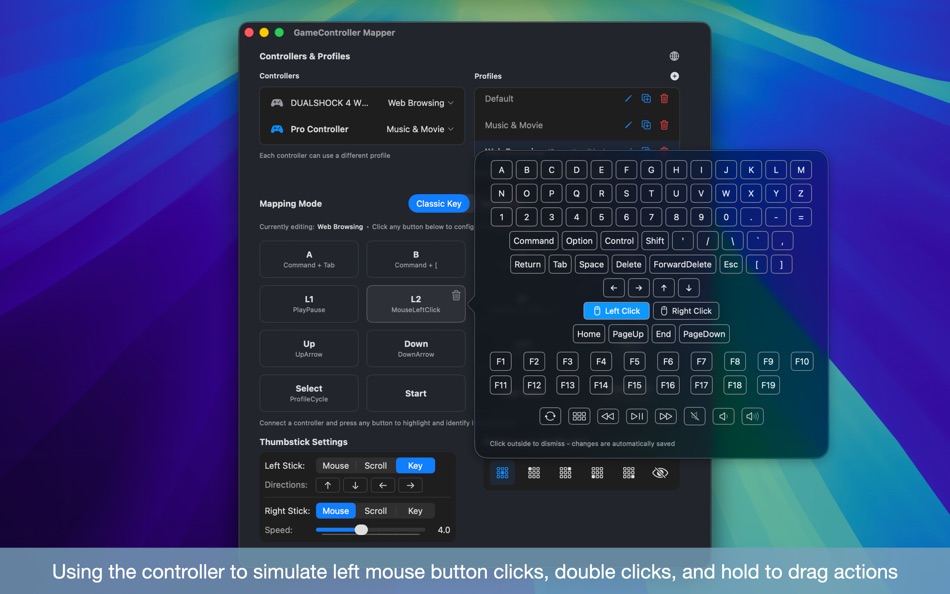
• Left and right click simulation with enhanced drag support
• Long-press functionality - hold left mouse button to fast forward YouTube videos for seamless browsing
• Double-click support for fullscreen toggle and quick actions
• Joystick-controlled mouse movement with adjustable speeds
• Smooth drag operations for windows and objects
• Perform most of mouse/touchpad operations using your controller
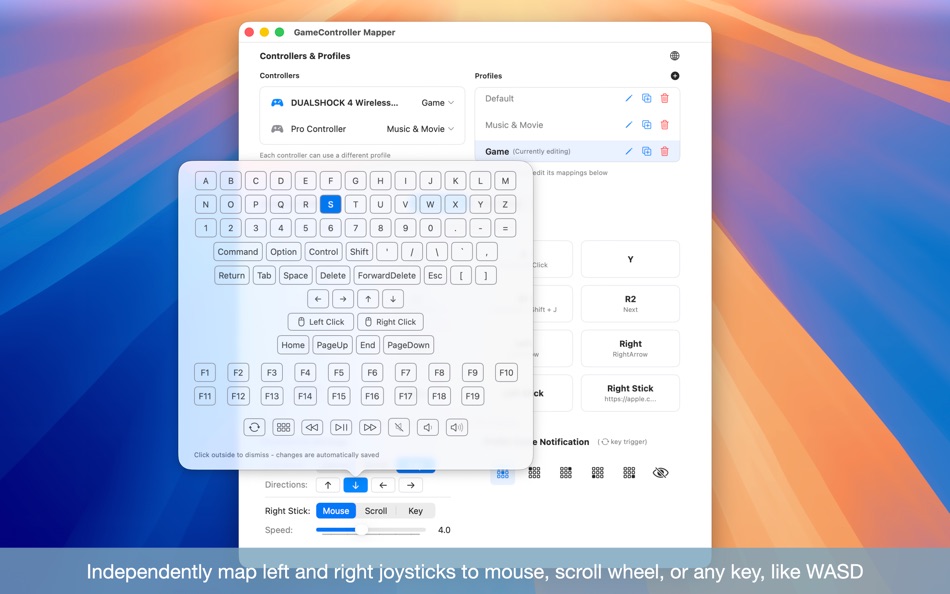
3. Flexible Joystick Modes Each joystick can be independently configured to one of three modes:
• Mouse Mode: Precise cursor control with adjustable sensitivity
• Scroll Mode: Smooth scrolling for documents, web pages, and media timelines
• Key Mode: Map four directions to any keys, perfect for WASD movement, arrow key navigation, or custom shortcuts
4. Complete Keyboard & Controller Mapping
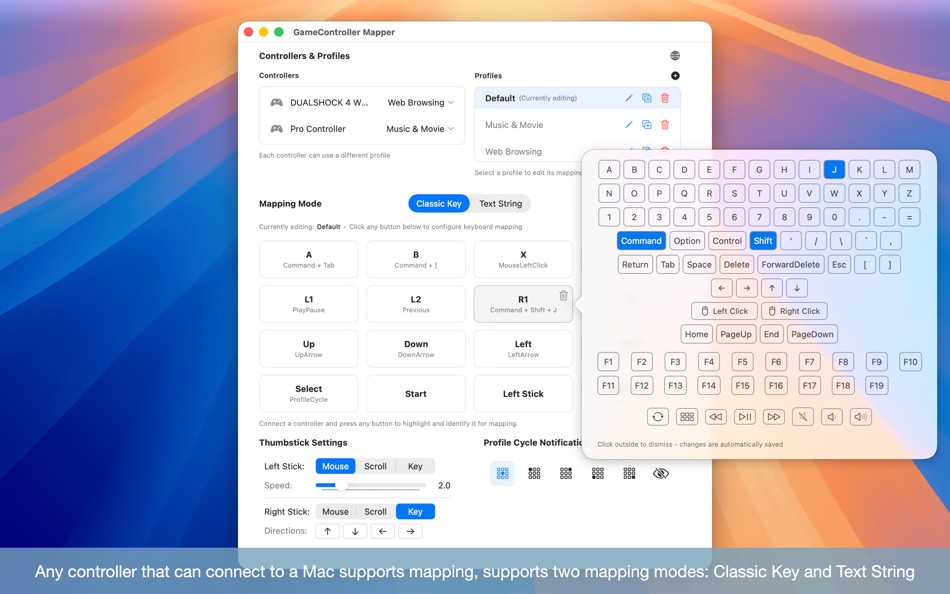
Map any keyboard input to your controller buttons—single keys, combinations (Command + Shift + J), function keys, and media controls. Trigger mappings with a single tap for instant actions, or long-press for continuous input like rapidly adjusting volume or scrolling through pages. If your keyboard can trigger it, your controller can too.
5. Instant Text Input
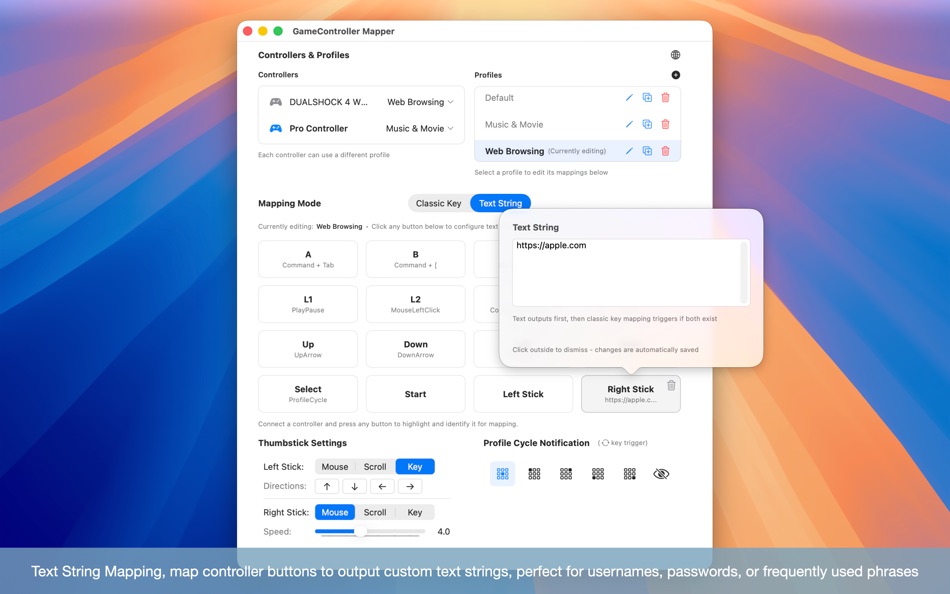
Text String Mapping - Assign custom text to any controller button. Instantly input usernames, passwords, email addresses, or frequently used phrases with a single button press. Perfect for streamlining repetitive typing tasks.
6. Multiple Controller Profiles
• A single controller button can trigger a completely different key or shortcut depending on which profile is active. Use the same button to fast-forward or rewind a video, perform a left mouse click, or paste text in a document
• Create unlimited custom profiles for different scenarios
• Cross-brand profile settings maintain muscle memory across controller types
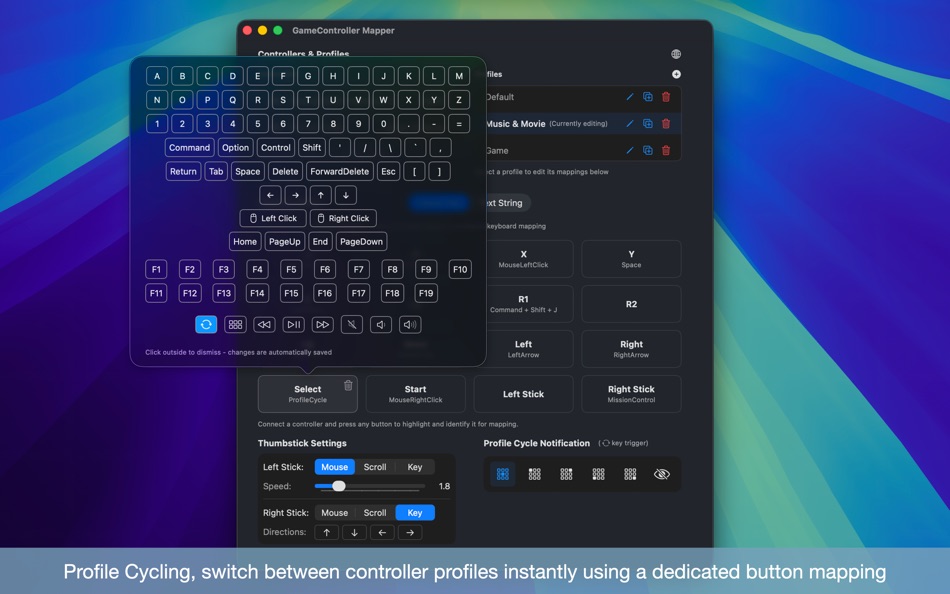
• Profile Cycling - Switch between profiles instantly using dedicated button mapping
• Visual Profile Notifications - Get customizable HUD feedback when switching profiles (adjustable position or disable entirely)
• Support for multiple controllers simultaneously
7. Universal App Compatibility
Enjoy seamless control across all applications:
• Books: Navigate pages with directional buttons for comfortable reading
• Keynote: Use joystick to start presentations and navigate slides
• Video Players (IINA, QuickTime): Seek through videos using arrow keys, perfect for AirPlay streaming
• Safari & Preview: Homerow integration for quick browsing and PDF viewing
• Media Apps: Full media key support (Play/Pause, Next, Previous, Volume)
8. Professional Features
• Mission Control integration for window management
• Chinese language support with automatic system detection
• Multiple configuration profiles with instant switching
• Adjustable mouse sensitivity per controller
Perfect for:
- Content creators and video editors
- Presentation professionals
- Media consumption and entertainment
- Accessibility and ergonomic computing
Unlock your controller's full potential and discover new ways to interact with macOS. Whether you're browsing, presenting, or creating content, Game Controller Mapper transforms your gaming controller into a powerful productivity tool.
Requires macOS accessibility permissions for keyboard and mouse simulation.
스크린샷

새로운 기능
- 버전: 1.2.4
- 업데이트:
- Joystick Key Mode
- Map joystick directions to keyboard keys. Like WASD, arrow keys, or any custom shortcuts. Each joystick now supports Mouse, Scroll, or Key mode independently.
- With both joysticks in Key Mode, you get 8 additional mappable buttons. All settings saved per profile.
가격
- 오늘: $7.99
- 최소: $5.99
- 최대: $7.99
가격 추적
포인트
0 ☹️
순위
0 ☹️
목록
0 ☹️
- GameController Mapper
리뷰
첫 번째 리뷰를 남겨보세요 🌟
추가 정보
 https://design.wordpress.com/game-controller-mapper-for-macos/GameController Mapper 단축 URL: 복사됨!
- 🌟 공유하기
- Mac App Store
당신은 또한 같은 수 있습니다
-
- Game Controller Data Viewer
- macOS 앱: 유틸리티 게시자: Takahide Noro
- $2.99
- 목록: 0 + 0 순위: 0 리뷰: 0
- 포인트: 1 + 0 버전: 1.0 "Game Controller Data Viewer" provides a detailed analysis of your game controller's input values. Whether it's simple ON/OFF signals or detailed pressure-sensitive inputs, see ... ⥯
-
- Game Controller Tester
- macOS 앱: 유틸리티 게시자: Emoji Apps GmbH
- 무료
- 목록: 0 + 1 순위: 0 리뷰: 0
- 포인트: 1 + 0 버전: 1.0 Test and troubleshoot the functionality of your game controller. Connect your controller to car Mac. Works with Xbox Wireless, PlayStation DUALSHOCK®4 and other bluetooth Game ... ⥯
-
- Game Shell
- macOS 앱: 유틸리티 게시자: Elliot Williams
- 무료
- 목록: 0 + 0 순위: 0 리뷰: 0
- 포인트: 0 + 0 버전: 11.11.1 Game Shell is a sleek, console-inspired macOS application that transforms your game library into an immersive, controller-friendly launcher. It provides a visually rich carousel ... ⥯
-
- Controller for Bose SoundTouch
- macOS 앱: 유틸리티 게시자: Christian Harms
- $2.99
- 목록: 0 + 0 순위: 0 리뷰: 0
- 포인트: 0 + 0 버전: 1.4.1 Controller for BOSE SoundTouch Systeme This applikation expanded the operation of BOSE soundtouch systems. Control your system with this app or widget in the today view. Manage 4 ... ⥯
-
- Mapper for Safari
- macOS 앱: 유틸리티 게시자: Alex Kitcoff
- $1.99
- 목록: 1 + 2 순위: 0 리뷰: 0
- 포인트: 2 + 486 (4.2) 버전: 4.0.4 Mapper is a Safari extension that instantly opens Google Maps links from the Google search page in Apple Maps. No more copy/pasting addresses or switching apps. Key features: - ... ⥯
-
- CONTROLLER S UPDATER
- macOS 앱: 유틸리티 게시자: 卫东 张
- 무료
- 목록: 0 + 0 순위: 0 리뷰: 0
- 포인트: 0 + 0 버전: 6.4 CONTROLLER S UPDATER是需要和国华发展控股有限公司研发的 用于升级使用。 ⥯
-
- Controller 4 Bose SoundTouch
- macOS 앱: 유틸리티 게시자: Christoph Koras
- $8.99
- 목록: 0 + 0 순위: 0 리뷰: 0
- 포인트: 0 + 0 버전: 1.9.2 MiST-Controller is an alternative Controller for your "SoundTouch" Music-Systems from Bose. It allows you to control the basics in a faster way. Either through the top menu or via the ... ⥯
-
- RCON Game Server Admin Manager
- macOS 앱: 유틸리티 게시자: GENOVA Softworks
- $3.99
- 목록: 0 + 0 순위: 0 리뷰: 0
- 포인트: 0 + 0 버전: 1.2.2 If you're running a game server this app will be a must have! Send commands remotely through the RCON, be updated on what happens on the server, manage everything thanks to your ... ⥯
-
- Sunburst Disk Space Mapper
- macOS 앱: 유틸리티 게시자: Amsterdamsoft LLC
- * 무료
- 목록: 0 + 1 순위: 0 리뷰: 0
- 포인트: 6 + 0 버전: 1.12 Get a better handle on your computer's drives with AmSo Sunburst Disk Space Mapper! With Sunburst you can scan any folder in seconds and see a Daisywheel or Cascade style view of the ... ⥯
-
- Joystick Mapper
- macOS 앱: 유틸리티 게시자: Chibata Creations
- $4.99
- 목록: 0 + 1 순위: 0 리뷰: 0
- 포인트: 0 + 0 버전: 1.2 Joystick Mapper is an application that allows you to configure your joysticks or gamepads to simulate keyboard keys/mouse movement/mouse click/mouse scroll, so you can control any app ... ⥯
-
- Expert Controller
- macOS 앱: 유틸리티 게시자: Andrew Gawthrope
- $19.99
- 목록: 0 + 0 순위: 0 리뷰: 0
- 포인트: 0 + 0 버전: 1.3.0 Expert Controller is an easy to use macOS App for the configuration and control of a single SPE Expert amplifier using either a USB, RS-232 or TCP/IP (requires network/serial adapter) ... ⥯
-
- Port Mapper
- macOS 앱: 유틸리티 게시자: Eduardo Almeida
- $4.99
- 목록: 0 + 0 순위: 0 리뷰: 0
- 포인트: 0 + 0 버전: 2.0.5 Do you hate port forwarding, or are even not aware of that is? Never could get Minecraft, VNC, Web Server, and others working over the internet? Hated that when you changed places with ⥯
-
- Easy Volume Controller
- macOS 앱: 유틸리티 게시자: Millennium Ltd
- 무료
- 목록: 0 + 0 순위: 0 리뷰: 0
- 포인트: 2 + 0 버전: 1.1 Control your Mac from the sofa, bed or another room over WiFi. This helper app allows your Mac computer to be controlled by your iPhone or iPad. This is the helper app and requires you ⥯
-
- G Remote Controller Desktop
- macOS 앱: 유틸리티 게시자: Gabriel Castillo
- 무료
- 목록: 0 + 0 순위: 0 리뷰: 0
- 포인트: 0 + 0 버전: 1.0 G Remote controller is built to give you remote control over your Mac through your iPhone, the main screen is a representation on a Trackpad designed to make apple users feel at home ... ⥯