
| Developer: | Jon Colverson (5) | ||
| Price: | $3.99 | ||
| Rankings: | 0 | ||
| Reviews: | 0 Write a review | ||
| Comments: | 0 Add a comment | ||
| Lists: | 0 + 0 | ||
| Points: | 0 + 0 ¡ | ||
| Mac App Store | |||
Description

Features
• The window is resizable and the layout looks great at any size
• Controls disappear out of the way when you don't need them and then reappear when you move your pointer over the window
• Keyboard controls: 'S' to start or stop, and 'R' to reset
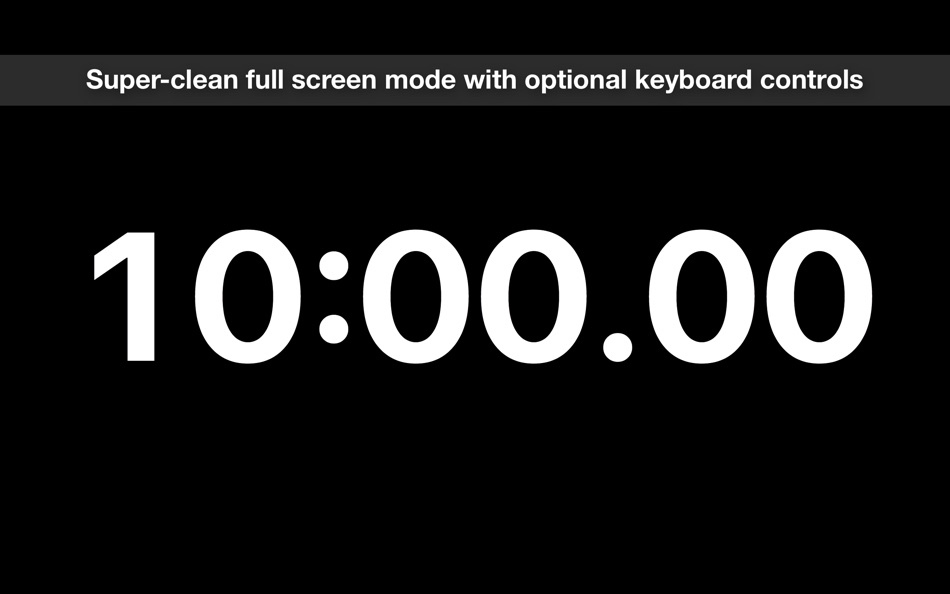
• Full screen mode, and you can click the background to hide the controls and pointer and use the keyboard controls for a completely clean look suitable for presenting to other people
• Choose whether the smallest time unit shown is seconds or hundredths of a second
• An option to make the window float on top of other windows so it's always visible
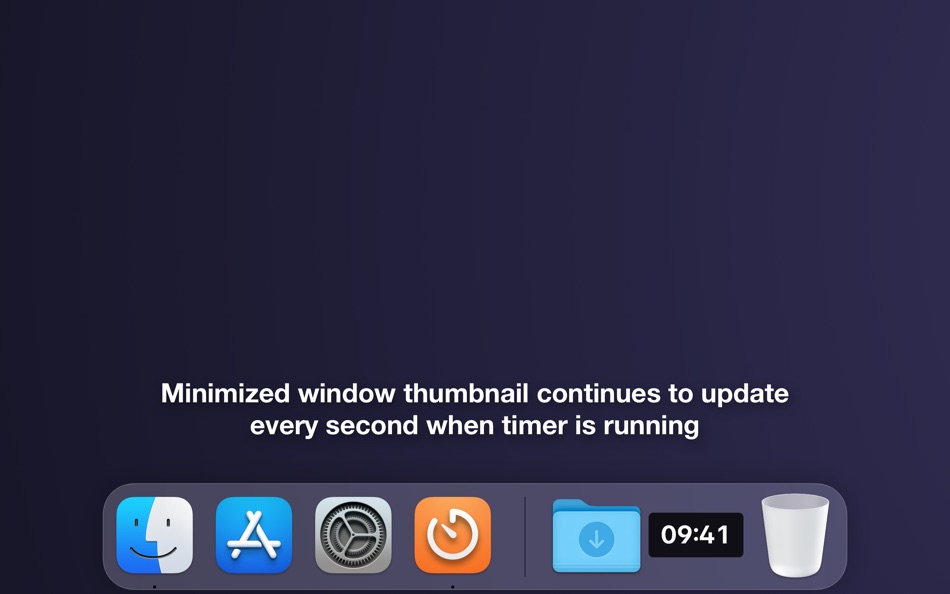
• When the window is minimized the thumbnail icon in your Dock continues to update every second
• Create as many windows as you like to time multiple things simultaneously
• The timer durations you've used recently are saved in the menu and easily re-used
• The app can optionally show a notification when the timer completes with a reset button that stops the alarm
• Options to have the alarm sound play repeatedly, just once, or not at all
• Enter your desired time easily just by typing, with intuitive shortcuts. For example, "5" means 5 minutes, ":30" means 30 seconds, and "2h" means 2 hours
If you have any problems, questions, bug reports, or feature requests please email jon@neverdontplay.com. I aim to answer all support emails in one working day or less.
Ad
Screenshots



What's new
- Version: 1.2.0
- Updated:
- • Updated for macOS Big Sur, including an app icon that fits in with the new design conventions.
• Runs natively on new Macs powered by the Apple M1 chip.
• Added option to show milliseconds.
• Made the app understand times with an "s" suffix at the end to indicate seconds. So now you can enter times like "45s" or "1m30s".
• Added support for using decimals for hours and minutes, so now you can enter times like "1.5h" or "22.2m".
Price History
- Today: $3.99
- Minimum: $0.99
- Maximum: $3.99
Track prices
Ad
Developer
- Jon Colverson
- Platforms: iOS Apps (2) iOS Games (1) macOS Apps (2)
- Lists: 0 + 0
- Points: 1 + 91 ¡
- Rankings: 0
- Reviews: 0
- Comments: 0
- Discounts: 0
- Videos: 0
- RSS: Subscribe
Points (0)
0 ☹️
Rankings (0)
0 ☹️
Lists (0)
0 ☹️
- Good Timer
Reviews (0)
Be the first to review 🌟
Comments (0)
Be the first to comment 🌟
Additional Information
- Version: 1.2.0
- Category:
macOS Apps›Utilities - OS:
macOS,macOS 10.12 and up - Size:
6 Mb - Supported Languages:
English - Content Rating:
4+ - Mac App Store Rating:
0 - Updated:
- Release Date:
«Good Timer» is a Utilities app for macOS, developed by «Jon Colverson». It was first released on and last updated on . The lowest historical price was $0.99 on , and the highest was $3.99 on . This app has not yet received any ratings or reviews on AppAgg. Available languages: English. AppAgg continuously tracks the price history, ratings, and user feedback for «Good Timer». Subscribe to this app or follow its RSS feed to get notified about future discounts or updates. AppAgg does not host applications or distribute software. All trademarks, logos and screenshots belong to their respective owners.
Good Timer Short URL: Copied!- 🌟 Share
- Mac App Store
You may also like
-
- Good Stopwatch
- macOS Apps: Utilities By: Jon Colverson
- $3.99
- Lists: 0 + 0 Rankings: 0 Reviews: 0
- Points: 0 + 0 Comments: 0 Version: 1.2.0 Good Stopwatch is the simple, beautiful, and reliable stopwatch app that's designed to look right at home on your Mac. If you want a countdown timer instead of a stopwatch then see the ⥯
-
- Timer Squirrel
- macOS Apps: Utilities By: Danny Bolick
- $0.99
- Lists: 0 + 0 Rankings: 0 Reviews: 0
- Points: 0 + 0 Comments: 0 Version: 1.0 Timer Squirrel lives in your menu bar, ready whenever you need a quick countdown. SET TIMERS IN SECONDS Type naturally: "20 minutes", "1 hour 30 min", "90 seconds" One-click presets: ... ⥯
-
- Timer
- macOS Apps: Utilities By: Apimac
- * Free
- Lists: 0 + 1 Rankings: 0 Reviews: 0
- Points: 7 + 0 Comments: 0 Version: 26 Stopwatch, countdown timer and alarm clock in one professional app for Mac. Timer makes time management on your Mac simple and reliable. Whether you re studying, working, training, or ... ⥯
-
- Good Old PDF Scanner
- macOS Apps: Utilities By: DouWère, s.p.r.l.
- Free
- Lists: 0 + 0 Rankings: 0 Reviews: 0
- Points: 1 + 0 Comments: 0 Version: 1.0.1 The application that digitises a PDF just like a good old-fashioned scanner. Share an un-editable draft of your work from any application with print capabilities (using PDF Services). ... ⥯
-
- Timer easy
- macOS Apps: Utilities By: Vladimir Stepanchikov
- Free
- Lists: 0 + 0 Rankings: 0 Reviews: 0
- Points: 0 + 0 Comments: 0 Version: 1.0 A simple timer that reminds you with a beep about short breaks. Work with intervals boosts your efficiency and helps you keep a work-life balance. ⥯
-
- Just a Timer
- macOS Apps: Utilities By: 64 Characters
- $9.99
- Lists: 0 + 1 Rankings: 0 Reviews: 0
- Points: 4 + 0 Comments: 0 Version: 1.3.1 Simple countdown timer. Start on Return, cancel on Escape, pause and resume on Space key. Continues countdown after accidental app relaunch as if nothing has happened. Allows custom ... ⥯
-
- Top Bar Timer for Mac OS X
- macOS Apps: Utilities By: Martin Nash
- Free
- Lists: 0 + 0 Rankings: 0 Reviews: 0
- Points: 3 + 0 Comments: 0 Version: 3 A powerful timer that lives in your status bar. Select a timer from the menu, and get to work. Create unlimited timers with in-app purchase. ⥯
-
- Chrono - Menu Bar Timer
- macOS Apps: Utilities By: Henri Bredt
- $1.99
- Lists: 2 + 0 Rankings: 0 Reviews: 0
- Points: 5 + 0 Comments: 0 Version: 1.2.1 Chrono makes creating timers easy and fast! Simply execute a custom defined global shortcut or use the menu to start a new countdown timer. Great for time boxing to boost your ... ⥯
-
- Pomodoro Timer - Productivity
- macOS Apps: Utilities By: Hyungmo Kang
- * Free
- Lists: 0 + 0 Rankings: 0 Reviews: 0
- Points: 1 + 0 Comments: 0 Version: 1.0.4 "Big change comes from small focuses. Transform your habits daily and move closer to success." [The Perfect Study Partner] 45 minutes of focus, 10 minutes of rest! Many successful ... ⥯
-
- Peachy Timer - Menu Bar Timer
- macOS Apps: Utilities By: Ilya Razuvaev
- * Free
- Lists: 0 + 0 Rankings: 0 Reviews: 0
- Points: 0 + 0 Comments: 0 Version: 1.0.2 Create timers instantly with a simple drag gesture. Peachy Timer lives in your menu bar and lets you set timers faster than ever before. Just drag down from the peach icon the further ... ⥯
-
- Simple Overlay Timer
- macOS Apps: Utilities By: KOHEI KAWAGUCHI
- $1.99
- Lists: 0 + 0 Rankings: 0 Reviews: 0
- Points: 0 + 0 Comments: 0 Version: 1.1.8.2 Simple Overlay Timer is a lightweight yet powerful time-management tool designed to help you stay on track, no matter what you re working on. Whether you re coding, designing, gaming, ... ⥯
-
- HourGlass: Music Sleep Timer
- macOS Apps: Utilities By: Alexander Stoimenov
- $1.99
- Lists: 0 + 0 Rankings: 0 Reviews: 0
- Points: 0 + 0 Comments: 0 Version: 1.3 Would you like to fall asleep listening to music? This app offers a solution, simply start the timer, fall asleep to your favorite tracks, and Music Sleep Timer will automatically ... ⥯
-
- Simple Stopwatch and Timer
- macOS Apps: Utilities By: Dito Technologies LLC
- $0.99
- Lists: 0 + 0 Rankings: 0 Reviews: 0
- Points: 0 + 0 Comments: 0 Version: 1.0 Just a simple stopwatch and timer. Create an unlimited number of stopwatches and timers to keep track of your busy life and name them to stay organized. All conveniently located out of ⥯
-
- Events Timer
- macOS Apps: Utilities By: lior cohen
- $3.99
- Lists: 0 + 0 Rankings: 0 Reviews: 0
- Points: 0 + 0 Comments: 0 Version: 1.0 An easy to use and highly customisable timer app. Features: - easy setting of the desirable time. - easy saving capability, make "buttons" for reuse. - hidden sidebar controller. - two ⥯