
| 개발자: | Dmitry Kozlov (12) | ||
| 가격: | * 무료 | ||
| 순위: | 0 | ||
| 리뷰: | 0 리뷰 작성 | ||
| 목록: | 0 + 0 | ||
| 포인트: | 0 + 0 ¡ | ||
| Mac App Store | |||
기술

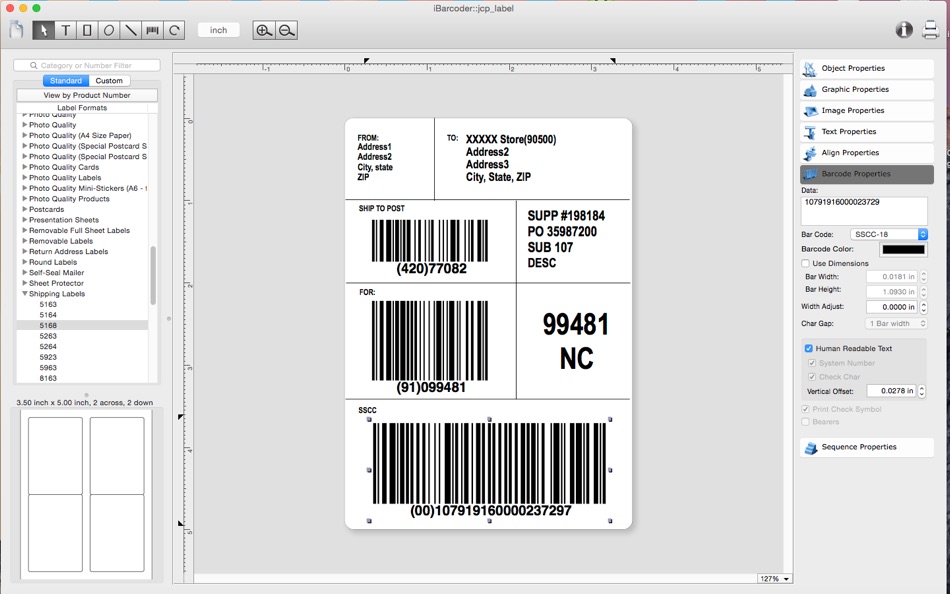
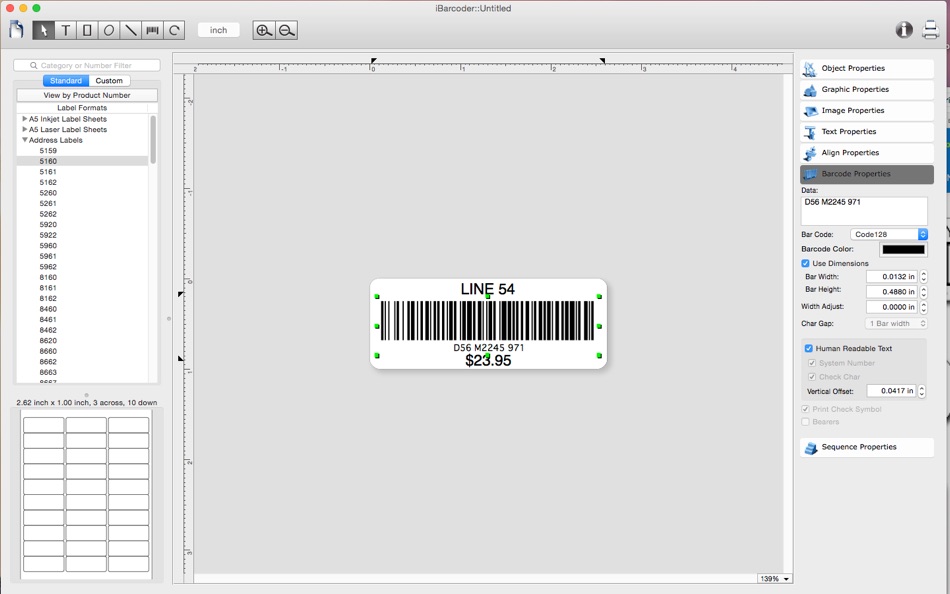
Whether you are a small, mid-size, or large-scale organization, iBarcoder Lite will easily create any number of barcode labels in your own style, of any size, or shape. There's no need to spend money for purchasing costly barcode stickers for your business! Use iBarcoder Lite version to design and print barcode labels, stickers, tags on your mac with a few mouse clicks.
Also you can use this mac barcode software as Datamatrix and QR Code generator. Create barcode graphics for retail packages, books, stickers, and more.
Print with Inkjet, Laser, Direct Thermal or any other special barcode printers. Barcode images created by Mac Barcode Generator are 100% Scannable with any Stationary, Cabled or Wireless Scanners.
Smart, intuitive mac barcode generating software:
- Create professional barcoded labels with a few mouse clicks,
- Live preview feature: start typing to create your barcode,
- Modify your mac barcode by changing types, sizes and other attributes intrinsic to a certain barcode symbology, advanced tools make customizing your barcode easy,
- Rotate generated barcode image,
- Support barcode preview functionality,
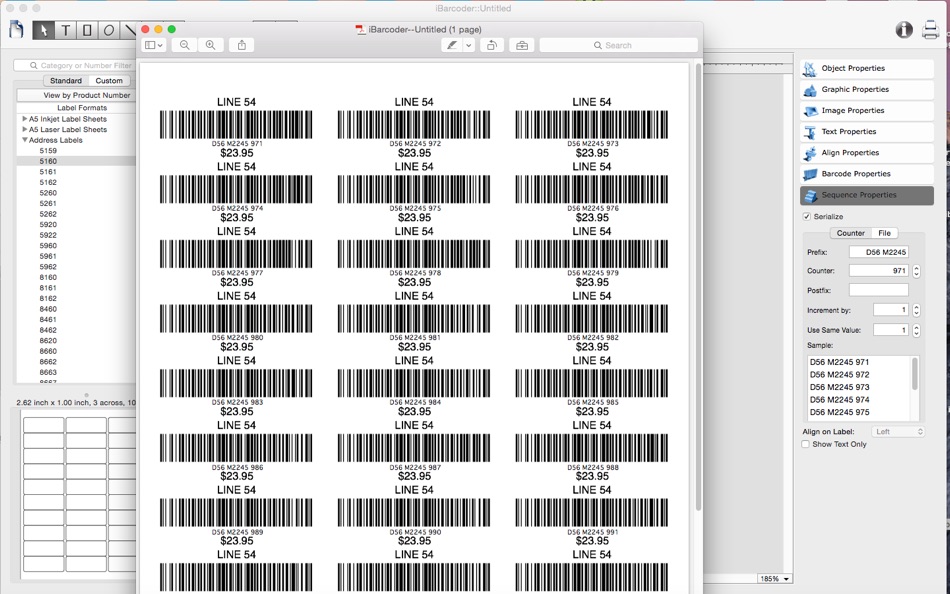
- Print barcodes directly to your printer using standard Avery label formats provided,
- Create and save your own custom label formats,
- Export barcode as a high-resolution (up to 4800 dpi) mac image file, or vector graphic,
-- PDF (vector)
-- EPS (vector)
-- TIFF
-- JPEG
-- JPEG 2000
-- PNG
-- and more...
- Make the desired barcode Font and Color settings,
- Copy, then paste finished graphics right to Adobe Illustrator, InDesign, Photoshop, or other software from mac clipboard.
Add text, borders, images, and more:
Add various objects and design elements like text boxes, image boxes, rectangles, ovals and lines to your labels. Type in the necessary text, insert the desired images, logos, illustrations to create the professional barcode labels for commercial use.
Sequential barcodes for catalogs and retail operations:
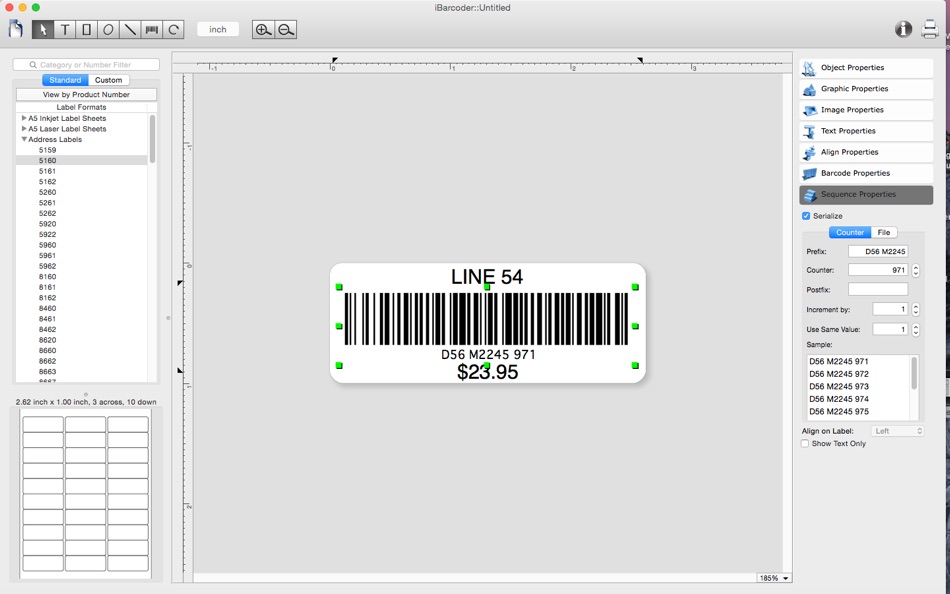
The powerful Sequential Numbers feature allows you to define the sequence in which barcodes are printed or exported. The barcode sequences can be created in two modes.
The Counter mode creates the next barcode automatically constructing the next barcode data string from user defined prefix, starting number and postix parts using the increment value. The Text File mode allows select a file containing the set of data strings to generate barcodes from.
iBarcoder Lite can support the following barcode types
- Postnet
- Japanpost customer mac barcode
- FIM Codes (3 types)
- Horizontal bars
- UPC barcode
-- UPC A (2 or 5 digit supplements allowed)
-- UPC E (2 or 5 digit supplements allowed)
- EAN barcode
-- EAN 13 (2 or 5 digit supplements allowed)
-- EAN 8 (2 or 5 digit supplements allowed)
- ISBN barcode
-- ISBN-13
-- ISBN-10
-- ISBN 2 digit supplements allowed)
-- ISBN 5 digit supplements allowed)
- ISMN
- ISSN (2 or 5 digit barcode supplements allowed)
- Code 128
-- Code 128 A
-- Code 128 B
-- Code 128 C
- Codabar
- ITF14
- Code 39
- Code 11
- Code 93
- MSI mac barcode
- Interleaved 2 of 5
- Datamatrix
- Intelligent Mail Barcode
- Pharmacode
- QR Code
- GS1-128
- SSCC-18
- GTIN-14
- GS1-Databar
- GS1-Databar Stacked
- GS1-Databar Stacked Omnidirectional
- GS1-Databar Limited
- PLANET
Some functionality of the iBarcoder is delivered by ordering an In-App Purchase upgrade:
1. Add the Code 11, Code 39, Code 93, UPC-A, UPC-E, EAN-13, EAN-8, ISBN, ISSN, ISMN barcodes,
2. Add the Code 128, Code 128 A, Code 128 B, Code 128 C, GS1-128, SSCC-18, GTIN-14, Datamatrix, QR Code, QR Code Micro barcodes,
3. Add barcode serialization functionality for printing and exporting predefined barcode sequences.
4. Add the GS1-Databar, GS1-Databar Stacked, GS1-Databar Stacked, Omnidirectional GS1-Databar Limited barcodes.
5. Open ALL functionality with $5 DISCOUNT value (1-4 items at once).
스크린샷

새로운 기능
- 버전: 3.16.0
- 업데이트:
- sequential barcodes functionality improved, more label formats added, functionality changes made.
가격
-
* 인앱 구매 - 오늘: 무료
- 최소: 무료
- 최대: 무료
가격 추적
개발자
- Dmitry Kozlov
- 플랫폼: iOS 앱 (1) iOS 게임 (1) macOS 앱 (10)
- 목록: 0 + 0
- 포인트: 0 + 2 ¡
- 순위: 0
- 리뷰: 0
- 할인: 0
- 동영상: 0
- RSS: 구독
포인트
0 ☹️
순위
0 ☹️
목록
0 ☹️
- iBarcoder Lite
리뷰
첫 번째 리뷰를 남겨보세요 🌟
추가 정보
iBarcoder Lite 단축 URL: 복사됨!- 🌟 공유하기
- Mac App Store
당신은 또한 같은 수 있습니다
-
- Barcoder - EAN13 generator
- macOS 앱: 그래픽 및 디자인 게시자: Marcin Zdyb
- $2.99
- 목록: 0 + 0 순위: 0 리뷰: 0
- 포인트: 0 + 0 버전: 1.0 Barcoder is a lightweight, fast EAN-13 barcode generator. Paste or type the number, get live checksum validation, then export to PDF, SVG, or PNG. No clutter - just the essentials for ... ⥯
-
- Barcoder - Barcode Generator
- macOS 앱: 유틸리티 게시자: Infinite Token
- $4.99
- 목록: 0 + 0 순위: 0 리뷰: 0
- 포인트: 0 + 0 버전: 1.5.0 Quickly and easily generate barcodes from the status bar! Features: * Generate QR code, Aztec, PDF417, and Code 128 barcodes * Drag and drop barcodes from status bar to desktop, folder ⥯