
| Sviluppatore: | BARTOLI JOHAN (6) | ||
| Prezzo: | Gratis | ||
| Classificazioni: | 0 | ||
| Recensioni: | 0 Scrivi una recensione | ||
| Commenti: | 0 Pubblica commento | ||
| Listes: | 0 + 1 | ||
| Punti: | 4 + 0 ¡ | ||
| Mac App Store | |||
Descrizione

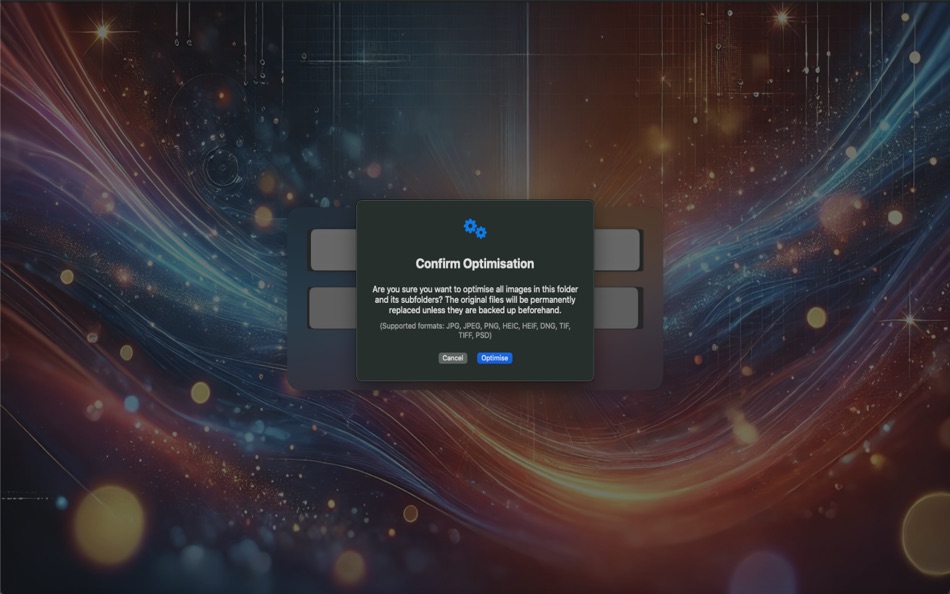
Choose a folder, click once, and ImageDelOptim processes all supported images recursively while keeping strong visual quality and reducing file size.
You can also remove all supported images in one action when needed.
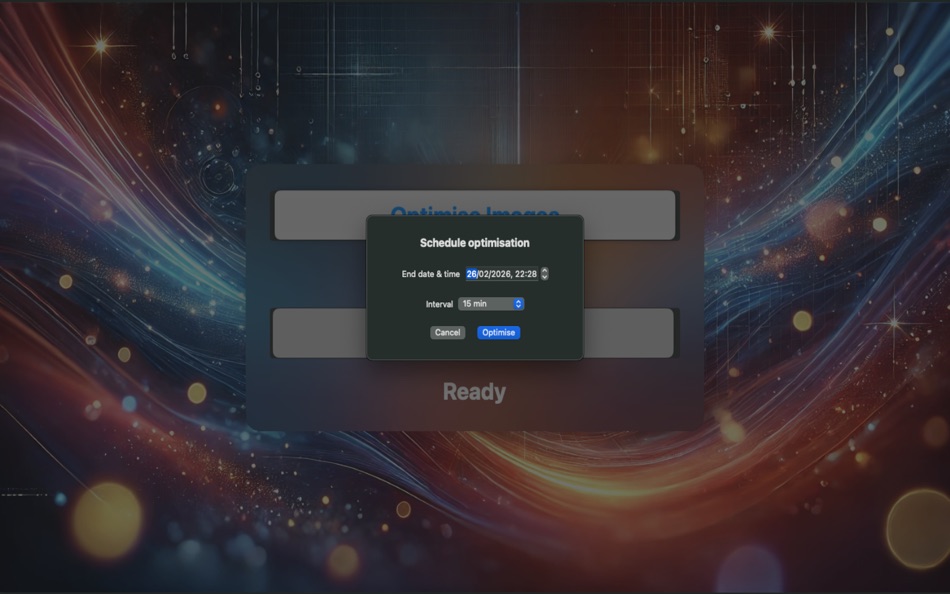
ImageDelOptim includes an advanced scheduler: pick a folder, set an end date/time, and choose an interval (5, 10, 15, 30, or 60 minutes).
Optimisation starts immediately, then repeats automatically until the selected end time.
You can stop scheduled runs at any moment.
The app also provides clear progress tracking and improved reliability:
* Live progress with processed/total file count
* Stop controls for optimisation, deletion, and scheduler tasks
* Detailed error log for unreadable/damaged images, with quick Finder access
* Safe file writing workflow and preserved file creation/modification dates
Key Features
* One-click recursive image optimisation
* One-click recursive image deletion
* Scheduled optimisation with selectable intervals (5/10/15/30/60 min)
* Automatic stop at selected end time
* Real-time progress and status feedback
* Error reporting for problematic image files
* Lightweight, focused macOS experience
Supported File Formats
* JPG / JPEG
* PNG
* HEIC / HEIF
* TIF / TIFF
* PSD
* DNG
Important Notes
* Optimised images are saved as JPEG files (_o.jpg).
* Already optimised files are skipped in future runs.
* Non-date metadata is not preserved during optimisation.
Simple by Design
ImageDelOptim focuses on efficiency and ease of use.
The interface is intentionally minimal so you can optimise and delete large collections of images without distractions or unnecessary configuration.
Ad
Screenshot





Novità
- Versione: 6.0
- Aggiornata:
- * Added flexible scheduled optimisation intervals: 5, 10, 15, 30, or 60 minutes.
* Improved scheduler controls with clear start/end timeline and one-click stop.
* Added detailed optimisation error log for unreadable/damaged images.
* You can now open problematic files directly in Finder from the error log.
* Improved processing control with stop actions for optimisation and deletion.
* Enhanced file safety during optimisation with more reliable write/replace handling.
* File creation and modification dates are now preserved after optimisation.
* Improved overall status and progress feedback during long operations.
Prezzo
- Oggi: Gratis
- Minimo: Gratis
- Massimo: $2.99
Monitora prezzi
Ad
Sviluppatore
- BARTOLI JOHAN
- Piattaforme: iOS App (3) iOS Giochi (2) macOS App (1)
- Listes: 0 + 1
- Punti: 8 + 0 ¡
- Classificazioni: 0
- Recensioni: 0
- Sconti: 0
- Video: 0
- RSS: Sottoscrivi
Punti (4)
-

- 213 Olivier Sztabowicz
- +1
-
- 2,024 Lu Chin
- +1
-
- 2,782 Alan
- +1
-
- 11,008 Simon Chan
- +1



Classificazioni (0)
0 ☹️
Listes (0)
0 ☹️
- ImageDelOptim
Recensioni (0)
Scrivi tu la prima recensione 🌟
Commenti (0)
Sii il primo a commentare 🌟
Informazioni aggiuntive
Contatti
- Sito web:
 https://imagedeloptim.carrd.co
ImageDelOptim URL breve: Copiato!- 🌟 Condividi
- Mac App Store
Ti potrebbero piacere anche
-
- Image Converter: HEIC WebP PDF
- macOS App: Utility di: DRISH LABS
- $4.99
- Listes: 0 + 0 Classificazioni: 0 Recensioni: 0
- Punti: 0 + 0 Commenti: 0 Versione: 2.2 Image Converter: HEIC WebP PDF is the fast, all-in-one image conversion and processing tool built exclusively for Mac. Convert between every major format in seconds HEIC ↔ JPG ↔ PNG ↔ ... ⥯
-
- Image Extractor for Word Docs
- macOS App: Utility di: App Tyrant Corp
- $2.99
- Listes: 0 + 0 Classificazioni: 0 Recensioni: 0
- Punti: 0 + 0 Commenti: 0 Versione: 1.2.2 Do you have a Microsoft Word Document (.doc or .docx) filled with images you need to extract quickly? Look no further! Image Extractor for Microsoft Word Documents is your ultimate ... ⥯
-
- Image Guard - Data Blur
- macOS App: Utility di: Direct Solutions
- Gratis
- Listes: 0 + 0 Classificazioni: 0 Recensioni: 0
- Punti: 0 + 0 Commenti: 0 Versione: 1.0 Introducing Image Guard: Your Ultimate Privacy Protector for Images! Key Features: - Detect Sensitive Information: Image Guard uses advanced AI technology to automatically detect and ... ⥯
-
- Image Optimizer - Compression
- macOS App: Utility di: 万林 彭
- Gratis
- Listes: 0 + 1 Classificazioni: 0 Recensioni: 0
- Punti: 7 + 0 Commenti: 0 Versione: 3.0 Image Optimizer - Professional Lossless Image Compression Software. Batch Image Compression Tool for PNG, JPG, TIF, GIF, BMP, PSD, HEIC Formats 「Main Features」 Reduce image file size ... ⥯
- -100%
- Image Resizer: Batch Convert
- macOS App: Utility di: omer kose
- ▼ * Gratis
$3.99-100% - Listes: 0 + 1 Classificazioni: 0 Recensioni: 0
- Punti: 6 + 0 Commenti: 0 Versione: 4 Image Resizer helps you resize and convert images in seconds on macOS. Drag and drop images or folders, choose a target resolution, then export in the format you need. Why users love ... ⥯
-
- Image Processor - imageoptim
- macOS App: Utility di: 凌云 张
- * Gratis
- Listes: 1 + 0 Classificazioni: 0 Recensioni: 0
- Punti: 2 + 0 Commenti: 0 Versione: 1.6.1 Image Processor is a professional tool for compressing images and converting image formats. Without uploading the network, you can compress PNG, JPG and other pictures losslessly, and ... ⥯
-
- Image Converter for PNG, JPEG & GIF for Mac OS X
- macOS App: Utility di: FIPLAB Ltd
- Gratis
- Listes: 0 + 1 Classificazioni: 0 Recensioni: 0
- Punti: 1 + 0 Commenti: 0 Versione: 1.0 Image Converter is an indispensable and incredibly easy to use utility app for all your crucial image conversion requirements. KEY FEATURES: Quickly resize images to predetermined ... ⥯
-
- Image Kit
- macOS App: Utility di: 上海蓝伞科技有限责任公司
- * Gratis
- Listes: 0 + 0 Classificazioni: 0 Recensioni: 0
- Punti: 2 + 0 Commenti: 0 Versione: 1.1.1 Image Kit is a feature rich image processing toolset that: - support all major image formats: JPEG / PNG / Webp / BMP / HEIC / HEIF / GIF / SVG /... and most types of raw images - ... ⥯
-
- Image Converter
- macOS App: Utility di: Eduardo Almeida
- $2.99
- Listes: 0 + 0 Classificazioni: 0 Recensioni: 0
- Punti: 0 + 0 Commenti: 0 Versione: 4.0.4 Image Converter is the ultimate image type converter for your computer! Convert to and from PNG, JPEG, TIFF, GIF among others! For more advanced users, you can also convert lots of ... ⥯
-
- Image Ninja Compress, Convert
- macOS App: Utility di: Christopher Kreymborg
- Gratis
- Listes: 0 + 0 Classificazioni: 0 Recensioni: 0
- Punti: 0 + 0 Commenti: 0 Versione: 1.0 Image Ninja is the fastest way to batch convert and compress images on your Mac. Drop in your photos, pick your format, and let the ninja work its magic. POWERFUL FORMAT CONVERSION ... ⥯
-
- Image Cutout Pro
- macOS App: Utility di: 松平 洪
- $0.99
- Listes: 0 + 0 Classificazioni: 0 Recensioni: 0
- Punti: 0 + 0 Commenti: 0 Versione: 1.0 Image Cutout Pro: Effortlessly Remove Image Backgrounds Image Cutout Pro is the perfect tool for quickly and easily removing backgrounds from any image. Whether you're a designer, ... ⥯
-
- Image Minifier
- macOS App: Utility di: Christian Ahrweiler
- $3.99
- Listes: 0 + 0 Classificazioni: 0 Recensioni: 0
- Punti: 0 + 0 Commenti: 0 Versione: 1.0.11 Image Minifier shrinks your images without changing their dimensions. Drop in PNG, JPG or WebP files and let the app recompress them using smart defaults that preserve visual quality ... ⥯
-
- Image Deblur - Blurred & Shaky
- macOS App: Utility di: GENOVA Softworks
- $8.99
- Listes: 0 + 0 Classificazioni: 0 Recensioni: 0
- Punti: 0 + 0 Commenti: 0 Versione: 1.0.8 Image Deblur is a professional tool that lets you remove the blur from your photos. Thanks to its deconvolution algorithm it is possible to bring out the details you are looking for ... ⥯
-
- Image Converter Quick
- macOS App: Utility di: Manuel Worlitzer
- $1.99
- Listes: 0 + 0 Classificazioni: 0 Recensioni: 0
- Punti: 0 + 0 Commenti: 0 Versione: 1.0 Image Converter Fast & Easy File Conversion Transform your images into the perfect format in seconds. Image Converter is the ultimate tool to convert, resize, and optimize your ... ⥯