
기술

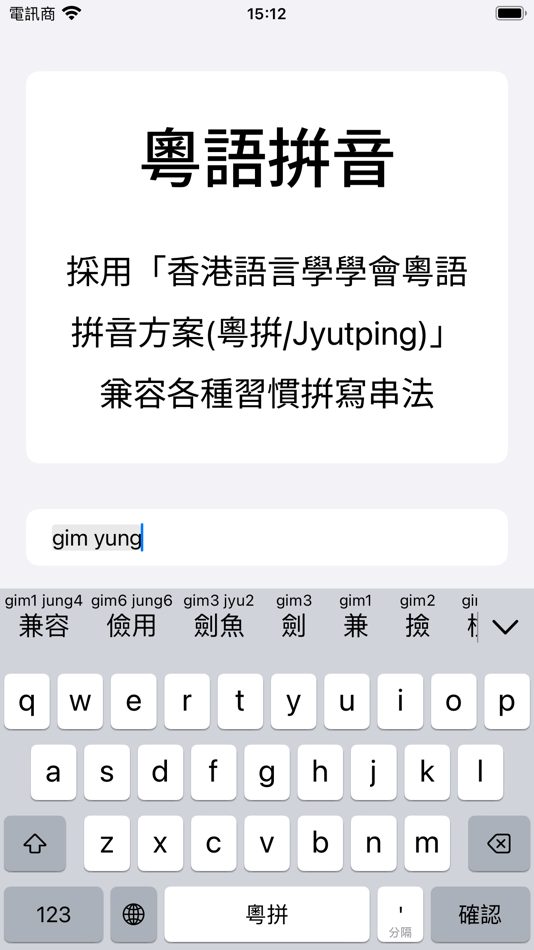
It fully supports the LSHK Jyutping romanization system, helping you type quickly and accurately, and making the typing experience effortless and enjoyable.
With Jyutping, every input reinforces your pronunciation. The more you type with Jyutping, the more proficient you'll become in Cantonese.
It's ready to use right out of the box; no complicated setup required.
Completely free, open source, and ad-free. Works entirely offline, so you never have to worry about privacy concerns.
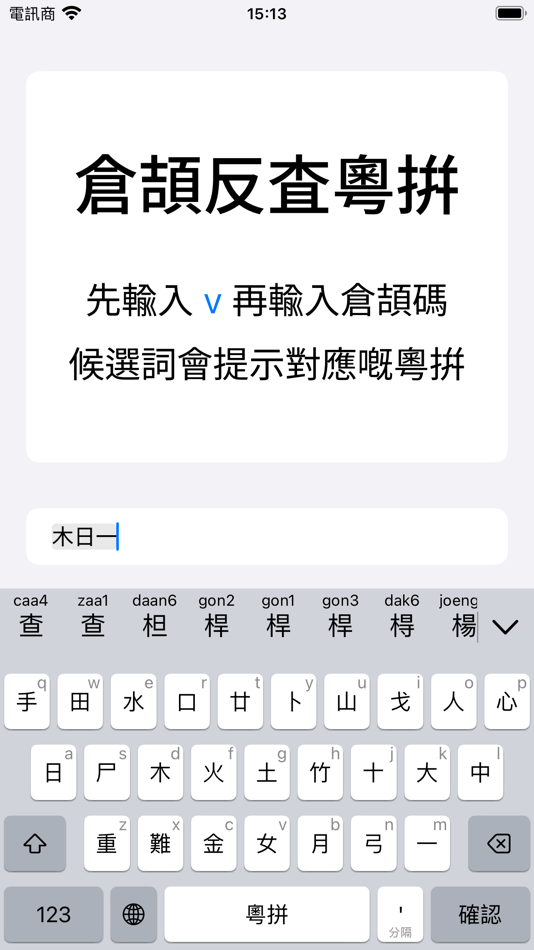
You can reverse lookup Jyutping using input methods you're familiar with, such as Mandarin Pinyin, Cangjie, Quick (Sucheng), or Stroke input.
Keyboard feature highlights:
• Regular Jyutping input: For example, neihou → 你好.
• Abbreviated input with Jyutping initials: For example, nh / nhou / neih → 你好.
• Accurate input with Jyutping tones: Type precisely while helping learners become familiar with Cantonese tones.
• Jyutping annotations/hints on candidates: Makes it easier to get started, while letting you practice, review, and correct pronunciation.
• Supports Traditional and Simplified Chinese characters: Freely switch between scripts. Traditional characters follow both Hong Kong and Taiwan standards.
• Reverse lookup with Mandarin Pinyin: Start with r, then enter Mandarin Pinyin (e.g., rlin → 林).
• Reverse lookup with Cangjie or Quick (Sucheng): Start with v, then enter Cangjie or Quick code (e.g., vdd → 林).
• Reverse lookup with Stroke input: Start with x, then enter Stroke code (e.g., xwsad → 木).
• Reverse lookup with character components: Start with q, then input the Jyutping of two component characters (e.g., qmukmuk → 林).
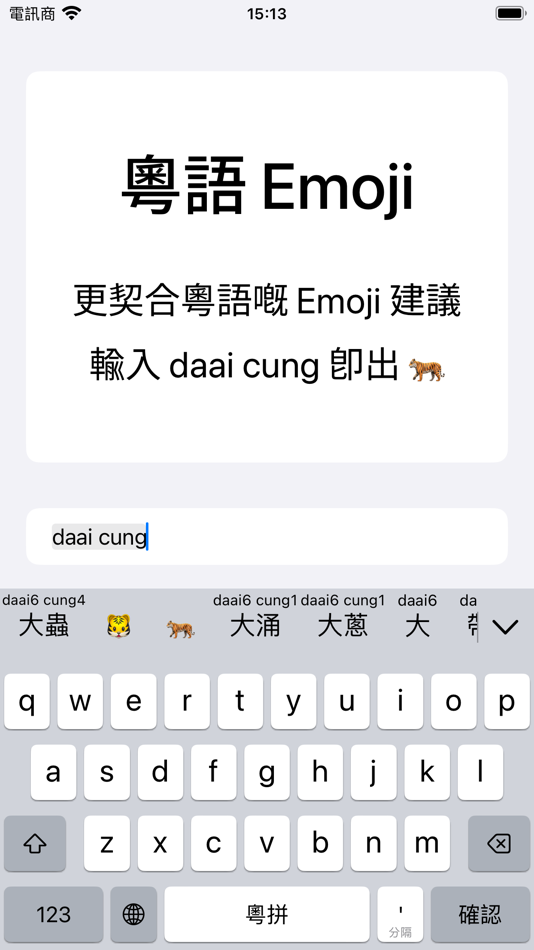
• Emoji candidate suggestions: Match Cantonese words. For example, typing “daai cung (大蟲)” gives you the tiger emoji.
• Massive Cantonese vocabulary, aligned with Cantonese sentence structure, ensures smooth and fluent typing.
• Multiple keyboard layouts available, including a 26-key QWERTY layout, 26-key triple-stroke layout, and 10-key (T9) layout.
• Convenient tools for copying, cutting, pasting, and moving the cursor backward/forward.
• Sound and haptic feedback with multiple options available.
Key features of the main app:
• Detailed guide to all Jyutping keyboard functions.
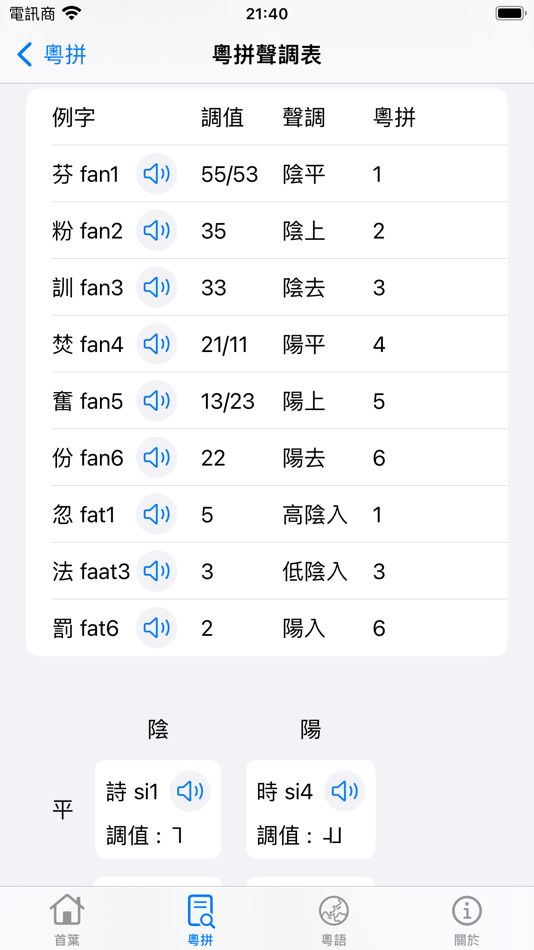
• Jyutping romanization scheme tables.
• Common Cantonese words and expressions.
• Pronunciation of frequently used Cantonese words.
• Cantonese pronunciation search and dictionary lookup.
• Text-to-Jyutping conversion.
• Cantonese text-to-speech.
We do not collect or share any personal information.
This app is fully open source on GitHub:
https://github.com/yuetyam/jyutping
To learn more about Jyutping and Cantonese keyboards, visit our official website:
https://jyutping.app
스크린샷





새로운 기능
- 버전: 0.66.0
- 업데이트:
- • Added a new setting to adjust the height of the keyboard input keys.
• Improved gesture handling for swiping up and down on letter keys.
• Improved the input algorithm for tones and syllable separators.
• Refined the design and style of certain keyboard keys.
• Enhanced the pronunciation lookup feature in the main app.
가격
- 오늘: 무료
- 최소: 무료
- 최대: 무료
가격 추적
포인트
0 ☹️
순위
0 ☹️
목록
0 ☹️
리뷰
첫 번째 리뷰를 남겨보세요 🌟
추가 정보
주소록
- 웹사이트:
 https://jyutping.app
Jyutping - Cantonese Keyboard 단축 URL: 복사됨!- 🌟 공유하기
- Mac App Store
당신은 또한 같은 수 있습니다
-
- Keyboard Typing Sound
- macOS 앱: 유틸리티 게시자: 方成 印
- $2.99
- 목록: 1 + 0 순위: 0 리뷰: 0
- 포인트: 4 + 0 버전: 1.1 Keyboard Typing Sound - Authentic Typing Sounds for macOS Experience the nostalgic feel of a typewriter right on your macOS. If you're a writer who loves the sound of typing on a ... ⥯
- 새로운
- Keyboard Viewer
- macOS 앱: 유틸리티 게시자: Jeremy Blanchard
- 무료
- 목록: 0 + 0 순위: 0 리뷰: 0
- 포인트: 0 + 0 버전: 1.0.3 Keyboard Viewer is a modern macOS utility that visualizes your keyboard layout in real-time as you type. Designed for users with custom keyboard layouts - whether you're learning ... ⥯
-
- Keyboard Switcheroo
- macOS 앱: 유틸리티 게시자: Overdesigned, LLC
- $1.99
- 목록: 0 + 1 순위: 0 리뷰: 0
- 포인트: 3 + 0 버전: 1.5.1 Switch keyboard languages with ease! Switcheroo is a menubar app that shows your input sources with colorful flags or custom icons of your choosing! Use the menu to switch, add, or ... ⥯
-
- Keyboard Pilot
- macOS 앱: 유틸리티 게시자: Tinybird Interactive AB
- 무료
- 목록: 0 + 0 순위: 0 리뷰: 0
- 포인트: 3 + 0 버전: 1.9.1 Are you constantly changing the keyboard layout (known as Input Source in System Preferences) as you switch between applications? That can be really annoying and slowing you down. ... ⥯
-
- Keyboard Lock
- macOS 앱: 유틸리티 게시자: 麟 陈
- * 무료
- 목록: 0 + 0 순위: 0 리뷰: 0
- 포인트: 0 + 0 버전: 1.2.4 Want to watch videos but constantly being interrupted by your kids' curious hands or your cats' fierce paws? Or you have to close your Mac every time to clean the keyboard or screen, ... ⥯
-
- Keyboard Layout Fixer
- macOS 앱: 유틸리티 게시자: Matan Levi
- 무료
- 목록: 0 + 0 순위: 0 리뷰: 0
- 포인트: 0 + 0 버전: 1.0 Never Type Gibberish Again. Keyboard Layout Fixer intelligently detects when you re typing with the wrong keyboard layout like accidentally using Hebrew instead of English and ... ⥯
-
- Keyboard-Lock
- macOS 앱: 유틸리티 게시자: Perry Hooker
- 무료
- 목록: 0 + 0 순위: 0 리뷰: 0
- 포인트: 0 + 0 버전: 1.0.1 KeyboardLock lets you temporarily disable your Mac s keyboard and trackpad with a menu click or custom shortcut. Use it to prevent accidental input while cleaning, presenting, or ... ⥯
-
- Real Keyboard Cleaner
- macOS 앱: 유틸리티 게시자: Jiulong Zhao
- $5.99
- 목록: 1 + 0 순위: 0 리뷰: 0
- 포인트: 7 + 0 버전: v2.11 Keyboard Cleaner locks your MacBook s entire keyboard for 30 seconds for you to wipe off stains, brush it clean, or anything else! All keys and hotkey combinations will be blocked - ... ⥯
-
- Navlipi Keyboard
- macOS 앱: 유틸리티 게시자: Navlipi.org
- 무료
- 목록: 0 + 0 순위: 0 리뷰: 0
- 포인트: 0 + 0 버전: 1.1 NAVLIPI World s first practical phonemic (also phonetic) alphabet, based on Latin alphabet. See: https://navlipi.org All languages Superscripts on some keys: E (English); M (Mandarin); ⥯
-
- Remote, Mouse & Keyboard Pro
- macOS 앱: 유틸리티 게시자: Remote Sunrise LTD
- $20.00
- 목록: 9 + 2 순위: 0 리뷰: 0
- 포인트: 48 + 5,329 (4.7) 버전: 2025.30 # REMOTE, MOUSE & KEYBOARD YOUR ALL-IN-ONE CONTROL CENTER Turn your iPhone or iPad into a universal remote, wireless mouse, keyboard, and automation hub all in one powerful app. With ... ⥯
-
- FunKey-Mechanical Keyboard App
- macOS 앱: 유틸리티 게시자: Digital Hole Pvt. Ltd.
- $3.99
- 목록: 1 + 2 순위: 0 리뷰: 0
- 포인트: 21 + 0 버전: 2.9 Transform your Mac typing experience with FunKey, the ultimate mechanical keyboard sound simulator! Whether you re coding, designing, or typing emails, FunKey brings satisfying sound ... ⥯
- -83%
- Disable My Keyboard
- macOS 앱: 유틸리티 게시자: Yusuf Turhan
- $0.99
$5.99-83% - 목록: 0 + 0 순위: 0 리뷰: 0
- 포인트: 2 + 0 버전: 1.1 Keep your Mac s keyboard under control with Keyboard Lock! Have you ever needed to disable your keyboard temporarily? Whether you are cleaning your keyboard, preventing accidental key ... ⥯
-
- LazyBoard: Phrase Keyboard
- macOS 앱: 유틸리티 게시자: Elsayed Hussein
- 무료
- 목록: 1 + 0 순위: 0 리뷰: 0
- 포인트: 1 + 567 (4.4) 버전: 4.34 Tired of typing the same things over and over? LazyBoard is your shortcut keyboard for saving email templates, canned replies, forms, addresses, phone numbers, emojis, and more all ... ⥯
-
- MagicGlance Keyboard
- macOS 앱: 유틸리티 게시자: Ori Roniger
- $1.99
- 목록: 0 + 0 순위: 0 리뷰: 0
- 포인트: 1 + 0 버전: 1.49 MagicGlance Keyboard: Effortlessly monitor the battery life of your Magic Keyboard device with our lightweight, seamless, and customizable app. Say goodbye to tedious manual checks or ... ⥯