
| ผู้พัฒนา: | Toolbunch LLC (4) | ||
| ราคา: | $5.99 | ||
| การจัดอันดับ: | 0 | ||
| ความเห็น: | 0 เขียนความเห็น | ||
| รายการ: | 0 + 0 | ||
| แต้มแล: | 0 + 0 ¡ | ||
| Mac App Store | |||
คำอธิบาย

Feature Summary:
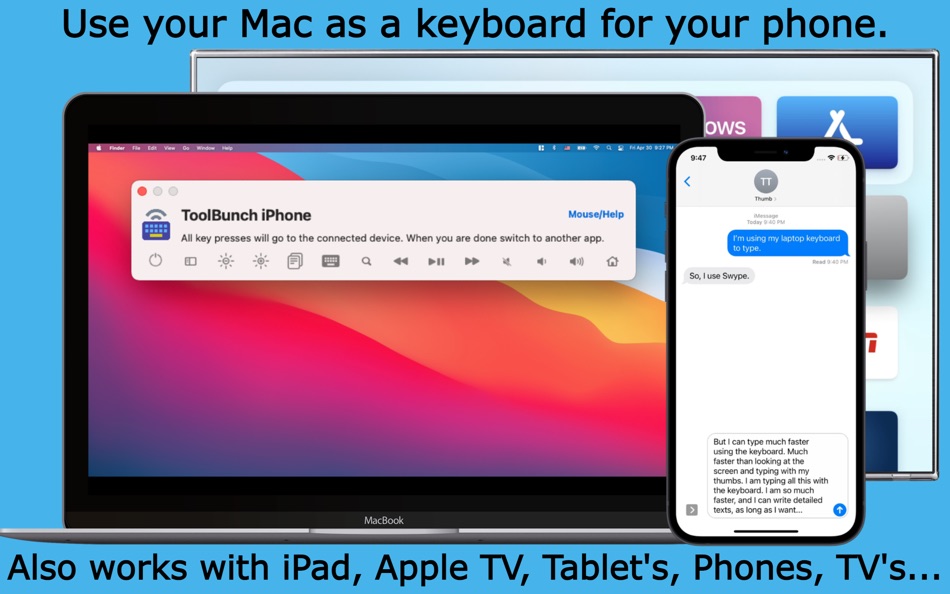
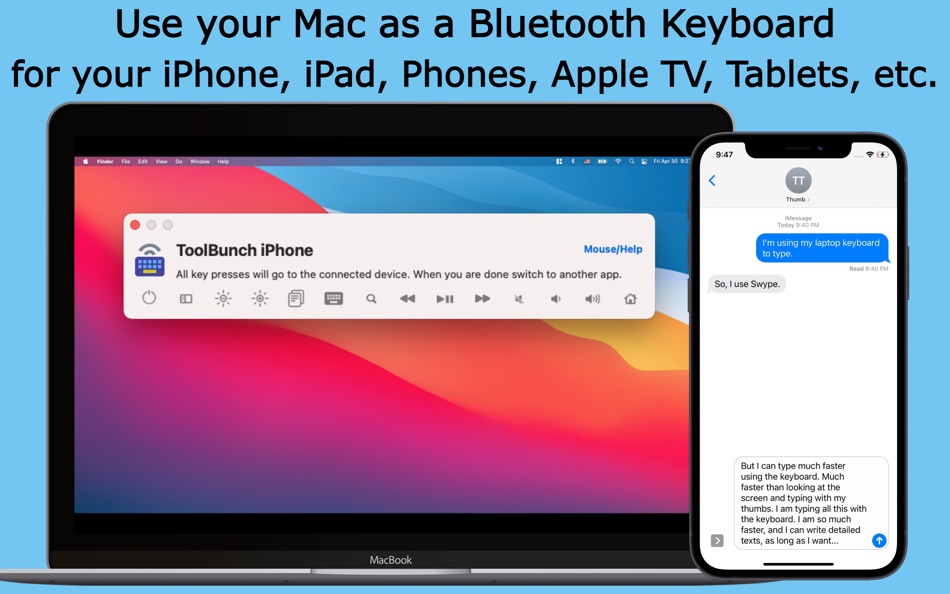
Universal Bluetooth Keyboard: Use your Mac's keyboard as a Bluetooth keyboard to control various devices including iPhones, iPads, Android devices, Apple TVs, smart TVs (Samsung, Sony), Raspberry Pis, and more.
Multi-Device Support: Maintains connections with multiple devices. One keyboard to rule them all.
Developer Support: Use the Mac keyboard and mouse to test keyboard support for your iPhone, iPad, Android, and TV apps.
Integrated Mouse and Keyboard Functionality: KeyPad emulates both a keyboard and a mouse, providing full cursor control for iPads and basic mouse functions for iPhones via Assistive Touch.
Ergonomic Benefits: Provides a comfortable typing alternative to small, cramped mobile keyboards or voice controls, ideal for users with physical limitations or those seeking to avoid "texting thumb".
Customizable Controls: Features like Control + Option for mouse control and reconfigurable hotkeys such as Command+Option+P for toggling the KeyPad interface, enhance user experience.
Language and Layout Support: Supports multiple keyboard layouts, ensuring correct character input regardless of user location or language preferences.
Seamless Setup: Easy setup process involves making KeyPad discoverable, pairing and connecting over Bluetooth, and starting immediate control.
Privacy and Discretion: Useful for maintaining privacy during presentations, as notifications can be confined to the phone rather than appearing on the Mac screen.
Ideal for:
Developers: Use your Mac keyboard to test keyboard support for your iPhone, iPad, Android or TV App. Use the Mac keyboard to control devices like Raspberry Pis or set-top boxes.
Home Entertainment: Control your smart TV with the comfort of your Mac's keyboard. Navigate media interfaces faster than using a traditional TV remote.
Social media: Keep your social media notifications on your Phone or Tablet, and your work on your Mac.
Reduce Clutter: Keep workspace clutter-free by eliminating the need for multiple keyboards or controls for different devices.
Accessibility Uses: Users with motor skill difficulties can benefit from using a full-size keyboard.
Multimedia Production: Control playback and editing software on tablets or other computers from your Mac during video or music production.
Gaming: Use the Mac’s keyboard to play games on tablets or mobile devices that may offer a better gaming experience with keyboard input.
Everyday Convenience: Send texts and emails from mobile devices using the Mac's keyboard for a quicker, more comfortable typing experience. Browse the internet on a tablet or mobile device using a real keyboard instead of touchscreens or small mobile keypads.
Remote Work: Switch seamlessly between personal and work devices connected to your Mac, enhancing productivity. Control other PC's and Macs directly from your Mac.
Simple Setup:
1. Pair devices via the in-app Bluetooth connection dialog.
2. Select the Bluetooth device and add it to the KeyPad device list
3. Launch Keypad and start typing or navigating right away!
I'm committed to making KeyPad the best keyboard emulator. If you encounter any issues or have suggestions, please contact us at our support page or email us at tools@toolbunch.com.
ภาพหน้าจอ

มีอะไรใหม่
- เวอร์ชัน: 1.99.9
- อัปเดต:
ราคา
- วันนี้: $5.99
- ต่ำสุด: $5.99
- มากที่สุด: $5.99
ติดตามราคา
ผู้พัฒนา
- Toolbunch LLC
- แพลตฟอร์ม: macOS แอป (4)
- รายการ: 0 + 0
- แต้มแล: 20 + 3 ¡
- การจัดอันดับ: 0
- ความเห็น: 0
- ลดราคา: 0
- วิดีโอ: 0
- RSS: ติดตาม
แต้มแล
0 ☹️
การจัดอันดับ
0 ☹️
รายการ
0 ☹️
ความเห็น
แสดงรีวิวเป็นคนแรกเลย 🌟
ข้อมูลเพิ่มเติม
- เวอร์ชัน: 1.99.9
- หมวดหมู่:
macOS แอป›ยูทิลิตี้ - ระบบปฏิบัติการ:
macOS,macOS 11.0 และสูงกว่า - ขนาด:
346 Kb - ภาษาที่สนับสนุน:
Chinese,Czech,Danish,Dutch,English,Estonian,Finnish,French,German,Greek,Indonesian,Italian,Japanese,Korean,Norwegian,Polish,Portuguese,Russian,Slovak,Spanish,Swedish,Turkish,Ukrainian,Vietnamese - การจัดประเภทเนื้อหา:
4+ - Mac App Store คะแนนโดย:
0 - อัปเดต:
- วันที่วางจำหน่าย:
รายชื่อติดต่อ
- เว็บไซท์:
 https://bluetooth-keyboard.com/keypad/
KeyPad Pro: Bluetooth Keyboard URL แบบสั้น: คัดลอกแล้ว!- 🌟 แชร์
- Mac App Store
คุณอาจชอบ
-
- Key Caps2
- macOS แอป: ยูทิลิตี้ โดย: John Cardinal
- $2.99
- รายการ: 0 + 0 การจัดอันดับ: 0 ความเห็น: 0
- แต้มแล: 0 + 0 เวอร์ชัน: 1.0 Key Caps 2 makes it effortless to discover exactly what every key on your Mac keyboard will produce especially those elusive special characters and accented letters. What You Can Do: ... ⥯
-
- Key Press Viewer Lite – stroke
- macOS แอป: ยูทิลิตี้ โดย: Oleh Kopyl
- ฟรี
- รายการ: 0 + 0 การจัดอันดับ: 0 ความเห็น: 0
- แต้มแล: 0 + 0 เวอร์ชัน: 1.0.1 This app is useful for any kind of presentation, streaming or recording demo or educational videos which include using your macOS. Check the demo video of the app in high quality: ... ⥯
-
- Keyboard Typing Sound
- macOS แอป: ยูทิลิตี้ โดย: 方成 印
- $2.99
- รายการ: 1 + 0 การจัดอันดับ: 0 ความเห็น: 0
- แต้มแล: 4 + 0 เวอร์ชัน: 1.1 Keyboard Typing Sound - Authentic Typing Sounds for macOS Experience the nostalgic feel of a typewriter right on your macOS. If you're a writer who loves the sound of typing on a ... ⥯
- ใหม่
- Keyboard Viewer
- macOS แอป: ยูทิลิตี้ โดย: Jeremy Blanchard
- ฟรี
- รายการ: 0 + 0 การจัดอันดับ: 0 ความเห็น: 0
- แต้มแล: 0 + 0 เวอร์ชัน: 1.0.3 Keyboard Viewer is a modern macOS utility that visualizes your keyboard layout in real-time as you type. Designed for users with custom keyboard layouts - whether you're learning ... ⥯
-
- Bluetooth Lost BLE Finder
- macOS แอป: ยูทิลิตี้ โดย: FuturaApp, Inc.
- ฟรี
- รายการ: 1 + 0 การจัดอันดับ: 0 ความเห็น: 0
- แต้มแล: 1 + 221 (4.4) เวอร์ชัน: 2.1 Bluetooth Lost BLE Finder simplifies the process of locating your misplaced devices. Using Bluetooth signals, it provides a proximity indicator to guide you closer to your lost phone, ... ⥯
-
- Keyboard Switcher
- macOS แอป: ยูทิลิตี้ โดย: Gabriel Catalfo
- $1.99
- รายการ: 0 + 0 การจัดอันดับ: 0 ความเห็น: 0
- แต้มแล: 0 + 0 เวอร์ชัน: 1.3 Keyboard Switcher is a macOS utility that lets you set a preferred keyboard input source for each app individually. It automatically adjusts your input settings as you switch between ... ⥯
-
- Bluetooth Battery Monitor
- macOS แอป: ยูทิลิตี้ โดย: 仁超 张
- $0.99
- รายการ: 0 + 0 การจัดอันดับ: 0 ความเห็น: 0
- แต้มแล: 0 + 0 เวอร์ชัน: 7.2.2 Bluetooth Battery Monitor is a practical tool designed for real-time battery monitoring of Bluetooth devices. It seamlessly connects to Bluetooth devices and provides real-time battery ⥯
-
- Keyboard Pilot
- macOS แอป: ยูทิลิตี้ โดย: Tinybird Interactive AB
- ฟรี
- รายการ: 0 + 0 การจัดอันดับ: 0 ความเห็น: 0
- แต้มแล: 3 + 0 เวอร์ชัน: 1.9.1 Are you constantly changing the keyboard layout (known as Input Source in System Preferences) as you switch between applications? That can be really annoying and slowing you down. ... ⥯
-
- Keyboard Switcheroo
- macOS แอป: ยูทิลิตี้ โดย: Overdesigned, LLC
- $1.99
- รายการ: 0 + 1 การจัดอันดับ: 0 ความเห็น: 0
- แต้มแล: 3 + 0 เวอร์ชัน: 1.5.1 Switch keyboard languages with ease! Switcheroo is a menubar app that shows your input sources with colorful flags or custom icons of your choosing! Use the menu to switch, add, or ... ⥯
-
- Bluetooth Mic Switch
- macOS แอป: ยูทิลิตี้ โดย: du nguyen
- ฟรี
- รายการ: 1 + 0 การจัดอันดับ: 0 ความเห็น: 0
- แต้มแล: 0 + 0 เวอร์ชัน: 1.01 Fixes thebluetooth audio by automatically switching away from the bluetooth mic. (this fixes the bandwidth issues which causes horrible audio) Key Features: Detects when Bluetooth ... ⥯
-
- Keyboard-Lock
- macOS แอป: ยูทิลิตี้ โดย: Perry Hooker
- ฟรี
- รายการ: 0 + 0 การจัดอันดับ: 0 ความเห็น: 0
- แต้มแล: 0 + 0 เวอร์ชัน: 1.0.1 KeyboardLock lets you temporarily disable your Mac s keyboard and trackpad with a menu click or custom shortcut. Use it to prevent accidental input while cleaning, presenting, or ... ⥯
-
- Keyboard Lock
- macOS แอป: ยูทิลิตี้ โดย: 麟 陈
- * ฟรี
- รายการ: 0 + 0 การจัดอันดับ: 0 ความเห็น: 0
- แต้มแล: 0 + 0 เวอร์ชัน: 1.2.4 Want to watch videos but constantly being interrupted by your kids' curious hands or your cats' fierce paws? Or you have to close your Mac every time to clean the keyboard or screen, ... ⥯
-
- Keyboard Layout Fixer
- macOS แอป: ยูทิลิตี้ โดย: Matan Levi
- ฟรี
- รายการ: 0 + 0 การจัดอันดับ: 0 ความเห็น: 0
- แต้มแล: 0 + 0 เวอร์ชัน: 1.0 Never Type Gibberish Again. Keyboard Layout Fixer intelligently detects when you re typing with the wrong keyboard layout like accidentally using Hebrew instead of English and ... ⥯
-
- Key Holder
- macOS แอป: ยูทิลิตี้ โดย: System Support Products, Inc.
- $3.99
- รายการ: 0 + 0 การจัดอันดับ: 0 ความเห็น: 0
- แต้มแล: 0 + 0 เวอร์ชัน: 2.0.2 Quick and easy access to your online account login information! Key Holder is a password manager application. For each password account, the account name, user, password, Internet URL, ⥯