
| ผู้พัฒนา: | MochaSoft (67) | ||
| ราคา: | $5.99 | ||
| การจัดอันดับ: | 0 | ||
| ความเห็น: | 0 เขียนความเห็น | ||
| รายการ: | 0 + 0 | ||
| แต้มแล: | 0 + 0 ¡ | ||
| Mac App Store | |||
คำอธิบาย

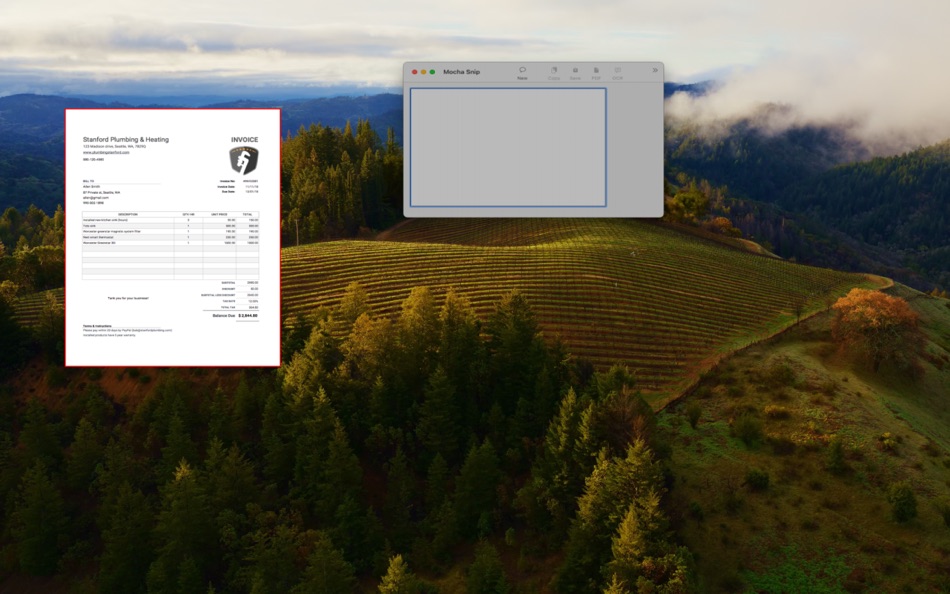
- Save to clipboard
- Save as a PDF file, image file or share the image with other apps.
- Supports AirDrop
- Draw in different colors
- Draw circles and rectangles
- Mark a text
- Add date and time to the screenshot
- OCR scan an image for text
- The OCR scanner can also detect barcode and QR codes
- Undo/Redo function
- Write a text on the image. Many fonts, colors, and sizes are supported
- Send the image to a printer
- Capture the current screen with a single command.
- Can run in the menu bar for easy access
Please first try the free lite version. Compared to the Lite version, this full version does not require a coffee break (45 seconds) after 5 minutes use.
ภาพหน้าจอ

มีอะไรใหม่
- เวอร์ชัน: 1.0
- อัปเดต:
ราคา
- วันนี้: $5.99
- ต่ำสุด: $5.99
- มากที่สุด: $5.99
ติดตามราคา
ผู้พัฒนา
แต้มแล
0 ☹️
การจัดอันดับ
0 ☹️
รายการ
0 ☹️
ความเห็น
แสดงรีวิวเป็นคนแรกเลย 🌟
ข้อมูลเพิ่มเติม
Mocha Snip URL แบบสั้น: คัดลอกแล้ว!- 🌟 แชร์
- Mac App Store
คุณอาจชอบ
-
- Mocha Snip Lite
- macOS แอป: ยูทิลิตี้ โดย: MochaSoft
- ฟรี
- รายการ: 0 + 0 การจัดอันดับ: 0 ความเห็น: 0
- แต้มแล: 0 + 0 เวอร์ชัน: 1.0 Take a screenshot of an area, and then annotate, save, and share the image. - Save to clipboard - Save as a PDF file, image file or share the image with other apps. - Supports AirDrop ... ⥯
-
- Screen Snip
- macOS แอป: ยูทิลิตี้ โดย: George Babichev
- ฟรี
- รายการ: 0 + 0 การจัดอันดับ: 0 ความเห็น: 0
- แต้มแล: 1 + 0 เวอร์ชัน: 1.2.1 - Take screenshots! - With a global hotkey even when the app is in the background. - Multi monitor support. - Retina display ready. - Open Images for editing. - Native "Open With" ... ⥯
-
- Snapshot Screenshot: CLY Snip
- macOS แอป: ยูทิลิตี้ โดย: 超 程
- $19.99
- รายการ: 0 + 0 การจัดอันดับ: 0 ความเห็น: 0
- แต้มแล: 0 + 0 เวอร์ชัน: 1.2 Menu Snap Screenshot: CLY Snip is a simple, lightweight and efficient macOS menu bar tool for quick screen capturing. Whether you need to take a full-screen screenshot, capture a ... ⥯
-
- Snap Screenshot - Snip & Paste
- macOS แอป: ยูทิลิตี้ โดย: 凌云 张
- * ฟรี
- รายการ: 0 + 0 การจัดอันดับ: 0 ความเห็น: 0
- แต้มแล: 5 + 0 เวอร์ชัน: 3.1.1 Let Snap Screenshot - Snip & Paste help you improve your work efficiency! This is a simple but powerful screenshot tool that also allows you to paste the screenshot back to the screen! ⥯
-
- Telnet Lite
- macOS แอป: ยูทิลิตี้ โดย: MochaSoft
- ฟรี
- รายการ: 0 + 0 การจัดอันดับ: 0 ความเห็น: 0
- แต้มแล: 0 + 0 เวอร์ชัน: 2.1 Mocha Telnet provides access to a Linux/UNIX Telnet Server. You can connect to a Telnet Server and run applications in a VT220 Terminal window. Exactly as you would, if you were ... ⥯
-
- Telnet
- macOS แอป: ยูทิลิตี้ โดย: MochaSoft
- $29.99
- รายการ: 0 + 0 การจัดอันดับ: 0 ความเห็น: 0
- แต้มแล: 0 + 0 เวอร์ชัน: 2.1 Mocha Telnet provides access to a Linux/UNIX Telnet Server. You can connect to a Telnet Server and run applications in a VT220 Terminal window. Exactly as you would, if you were ... ⥯