
| Udvikler: | Shuhei Terai (2) | ||
| Pris: | $4.99 | ||
| Rangeringer: | 0 | ||
| Anmeldelser: | 0 Skriv en anmeldelse | ||
| Lister: | 0 + 0 | ||
| Point: | 0 + 0 ¡ | ||
| Mac App Store | |||
Beskrivelse

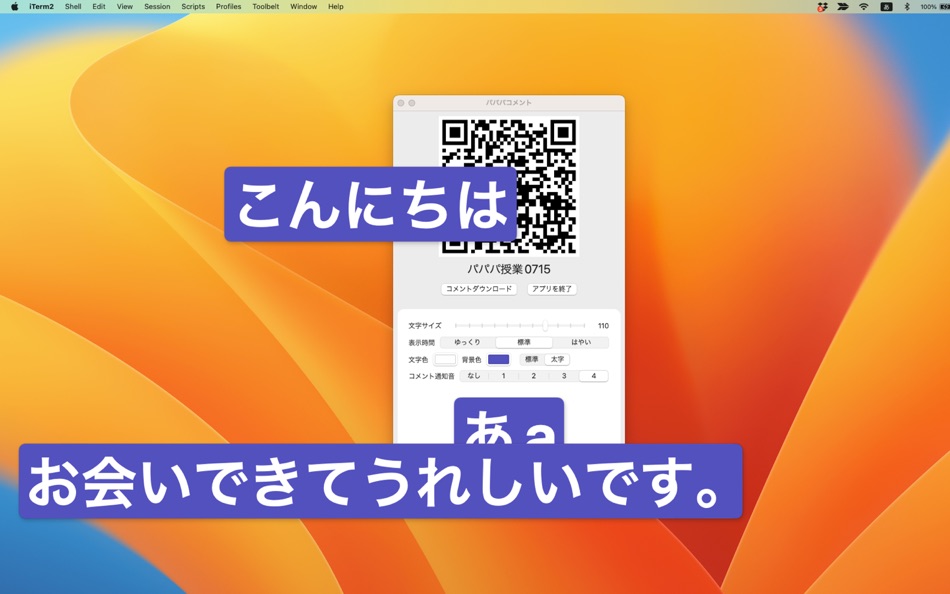
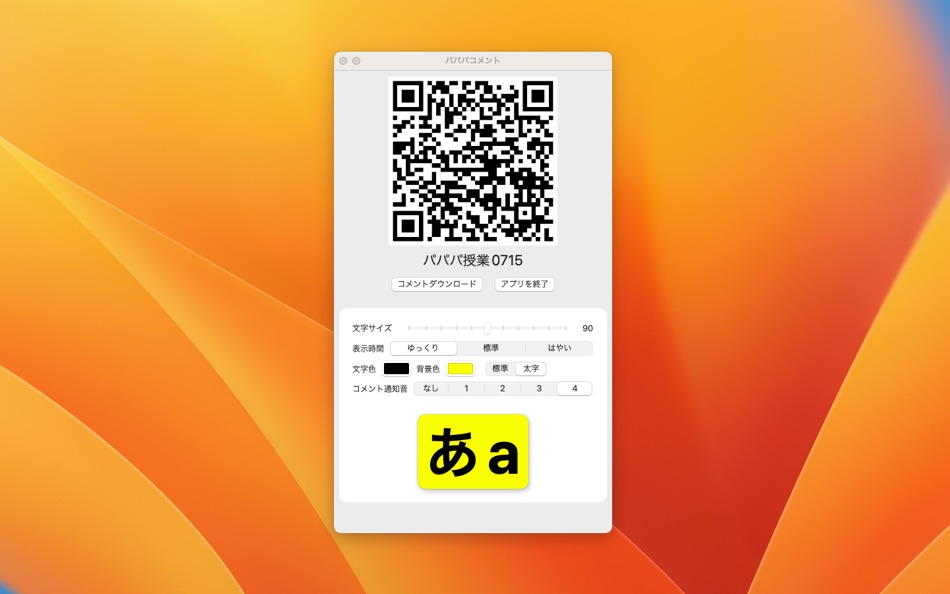
By installing this app on the presenter's computer, comments can be overlaid on the screen, even when the Keynote or PowerPoint presentation slides are displayed in full screen.
Students can post comments from a web browser on their smartphone or PC. There is no need to have the application installed, so it can be easily introduced without any burden on the participants.
Features:
- Display of posted comments
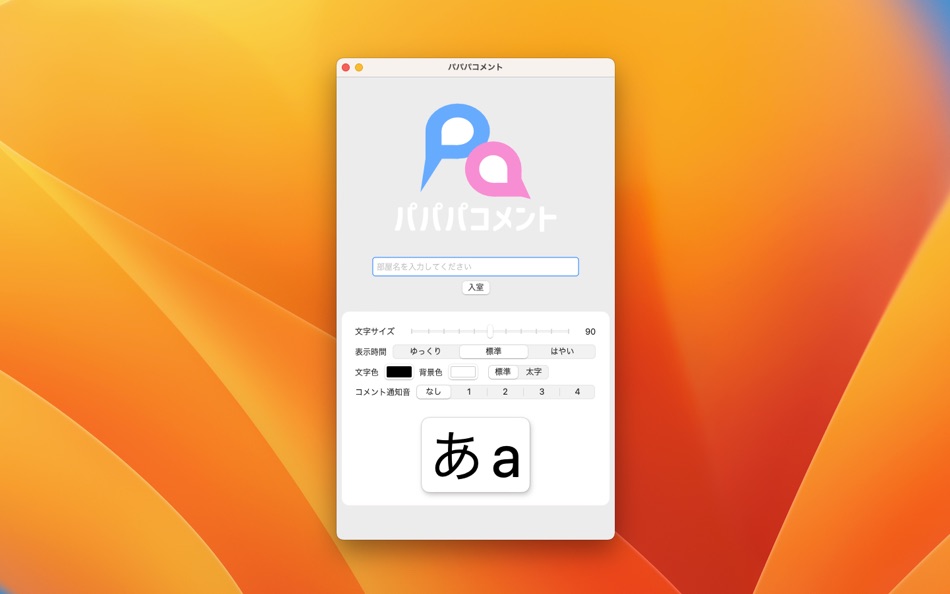
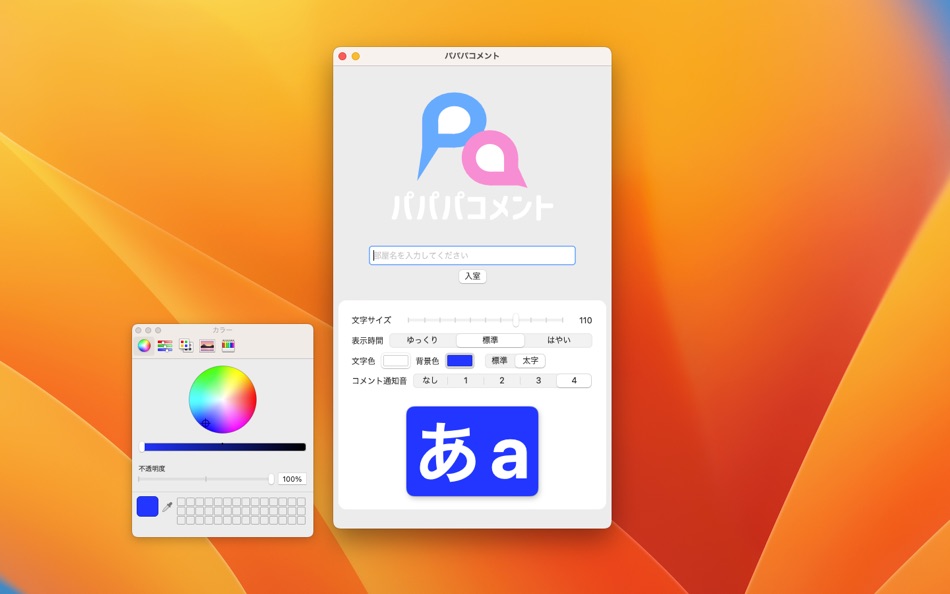
- Change comment font size, boldness, display time, font color, background color, and notification sound
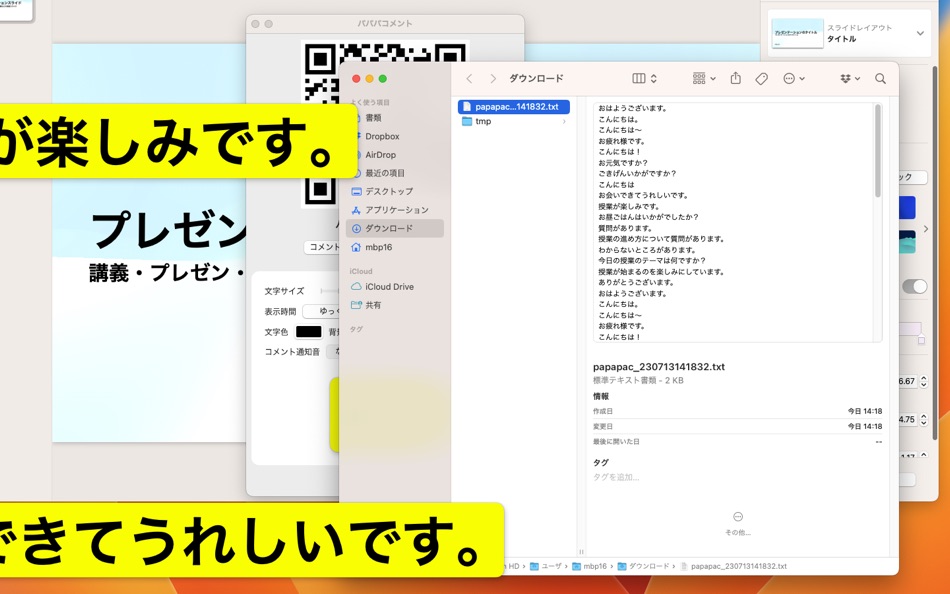
- Download comments in text format
- Display of 2D barcode to invite participants smoothly to the posting page
Skærmbilleder

Nyheder
- Version: 1.1
- Opdateret:
- We have resubmitted the application because the installation sometimes stops in the middle of the installation process after the purchase is confirmed at the App Store on the Mac. We have confirmed that the installation can be performed by starting in safe mode or clearing the AppStore cache file that exists in the customer's Mac, but we have received reports of cases where this still does not work. In such cases, please contact us for a refund.
Pris
- I dag: $4.99
- Minimum: $4.99
- Maksimalt: $4.99
Overvåg priser
Udvikler
- Shuhei Terai
- Platforme: macOS Apps (2)
- Lister: 0 + 0
- Point: 0 + 0 ¡
- Rangeringer: 0
- Anmeldelser: 0
- Rabatter: 0
- Videoer: 0
- RSS: Abonner
Point
0 ☹️
Rangeringer
0 ☹️
Lister
0 ☹️
Anmeldelser
Vær den første til at gennemgå 🌟
Yderligere oplysninger
- Version: 1.1
- Kategori:
macOS Apps›Hjælpeprogrammer - Operativsystem:
macOS,macOS 13.1 eller nyere - Størrelse:
511 Kb - Understøttet sprog:
English,Japanese - Indholdsklassificering:
17+ - Mac App Store Bedømmelse:
0 - Opdateret:
- Udgivelsesdato:
パパパコメント Kort webadresse: Kopieret!- 🌟 Del
- Mac App Store
Du vil måske også kunne lide
-
- パパパコメントLite
- macOS Apps: Hjælpeprogrammer Ved: Shuhei Terai
- Gratis
- Lister: 0 + 0 Rangeringer: 0 Anmeldelser: 0
- Point: 0 + 0 Version: 1.0 パパパコメントは、プレゼンや授業の時に、受講者が投稿したコメントを、発表者のPC画面上に重ねて表示することができるサービスです。 発表者のパソコンにこのアプリをインストールすることで、スクリーン上にコメントをオーバーレイ表示できます。KeynoteやPowerPointの発表スライドをフルスクリーン表示している場合でも、その上にコメントを重ねて表示できます。 ... ⥯
-
- コレクト
- macOS Apps: Hjælpeprogrammer Ved: Synon,Inc.
- Gratis
- Lister: 0 + 0 Rangeringer: 0 Anmeldelser: 0
- Point: 0 + 0 Version: 1.2 コレクトはカレンダーアプリに登録しているイベントを集計するアプリです。 カレンダーアプリでGoogleカレンダーのイベントを使用している場合には、Googleカレンダーのイベントも集計できます。 ... ⥯
-
- ゴミの分別管理
- macOS Apps: Hjælpeprogrammer Ved: Tomohiko Shimizu
- $2.99
- Lister: 0 + 0 Rangeringer: 0 Anmeldelser: 0
- Point: 0 + 0 Version: 3.1 不要になったフォルダやファイル、アプリをその場で削除せず、曜日別、日別に分別して、一定時間が経過後にゴミ箱に捨てるメニューバー常駐型アプリです。 このアプリは不要になったフォルダやファイルをゴミ箱に捨てるところまでをサポートし、最終的にゴミ箱を空にする操作はユーザ自身に委ねるようにしています。 [ 曜日別、日別に不要になったフォルダやファイルを分別 ] ... ⥯
-
- CalmType
- macOS Apps: Hjælpeprogrammer Ved: Katteba LLC.
- Gratis
- Lister: 0 + 0 Rangeringer: 0 Anmeldelser: 0
- Point: 0 + 0 Version: 1.1 もうEnterキーで誤送信しない 思考を止めない、Mac用テキスト入力パッド「CalmType」 ウェブフォームやチャットアプリで、日本語を確定しようとEnterキーを押した瞬間、書きかけの文章が送信されてしまった 。 そんな「ヒヤリ」とした経験はありませんか または、テキストエリアで改行しようとして誤って送信してしまったことは ... ⥯
-
- sssClock
- macOS Apps: Hjælpeprogrammer Ved: SENSYUSYA
- Gratis
- Lister: 1 + 0 Rangeringer: 0 Anmeldelser: 0
- Point: 3 + 0 Version: 6.1.4 sssClock はメニューバーの代わりに ・デジタル時計 ・アナログ時計 ・現在アクティブなアプリケーションとアーキテクチャ ・テキスト入力ソースとCaps Lock キーの状態 ・月齢 を表示するユーティリティー フリーウェア です。 それぞれを独立してメニューバー上に表示でき、また任意の一つを Dock に表示することも可能です。 メニューバーと違い ... ⥯
-
- PFKeyAvailerX
- macOS Apps: Hjælpeprogrammer Ved: Keietsu Yasuhara
- Gratis
- Lister: 0 + 0 Rangeringer: 0 Anmeldelser: 0
- Point: 0 + 0 Version: 3.1.0 キーボードのファンクションキー F1 - F19 にアプリや書類を登録して、キー一発で起動することができます。 「ファンクションキーを有効にする」をチェックすると、各ファンクションキーに登録されたアプリケーションや書類が開きます。 「Shiftキー ファンクションキー」をチェックするとシフトキーを押しながらファンクションキーを押した時に登録した項目が起動します。 ... ⥯