
| Udvikler: | Moon Technolabs Pvt Ltd (37) | ||
| Pris: | $1.99 | ||
| Rangeringer: | 0 | ||
| Anmeldelser: | 0 Skriv en anmeldelse | ||
| Lister: | 0 + 0 | ||
| Point: | 0 + 0 ¡ | ||
| Mac App Store | |||
Beskrivelse

● Main Features:
- Split any PDF & Tiff Files
- Easy to add files by Drag and Drop functionality
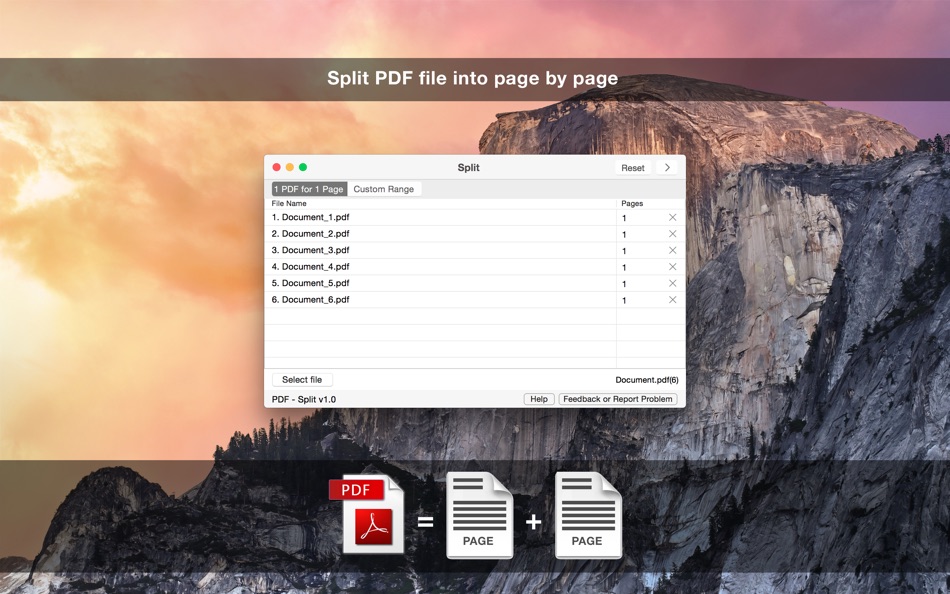
- Option to separate every single page of the added PDF file
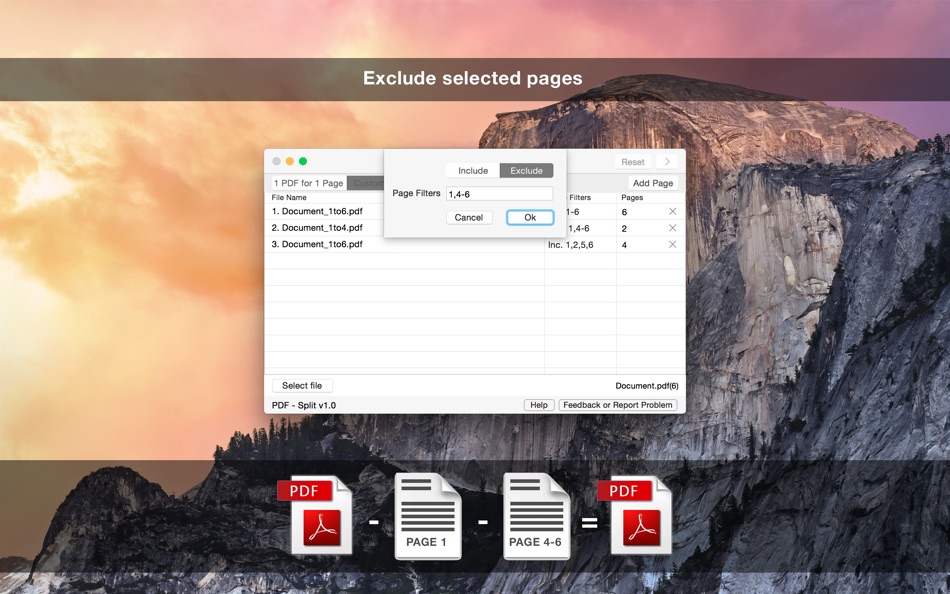
- Option to Include and Exclude pages from the PDF file
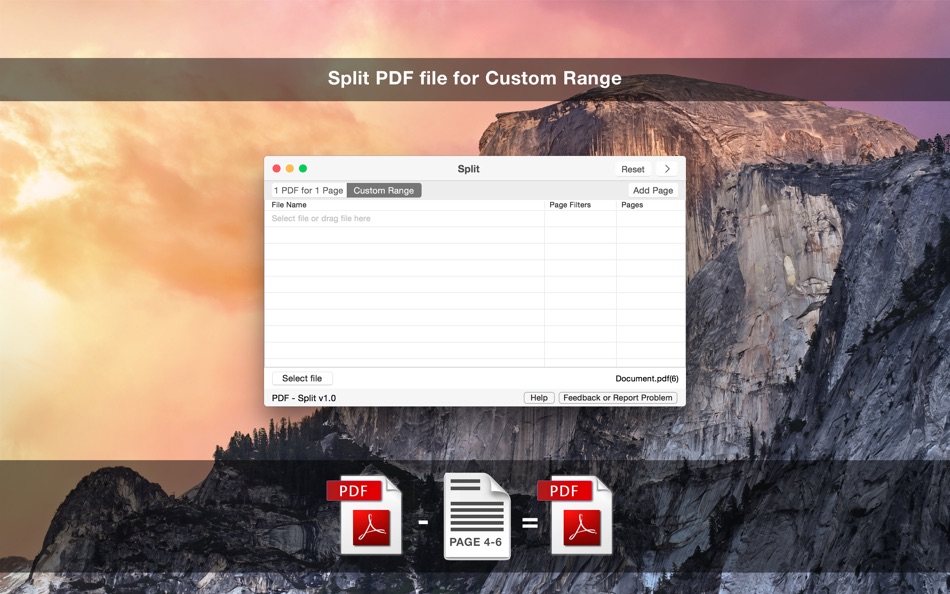
- Include: You can add the page and also set the range for PDF file to include only those number of pages in exported PDF file
- Exclude: You can add the page and also set the range for PDF file to exclude those number of pages in exported PDF file
● Most welcome for any suggestion or feedback to make better and enhance app
support@moontechnolabs.com
Skærmbilleder


Pris
- I dag: $1.99
- Minimum: $1.99
- Maksimalt: $1.99
Overvåg priser
Udvikler
- Moon Technolabs Pvt. Ltd.
- Platforme: Android Apps (8) Android Spil (2) iOS Apps (5) iOS Spil (1) macOS Apps (16) macOS Spil (1) Windows Apps (4)
- Lister: 2 + 3
- Point: 24 + 3,523 ¡
- Rangeringer: 0
- Anmeldelser: 5 (1)
- Rabatter: 0
- Videoer: 0
- RSS: Abonner
Point
0 ☹️
Rangeringer
0 ☹️
Lister
0 ☹️
- PDF - Split
Anmeldelser
Vær den første til at gennemgå 🌟
Yderligere oplysninger
- Version: 1.6
- Kategori:
macOS Apps›Hjælpeprogrammer - Operativsystem:
macOS,macOS 10.13 eller nyere - Størrelse:
545 Kb - Understøttet sprog:
English - Indholdsklassificering:
4+ - Mac App Store Bedømmelse:
0 - Opdateret:
- Udgivelsesdato:
PDF - Split Kort webadresse: Kopieret!- 🌟 Del
- Mac App Store
Du vil måske også kunne lide
-
- PDF Split-Page Number Split
- macOS Apps: Hjælpeprogrammer Ved: 崴 杨
- * Gratis
- Lister: 0 + 0 Rangeringer: 0 Anmeldelser: 0
- Point: 0 + 0 Version: 1.1.5 "PDF Split" can split PDF files in batches. Support splitting all pages of PDF files and save all pages separately. Support page number input, you can input a certain page or ... ⥯
-
- PDF Split & Merge
- macOS Apps: Hjælpeprogrammer Ved: Eduardo Almeida
- $4.99
- Lister: 0 + 0 Rangeringer: 0 Anmeldelser: 0
- Point: 0 + 0 Version: 2.0.2 PDF Split & Merge is your one-stop app for all your PDF needs! Using this app, you are able to extract pages from PDF documents to lots of output formats, and create new PDF files from ⥯
-
- PDF Split Plus
- macOS Apps: Hjælpeprogrammer Ved: 瑞英 段
- $2.99
- Lister: 0 + 0 Rangeringer: 0 Anmeldelser: 0
- Point: 0 + 0 Version: 4.2.3 PDF Split Plus is an efficient tool for batch splitting PDFs. * If you have any question, please contact : drycocoadry@gmail.com ⥯
-
- PDF Merge + PDF Split
- macOS Apps: Hjælpeprogrammer Ved: 跃军 龚
- * Gratis
- Lister: 0 + 1 Rangeringer: 0 Anmeldelser: 0
- Point: 2 + 0 Version: 5.0 KEY FEATURES: 1. Support split PDF file. 2. Support merge PDF files. 3. Supports select designated page for merge/split. ⥯
-
- PDF Reader Pro: Convert & Edit
- macOS Apps: Hjælpeprogrammer Ved: PDF Technologies, Inc.
- * Gratis
- Lister: 0 + 0 Rangeringer: 0 Anmeldelser: 0
- Point: 2 + 0 Version: 5.2.1 PDF Reader Pro, available on Mac, iPad, and iPhone, will fulfill all your document needs across all platforms. Building on solid features such as AI tool, comment, text and image edit, ⥯
-
- PDF Merge+Split
- macOS Apps: Hjælpeprogrammer Ved: 群群 刘
- $1.99
- Lister: 0 + 0 Rangeringer: 0 Anmeldelser: 0
- Point: 0 + 0 Version: 1.1.0 PDF Merge+Split: the best tool to merge multiple PDF files into one PDF, split a PDF to multiple PDF files, reorder the pages of a PDF, keep or remove the specified pages of a PDF. KEY ⥯
-
- PDF云转换-PDF转换器
- macOS Apps: Hjælpeprogrammer Ved: Hangzhou Shudeng Information Technology Co., Ltd.
- Gratis
- Lister: 0 + 0 Rangeringer: 0 Anmeldelser: 0
- Point: 0 + 0 Version: 1.0.2 PDF Cloud Convert, Power By EasyYun, one perfect pdf conert tool. Feature: 1.PDF Extract:Extract pages from a PDF file and convert the pages to a new PDF. 2.PDF Merge:Merge multiple ... ⥯
-
- PDF Edit & View
- macOS Apps: Hjælpeprogrammer Ved: 仁超 张
- Gratis
- Lister: 0 + 1 Rangeringer: 0 Anmeldelser: 0
- Point: 1 + 0 Version: 8.2.3 PDF Edit & View is a versatile all-in-one software solution designed to meet users' needs for a seamless experience of browsing and editing PDF documents. This tool combines an ... ⥯
-
- PDF Protector
- macOS Apps: Hjælpeprogrammer Ved: Daniel Witt
- $9.99
- Lister: 0 + 2 Rangeringer: 1 (1) Anmeldelser: 0
- Point: 0 + 0 Version: 1.6 PDF Protector is an easy-to-use tool to encrypt or decrypt your PDF documents. Set a password and let PDF Protector encrypt your documents to hinder others from opening it. You can ... ⥯
-
- PDF Lock
- macOS Apps: Hjælpeprogrammer Ved: Joaquin Garcia
- $1.99
- Lister: 0 + 0 Rangeringer: 0 Anmeldelser: 0
- Point: 0 + 0 Version: 1.0.4 PDF Lock: Simple and Secure Protection for Your Documents Instant Protection: PDF Lock offers you a quick and hassle-free way to secure your PDF files. With our intuitive drag-and-drop ⥯
-
- PDF Metadata Editor
- macOS Apps: Hjælpeprogrammer Ved: Matusalem Marques
- $3.99
- Lister: 0 + 0 Rangeringer: 0 Anmeldelser: 0
- Point: 0 + 0 Version: 1.11 PDF Metadata Editor lets you gain control of the hidden metadata on your PDF files. Metadata helps your computer find documents for you, both in your system and online. Metadata is ... ⥯
-
- Split
- macOS Apps: Hjælpeprogrammer Ved: Lee Hanken
- Gratis
- Lister: 0 + 0 Rangeringer: 0 Anmeldelser: 0
- Point: 0 + 0 Version: 1.2 Split breaks a file into a specified number of equal pieces. These can be later reassembled into the original file. ⥯
- Ny
- PDF Compressor - Reduce Sizes
- macOS Apps: Hjælpeprogrammer Ved: Cleverson
- * Gratis
- Lister: 0 + 0 Rangeringer: 0 Anmeldelser: 0
- Point: 0 + 0 Version: 1.0.1 PDF Compressor helps you dramatically reduce PDF file size while keeping your documents readable and sharp. It s built for fast, local processing on macOS, perfect for email ... ⥯
-
- PDF Compressor
- macOS Apps: Hjælpeprogrammer Ved: HurryApp LTD
- Gratis
- Lister: 0 + 0 Rangeringer: 0 Anmeldelser: 0
- Point: 1 + 53 (4.2) Version: 1.9.3 Introducing the ultimate tool for compressing your PDF documents. With this app, you can easily compress, merge and share your PDF files from anywhere, anytime. ⥯