
| Udvikler: | Weimler Limited (3) | ||
| Pris: | * Gratis | ||
| Rangeringer: | 0 | ||
| Anmeldelser: | 0 Skriv en anmeldelse | ||
| Lister: | 0 + 0 | ||
| Point: | 0 + 0 ¡ | ||
| Mac App Store | |||
Beskrivelse

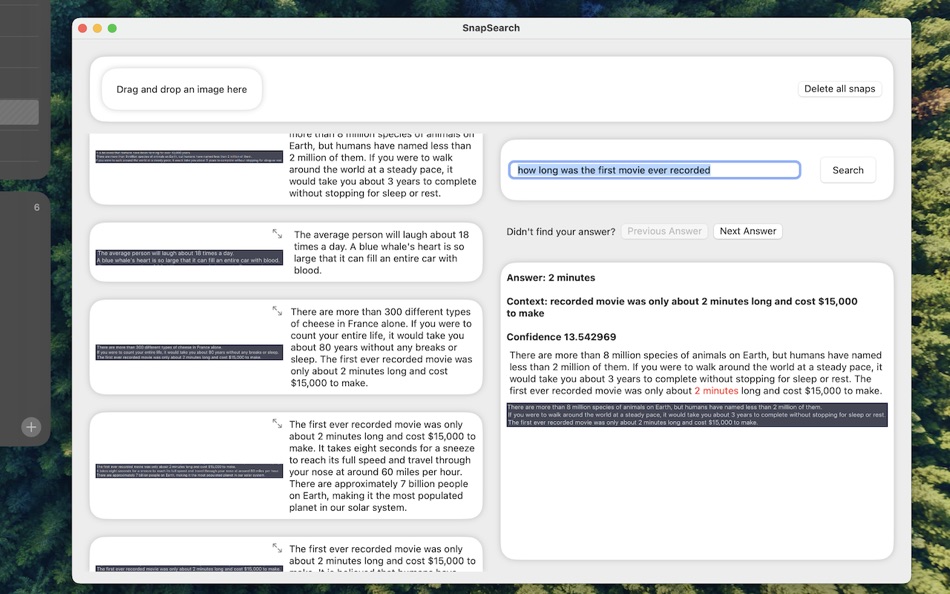
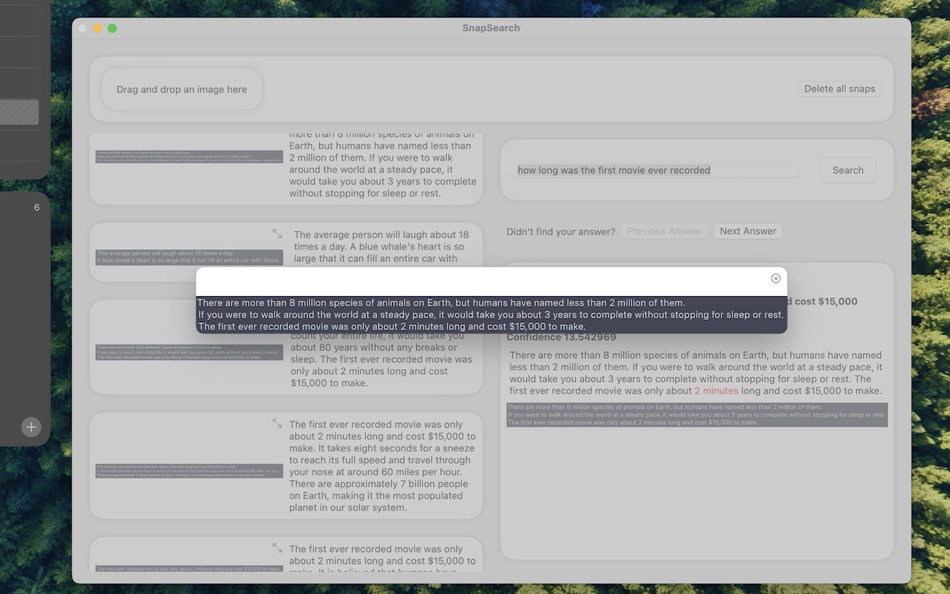
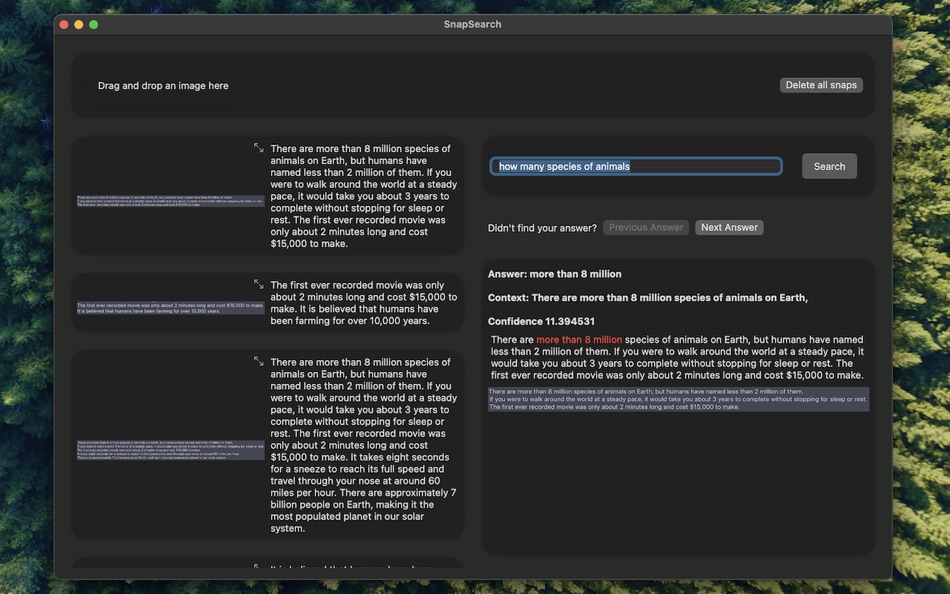
You can ask questions similar to a search engine and the app will find the relevant content even if you don't use the exact words.
The app is running locally on your computer and your screenshots and extracted text are not sent to any server or 3rd party service for processing!
Skærmbilleder
Nyheder
- Version: 1.0.3
- Opdateret:
- Extract text from your screenshots and search for it later. Organize your screenshots to easily find their content.
Pris
-
* Indkøb i appen - I dag: Gratis
- Minimum: Gratis
- Maksimalt: Gratis
Overvåg priser
Udvikler
- Weimler Limited
- Platforme: iOS Apps (1) macOS Apps (2)
- Lister: 0 + 0
- Point: 0 + 0 ¡
- Rangeringer: 0
- Anmeldelser: 0
- Rabatter: 0
- Videoer: 0
- RSS: Abonner
Point
0 ☹️
Rangeringer
0 ☹️
Lister
0 ☹️
Anmeldelser
Vær den første til at gennemgå 🌟
Yderligere oplysninger
- Version: 1.0.3
- Kategori:
macOS Apps›Hjælpeprogrammer - Operativsystem:
macOS,macOS 13.0 eller nyere - Størrelse:
191 Mb - Understøttet sprog:
English - Indholdsklassificering:
4+ - Mac App Store Bedømmelse:
0 - Opdateret:
- Udgivelsesdato:
Kontaktpersoner
- Websted:
 https://snapssearch.com/
Snaps Search Kort webadresse: Kopieret!- 🌟 Del
- Mac App Store
Du vil måske også kunne lide
-
- Search Everything
- macOS Apps: Hjælpeprogrammer Ved: Sascha Simon
- Gratis
- Lister: 0 + 0 Rangeringer: 0 Anmeldelser: 0
- Point: 3 + 0 Version: 2.3.1 Search Everything is the perfect app for finding files and folders lightning fast. The app features: Blazing Fast Search Search Everything indexes all files and folders, then searches ... ⥯
-
- Search and Replace
- macOS Apps: Hjælpeprogrammer Ved: Thomas Günzel
- $1.99
- Lister: 0 + 0 Rangeringer: 0 Anmeldelser: 0
- Point: 0 + 0 Version: 1.2.6 Don't worry about those many files where you have to change a few things! There's no need to open every single file and edit them manually, Search and Replace does it all for you! ... ⥯
-
- Snaps Of Apps
- macOS Apps: Hjælpeprogrammer Ved: Ryan Dekker
- Gratis
- Lister: 1 + 0 Rangeringer: 0 Anmeldelser: 0
- Point: 9 + 0 Version: 1.7 Snaps Of Apps is an app manager, which allows you to save your open apps in snapshots for 1 click launching, or hiding. Multiple snaphots of different apps supported. - You can save ... ⥯
-
- Search Any File
- macOS Apps: Hjælpeprogrammer Ved: 仁超 张
- $6.99
- Lister: 1 + 0 Rangeringer: 0 Anmeldelser: 0
- Point: 8 + 0 Version: 5.5.5 Search Any File is a powerful file search tool designed to quickly find files stored on various storage devices. Whether your files are stored on a local hard drive, external storage ... ⥯
- -40%
- Search IP: Public and Private
- macOS Apps: Hjælpeprogrammer Ved: LionsApp di Nallbati Elton
- $2.99
$4.99-40% - Lister: 0 + 0 Rangeringer: 0 Anmeldelser: 0
- Point: 0 + 0 Version: 1.5 Search IP is the application that allows you to know your Public and Private IP, and check your connection to the Internet. In addition you can discover the IP address of any Web Site ... ⥯
-
- Search Key
- macOS Apps: Hjælpeprogrammer Ved: Grapefruit Games
- Gratis
- Lister: 0 + 0 Rangeringer: 0 Anmeldelser: 0
- Point: 1 + 0 Version: 1.8 Search with customizable keyword shortcuts in the Safari address bar. e.g: type "w laika" to search Wikipedia for "laika" Add as many custom search keywords as you like, using the ... ⥯
-
- Search Web Archives for Safari
- macOS Apps: Hjælpeprogrammer Ved: Alfredo Grassau
- $2.99
- Lister: 0 + 0 Rangeringer: 0 Anmeldelser: 0
- Point: 0 + 1 (5.0) Version: 1.0.10 Search Web Archives for Safari is a lightweight Safari extension that lets you quickly check if a webpage has been archived. Perfect for researchers, journalists, or anyone needing to ... ⥯
-
- Noob Search
- macOS Apps: Hjælpeprogrammer Ved: Sigurdur Tomasson
- Gratis
- Lister: 1 + 0 Rangeringer: 0 Anmeldelser: 0
- Point: 4 + 0 Version: 2.7.2 Noob Search requests access to your folders and files when typing in file path to path input. This is required to be able to list files and folders for suggestions as well as granting ... ⥯
-
- YOU.com Search Extension
- macOS Apps: Hjælpeprogrammer Ved: SuSea, Inc.
- Gratis
- Lister: 0 + 0 Rangeringer: 0 Anmeldelser: 0
- Point: 1 + 0 Version: 1.2.0 Switch between your current search engine and YOU.com with this extension. Search less, find more. At YOU.com, we believe that you should control your search experience without ... ⥯
-
- Braver Search
- macOS Apps: Hjælpeprogrammer Ved: Brenden Bishop
- Gratis
- Lister: 0 + 0 Rangeringer: 0 Anmeldelser: 0
- Point: 1 + 4 (5.0) Version: 1.1 Enhance your Safari browsing experience with Braver Search get Brave's superior private search while keeping all of Safari's powerful ecosystem features. No need to compromise between ... ⥯
-
- Smart Keyword Search
- macOS Apps: Hjælpeprogrammer Ved: Reinoud Elhorst
- Gratis
- Lister: 0 + 0 Rangeringer: 0 Anmeldelser: 0
- Point: 1 + 0 Version: 1.6.1 Smart Keyword Search is a Safari extension, that fixes one of the "missing features" in Safari. Many browsers allow one to customize the Omnibox (this is the address bar, which also ... ⥯
-
- Select & Search
- macOS Apps: Hjælpeprogrammer Ved: 程远 钱
- $0.99
- Lister: 0 + 0 Rangeringer: 0 Anmeldelser: 0
- Point: 0 + 0 Version: 1.0 Select & Search transforms how you search the web in Safari. No more copying and pasting text into search engines simply select any text on a webpage and instantly search across ... ⥯
-
- PrivacyWall Search
- macOS Apps: Hjælpeprogrammer Ved: PrivacyWall
- Gratis
- Lister: 0 + 0 Rangeringer: 0 Anmeldelser: 0
- Point: 0 + 0 Version: 3.0 #Be #Different Add PrivacyWall as your default search engine in Safari to enable faster searching and stop trackers from using your searches to follow you around the web with intrusive ⥯
-
- Content Based Tab Search
- macOS Apps: Hjælpeprogrammer Ved: Tuan Nguyen
- $2.99
- Lister: 0 + 0 Rangeringer: 0 Anmeldelser: 0
- Point: 0 + 0 Version: 1.1 Quickly find tabs in the current window based on text content. Keyboard shortcuts: * Cmd + Shift + F: Toggle the extension * Slash (/): Focus on search input when the extension's popup ⥯