
| 개발자: | Rare Works, LLC (8) | ||
| 가격: | $2.99 | ||
| 순위: | 0 | ||
| 리뷰: | 0 리뷰 작성 | ||
| 목록: | 0 + 0 | ||
| 포인트: | 0 + 0 ¡ | ||
| Mac App Store | |||
기술

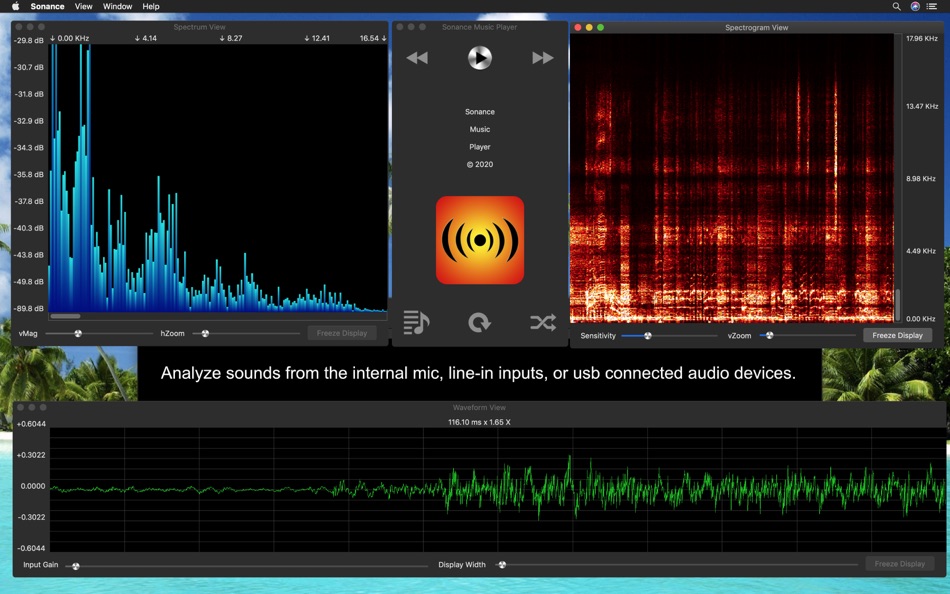
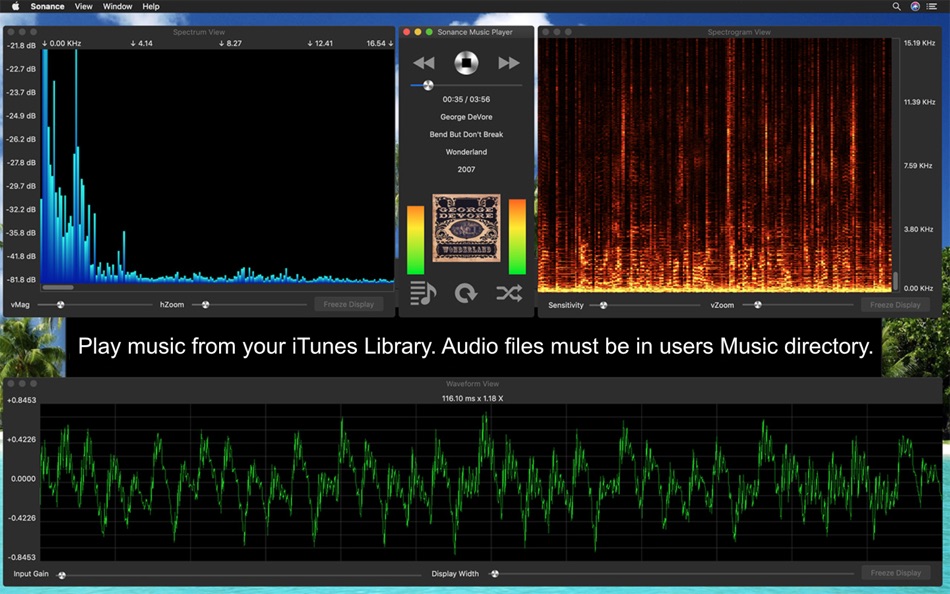
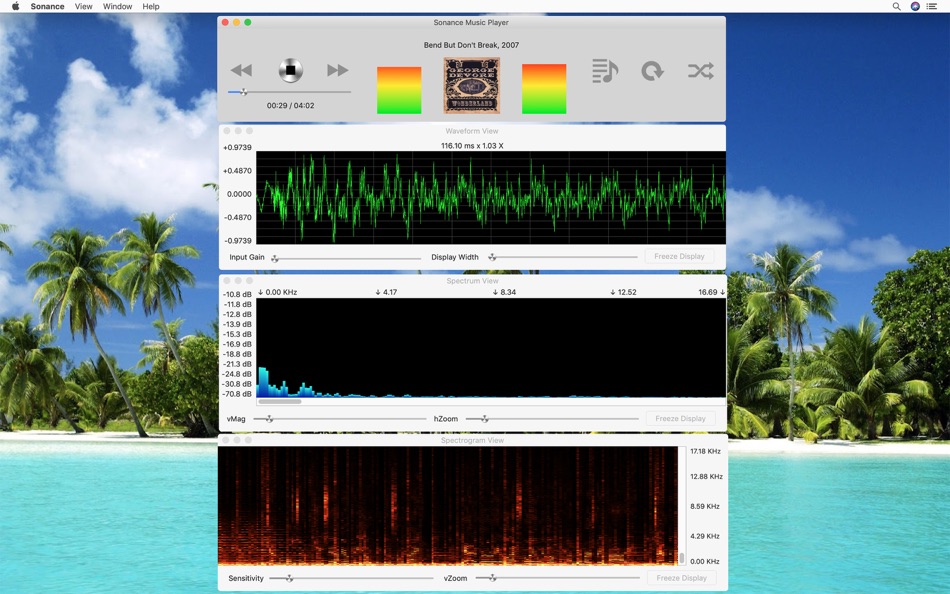
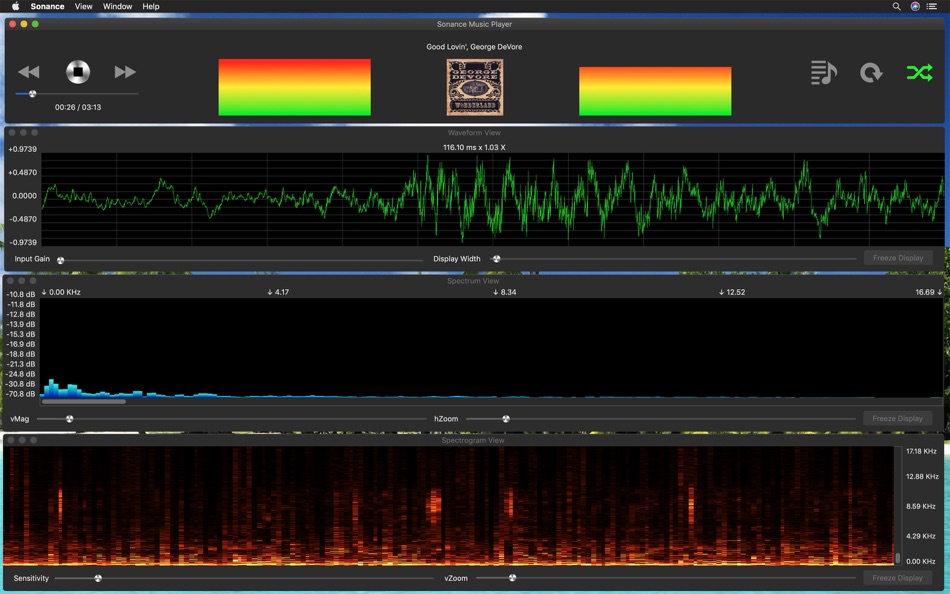
Sonance is an Audio Spectrum Analyzer & Spectrograph App, and a Music Player. It analyzes sound from songs played by the music player or from the built in microphone, or from the Line in input device, and displays the results in three separate views.
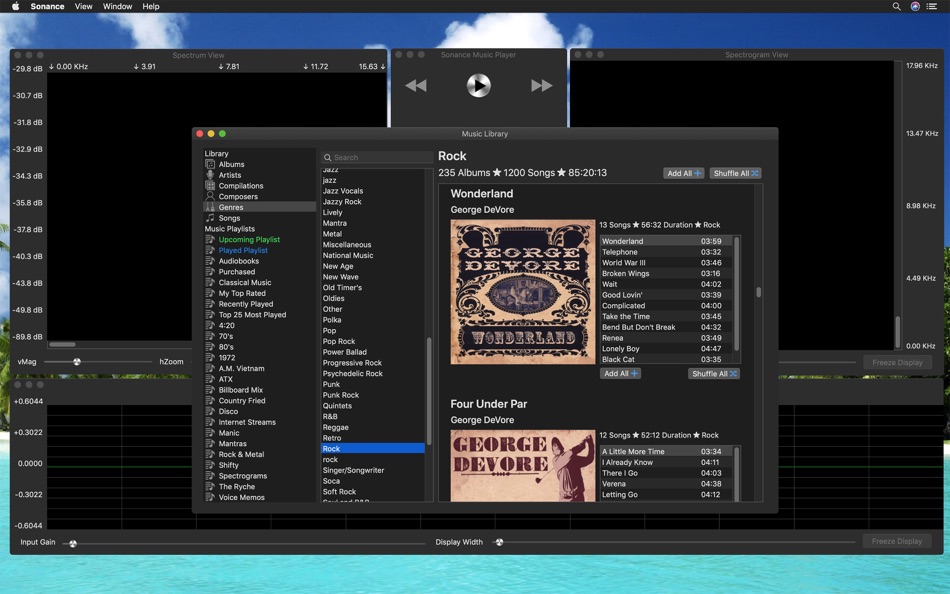
The music player plays songs from the local iTunes library. These songs must be local to the mac where Sonance is installed. Home sharing from another mac is not supported by the iTunes Library Framework at this time. Support for iTunes library assets that are internet streams or internet radio stations is supported in a limited fashion. It will play those selections, however raw audio data is not always available, in that case the displays only work though what the microphone picks up.
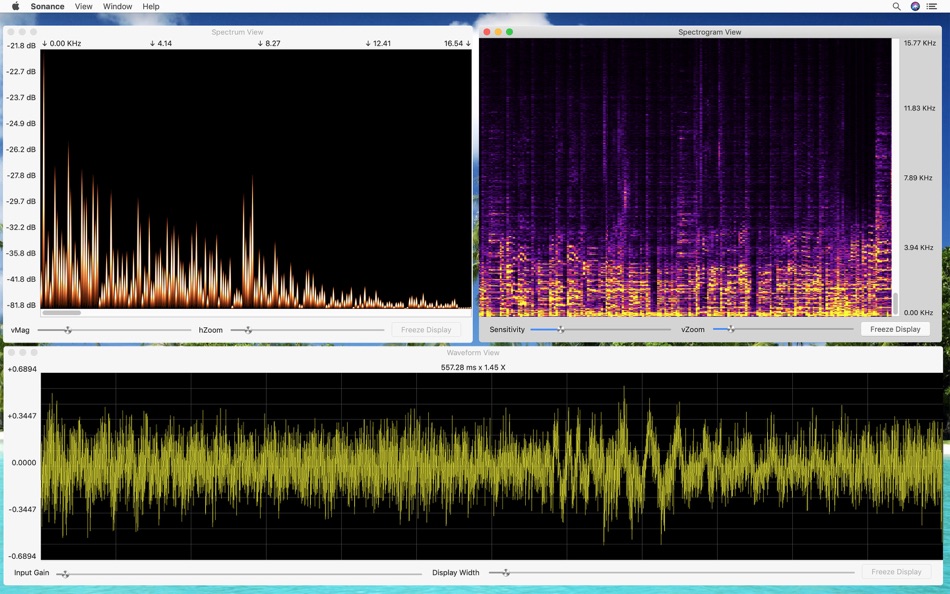
The waveform view displays the raw input signal as a continuous wavy line, where each wave is a pulse of sound.
The spectrum view displays the frequency distribution as vertical bars, each bar represents a group of frequencies, the height indicating the strength of those frequencies within the audio signal.
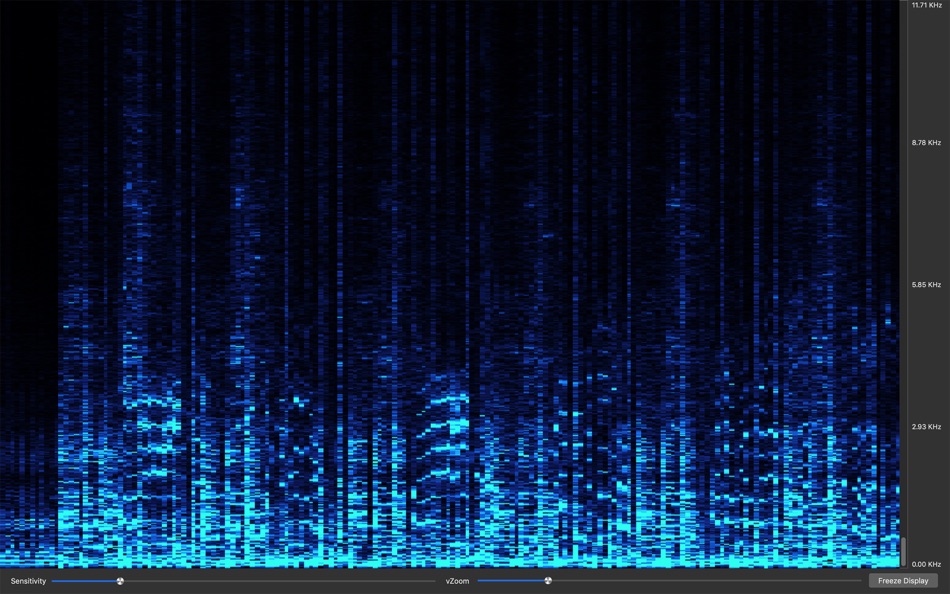
The spectrogram view displays a two dimensional view of audio spectrum frequencies, over time. Each pixel represents a group of frequencies, it's color indicates the strength of those frequencies. The vertical rows represent different frequencies, and the horizontal columns represent time.
Frequencies range from 0 hertz to 48000 Hertz or 48K, this is half the sample rate of 96000 audio samples per second of a macbook pro internal microphone maximum sample rate. The display frequencies are half of the input device sample rate, which can be 44100, 48000, 88200, or 96000 samples per second. For music played via the music player, it depends on the rate contained within each song, most are in a range from 0 to 22050 Hertz, or half the 44100 samples per second used in compac disc recordings.
Since it also uses the microphone, any sound the mic can pick up is analyzed and displayed, so you can play music on your computer, or use a different sound system and see the frequency distribution, spectral density, and waveform.
In the Waveform View, you can adjust the Input Gain ( waveform height ), Display Width on the fly, and freeze the display.
The horizontal scale represents time in seconds. The vertical scale shows the audio sample value. For the 32-bit floating point audio codec, values range from -1.0 to 1.0. Voltage or power units are lost during conversion to the digital format.
Input levels differ greatly between recorded audio, and the microphone. Sonance has independant settings for both modes, and will switch automatically. This affects Input Gain on the waveform view, vMag on the spectrum view, and sensitivity on the spectrograph view.
In the Spectrum View, you can adjust the Vertical Magnification ( vMag ) and Horizontal Zoom ( hZoom ) on the fly. The vertical magnification adjusts the bar height, and the horizontal zoom, allows you to zoom in on specific frequencies. After changing the hZoom slider, you can use the scrollbar to see the entire spectrum, albeit zoomed in.
In the Spectrogram View, you can adjust the Sensitivity slider to control the color intensity. The Vertical Zoom ( vZoom ) slider, acts much likes the hZoom slider on the spectrum view. Once you have adjusted your zoom level, you can use the scrollbar to see the entire spectrum, albeit zoomed in. Use the button to freeze and unfreeze the display.
Full screen display is available for each of these three views. Select the View menu item, then Full Screen Display, or you can use the Command-F keystroke. You can also click the full screen display in the View menu. This will put the key or active window into fullscreen display mode.
You can record a spectrogram for later viewing too. By selecting View -> Spectrogram Recording Control Panel, you can start and stop recording and save your data.
스크린샷

새로운 기능
- 버전: 2.4
- 업데이트:
- Added decibels levels in the waveform view. dB SPL for input audio, and dB FS for recorded data. See help for details.
Improved music library selection performance. Showing albums performs much better.
Various other performance tweaks.
Support for Apple App Store Receipt update.
가격
- 오늘: $2.99
- 최소: $2.99
- 최대: $3.99
가격 추적
개발자
- Rare Works, LLC
- 플랫폼: Android 앱 (2) Android 게임 (1) iOS 앱 (3) iOS 게임 (1) macOS 앱 (1)
- 목록: 0 + 0
- 포인트: 2 + 417 ¡
- 순위: 0
- 리뷰: 0
- 할인: 0
- 동영상: 1
- RSS: 구독
포인트
0 ☹️
순위
0 ☹️
목록
0 ☹️
리뷰
첫 번째 리뷰를 남겨보세요 🌟
추가 정보
 http://www.rareworksllc.com/sonance-macos.htmlSonance 단축 URL: 복사됨!
- 🌟 공유하기
- Mac App Store
당신은 또한 같은 수 있습니다
-
- DuckDuckGo, Duck.ai (optional)
- macOS 앱: 유틸리티 게시자: DuckDuckGo, Inc.
- 무료
- 목록: 11 + 3 순위: 0 리뷰: 0
- 포인트: 12 + 2,246,981 (4.9) 버전: 7.197.0 At DuckDuckGo, we believe the best way to protect your personal information from hackers, scammers, and privacy-invasive companies is to stop it from being collected at all. That's why ⥯
-
- NordVPN: VPN Fast & Secure
- macOS 앱: 유틸리티 게시자: Nordvpn S.A.
- 무료
- 목록: 0 + 4 순위: 0 리뷰: 0
- 포인트: 4 + 646,316 (4.7) 버전: 8.58.0 Looking for a way to have more privacy online? Here it is! With NordVPN, one tap is all you need to change your IP address, protect your browsing from snoopers, and enjoy the internet ... ⥯
-
- Color Widgets
- macOS 앱: 유틸리티 게시자: MM Apps, Inc.
- 무료
- 목록: 0 + 2 순위: 0 리뷰: 0
- 포인트: 6 + 496,029 (4.6) 버전: 8.0.5 Color Widgets makes adding aesthetic and handy widgets to your Home Screen and Lock Screen easy. Browse thousands of predesigned widgets or, better yet, design your own with the ... ⥯
-
- Free VPN by Free VPN .org™
- macOS 앱: 유틸리티 게시자: Free VPN LLC
- 무료
- 목록: 0 + 1 순위: 0 리뷰: 0
- 포인트: 2 + 436,649 (4.5) 버전: 4.040 Free VPN, #1 - VPN for secure browsing on iPhone, iPad & Mac. Tired of slow connections, privacy risks or can't access your favorite shows and videos. Free VPN by Free VPN.org™ gives ... ⥯
-
- ExpressVPN · Secure & Fast VPN
- macOS 앱: 유틸리티 게시자: Express VPN
- 무료
- 목록: 0 + 1 순위: 0 리뷰: 0
- 포인트: 2 + 406,701 (4.7) 버전: 12.35.0 ExpressVPN: Premium VPN for Security, Privacy, and Blazing Fast Streaming Surf the web safely with just a few taps. ExpressVPN is a premium VPN service designed for ultra-fast ... ⥯
-
- VPNIFY - Unlimited VPN
- macOS 앱: 유틸리티 게시자: Neonetworks solution ltd
- 무료
- 목록: 0 + 0 순위: 0 리뷰: 0
- 포인트: 2 + 99,568 (4.5) 버전: 2.3.42 vpnify is the best VPN & UNLIMITED 100% FREE high speed VPN Proxy on for your iOS device. It is highly secure with military-grade encryption so you can safely navigate public, business ⥯
-
- V2Box - V2ray Client
- macOS 앱: 유틸리티 게시자: techlaim
- 무료
- 목록: 3 + 0 순위: 0 리뷰: 0
- 포인트: 16 + 83,920 (4.7) 버전: 9.8.7 V2box - VPN Internet network proxy , Supports multiple proxy protocols, such as Shadowsocks, V2ray, Vmess, Trojan , SSH , Socks Features: - Support for adding custom servers proxy ... ⥯
-
- VPN - Free VPN Potato ™
- macOS 앱: 유틸리티 게시자: FREE VPN POTATO PTE. LTD.
- 무료
- 목록: 0 + 0 순위: 0 리뷰: 0
- 포인트: 2 + 66,430 (4.6) 버전: 22.9.3 PotatoVPN protects your online privacy as an unlimited VPN proxy, offering a super service for those seeking a free VPN for your iPhone. Enjoy ultra-fast speeds, unlimited bandwidth, ... ⥯
-
- AdBlock Pro for Safari
- macOS 앱: 유틸리티 게시자: Crypto Inc.
- 무료
- 목록: 4 + 3 순위: 0 리뷰: 0
- 포인트: 31 + 65,420 (4.5) 버전: 12.0.1 Since 2015, AdBlock Pro for Safari has been trusted by millions of users and featured by Apple multiple times. Enhance your browsing experience on iPhone, iPad, Mac, and Vision Pro ... ⥯
-
- Flip Clock - digital widgets
- macOS 앱: 유틸리티 게시자: 翠玲 施
- 무료
- 목록: 0 + 0 순위: 0 리뷰: 0
- 포인트: 4 + 63,011 (4.6) 버전: 6.14 Flip Clock is a classic desktop digital clock. The desktop clock widget supports displaying seconds and a calendar. Clock can be displayed on lock screen and standby screen. - Show ... ⥯
-
- Deliveries: a package tracker
- macOS 앱: 유틸리티 게시자: Junecloud LLC
- 무료
- 목록: 3 + 9 순위: 0 리뷰: 0
- 포인트: 9 + 34,306 (4.7) 버전: 9.6.1 Deliveries helps you keep track of all your packages, so you always know when they re going to arrive. Whether it's the latest gadget you've preordered online, or a new graphic novel ... ⥯
-
- VPN Lumos: Open & Connect USA
- macOS 앱: 유틸리티 게시자: LUMOS, OOO
- 무료
- 목록: 0 + 0 순위: 0 리뷰: 0
- 포인트: 4 + 32,991 (4.5) 버전: 2.23 VPN Lumos offers you a fast, private and secure internet connection. Change your IP address, access social networks, streaming, watch TV, browse movie websites, play games and more ... ⥯
-
- Planet Free VPN ™ Super Proxy
- macOS 앱: 유틸리티 게시자: FREE VPN PLANET S R L
- 무료
- 목록: 1 + 0 순위: 0 리뷰: 0
- 포인트: 1 + 31,403 (4.6) 버전: 4.9.15(6) Planet VPN - 100% Free, unlimited and secure VPN. There are no alternatives to our app in all of AppStore. The safety and anonymity of our users is a priority for us! Unlike other VPN ... ⥯
-
- Authenticator App - OneAuth
- macOS 앱: 유틸리티 게시자: Zoho Corporation
- 무료
- 목록: 0 + 0 순위: 0 리뷰: 0
- 포인트: 1 + 30,288 (4.7) 버전: 4.1.6 OneAuth is an industry standard authenticator app developed by Zoho. You can now enable TFA and secure all your online accounts like Twitter, Facebook, LinkedIn, and more. Over 1 ... ⥯