
| ผู้พัฒนา: | 超 程 (23) | ||
| ราคา: | * ฟรี | ||
| การจัดอันดับ: | 0 | ||
| ความเห็น: | 0 เขียนความเห็น | ||
| รายการ: | 0 + 0 | ||
| แต้มแล: | 0 + 0 ¡ | ||
| Mac App Store | |||
คำอธิบาย

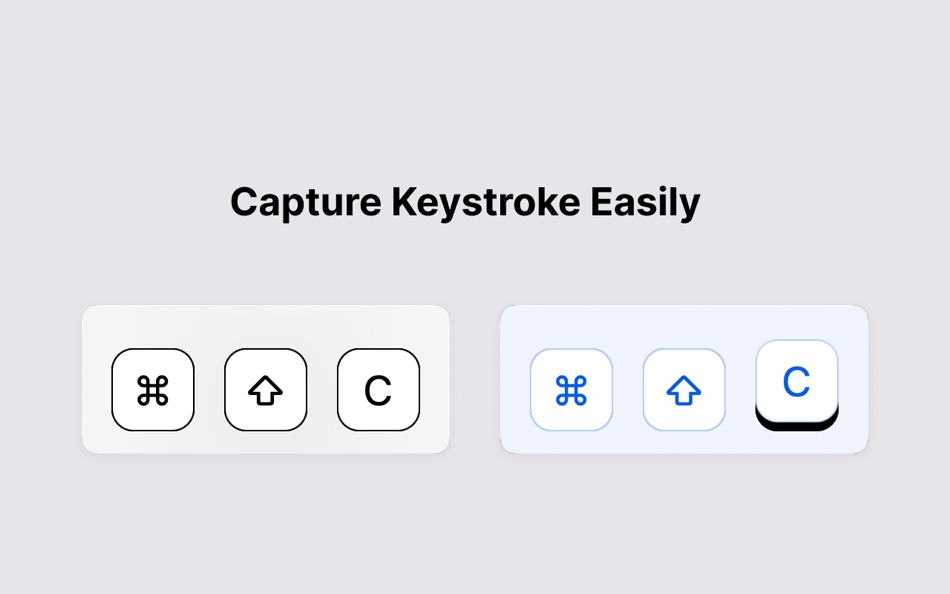
- Comprehensive Capture: Never miss a beat! VisualKeysPro captures every keypress, ensuring your audience can follow along with every action.
- Real-Time Display: Hotkeys pop up on your screen as you press them, making it easy for viewers to track complex commands during live demonstrations or video tutorials.
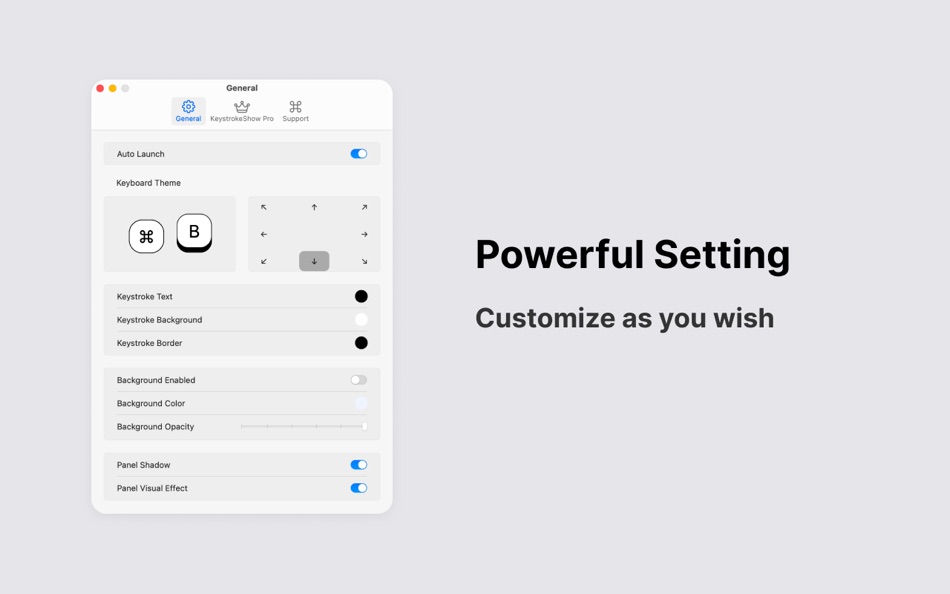
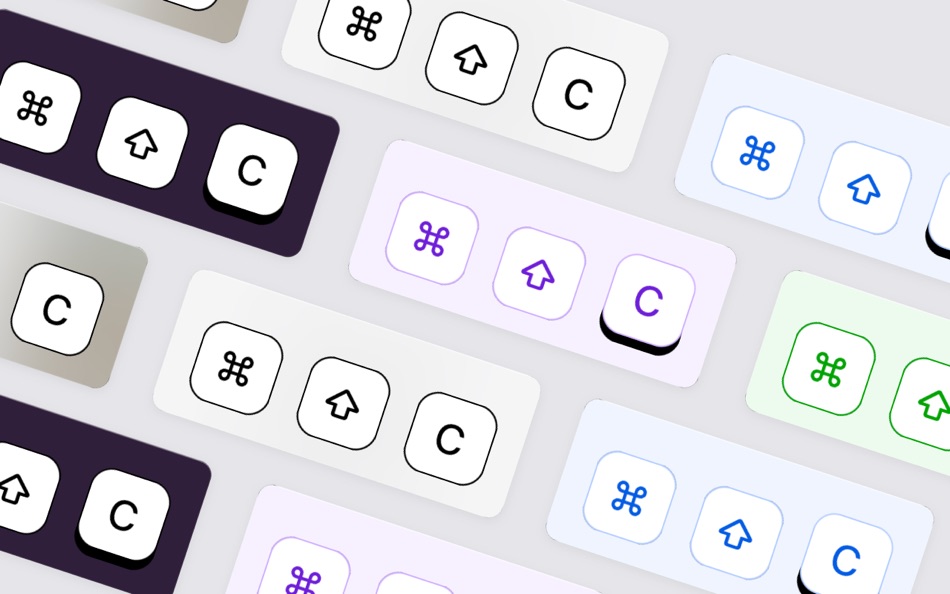
- Customizable Appearance: Tailor the look of your keystrokes to match your style or presentation theme. From fonts and colors to opacity and position, VisualKeysPro lets you customize how your keystrokes appear on screen.
Whether you’re a developer showing off coding sessions, a gamer sharing hotkey tricks, or an educator teaching software applications, VisualKeysPro enhances the way you communicate through keystrokes.
Easy to set up and even easier to use, VisualKeysPro is the perfect tool to make your keystrokes visible and your presentations more engaging.
Related Links:
– link to the Terms of Use (EULA)
https://www.apple.com/legal/internet-services/itunes/dev/stdeula/
– link to the privacy policy
https://zonerly.top/privacy.html
Ad
ภาพหน้าจอ
มีอะไรใหม่
- เวอร์ชัน: 0.1
- อัปเดต:
ราคา
-
* การซื้อภายในแอพ - วันนี้: ฟรี
- ต่ำสุด: ฟรี
- มากที่สุด: ฟรี
ติดตามราคา
Ad
ผู้พัฒนา
แต้มแล
0 ☹️
การจัดอันดับ
0 ☹️
รายการ
0 ☹️
- VisualKeysPro
ความเห็น
แสดงรีวิวเป็นคนแรกเลย 🌟
ข้อมูลเพิ่มเติม
VisualKeysPro URL แบบสั้น: คัดลอกแล้ว!- 🌟 แชร์
- Mac App Store
คุณอาจชอบ
-
- Visual Detox
- macOS แอป: ยูทิลิตี้ โดย: Craig Willis
- ฟรี
- รายการ: 0 + 0 การจัดอันดับ: 0 ความเห็น: 0
- แต้มแล: 0 + 0 เวอร์ชัน: 1.7 Visual Detox is your personal vibe filter for the internet. Take control of your browsing experience and bring calm back to the web. Whether it s political figures, spiders, clowns, or ⥯
-
- Pro Battery
- macOS แอป: ยูทิลิตี้ โดย: Sergei Saliukov
- ฟรี
- รายการ: 0 + 0 การจัดอันดับ: 0 ความเห็น: 0
- แต้มแล: 2 + 0 เวอร์ชัน: 26.0.3 Stay informed with Pro Battery right from your home screen! The app provides real-time battery data through convenient widgets, eliminating the need to open System Information. Keep ... ⥯
-
- Pro NTFS Drive-NTFS Read&Write
- macOS แอป: ยูทิลิตี้ โดย: Beijing Elinasoft Technologies Company Limited
- ฟรี
- รายการ: 1 + 0 การจัดอันดับ: 0 ความเห็น: 0
- แต้มแล: 9 + 0 เวอร์ชัน: 1.18 Pro NTFS Drive is a NTFS disk management tool to re-mount write-protected NTFS volumes under macOS in read-write mode. * * Please note that enabling NTFS file read and write mode is ... ⥯
-
- Visual Minipro
- macOS แอป: ยูทิลิตี้ โดย: Pawel Kadluczka
- $14.99
- รายการ: 0 + 0 การจัดอันดับ: 0 ความเห็น: 0
- แต้มแล: 0 + 0 เวอร์ชัน: 1.4.0 Visual Minipro is a friendly MacOS interface for XGecu programmers. Supports T48, T56, T866II programmers. Works on Apple Silicon and Intel Macs With Visual Minipro you can ... ⥯
-
- Visual Assistant
- macOS แอป: ยูทิลิตี้ โดย: 昊堃 李
- * ฟรี
- รายการ: 0 + 0 การจัดอันดับ: 0 ความเห็น: 0
- แต้มแล: 0 + 0 เวอร์ชัน: 1.1.1 Outstanding Color Management Enhance your design with Visual Assistant s color scheme management and auxiliary design features: 1. Color-based Recommendations: Suggests color names, ... ⥯
-
- Pro Timer - Time Manager
- macOS แอป: ยูทิลิตี้ โดย: Sudip Bag
- $0.99
- รายการ: 0 + 0 การจัดอันดับ: 0 ความเห็น: 0
- แต้มแล: 0 + 0 เวอร์ชัน: 1.1.2 Set up countdown timers in a single click. Keep track on the time by using Pro Timer and be more productive. Pro Timer will help you in setting up multiple timers at the same time and ... ⥯
-
- Pro Unzip RAR Extractor
- macOS แอป: ยูทิลิตี้ โดย: 泳诗 陈
- $7.99
- รายการ: 0 + 0 การจัดอันดับ: 0 ความเห็น: 0
- แต้มแล: 0 + 0 เวอร์ชัน: 3.15 This is a software to decompress zip&RAR files. It is user-friendly, fast and lightweight. Users only need to select a zip&RAR file and click the "Extract Files" button to decompress ... ⥯
- -25%
- Desktop Lens PRO
- macOS แอป: ยูทิลิตี้ โดย: Pavel Kosykh
- $2.99
$3.99-25% - รายการ: 0 + 1 การจัดอันดับ: 0 ความเห็น: 0
- แต้มแล: 14 + 0 เวอร์ชัน: 6.1.5 Desktop Lens PRO is a desktop magnifier designed for working with small text, detailed UI elements, and high-resolution content. The app provides a floating lens that magnifies any ... ⥯
-
- Commander One PRO: FTP & Cloud
- macOS แอป: ยูทิลิตี้ โดย: Electronic Team, Inc.
- $29.99
- รายการ: 1 + 1 การจัดอันดับ: 0 ความเห็น: 0
- แต้มแล: 1 + 0 เวอร์ชัน: 3.17.2 Commander One PRO is a powerful FTP client developed in Swift with a dual-pane interface. The app offers a wide range of enhanced functionality for efficient and seamless work with ... ⥯
-
- File Cabinet Pro
- macOS แอป: ยูทิลิตี้ โดย: App Tyrant Corp
- $29.99
- รายการ: 0 + 1 การจัดอันดับ: 0 ความเห็น: 0
- แต้มแล: 4 + 0 เวอร์ชัน: 8.8 File Cabinet Pro is the file manager for the macOS menu bar. Quickly navigate to files without cluttering your desktop. Open, move, rename, compress, tag, trash, copy and paste files, ... ⥯
-
- File Rename Pro
- macOS แอป: ยูทิลิตี้ โดย: Gavin Matthews
- * $12.99
- รายการ: 1 + 0 การจัดอันดับ: 0 ความเห็น: 0
- แต้มแล: 1 + 0 เวอร์ชัน: 2025.3 File Rename Pro lets you rename a number of files quickly and easily, saving you time and effort. Drag and drop one or more files or folders from Finder onto the app and you're ready ... ⥯
-
- NX-V PRO
- macOS แอป: ยูทิลิตี้ โดย: Philip Bishop
- $29.99
- รายการ: 2 + 0 การจัดอันดับ: 0 ความเห็น: 0
- แต้มแล: 2 + 0 เวอร์ชัน: 6.9.64 Try the free version of NX-V first and check your cameras all work as expected. Then use the "Upgrade to Pro" menu item to display a list of Pro features available for each of your ... ⥯
-
- iStatistica Pro
- macOS แอป: ยูทิลิตี้ โดย: ImageTasks Inc
- $9.99
- รายการ: 2 + 0 การจัดอันดับ: 0 ความเห็น: 0
- แต้มแล: 2 + 0 เวอร์ชัน: 7.1.1 iStatistica Pro is an advanced system monitor for macOS. Overview of your battery statistics, real-time information about CPU, RAM usage, and much more. Network statistics includes ... ⥯
-
- Extra Keys
- macOS แอป: ยูทิลิตี้ โดย: Jerde Apps LLC
- ฟรี
- รายการ: 0 + 0 การจัดอันดับ: 0 ความเห็น: 0
- แต้มแล: 2 + 0 เวอร์ชัน: 1.1.5 Extra Keys is an app which allows the use of the Logitech G13 Advanced Gameboard on macOS, particularly macOS 10.15 (Catalina) and later, where the manufacturer's software ended, but ... ⥯