
| Vývojář: | Snow Line Software S.P.R.L. (10) | ||
| Cena: | $2.99 | ||
| Hodnocení: | 0 | ||
| Recenze: | 0 Napsat recenzi | ||
| Seznamy: | 0 + 0 | ||
| Body: | 0 + 0 ¡ | ||
| Mac App Store | |||
Popis
KEY FEATURES:
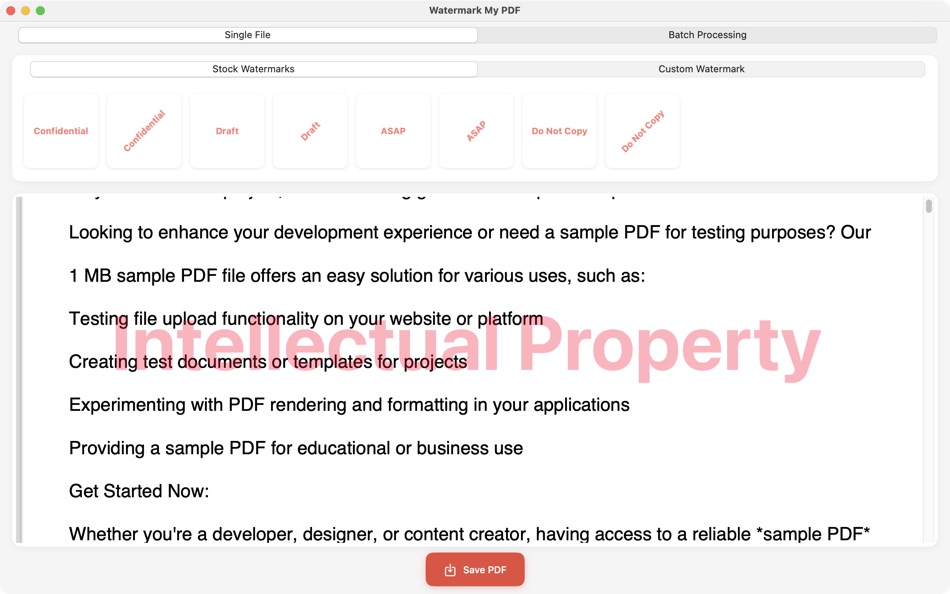
Instant Watermarking
Drag-and-drop any PDF
Apply watermarks in under 5 seconds
Preview changes in real-time
Full Customization
Custom text watermarks with any message
Adjustable opacity, color, and rotation
Multiple positioning options
Variable font sizes (15-60pt)
Smart Presets
"Confidential" - for sensitive documents
"Draft" - for works in progress
"Do Not Copy" - for copyright protection
"ASAP" - for urgent materials
Custom presets you can save
Batch Processing
Process multiple PDFs at once
Save time on large document sets
Maintain consistent branding
Professional Tools
Diagonal and horizontal orientations
Center, corner positioning options
High-quality PDF output
No file size limits
PERFECT FOR:
Legal professionals securing confidential files
Businesses branding presentations
Photographers protecting portfolios
Students marking draft papers
Anyone needing document security
SIMPLE WORKFLOW:
Open PDF or drag-and-drop
Choose preset or customize watermark
Preview and adjust
Save watermarked document
No complicated settings, no design experience needed. Just professional results every time.
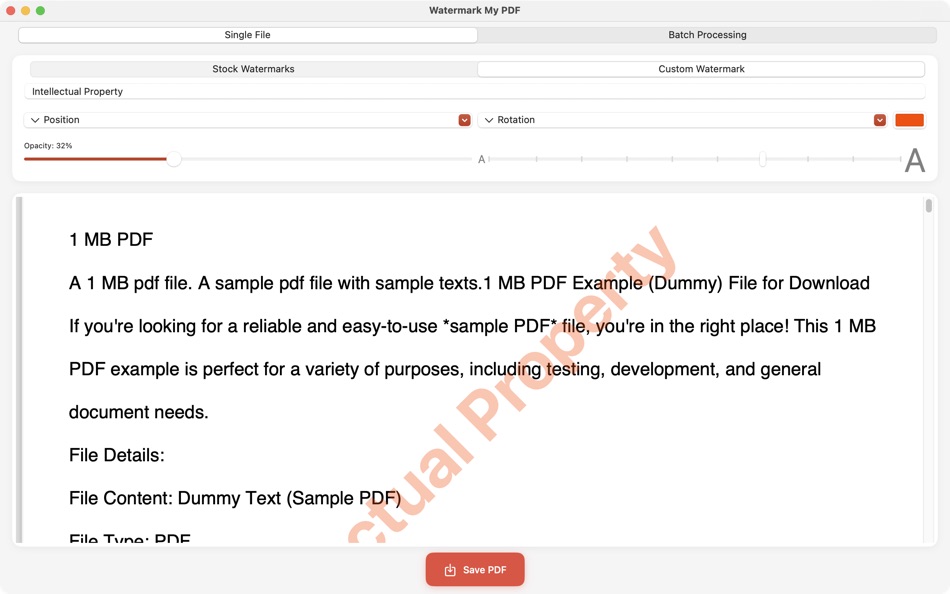
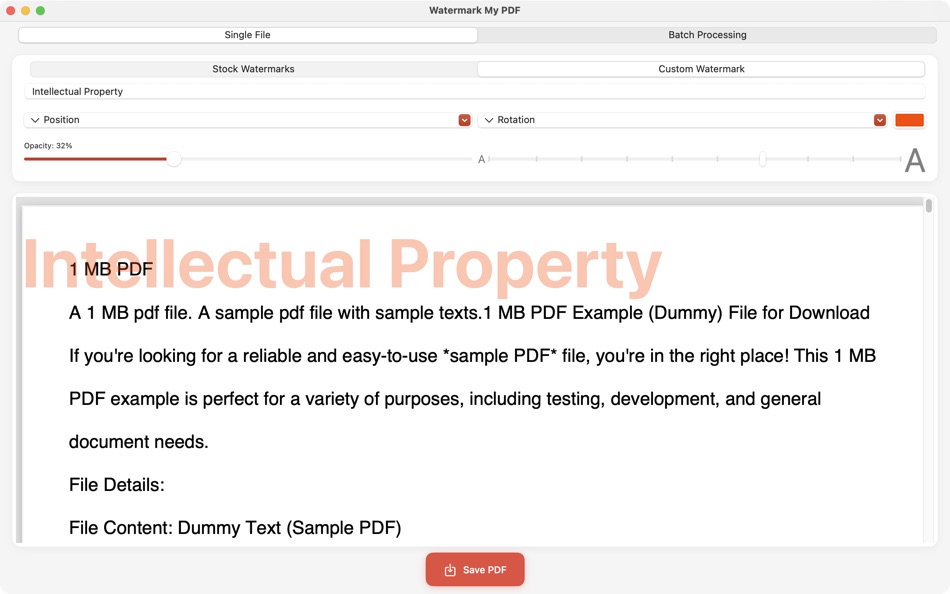
Set your own watermark text.
Pick a favorite colour and opacity.
Choose position of the watermark: center, top-left, top-right, bottom-left, bottom-right.
Pick an orientation of the watermark: either horizontal or diagonal.
Snímky obrazovky
Novinky
- Verze: 2.0
- Aktualizováno:
- Version 2.0 - The Complete Watermarking Solution
New Features:
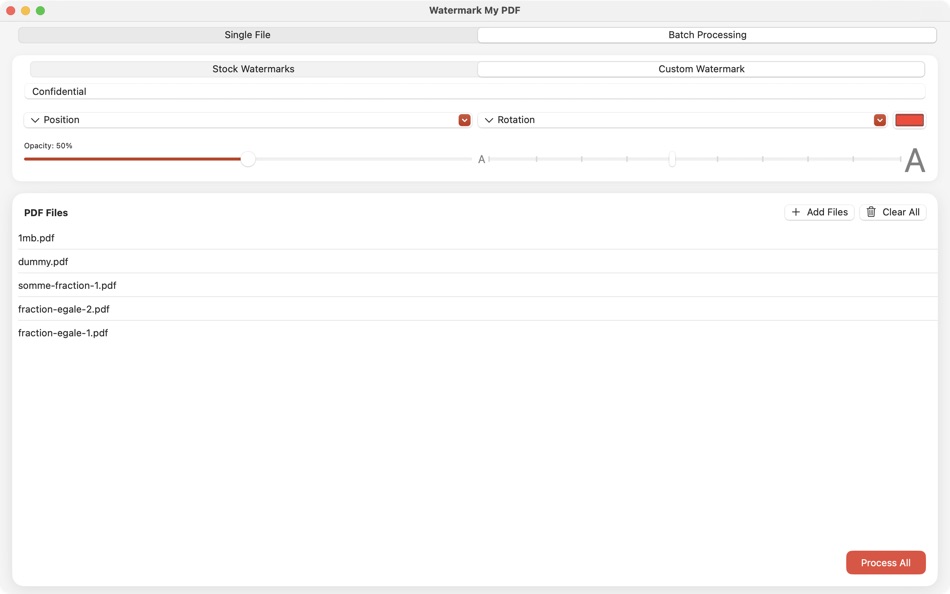
Batch Processing Mode - Watermark multiple PDFs simultaneously
Tabbed Interface - Switch between single and batch processing
Enhanced UI - Cleaner, more intuitive design with dark mode support
Interface Improvements:
Compact configuration panel
Horizontal stock watermark selection
Real-time preview updates
Progress tracking for batch operations
Performance Boost:
50% faster watermark application
Improved memory management for large files
Better handling of complex PDF documents
Technical Updates:
Fixed rare crashes with certain PDF formats
Improved watermark positioning accuracy
Enhanced text rendering quality
We're constantly improving PDF Watermark based on your feedback. Thanks for choosing our app!
Cena
- Dnes: $2.99
- Minimální: $2.99
- Maximální: $3.99
Sledovat ceny
Vývojář
- Snow Line Software S.P.R.L.
- Platformy: iOS Aplikace (6) macOS Aplikace (4)
- Seznamy: 0 + 0
- Body: 1 + 0 ¡
- Hodnocení: 0
- Recenze: 0
- Slevy: 0
- Videa: 0
- RSS: Odebírat
Body
0 ☹️
Hodnocení
0 ☹️
Seznamy
0 ☹️
Recenze
Buďte první, kdo bude hodnotit 🌟
Další informace
- Verze: 2.0
- Kategorie:
macOS Aplikace›Utility - OS:
macOS,macOS 12.1 a vyšší - Velikost:
347 Kb - Podporovaný jazyk:
English - Hodnocení obsahu:
4+ - Mac App Store Hodnocení:
0 - Aktualizováno:
- Datum vydání:
Watermark My PDF Krátká adresa URL: Zkopírováno!- 🌟 Sdílet
- Mac App Store
Mohlo by se Vám také líbit
-
- PDF Reader Pro: Convert & Edit
- macOS Aplikace: Utility Podle: PDF Technologies, Inc.
- * Zdarma
- Seznamy: 0 + 0 Hodnocení: 0 Recenze: 0
- Body: 2 + 0 Verze: 5.2.1 PDF Reader Pro, available on Mac, iPad, and iPhone, will fulfill all your document needs across all platforms. Building on solid features such as AI tool, comment, text and image edit, ⥯
-
- PDF Split-Page Number Split
- macOS Aplikace: Utility Podle: 崴 杨
- * Zdarma
- Seznamy: 0 + 0 Hodnocení: 0 Recenze: 0
- Body: 0 + 0 Verze: 1.1.5 "PDF Split" can split PDF files in batches. Support splitting all pages of PDF files and save all pages separately. Support page number input, you can input a certain page or ... ⥯
-
- PDF Watermark Tool
- macOS Aplikace: Utility Podle: KeoGlobal
- Zdarma
- Seznamy: 0 + 0 Hodnocení: 0 Recenze: 0
- Body: 0 + 0 Verze: 1.0 PDF Watermark Tool makes it easier to securely and efficiently add custom watermarks to your PDF documents. Key Features: Experience effortless document handling with an intuitive ... ⥯
-
- PDF Unlock / Lock
- macOS Aplikace: Utility Podle: Sumit Paul
- Zdarma
- Seznamy: 0 + 0 Hodnocení: 0 Recenze: 0
- Body: 0 + 0 Verze: 1.0.2 PDF Lock is a lightweight application for your Mac. It helps you lock a PDF file within seconds and it's all offline. We respect your privacy. Features: - Unlock PDF files. - Unlock ... ⥯
-
- PDF Protector
- macOS Aplikace: Utility Podle: Daniel Witt
- $9.99
- Seznamy: 0 + 2 Hodnocení: 1 (1) Recenze: 0
- Body: 0 + 0 Verze: 1.6 PDF Protector is an easy-to-use tool to encrypt or decrypt your PDF documents. Set a password and let PDF Protector encrypt your documents to hinder others from opening it. You can ... ⥯
-
- PDF Lock
- macOS Aplikace: Utility Podle: Joaquin Garcia
- $1.99
- Seznamy: 0 + 0 Hodnocení: 0 Recenze: 0
- Body: 0 + 0 Verze: 1.0.4 PDF Lock: Simple and Secure Protection for Your Documents Instant Protection: PDF Lock offers you a quick and hassle-free way to secure your PDF files. With our intuitive drag-and-drop ⥯
-
- PDF Metadata Editor
- macOS Aplikace: Utility Podle: Matusalem Marques
- $3.99
- Seznamy: 0 + 0 Hodnocení: 0 Recenze: 0
- Body: 0 + 0 Verze: 1.11 PDF Metadata Editor lets you gain control of the hidden metadata on your PDF files. Metadata helps your computer find documents for you, both in your system and online. Metadata is ... ⥯
-
- PDF Compressor
- macOS Aplikace: Utility Podle: HurryApp LTD
- Zdarma
- Seznamy: 0 + 0 Hodnocení: 0 Recenze: 0
- Body: 1 + 52 (4.2) Verze: 1.9.3 Introducing the ultimate tool for compressing your PDF documents. With this app, you can easily compress, merge and share your PDF files from anywhere, anytime. ⥯
-
- Watermark
- macOS Aplikace: Utility Podle: Bastian Probian
- $1.99
- Seznamy: 0 + 0 Hodnocení: 0 Recenze: 0
- Body: 2 + 0 Verze: 2.1 Mit Watermark lassen sich Texte oder Bilder als Wasserzeichen als Stapelverarbeitung auf Bilddateien anbringen. ⥯
-
- PDF Pro Editor
- macOS Aplikace: Utility Podle: Alex Gameli Heyman
- Zdarma
- Seznamy: 0 + 0 Hodnocení: 0 Recenze: 0
- Body: 3 + 0 Verze: 1.0.2 Introducing our powerful PDF Editor app that lets you edit, annotate, and manage your PDF documents on-the-go! With a user-friendly interface and a wide range of features, our app is ... ⥯
-
- PDF±
- macOS Aplikace: Utility Podle: Ruizheng Liu
- $14.99
- Seznamy: 0 + 0 Hodnocení: 0 Recenze: 0
- Body: 0 + 0 Verze: 6.0 SUMMARY 1. PDF± never change your original PDF document. 2. Batch merge multiple PDF files with drag & drop support. 3. Flexible ways to split PDF files: Split to multiple single page ... ⥯
-
- PDF Converter: Reader & Editor
- macOS Aplikace: Utility Podle: Maham Naeem
- * Zdarma
- Seznamy: 0 + 0 Hodnocení: 0 Recenze: 0
- Body: 0 + 0 Verze: 1.8 All-in-One PDF Converter, Reader Easily convert your documents and images with our powerful PDF Converter, Reader app! Supporting a wide range of formats, this app enables seamless ... ⥯
-
- PDF Compressor - ThinPDF
- macOS Aplikace: Utility Podle: Pierre Stanislas
- $2.99
- Seznamy: 0 + 0 Hodnocení: 0 Recenze: 0
- Body: 0 + 0 Verze: 1.1 Effortlessly reduce PDF file sizes without compromising quality. ThinPDF is a powerful, lightweight macOS app designed to intelligently compress PDF files by optimizing their embedded ... ⥯
-
- PDF & Doc Image Extractor
- macOS Aplikace: Utility Podle: 论 李
- $0.99
- Seznamy: 0 + 0 Hodnocení: 0 Recenze: 0
- Body: 0 + 0 Verze: 1.0 Extract images from your PDF, Word, PPT, and Excel files with ease! Simply click or drag a document into the app, wait for the extraction to finish, and select the images you want to ... ⥯