
| 开发人员: | EMRE YARDIMCI (4) | ||
| 价格: | $3.99 | ||
| 排名: | 0 | ||
| 评价: | 0 我要评价 | ||
| 列表: | 0 + 0 | ||
| 积分: | 0 + 0 ¡ | ||
| Steam Store | |||
说明

Whether managing complex workflows or automating tasks; MouseMob changes the way you manage your desktop.
🛑 SMART TASK RECORDER (WATCH & LEARN)
You now have a smartassistant for repetitive boring tasks.
Watch & Learn:It smartlywatches and records your keyboard keys, mouse movements, clicks, wheel scrolls, and windows.
Smart Playback:Repeats your tasks at your desired speed (1x - 7x) as many times as you want with our error prevention algorithms.
Window Sensitivity:If the recorded window is minimized, it restores it; if it is closed, it finds and reopens it. MouseMob contains ingenious solutions to perform your tasks without errors. Just Record and Play.
🎛️ PROFESSIONAL CONTROL & PROFILES
Adjust easily from our professional control panel. Save your profiles with just a few clicks.
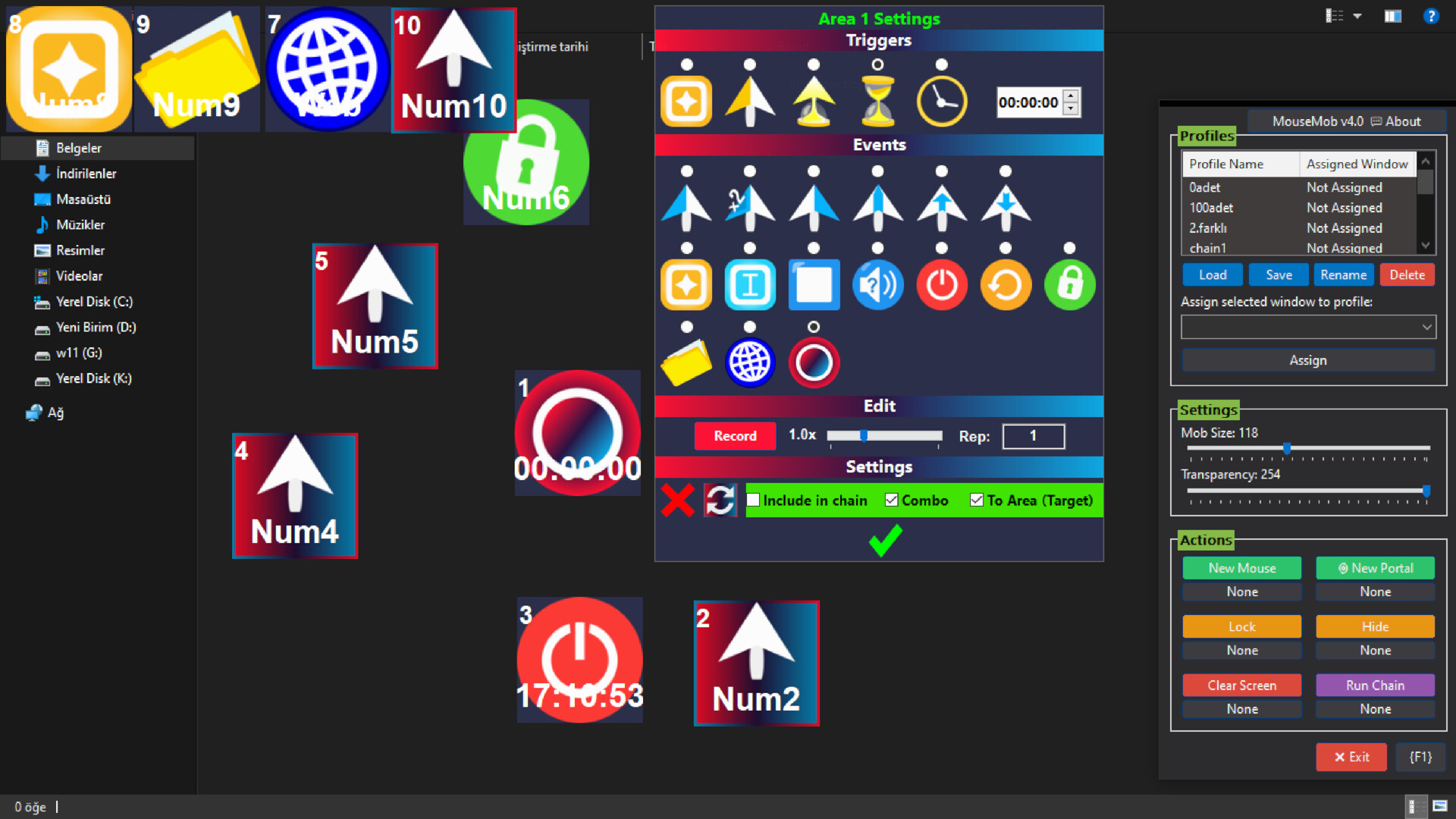
Profile Management:Create different layouts for "Gaming", "Work" or "Browser".
Auto Profile Switch:Assign a profile to a specific window (e.g. Chrome.exe). When you switch to that window, MouseMob automatically loads the relevant profile.
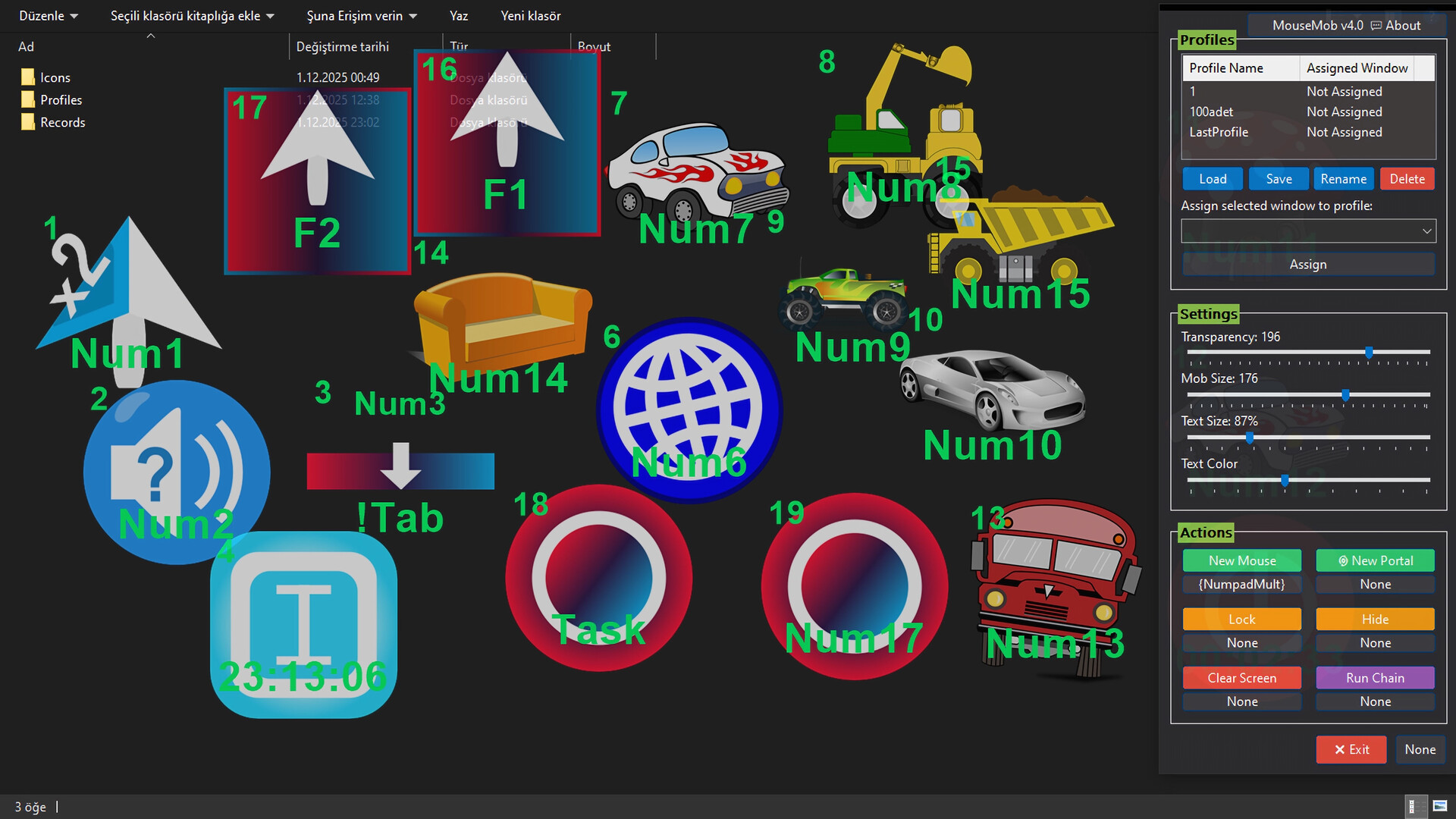
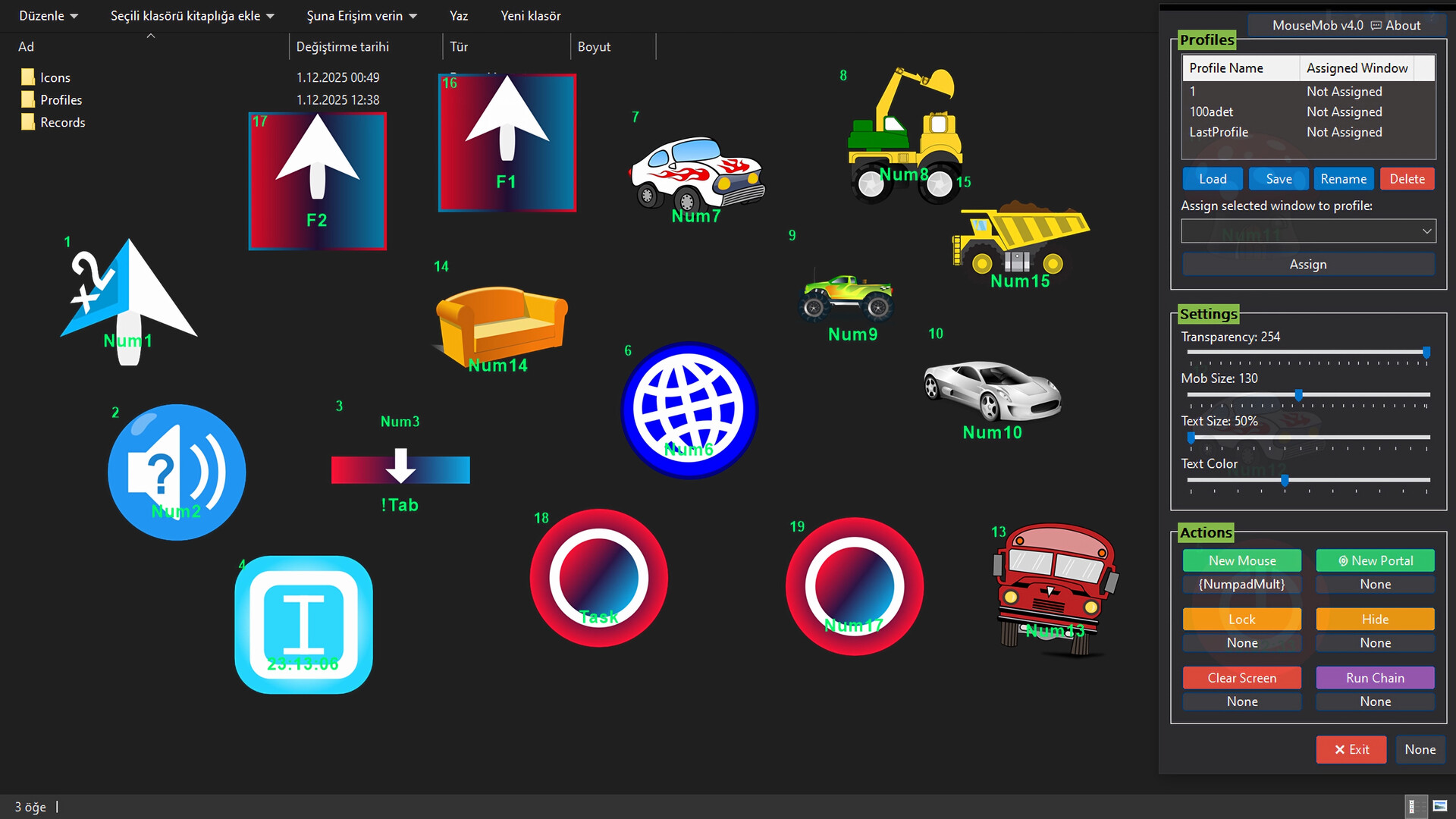
Visual Customization:Instantly change the size and color of the text on your Mobs with sliders. Even personalize Mobs by assigning custom icons (PNG, JPG, ICO, EXE...).
🔄 BIDIRECTIONAL OPERATION
The legendary feature introduced with V3 is now stronger. Remove the boundary between Keyboard and Mouse.
Keyboard -> Mouse:When you press a key, send a click to a specific point on the screen. (Instantly see how many times you clicked with the Click Counter!)
Mouse -> Keyboard:When you hover your mouse over a Mob or click it, send a specific keyboard key (e.g. CTRL+C) to the system.
Custom Key Support:CapsLock, Alt+Tab, Media keys... No restrictions!
⏱️ ADVANCED TRIGGERS & TIMERS
Your Mobs don't just wait for you to press a button; they can now be scheduled.
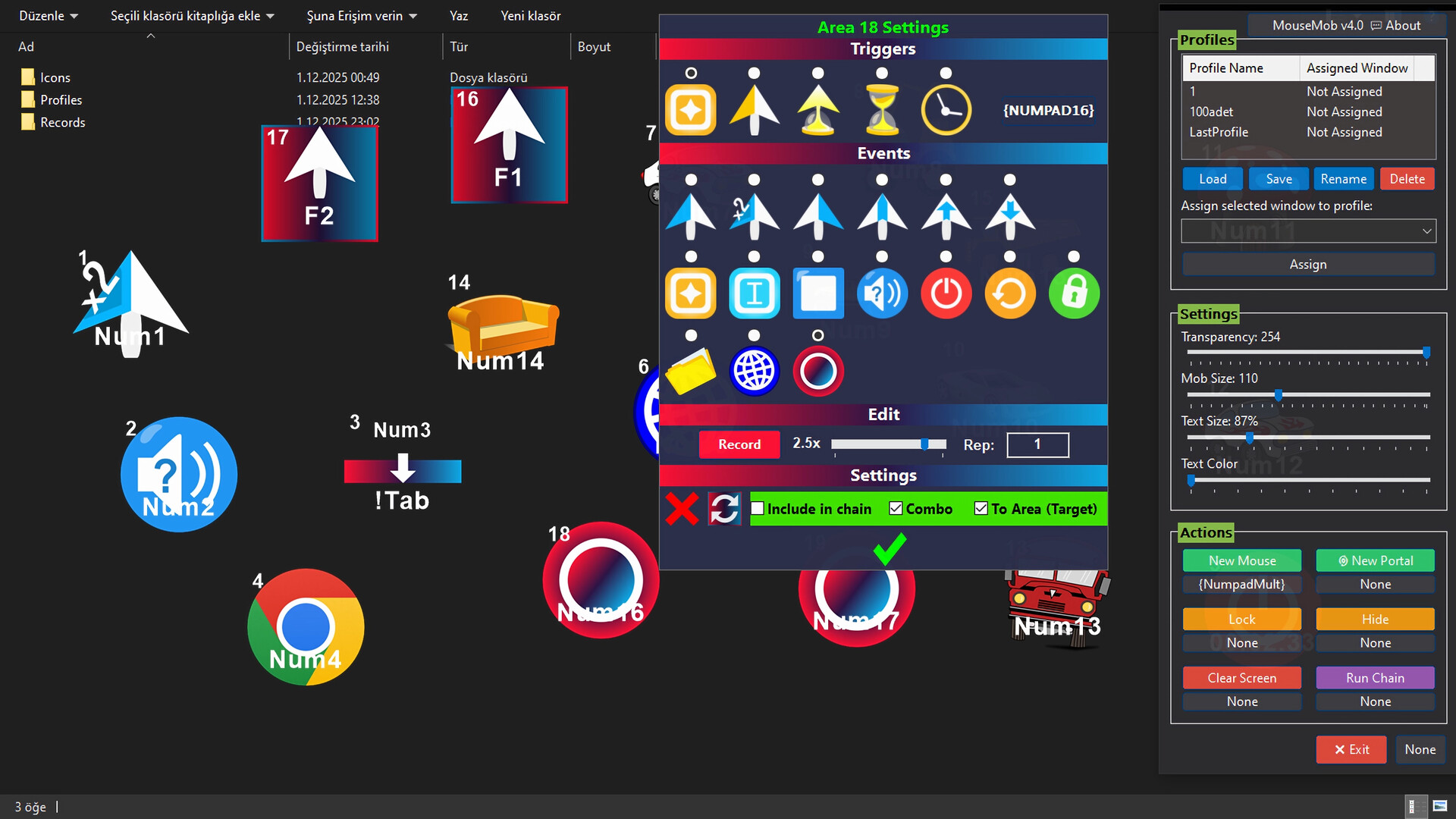
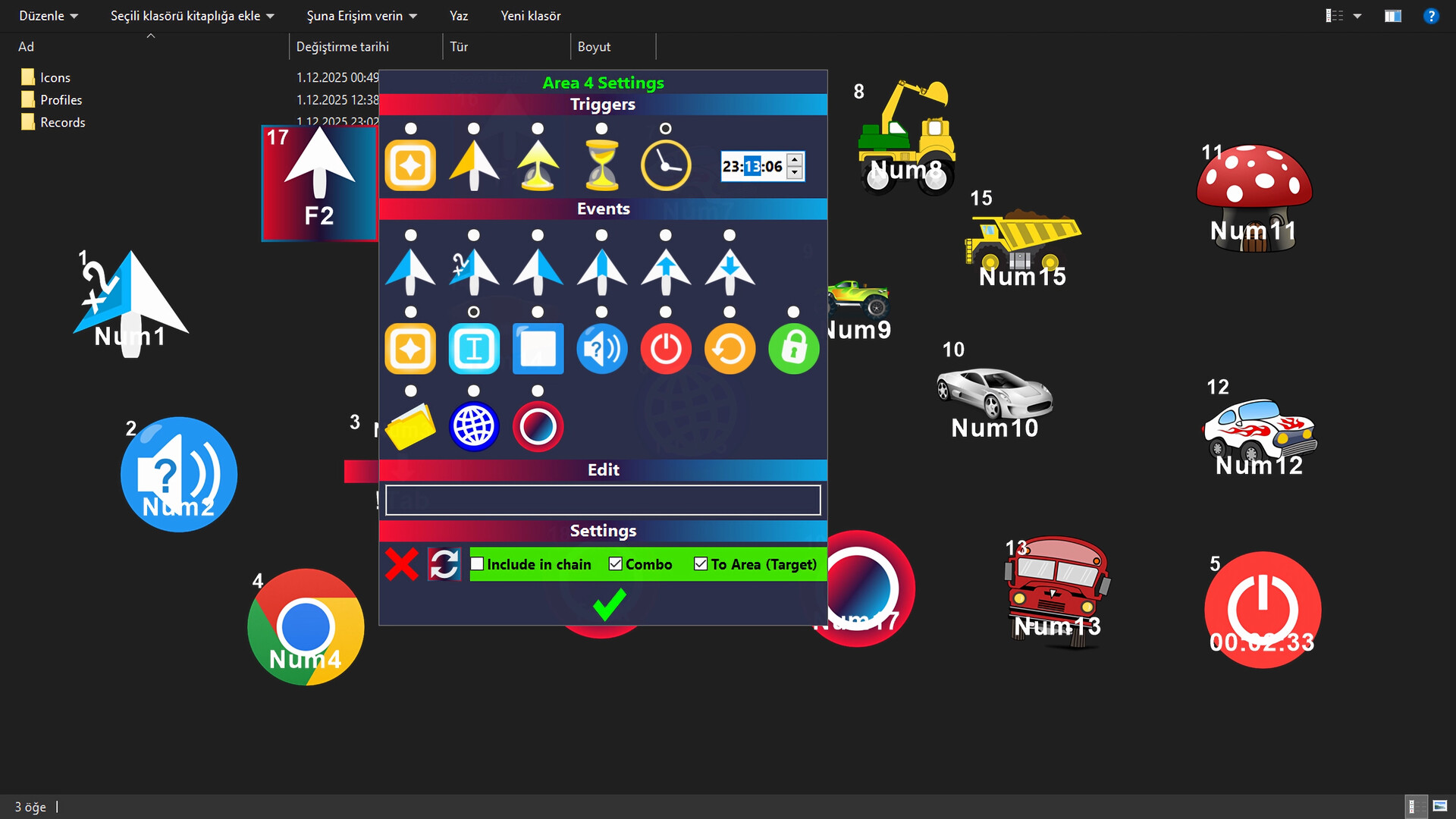
Timer:Set your tasks to a specific time (e.g. 08:00), and MouseMob will start them for you.
Wait (Countdown):Make it wait for a specified time before triggering an action.
Mouse Over:Trigger complex macros or key combinations just by hovering your cursor over a Mob.
🌀 PORTALS & CHAIN REACTIONS
Desktop Portals:Do you use wide or dual monitors? Open "Portals" on your screen. When your mouse enters one, it exits from the other. Speeds up your workflow.
Chain Reaction:Connect Mobs together! When Mob A finishes its task, Mob B automatically starts.
System Control:When the task is completed, MouseMob can open a file, visit a website, or Shutdown/Lock your computer for you.
🛡️ SECURITY AND STABILITY (MOUSE TRAP)
With the "Mouse Trap" technology inherited from V3, your clicks never miss. When MouseMob sends a click, it traps your cursor for a millisecond, makes the click hit the target, and releases it. No more misclicks!
Note:Powerful tools like MouseMob may violate the rules of some games/applications. Always check their Terms of Service first.
✨ Features in Brief
🛑 Smart Task Recorder
Start Recording with a single key or click. Complete the task with the same key or by right-clicking the recording area. Play the task with the same key or click. Or use the "Record/Play" buttons from the menu (there are many methods for recording and playback).
🔗 Chain Feature
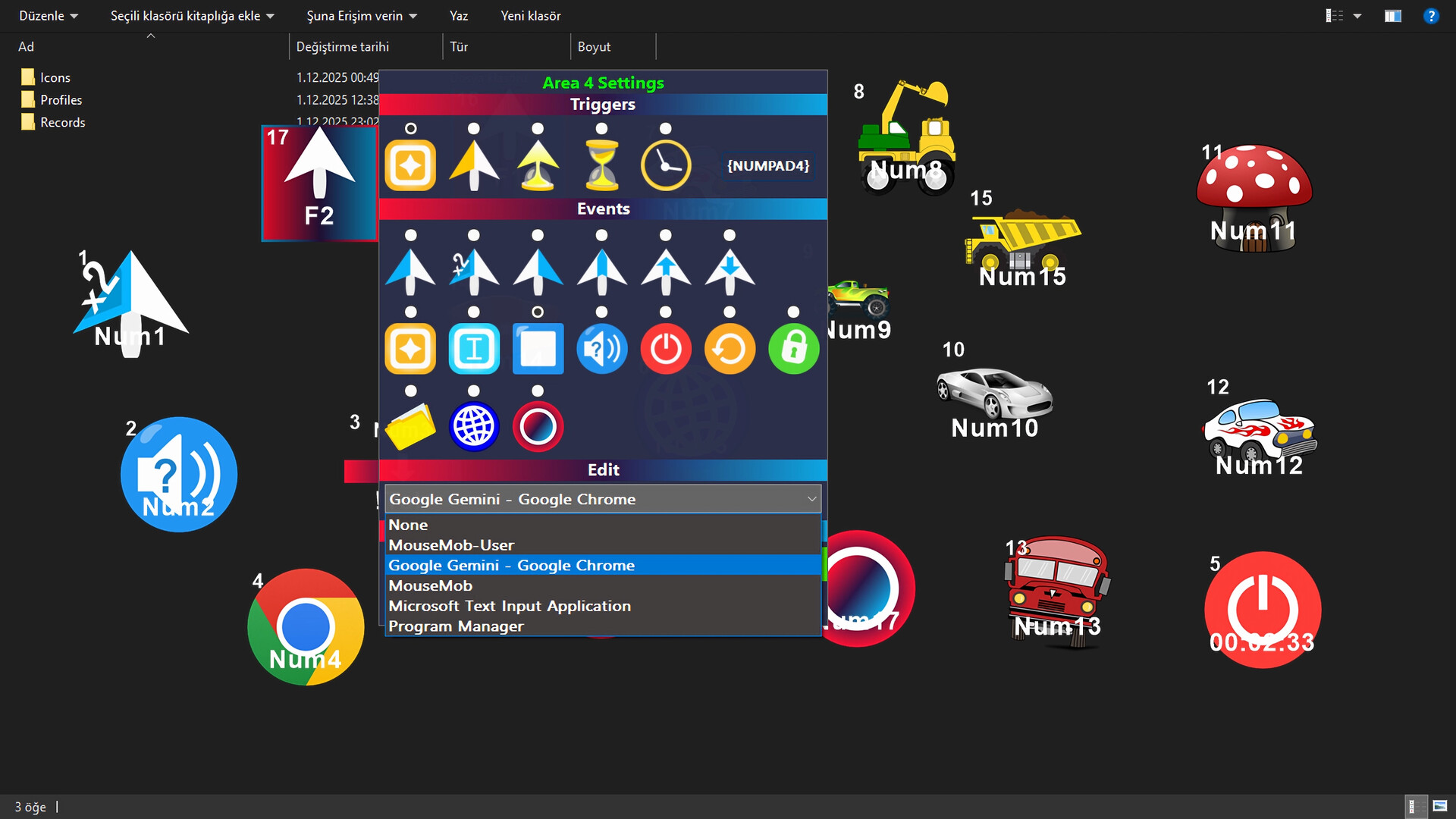
MouseMob allows you to sequence complex tasks one after another. By combining different events assigned to multiple areas (automation, click, keyboard key, text writing, etc.) into a single chain, you can run the chain with just one key. This feature saves you significant time by automating repetitive workflows.
🖱️ Mouse Event
You can place a mouse event on places you click frequently on the screen. Thus, you don't need to drag your mouse constantly.
🖱️ Mouse Over Trigger
You can manage the computer with just mouse movements. For example, you can put w, a, s, d keys on the screen and even play a car racing game just by hovering the mouse over those keys.
⌨️ Key Event
You can re-map keys, for example convert the "q" key to "ALT+TAB". Or you can send clicks to any position on the screen by pressing a key you specify.
🖥️PC Event
You can choose a time to Shutdown/Lock the computer. Or you can put it at the end of your automation chain. When the time or turn comes, it Shuts Down/Locks/Restarts your computer.
🌀 Teleport Feature (Portal)
Move your mouse cursor from one point of the screen to another. By switching between the Portal zones you added, complete your work in different corners of the screen or in different windows much faster. Eliminates the obligation to move your mouse cursor manually.
📂 File Event
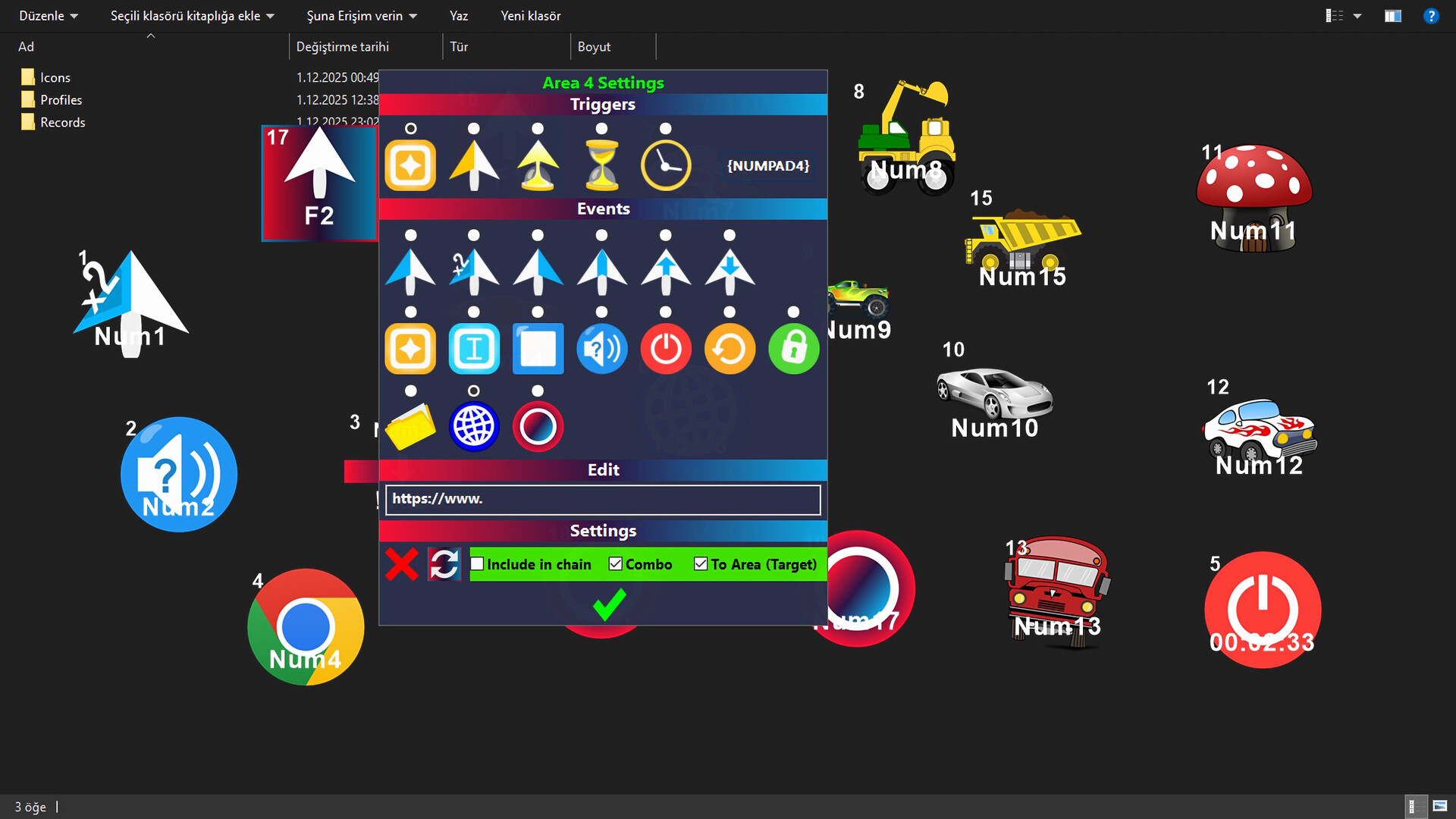
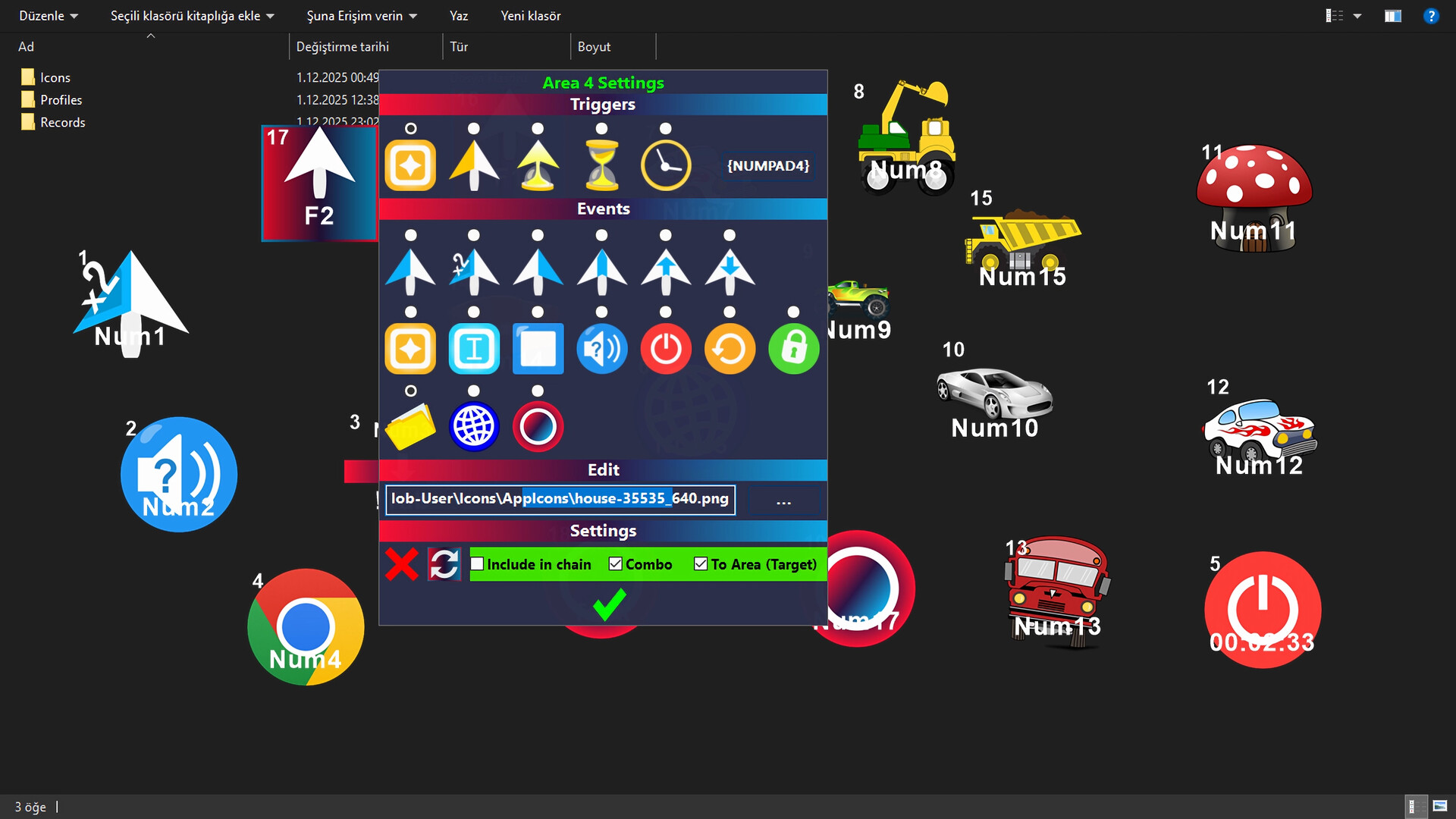
You can assign a file or folder to your on-screen areas so the desired file opens with a single key, click, or timing (however you want). Similarly, you can use the Web feature for a website.
🌐 Web Event
You can assign a website to your on-screen areas. Thus, the website can be opened with the triggering method you desire.
📝 Text Event
Type pre-set texts with a single key or single click. Ideal for frequently used long sentences. Text Events facilitate repetitive jobs like data entry.
🔳 Window Events
Assign window actions to your screen areas. In this way, you can hide and show the desired window with a click or a key. Window management is now much faster and easier.
🔊 Sound On/Off Event
You can instantly mute/unmute the sound with a trigger; it works bidirectionally (If sound is off, it turns on; if on, it turns off).
📂 Profile System (Profile List)
Save different screen areas for different tasks. Each profile can be designed specifically for a certain application or workflow and loaded quickly. It can even load automatically when you switch to a specific window. Thus, you don't waste time with different settings for every job.
⚙️ Improved Settings and Controls
Features such as auto-save, lock/unlock all areas, resize, transparency settings, and easy shortcut assignments. The application saves you time by automatically loading all your settings at every startup.
🔓 Accessibility Support
It offers an effective alternative control method for users who have difficulty with intensive mouse and keyboard usage and facilitates computer interaction.
💎 Summary
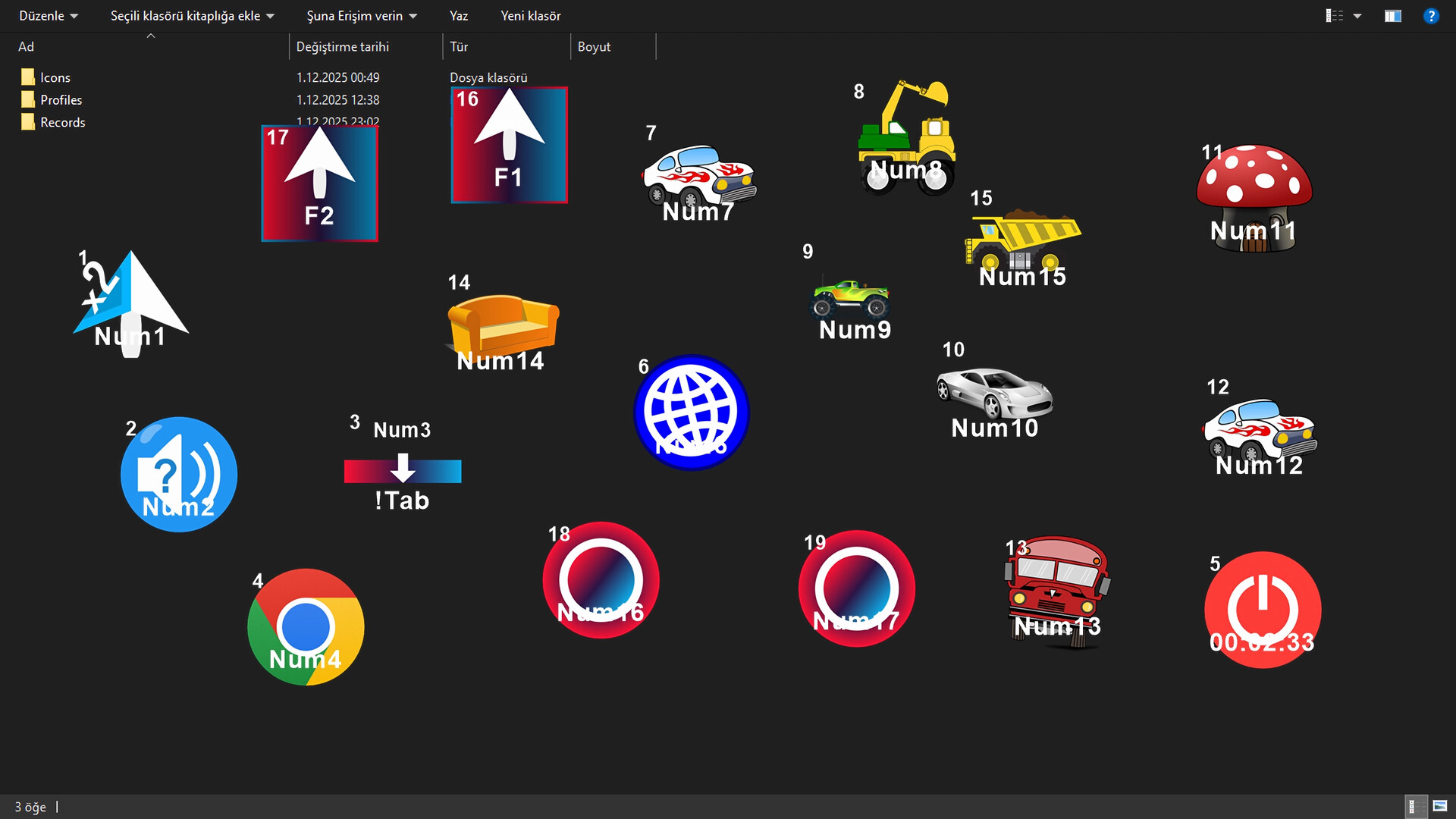
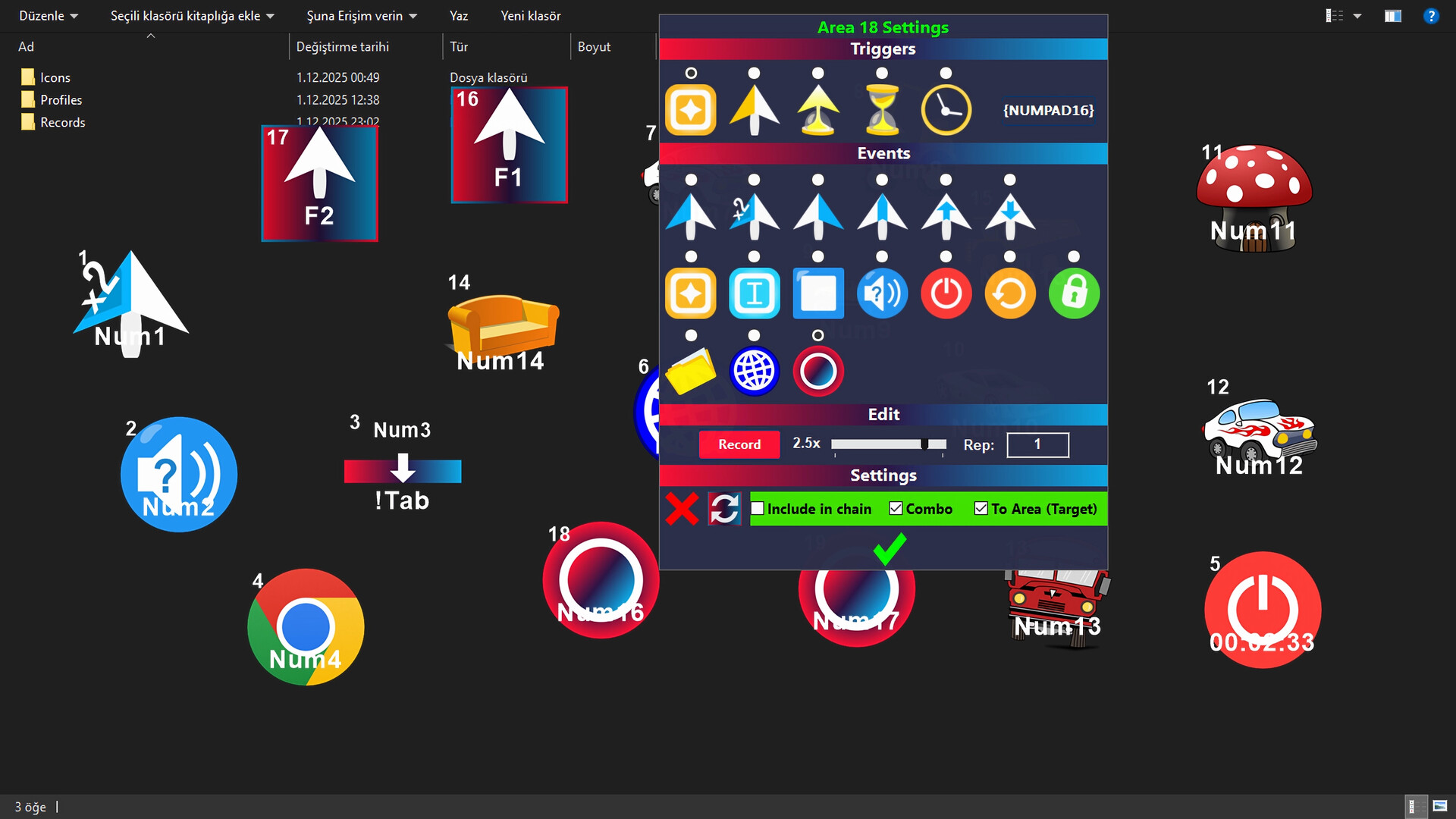
MouseMob allows you to add draggable screen areasto your desktop. by triggering these areas or assigning time, you can perform numerous operations such as automated tasks, clicks, complex keyboard commands, shutting down the PC, text entry, and window management. These features save time, reduce errors, and significantly increase efficiency in both daily and professional use.
屏幕截图
新版变化
- 版本: Windows
- 已更新:
价格
- 今天: $3.99
$19.99-80% - 最小值: $0.99
- 最大值: $19.99
可选
积分
0 ☹️
排名
0 ☹️
列表
0 ☹️
评价
抢先评价一下吧 🌟
其他信息
- 版本: Windows
- 类别:
Steam 游戏›工具 - 操作系统:
Win - 大小:
10 Mb - 可用的功能:
Camera Comfort,Playable without Timed Input,Save Anytime,Utilities - 支持的语言:
Arabic,Bulgarian,Czech,Danish,Dutch,English,Finnish,French,German,Greek,Hungarian,Indonesian,Italian,Japanese,Korean,Norwegian,Polish,Portuguese,Romanian,Russian,Simplified Chinese,Spanish,Swedish,Thai,Traditional Chinese,Turkish,Ukrainian,Vietnamese - Steam Store 评分:
0 - 已更新:
- 发布日期:
MouseMob: Keys & Clicks Mapper with On-Screen Areas 短网址: 已复制!- 🌟 分享
- Steam Store
您可能还喜欢
-
- Screen BUG
- Steam 游戏: 工具 来自: lonch.me
- $0.99
- 列表: 0 + 0 排名: 0 评价: 0
- 积分: 0 + 0 版本: Win Screen BUG is: A trinket for your desktop An opportunity to prank your friends, acquaintances, relatives, coworkers, your dog (or even your cat). Meditation for those who are calmed by ⥯
-
- Mouse Portal – Teleport Your Cursor
- Steam 游戏: 工具 来自: EMRE YARDIMCI
- $0.99
- 列表: 0 + 0 排名: 0 评价: 0
- 积分: 1 + 0 版本: Win Boost your speed with instant mouse teleportation between portals! Mouse Portal: Teleport Your Cursor lets you place colorful linked squares on your screen that act as instant ... ⥯
-
- Screenbits - Screen Recorder
- Steam 游戏: 工具 来自: CHEHRAZ
- $14.99
- 列表: 0 + 0 排名: 0 评价: 0
- 积分: 0 + 271 版本: Win Ultimate screen recorder software for game recording, video tutorials, product demos, YouTube videos and more. Screenbits allows you to capture screen content, system sound, microphone ⥯
-
- 1001 TVs: Screen Mirroring
- Steam 游戏: 工具 来自: Nero AG
- 免费
- 列表: 0 + 1 排名: 0 评价: 0
- 积分: 1 + 0 版本: Win **Simple Screen Mirroring App** Note: Our PC software provides FREE featuressuch as PC to TV mirroring, wireless screen extension, etc. However, on mobile devices, some features are ... ⥯
-
- Cyberlink Screen Recorder 4 - Record your games, RPG, car game, shooting gameplay - Game Recording and Streaming Software
- Steam 游戏: 工具 来自: CyberLink
- $49.99
- 列表: 0 + 0 排名: 0 评价: 0
- 积分: 0 + 0 版本: Win Livestreaming Online Start creating content that engages with your followers on Twitch, YouTube or Facebook. Integrate webcam commentary into livestreams with additional overlay ... ⥯
-
- magnussoft® Screen Recorder Professional
- Steam 游戏: 工具 来自: magnussoft
- $18.99
- 列表: 0 + 0 排名: 0 评价: 0
- 积分: 0 + 0 版本: Win Record what is happening on the screen: Program sequences including mouse movements and text input, film clips from the Internet, games, video calls and much more. You choose which ... ⥯
-
- Realtime Screen OCR Translator
- Steam 游戏: 工具 来自: Alright Peaches Studio
- $0.99
- 列表: 0 + 0 排名: 0 评价: 0
- 积分: 0 + 0 版本: Win Are you having trouble with this? Play a game interface or dialogue is a foreign language you can not read, have you ever thought of whether OCR buckle out these words, and then ... ⥯
-
- Wallpaper Engine
- Steam 游戏: 工具 来自: Wallpaper Engine Team
- $4.99
- 列表: 1 + 2 排名: 0 评价: 0
- 积分: 4 + 874,019 版本: Win Wallpaper Engine enables you to use live wallpapers on your Windows desktop. Various types of animated wallpapers are supported, including 3D and 2D animations, websites, videos and ... ⥯
-
- RPG Maker MV
- Steam 游戏: 工具 来自: Gotcha Gotcha Games
- $79.99
- 列表: 1 + 1 排名: 0 评价: 0
- 积分: 1 + 7,122 版本: Win/Mac/Linux POWERFUL enough for a developer SIMPLE enough for a child VERSATILE enough for any platform! For years, RPG Maker has been the easiest way to make your own Windows PC Roleplaying game. ⥯
-
- Crosshair X
- Steam 游戏: 工具 来自: CenterPoint Gaming
- $4.99
- 列表: 0 + 0 排名: 0 评价: 0
- 积分: 0 + 34,952 版本: Win Get a competitive edge by customizing your crosshair to be clear and precise on every game you play. You can start out with a featured pro Crosshair or a community design, then make ... ⥯
-
- Action! - Gameplay Recording and Streaming
- Steam 游戏: 工具 来自: Mirillis
- $29.99
- 列表: 0 + 0 排名: 0 评价: 0
- 积分: 1 + 6,797 版本: Win Action!- The world's No. 1 gameplay recorder! With Action! you can record and stream your HD/4K/HDR gameplay, full-screen Windows desktop, selected Windows desktop region or ... ⥯
- 新
- IO Auto Clicker
- Steam 游戏: 工具 来自: Wonkru Media Private Limited
- 免费
- 列表: 0 + 0 排名: 0 评价: 0
- 积分: 0 + 0 版本: Win IO Auto Clicker for Games Level Up Your Grinding Game. Automate. Dominate. Repeat. IO Auto Clicker is the most powerful click automation software for PC gamers who refuse to waste time ⥯
-
- AFK Companion
- Steam 游戏: 工具 来自: Artur Khutak
- $0.99
- 列表: 0 + 0 排名: 0 评价: 0
- 积分: 0 + 0 版本: Win/Mac/Linux AFK Companion - Stay Active, Stay Connected A lightweight, cross platform desktop utility that prevents automatic idle detection in games, applications, and communication platforms. ... ⥯
-
- Clickteam Fusion 2.5
- Steam 游戏: 工具 来自: Clickteam
- $99.99
- 列表: 0 + 0 排名: 0 评价: 0
- 积分: 0 + 1,461 版本: Win Game and software creation has never been easier or quicker than with Clickteam Fusion 2.5! Discover the tool used by so many multimedia professionals, game creators, and creative ... ⥯