
| 개발자: | Dennis Sven Mittmann (1) | ||
| 가격: | $4.99 | ||
| 순위: | 0 | ||
| 리뷰: | 0 리뷰 작성 | ||
| 댓글: | 0 댓글 게시 | ||
| 목록: | 0 + 0 | ||
| 포인트: | 0 + 0 ¡ | ||
| Steam Store | |||
기술
Detect IP-Addresses(IPv4)
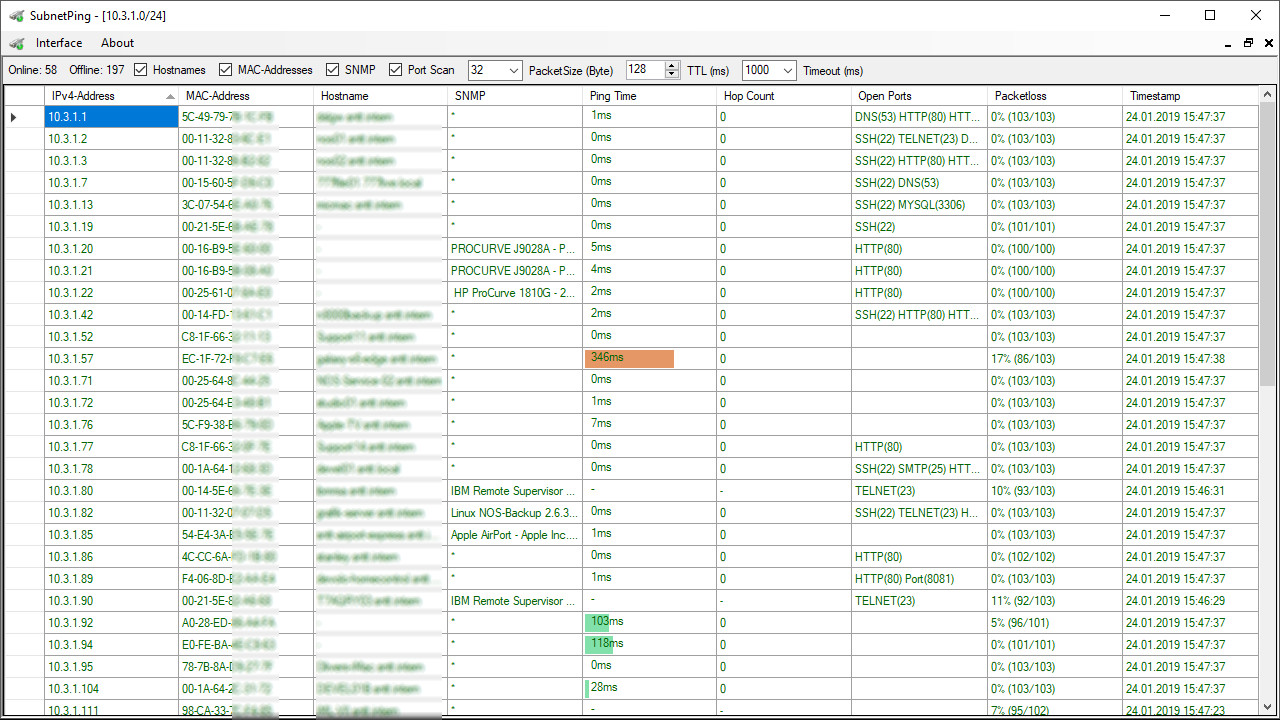
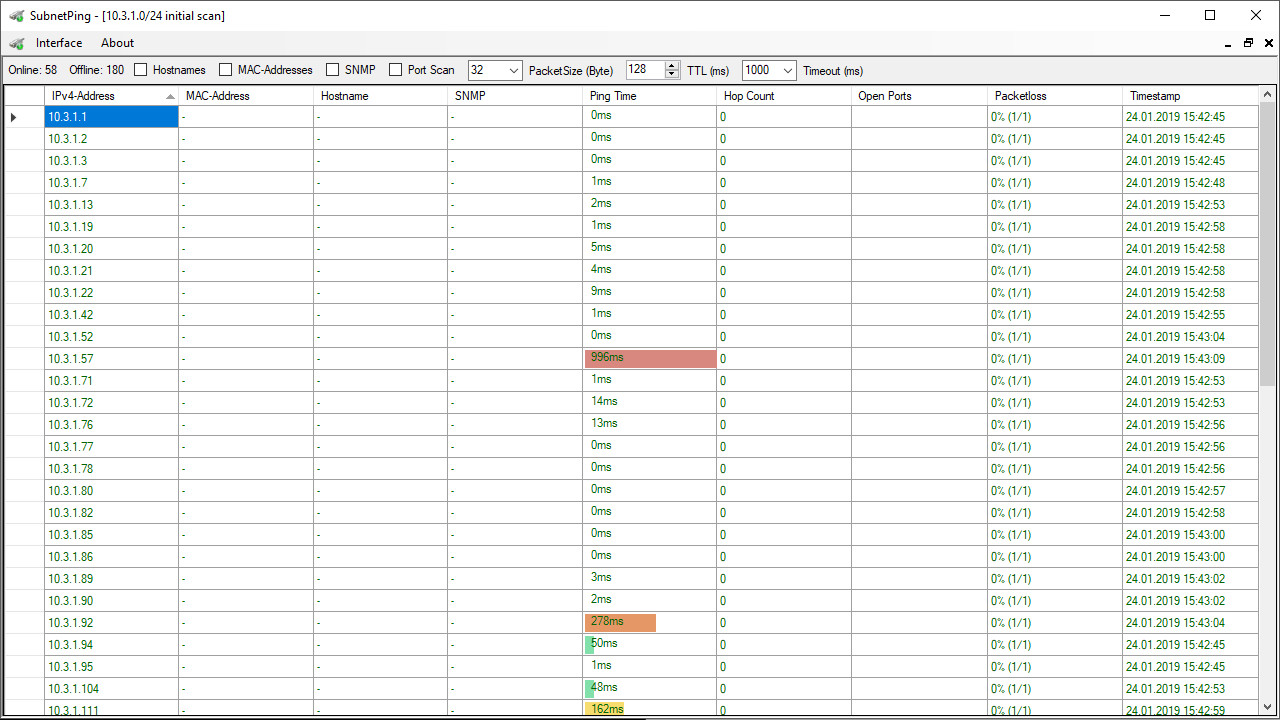
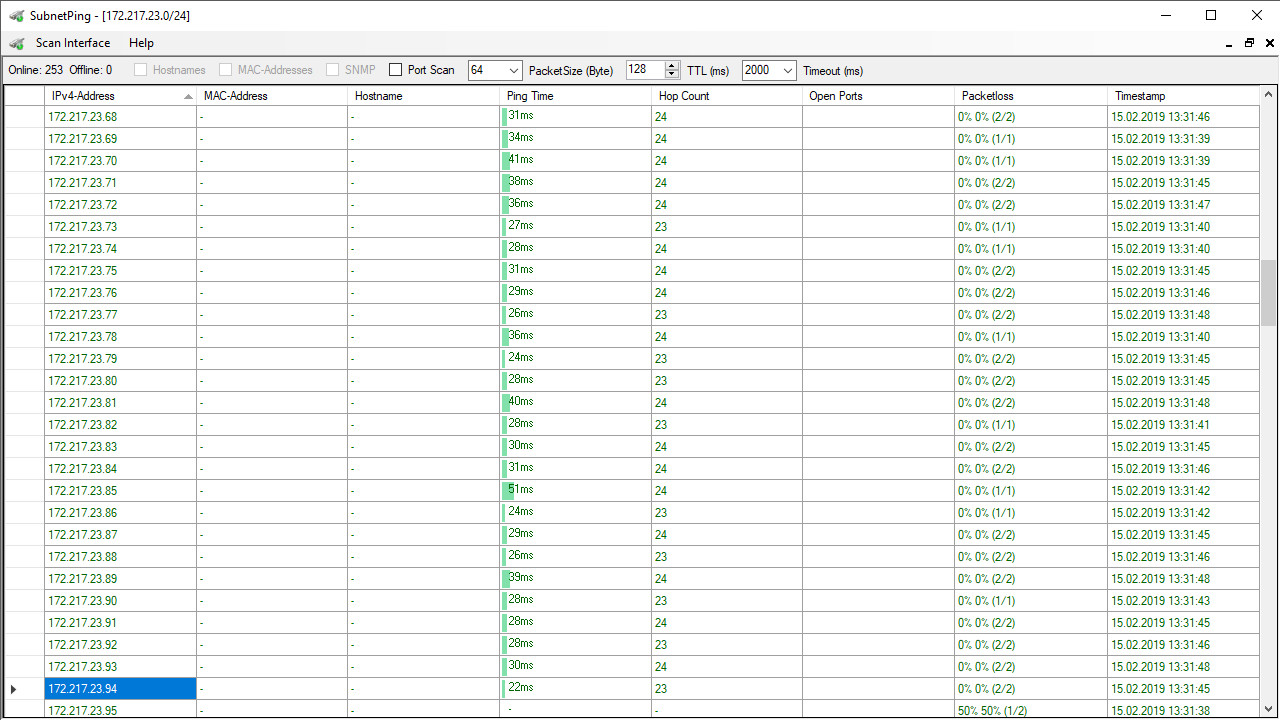
Scan an entire IPv4/24 (Class C) subnet by sending IMCP echo requests to all possible hosts in the selected subnet.
SubnetPing uses the default network interface the operating system and local routing table offers for this task.
It should be possible detect available hosts in remote subnets, behind routers, remote networks thru an VPN, or even public networks as long as the hosts respond to IMCP echo requests and the TTL is high enough so that the packet will no be dropped by any router in the path.
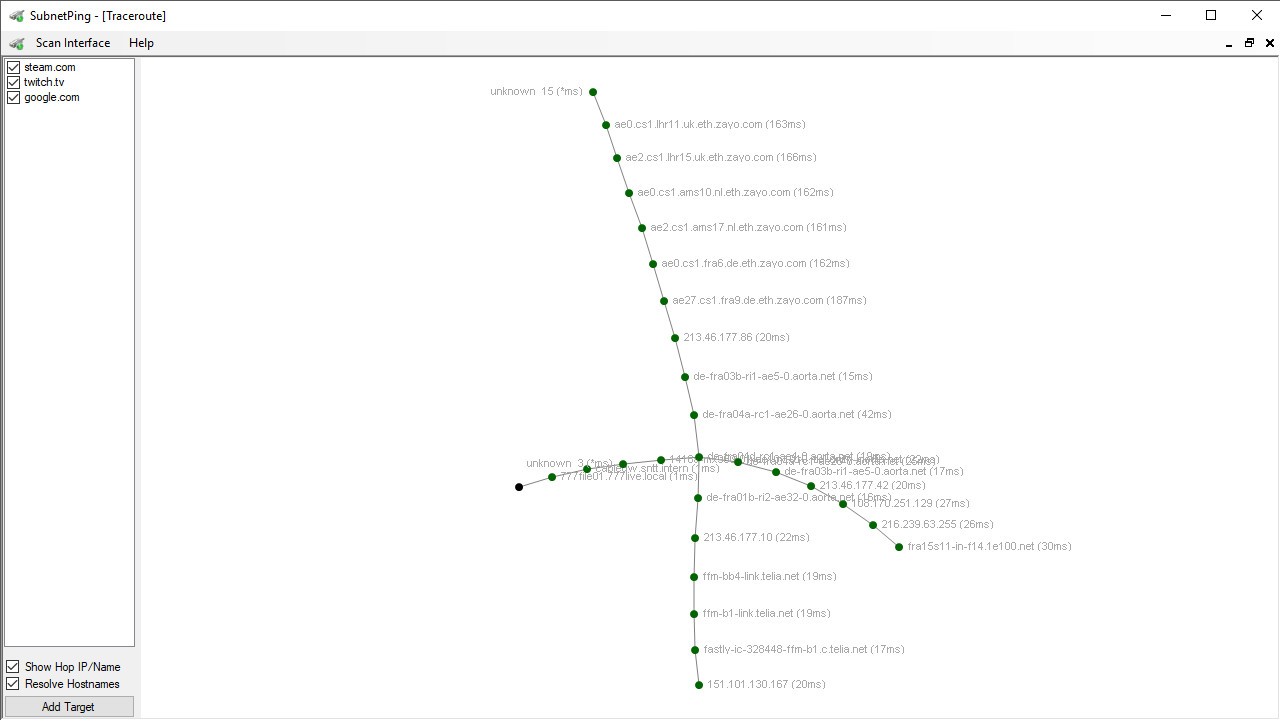
Determine Ping(time in ms)
The Ping time is determined by sending an IMCP echo request to the target IPv4 and waiting for the IMCP echo reply. The Ping time is the locally measured time from sending the IMCP echo request to the target until the IMCP echo reply received. The IMCP echo reply has to be received within a give time-frame (timeout), or the Ping attempted will be considered as a timeout and the IMCP echo reply will be dropped.
Determine Hops(number of routers in the path)
There is no 100% accurate way to get this information. SubnetPing uses an approximation technique to guess the hop count based on some assumptions. This is because the router has do decrease the TTL by at least one, and most of routers do exactly that. The reply packets might have another base TTL than your request packet had.
The base TTL has starts at 256,128,64 or 32. Therefore it should be correct if the packet has less than 32 hops in total and every router in the path decreased it by only one.
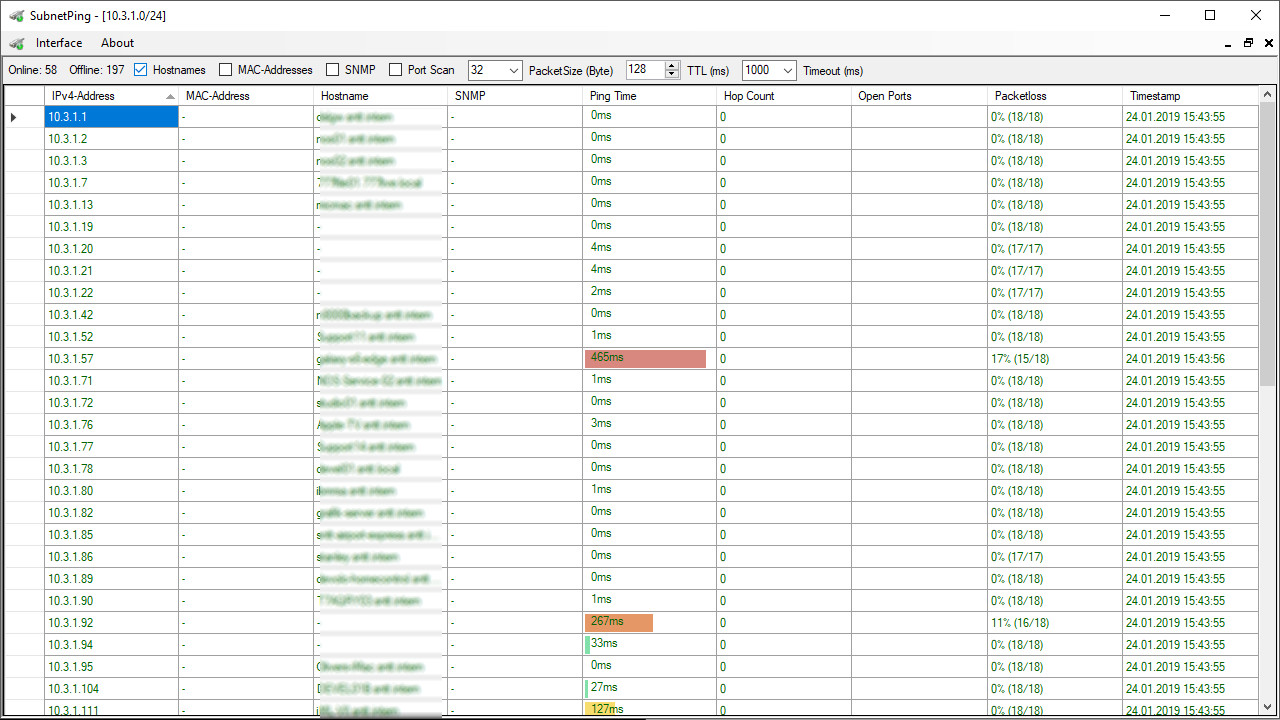
Measure Packetloss
Packetloss is calculated based on the attempts to ping an host with an IMCP echo request and the number of received echo reply responses within a given time-frame (timeout).
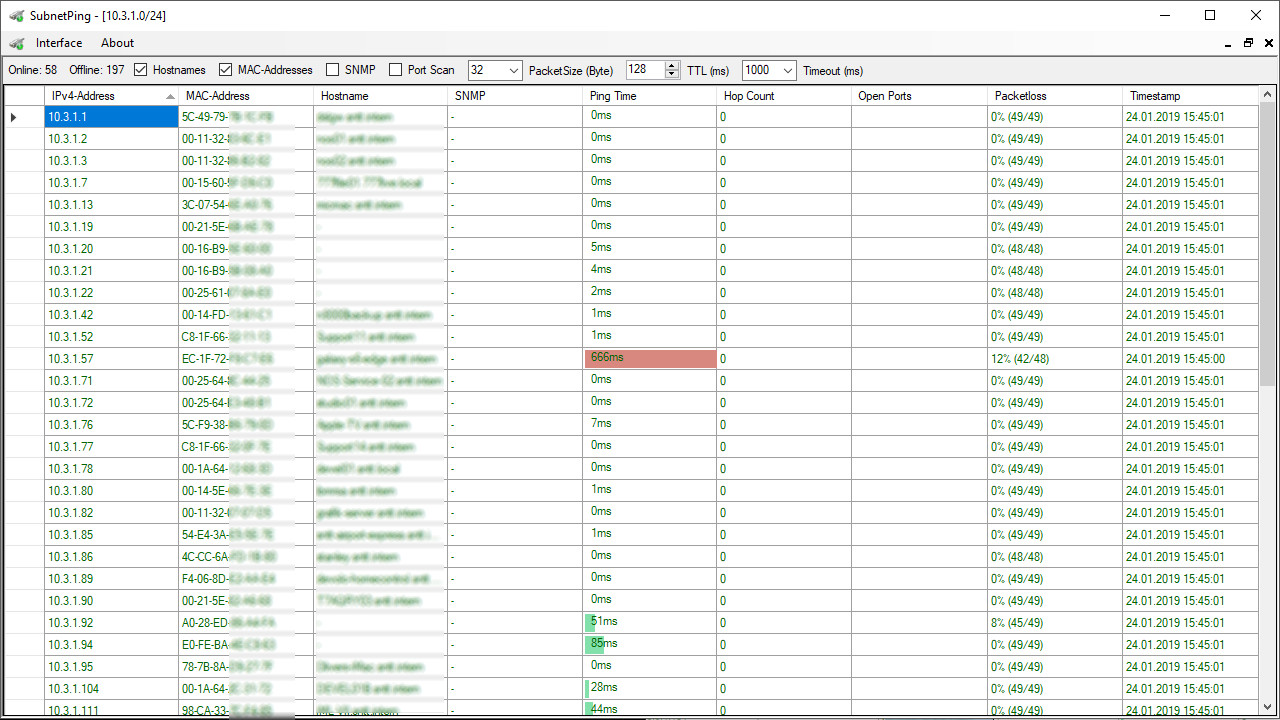
Resolve MAC-Addresses
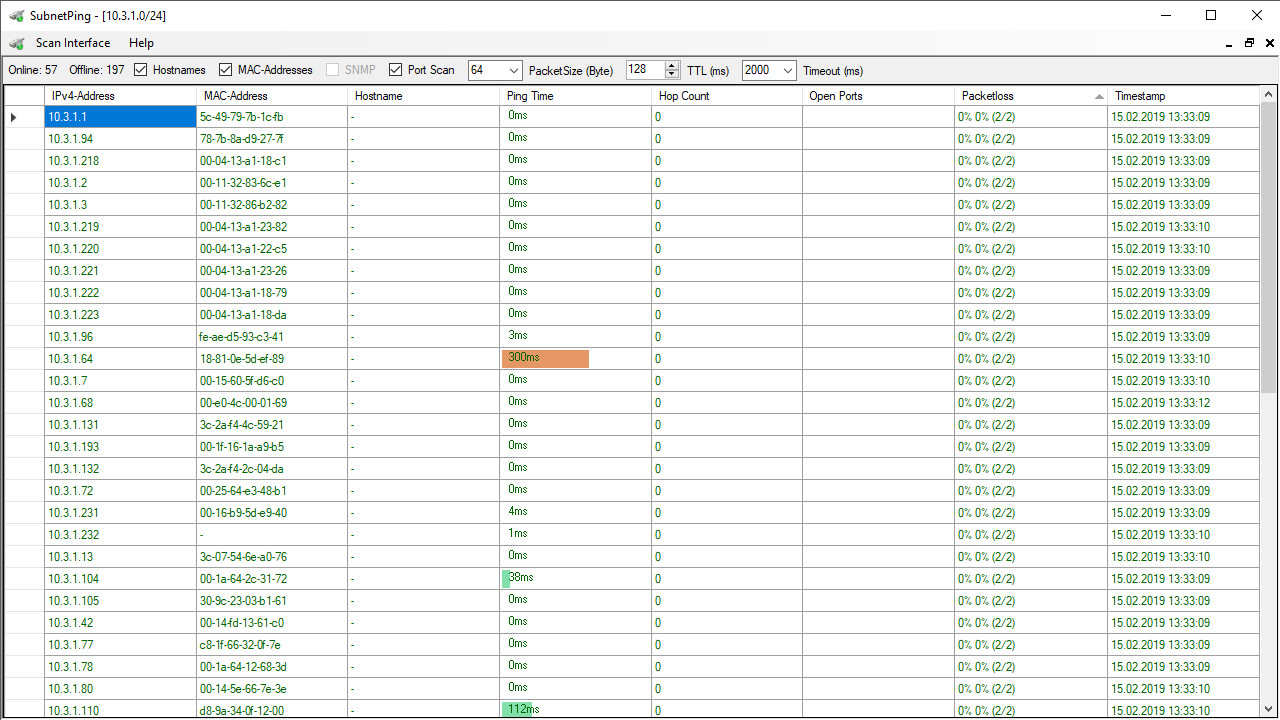
Determine the MAC-Addresses by sending ARP requests to all available hosts.
This works only on the local subnet of the Computer your scanning from.
It is not possible to resolve the MAC-Address of any device behind a router using ARP requests.
Resolve Hostnames
Determine the Hostnames by using the operating system's default DNS server of the default network interface that is selected thru the routing table for accessing hosts in subnet be be scanned. This works only on the local subnet of the Computer your scanning from, due to the lack of revers lookup DNS entries in an public DNS Server.
Detect open Ports
Scan available Hosts for common open TCP ports.
*Early Access and BETA functionality.
This functionalities are classified as BETA status due to issues in certain network environments. Unfortunately, it can not be guaranteed that this functionality works as intended. It is possible that this functionality does not yield any results.
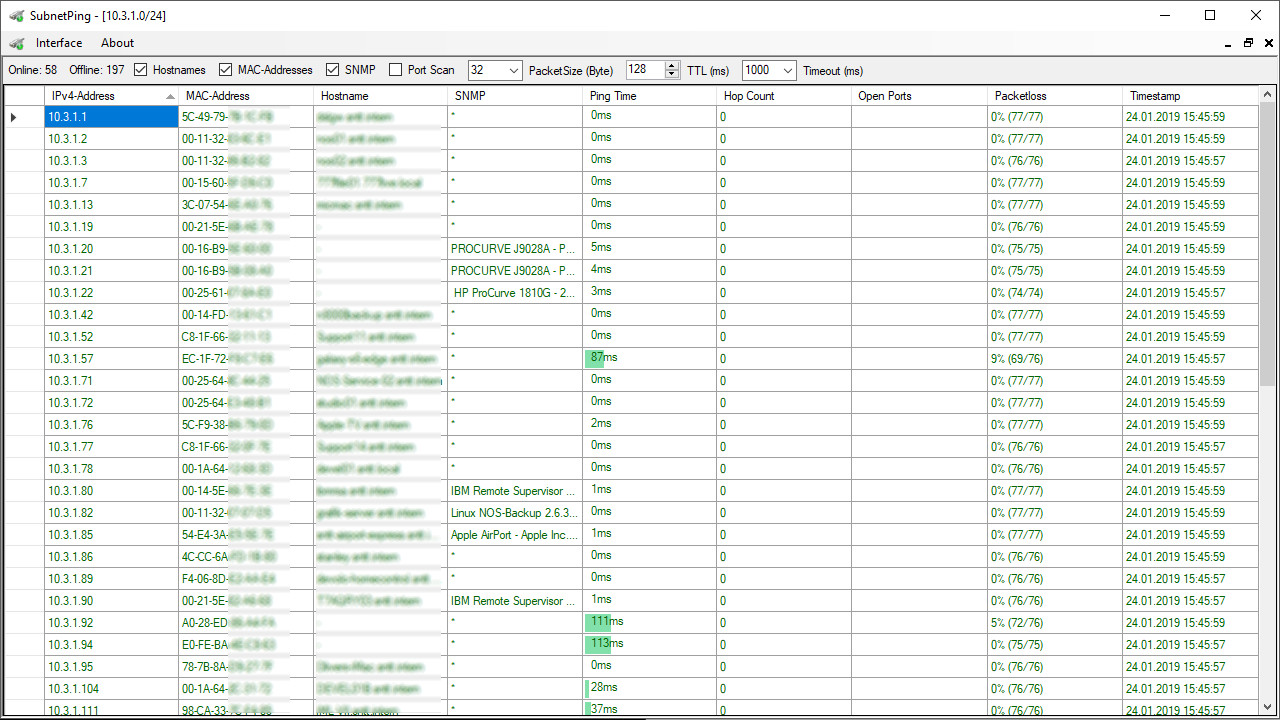
Detect SNMP devices (BETA)*
Determine the device description using SNMPv1 and SNMPv2 requests via UDP port 161.
There are still some problems detecting SNMP devices.
Some devices respond only to SNMPv1 community = “public“, OID = “1.3.6.1.2.1.1.1.0“
As others only respond to SNMPv2 community = “public“, OID = “1.3.6.1.2.1.1.1.0“
In some devices SNMP is just disabled by default and unfortunately there are still some devices that will not respond to SNMPv1 or SNMPv2 community = “public“ requests due to administration settings.
These devices will only respond to authenticated SNMPv3 requests.
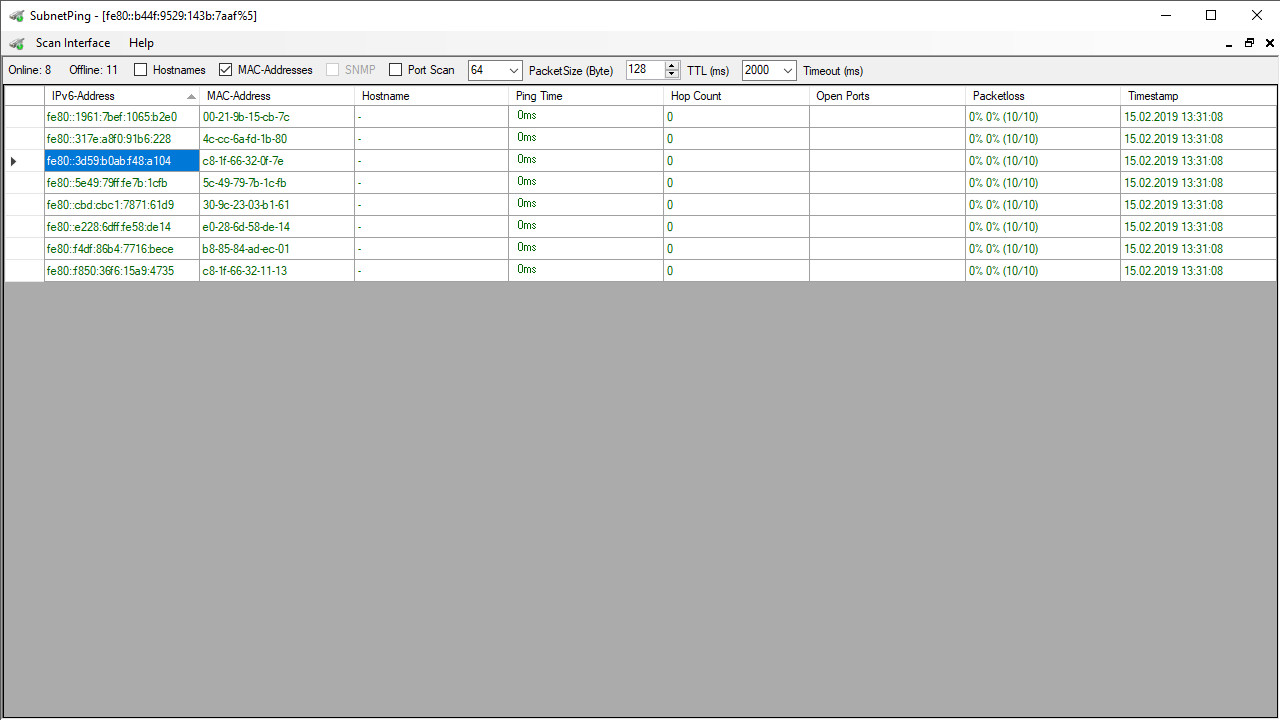
Detect IPv6-Addresses (Ipv6) (Early Access)*
This is the same as Ipv4 detection but due to the gigantic address space of Ipv6 its not possible detect them using IMCP or to resolve the MAC address using ARP requests.
Fortunately it is possible to detect Ipv6 local link addresses and MAC-Addresses using the Neighbor Discovery Protocol (NDP).
This is an very early stage functionality and has some restrictions:
- Ping should work fine.
- Hops will always be “0” due to detection method restrictions.
- Packetloss should work fine.
- MAC-Addresses should work fine.
- Hostnames should work fine.
- Ports should work fine.
Ad
스크린샷
비디오
새로운 기능
- 버전: Windows
- 업데이트:
가격 내역
- 오늘: $4.99
- 최소: $0.99
- 최대: $4.99
가격 추적
Ad
개발자
- Dennis Sven Mittmann
- 플랫폼: Steam 게임 (1)
- 목록: 0 + 0
- 포인트: 0 + 0 ¡
- 순위: 0
- 리뷰: 0
- 댓글: 0
- 할인: 0
- 동영상: 1
- RSS: 구독
포인트 (0)
0 ☹️
순위 (0)
0 ☹️
목록 (0)
0 ☹️
- SubnetPing
리뷰 (0)
첫 번째 리뷰를 남겨보세요 🌟
댓글 (0)
가장 먼저 댓글을 남겨주세요 🌟
추가 정보
주소록
 https://subnetping.purepix.net
 «SubnetPing». 플랫폼: Steam. 카테고리: 도구. 개발자: «Dennis Sven Mittmann». 첫 번째 릴리스: . 마지막 업데이트: . 현재 가격: $4.99. 최저 기록 가격: $0.99 (). 최고 기록 가격: $4.99 (). 이 타이틀은 아직 AppAgg에서 평가나 리뷰를 받지 못했습니다. 지원되는 기능: Utilities. 사용 가능한 언어: English. AppAgg는 «SubnetPing»의 가격 기록, 평점 및 사용자 피드백을 추적합니다. 향후 할인 및 업데이트 받기: RSS에서 확인할 수 있습니다. AppAgg는 애플리케이션을 호스팅하거나 소프트웨어를 배포하지 않습니다. 모든 상표, 로고 및 스크린샷은 해당 소유자의 자산입니다.
SubnetPing 단축 URL: 복사됨!- 🌟 공유하기
- Steam Store
당신은 또한 같은 수 있습니다
-
- Sticky Apps :: Monitor Ping
- Steam 게임: 도구 게시자: Tim Sullivan
- $3.99
- 목록: 0 + 0 순위: 0 리뷰: 0
- 포인트: 0 + 0 댓글: 0 버전: Win Sticky Apps :: Monitor Ping is an application to view your network connection to multiple systems on the Internet. This is a great way to monitor your PING/network to game servers, ... ⥯
- -35%
- Mouse Portal – Teleport Your Cursor
- Steam 게임: 도구 게시자: EMRE YARDIMCI
- $1.94
$2.99-35% - 목록: 0 + 0 순위: 0 리뷰: 0
- 포인트: 1 + 0 댓글: 0 버전: Win Boost your speed with instant mouse teleportation between portals! Mouse Portal: Teleport Your Cursor lets you place colorful linked squares on your screen that act as instant ... ⥯
-
- Kz NTools : Fix Your Network
- Steam 게임: 도구 게시자: Kz Software
- $6.99
- 목록: 0 + 0 순위: 0 리뷰: 0
- 포인트: 0 + 0 댓글: 0 버전: Win What is Kz NTools ? Kz NTools is a powerfull network tool. Developed by person who hates high ping. Kz Ntools will ease your connection and help to fix your issues. Features Just click ⥯
-
- RPG Maker MZ - SERIALGAMES LivingGoodCity TILESET Japanese School
- Steam 게임: 도구 게시자: Gotcha Gotcha Games
- $17.99
- 목록: 0 + 0 순위: 0 리뷰: 0
- 포인트: 0 + 0 댓글: 0 버전: Win/Mac This pack can be used to create backgrounds for projects themed around Japanese schools. Since it includes both indoor and outdoor school settings, you can depict a wide variety of ... ⥯