
Segnalibri
| Sviluppatore: | Munito (4) | ||
| Prezzo: | Gratis Novità | ||
| Punteggio: | 680 Argento | ||
| Classifiche: | 0 | ||
| Commenti: | 0 Pubblica commento | ||
| Liste: | 0 0 | ||
| Punti: | 0 | ||
| +1 Punto | |||
In breve
Ti presentiamo Adeorq, un’app di Munito della categoria «Strumenti di sviluppo».
Novità: è uscita , quindi sei tra i primi.
Gratis: niente pubblicità, niente acquisti in-app. Solo tu e l’app.
Il Microsoft Store è integrato in Windows, quindi si installa in un paio di clic.
Il suo Punteggio AppAgg è 680. Livello Argento, e non è affatto male.
Solo 11 megabyte. Ci sta anche su un disco pieno zeppo.
Classificazione «EVERYONE»: va bene anche per i bambini.
Conosce 2 lingue, ma l’italiano non ancora.
Qui per ora silenzio totale (niente voti, niente commenti). Rompi il ghiaccio.
Lo sviluppatore ha 3 altre app su AppAgg. Vale la pena dare un’occhiata.
Vuoi sapere prima di tutti di aggiornamenti e nuove app? Segui lo sviluppatore o iscriviti al feed RSS. Le notifiche push arrivano tramite l’app AppAgg Alerts per Android e iOS.
Screenshot 5
Altre piattaforme 0
Cronologia dei prezzi 0
- Prezzo attuale: Gratis
- Minimo: Gratis
- Massimo: Gratis
Il tuo feed personale nella home
Descrizione

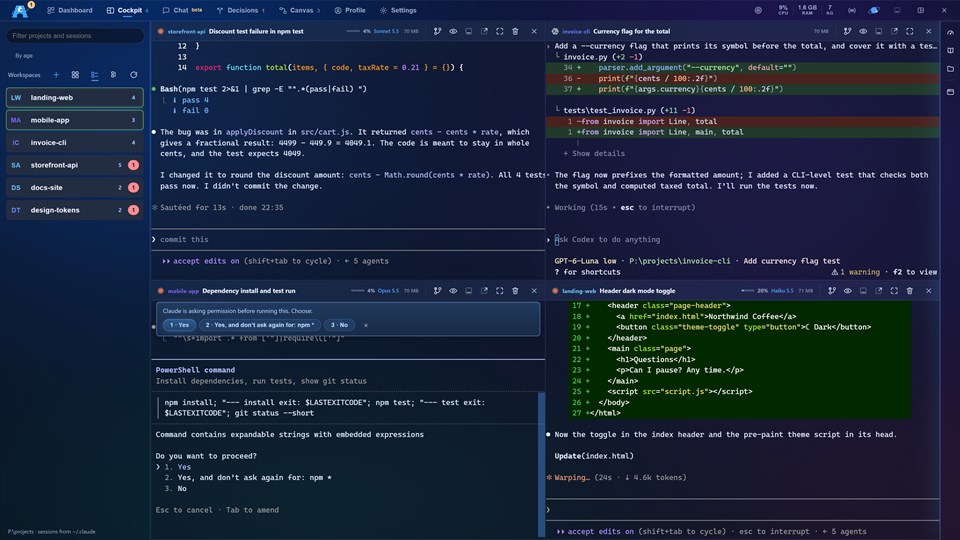
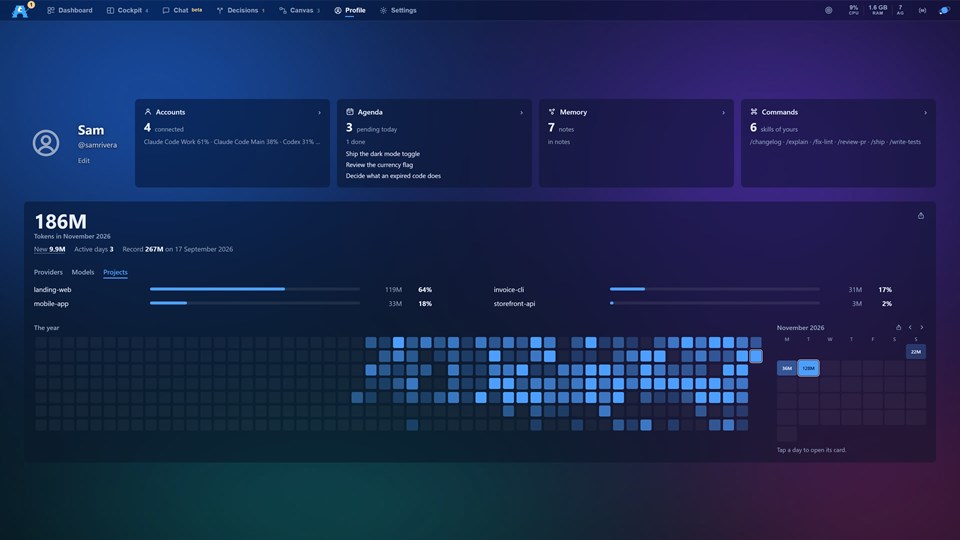
Adeorq is a desktop panel to work with several of those agents at the same time. Each one runs in a real terminal inside the folder of one of your projects, and you can see which ones are working, which are waiting for you and which have finished.
What you can do with it:
- Open a project and start a session in it, or open a plain terminal.
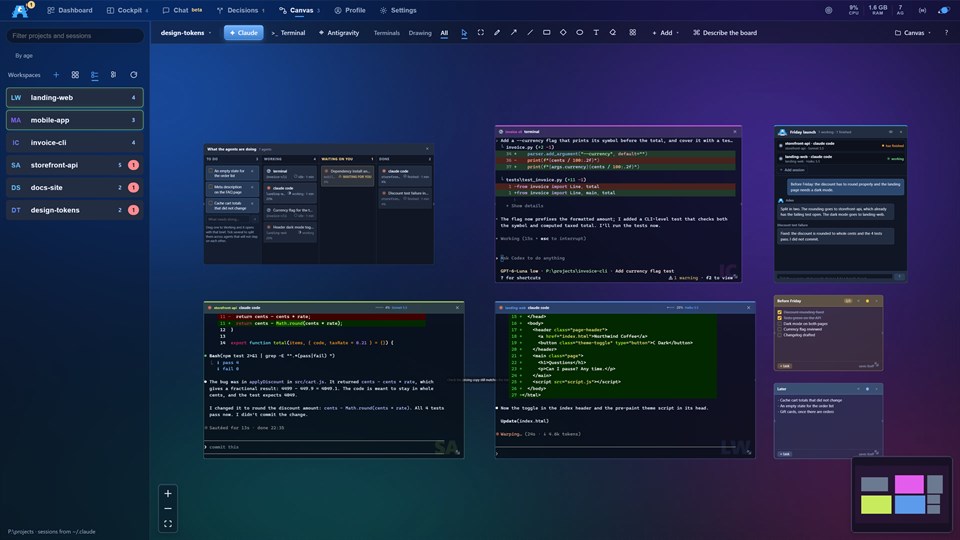
- Arrange the terminals in a grid, or place them on an infinite canvas next to notes, images and a task board.
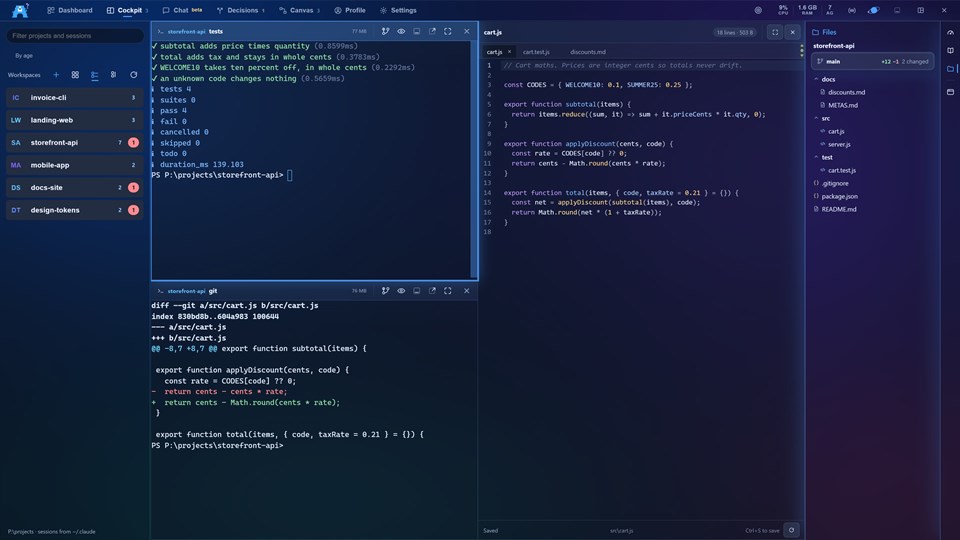
- Browse and edit the project's files, search inside them and see what each agent has touched.
- Give each agent its own Git worktree (Shadow Mode, it needs Git installed), read the changes and decide what is kept and what is thrown away.
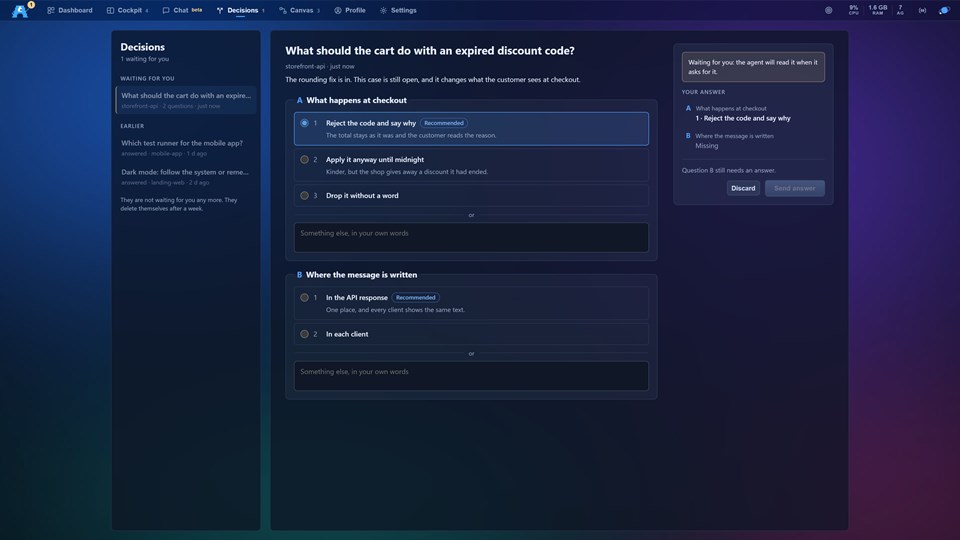
- Answer an agent's questions by choosing between numbered options.
- Keep your daily goals, the next steps of your projects and your scheduled tasks in the Agenda, and read what your agents propose.
- Use Adeorq from your phone or any browser through Tailscale, which you install separately. It is optional and stays off until you turn it on; while it is on, Adeorq asks Windows not to put the PC to sleep.
- Dictate by voice with whisper.cpp, which you install separately. Your voice is processed on your PC.
Adeo is the assistant built into Adeorq. You tell it in your own words what you want and it proposes or opens the sessions for you. Adeo uses live generative AI: what it writes is created by an AI model, in response to what you type, through the agent program and the account you connected, so it can be wrong. Under its box (on the first screen, in the Chat tab and on the phone page) there is a line that says so, a "Report an issue" button and an "or by email" link, and the button is also next to its answers. The canvas can also hold a chat with an AI model of your choice, through a key of your own; it also uses live generative AI, says so under its box and has the same "Report an issue" button.
Adeorq has no account of its own and no telemetry. It is available in English and Spanish. On Windows 10 it needs the Microsoft Edge WebView2 Runtime, which Windows 11 already includes.
To uninstall cleanly: if you connected Claude Code to Adeorq (Settings, Terminals, "Connect your Claude Code"), press Disconnect first, or Claude Code will keep an entry that points to a program that is gone. Your Adeorq data stays in the .adeorq folder of your user folder until you delete it.
Adeorq is not affiliated with, sponsored by or endorsed by Anthropic, OpenAI, Google, Microsoft, xAI or any other company whose products it may work with. Their names and logos are trademarks of their respective owners and are used here only to identify which tool you are working with. Adeorq works with command-line agents such as Claude Code, Codex and Gemini CLI, and with others.
Dallo sviluppatore
Liste 0
-
 Adeorq
Punti 0
-

- +1 Punto

Classifiche 0
-
- La tua valutazione
Sviluppatore 4
- Munito
- Follower: 0
- Piattaforme: Windows App (4)
- Offerte: 0
- Liste: 0 0
- Punti: 0
- Classifiche: 0
- Commenti: 0
- Video: 1
- RSS: Iscriviti
Novità
- Versione: PC
- Ultimo aggiornamento:
Informazioni aggiuntive
- Data di uscita:
- Categoria:
App per Windows›Strumenti di sviluppo - Sistemi operativi:
PC - Dimensioni:
11 Mb - Lingue supportate:
Inglese,Spagnolo - Classificazione contenuti:
EVERYONE - Windows Store Valutazione: ¡
0 - Sito web:
 https://adeorq.com
Punteggio AppAgg
Punteggio AppAgg stimato per
Adeorq
Sviluppatore: Munito
Un punteggio più alto riflette in genere risultati migliori negli indicatori di AppAgg.
Basato su: popolarità · valutazioni degli utenti · freschezza · offerte · dati degli store · attività della community
Ricalcolato ogni giorno con dati AppAgg aggiornati.
Commenti 0 ¡
Condividi
Adeorq URL breve: Copiato!- Windows Store

