
Kirjanmerkit
| Kehittäjä: | Nicolas Pinzon (1) | ||
| Hinta: | Ilmainen Uusi | ||
| Arvio: | 710 Hopea | ||
| Sijoitukset: | 0 | ||
| Kommentit: | 0 Lähetä kommentti | ||
| Listat: | 0 0 | ||
| Pisteet: | 0 | ||
| +1 Piste | |||
Lyhyesti
Tutustu: Agents Keeper, kehittäjän Nicolas Pinzon sovellus kategoriassa ”Kehittäjien työkalut”.
Uutuus: ilmestyi , joten olet ensimmäisten joukossa.
Ilmainen: ei mainoksia, ei sovelluksen sisäisiä ostoksia. Vain sinä ja sovellus.
Microsoft Store on rakennettu suoraan Windowsiin, joten asennus hoituu parilla klikkauksella.
AppAgg-arvio on 710. Taso Hopea, eikä se ole yhtään hullumpi.
Ikäraja ”EVERYONE”, joten sopii lapsillekin.
Osaa jo 2 kieltä, mutta suomea se ei ole vielä oppinut.
Täällä on toistaiseksi täysin hiljaista: ei arvioita, ei kommentteja. Riko hiljaisuus.
Tämä on kehittäjän ainoa sovellus AppAggissa. Toistaiseksi.
Haluatko kuulla päivityksistä ja uusista sovelluksista ensimmäisenä? Seuraa kehittäjää tai tilaa RSS-syöte. Push-ilmoitukset saat AppAgg Alerts -sovelluksella, joka toimii Android- ja iOS-laitteissa.
Muut alustat 0
Hintahistoria 0
- Nykyinen hinta: Ilmainen
- Vähintään: Ilmainen
- Enintään: Ilmainen
Oma syöte etusivulla
Näyttökuvat 4
Kuvaus

- Runs a background service that is part of the app. The Agents Keeper service runs your agent sessions and keeps them alive after the window closes. It ships inside the app, starts when you sign in, and is not a Windows service: it needs no administrator rights. You can turn the start at sign-in off in Settings → Apps → Startup.
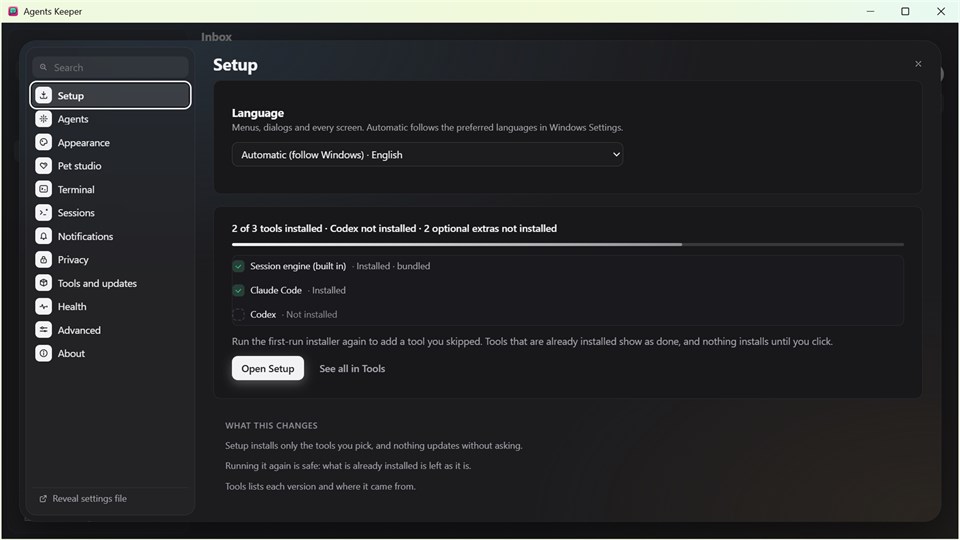
- Installs coding-agent command-line tools only when you ask. The first-run Setup can install Claude Code (Anthropic), Codex (OpenAI), Git, Node.js and the GitHub CLI with Windows Package Manager (winget) or the vendor's own installer, after checking the download. Nothing is installed without your confirmation, and you can skip any of them. Some of these installers may ask Windows for permission (a UAC prompt) because they install for all users.
- Each agent runs in a sandbox. Agents run at low integrity: they can work in the project folders you open in Agents Keeper, but not in the rest of your user profile. Because of this, each agent keeps its own settings and asks you to sign in once inside Agents Keeper, even if you already use it elsewhere on this computer.
- Needs your own accounts with the agent vendors. Claude Code needs an Anthropic account or API key; Codex needs an OpenAI account or API key. Agents Keeper never sees your passwords or keys and is not affiliated with Anthropic, OpenAI, Google or Amazon.
- Updates never close your terminals. When the Store has a new version ready, Agents Keeper says so and installs it the next time it restarts with no terminal open (or the next time you sign in).
- Uninstalling: use Settings → Advanced → Uninstall… in the app first. It stops the service, ends its terminals and removes the app's data, then opens Windows Settings → Apps, where you remove the app itself. Agent tools that Setup installed stay installed; remove them in Settings → Apps like any other program.
What Agents Keeper does
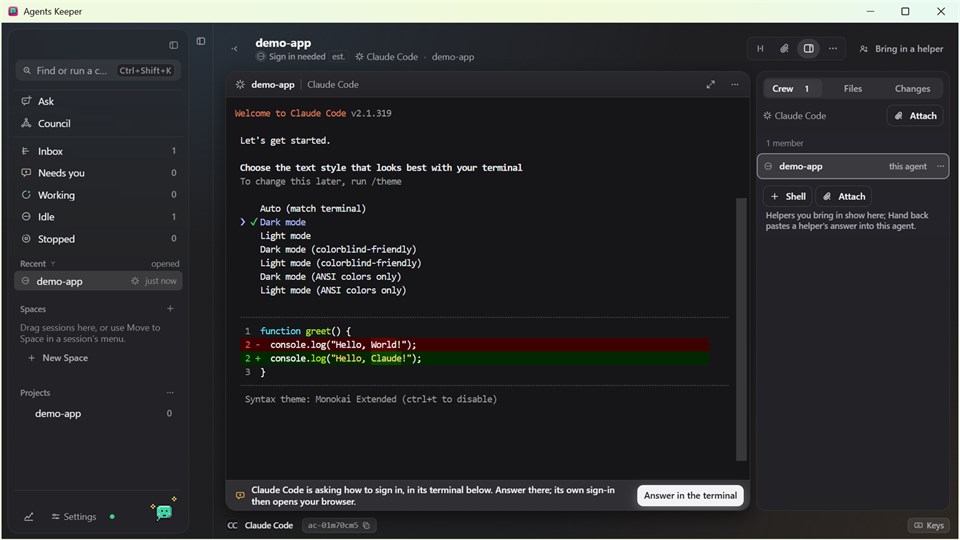
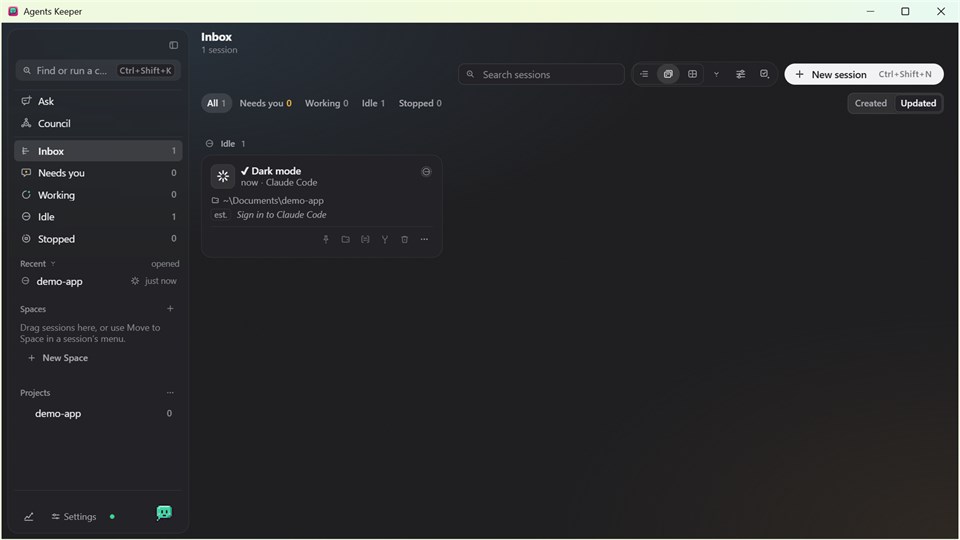
Agents Keeper is a home for the coding agents you run in your terminal. Start Claude Code or Codex sessions in your projects, leave them working, and come back when one needs you: questions, permission requests and finished work land in one inbox instead of being scattered across terminal windows.
- Every session in one list, with live status: working, waiting for you, done.
- Answer an agent's question or approve a step without hunting for the right terminal.
- Sessions keep running after you close the window, and you reattach to the exact terminal later.
- A real terminal for each session, with full scrollback.
- Ask: search your sessions in plain language.
- Spaces to group sessions by project.
- English and Spanish.
Privacy: your prompts, code and replies stay on your computer and go only to the agent vendors you use. An anonymous daily check-in (on by default, off in Settings → Privacy) sends counts such as the app version and which features were used yesterday, never content. Details: the privacy policy linked on this page.
Agents Keeper is independent and not affiliated with Anthropic, OpenAI, Google or Amazon. Claude Code is a product of Anthropic; Codex is a product of OpenAI.
Kehittäjältä
Listat 0
-
 Agents Keeper
Pisteet 0
-

- +1 Piste

Sijoitukset 0
-
- Arviosi
Kehittäjä 1
- Nicolas Pinzon
- Seuraajat: 0
- Alustat: Windows Sovellukset (1)
- Tarjoukset: 0
- Listat: 0 0
- Pisteet: 0
- Sijoitukset: 0
- Kommentit: 0
- Videot: 0
- RSS: Tilaa
Uutta
- Versio: PC
- Viimeksi päivitetty:
Lisätietoja
- Julkaisupäivämäärä:
- Luokka:
Windows-sovellukset›Kehittäjien työkalut - Käyttöjärjestelmä:
PC - Koko:
176 Mb - Tuetut kielet:
Englanti,Espanja - Sisällön ikärajoitus:
EVERYONE - Windows Store Arvio: ¡
0 - Verkkosivusto:
 https://agentskeeper.com/
AppAgg-arvio
Laskennallinen AppAgg-arvio:
Agents Keeper
Kehittäjä: Nicolas Pinzon
Korkeampi arvio kertoo yleensä paremmista tuloksista AppAggin seuraamissa mittareissa.
Perustuu: suosioon · käyttäjäarvioihin · tuoreuteen · tarjouksiin · kauppadataan · yhteisön aktiivisuuteen
Lasketaan uudelleen päivittäin tuoreiden AppAgg-tietojen perusteella.
Kommentit 0 ¡
Jaa
Agents Keeper Lyhennetty URL: Kopioitu!- Windows Store

