
Saved
Choose the name that will be shown in your Saved menu.
Done!
| Developer: | LoCaL1907 (1) | ||
| Price: | Free | ||
| Score: | 600 Silver | ||
| Rankings: | 0 | ||
| Comments: | 0 Add a comment | ||
| Lists: | 0 + 0 | ||
| Points: | 0 + 0 ¡ | ||
| +1 Points | |||
Description

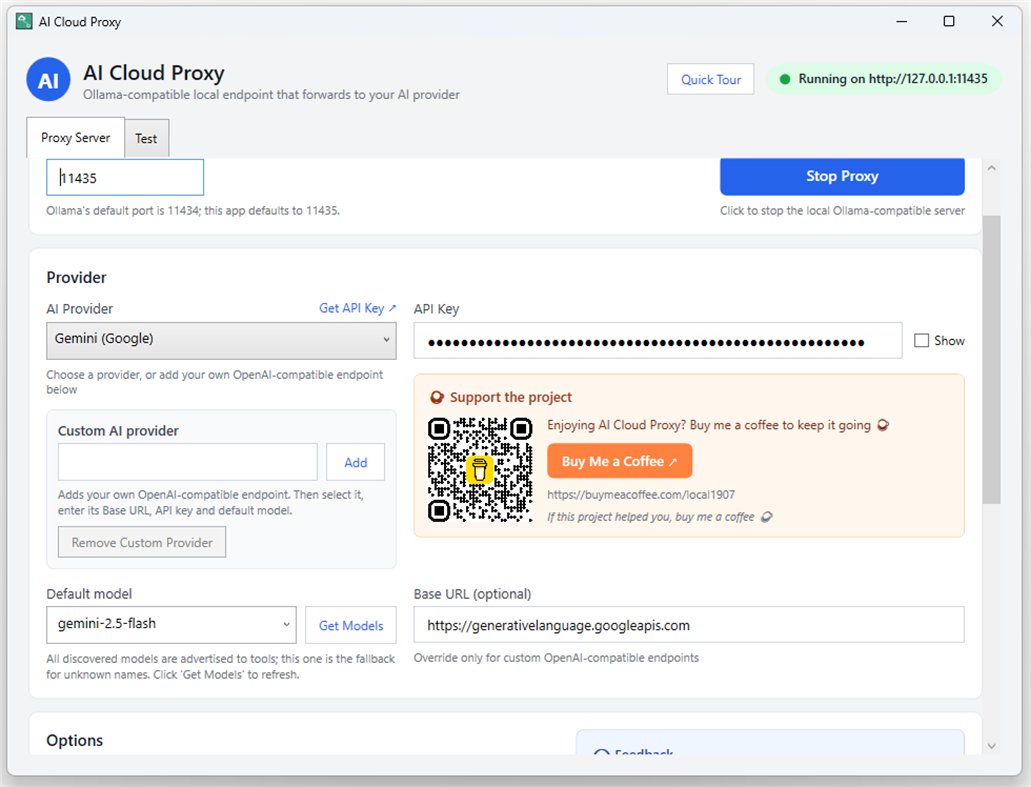
It runs a lightweight local server on your PC (127.0.0.1) that translates Ollama and OpenAI-compatible requests into calls to the cloud provider you choose: DeepSeek, OpenAI, Gemini, Claude, or your own custom OpenAI-compatible endpoint.
Point VS Code extensions, Continue, Cline, Visual Studio 2026 Copilot (BYOM), or any Ollama client at 127.0.0.1 and keep your existing workflow — while inference runs on the cloud model you selected.
WHY USE IT
• Use cloud models inside Ollama-only tools — no local model downloads, no GPU required
• Free and open source (MIT)
• Your keys and settings stay on your PC — no accounts, no tracking
KEY FEATURES
• Ollama-compatible API: /api/chat, /api/generate and /api/show with NDJSON streaming
• OpenAI-compatible API: /v1/chat/completions (SSE) and /v1/models
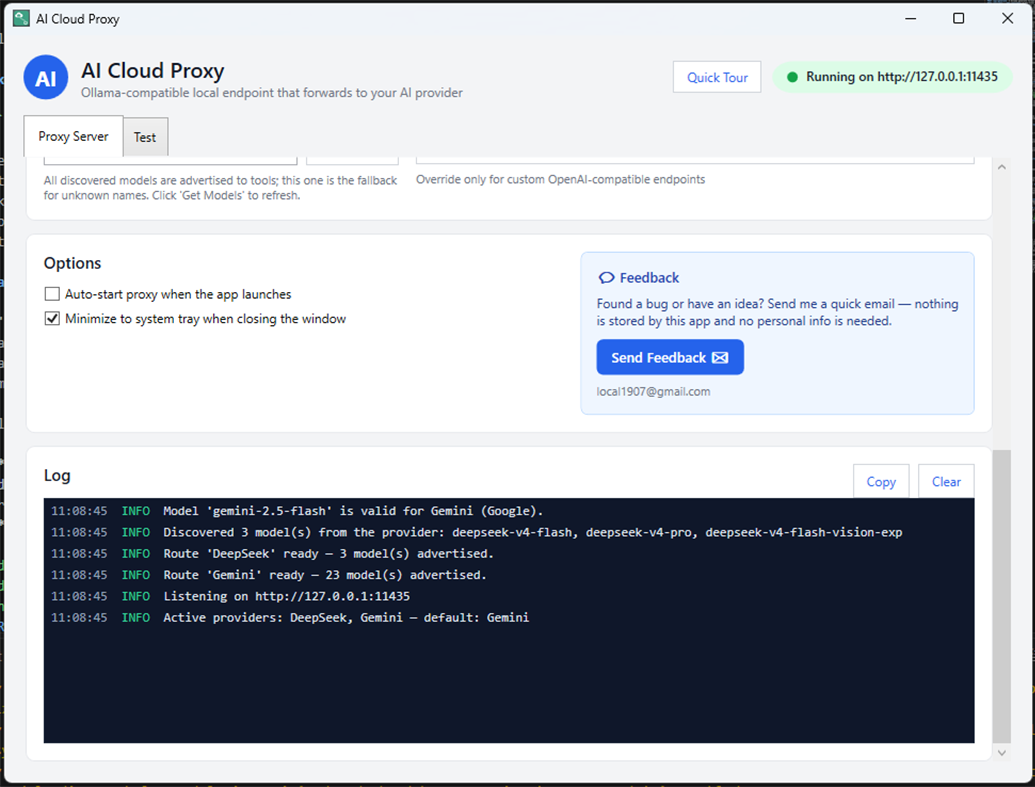
• Multi-provider routing: every provider with a saved key works at once; models appear as model@Provider
• Model auto-discovery: pull the live model list from your provider with one click
• Per-provider settings: separate API key, base URL and model for each provider
• Built-in test tab: send a prompt and watch the answer stream
• Runs in the system tray: close the window and it keeps running
• Custom providers: add any OpenAI-compatible endpoint by name + base URL + key + model
• Local and private: keys and settings stored in %APPDATA%\AiCloudProxy
HOW IT WORKS
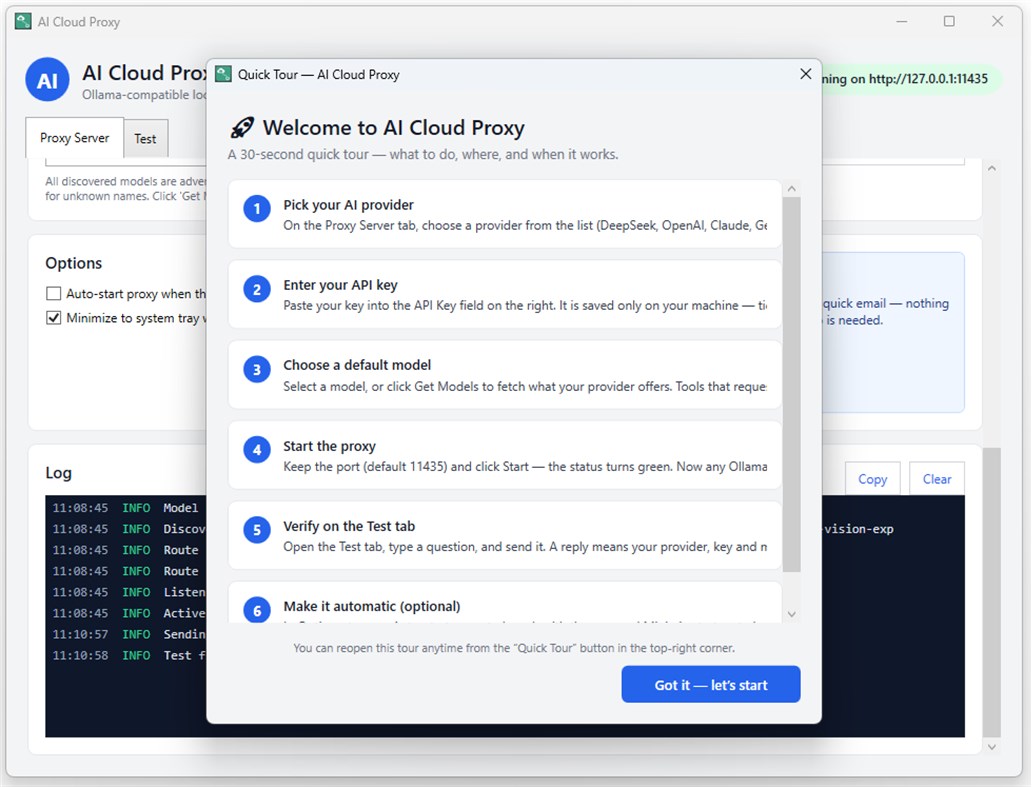
1. Download and launch the app.
2. Pick a provider, paste your API key, and choose a model.
3. Point your Ollama-compatible tool at http://127.0.0.1 and start chatting.
SUPPORTED PROVIDERS
DeepSeek, OpenAI, Gemini, Claude, and any OpenAI-compatible endpoint.
REQUIREMENTS
Windows 10/11. Requires your own API key from a supported cloud AI provider (usage may be billed by that provider).
Advertisement
Screenshots
Price History
- Current price: Free
- Minimum: Free
- Maximum: Free
Track prices Add to a list to get discount alerts by email or push
AppAgg Score
600
Estimated AppAgg Score for
AI Cloud Proxy
Developer: LoCaL1907
600 Silver
Higher scores usually reflect better results across AppAgg’s indicators.
Based on: popularity · ratings · freshness · deals · store data · community signals
Recalculated daily using fresh AppAgg data.
Badge for your website:  Copied!
What's new
- Version: PC
- Last Updated:
Additional Information
- Release Date:
- Category:
Windows Apps›Developer tools - OS:
PC - Size:
151 Mb - Supported Languages:
English - Content Rating:
EVERYONE - Windows Store Rating: ¡
0 - Website:
 https://aicloudproxy.com
Developer
- LoCaL1907
- Followers: 0
- Platforms: Windows Apps (1)
- Deals: 0
- Lists: 0 + 0
- Points: 0 + 0 ¡
- Rankings: 0
- Comments: 0
- Videos: 0
- RSS: Subscribe
Lists (0)
0
- AI Cloud Proxy
Points (0)
0
Rankings (0)
0
Comments (0)
Be the first to comment
Summary
AI Cloud Proxy Short URL: Copied!- Windows Store
On AppAgg, you can track the Windows app “AI Cloud Proxy” by LoCaL1907, listed under Developer tools. AppAgg Score: 600 (Silver). AppAgg Points for the app — confirmed: 0; indirect: 0. Public lists containing the app: 0. Users who have saved it in private lists: 0. AppAgg users have not rated the app yet. Confirmed Points record visits to a store by signed-in AppAgg users; indirect Points are based on store data. AppAgg counts public lists containing an app or game and users who have saved it in private lists. The app was first released on . The app was last updated on . The app is currently available for free. The app is available in these languages: English. Explore the price history, add the app to a list, or follow its developer. Follow future deals and updates for the app via its RSS feed. AppAgg does not host or distribute the app. All trademarks, logos, and screenshots related to the app belong to their respective owners.

