
ที่บันทึกไว้
เลือกชื่อที่จะแสดงในเมนูที่บันทึกไว้ของคุณ
เสร็จแล้ว
| ผู้พัฒนา: | LoCaL1907 (1) | ||
| ราคา: | ฟรี | ||
| คะแนน: | 600 เงิน | ||
| การจัดอันดับ: | 0 | ||
| ความคิดเห็น: | 0 โพสต์ความคิดเห็น | ||
| รายการ: | 0 + 0 | ||
| แต้ม: | 0 + 0 ¡ | ||
| +1 แต้ม | |||
คำอธิบาย

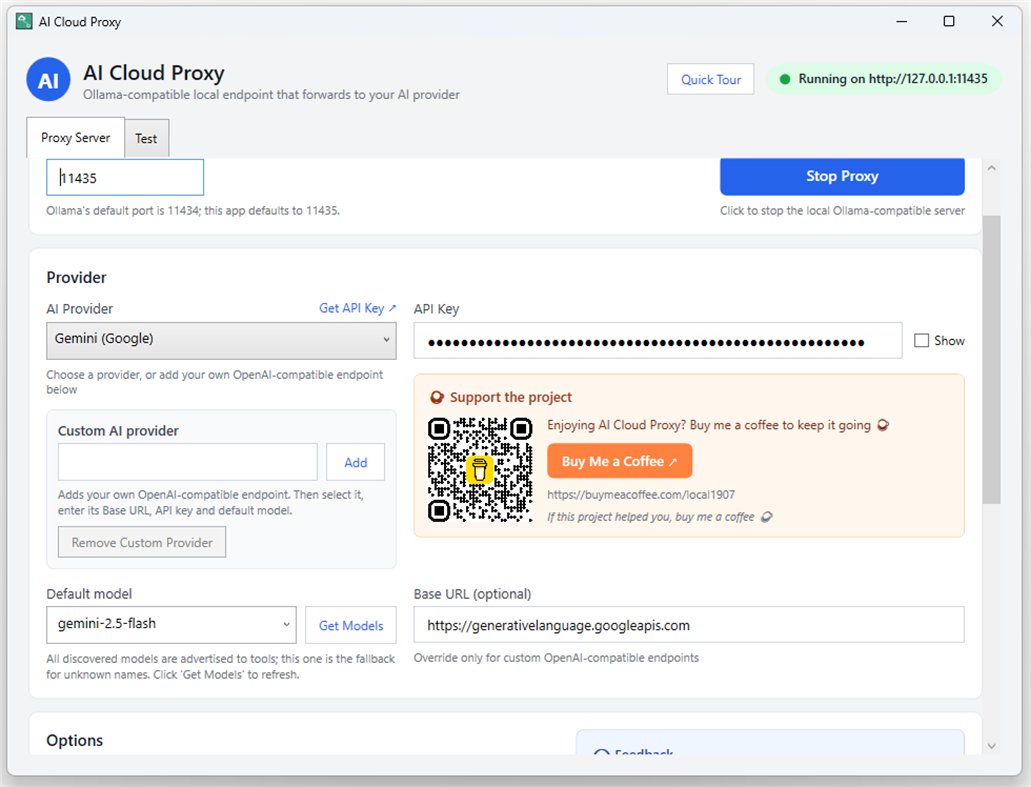
It runs a lightweight local server on your PC (127.0.0.1) that translates Ollama and OpenAI-compatible requests into calls to the cloud provider you choose: DeepSeek, OpenAI, Gemini, Claude, or your own custom OpenAI-compatible endpoint.
Point VS Code extensions, Continue, Cline, Visual Studio 2026 Copilot (BYOM), or any Ollama client at 127.0.0.1 and keep your existing workflow — while inference runs on the cloud model you selected.
WHY USE IT
• Use cloud models inside Ollama-only tools — no local model downloads, no GPU required
• Free and open source (MIT)
• Your keys and settings stay on your PC — no accounts, no tracking
KEY FEATURES
• Ollama-compatible API: /api/chat, /api/generate and /api/show with NDJSON streaming
• OpenAI-compatible API: /v1/chat/completions (SSE) and /v1/models
• Multi-provider routing: every provider with a saved key works at once; models appear as model@Provider
• Model auto-discovery: pull the live model list from your provider with one click
• Per-provider settings: separate API key, base URL and model for each provider
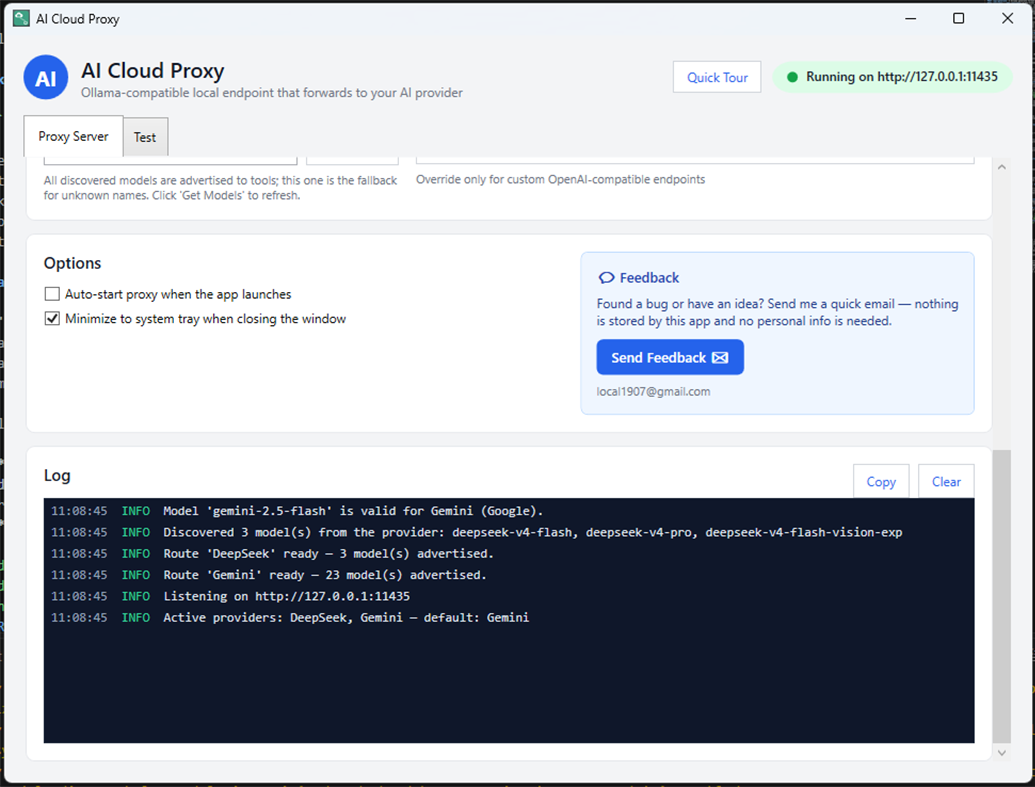
• Built-in test tab: send a prompt and watch the answer stream
• Runs in the system tray: close the window and it keeps running
• Custom providers: add any OpenAI-compatible endpoint by name + base URL + key + model
• Local and private: keys and settings stored in %APPDATA%\AiCloudProxy
HOW IT WORKS
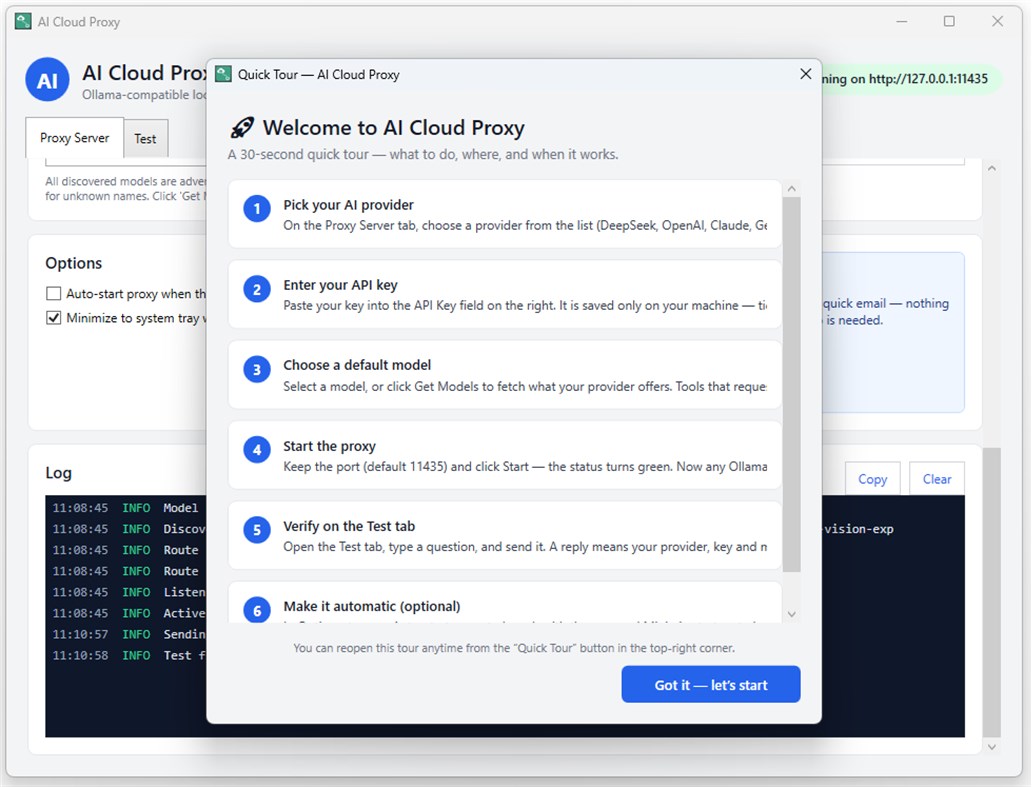
1. Download and launch the app.
2. Pick a provider, paste your API key, and choose a model.
3. Point your Ollama-compatible tool at http://127.0.0.1 and start chatting.
SUPPORTED PROVIDERS
DeepSeek, OpenAI, Gemini, Claude, and any OpenAI-compatible endpoint.
REQUIREMENTS
Windows 10/11. Requires your own API key from a supported cloud AI provider (usage may be billed by that provider).
โฆษณา
ภาพหน้าจอ
ประวัติราคา
- ราคาปัจจุบัน: ฟรี
- ต่ำสุด: ฟรี
- สูงสุด: ฟรี
ติดตามราคา เพิ่มลงในรายการเพื่อรับการแจ้งเตือนส่วนลดทางอีเมลหรือพุช
คะแนน AppAgg
600
คะแนน AppAgg โดยประมาณของ
AI Cloud Proxy
ผู้พัฒนา: LoCaL1907
600 เงิน
คะแนนที่สูงขึ้นมักสะท้อนตัวชี้วัดที่ดีกว่าบน AppAgg
อิงจาก: ความนิยม · คะแนนจากผู้ใช้ · ความสดใหม่ · ดีล · ข้อมูลร้านค้า · กิจกรรมชุมชน
คำนวณใหม่ทุกวันจากข้อมูล AppAgg ล่าสุด
ป้ายสำหรับเว็บไซต์ของคุณ:  คัดลอกแล้ว!
มีอะไรใหม่
- เวอร์ชัน: PC
- อัปเดตล่าสุด:
ข้อมูลเพิ่มเติม
- วันที่วางจำหน่าย:
- หมวดหมู่:
แอปสำหรับ Windows›เครื่องมือสำหรับนักพัฒนา - ระบบปฏิบัติการ:
PC - ขนาด:
151 Mb - ภาษาที่สนับสนุน:
English - การจัดประเภทเนื้อหา:
EVERYONE - Windows Store คะแนน: ¡
0 - เว็บไซต์:
 https://aicloudproxy.com
ผู้พัฒนา
- LoCaL1907
- ผู้ติดตาม: 0
- แพลตฟอร์ม: Windows แอป (1)
- ลดราคา: 0
- รายการ: 0 + 0
- แต้ม: 0 + 0 ¡
- การจัดอันดับ: 0
- ความคิดเห็น: 0
- วิดีโอ: 0
- RSS: ติดตาม
รายการ (0)
0
- AI Cloud Proxy
แต้ม (0)
0
การจัดอันดับ (0)
0
ความคิดเห็น (0)
เป็นคนแรกที่แสดงความเห็น
สรุป
AI Cloud Proxy URL แบบสั้น: คัดลอกแล้ว!- Windows Store
ติดตามแอป “AI Cloud Proxy” โดย LoCaL1907 สำหรับ Windows ในหมวด เครื่องมือสำหรับนักพัฒนา ได้บน AppAgg คะแนน AppAgg: 600 (เงิน) แต้ม AppAgg ของแอปนี้: ยืนยันแล้ว 0 แต้ม และทางอ้อม 0 แต้ม รายการสาธารณะที่มีแอปนี้: 0 รายการ ผู้ใช้ที่บันทึกแอปไว้ในรายการส่วนตัว: 0 คน ผู้ใช้ AppAgg ยังไม่ได้ให้คะแนนแอปนี้ แต้มที่ยืนยันแล้วบันทึกการกดไปยังร้านของผู้ใช้ที่เข้าสู่ระบบ AppAgg ส่วนแต้มทางอ้อมอ้างอิงข้อมูลจากร้านค้า ตัวนับทั้งสองแสดงจำนวนรายการสาธารณะและจำนวนผู้ใช้ที่บันทึกแอปหรือเกมไว้ในรายการส่วนตัว แอปนี้เปิดตัวครั้งแรกเมื่อ แอปนี้อัปเดตล่าสุดเมื่อ ขณะนี้แอปนี้เปิดให้ใช้งานฟรี แอปนี้รองรับภาษาต่อไปนี้: English ดูประวัติราคา เพิ่มแอปลงในรายการ หรือติดตามผู้พัฒนา ติดตามส่วนลดและอัปเดตในอนาคตของแอปผ่าน ฟีด RSS AppAgg ไม่ได้โฮสต์หรือแจกจ่ายแอปนี้ เครื่องหมายการค้า โลโก้ และภาพหน้าจอทั้งหมดที่เกี่ยวข้องกับแอปเป็นของเจ้าของแต่ละราย

