
Lesezeichen
Wähle einen Titel für dieses Lesezeichen.
Lesezeichen gespeichert
| Entwickler: | Fish-Zero (2) | ||
| Preis: | * Kostenlos Neu | ||
| Score: | 620 Silber | ||
| Ranglisten: | 0 | ||
| Kommentare: | 0 Kommentar posten | ||
| Listen: | 0 + 0 | ||
| Punkte: | 0 + 0 ¡ | ||
| +1 Punkte | |||
Screenshots
Werbung
Beschreibung

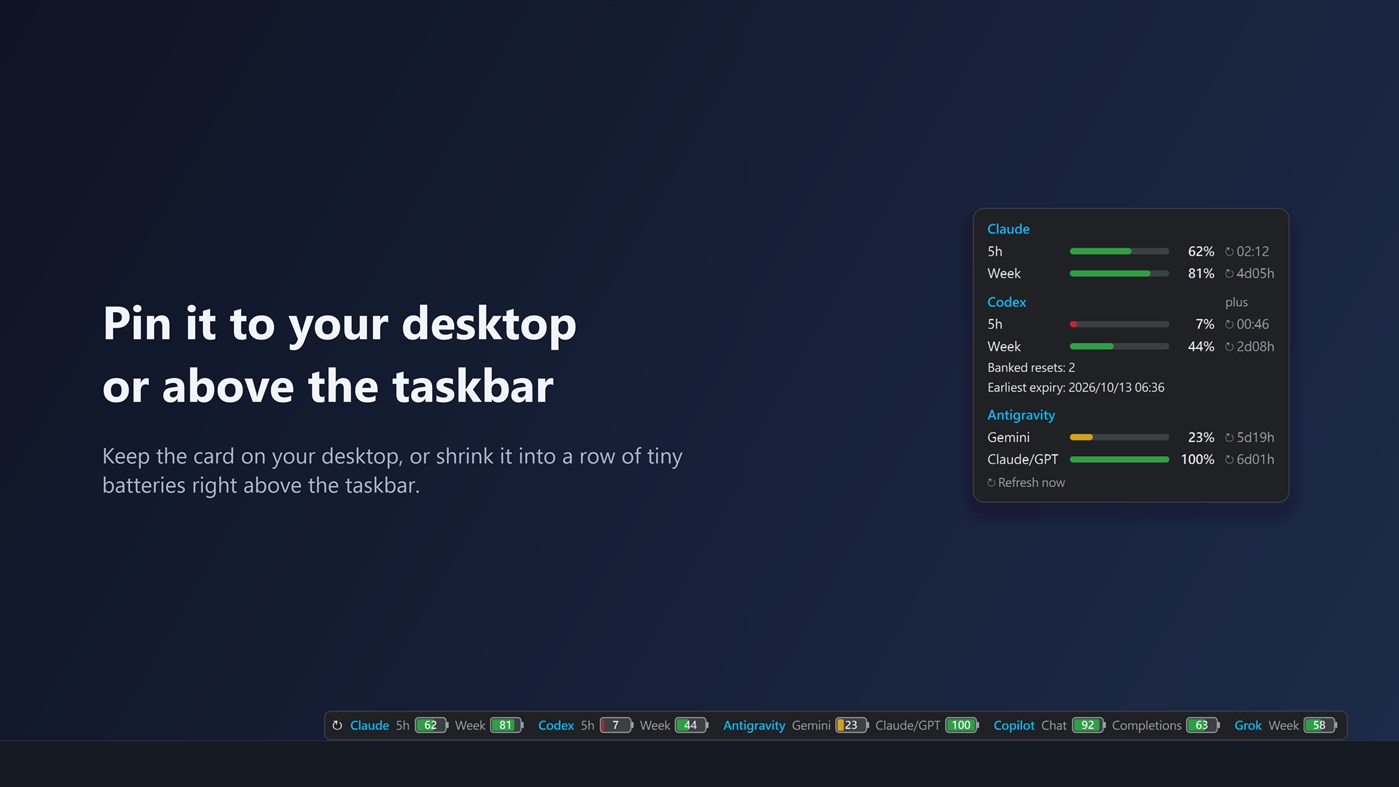
You can also pin the card to your desktop, or shrink it into a strip of small batteries right above the taskbar.
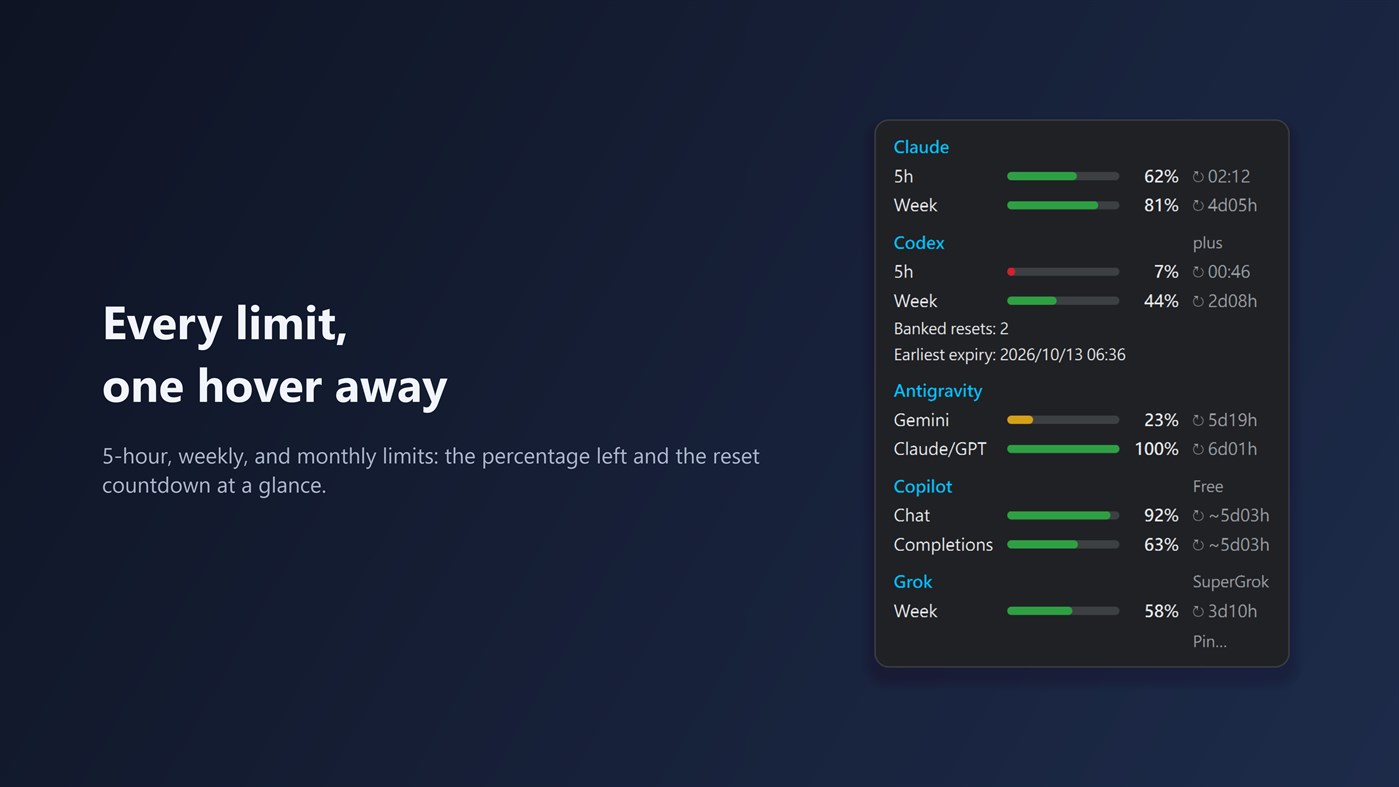
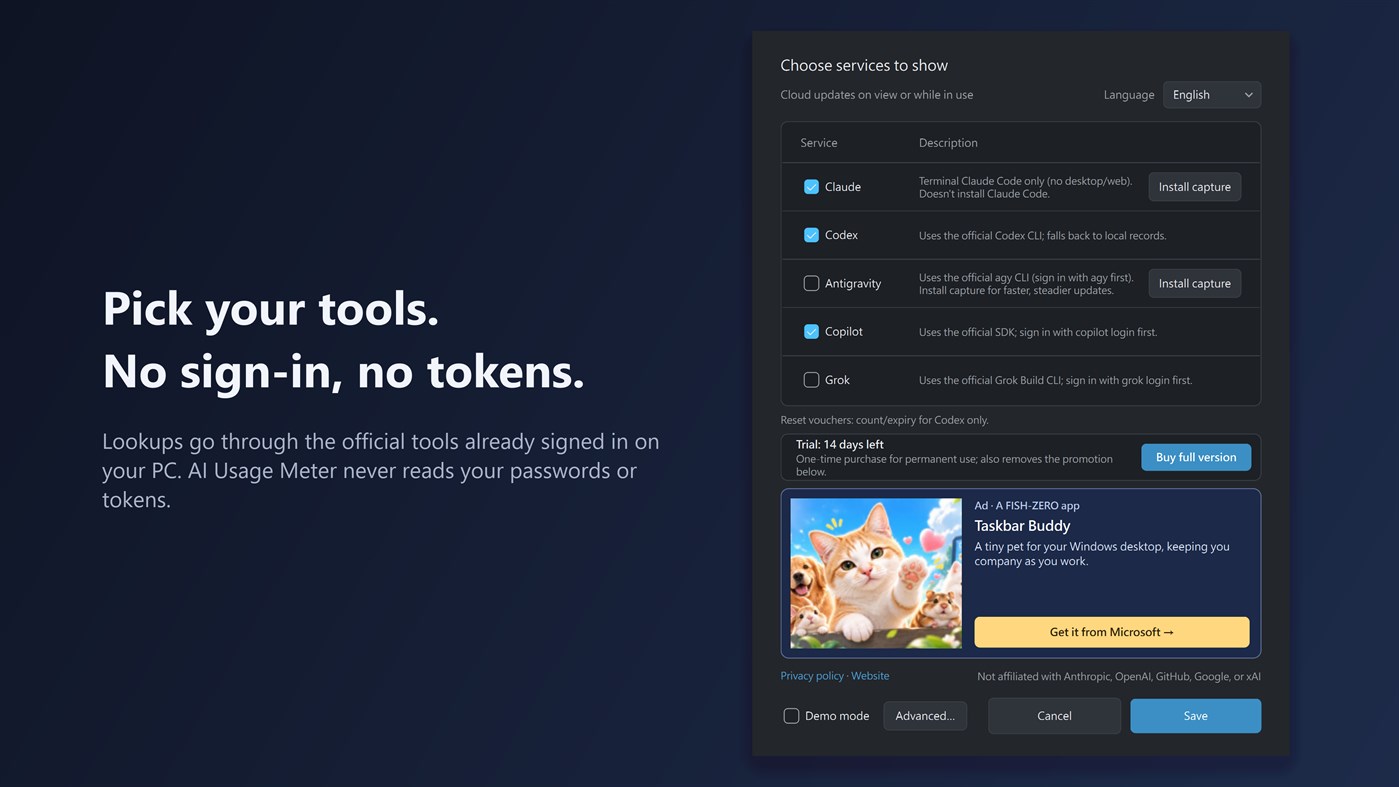
Supported tools: Claude Code, Codex, Antigravity CLI, GitHub Copilot, and Grok Build CLI. Claude Code and Codex are enabled by default. Install and sign in to each tool you want to track on the same PC. For Claude, the app reads the usage that Claude Code passes to its status line, so you need to use Claude Code in a terminal, signed in with a Claude Pro or Max plan. The Claude desktop app, website and mobile app don't provide this data. When you open the card, it also checks the official public status pages of Claude, Codex, GitHub Copilot, and Grok, marks any incident affecting them right on the card, and opens the status page with one click. Try every feature free for 14 days; after that, a one-time in-app purchase of the Full version keeps it working for good and removes the promotion in Settings.
If Codex provides reset-credit details, the card shows how many credits are available and the nearest known expiration date. Reset-credit details currently work with Codex only.
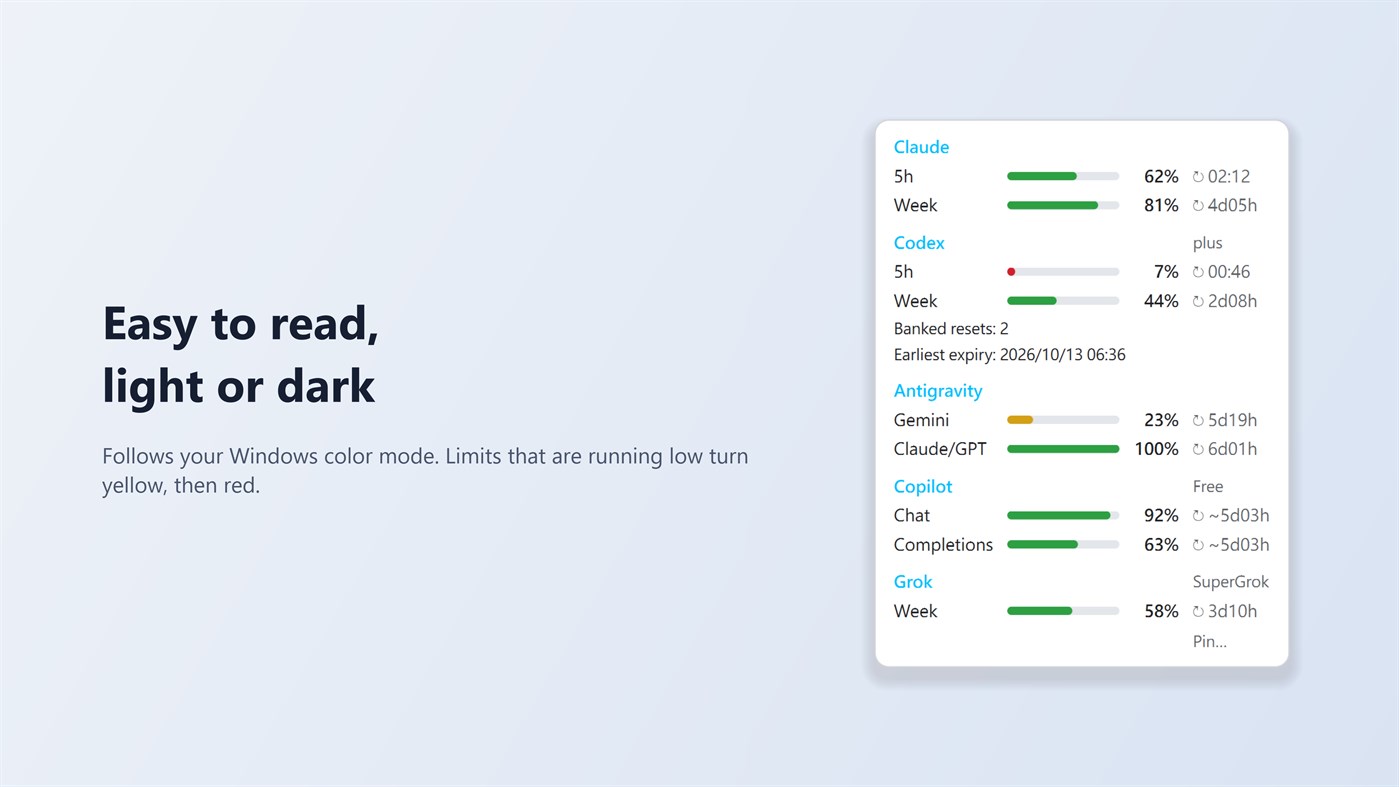
When a limit falls below 10%, the app sends one Windows notification per reset period. Old or unavailable numbers are shown in grey with their age. The tray icon's neon ring slowly rotates and pauses when the screen is locked or off, battery saver is on, or Windows animations are disabled. The app also tells you when a new version is available in the Microsoft Store.
AI Usage Meter does not read or store passwords or sign-in tokens. It has no analytics or third-party ads and sends none of your data to the developer. In the background it reads local usage records; when you open the card, while you are using one of the tools, or while the card is pinned, it asks the official tools already signed in on your PC for updated numbers. The Settings window contains a small banner for another app from the same developer.
Settings offers Traditional Chinese, English, Japanese, German, and Simplified Chinese. The “Install capture” and “Remove capture” buttons for Claude Code and Antigravity CLI manage usage capture; they do not install or remove those tools. The developer's promoted app supports English and Traditional Chinese, so its banner appears in English in the other interface languages.
On Windows 11, the tray icon may initially be under the hidden icons arrow (^). Drag it onto the taskbar for quick access.
AI Usage Meter is an independent app and is not affiliated with Anthropic, OpenAI, GitHub, Google, or xAI. Product names belong to their respective owners.
Andere Plattformen
| AI Usage MeterWindows Store620 SilberDu bist hierIn-App-Käufe | Kostenlos |
Derzeit nur in diesem Store.
Preisentwicklung
- Aktueller Preis: Kostenlos
- Minimum: Kostenlos
- Maximum: Kostenlos
Preise beobachten Zur Liste hinzufügen und Rabattbenachrichtigungen per E-Mail oder Push erhalten
Listen (0)
0
- AI Usage Meter
Punkte (0)
0
Ranglisten (0)
-

- Deine Bewertung

Kommentare (0) ¡
Schreibe den ersten Kommentar
Entwickler
- Fish-Zero
- Follower: 0
- Plattformen: Windows Apps (2)
- Angebote: 0
- Listen: 0 + 0
- Punkte: 0 + 0 ¡
- Ranglisten: 0
- Kommentare: 0
- Videos: 0
- RSS: Abonnieren
Neue Funktionen
- Version: PC
- Zuletzt aktualisiert:
Weitere Informationen
- Veröffentlichungsdatum:
- Kategorie:
Windows-Apps›Entwicklungstools - Betriebssysteme:
PC - Größe:
49 Mb - Unterstützte Sprachen:
Chinese,English,German,Japanese - Altersfreigabe:
EVERYONE - Windows Store Bewertung: ¡
0 - Webseite:
 https://fish-zero.com/aiusagemeter
AppAgg-Score
620
Geschätzter AppAgg-Score für
AI Usage Meter
Entwickler: Fish-Zero
620 Silber
Ein höherer Score weist meist auf bessere Werte bei den von AppAgg erfassten Kennzahlen hin.
Basierend auf: Popularität · Nutzerbewertungen · Aktualität · Angeboten · Shop-Daten · Community-Aktivität
Wird täglich anhand aktueller AppAgg-Daten neu berechnet.
Badge für Websites:  Kopiert!
Kurzinfo
AI Usage Meter Kurz-URL: Kopiert!- Windows Store
Auf AppAgg kannst du „AI Usage Meter“ verfolgen, eine App von Fish-Zero für Windows in der Kategorie Entwicklungstools. AppAgg-Score: 620 (Silber). AppAgg-Punkte der App — bestätigt: 0; indirekt: 0. Öffentliche Listen mit dieser App: 0. Nutzer, die sie in privaten Listen gespeichert haben: 0. AppAgg-Nutzer haben die App noch nicht bewertet. Bestätigte Punkte erfassen Store-Aufrufe angemeldeter AppAgg-Nutzer; indirekte Punkte beruhen auf Store-Daten. AppAgg zählt öffentliche Listen mit einer App oder einem Spiel sowie Nutzer, die sie oder es in privaten Listen gespeichert haben. Die App wurde erstmals am veröffentlicht. Die App wurde zuletzt am aktualisiert. Die App ist derzeit kostenlos verfügbar. Die App ist in folgenden Sprachen verfügbar: Chinese, English, German, Japanese. Sieh dir den Preisverlauf an, füge die App einer Liste hinzu oder folge dem Entwickler. Verfolge künftige Angebote und Updates der App über den RSS-Feed. AppAgg hostet oder vertreibt diese App nicht. Alle Marken, Logos und Screenshots im Zusammenhang mit der App gehören ihren jeweiligen Eigentümern.
Das könnte dir auch gefallen
Aktuelle Diskussionen
 AppLocalDub – Real-Time Game Dubbing Hello Kırtay Interactive, I am using LocalDub - Real-Time Game Dubbing. I would like to know if Hind...
  rashid game5
  AppNauticPlayer This app is absolute cinema. Honestly, it’s one of the best media players I’ve ever tried, and I’m s...
  Manuel16
  AppScreen Beings - Desktop Pet & Study Companion This is my app so I’m a little bias but as someone from the ADHD community that teaches ADHD and neu...
  Tarelle Irwin6
  AppAadi vault good it ia a encrypter and good you my work on office
  Aditya Rai5
  AppTyping 365 | Daily Typing Trainer The best typing app ever. With Typing 365 you don’t have to force yourself for couple minutes traini...
  Ahmad Mozaffar5
  AppZefir Calendar — Calendar in the Taskbar excelente app! Superando todas as espectativas!
  Diógenes Magnus5
  AppLockinRa LockinRa 리뷰 LockinRa는 작업 관리, 집중력 도구, AI 코칭을 하나의 데스크톱 앱으로 통합한 무료 Windows 생산성 프로그램입니다. 클라우드 동기화 없이 로컬 ...
  abhilok reddy6
  AppCN Vault I Love this app CN Vault is a user-friendly app that helps keep your passwords safe and secure. If y...
  Marjuk Amin5
