
Bookmarks
| Developer: | Koner (9) | ||
| Price: | * Free New | ||
| Score: | 830 Silver | ||
| Rankings: | 0 | ||
| Comments: | 0 Add a comment | ||
| Lists: | 0 0 | ||
| Points: | 0 | ||
| +1 Point | |||
Summary
Aimo Studio is an app by Koner in the Developer tools category.
New release: it came out , so you’re among the first.
Free to get in, but the shop inside is open.
The Microsoft Store is built into Windows, so it installs in a couple of clicks.
Its AppAgg Score is 830. Silver, and that’s not bad at all.
Just 9 megabytes, it’ll fit even on a full drive.
Rated “EVERYONE”, so it’s fine for kids too.
Only one language, and it’s English.
Used it? Your review would be the first one here.
The developer has 8 more apps on AppAgg. Worth a look.
Want to hear about updates and new apps first? Follow the developer or subscribe to the RSS feed. Push alerts come through the AppAgg Alerts app for Android and iOS.
Other platforms 0
Price History 0
- Current price: Free
- Minimum: Free
- Maximum: Free
Your own feed on the home page
Screenshots 6
Description

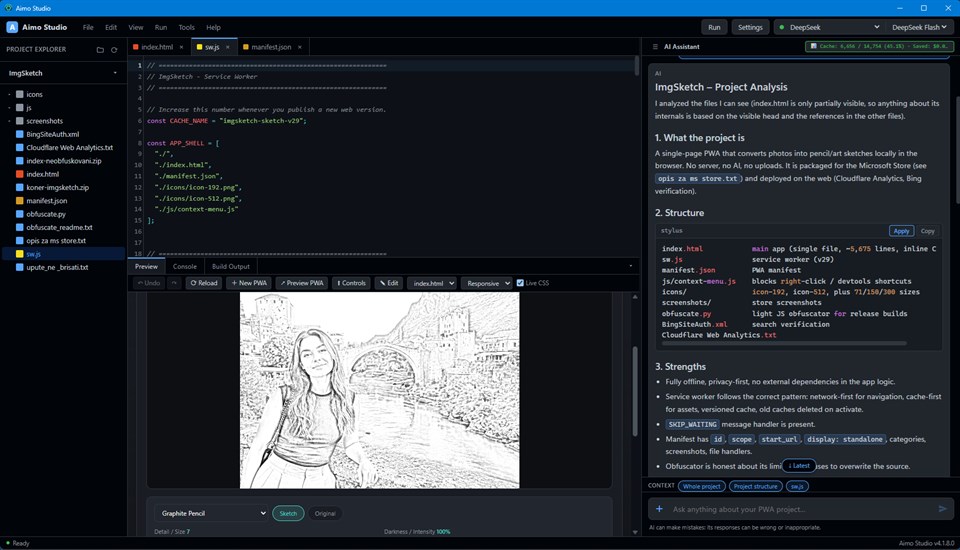
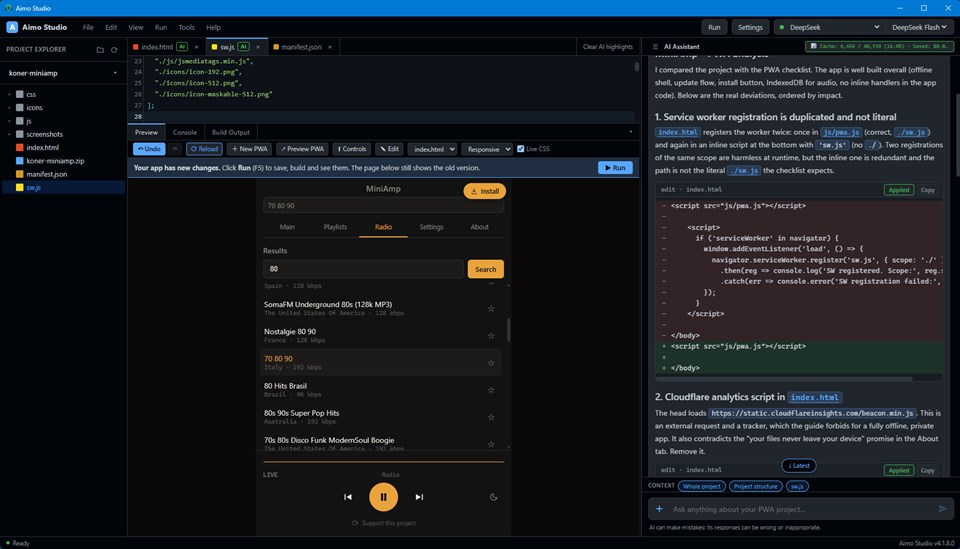
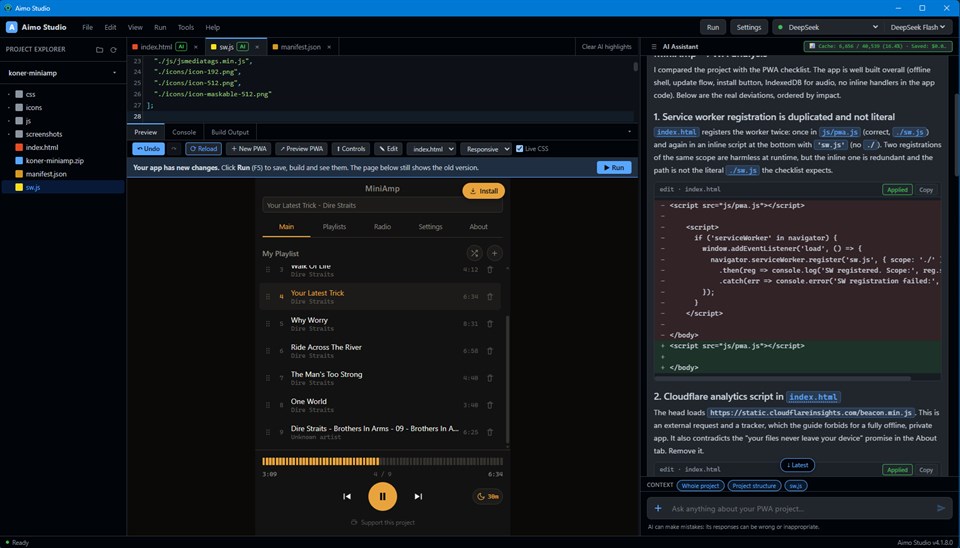
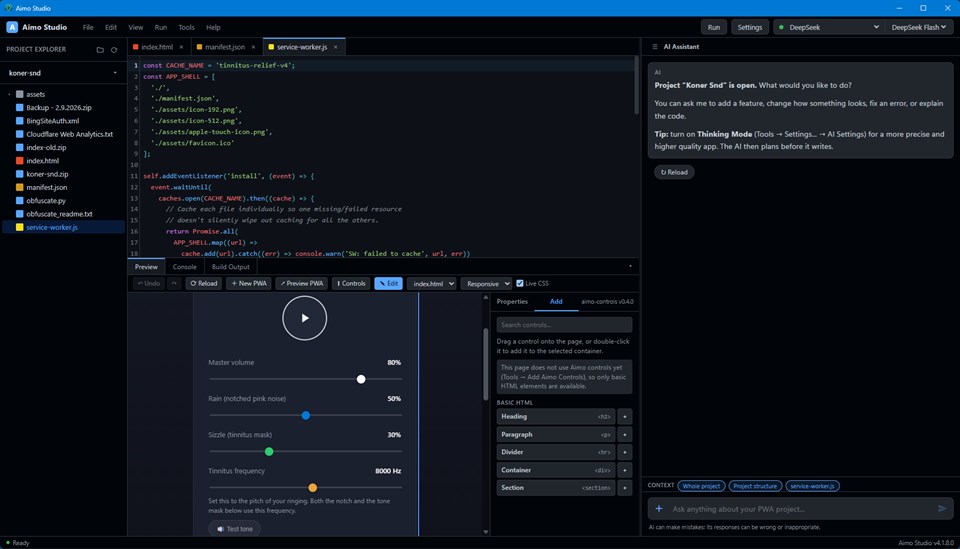
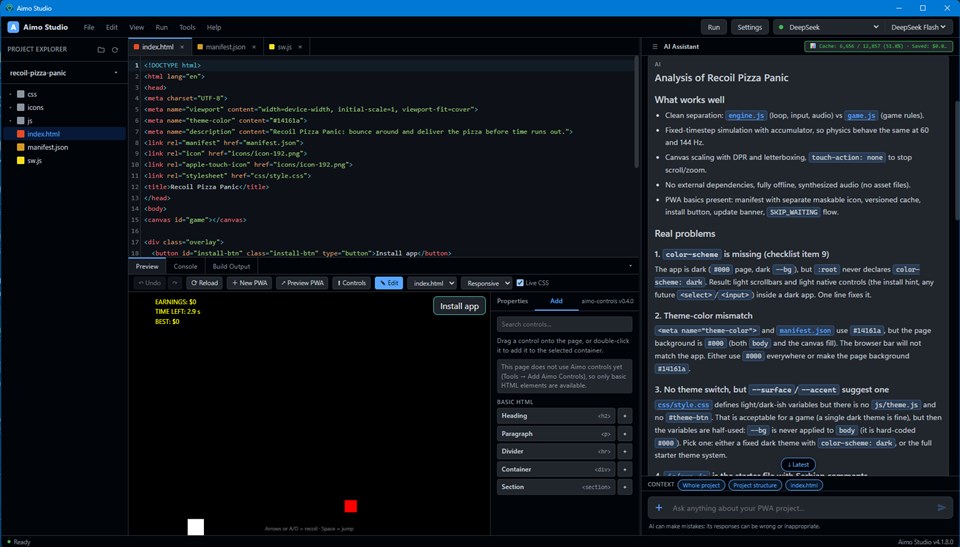
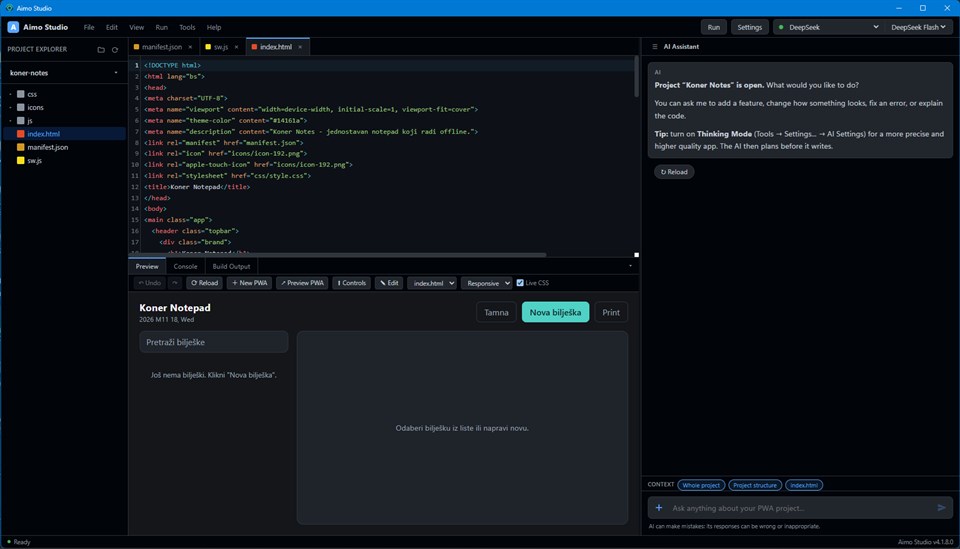
Aimo Studio is a code editor and Progressive Web App (PWA) builder. Use the built-in AI assistant to write your app from a description, or write HTML, CSS and JavaScript yourself. The AI is optional: the editor, the live Preview, the visual editor, the PWA check and the Windows installer all work without it, without an account and without an API key.
For programmers (no AI needed)
• Code editor with syntax highlighting for HTML, CSS, JavaScript, JSON and Markdown, search, tabs and Go to Line.
• Live Preview next to your code, at full width, tablet or phone size. With Live CSS, style changes appear as you type.
• Console that shows your app's output and errors, with a box to run a line of JavaScript inside the page.
• Start from a ready project with a manifest, service worker, install button and light/dark theme, or open the demo app to see how it works.
• Run the PWA check before you ship: it tests the manifest, icons, service worker and install button.
• Package your app as a Windows installer (Setup.exe) from the Run menu, or open it in your browser to test installing it as a PWA.
• Undo your own edits: the Undo button reverts changes you make by hand in the code editor, including Find / Replace.
• Built-in Help with ready-to-copy JavaScript commands for checking your app, and example prompts if you use the AI.
With the AI assistant
• Describe an app in your own words and let the AI write the code. Apply what it writes with one click.
• Undo AI changes step by step, keep separate conversations for each project, and attach files or pictures for the AI to look at.
• You use your own account and API key with Anthropic (Claude), OpenAI or DeepSeek, or any server that speaks the OpenAI format. You pay the provider directly and Aimo Studio adds no charge per message. Your key is kept in Windows Credential Manager.
Save tokens, see the cost
Aimo Studio is built to keep AI usage cheap. Your whole project is sent once and later messages carry only what changed, so the provider's prompt cache is reused instead of billed again at full price. The AI edits files with small targeted changes instead of rewriting them. After every answer you see how many tokens came from the cache and an estimate of what the answer cost and saved (prices are shown for DeepSeek; other providers show tokens only). Before you attach a large file or many pictures, you get a cost estimate and decide. You choose what is sent with each message: the whole project, the project structure, or just the open file.
Edit with the mouse
Click, drag, resize and align controls in the Preview, add new ones from a palette, and press Enter for a new row. Every change goes straight into your code and can be undone, so you can mix mouse editing and hand-written code freely. The ready-made Aimo controls (buttons, inputs, lists, tabs, dialogs, rows and grids) follow the theme and work offline.
Private by design
No account, no ads, no analytics. Your projects stay in folders on your computer. If you never use the AI assistant, nothing leaves your PC. If you do, the only data that leaves it goes to the AI provider you choose, and only when you send a message.
Good to know
Aimo Studio is free to use. Updates come through the Microsoft Store (Help → Check for Updates). Cloud AI needs an internet connection and an API key from the provider. Chrome or Edge is recommended for testing how your app installs.
Made by Koner Software.
From the developer
Lists 0
-
 Aimo Studio
Points 0
-

- +1 Point

Rankings 0
-
- Your rating
Developer 9
- Koner
- Followers: 0
- Platforms: Windows Apps (9)
- Deals: 0
- Lists: 0 0
- Points: 0
- Rankings: 0
- Comments: 0
- Videos: 0
- RSS: Subscribe
What's new
- Version: PC
- Last Updated:
- Version 4.1.9.0
• Updates are manual only: Help → Check for Updates opens the Microsoft Store updates page (the app closes during the update).
• Demo app: starting it again after deleting it gives a clean chat, not the old conversation.
• Fixed: a new project in a folder that held a deleted project no longer inherits its old chat.
• Help: new sections on saving AI tokens and reading the cache/cost display, for programmers working without the AI, ready-to-copy JavaScript commands, and example prompts.
• Undo for your own edits: the Undo button above the Preview now also reverts changes you make by hand in the code editor, including Find / Replace, after you press Reload.
• Ctrl+Z and Ctrl+Y now work after clicking Reload or other buttons, not only while the editor has focus.
• Visual Edit: clicking a control in the Preview jumps to its code in index.html, even when another file such as sw.js is open.
• Go to Line: the bar now matches the size of the Find / Replace bar.
• Always opens on the Preview tab so the welcome guide is visible.
• Startup notice: a checkbox in Help (Quick start) shows or hides the "What you need" note on the Preview start screen.
• Smoother startup: reopening your last project no longer shows a file access warning.
- Version 4.1.6.0
• Help: new section explaining how Aimo Studio saves AI tokens and how to read the cache and cost display.
• License confirmation: After you register Aimo Studio, a thank-you message appears right away, and it stays visible in Help → About so you can always see that your license is active.
• Check for Updates: New Help → Check for Updates opens the Microsoft Store on the updates page, with a note about the app closing during the update.
• Undo for your own edits: The Undo button above the Preview now also reverts the changes you make by hand in the code editor, including Find / Replace, after you press Reload.
• Ctrl+Z and Ctrl+Y now work after clicking Reload or other buttons, not only while the editor has focus.
• Visual Edit: Clicking a control in the Preview now jumps to its code in index.html, even when another file such as sw.js is open.
• Go to Line: The Go to Line bar now matches the size of the Find / Replace bar.
• Always opens on Preview: The app starts on the Preview tab so the welcome guide is visible.
• Startup notice: A checkbox in Help (Quick start) lets you show or hide the "What you need" note on the Preview start screen at any time.
• Smoother startup: Reopening the project from your last session no longer shows a file access warning.
• Help: New sections for programmers who work without the AI, ready-to-copy JavaScript commands, and example prompts for the AI.
Additional Information
- Release Date:
- Category:
Windows Apps›Developer tools - OS:
PC - Size:
9 Mb - Supported Languages:
English - Content Rating:
EVERYONE - Windows Store Rating: ¡
0 - Website:
 https://koner.app
AppAgg Score
Estimated AppAgg Score for
Aimo Studio
Developer: Koner
Higher scores usually reflect better results across AppAgg’s indicators.
Based on: popularity · ratings · freshness · deals · store data · community signals
Recalculated daily using fresh AppAgg data.
Comments 0 ¡
Share
Aimo Studio Short URL: Copied!- Windows Store
You may also like
Recent discussionsMore →
 AppGame4Class Game4Class makes lesson review fun and interactive. I like how easily students can join from their o...
 Mehdi Gateway62
 AppAniMate Waifu - AI Anime Desktop Pet This is the best anime desktop pets I have ever had, The dancing feature is amazing.
 shaw chaney34
 AppSpark Motion Create 26 The graphics are amazing! Now I can design my ball layouts and watch then spin in 3D animation.
 Jim Kirker40
 AppLocalDub – Real-Time Game Dubbing Hello Kırtay Interactive, I am using LocalDub - Real-Time Game Dubbing. I would like to know if Hind...
 rashid game53
 AppNauticPlayer This app is absolute cinema. Honestly, it’s one of the best media players I’ve ever tried, and I’m s...
 Manuel92
 AppScreen Beings - Interactive Accessibility Companion This is my app so I’m a little bias but as someone from the ADHD community that teaches ADHD and neu...
 Tarelle Irwin54
 AppAadi vault good it ia a encrypter and good you my work on office
 Aditya Rai50
 AppTyping 365 | Daily Typing Trainer The best typing app ever. With Typing 365 you don’t have to force yourself for couple minutes traini...
 Ahmad Mozaffar50
 AppZefir Calendar — Calendar in the Taskbar excelente app! Superando todas as espectativas!
 Diógenes Magnus50
 AppBlazin IPTV Player This compact IPTV player is amazing. I threw multiple playlists at it and it handles it with no issu...
 Mike Anderson40

