
Bogmærker
| Udvikler: | axKit (1) | ||
| Pris: | Gratis Ny | ||
| Score: | 900 Sølv | ||
| Ranglister: | 0 | ||
| Kommentarer: | 0 Skriv kommentar | ||
| Lister: | 0 0 | ||
| Point: | 0 | ||
| +1 Point | |||
Kort fortalt
axKit er en app fra axKit i kategorien »Udviklerværktøjer«.
Nyhed: den udkom , så du er blandt de første.
Gratis: ingen reklamer og ingen køb i appen. Kun dig og appen.
Microsoft Store er bygget ind i Windows, så installationen klares med et par klik.
AppAgg-scoren er 900. Sølv, og det er slet ikke dårligt.
Kun 48 megabyte. Der er plads, selv på en fyldt harddisk.
Aldersgrænse »EVERYONE«: også fint for børn.
Taler kun ét sprog, og det er ikke dansk.
Har du brugt den? Din anmeldelse bliver den første her.
Det er udviklerens eneste app på AppAgg. Indtil videre.
Vil du høre om opdateringer og nye apps først? Følg udvikleren eller abonner på vores RSS-feed. Push-beskeder kommer via appen AppAgg Alerts til Android og iOS.
Andre platforme 0
Prishistorik 0
- Nuværende pris: Gratis
- Minimum: Gratis
- Maksimum: Gratis
Dit eget feed på forsiden
Skærmbilleder 6

Beskrivelse

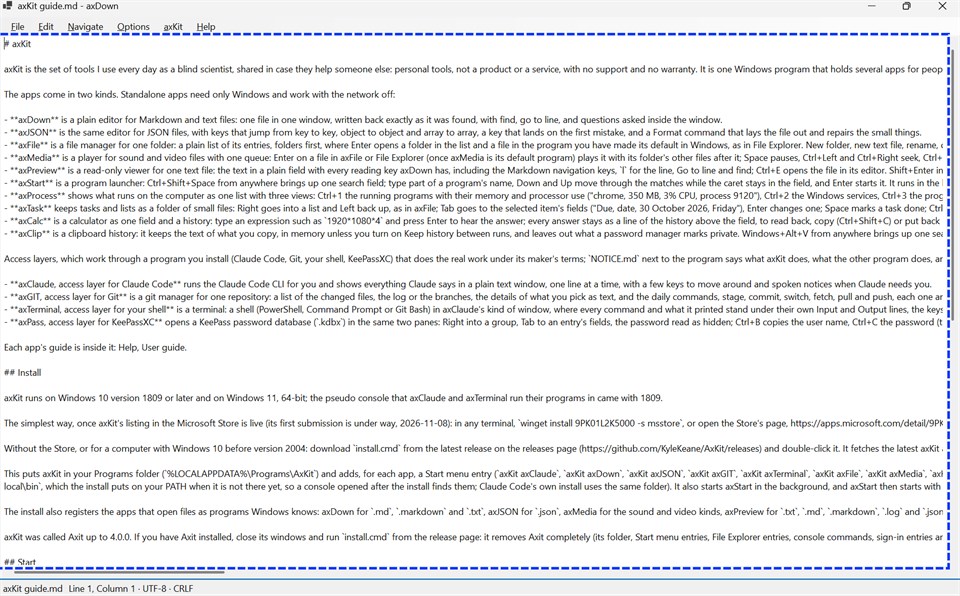
axKit is a set of accessible Windows apps for people who use a screen reader, made for NVDA and working with any screen reader that reads ordinary Windows text fields. They are the tools a blind scientist uses every day, shared as they are: personal tools, not a product or a service, free and open source (AGPL-3.0). Every app is made of native Windows controls, works without a mouse, says the result of each command once, and keeps its questions and errors inside its own window.
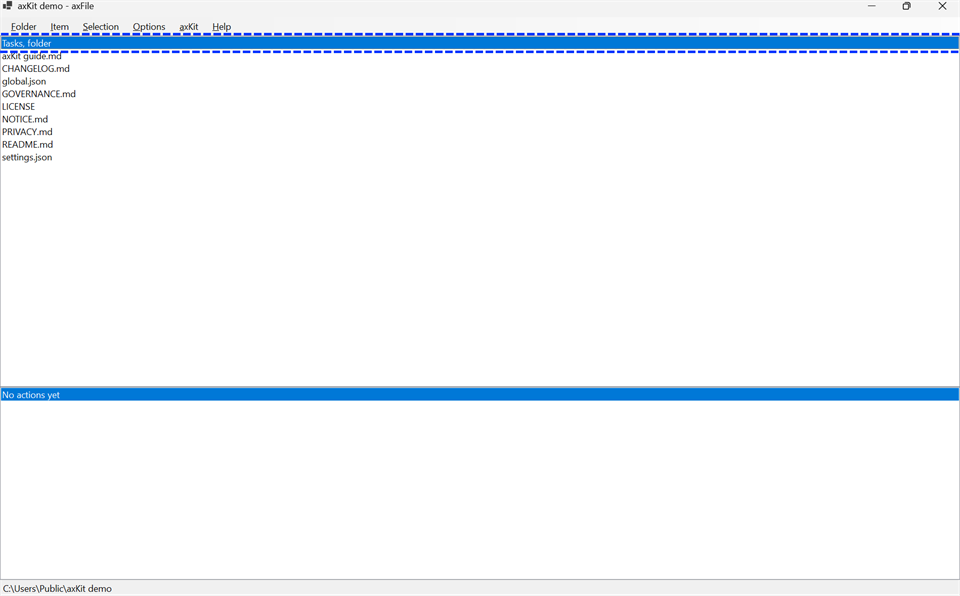
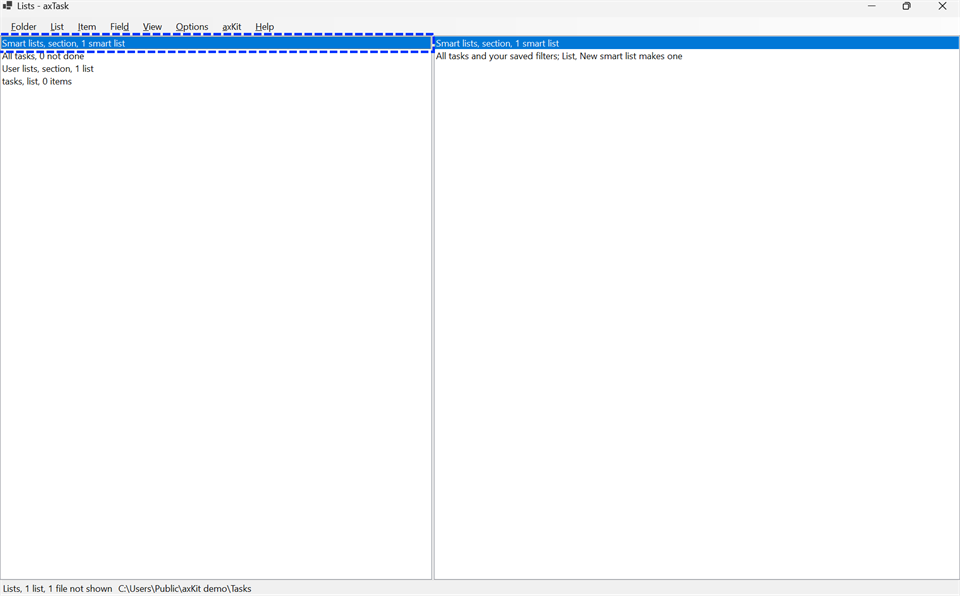
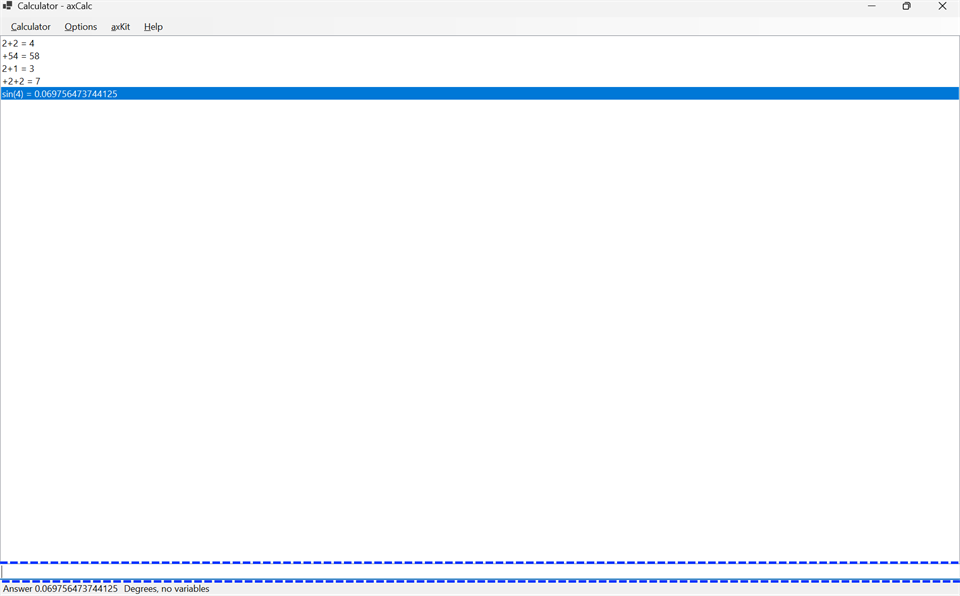
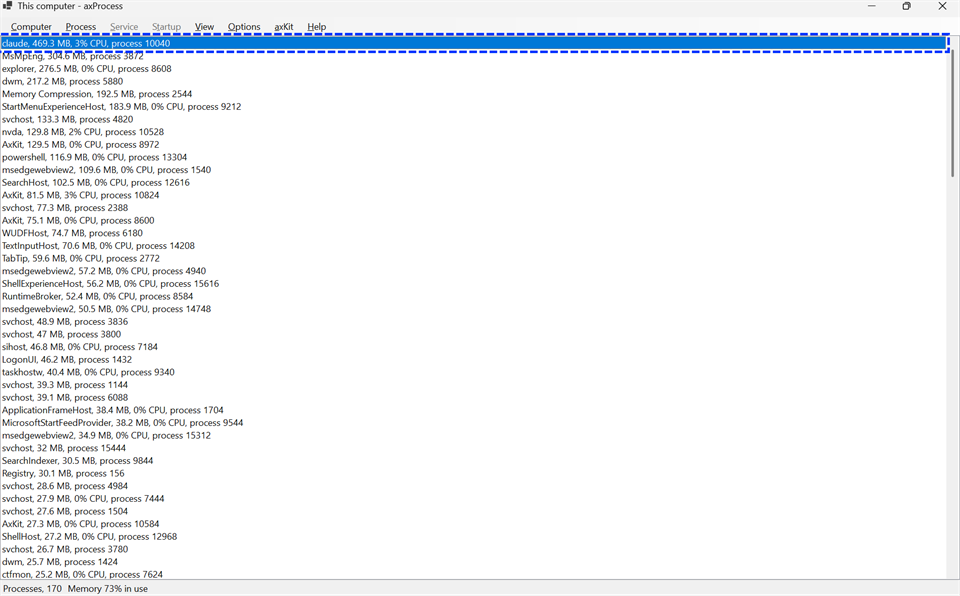
The apps: axClaude, a front end for Claude Code that shows the conversation as plain text you move through line by line; axDown, a plain editor for Markdown and text files with navigation by heading, link and list; axJSON, the same editor for JSON files with a Format command; axGIT, a git manager for one repository; axTerminal, your shell as a transcript; axFile, a file manager for one folder with an Actions list of everything you can undo; axMedia, a player for sound and video files with one queue; axPreview, a read-only viewer for a text file; axStart, a program launcher behind a hotkey; axProcess, the processes, services and startup programs as one list; axTask, tasks and lists as a folder of small files; axPass, a KeePass password database read and changed by ear; axCalc, a calculator with a history; axClip, a clipboard history behind a hotkey.
axClaude shows the output of a live generative AI, Claude Code, with your own Anthropic account; axKit generates nothing itself and never sees that traffic. Press F4 in any window to send a report to the maintainer.
axKit collects nothing and has no telemetry. Its own code makes a network request only when you check for updates (one request to GitHub for the latest release) or send a report; the access layers reach the network only through the programs you installed, as those would without axKit. The privacy policy and the full list of everything the program contacts are in the repository: https://github.com/KyleKeane/AxKit
Updates come from the Store. The source, the guides and the specifications: https://github.com/KyleKeane/AxKit
Fra udvikleren
Lister 0
-
 axKit
Point 0
-

- +1 Point

Ranglister 0
-
- Din bedømmelse
Udvikler 1
- axKit
- Følgere: 0
- Platforme: Windows Apps (1)
- Tilbud: 0
- Lister: 0 0
- Point: 0
- Ranglister: 0
- Kommentarer: 0
- Videoer: 0
- RSS: Abonner
Nyheder
- Version: PC
- Sidst opdateret:
- axKit 5.10.0
- Navigation mode: Ctrl+Space in a text you can type in (axClaude's message field, axDown, axTerminal's command field) reads by headings, links, lists and letters, with a sound for each key.
- Alt+1, Alt+2 and Alt+3 go to a window's three places in axClaude, axTerminal, axGIT and axProcess. Ctrl+Period opens the Context menu. Ctrl+Slash asks Claude about the window you are in.
- axClaude: Claude Code's own settings from the menu. "Done" is said when the reply is in the conversation. "Claude goes on by itself" when a turn starts that you did not send. Background workflows are no longer read out row by row. The permissions screen of Claude Code 2.1.327 is shown again.
- Safer settings: the settings that decide what is run are sealed against changes from outside axKit, two windows of one app no longer lose each other's settings, and a settings file that cannot be saved is said once.
- axHelp: files in Claude's working folder that could make Claude Code run commands are named before a conversation starts, and axKit's own guides there repair themselves.
- axMCP, axPass, axTask, axClip and axGIT: clearer notices and smaller protections.
The full list is in the changelog: github.com/KyleKeane/AxKit/blob/main/CHANGELOG.md
- axKit comes to the Microsoft Store as an MSIX package, so that `winget install 9PK01L2K5000 -s msstore` installs it and the Store keeps it current, signed with Microsoft's certificate, which Smart App Control accepts (`docs/axkit/store-distribution.md`). In the Store's copy every app is an entry of the package: its Start menu entry, its console command (`axdown`, `axkit` and the rest, as Windows' app execution aliases), its Open with file types and, for axStart and axClip, a startup task that Windows lists under Settings, Apps, Startup, which is where Start with Windows is turned on and off in that copy (the item under Options, General opens that page). The Store's copy makes no update check at start and installs nothing itself: Check for updates says where this copy stands against GitHub and offers axKit's Store page, where Update appears when the Store has the release; About, Version names the Store. Its settings, logs and reports live in the package's private AppData and go with the package when it is uninstalled. Not in the Store's copy: File Explorer's Open with axKit submenu on folders and on any file, which a package cannot declare (Windows' own Open with lists axDown, axJSON, axMedia and axPass on their types). The zip and `install.cmd` stay as they are, for developers and for a computer without the Store.
Yderligere oplysninger
- Udgivelsesdato:
- Kategori:
Windows-apps›Udviklerværktøjer - Operativsystem:
PC - Størrelse:
48 Mb - Understøttede sprog:
Engelsk - Indholdsklassificering:
EVERYONE - Windows Store Bedømmelse: ¡
0 - Websted:
 https://www.kylekeane.com
AppAgg-score
Estimeret AppAgg-score for
axKit
Udvikler: axKit
En højere score afspejler som regel bedre resultater på de områder, AppAgg måler.
Baseret på: popularitet · brugervurderinger · aktualitet · tilbud · butiksdata · fællesskabsaktivitet
Genberegnes dagligt ud fra aktuelle AppAgg-data.
Kommentarer 0 ¡
Del
axKit Kort webadresse: Kopieret!- Windows Store

