
Bogmærker
| Udvikler: | Baseplate (1) | ||
| Pris: | * Gratis | ||
| Score: | 700 Sølv | ||
| Ranglister: | 0 | ||
| Kommentarer: | 0 Skriv kommentar | ||
| Lister: | 0 0 | ||
| Point: | 0 | ||
| +1 Point | |||
Kort fortalt
Mød Baseplate, en app fra Baseplate i kategorien »Udviklerværktøjer«.
Udkom og er stadig ret frisk.
Gratis at downloade. Derefter er det op til dig: der er køb i appen.
Microsoft Store er bygget ind i Windows, så installationen klares med et par klik.
AppAgg-scoren er 700. Sølv, og det er slet ikke dårligt.
Aldersgrænse »EVERYONE 10+«: for de lidt større børn og opefter.
Taler kun ét sprog, og det er ikke dansk.
Ingen på AppAgg har bedømt den endnu. Din chance for at blive den første er lige nu.
Det er udviklerens eneste app på AppAgg. Indtil videre.
Vil du høre om opdateringer og nye apps først? Følg udvikleren eller abonner på vores RSS-feed. Push-beskeder kommer via appen AppAgg Alerts til Android og iOS.
Andre platforme 0
Prishistorik 0
- Nuværende pris: Gratis
- Minimum: Gratis
- Maksimum: Gratis
Dit eget feed på forsiden
Skærmbilleder 4
Beskrivelse

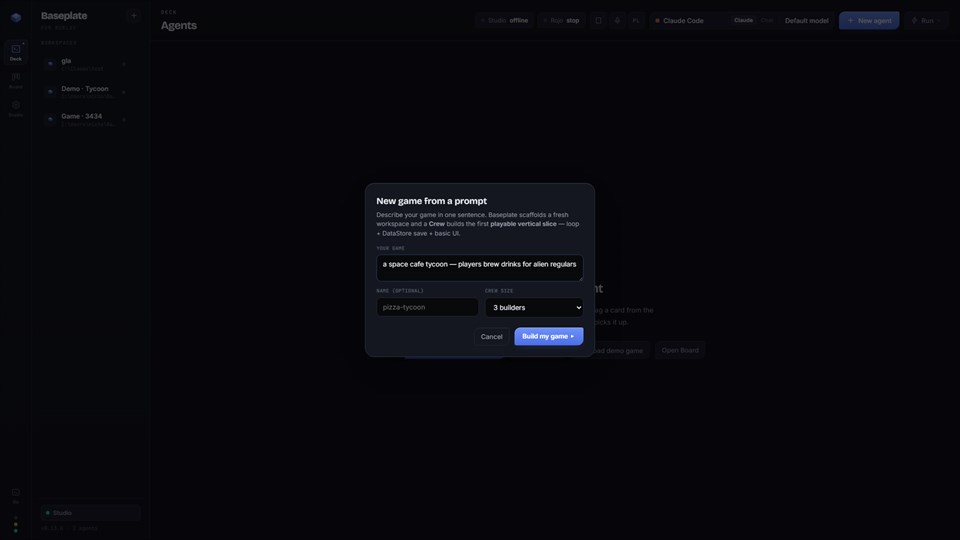
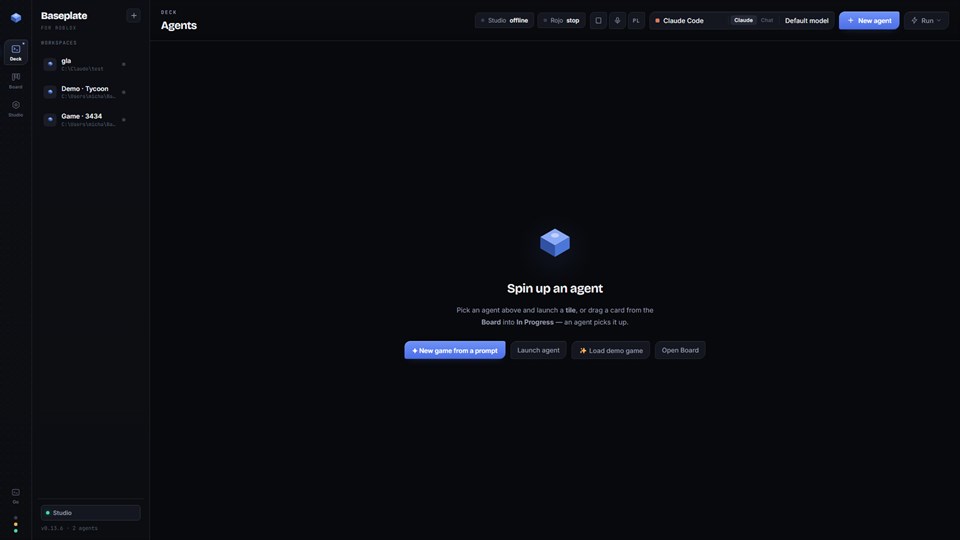
Start with Improve my game: choose a bug fix, a small feature, a free local scan, or guided Open Cloud setup. The guide helps you connect your source folder and AI tool, keeps your task draft, and shows what to do next. Open Cloud is optional; saving a key is separate from verifying access to your game.
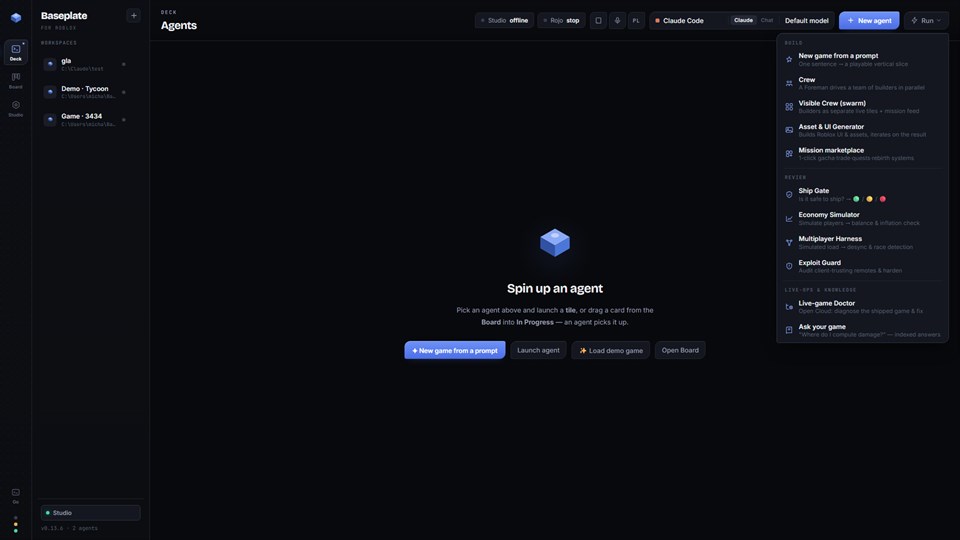
Verified Playtest workflows help supported agents run structured checks through Roblox Studio MCP, collect evidence, and distinguish verified results from unverified output. Built-in review tools cover shipping checks, economy simulation, multiplayer scenarios, exploit-focused audits, and project knowledge.
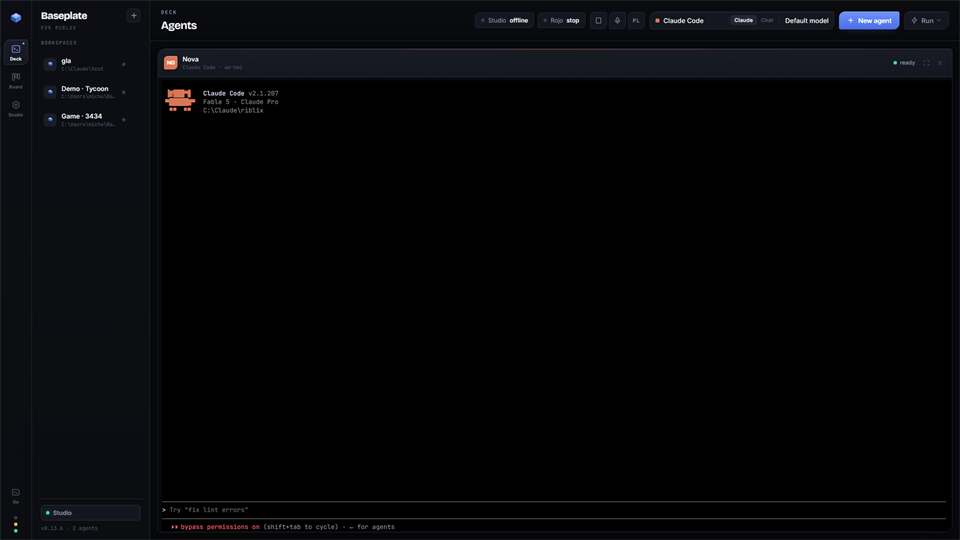
The Free plan can be used without a Baseplate account or paid license. Agent features require a separately installed supported CLI and an eligible provider account; Baseplate does not include AI usage. Live Studio playtesting requires Roblox Studio and the official Roblox Studio MCP. Gemini CLI needs an API key or a supported organization license; Antigravity offers a Native alternative for personal Google accounts. Optional Pro and Studio subscriptions are sold outside Microsoft Store. Your project stays on your computer; when you use an AI provider, the prompts and project context you choose to send are processed under that provider's terms.
Fra udvikleren
Lister 0
-
 Baseplate
Point 0
-

- +1 Point

Ranglister 0
-
- Din bedømmelse
Udvikler 1
- Baseplate
- Følgere: 0
- Platforme: Windows Apps (1)
- Tilbud: 0
- Lister: 0 0
- Point: 0
- Ranglister: 0
- Kommentarer: 0
- Videoer: 0
- RSS: Abonner
Nyheder
- Version: PC
- Sidst opdateret:
- 0.23.1 — Codex reliability and security maintenance
- Controlled access can inspect the connected Studio, read logs, show a plan and begin a playtest check without unnecessary tool-approval failures.
- Follow-up Codex messages preserve earlier tool results and screenshots instead of overwriting them.
- Compatible dependency updates address published security advisories. MCP tool inputs have a complexity limit before validation.
- Checked upgrades from 0.23.0 preserve projects, settings and encrypted credentials.
Actions that require approval still need it. Store installations update through Microsoft Store. AI features require your own installed CLI and eligible provider account; provider authentication and usage limits still apply.
- 0.23.0 — Turn findings into verified work
- Prepare a Guide task from Verify with context and checks. Baseplate checks that the report, project and sources still match before starting.
- Full access requires confirmation in the desktop app. Recovery into Native CLI keeps your chosen restrictions; denied tool actions remain visible.
- More reliable paid access through signed, time-limited confirmations and server-side device checks. Temporary verification failures keep your key available for recovery.
- Prepared work and successful recorded Studio playtests are separate milestones. A replay is evidence, not a guarantee that every part of a game works.
- Checked upgrades from 0.22 preserve projects, settings and encrypted credentials. Store installations update through Microsoft Store.
AI features require your own installed CLI and eligible provider account. Provider authentication, subscriptions and usage limits still apply. Gemini CLI requires an API key or supported organization access; Antigravity supports Native/MCP rather than structured Chat or Playtest Copilot.
Yderligere oplysninger
- Udgivelsesdato:
- Kategori:
Windows-apps›Udviklerværktøjer - Operativsystem:
PC - Størrelse:
303 Mb - Understøttede sprog:
Engelsk - Indholdsklassificering:
EVERYONE 10+ - Windows Store Bedømmelse: ¡
0 - Websted:
 https://baseplatedev.com/
AppAgg-score
Estimeret AppAgg-score for
Baseplate
Udvikler: Baseplate
En højere score afspejler som regel bedre resultater på de områder, AppAgg måler.
Baseret på: popularitet · brugervurderinger · aktualitet · tilbud · butiksdata · fællesskabsaktivitet
Genberegnes dagligt ud fra aktuelle AppAgg-data.
Kommentarer 0 ¡
Del
Baseplate Kort webadresse: Kopieret!- Windows Store

